![Raith's PiShock [NeoForge]](https://media.forgecdn.net/avatars/thumbnails/1768/586/256/256/639123930992541624.jpg)
Community listing page, reviews here may not be monitored by the author.
Raith's PiShock [NeoForge]

No reviews yet
PiShock Minecraft Integration

Community voices
Reviews
No reviews yet. Be the first to review this project!
Get it on
Available Platforms
About
Project Details
For authors
Embed Badge
If you're the author of this project, you can embed a live badge anywhere that supports HTML or Markdown. It updates automatically whenever ratings change.
Use HTML for any page that supports it, or Markdown for README files and Markdown-based descriptions.
Identifiers
Platform IDs
About
Description
PiShock Minecraft Integration



Features
- Works in multiplayer, including non-modded servers.
- Uses PiShock's current websocket broker API (
wss://broker.pishock.com/v2). - Supports local serial communication with PiShock V3 hubs over USB.
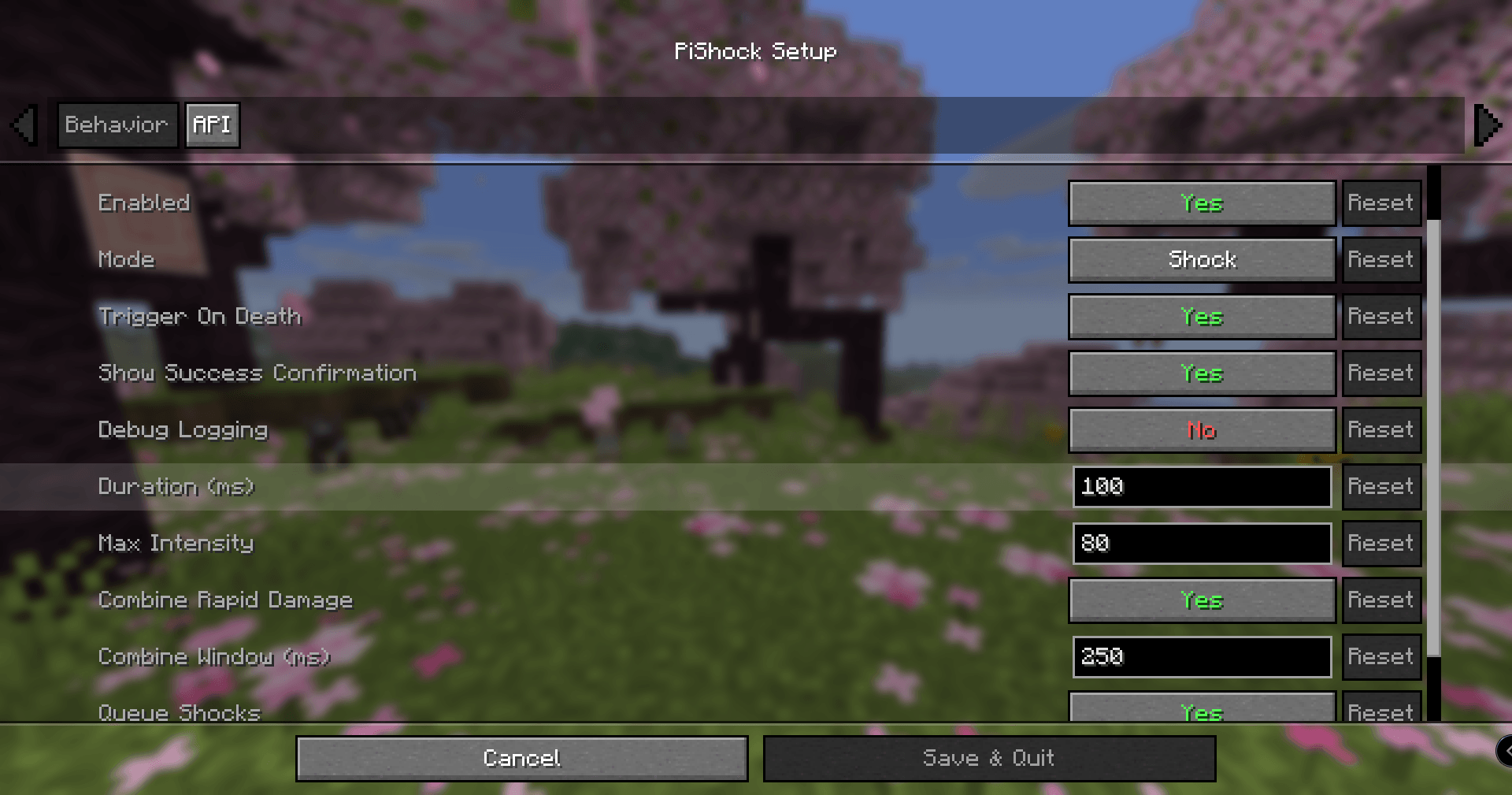
- Supports Shock, Vibrate, and Beep modes.
- Millisecond-precise duration settings (
100msto15000ms). - Queues and combines damage events that occur in quick succession.
- Limit-respecting failsafes at dispatch time.
- Broker error reporting in chat with anti-spam throttling.
- Optional success confirmation in chat, including intensity and duration.
- Includes death-trigger support.
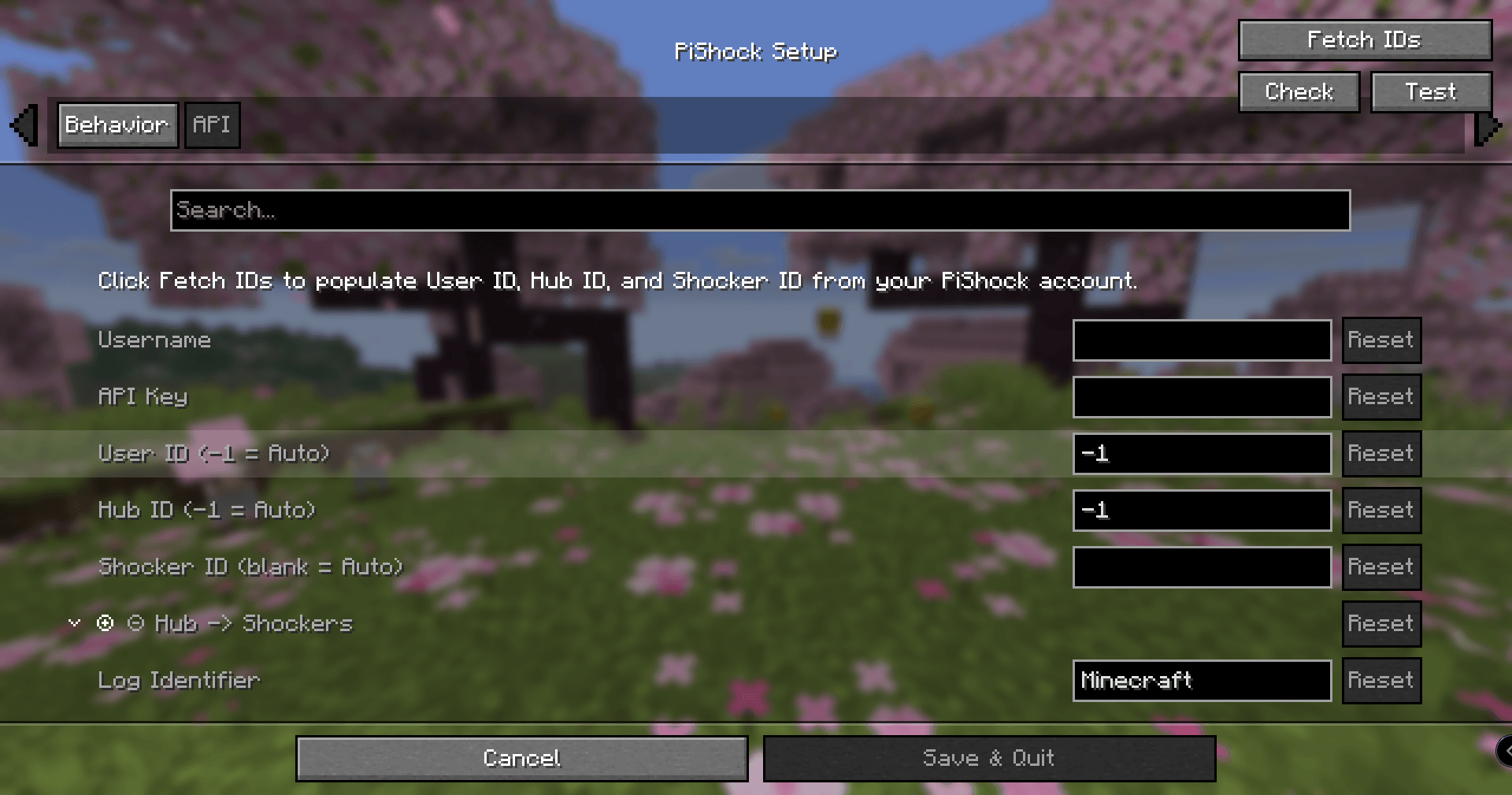
- Auto-discovery for
UserId,HubId, andShockerId(/Account+/Shockers). - In-game setup UI with:
Fetch IDsCheckTestSerial
- Quick enable/disable hotkey (default
F12). - Client debug command:
/pishock debug/pishock debug true/pishock debug false
- Config entry points:
- Main menu icon button
- Pause menu icon button
- Mod config screen integration
Before You Use
- If you need to stop immediately, close the game (
Alt+F4on Windows). - Test your emergency stop path before real use.
- Set up and test the quick toggle hotkey (
F12by default). - Start with conservative intensity and duration values and verify behavior in a safe test world first.
- Confirm your PiShock API key was generated on or after
2024-10-15(required by websocket API login).
Setup
- Launch Minecraft and open PiShock Setup from the main menu icon.
- Enter your PiShock username and API key.
- Use Fetch IDs to pull account/device routing values.
- Use Transport to choose
WebSocketorSerial. - For serial transport, open the Serial tab, connect a PiShock V3 hub over USB, set Serial Port or leave it blank for auto-detection, then use Serial to read firmware/device info and populate Hub/Shocker IDs when available.
- Optionally use Check to validate the selected transport before live use.
- Save config, then test with low values first.
Screenshots
Gallery
-
 Minecraft_NeoForge_26.1.2-IdealVixen.png Minecraft_NeoForge_26.1.2-IdealVixen.png
 -
 Minecraft_NeoForge_26.1.2-PlasticIsopod.png Minecraft_NeoForge_26.1.2-PlasticIsopod.png
Versions
Files
Relations
Project Relations
More like this
Similar Mods
Suggestions use data such as tags, dependencies, dependents, descriptions, titles, and more to rank how much they overlap with this mod.
On ModDex
Community snapshot
By the numbers
Statistics
 (opens in a new tab)
Get it on
Available Platforms
On ModDex
Community snapshot
By the numbers