
Community listing page, reviews here may not be monitored by the author.

Community voices
Reviews
No reviews yet. Be the first to review this project!
Get it on
Available Platforms
Compatibility
Supported Environments
Runs entirely on the client. Works on vanilla servers.
About
Project Details
For authors
Embed Badge
If you're the author of this project, you can embed a live badge anywhere that supports HTML or Markdown. It updates automatically whenever ratings change.
Use HTML for any page that supports it, or Markdown for README files and Markdown-based descriptions.
Identifiers
Platform IDs
Resources
External Links
About
Description
🛠️ PistonRangeDisplay
PistonRangeDisplay is a lightweight, high-performance client-side tool for technical Minecraft players and redstone engineers that lets you see, how long your piston can push blocks.
🌟 Key Features:
- 📏 Visual Range: Instantly see the 12-block push limit of any piston.
💾 Persistent Memory:
- The mod "remembers" pistons you've encountered. No more vanishing lines when you walk away!
⚡ High Performance:
- Built with optimization in mind. Uses smart caching to keep your FPS high.
🎨 Fully Customizable:
- Change colors, transparency, and render modes on the fly.
🎮 Modes & Usage
-
Look Mode (onlyOnLook): Shows the range only for the piston you are currently looking at. Perfect for quick checks!
-
All Mode: Displays all pistons stored in the local cache. Great for mapping out entire machines.
Render Styles:
-
Boxes: Classic 3D boxes for every block in the push range.
-
Lines: Minimalist "laser" beams for maximum performance and clarity.
⌨️ Commands & Controls
-
Default Key: [-] (Minus) - Opens the configuration menu.
-
/piston color <HEX> - Quickly set your favorite highlight color (e.g., #FF5500).
-
/piston find - Scans the area for pistons.
-
⚠️ Note: Large values may cause temporary freezes! ⚠️
-
if you have a weak computer, better not type a radius more than 64
-
/piston analyze - Get a technical report of pistons in your memory.
-
/piston cashclear - Wipe the memory and start fresh.
🔧 Technical Info
-
Platform: Fabric
-
Version: 1.21.1
📥 Installation
-
Install Fabric 1.21.1
-
Install Fabric API 1.21.1
-
Install the mod
-
Drop the jar into your /mods/ folder.
-
Enjoy building your redstone masterpieces! 🚀
Screenshots
Gallery
-
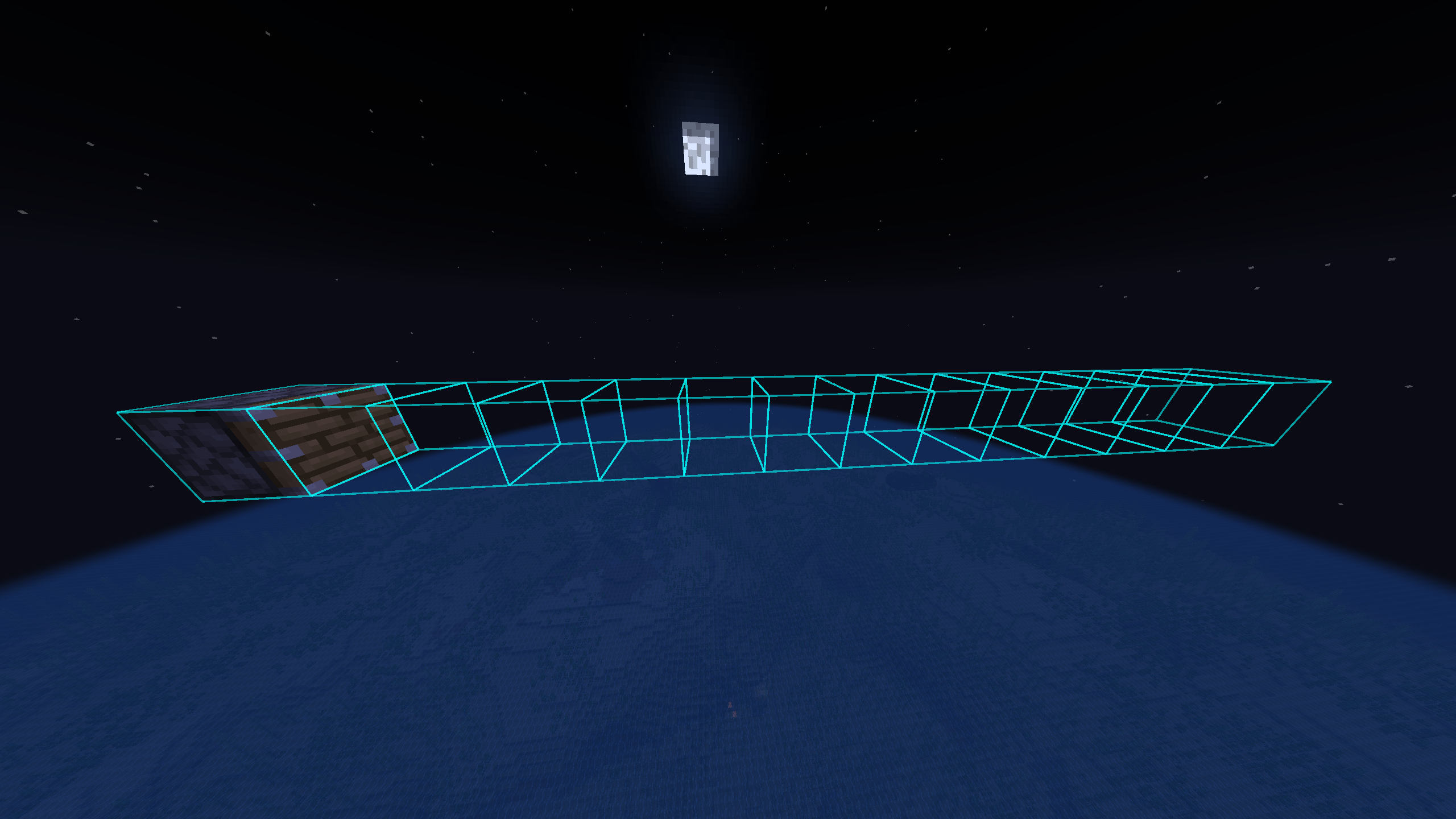 boxes
boxes -
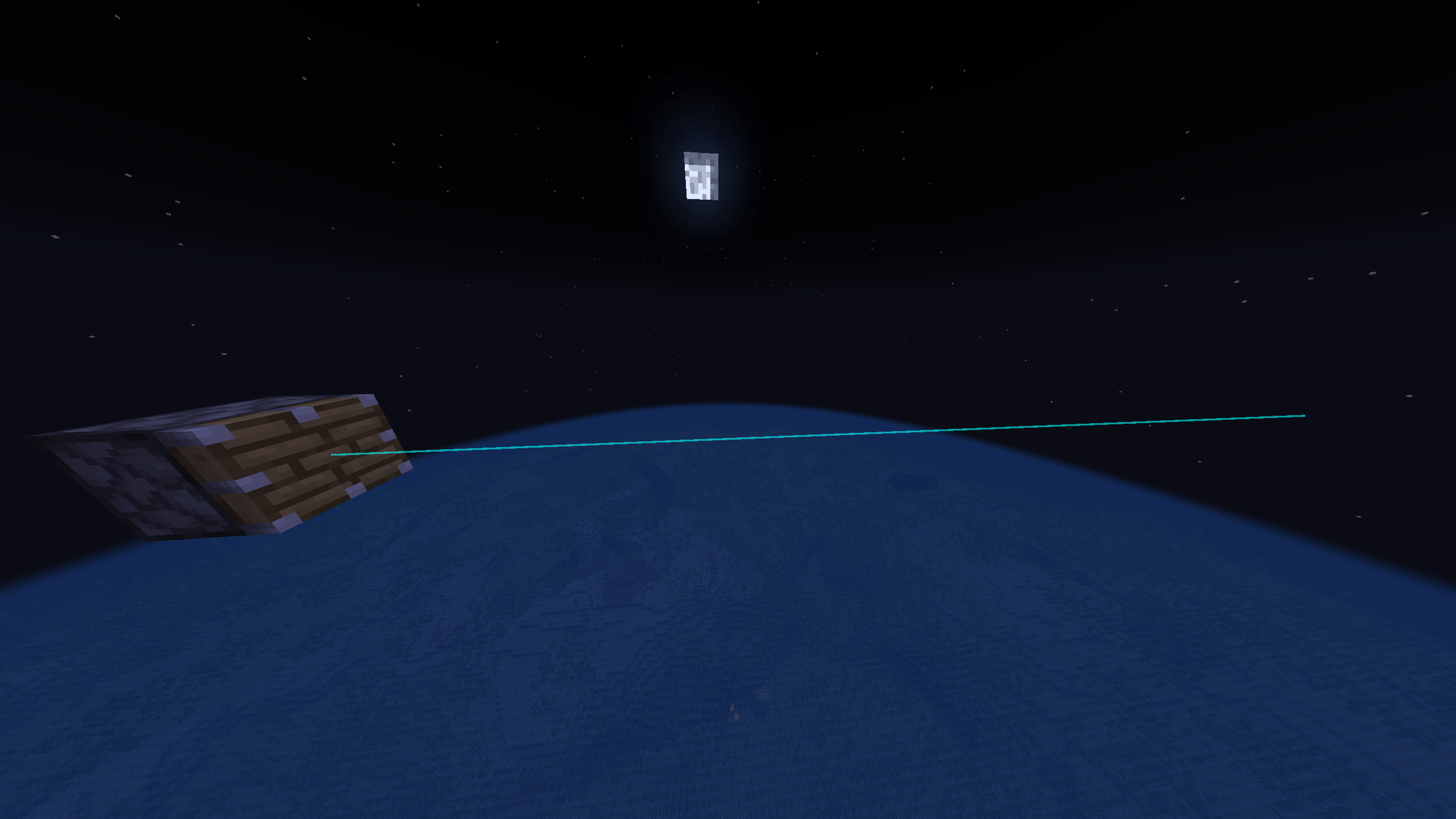 line
line -
 menu (open "-")
Versions
Files
Relations
Project Relations
More like this
Similar Mods
Suggestions use data such as tags, dependencies, dependents, descriptions, titles, and more to rank how much they overlap with this mod.
On ModDex
Community snapshot
By the numbers
Statistics

Want to reach Minecraft players?
We're looking for a server hosting partner to feature here and other parts of the site. Interested? Send us a message!
Get in touchGet it on
Available Platforms
On ModDex
Community snapshot
By the numbers
Statistics
Resources