Community listing page, reviews here may not be monitored by the author.
PistonCompression

No reviews yet
Use pistons to compress blocks into other blocks or items
Community voices
Reviews
No reviews yet. Be the first to review this project!
Get it on
Available Platforms
About
Project Details
For authors
Embed Badge
If you're the author of this project, you can embed a live badge anywhere that supports HTML or Markdown. It updates automatically whenever ratings change.
Use HTML for any page that supports it, or Markdown for README files and Markdown-based descriptions.
Identifiers
Platform IDs
About
Description
What does this mod do?
This mod allows pistons to compress certain blocks into other blocks or items.
How do I use this mod?
You need Minecraft Forge installed first. Once that's done, just drop pistoncompression-version.jar in your Minecraft instance's mods/ directory. Optionally, you can configure it to taste (see below).
How do I compress blocks?
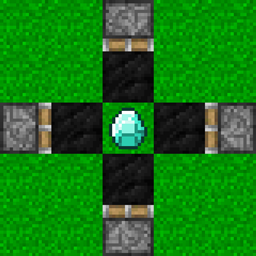
You need seven of the block you want to compress and six pistons. You also need a means of powering the pistons, as well as blocks to stop pistons from being able to move each other.
- Place a block to be compressed, and place six more of it on its six faces.
- Place pistons on each outer block that point inward to the center block.
- Ensure that none of the pistons can accidentally move each other.
- Activate all of the pistons.
- Once the pistons extend, deactivate them and remove the compressed block.
What settings does this mod have?
You can choose exactly what compressions are possible. The first two columns of each entry are the old block's name and a state predicate, the same as /testforblock uses. The second two columns are the new block's or item's name and a data value or block state. The final column is optional. Examples:
- minecraft:ice * minecraft:packed_ice
- minecraft:coal_block * minecraft:diamond
The first entry will allow ice blocks to be compressed into a packed ice block. The second entry will allow coal blocks to be compressed into a diamond.
Can I use this in my modpack?
Yes, even if you monetize it with adf.ly or something, and you don't need to ask me for my permission first.
Screenshots
Gallery
-
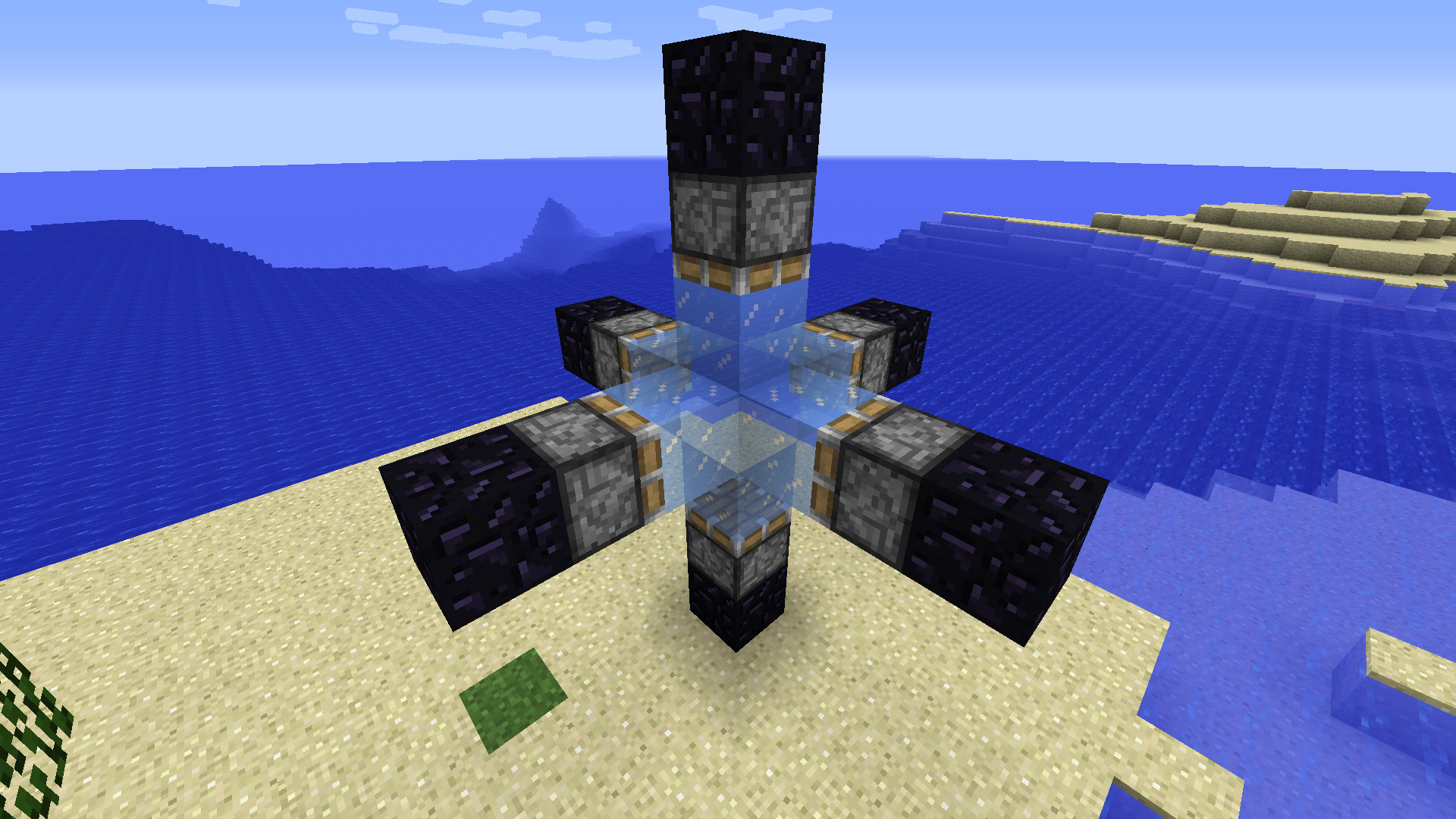 Ready to compress ice This screenshot shows a piston compressor with 7 ice blocks inside, ready for compression.
 -
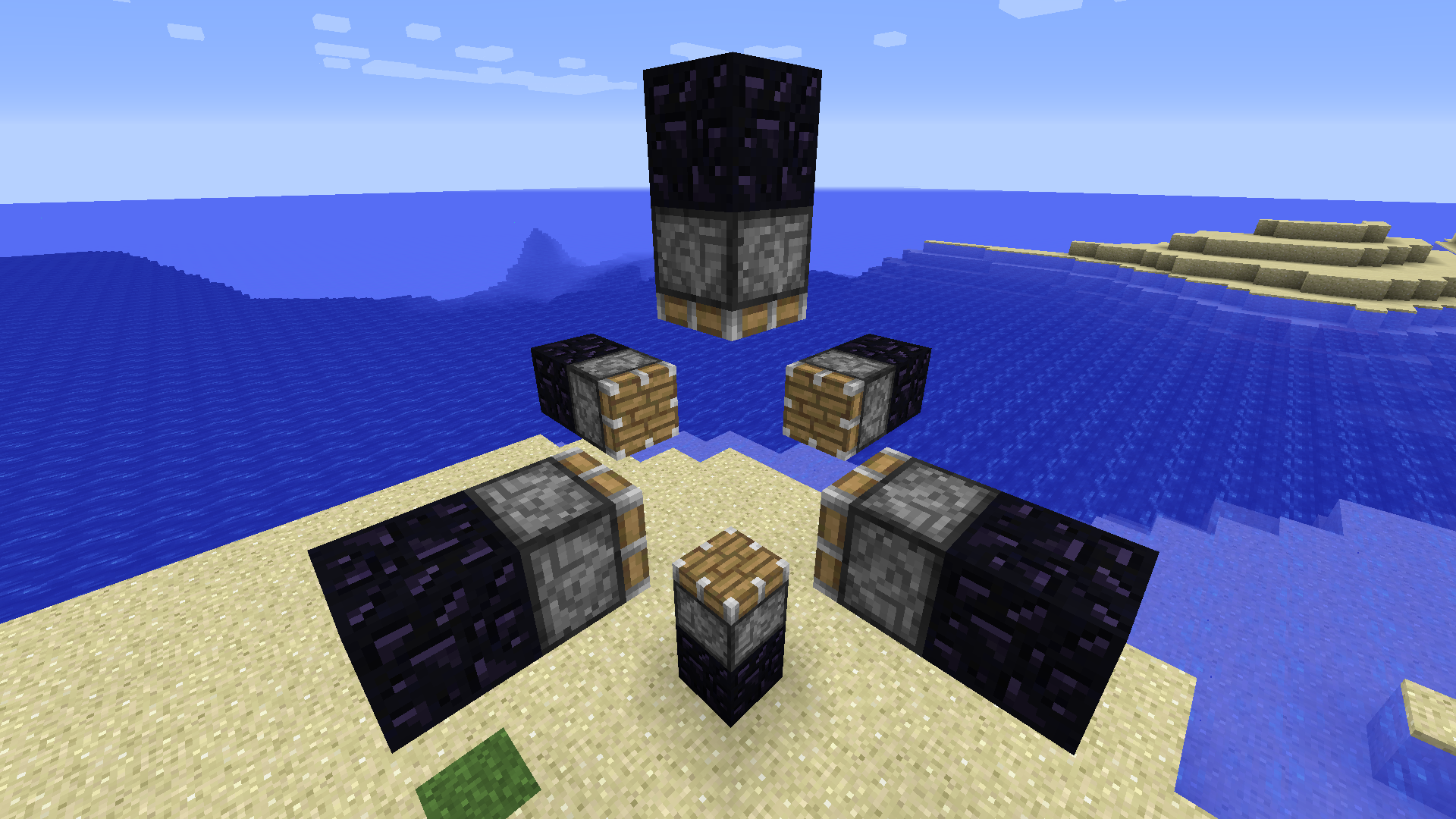 Empty compressor This screenshot shows the proper design of an empty compressor.
Versions
Files
Relations
Project Relations
More like this
Similar Mods
Suggestions use data such as tags, dependencies, dependents, descriptions, titles, and more to rank how much they overlap with this mod.
On ModDex
Community snapshot
By the numbers
Statistics
Want to reach Minecraft players?
We're looking for a server hosting partner to feature here and other parts of the site. Interested? Send us a message!
Get in touchGet it on
Available Platforms
On ModDex
Community snapshot
By the numbers