
PlasmoWords
No reviews yet
Read Plasmo Voice as live in-game subtitles.
Fabric is a mod loader for versions 1.14+ of Minecraft, particularly popular for client side and optimization mods.
Community voices
Reviews
Click once to include, again to exclude, again to clear
No reviews yet. Be the first to review this project!
Get it on
Available Platforms
 Modrinth
Compatibility
Supported Environments
About
Project Details
For authors
Embed Badge
If you're the author of this project, you can embed a live badge anywhere that supports HTML or Markdown. It updates automatically whenever ratings change.
Use HTML for any page that supports it, or Markdown for README files and Markdown-based descriptions.
Identifiers
Platform IDs
Resources
External Links
About
Description
🎤 Plasmowords
What if Minecraft voice chat had subtitles?
PlasmoWords turns Plasmo Voice speech into live on-screen subtitles inside Minecraft, letting you read what nearby players are saying in near real time.
No more asking “what?” every 10 seconds. No more missing important callouts in fights, caves, or chaotic co-op sessions. If someone says it in voice chat, PlasmoWords helps you see it.
✨ Features
- Live subtitles for Plasmo Voice
- Detects which player is speaking
- Updates subtitle lines while players are still talking
- Works offline with a local speech recognition model
- In-game settings screen
- Model selection menu
🎮 Why use it?
Voice chat is great until:
- someone has a terrible mic
- multiple people talk at once
- background noise ruins everything
- you miss a callout and instantly regret it PlasmoWords makes voice chat easier to follow by turning speech into readable subtitle lines прямо on your HUD.
It is especially useful for:
- survival co-op
- PvP callouts
- roleplay servers
- streams and recordings
- accessibility and general voice chat clarity
🧩 How it works
When a player speaks through Plasmo Voice, PlasmoWords:
- receives the voice audio,
- detects the speaking player,
- transcribes the speech locally,
- shows the result as subtitles on your screen.
You’ll see lines like:
[Steve] let's go deeper [Alex] creeper behind you [NoobMaster] where are you guys
✅ Requirements
PlasmoWords requires:
- Plasmo Voice
- A manually installed Vosk model
📦 Installation
- Install Fabric
- Install Plasmo Voice
- Put PlasmoWords into your mods folder
- Download a compatible Vosk speech model
- Extract the model into the plasmowords_models folder
- Open the mod settings in-game
- Select the model and apply it
📁 Model setup
Speech recognition models are not bundled with the mod.
You need to download a Vosk model manually and place it in: .minecraft/plasmowords_models Then open the PlasmoWords settings screen, refresh the model list, select your installed model, and apply it. ⚠️ Important notes
- This mod does not use online/cloud transcription
- Subtitle quality depends on microphone quality, background noise, and the selected model
- Models must be installed manually
- The mod is designed as a real-time subtitle overlay, not as a perfect full transcript syste
🛠️ Current status
PlasmoWords is fully usable, but it should still be treated as an actively evolving project. If you run into edge cases, weird recognition results, or compatibility issues, feedback is welcome.
💬 Why this mod exists
Because once you try voice chat with subtitles, it feels like one of those features that should have been there from the start.
Minecraft voice chat is a lot more useful when you can hear it and read it at the same time.
Optional FAQ
Can I use different languages?
Yes, as long as you install a compatible Vosk model for that language.
Does it work on servers automatically?
It works client-side with Plasmo Voice, but each player who wants subtitles needs the mod and a model installed locally.
Screenshots
Gallery
-
 Banner
 -
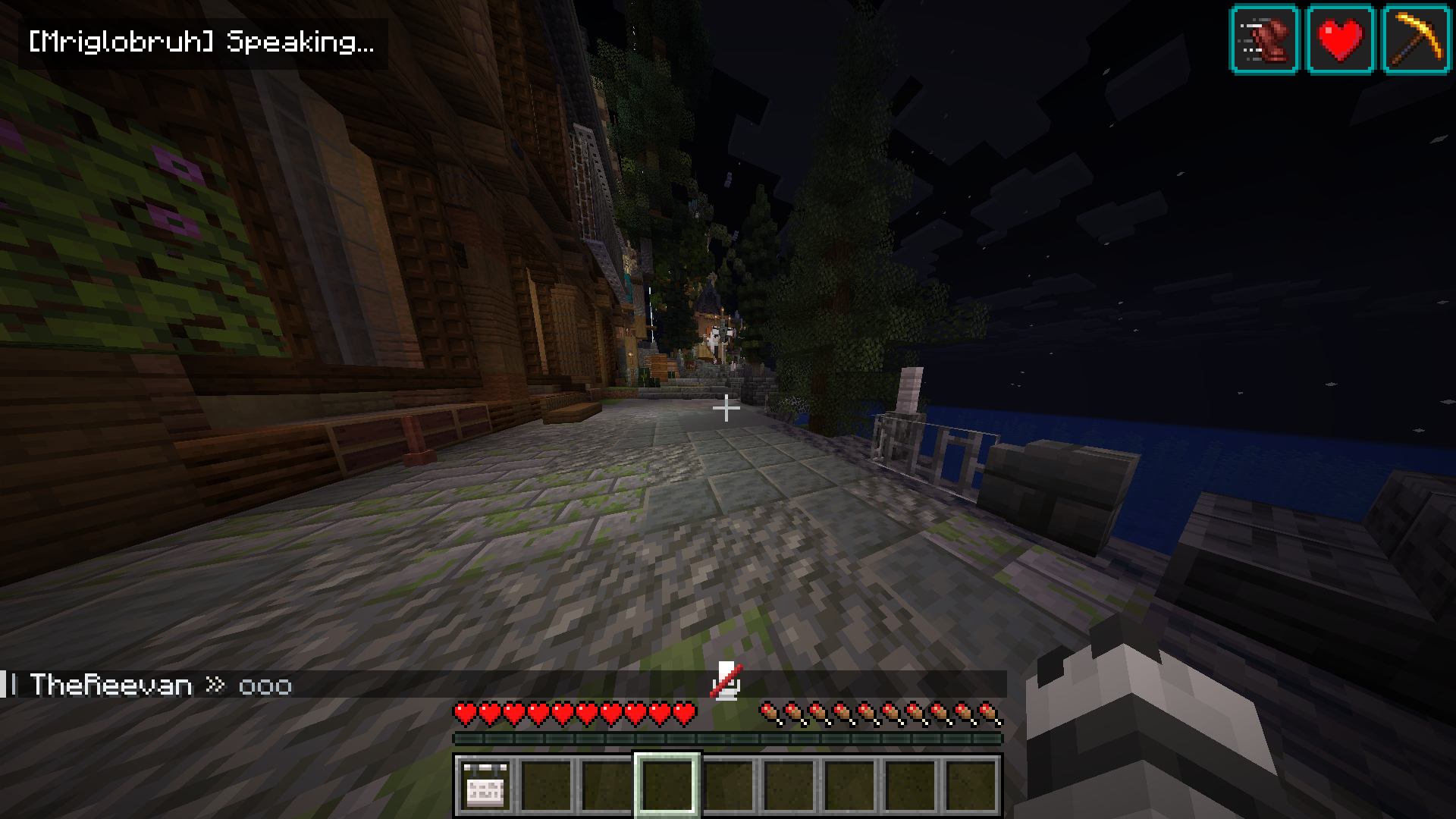 Notification that a player is speaking Appears every time the player speaks
 -
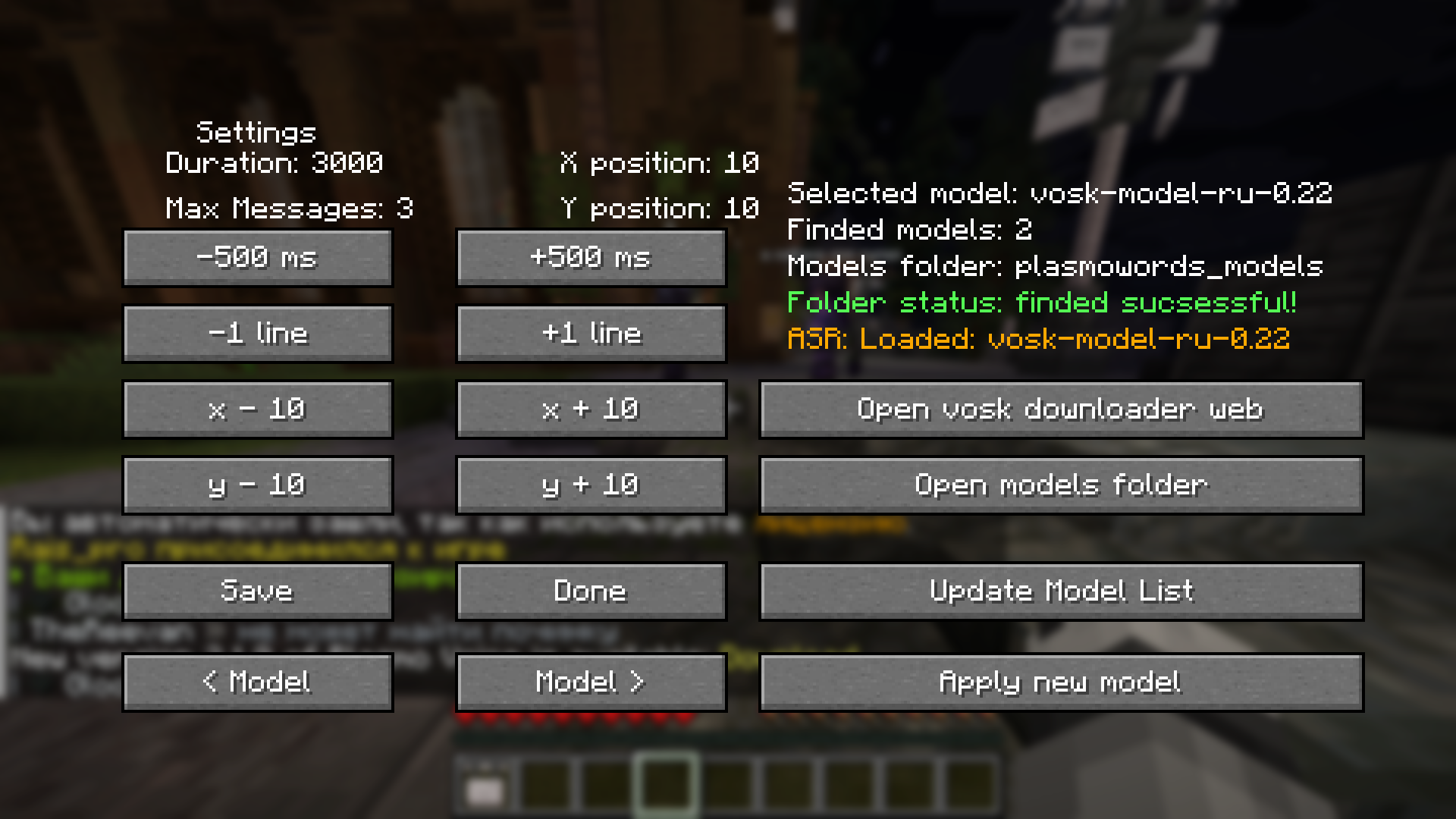 Settings screen Here you can choose models and customize everything to suit your needs!
 -
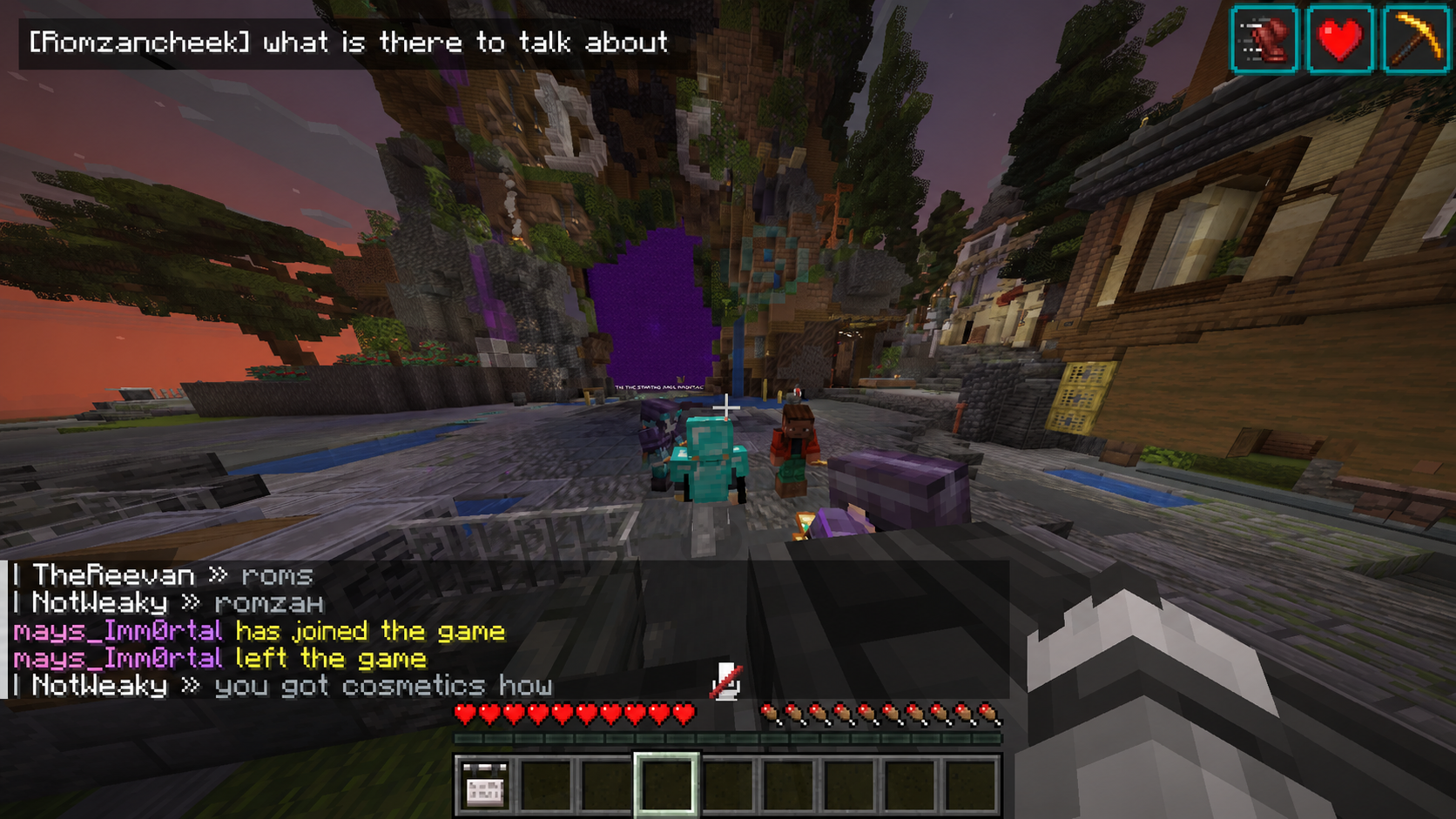 Subtitle work demonstration Example, how subtitles are look like
Versions
Files
Relations
Project Relations
More like this
Similar Mods
Suggestions use data such as tags, dependencies, dependents, descriptions, titles, and more to rank how much they overlap with this mod.
On ModDex
Community snapshot
By the numbers
Statistics

Want to reach Minecraft players?
We're looking for a server hosting partner to feature here and other parts of the site. Interested? Send us a message!
Get in touchGet it on
Available Platforms
On ModDex
Community snapshot
By the numbers
Statistics
Resources