
Community listing page, reviews may not be monitored by the author.



Community voices
Reviews
No reviews yet. Be the first to review this project!
Get it on
Available Platforms
Compatibility
Supported Environments
Must be installed on both the client and the server.
About
Project Details
For authors
Embed Badge
If you're the author of this project, you can embed a live badge anywhere that supports HTML or Markdown. It updates automatically whenever ratings change.
Use HTML for any page that supports it, or Markdown for README files and Markdown-based descriptions.
Identifiers
Platform IDs
Resources
External Links
About
Description
Player Statistics



A Minecraft 1.20.6 Fabric mod that tracks per-player statistics and provides a lightweight in-game economy. All persistence is delegated to the Custom Player Data framework.
Requirements
The custom-player-data-1.0.3 mod must be installed.
Currently available features
Tracking
- First join — recorded once on the player's very first connection.
- Last join — refreshed on every connection.
- Play time — accumulated in seconds. The session start time is held
in memory and added to the persisted total on disconnect (or on
SERVER_STOPPINGas a safety net)./infoand/top play_timeadd the in-progress session to the displayed value so the number is always current.
Commands
| Command | Permission | Description |
|---|---|---|
/info |
everyone | Show your own statistics. Play time is formatted as X jours, Y heures, Z min. |
/info <player> |
op (lvl 2) | Show another player's statistics. |
/top <stat> |
everyone | Top 10 leaderboard. Built from currently connected players (the framework does not expose offline data). |
Connection counter — join_count
- Increments
join_counton every successful login. - Adds a line to
/info.
Death tracking — death_count
- Listens to
ServerLivingEntityEvents.AFTER_DEATHand incrementsdeath_countwhenever aServerPlayerEntitydies. - Exposes a
death_countleaderboard via/top death_count. - Adds a line to
/info.
Player kill tracking — player_kills
- Increments
player_killson the attacker when one player kills another. Self-kills are filtered out. - Exposes a
player_killsleaderboard via/top player_kills. - Adds a line to
/info.
Hostile mob kill tracking — mob_kills_hostile
- Increments
mob_kills_hostilewhenever a player kills an hostile entity. - Exposes a
mob_kills_hostileleaderboard via/top mob_kills_hostile. - Adds a line to
/info.
Passive mob kill tracking — mob_kills_passive
- Increments
mob_kills_passivewhenever a player kills an passive entity. - Adds a "Mobs passifs tues" line to
/info.
Economy — balance
The whole economy module is gated behind the BALANCE stat. Activating it
unlocks the following commands:
| Command | Permission | Description |
|---|---|---|
/balance |
everyone | Show your own balance. |
/balance <player> |
op (lvl 2) | Show another player's balance. |
/pay <player> <amount> |
everyone | Transfer money. Refused if the source balance is insufficient or the target is yourself. |
/money <player> give <amount> |
op (lvl 2) | Add money to a player's balance. |
/money <player> take <amount> |
op (lvl 2) | Remove money — clamped at zero, never negative. |
/money <player> set <amount> |
op (lvl 2) | Set a player's balance to a specific value. |
Activating balance also adds a styled "Solde" line to /info and a
balance entry to /top.
Language support
- English
- French
Installation
- Install Fabric Loader for Minecraft 1.20.6: https://fabricmc.net/use/installer/
- Download Fabric API for 1.20.6 and drop the
.jarinto yourmods/folder. - Drop
player-statistics.jarinto the samemods/folder. - Launch the game!
Player Statistics
A Minecraft 1.20.6 Fabric mod that tracks per-player statistics and provides a lightweight in-game economy. All persistence is delegated to the Custom Player Data framework.
Requirements
The custom-player-data-1.0.3 mod must be installed.
Currently available features
Tracking
- First join — recorded once on the player's very first connection.
- Last join — refreshed on every connection.
- Play time — accumulated in seconds. The session start time is held
in memory and added to the persisted total on disconnect (or on
SERVER_STOPPINGas a safety net)./playerinfoand/leaderboard play_timeadd the in-progress session to the displayed value so the number is always current.
Commands
| Command | Permission | Description |
|---|---|---|
/playerinfo |
everyone | Show your own statistics. Play time is formatted as X jours, Y heures, Z min. |
/playerinfo <player> |
op (lvl 2) | Show another player's statistics. |
/leaderboard <stat> |
everyone | Top 10 leaderboard. Built from currently connected players (the framework does not expose offline data). |
Connection counter — join_count
- Increments
join_counton every successful login. - Adds a line to
/playerinfo.
Death tracking — death_count
- Listens to
ServerLivingEntityEvents.AFTER_DEATHand incrementsdeath_countwhenever aServerPlayerEntitydies. - Exposes a
death_countleaderboard via/leaderboard death_count. - Adds a line to
/playerinfo.
Player kill tracking — player_kills
- Increments
player_killson the attacker when one player kills another. Self-kills are filtered out. - Exposes a
player_killsleaderboard via/leaderboard player_kills. - Adds a line to
/playerinfo.
Hostile mob kill tracking — mob_kills_hostile
- Increments
mob_kills_hostilewhenever a player kills an hostile entity. - Exposes a
mob_kills_hostileleaderboard via/leaderboard mob_kills_hostile. - Adds a line to
/playerinfo.
Passive mob kill tracking — mob_kills_passive
- Increments
mob_kills_passivewhenever a player kills an passive entity. - Adds a "Mobs passifs tues" line to
/playerinfo.
Economy — balance
The whole economy module is gated behind the BALANCE stat. Activating it
unlocks the following commands:
| Command | Permission | Description |
|---|---|---|
/balance |
everyone | Show your own balance. |
/balance <player> |
op (lvl 2) | Show another player's balance. |
/pay <player> <amount> |
everyone | Transfer money. Refused if the source balance is insufficient or the target is yourself. |
/money <player> give <amount> |
op (lvl 2) | Add money to a player's balance. |
/money <player> take <amount> |
op (lvl 2) | Remove money — clamped at zero, never negative. |
/money <player> set <amount> |
op (lvl 2) | Set a player's balance to a specific value. |
Activating balance also adds a styled "Solde" line to /playerinfo and a
balance entry to /leaderboard.
Language support
- English
- French
Installation
- Install Fabric Loader for Minecraft 1.20.6: https://fabricmc.net/use/installer/
- Download Fabric API for 1.20.6 and drop the
.jarinto yourmods/folder. - Drop
player-statistics.jarinto the samemods/folder. - Launch the game!
Screenshots
Gallery
-
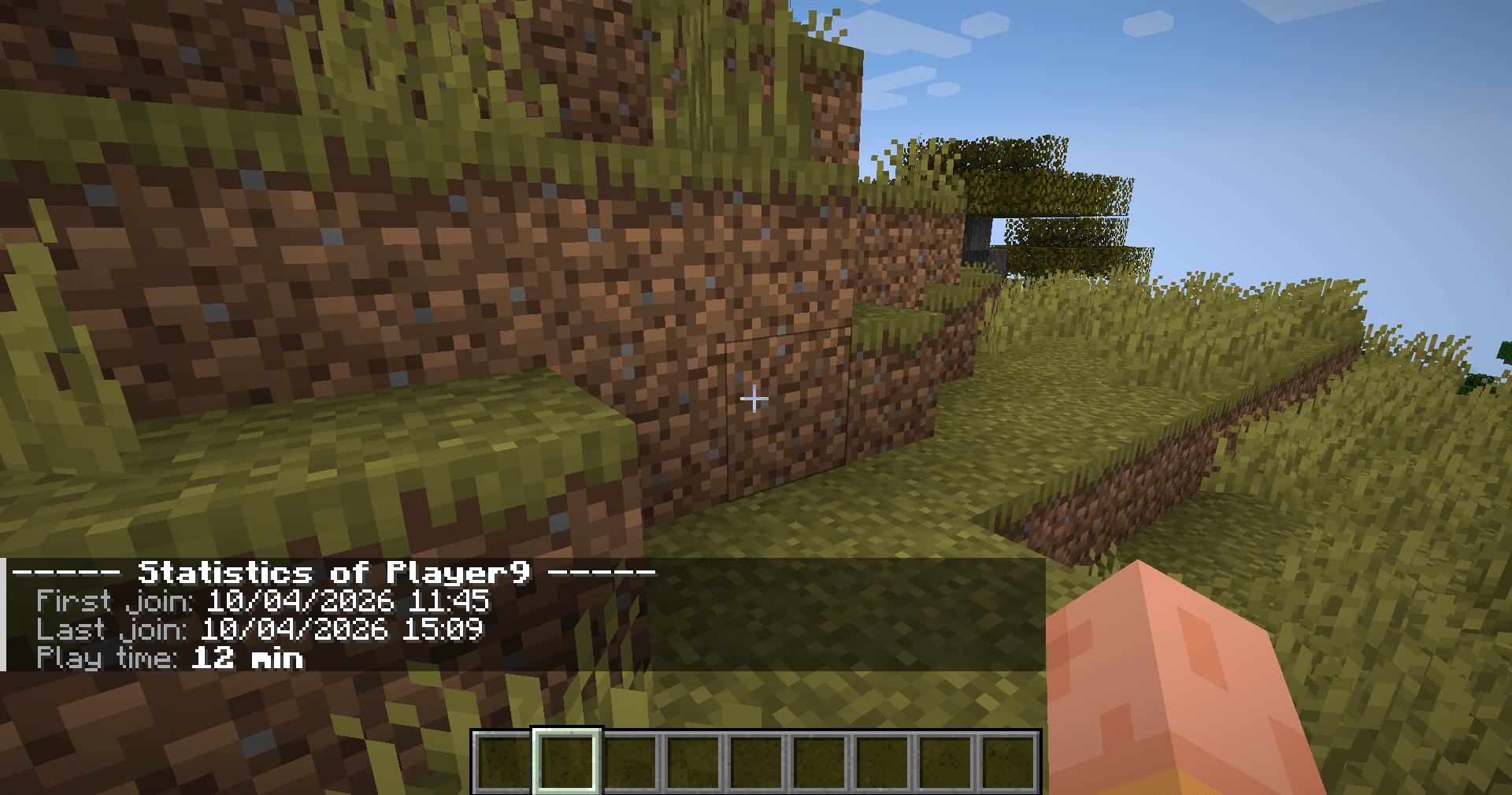 2026-04-10_15.09.13.png 2026-04-10_15.09.13.png
 -
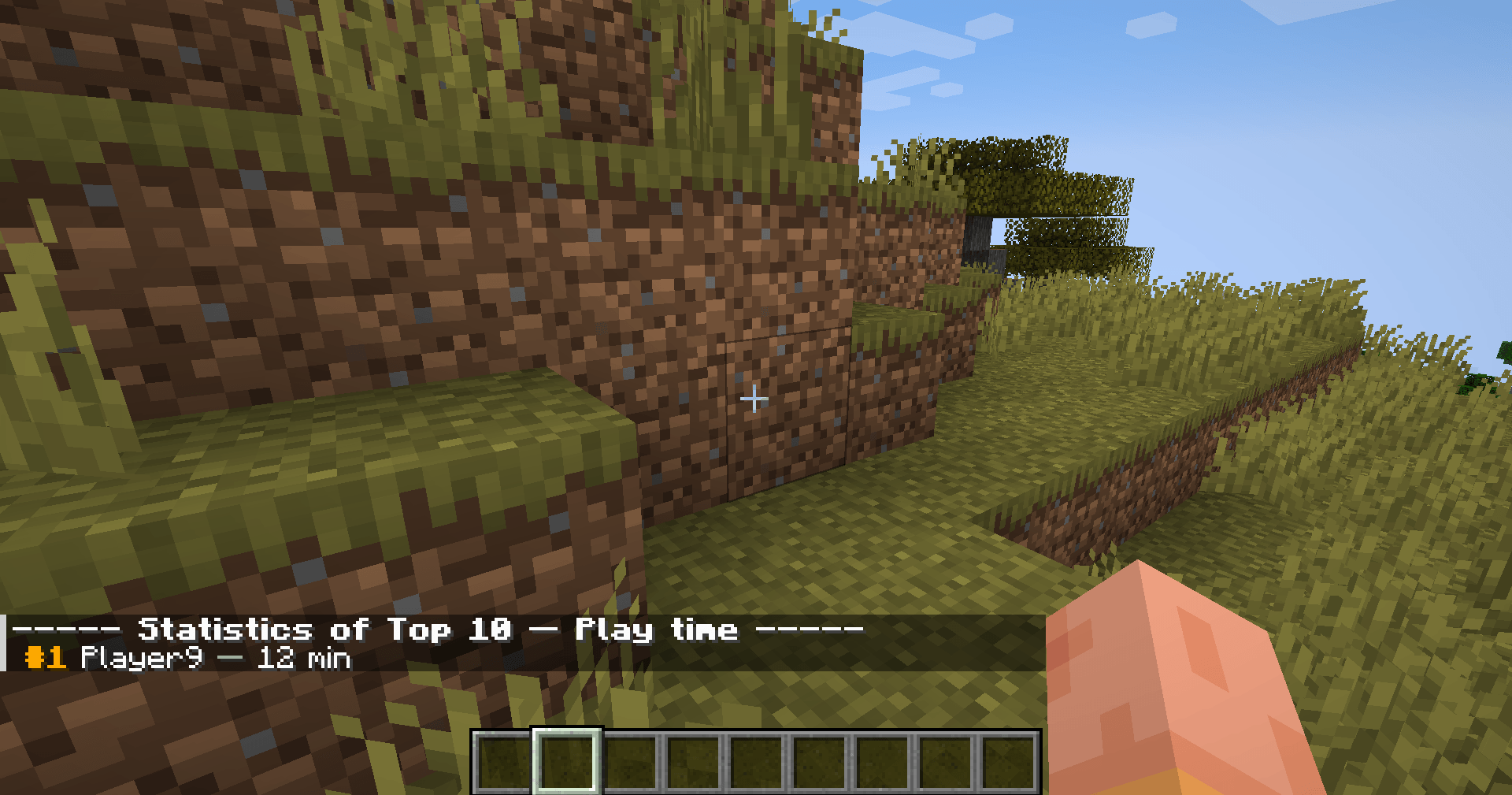 2026-04-10_15.09.24.png 2026-04-10_15.09.24.png
-
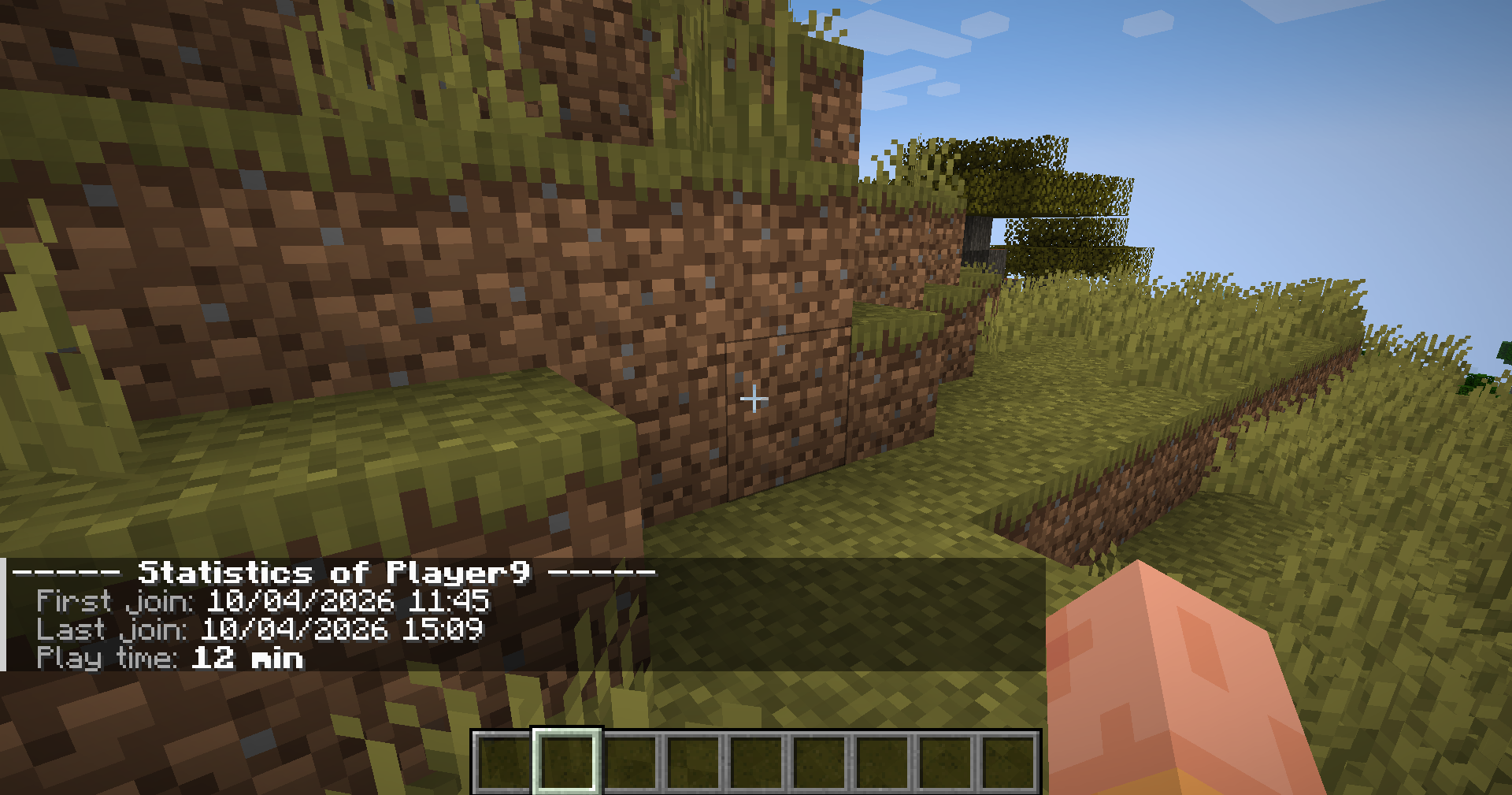 /info
/info -
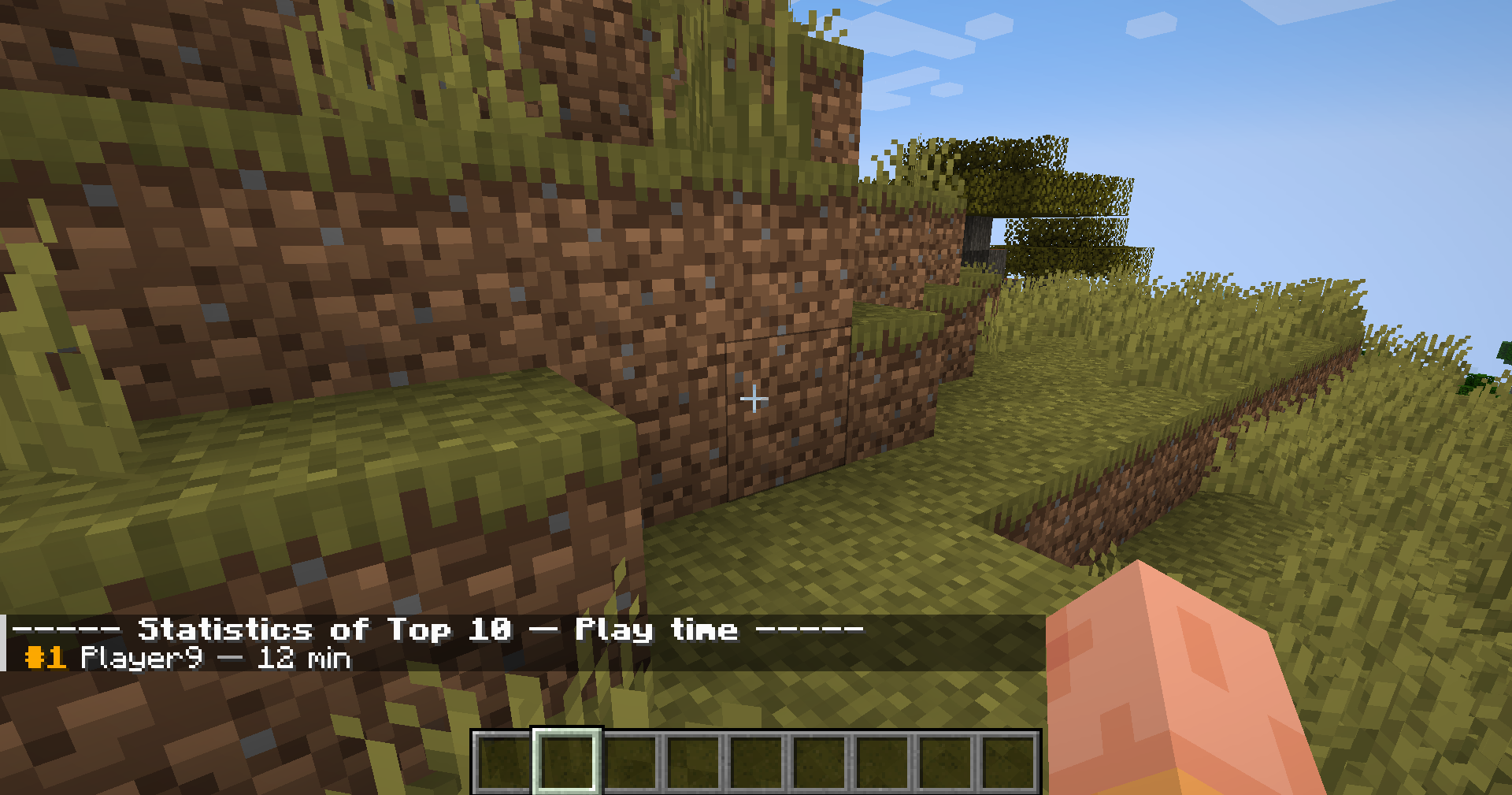 /top play_time
Versions
Files
Relations
Project Relations
More like this
Similar Mods
Suggestions use data such as tags, dependencies, dependents, descriptions, titles, and more to rank how much they overlap with this mod.
On ModDex
Community snapshot
By the numbers
Statistics

Get it on
Available Platforms
On ModDex
Community snapshot
By the numbers
Statistics
Resources