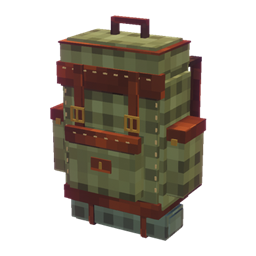
Community listing page, reviews may not be monitored by the author.
player's Backpack

No reviews yet
Wear and place a detailed adventurer’s backpack with 54 storage slots, animated water and lava tanks, custom 3D visuals, and survival-friendly crafting. Built for explorers who want stylish, useful portable storage.

Community voices
Reviews
No reviews yet. Be the first to review this project!
Get it on
Available Platforms
 CurseForge
Modrinth
About
Project Details
For authors
Embed Badge
If you're the author of this project, you can embed a live badge anywhere that supports HTML or Markdown. It updates automatically whenever ratings change.
Use HTML for any page that supports it, or Markdown for README files and Markdown-based descriptions.
Identifiers
Platform IDs
Resources
External Links
About
Description

Player’s Backpack brings storage, crafting, separate water and lava tanks, a tool rack, automation, a portable furnace and a sleeping roll together in one wearable backpack.
2.0 update guide. These features require a matching 2.0 build. Check the Files tab for release availability and the exact Minecraft version and loader before downloading.
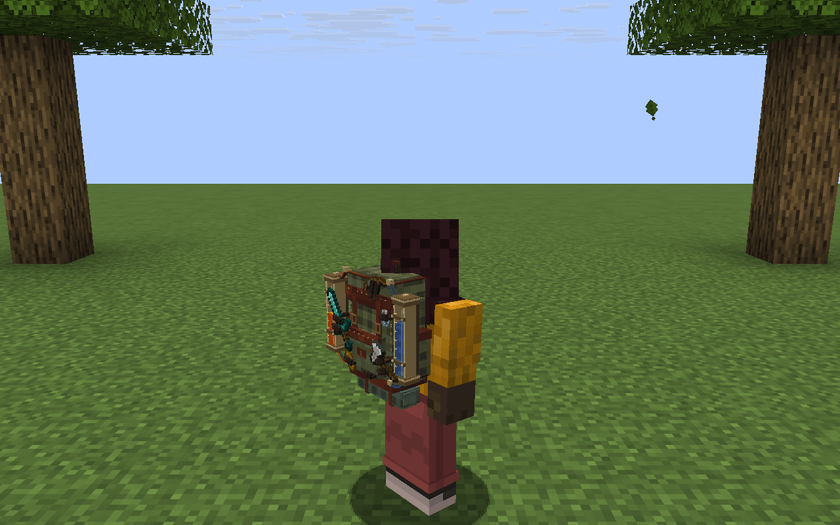
The worn backpack with selected equipment and visible tank contents
START YOUR JOURNEY
- Craft a backpack using the recipe below. It starts with 27 storage slots and two tanks that each hold two buckets.
- Hold the backpack and use it to open its interface. Crafting it does not equip it.
- Sneak and use the held backpack in the air to equip it in its dedicated back slot. Your chestplate stays equipped.
- Press E and click the backpack tab to open the pack from your inventory. B is an optional shortcut.
| Crafting row | Left | Center | Right |
|---|---|---|---|
| Top | String | Iron Ingot | String |
| Middle | Leather | Chest | Leather |
| Bottom | Leather | Leather | Leather |
Total ingredients are 5 leather, 2 string, 1 iron ingot and 1 chest.
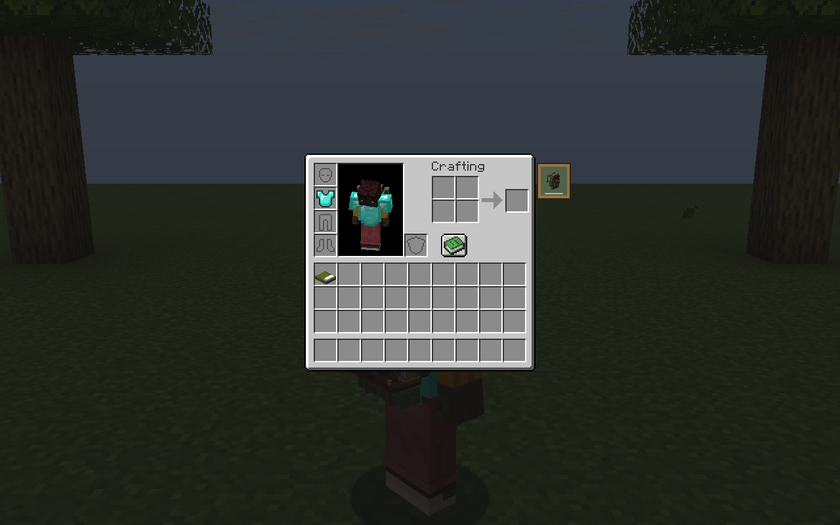
The backpack tab beside the player inventory
WEAR IT YOUR WAY
The backpack and chestplate use separate slots. The back slot is built into the mod and requires no Curios or Trinkets dependency. Shift-click the backpack tab to equip or remove a pack, or use Wear / Remove in the Furnace / camp panel. Keep the cursor empty for the inventory tab, and leave a free slot when removing the backpack. Close any active backpack session before moving the pack.
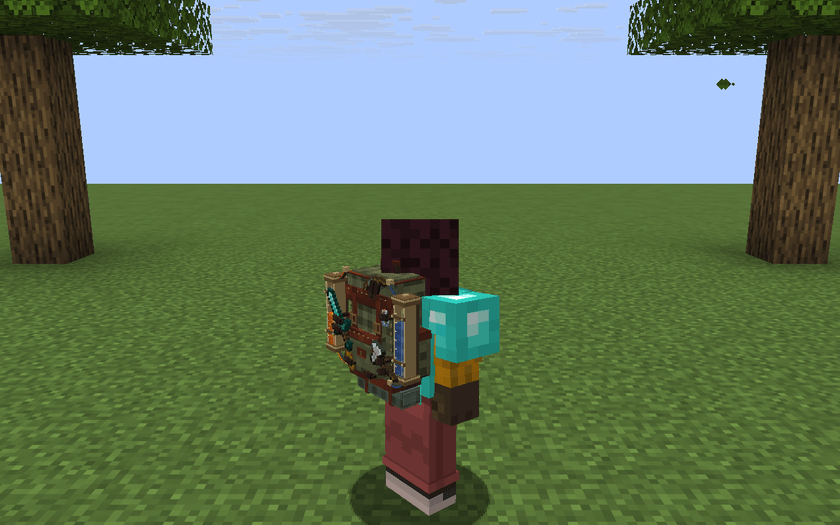
Chest armor and backpack worn together
| Control | Action |
|---|---|
| Use held pack | Open contents |
| Sneak + use in air | Equip held pack |
| E, then backpack tab | Open from player inventory |
| Shift-click backpack tab | Equip or remove |
| B by default | Open an available backpack |
| G by default | Cycle rack equipment into your main hand |
| Back arrow or inventory key | Return to inventory |
| Escape | Close the screen |
Change shortcuts in Minecraft Controls. While Find items has focus, typing letters enters a search.
ROOM TO GROW
Press Expand with the materials in your player inventory. Each tier keeps your stored items and increases ordinary storage and the capacity of each tank.
| Stage | Slots | Each tank | Upgrade cost |
|---|---|---|---|
| Starting pack | 27 | 2 buckets | Craft the pack |
| Expansion I | 36 | 4 buckets | 8 iron ingots |
| Expansion II | 45 | 6 buckets | 8 gold ingots |
| Expansion III | 54 | 8 buckets | 4 diamonds |
The three module sockets and three tool rack slots are separate from ordinary storage. Backpacks cannot be nested. Minecraft’s restrictions on which items fit in containers also apply.
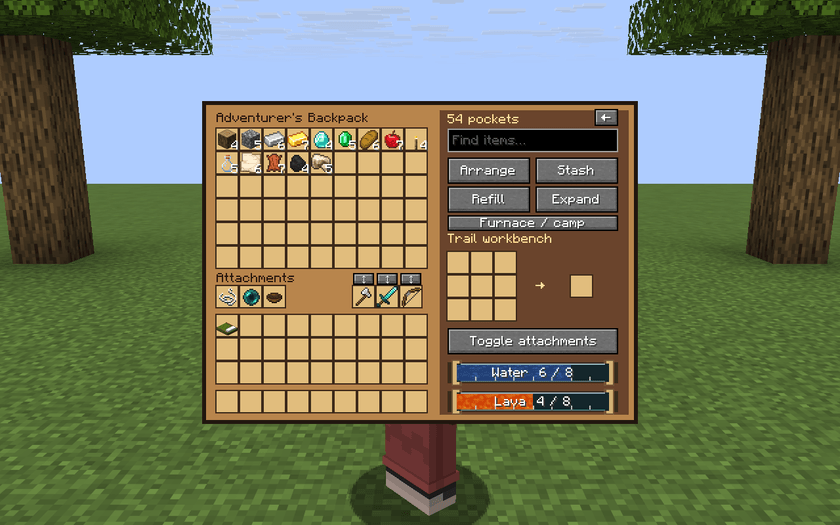
Expanded storage, tool and module slots, crafting, and both tank gauges
ORGANIZE & CRAFT
| Control | What it does |
|---|---|
| Arrange | Sorts items and merges compatible stacks. |
| Stash | Moves items from player inventory when a matching item with the same components is already in the backpack. |
| Refill | Tops up occupied hotbar slots from matching backpack supplies. Empty slots stay empty. |
| Find items | Dims items whose names do not match your search. Items stay in place. |
| Trail workbench | Craft normal recipes in a built-in 3 × 3 grid. |
For example, store some cobblestone before mining and use Stash to put away matching cobblestone afterward. Keep torches on your hotbar and use Refill to top up the stack. The workbench returns leftover ingredients when the screen closes. Shift-click moves items when the destination accepts them.
WATER & LAVA
The two horizontal gauges are also the controls. Hold a bucket on your inventory cursor and click the corresponding gauge.
- Click Water with a water bucket to deposit one bucket. The pack returns an empty bucket.
- Click Lava with a lava bucket to deposit lava in the same way.
- Click a nonempty gauge with an empty bucket to withdraw one bucket. If your cursor holds a stack of empty buckets, leave room for the filled bucket.
- Repeat to transfer more. You can also focus a gauge with Tab and activate it with Enter.
A full tank refuses additional fluid, and an empty tank cannot fill a bucket. Each tank accepts only its own fluid.
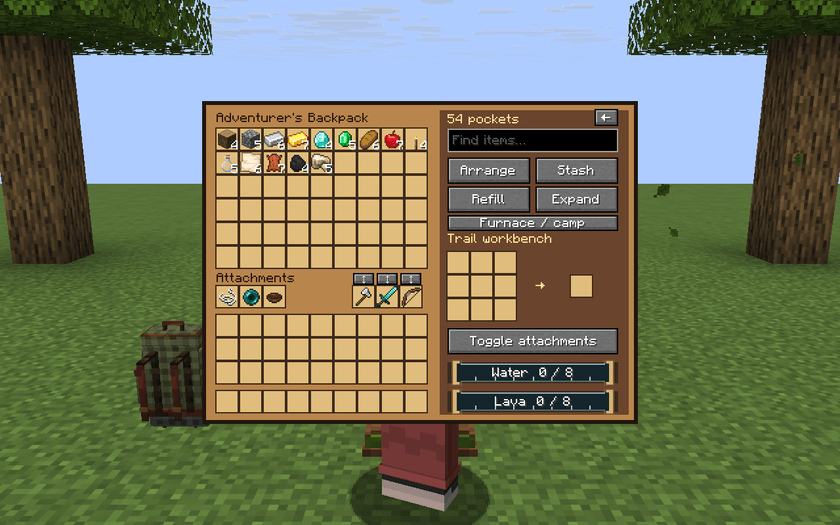
Both reservoirs empty
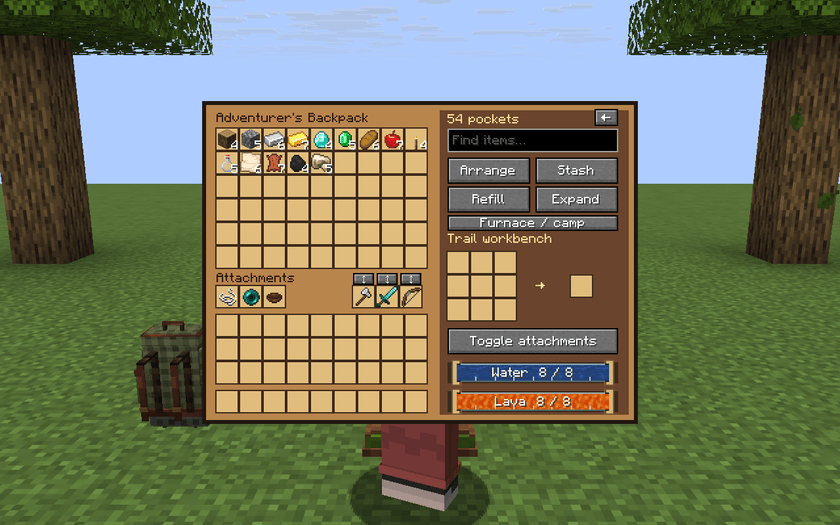
Both reservoirs full at the final upgrade tier
The wearable model shows the actual fluid levels in the side tubes. Water and lava use Minecraft’s animated textures. The attached hoses respond to movement.
EQUIPMENT ON THE OUTSIDE
The pack can show tools, weapons, ranged gear, food, bottles and useful supplies. It selects eligible examples from the rack first, then backpack storage, then player inventory. The last check skips items currently held in either hand.
The rack accepts supported tools, swords, bows, crossbows, tridents, fishing rods, shears and shields, plus maces on versions with that item. Wear the pack, close the menu and press G to cycle the tools into your main hand. Start with an empty hand or hold a supported tool. The small button above each rack slot swaps that tool directly.
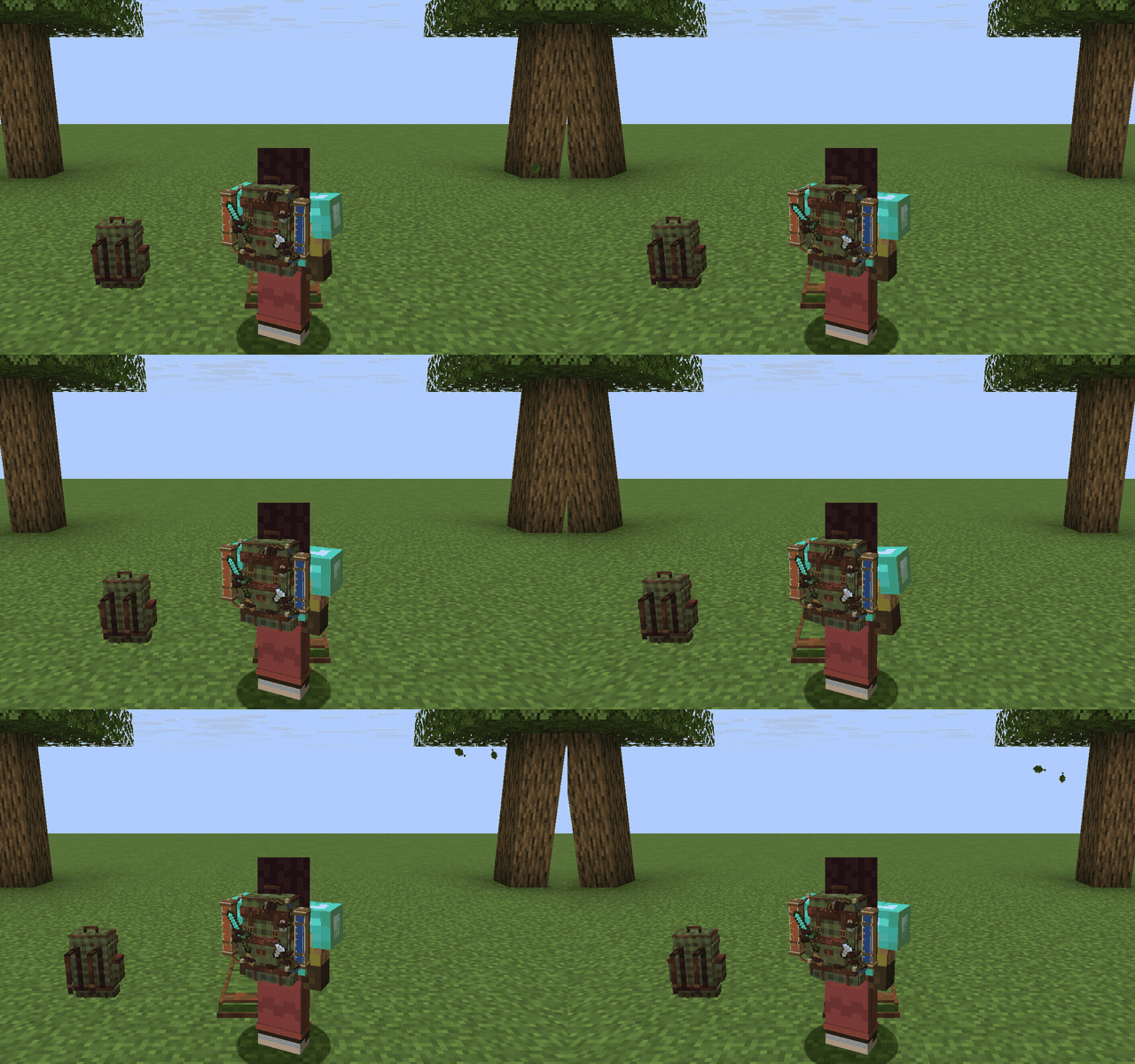
Attached equipment and hoses respond to player movement.
The attachment simulation responds to movement and gravity within the constraints of the straps and mounts. Client settings control the motion, selected decoration categories and draw distance.
AUTOMATION MODULES
Install one of each module in the three attachment sockets. Automation runs when the pack is worn by a living player who is not in spectator mode and the backpack menu is closed. Toggle attachments pauses or resumes automation. Server settings can disable each module separately.
| Module | Behavior |
|---|---|
| Gather Thread | Collects eligible drops at short range when the backpack already stores a matching item. |
| Trail Pull | Collects eligible drops without a matching stack. Default range is four blocks. |
| Provision Knot | Eats suitable stored food when its nutrition fits the missing hunger and it has no consumable effects. |
Collection respects pickup delay, ownership and storage space. A food that restores five hunger points needs at least five missing points. Module automation and decorative attachments have separate settings.
Module recipes. Read each row from left to right. A dash means leave the slot empty.
| Module | Top | Middle | Bottom |
|---|---|---|---|
| Gather Thread | – · String · – | String · Chest · String | – · Iron Ingot · – |
| Trail Pull | Iron Ingot · Ender Pearl · Iron Ingot | – · Redstone · – | – · Iron Ingot · – |
| Provision Knot | – · String · – | Leather · Bowl · Leather | – · String · – |
PORTABLE FURNACE
Press Furnace / camp to replace the crafting panel with the camp panel. Add a normal furnace ingredient to the input slot and suitable fuel to the fuel slot. Watch the burn and cooking indicators and collect the result manually to receive the smelting experience.
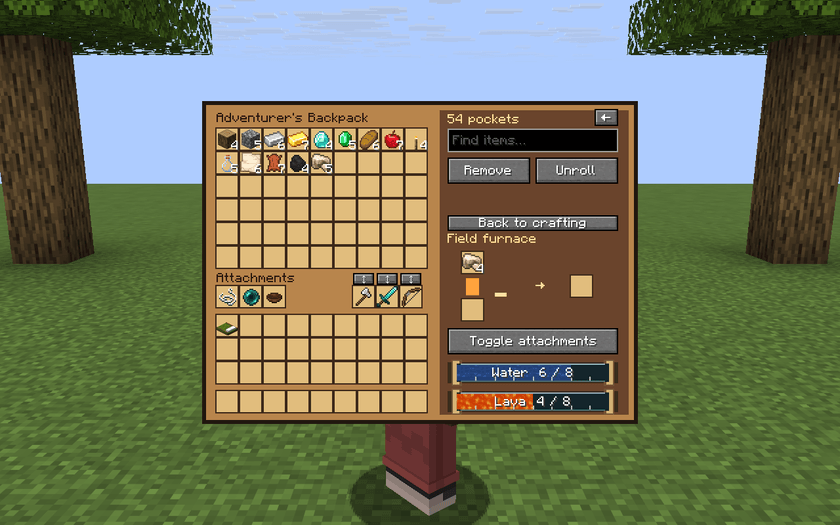
Working portable furnace in the camp panel
The furnace can cook while the backpack is carried, worn or placed in a loaded chunk. It saves its contents, fuel, cooking progress and experience. Cooking pauses when the world is offline, the placed pack’s chunk unloads or the pack is stored inside another container. Use regular furnace recipes.
SLEEPING ROLL
Craft a sleeping roll with three wool across one row and three leather directly below. Carry it in your inventory or backpack.
- Face an area with two clear blocks and solid ground beneath them.
- Press Unroll in the Furnace / camp panel to deploy the roll in front of you.
- Use it when normal sleeping conditions permit. Your existing respawn point is preserved.
- Sneak and use the roll with an empty hand to fold it. Breaking either half also returns one roll.
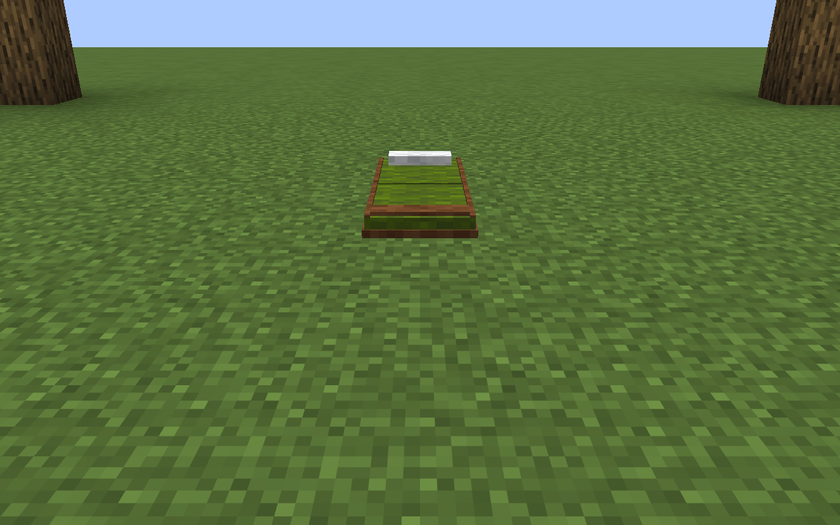
Sleeping roll deployed on the ground
Sleeping follows the world’s time and dimension restrictions.
PLACE & PERSONALIZE
Hold the backpack, sneak and use the top of a block to place it. Use the placed backpack to open it. Sneak and use it with an empty hand to pick it up again. It retains its supplies, upgrades, tanks and furnace state.
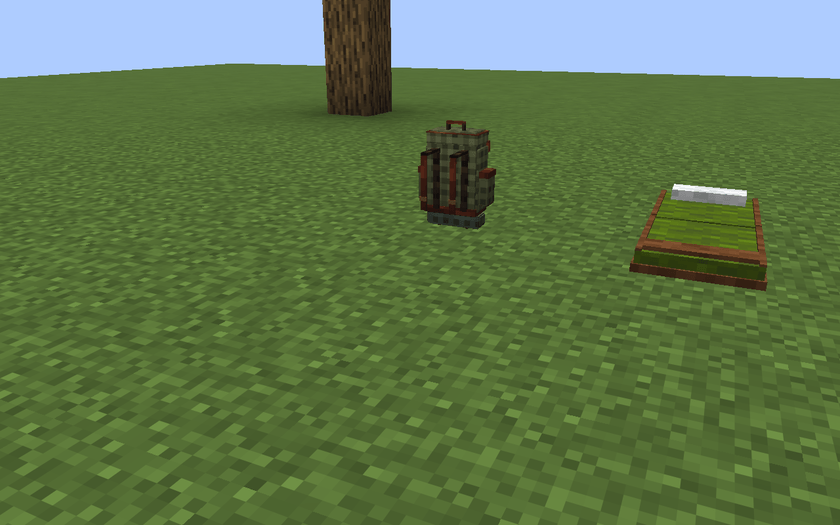
Placed backpack beside the sleeping roll
Hoppers interact with ordinary storage. Module sockets and rack tools are separate. Only one player can open a particular backpack at a time.
To dye the cloth, hold the pack in your main hand and dye in your offhand, then use it. Survival consumes one dye. Other players can see the worn pack and its attachments. Dimension travel preserves the backpack state. On death, the pack follows the world’s keepInventory rule and otherwise drops with its contents.
SETTINGS
The server’s config/players-backpack.json controls gameplay automation. Restart after editing configuration files.
| Setting | Default | Behavior |
|---|---|---|
| collection | true | Gather Thread |
| attraction | true | Trail Pull |
| provisions | true | Provision Knot |
| pullRadius | 4 | Trail Pull radius, limited to 1–8 blocks |
| workInterval | 20 | Automation interval in ticks, limited to 5–200 |
Each client controls appearance through config/players-backpack-visuals.json.
| Setting | Default | Behavior |
|---|---|---|
| showAttachments | true | Show decorative equipment |
| physics | true | Enable attachment motion |
| showFood | true | Show food |
| showFlask | true | Show bottles |
| showUtility | true | Show utility items |
| maximumDistance | 48 | Rendering distance, limited to 8–96 blocks |

Player’s Backpack
Player’s Backpack adds a detailed adventurer backpack to Minecraft with wearable storage, placeable storage, and built-in water and lava tanks.
Wear the backpack on your back, place it on the ground, or open it to store items during mining, building, and exploration.
Features
- Wearable 3D backpack
- Placeable backpack block
- 54 storage slots
- Water and lava tanks
- Animated tank visuals
- Bucket filling and draining
- Survival crafting recipe
- Minecraft-style design
Goal
The mod is designed to give players useful portable storage while keeping the experience simple, clean, and survival-friendly.
Screenshots
Gallery
-

-

-

-

-
 player's Backpack
-

-

Versions
Files
Relations
Project Relations
More like this
Similar Mods
Suggestions use data such as tags, dependencies, dependents, descriptions, titles, and more to rank how much they overlap with this mod.
On ModDex
Community snapshot
By the numbers
Statistics

Get it on
Available Platforms
CurseForge
Modrinth
On ModDex
Community snapshot
By the numbers
Statistics
Resources