Community listing page, reviews here may not be monitored by the author.
PokeCollections

No reviews yet
PokéCollections brings Pokémon cards and plushies to Minecraft with storage binders, card battles, trading, animated crates, collection rewards, and customizable displays.
Community voices
Reviews
No reviews yet. Be the first to review this project!
Get it on
Available Platforms
About
Project Details
For authors
Embed Badge
If you're the author of this project, you can embed a live badge anywhere that supports HTML or Markdown. It updates automatically whenever ratings change.
Use HTML for any page that supports it, or Markdown for README files and Markdown-based descriptions.
Identifiers
Platform IDs
Resources
External Links
About
Description
PokéCollections
Collect, organize, trade, battle, and display Pokémon cards and plushies in Minecraft!
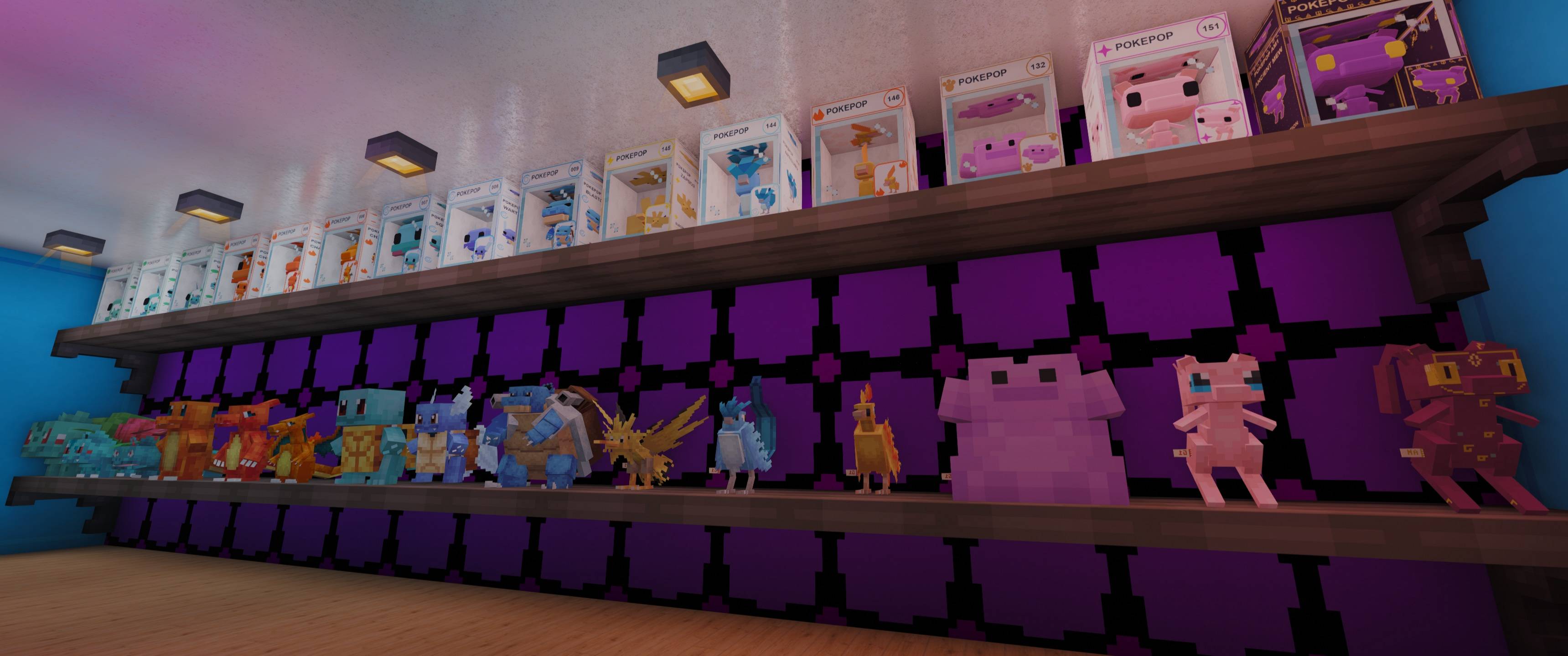
(PokePops now included in mod, description updates coming soon!)
PokéCollections brings together 2,058 collectible cards and 1,027 placeable plushies, covering Pokémon from all nine generations alongside special collectibles. Build your collection, challenge other players, open reward crates, and turn your base into a collection showcase.
Collect across all nine generations
Collect one standard card and one animated holographic card for each of the 1,025 Pokémon.
Discover eight special cards:
- Ancient Mew
- Shadow Lugia
- Crystal Celebi
- Shiny Rayquaza
- Shining Ho-Oh
- MissingNo.
- Wither
- Ender Dragon #000
The plushie collection includes all 1,025 Pokémon, plus special Ancient Mew and Ender Dragon plushies.
Cards and plushies use matching rarity names and colors: Common, Uncommon, Rare, Ultra Rare, Legendary, and Mythical. Special editions have their own rare reward pools.
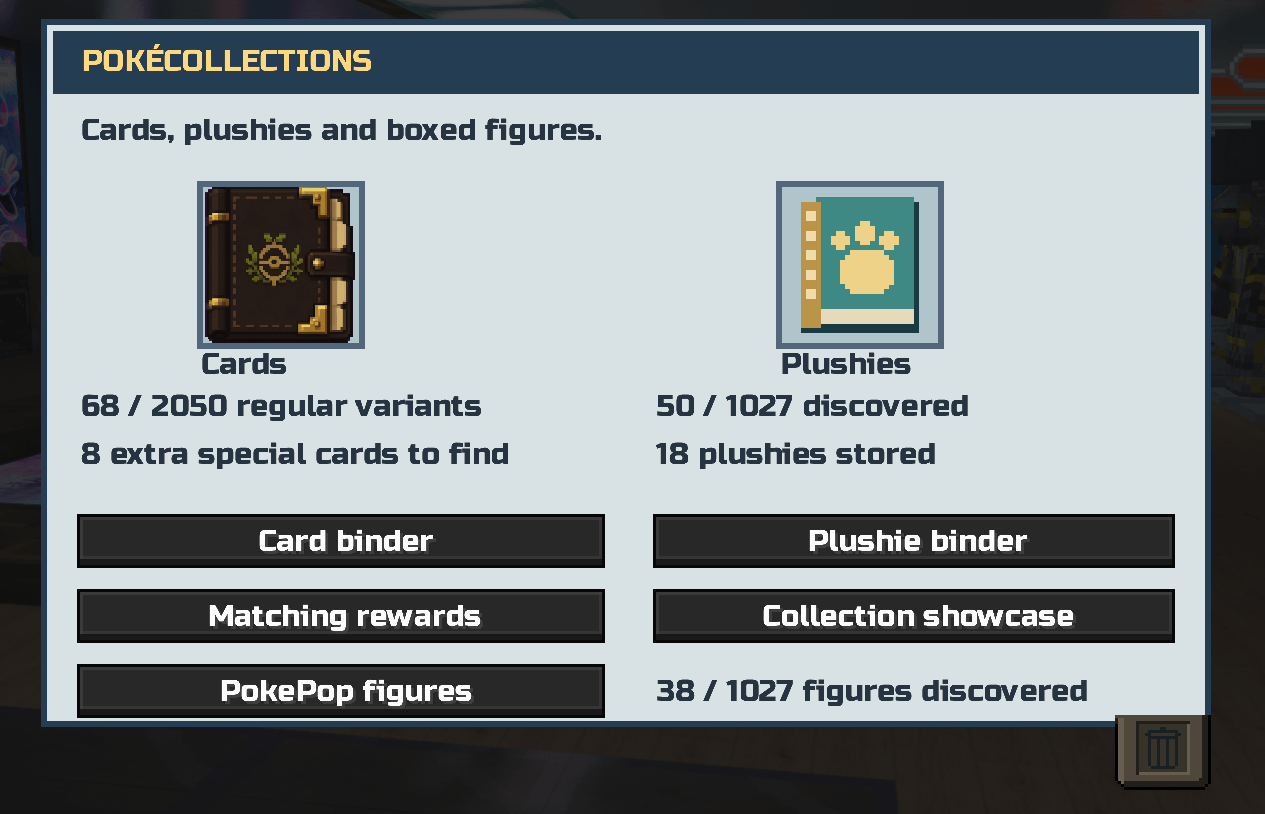
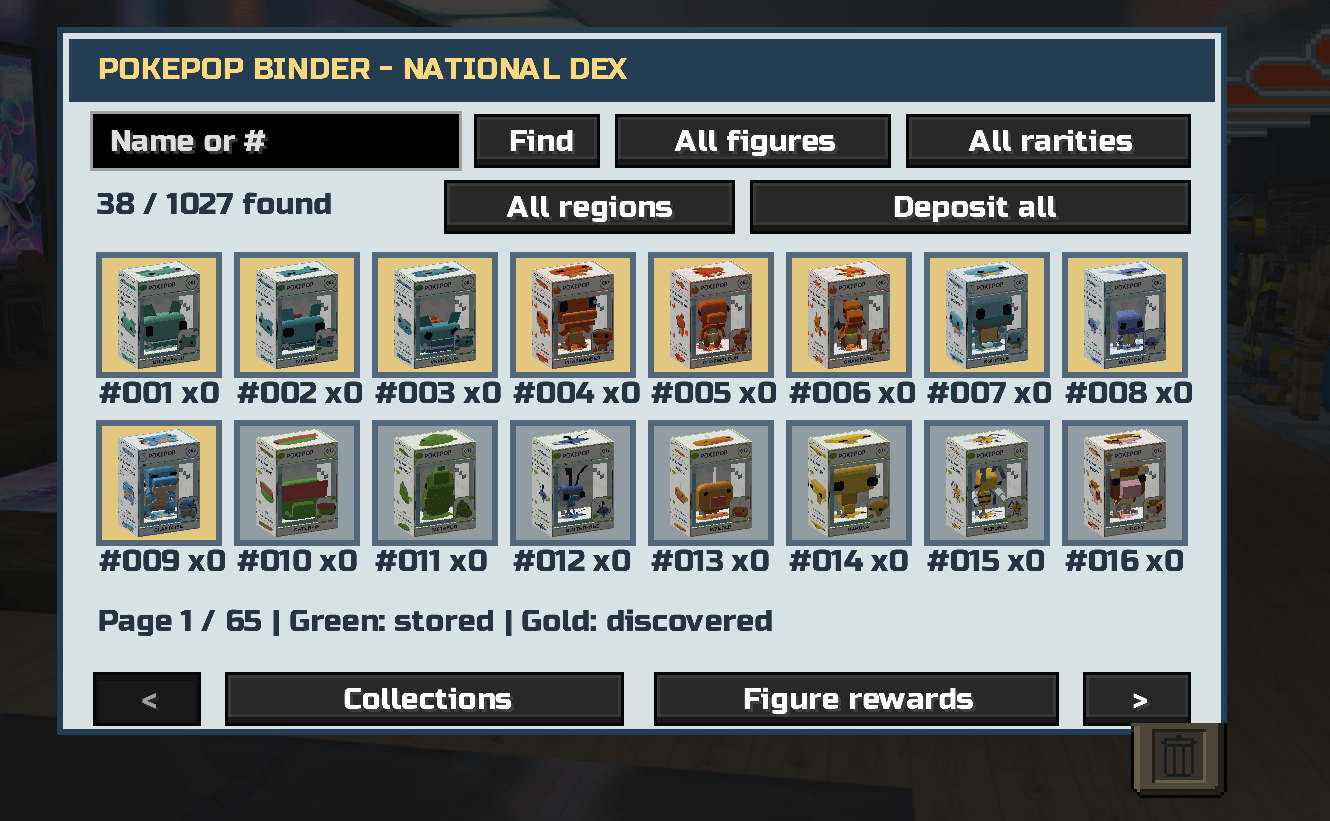
Personal collection binders
Keep your collectibles organized with separate visual binders for cards and plushies.
- Browse, search, and filter your collection.
- See which collectibles you have discovered.
- Store duplicate copies and withdraw them when needed.
- Protect favorite cards from bulk exchanges.
- Track collection statistics and completion progress.
- Customize your card binder with unlockable themes and badge emblems.
- Inspect cards up close, rotate them, and view Pokémon information.
Open either binder through its command without needing to hold a binder item.
Card battles
Build your deck through a visual deck builder and challenge solo trainers or other players.
Choose 3-card, 5-card, or 10-card battles. Both players must use the same deck size, and decks require cards they own.
Battles include:
- Type advantages and strategic switching.
- Energy management and different attack choices.
- Accuracy and the possibility of missed attacks.
- Status effects, healing, guarding, and focus actions.
- Solo trainer challenges and ranked progression.
Normal battles never cost you cards. Players can optionally agree to a card wager, with the winner receiving the wagered cards.
Visual trading
Invite another player and exchange cards through a visual trading screen.
Review both offers before confirming the exchange, and look back at completed trades through your trade history. Server-side checks validate ownership and protect against conflicting trades, battles, and item transfers.
Display your collection
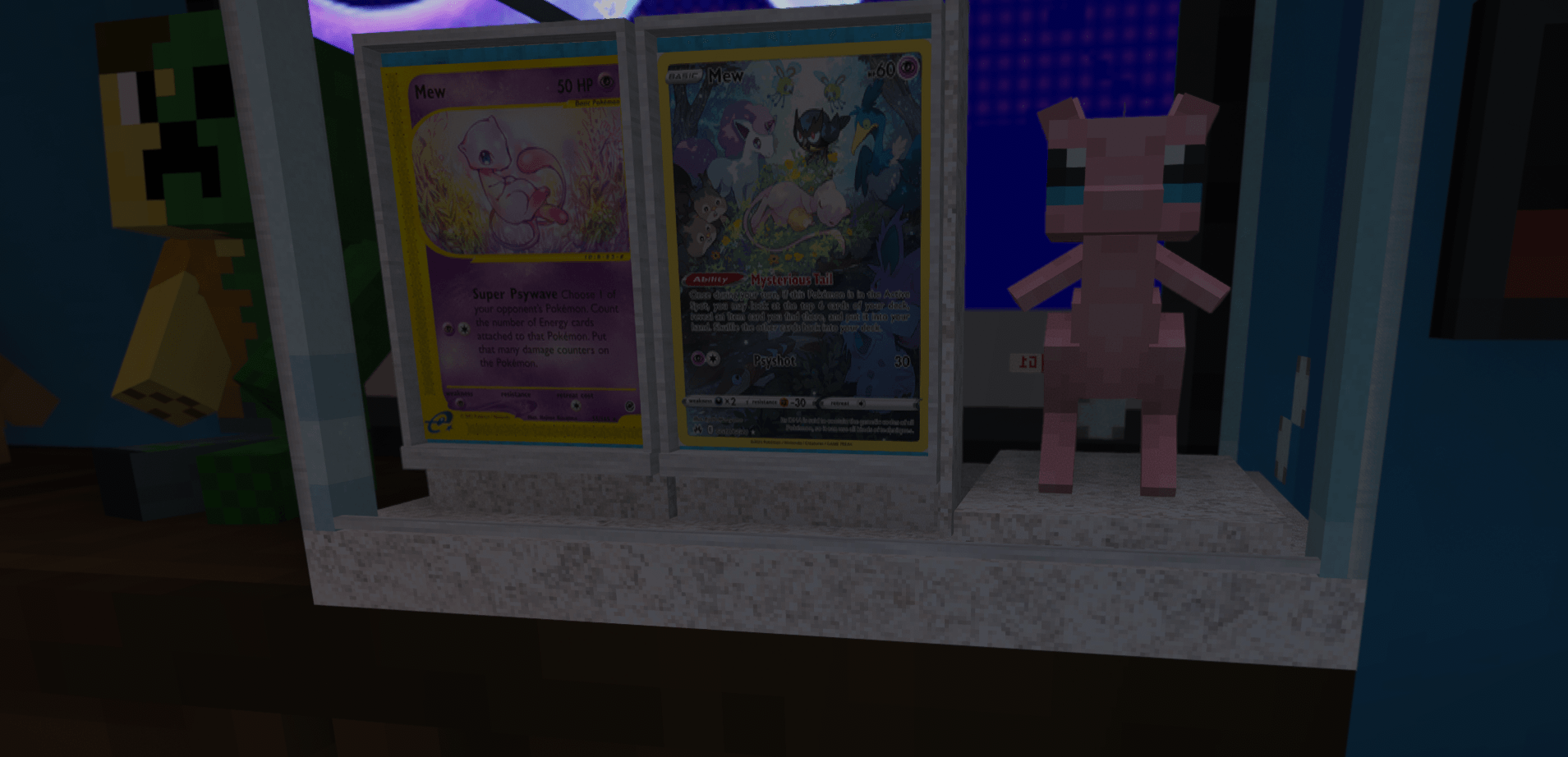
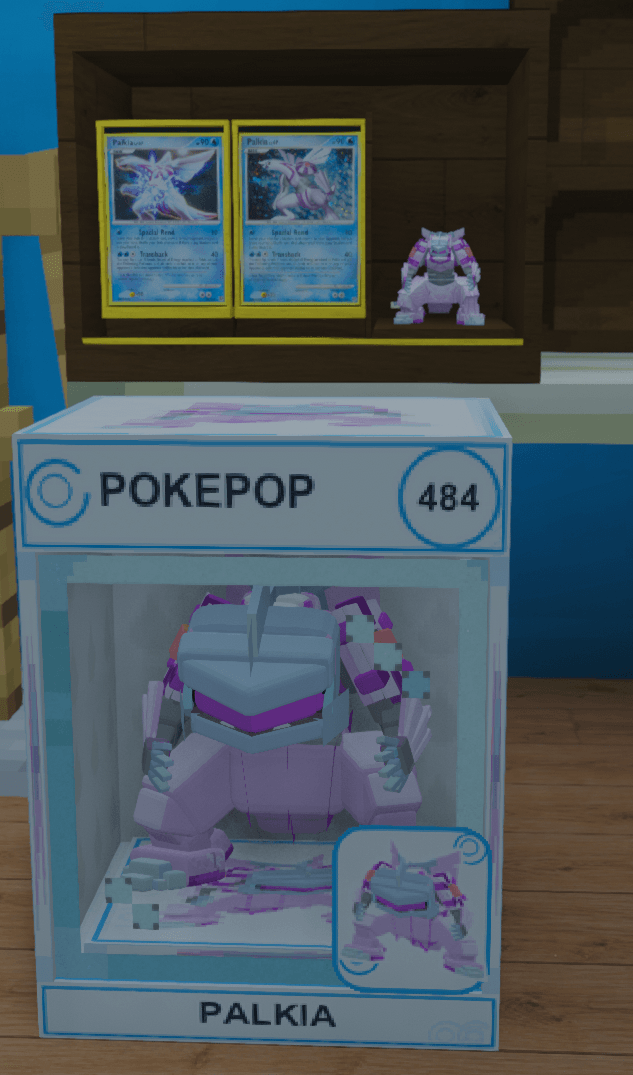
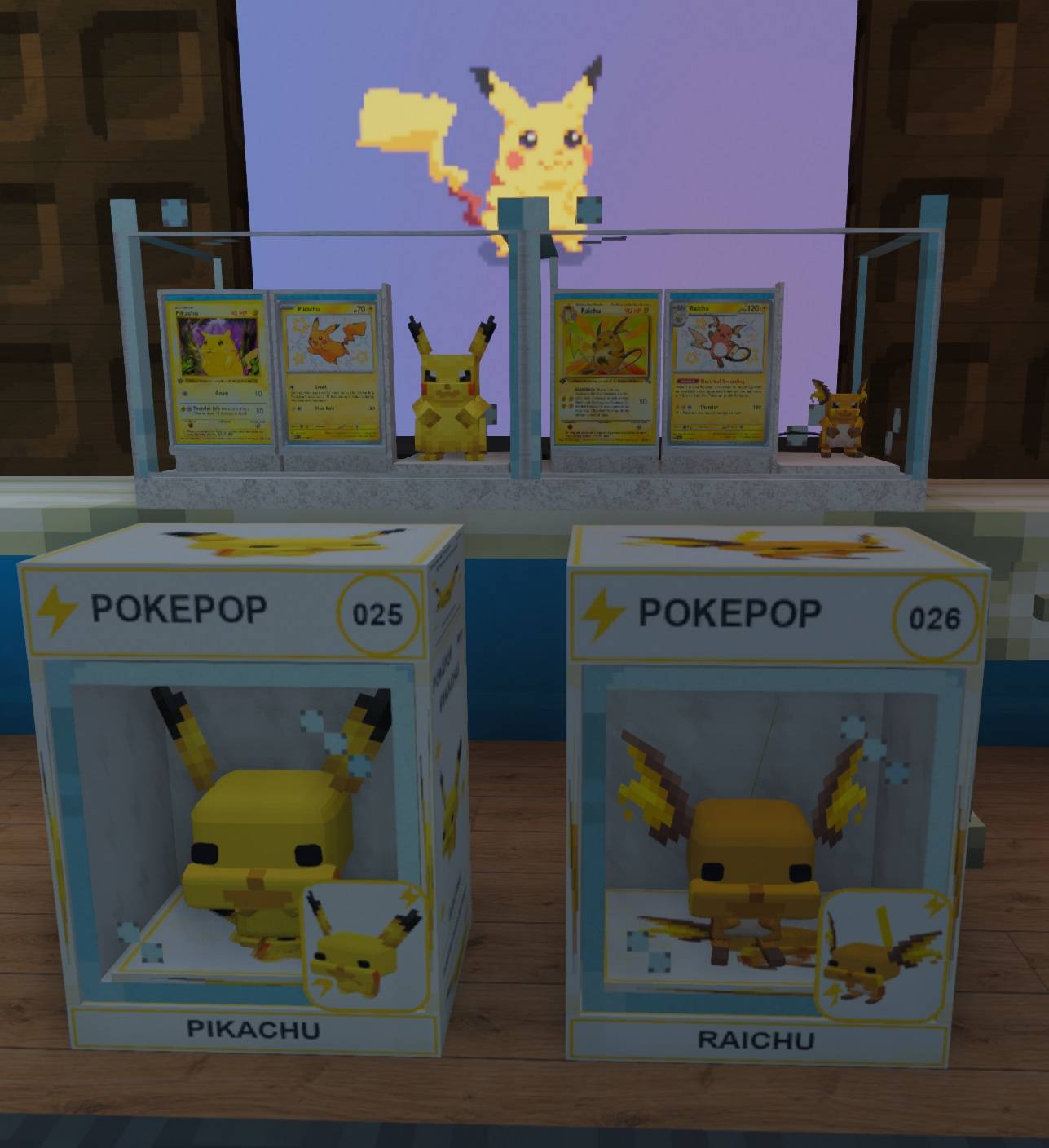
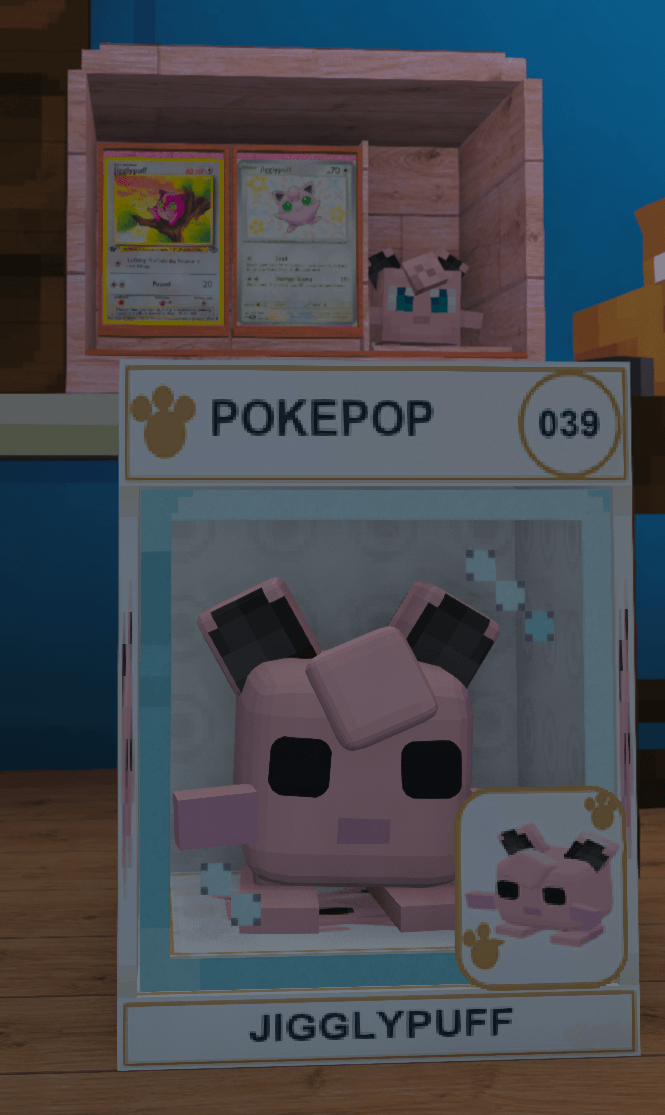
Decorate your base with placeable plushies, floor card stands, wall displays, and combined display cases.
Each combined case holds two cards and one plushie, with fitted card holders, backings, and retaining lips.
Choose from five styles:
- Classic Dark Oak
- Quartz Gallery
- Blackstone Vault
- Cherry Cabinet
- Glass Showcase
Each style has its own crafting recipe. Display cases preserve item names and data, and their contents can be retrieved with an empty hand.
Kanto and Johto completion trophies can also be placed as decorations. Share your collection progress through the optional collection showcase.
Collection rewards and crafting
Earn rewards as your collection grows, including packs, trophies, badges, crate keys, and display shelves.
Matching collection milestones reward collecting a Pokémon’s card and plushie together. Complete trios by discovering its standard card, holographic card, and plushie.
Matching milestones award both PokeCard Keys and PokePlush Keys. Each milestone can be claimed once, and rewards remain pending if your inventory is full.
Collection crafting lets you work toward missing cards using stored duplicates of the same generation, rarity, and finish. Costs increase with rarity, holographic cards cost more, and protected special cards cannot be crafted this way.
Automatic random card-pack gifts have a minimum 45-minute interval per player, measured in server ticks. The cooldown survives reconnects and restarts. Earned rewards and crate openings are separate.
Crates and keys
PokeCard Crate
Use a PokeCard Key to open a reusable PokeCard Crate.
Left-click to preview its rewards and odds. Right-click to begin opening it. The lid opens, reward previews cycle above the crate, the winning reward is revealed, and the crate closes afterward.
Each opening awards one card or one unopened pack.
| Default reward category | Chance |
|---|---|
| Generation pack | 45% |
| Rare Reward Pack | 10% |
| Common standard card | 20% |
| Uncommon standard card | 12% |
| Rare standard card | 7% |
| Ultra Rare standard card | 3% |
| Non-legendary holographic card | 2.5% |
| Legendary or Mythical card | 0.4% |
| Ancient Mew | 0.1% |
These percentages describe reward categories, not individual cards. Server owners can configure the PokeCard Crate reward weights.
PokePlush Crate
Use a PokePlush Key to open a reusable PokePlush Crate and receive one randomly selected plushie.
The crate opens, cycles through floating plushie previews, reveals the winning plushie, and closes afterward.
| Default reward category | Chance |
|---|---|
| Common | 60% |
| Uncommon | 20% |
| Rare | 17.5% |
| Ultra Rare regular species | 1.5% |
| Legendary | 0.8% |
| Mythical | 0.18% |
| Ancient Mew or Ender Dragon special plushie | 0.02% combined |
Each survival opening consumes one matching key. Card keys and plushie keys are not interchangeable.
How to obtain keys
Both key types are available through:
- Operator and administrator commands
- Expensive survival crafting recipes
- Matching collection milestone rewards
Each recipe produces one key and requires:
| Ingredient | PokeCard Key | PokePlush Key |
|---|---|---|
| Nether Star | 1 | 1 |
| Diamond Block | 2 | 2 |
| Gold Block | 4 | 4 |
| Ender Pearl | 2 | — |
| Amethyst Shard | — | 2 |
PokePlush Crates themselves are craftable using cyan wool, amethyst shards, and a chest. Operators can grant either crate directly.
Commands
Most features are available through the GUIs. Commands provide entry points and optional shortcuts.
<arguments> are required; [arguments] are optional.
Collections and binders
| Command | Function |
|---|---|
/pokecollections |
Open the collection hub. |
/pokebinder |
Open your card binder. |
/pokebinder storage |
Open the card binder through its storage shortcut. |
/pokeplushbinder |
Open your plushie binder. |
/pokeshowcase |
Browse shared collection showcases. |
/pokerewards |
Check collection rewards and milestone information. |
/kanto collection |
Show standard, holo, and overall collection progress. |
/kanto starter |
Claim your one-time starter pack. |
Trading and exchanges
| Command | Function |
|---|---|
/poketrade |
Open the visual trading interface. |
/poketrade invite <player> |
Invite another player to trade. |
/poketrade accept |
Accept a pending invitation. |
/poketrade confirm |
Confirm your current trade offer. |
/poketrade cancel |
Cancel an invitation or trade. |
/kanto trade <player> <number> <holographic> |
Directly give another player one matching inventory card. |
/kanto exchange <number> <holographic> |
Exchange three matching inventory cards for a reward pack. |
For /kanto card commands, <number> is 1–1025, and <holographic> is true for holo or false for standard.
The direct /kanto trade command gives a card to the recipient; use /poketrade for a reviewed, two-sided exchange.
Battles and decks
| Command | Function |
|---|---|
/pokebattle |
Open the battle GUI and visual deck builder. |
/pokebattle deck |
Show your current deck in chat. |
/pokebattle deck add |
Add your main-hand card to the deck selection. |
/pokebattle deck remove <number> |
Remove a Pokémon species from the deck selection. |
/pokebattle deck clear |
Clear the selection without deleting cards. |
/pokebattle presetname <slot> <name> |
Rename a saved deck preset; slots are 0–8. |
/pokebattle solo |
Start a solo battle. |
/pokebattle challenge <player> |
Challenge another player. |
/pokebattle challenge <player> wager |
Propose a battle with a card wager. |
/pokebattle accept |
Accept a battle invitation. |
/pokebattle confirm |
Confirm a pending wager battle. |
/pokebattle cancel |
Cancel a pending battle invitation. |
/pokebattle status |
Show the current battle state. |
/pokebattle attack |
Use a basic attack. |
/pokebattle power |
Use a power attack. |
/pokebattle technique |
Use your active card’s technique. |
/pokebattle guard |
Guard. |
/pokebattle restore |
Use the restore action. |
/pokebattle focus |
Use the focus action. |
/pokebattle switch <slot> |
Switch active cards using a slot within your deck. |
/pokebattle forfeit |
Concede the battle; an agreed wager can be lost. |
/pokebattle claim |
Collect pending item payouts when inventory space is available. |
Operator and administrator commands
These commands require permission level 2 or higher.
| Command | Function |
|---|---|
/pokecrate key <player> [count] |
Give PokeCard Keys. |
/pokecrate plushkey <player> [count] |
Give PokePlush Keys. |
/pokecrate crate <player> |
Give one PokeCard Crate. |
/pokecrate plushcrate <player> |
Give one PokePlush Crate. |
/kanto card <number> <holographic> |
Give yourself a standard or holo card numbered 1–1025. |
/kanto validate |
Run the card-data validation report. |
The PokeCollections Team
Screenshots
Gallery
-
 2.png 2.png
 -
 wall1.jpg wall1.jpg
 -
 4.png 4.png
 -
 chus.jpg chus.jpg
 -
 6.png 6.png
 -
 7.png 7.png
 -
 8.png 8.png
Versions
Files
Relations
Project Relations
More like this
Similar Mods
Suggestions use data such as tags, dependencies, dependents, descriptions, titles, and more to rank how much they overlap with this mod.
On ModDex
Community snapshot
By the numbers
Statistics
Want to reach Minecraft players?
We're looking for a server hosting partner to feature here and other parts of the site. Interested? Send us a message!
Get in touchGet it on
Available Platforms
On ModDex
Community snapshot
By the numbers
Statistics
Resources