
Community listing page, reviews here may not be monitored by the author.
Pokeframes


No reviews yet
Customize items with new Pokemon inspired tooltips!

Community voices
Reviews
No reviews yet. Be the first to review this project!
Get it on
Available Platforms
Compatibility
Supported Environments
Must be installed on both the client and the server.
About
Project Details
For authors
Embed Badge
If you're the author of this project, you can embed a live badge anywhere that supports HTML or Markdown. It updates automatically whenever ratings change.
Use HTML for any page that supports it, or Markdown for README files and Markdown-based descriptions.
Identifiers
Platform IDs
About
Description
Bring the nostaligc look of classic Pokemon games into Minecraft with Pokeframes!
The Pokeframes mod adds collectible tooltip frames inspired by the iconic UI styles of classic Pokemon games. Craft a frame and apply it to your favorite items using a smithing table! The tooltip style of the item will change to match the frame you used.
This mod requires Bookshelf and Prickle.
Key Features
- Apply frames to any item! Create unique armor, tools, weapons, and more using the smithing table.
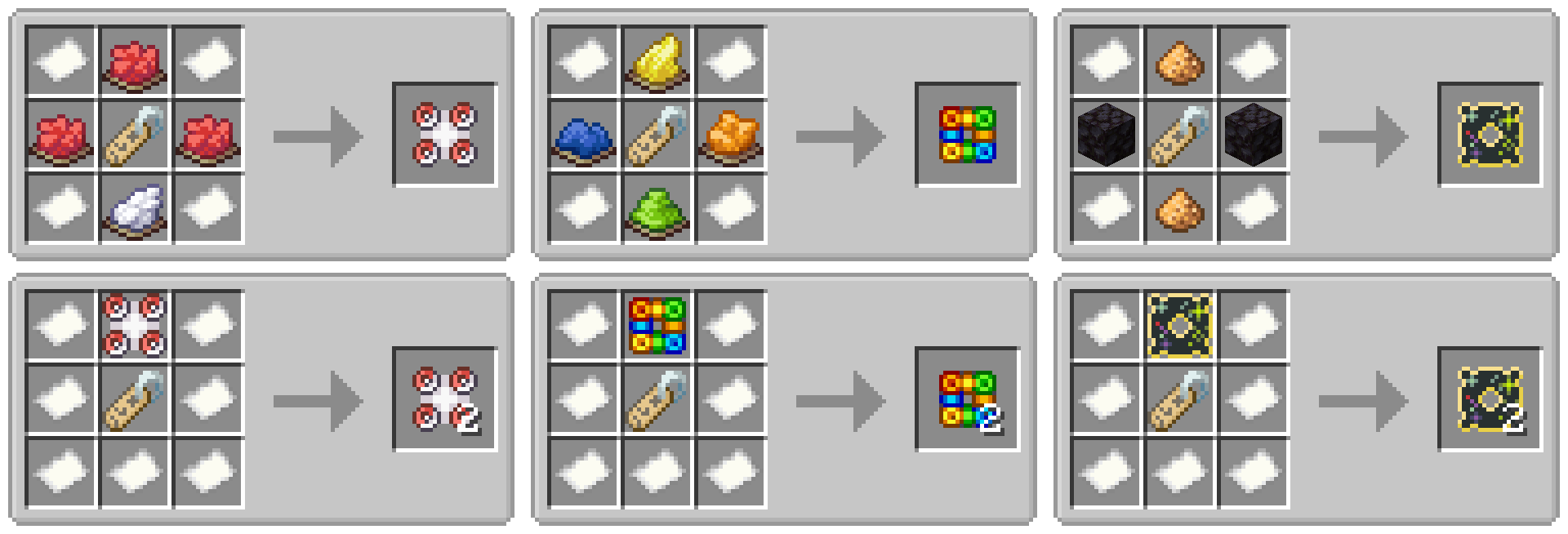
- All frames are craftable using vanilla ingredients!
- Copy your favorite frames using a simple crafting recipe.
- Includes over 40 unique frames inspired by classic Gen3 games.
- New custom designs based on the classics.
- Full support for JEI. Includes all crafting recipes, smithing recipes, and a usage guide for players.
- Supports both NeoForge & Fabric!
Commands & Customization
Pokeframes can be used anywhere that accepts a tooltip style ID. The style ID of each frame is the same as the corresponding item id for that frame. You can press F3+H to view the ID in game.
/give @p stick[tooltip_style='pokeframes:red']Questions & Answers
How do I apply the frame to an item?
To apply a frame, open a smithing table and place the frame in the template slot. Then place your item of choice in the center slot. Your item will be perfectly copied to the output slot with the frame applied to the tooltip style.
What does Type1, Type8, and Custom mean in the tooltip?
That is the name of the UI style in the game it was originally from. It's included on the tooltip to help players find and compare the frame to the original. If a frame says Custom, that means it is added by this mod and was not an official UI style. This text will NOT be added to the tooltip of your item.
What does Gen3 / Ruby / Sapphire / Emerald / FireRed / LeafGreen mean?
This text indicates which games the original UI style is from. If it says Gen3 that means it was available in all Gen3 releases. This text will NOT be added to the tooltip of your item.
Can you backport this mod to 1.21.1, 1.20.1, 1.19.2, etc?
Unfortunately Minecraft added custom tooltip styles in 1.21.2 and it is not realistic to backport this feature to older versions of the game. The mod will be updated to newer versions of Minecraft when I have time.
Will you add frames from other games?
Right now the mod only has frames for the gen3 mainline games. If there is enough interest, I may add frames from other games like gen2 and the mystery dungeon series.
Can I set my default tooltip style to one from this mod?
Not yet, but I am working on something!
Can I disable crafting recipes?
This mod provides two config options related to crafting recipes. You can disable the frame crafting recipes, or disable the frame copy recipes. If you want to do something more complex like disable specific recipes, change the ingredients, or add the frame items to loot tables, this is possible with datapacks or a mod like CraftTweaker.

This project is sponsored by Nodecraft. Use code DARKHAX for 30% off your first month of service!
Bring the nostaligc look of classic Pokemon games into Minecraft with Pokeframes!
The Pokeframes mod adds collectible tooltip frames inspired by the iconic UI styles of classic Pokemon games. Craft a frame and apply it to your favorite items using a smithing table! The tooltip style of the item will change to match the frame you used. This mod requires Bookshelf and Prickle.
Key Features
- Apply frames to any item! Create unique armor, tools, weapons, and more using the smithing table.
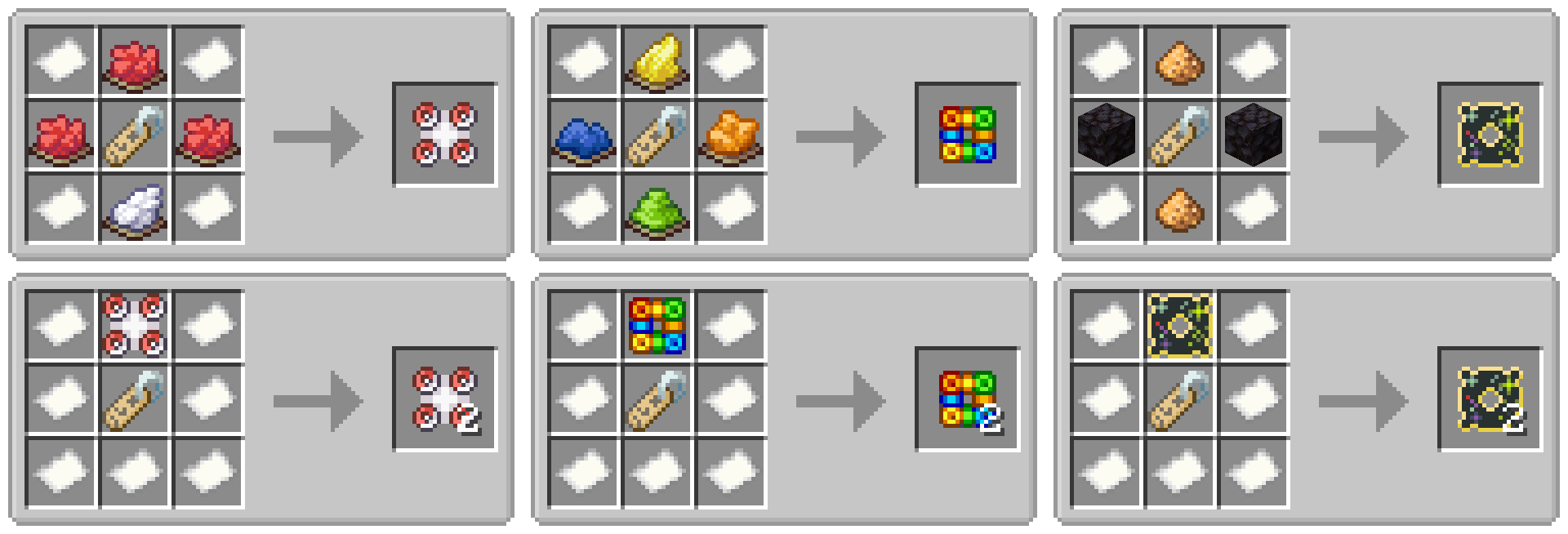
- All frames are craftable using vanilla ingredients!
- Copy your favorite frames using a simple crafting recipe.
- Includes over 40 unique frames inspired by classic Gen3 games.
- New custom designs based on the classics.
- Full support for JEI. Includes all crafting recipes, smithing recipes, and a usage guide for players.
- Supports both NeoForge & Fabric!
Commands & Customization
Pokeframes can be used anywhere that accepts a tooltip style ID. The style ID of each frame is the same as the corresponding item id for that frame. You can press F3+H to view the ID in game.
/give @p stick[tooltip_style='pokeframes:pokeball']
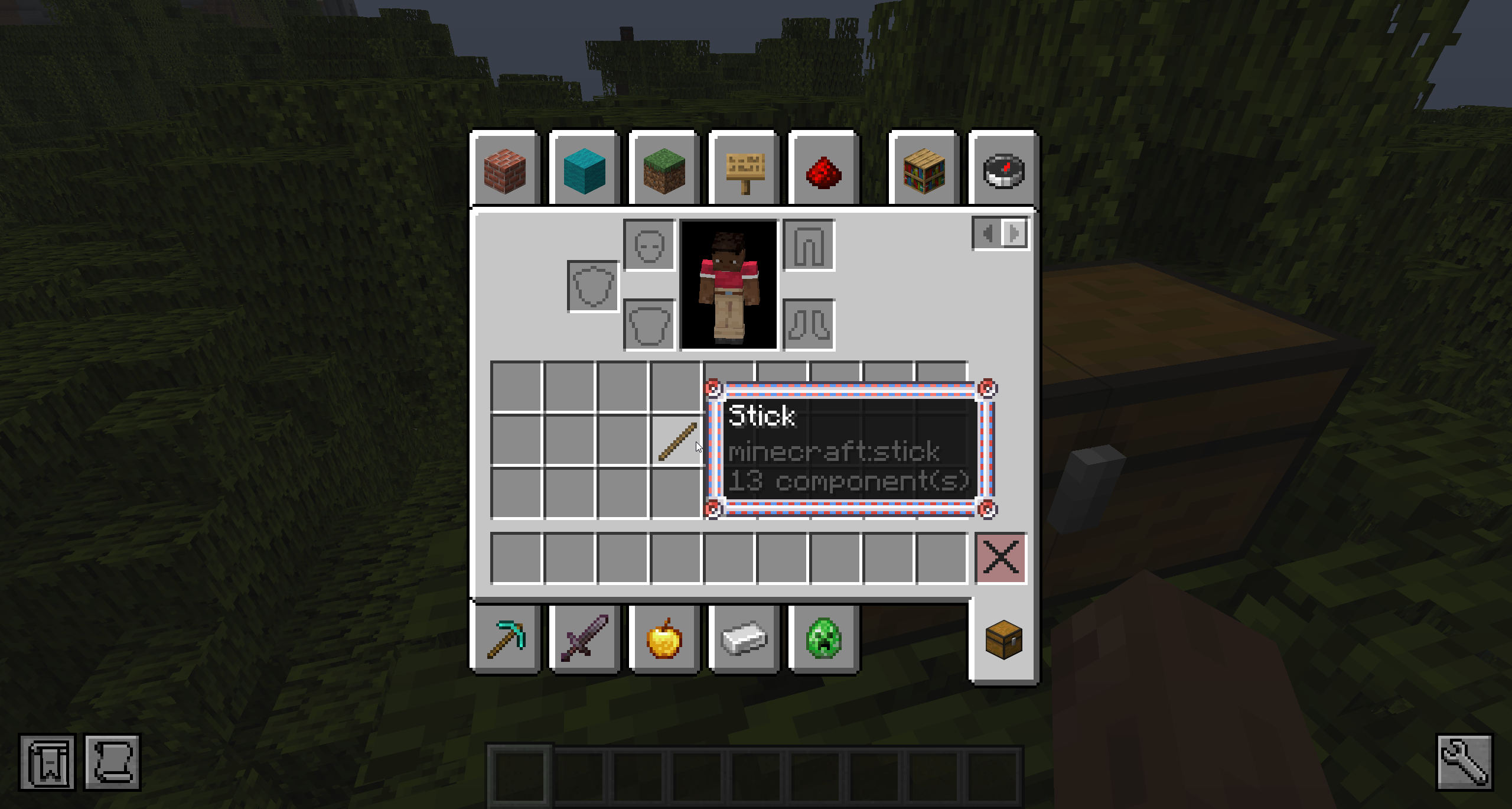
Questions & Answers
How do I apply the frame to an item?
To apply a frame, open a smithing table and place the frame in the template slot. Then place your item of choice in the center slot. Your item will be perfectly copied to the output slot with the frame applied to the tooltip style.
What does Type1, Type8, and Custom mean in the tooltip?
That is the name of the UI style in the game it was originally from. It's included on the tooltip to help players find and compare the frame to the original. If a frame says Custom, that means it is added by this mod and was not an official UI style. This text will NOT be added to the tooltip of your item.
What does Gen3 / Ruby / Sapphire / Emerald / FireRed / LeafGreen mean?
This text indicates which games the original UI style is from. If it says Gen3 that means it was available in all Gen3 releases. This text will NOT be added to the tooltip of your item.
Can you backport this mod to 1.21.1, 1.20.1, 1.19.2, etc?
Unfortunately Minecraft added custom tooltip styles in 1.21.2 and it is not realistic to backport this feature to older versions of the game. The mod will be updated to newer versions of Minecraft when I have time.
Will you add frames from other games?
Right now the mod only has frames for the gen3 mainline games. If there is enough interest, I may add frames from other games like gen2 and the mystery dungeon series.
Can I set my default tooltip style to one from this mod?
Not yet, but I am working on something!
Can I disable crafting recipes?
This mod provides two config options related to crafting recipes. You can disable the frame crafting recipes, or disable the frame copy recipes. If you want to do something more complex like disable specific recipes, change the ingredients, or add the frame items to loot tables, this is possible with datapacks or a mod like CraftTweaker.

This project is sponsored by Nodecraft. Use code DARKHAX for 30% off your first month of service!
Screenshots
Gallery
-
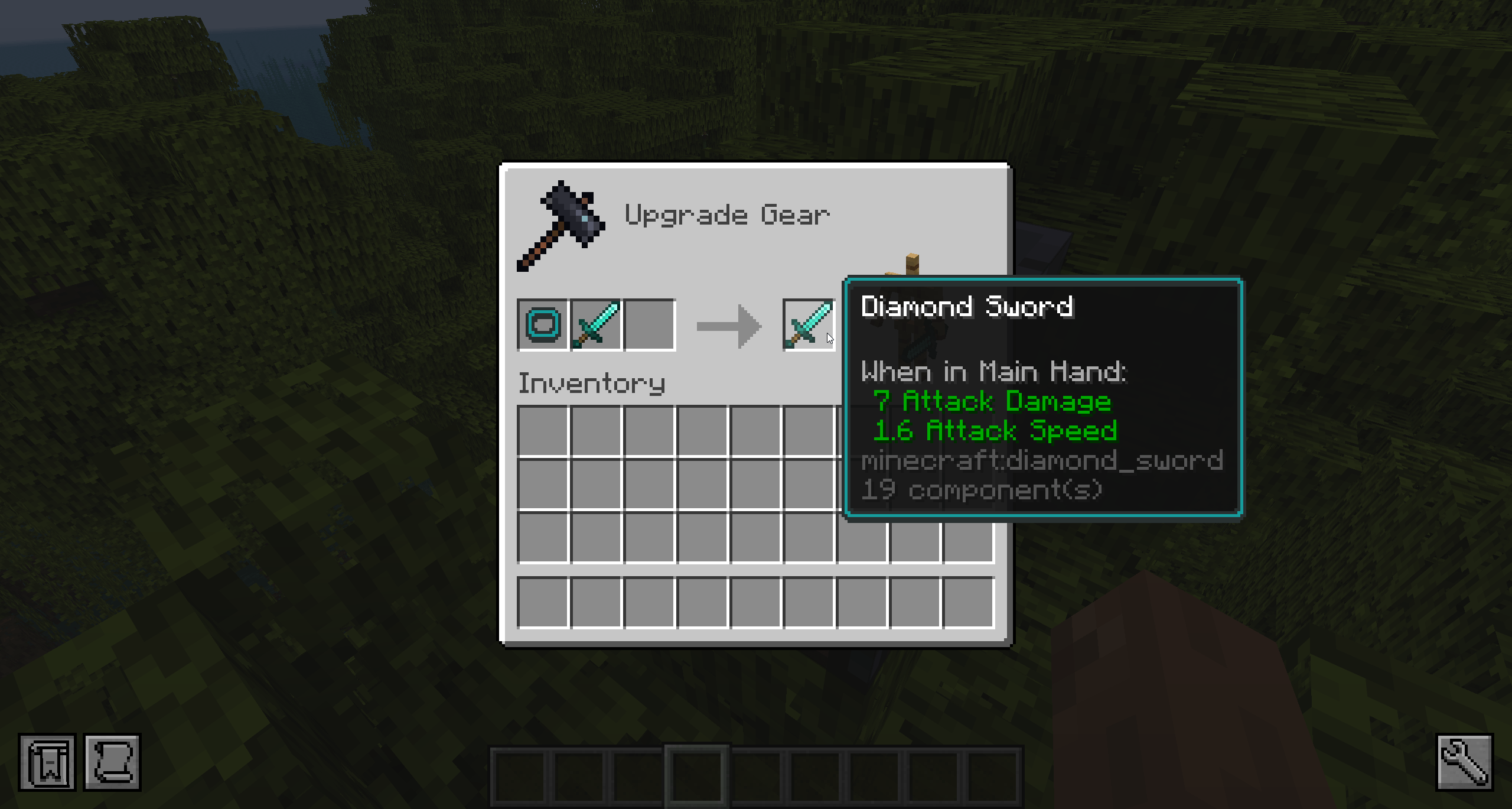 Smithing Table Apply frames using the smithing table.
 -
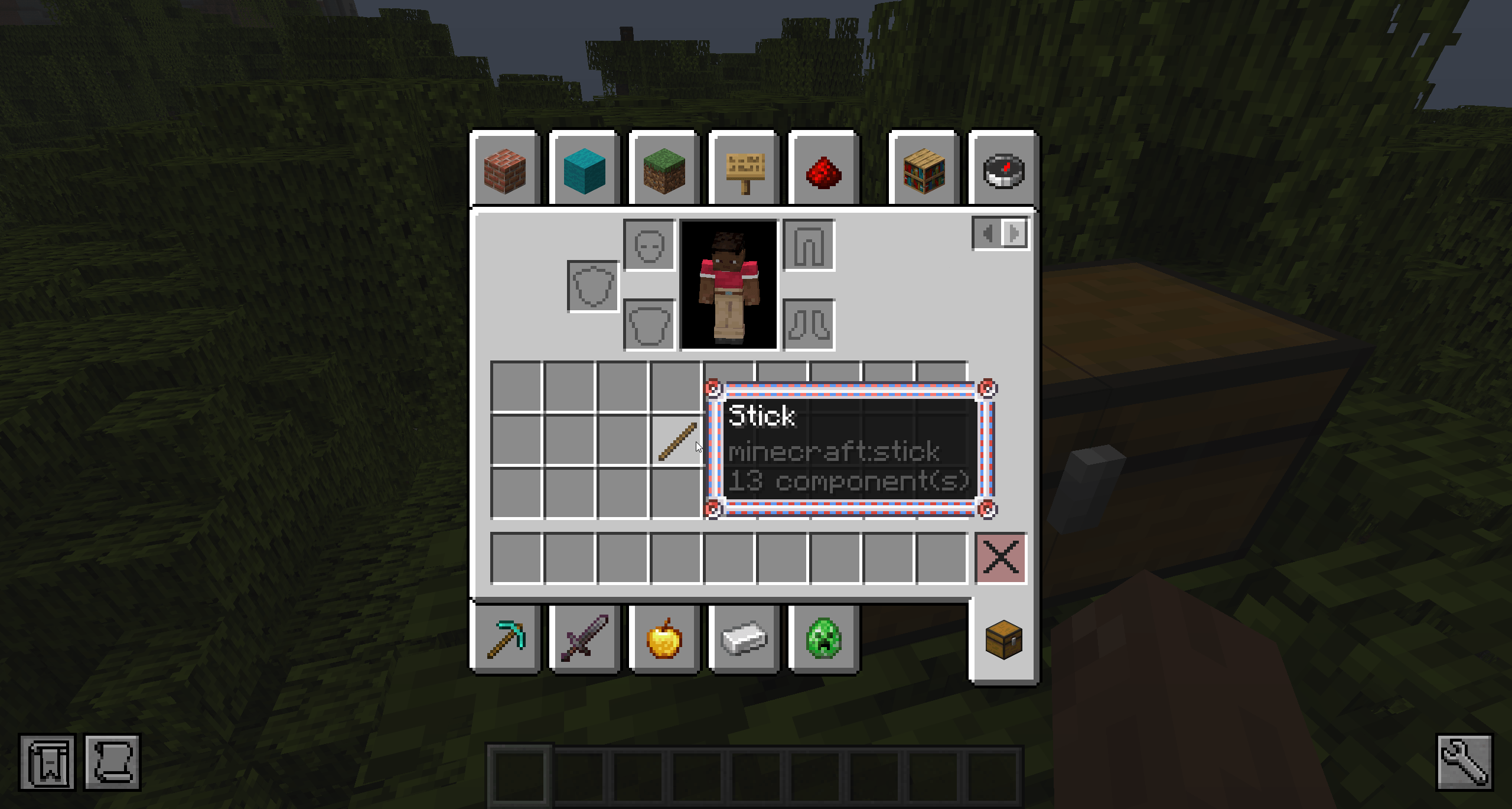 Tooltip A stick with the pokeball tooltip frame applied.
 -
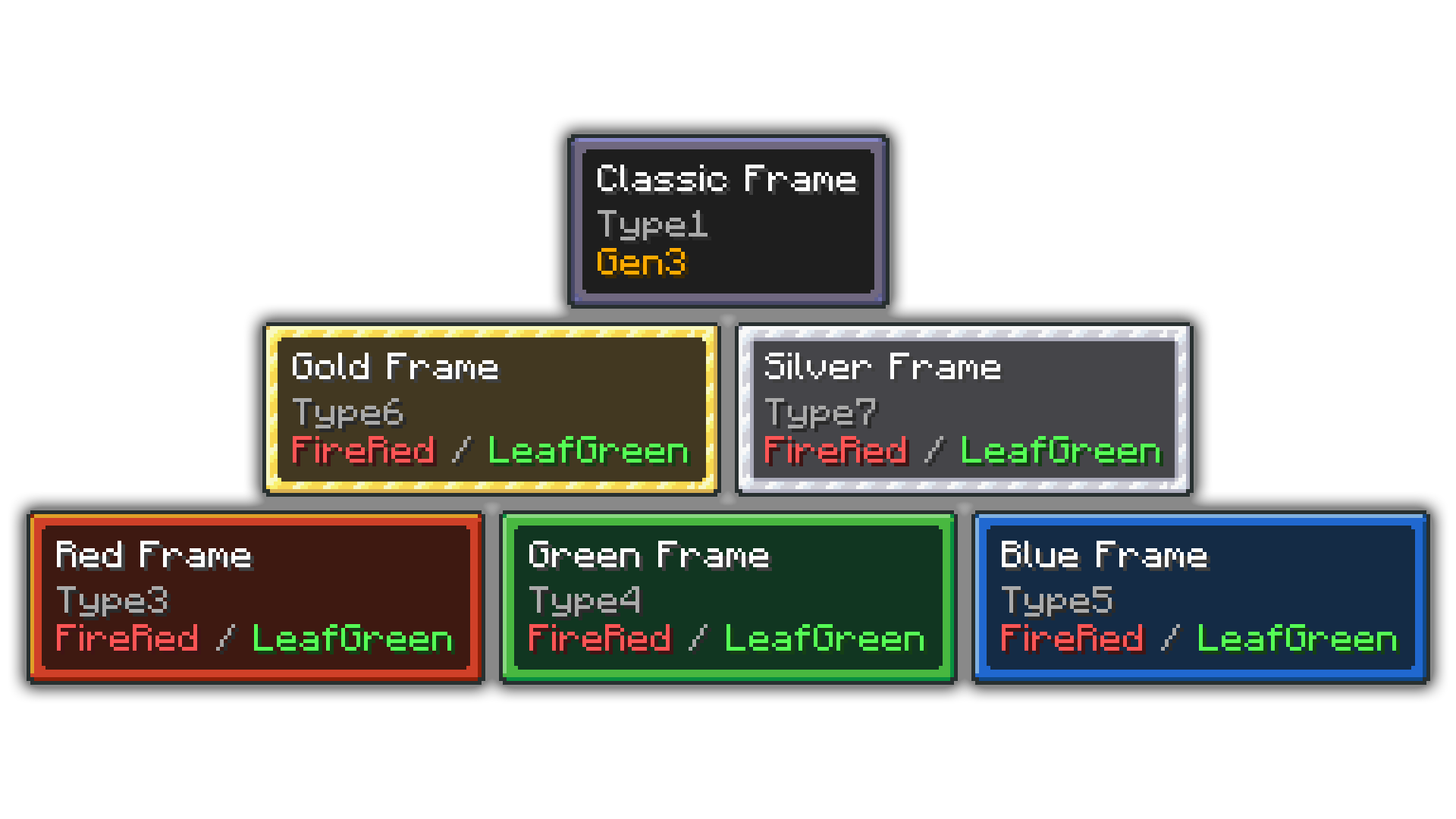
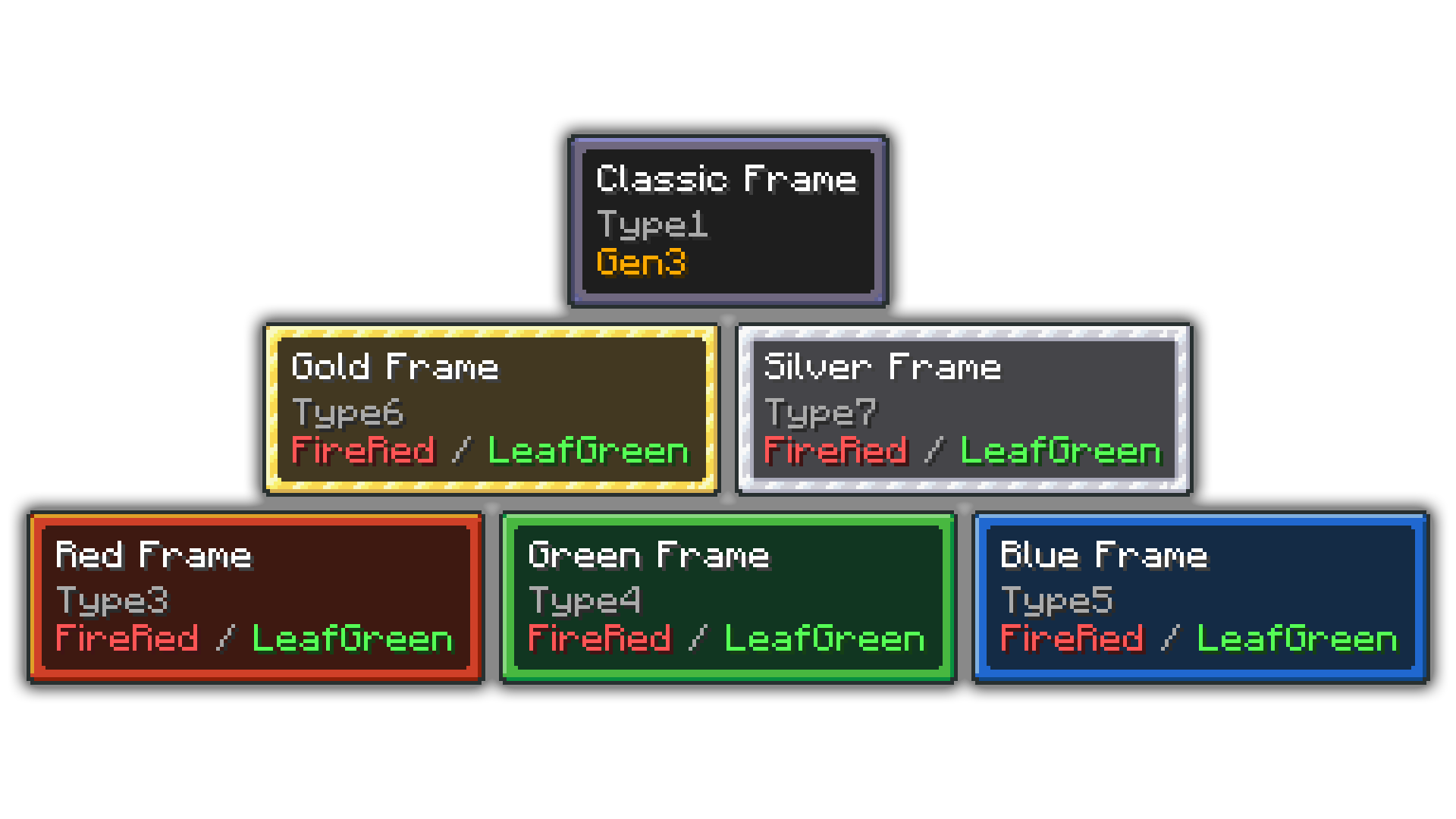
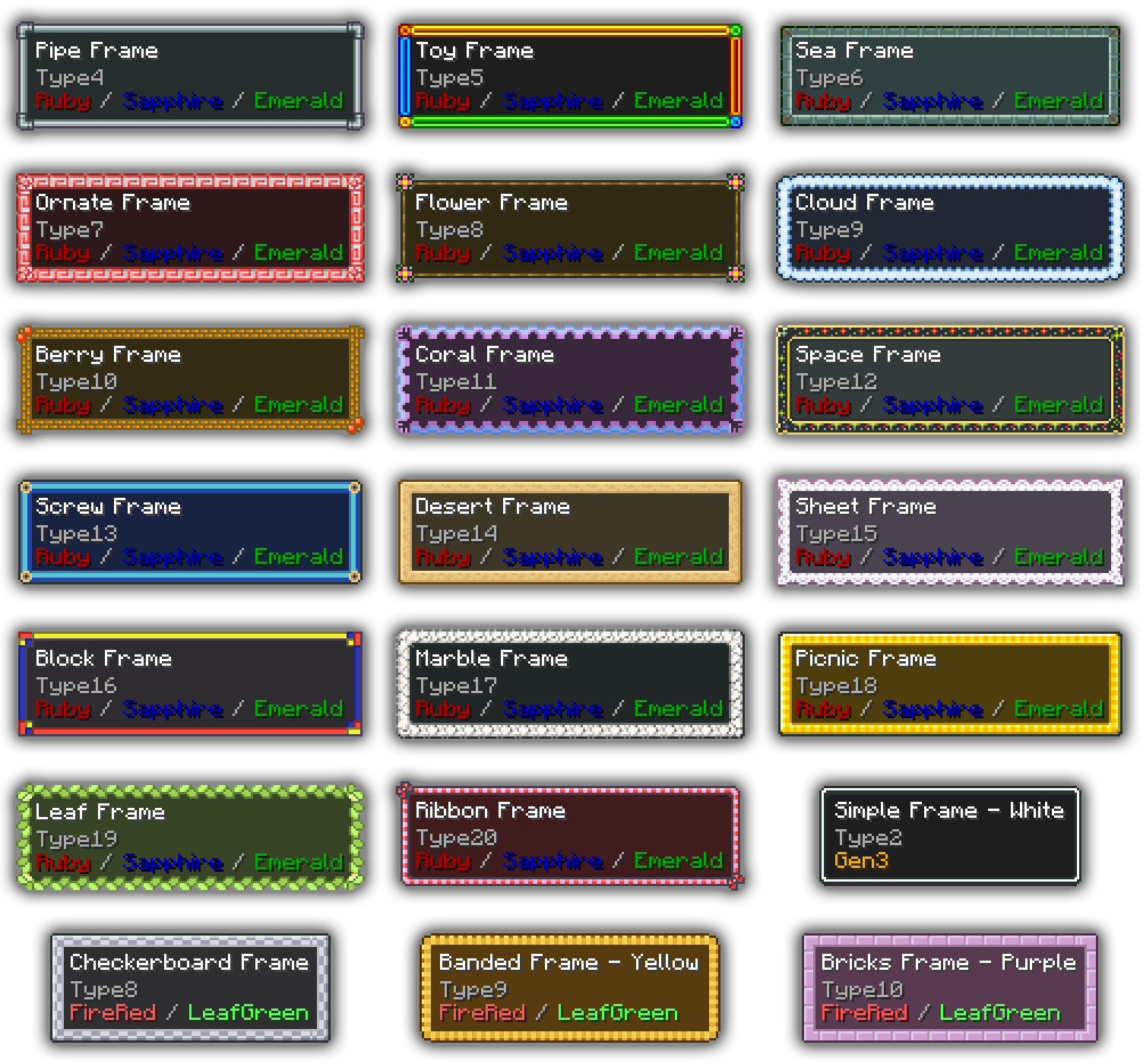 Frame Styles The Gen3 games featured a wide range of UI styles that connect to the various themes, areas, and mechanics of the game.
 -
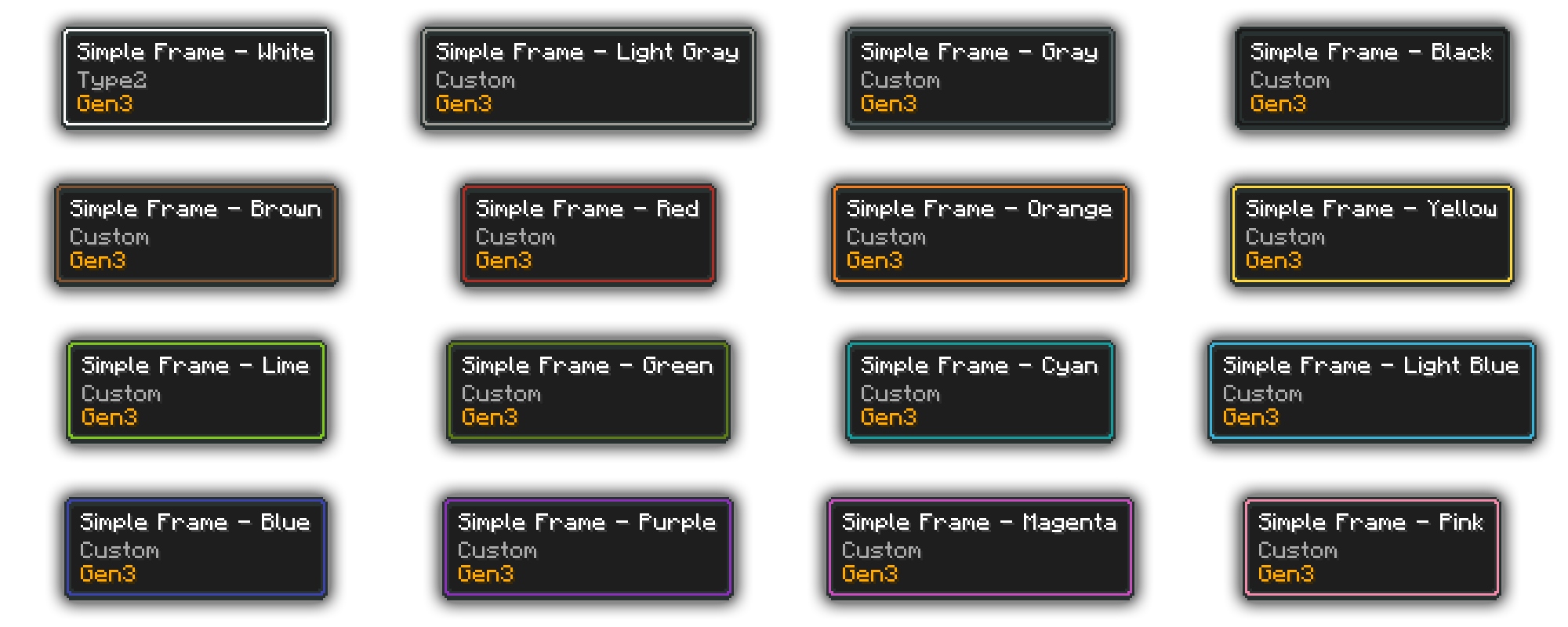 Simple Frame The white variant of the simple frame is featured in all Gen3 games. I really liked the minimalist design, and created additional variants for each dye color in Minecraft.
 -
Classic Frames The classic dark frame was available in all gen3 games. The other variants were all part of FRLG.
-
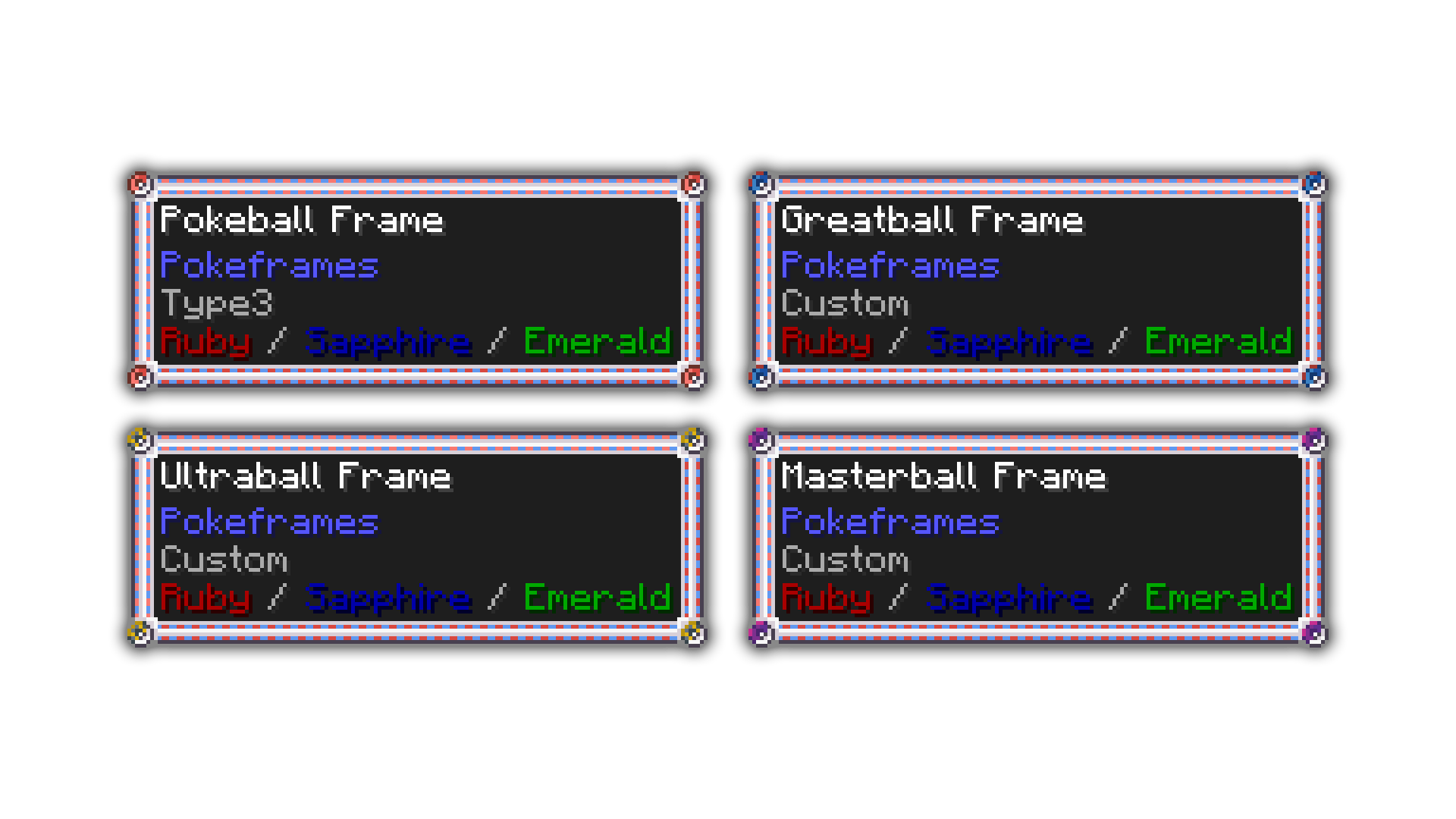 Ball Frames The Pokeball frame was featured in Ruby, Sapphire, and Emerald. This mod also includes custom-made frames for other ball types.
 -
Crafting Recipes All frames can be crafted using vanilla ingredients. Frames can also be copied using a simple recipe.
-
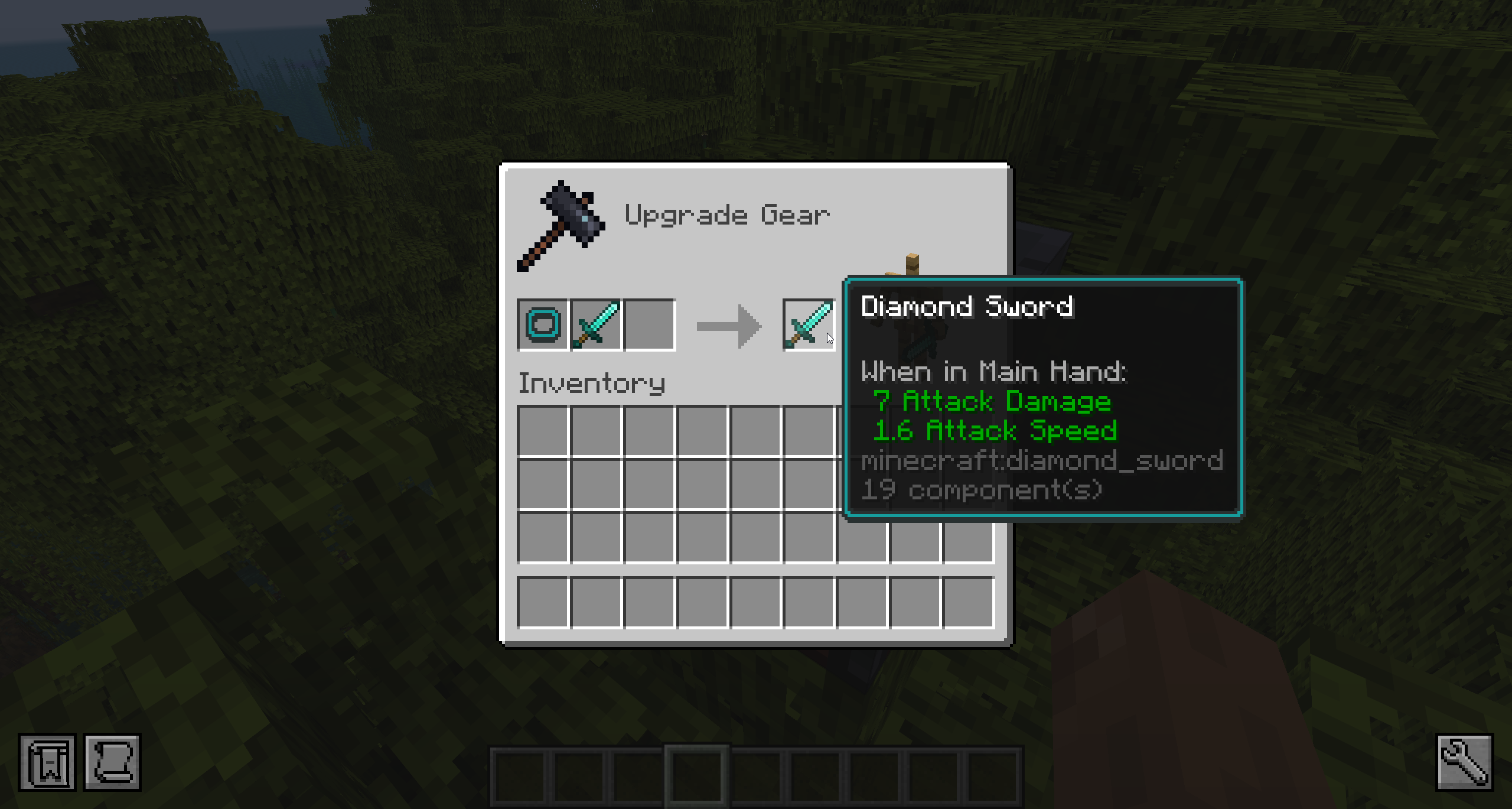 Smithing Table Apply frames using the smithing table.
 -
Tooltip A stick with the pokeball tooltip frame applied.
-
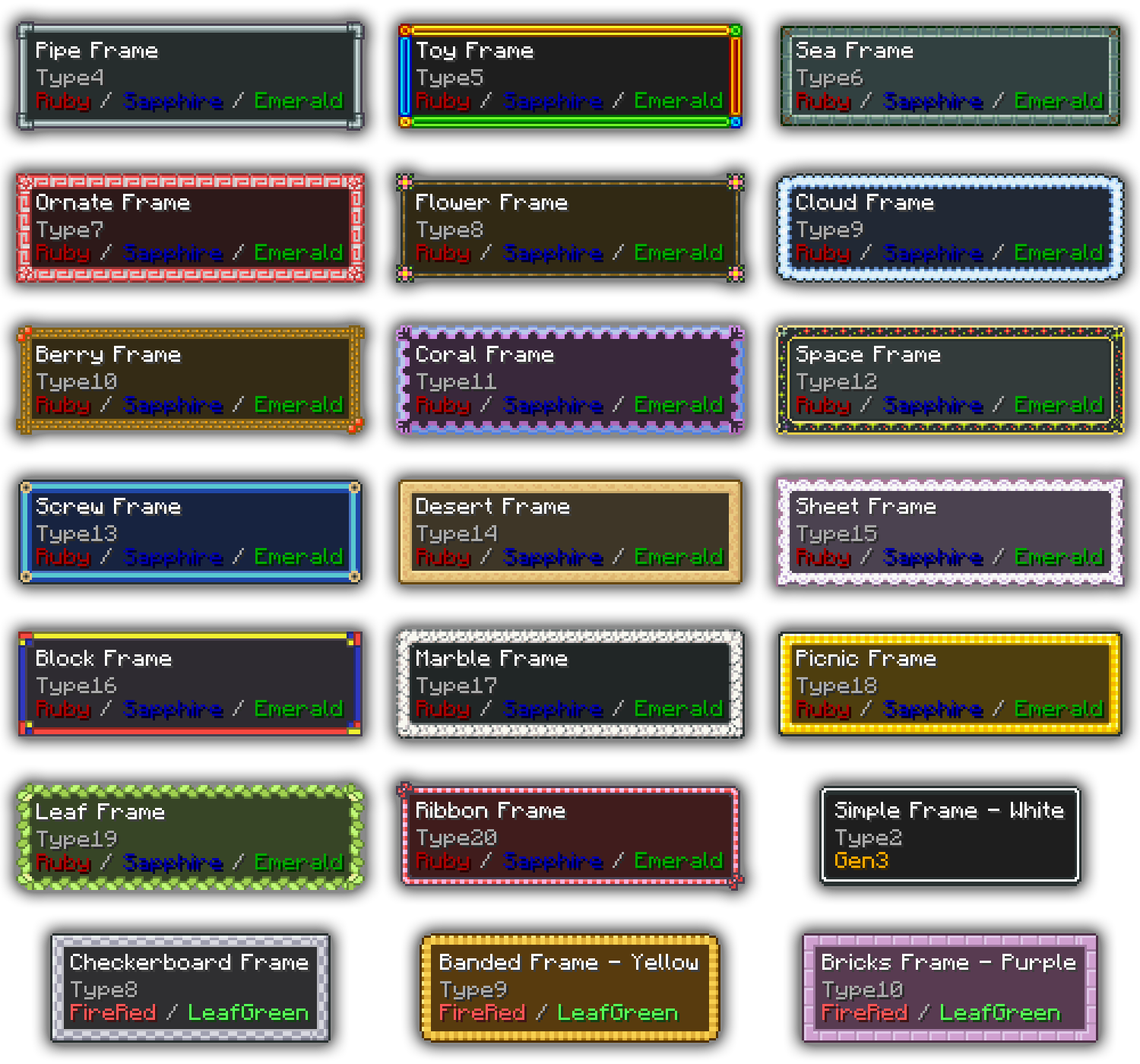 Frame Styles The Gen3 games featured a wide range of UI styles that connect to the various themes, areas, and mechanics of the game.
 -
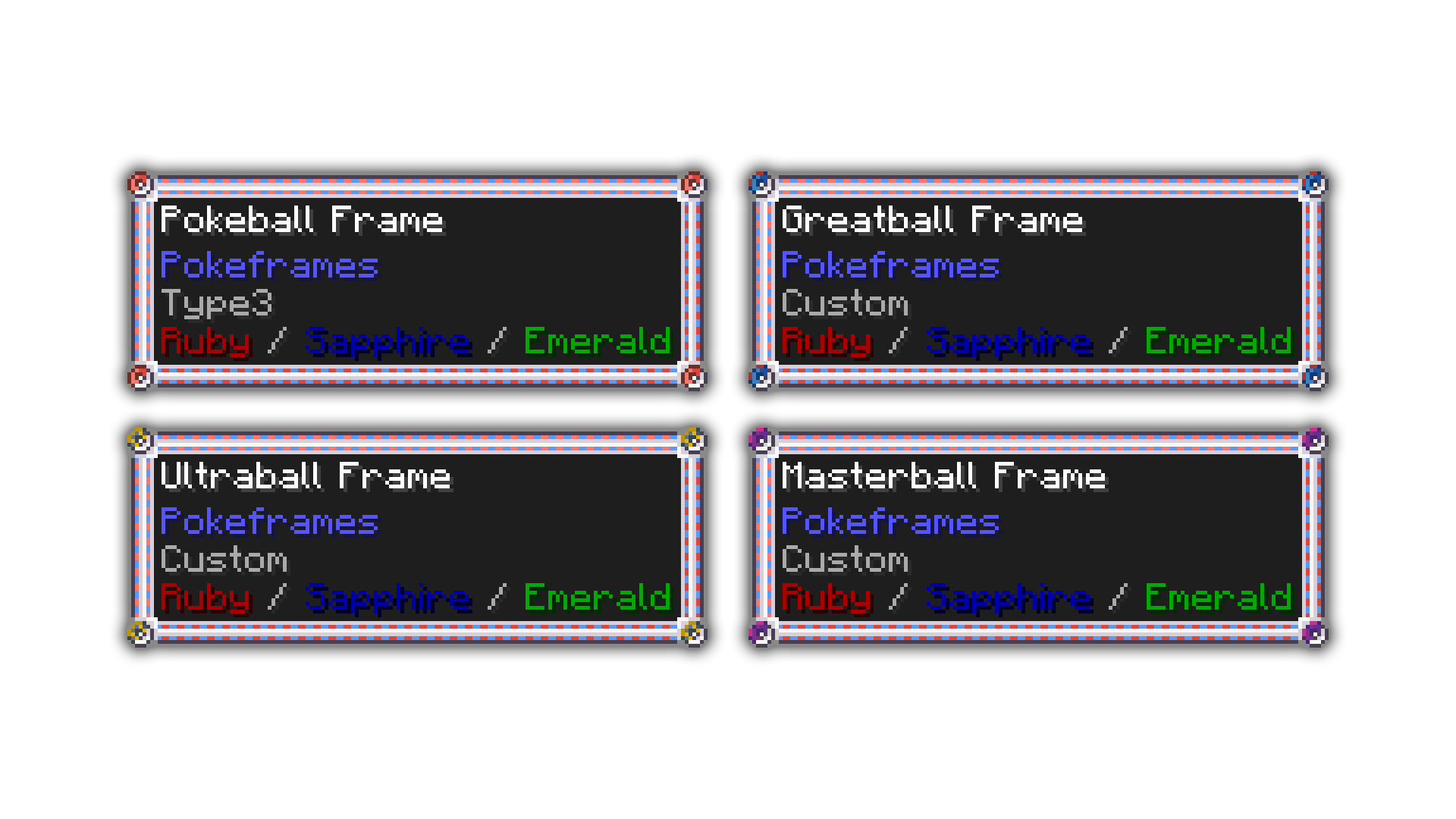 Ball Frames The Pokeball frame was featured in Ruby, Sapphire, and Emerald. This mod also includes custom-made frames for other ball types.
 -
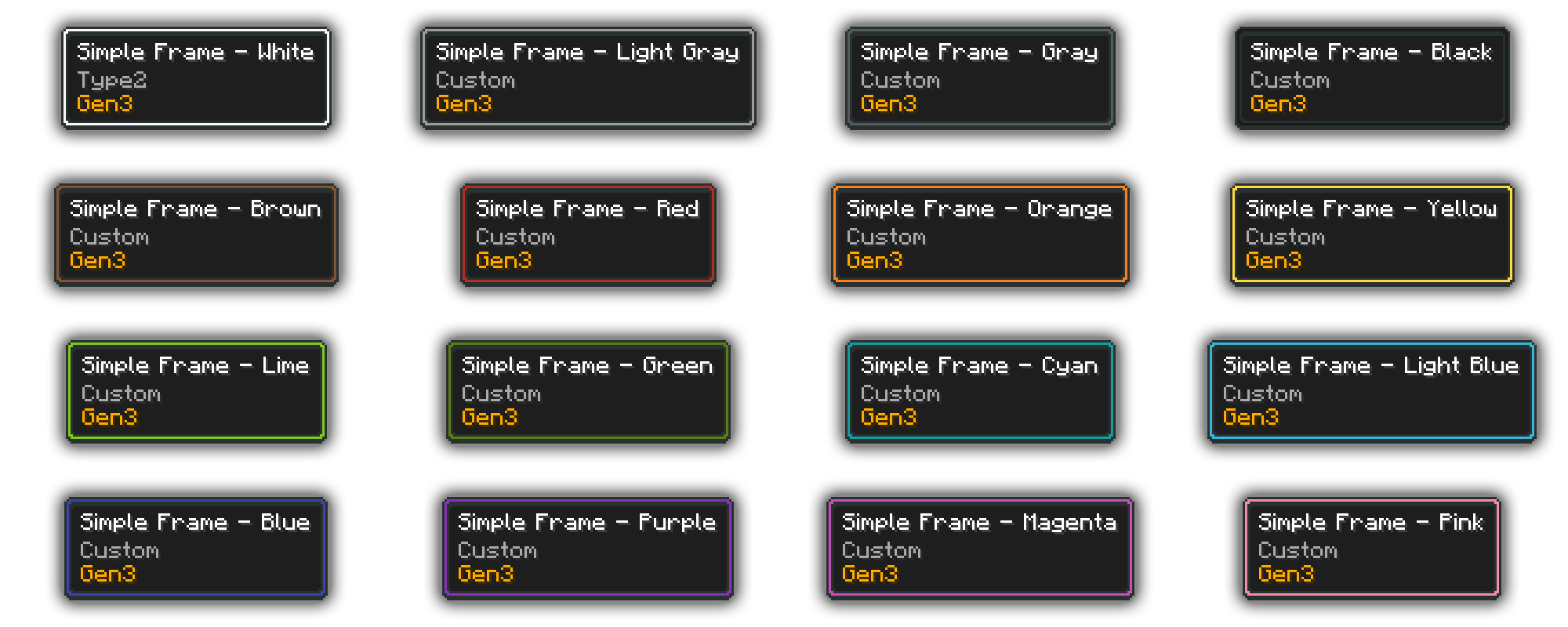 Simple Frame The white variant of the simple frame is featured in all Gen3 games. I really liked the minimalist design, and created additional variants for each dye color in Minecraft.
 -
Classic The classic dark frame was available in all gen3 games. The other variants were all part of FRLG.
-
Crafting All frames can be crafted using vanilla ingredients. Frames can also be copied using a simple recipe.
Versions
Files
Relations
Project Relations
More like this
Similar Mods
Suggestions use data such as tags, dependencies, dependents, descriptions, titles, and more to rank how much they overlap with this mod.
On ModDex
Community snapshot
By the numbers
Statistics
 (opens in a new tab)
Get it on
Available Platforms
On ModDex
Community snapshot
By the numbers