
Community listing page, reviews here may not be monitored by the author.
PolyStorage

No reviews yet
Server-side storage network with search, tiered storage cells, cables, import/export buses, and pattern-based autocrafting, including furnace lines. Players join with vanilla Minecraft; no client mod required.

Community voices
Reviews
No reviews yet. Be the first to review this project!
Get it on
Available Platforms
About
Project Details
For authors
Embed Badge
If you're the author of this project, you can embed a live badge anywhere that supports HTML or Markdown. It updates automatically whenever ratings change.
Use HTML for any page that supports it, or Markdown for README files and Markdown-based descriptions.
Identifiers
Platform IDs
Resources
External Links
About
Description
PolyStorage
Server-side mass storage and autocrafting for Fabric. Build a searchable item network from a terminal, bulk storage cells, cables, and import/export buses. Encode recipes onto patterns and let the network craft on demand, including furnace and brewing lines. Your players join with vanilla Minecraft: no client mod, no manual resource pack install.
Built on Polymer. Every block, item, and GUI renders on vanilla clients as vanilla content, so anyone can connect and use it in singleplayer, on LAN, or on a public server.
Features
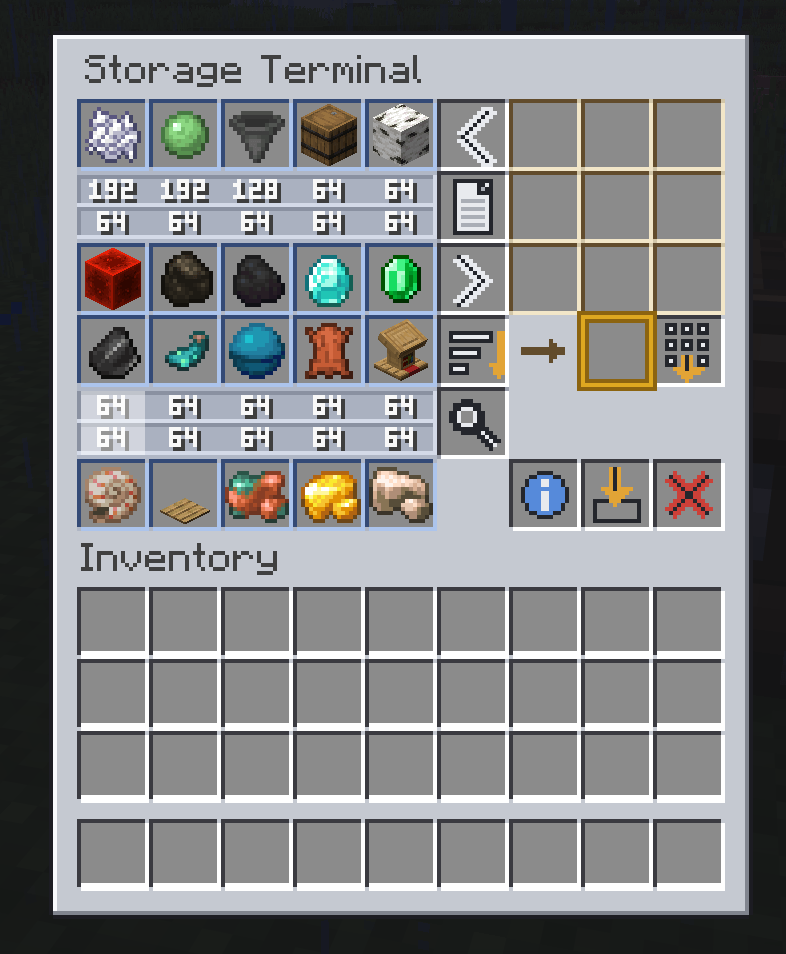
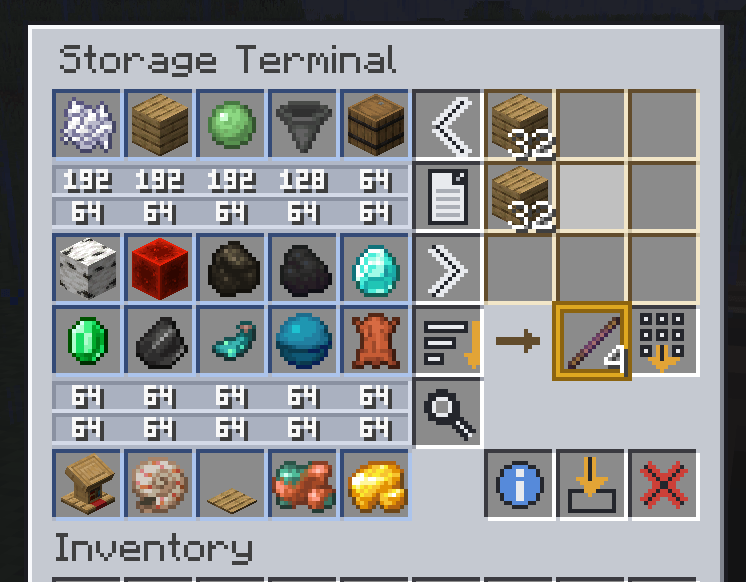
- One terminal for everything. Browse, search, sort, deposit, extract, and craft from the whole network in a single screen.
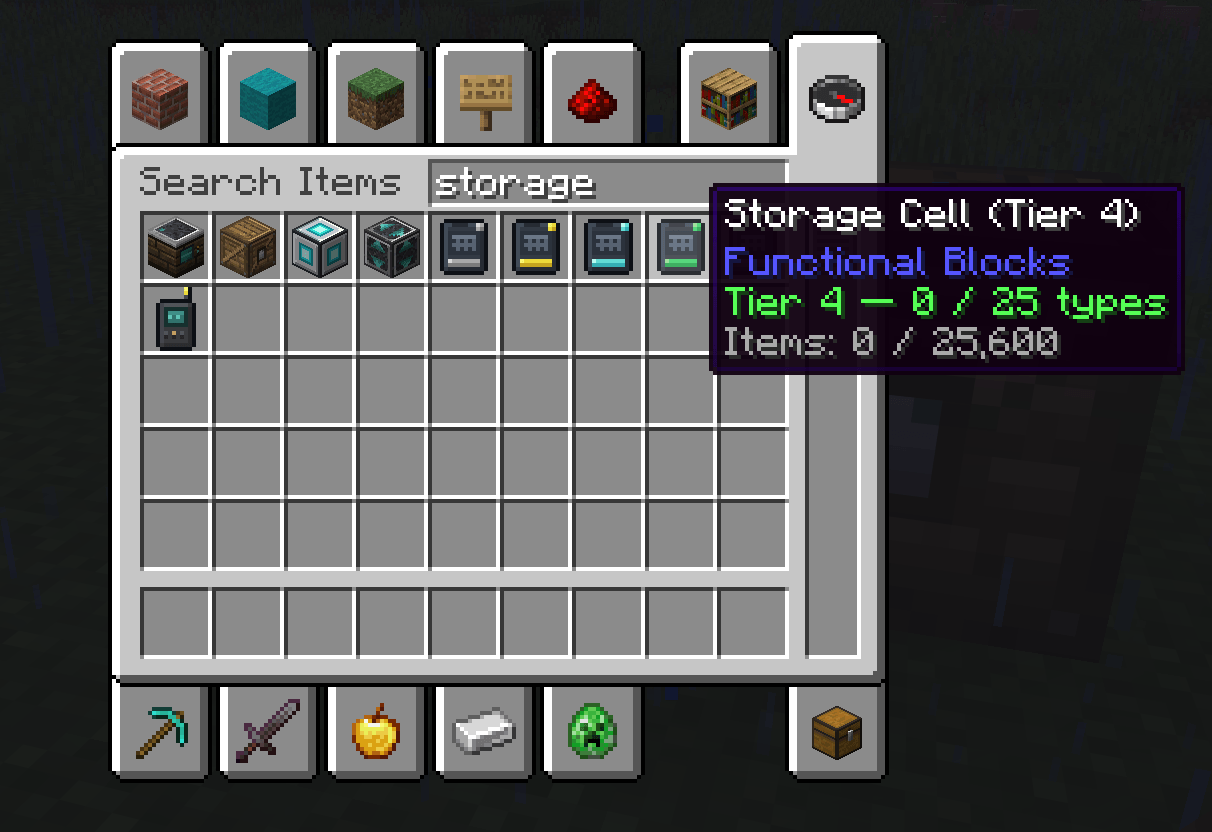
- Tiered storage cells. Disc-like cells hold the items. Slot them into crates and upgrade as you grow (Tier 1 to Tier 5).
- Autocrafting. Encode any crafting recipe onto a pattern, store patterns in a Crafting Assembler, and request items from the terminal. The planner resolves multi-step chains (log to planks to sticks to pickaxe) and tells you exactly which base resources are short.
- Machine crafting. The Crafter holds process patterns for the furnace, smoker, blast furnace, and brewing stand. A craft request pushes inputs and the right amount of fuel into the machine, waits for your importer to return the outputs, then finishes the rest of the chain.
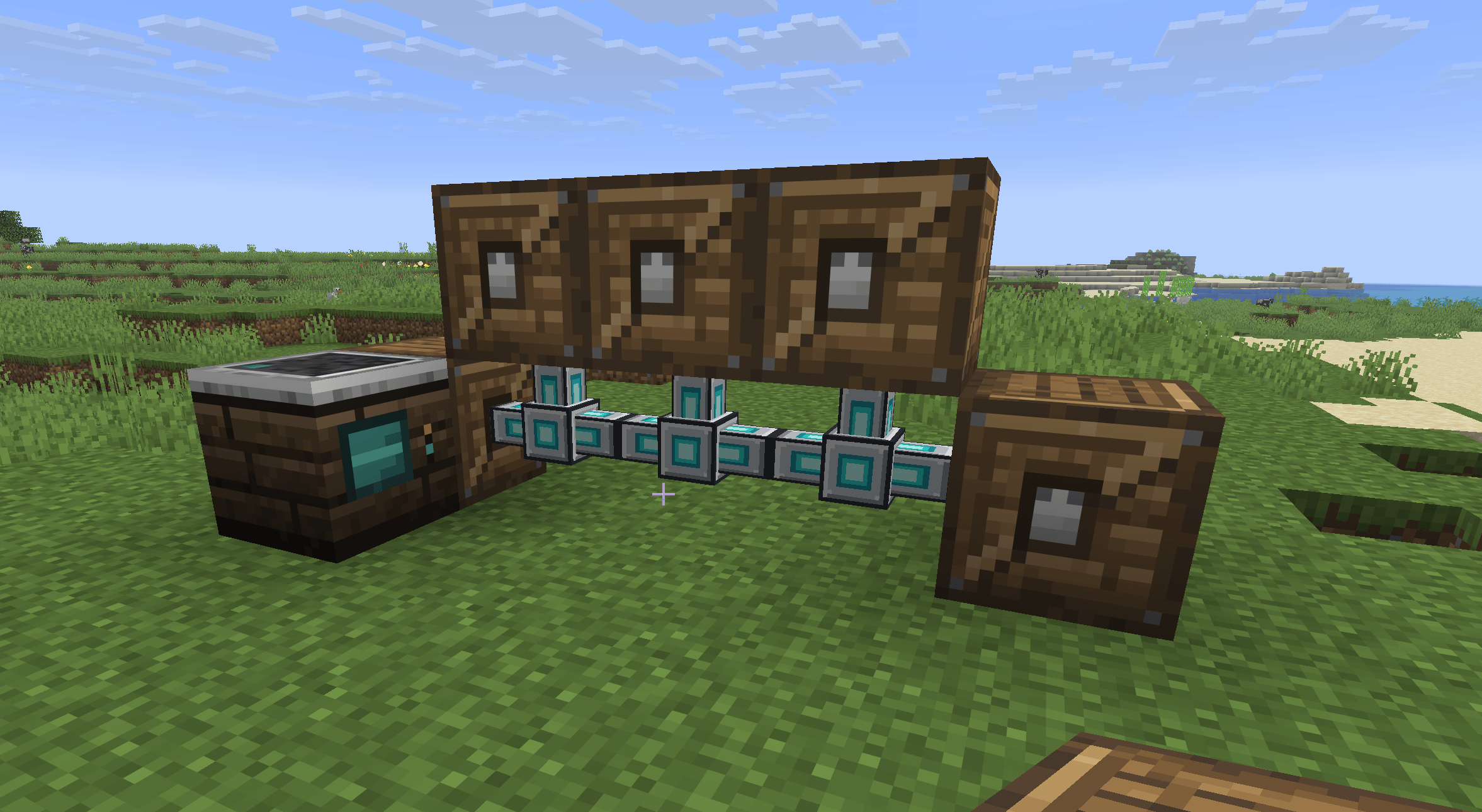
- Cables. Cheap, slim conduits that link crates and machines across distance. Terminals also conduct, so the network flows through them.
- Import / Export Bus. Pulls from or pushes into any adjacent inventory (chests, furnaces, farms), with per-side control. One filter serves both directions: export sends what you list, import pulls what you list, or everything when you list nothing.
- Storage Remote. Bind it to a terminal and open your network from anywhere, across dimensions. Runs on furnace fuel.
- Network Wrench. Cut or restore a block's connections face by face.
- Keep in stock. Tell the network to hold a minimum of anything craftable and it tops it up on its own. The assembler screen shows the standing rules and the live job queue, and you can cancel either.
- Recipe browser. Flip the terminal into Recipes mode and click any item to see what makes it, then send the recipe straight to the crafting grid or encode it onto a pattern.
- Search that scales.
@modand#tagfilters combine with plain words, count filters find anything above or below a number, and Q pins anything you want kept at the top. - Storage Monitor. A block that shows one item's live total in the world, in plain digits every client can read.
- Compactor. A drawer-style block bound to one nugget/ingot/block family, stored as a single pool. The terminal offers every form at full count, the block face shows the item and a live total, and Expansion Cards double its capacity up to 4,096 blocks' worth.
- Crate priority and cell partitions. Decide which crates fill first, and lock a cell to the types you meant it for.
- Quality of life. Dump Inventory empties your pockets in one click, a two-step Trash slot asks before destroying anything, and a crate renamed on an anvil keeps its name as a placed block.
- Real item counts. The terminal shows true totals far past a stack, not the vanilla 99 cap.
- Claim-mod aware. Respects land-claim protection via the Common Protection API when a claim mod is installed.
Getting started
- Craft a Storage Terminal and some Storage Crates.
- Put Storage Cells into the crates. The cells are what actually store your items.
- Place crates touching the terminal, or run Cables to link them across distance.
- Right-click the terminal to browse, search, deposit, extract, and craft in one screen.
- Add an Import / Export Bus to automate flow between the network and your machines.
- Craft a Storage Remote for wireless access.
Storage cell tiers
| Tier | Item types | Per type | Total capacity |
|---|---|---|---|
| 1 | 10 | 128 | 1,280 |
| 2 | 15 | 256 | 3,840 |
| 3 | 20 | 512 | 10,240 |
| 4 | 25 | 1,024 | 25,600 |
| 5 | 30 | 2,048 | 61,440 |
Upgrading a cell does not carry over its contents. Empty a cell before promoting it.
Autocrafting
- Craft Blank Patterns (paper + redstone) and a Crafting Assembler.
- Lay out a recipe in the terminal's crafting grid and press Encode. One Blank Pattern becomes a Crafting Pattern for that recipe.
- Put the pattern in an assembler on the network. The output now shows as craftable in the terminal, even at zero stock.
- Shift-right-click a craftable entry, type an amount, and confirm. The assembler works for a few seconds (bigger orders take longer), crafts every intermediate step in order, and deposits the result into storage.
The planner uses your stored items for intermediates and crafts only the shortfall. If base resources are missing it refuses the whole request and lists exactly what is short, so you never get a half-finished mess.
Machine crafting with the Crafter
- Place a Crafter against a furnace, smoker, blast furnace, or brewing stand, connected to the network.
- Put an Import Bus (import mode) under the machine. That face is where finished items and empty buckets come out; the top is the input slot and the sides are the fuel slot, so the bottom is the only safe face to import from.
- Open the Crafter, set the input (iron ore) and fuel (coal) ghosts, and press Encode to make a Process Pattern. Store it in the Crafter.
- Iron Ingot is now craftable from the terminal. A request pushes ore and fuel into the furnace, the machine smelts on its own time, the importer returns the ingots, and any deeper craft that needed them continues automatically.
Fuel is measured from real burn values, so coal, blaze rods, and planks all work. If a machine jams or the importer is missing, the job reports "check your machines" after five minutes instead of hanging.
Brewing has one extra rule. The stand keeps its bottles in the same slots the importer pulls from, so filter that importer to the finished potion or it grabs the bottles mid-brew. A chained brew (water to awkward to strength) needs one stand per step.
Recipes
Click a recipe to open it.
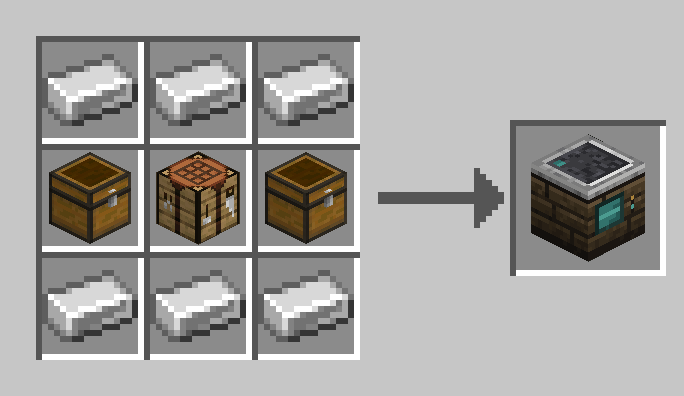
Storage Terminal
The single access point to your network.
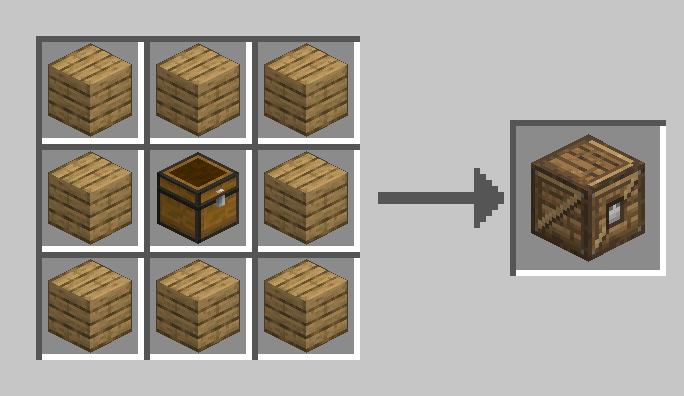
Storage Crate
Holds up to 5 Storage Cells. Keeps its cells when broken.
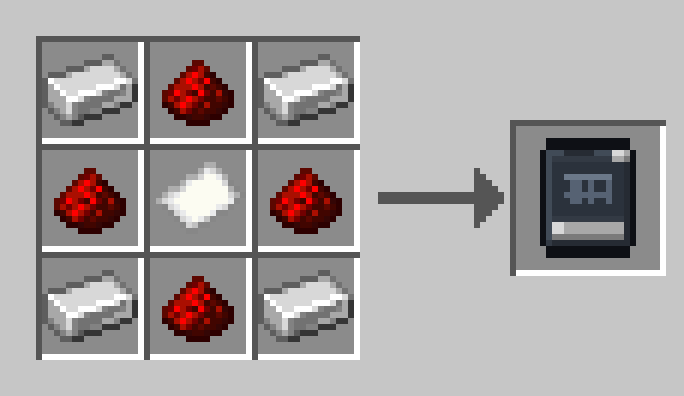
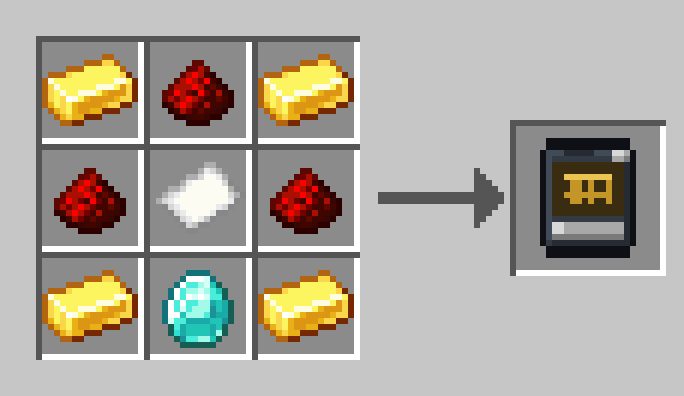
Storage Cell Tier 1
Iron and redstone around paper.
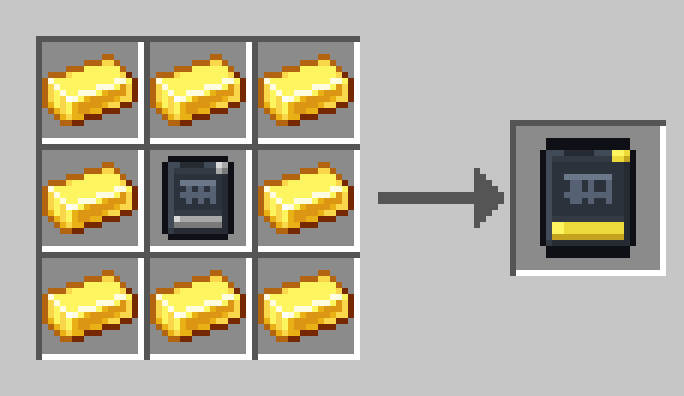
Storage Cell Tier 2
Gold around a Tier 1 cell.
Storage Cell Tier 3
Diamonds around a Tier 2 cell.
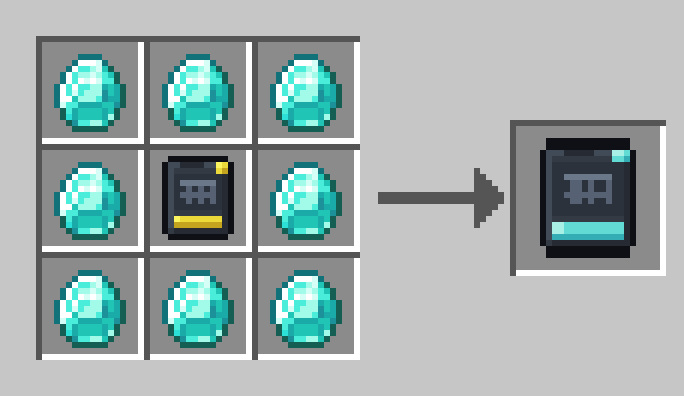
Storage Cell Tier 4
Emeralds around a Tier 3 cell.
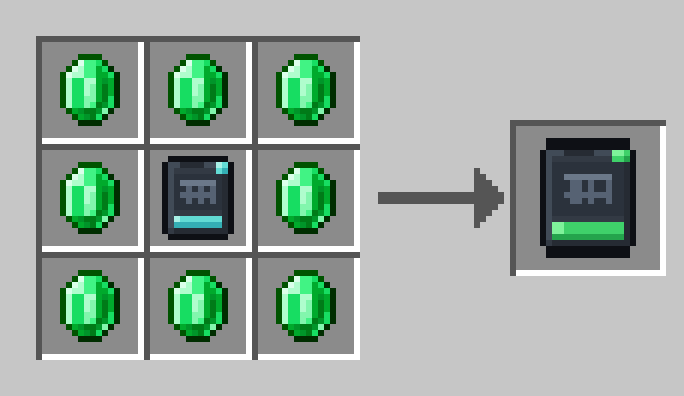
Storage Cell Tier 5
Netherite scrap and crying obsidian around a Tier 4 cell.
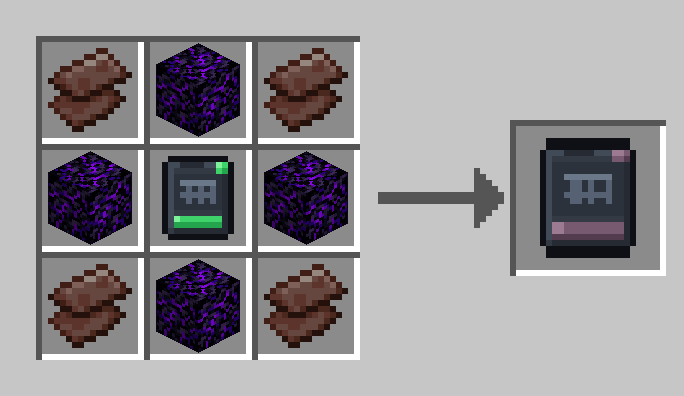
Network Cable
A cheap conductor that extends the network's reach. Crafts 6 at a time.
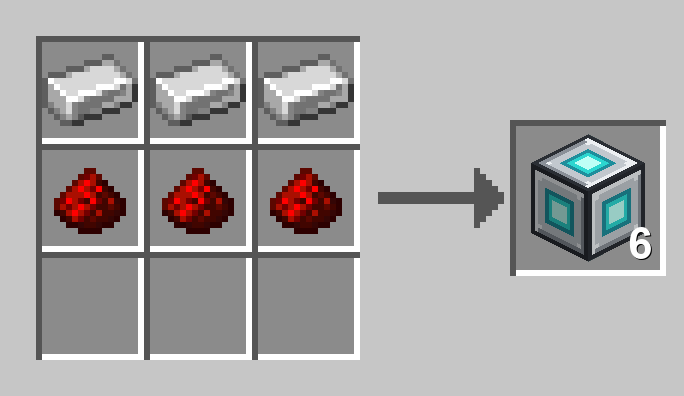
Network Wrench
Right-click a network block's face to disconnect it; sneak-right-click to reconnect every side.
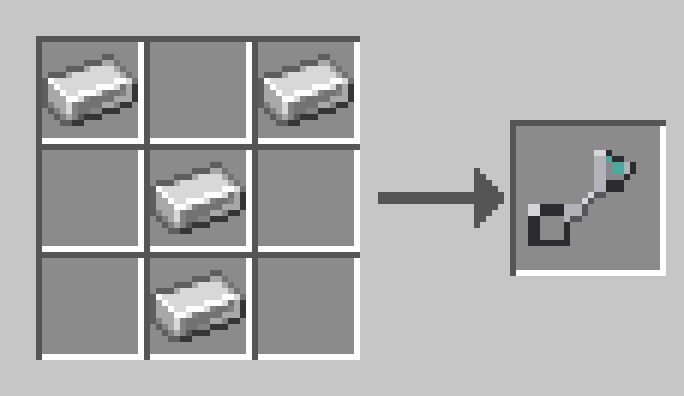
Import / Export Bus
One filter serves both modes. Export pushes what you list; Import pulls what you list, or everything when the list is empty.
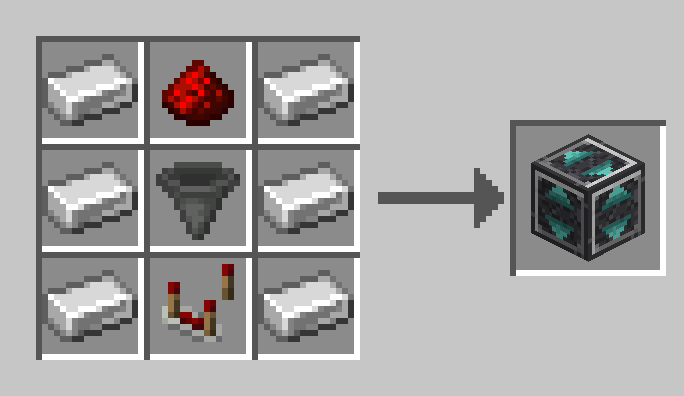
Storage Remote
Sneak-click a terminal to bind it, then use it anywhere to open that network. Add furnace fuel to power it.
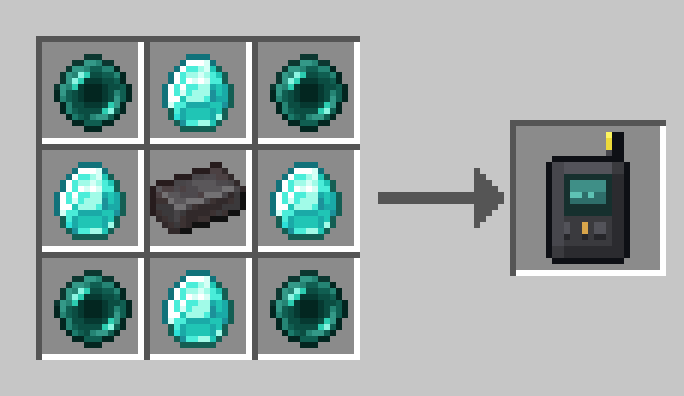
Blank Pattern
The raw material for encoding recipes. Crafts one per paper + redstone.
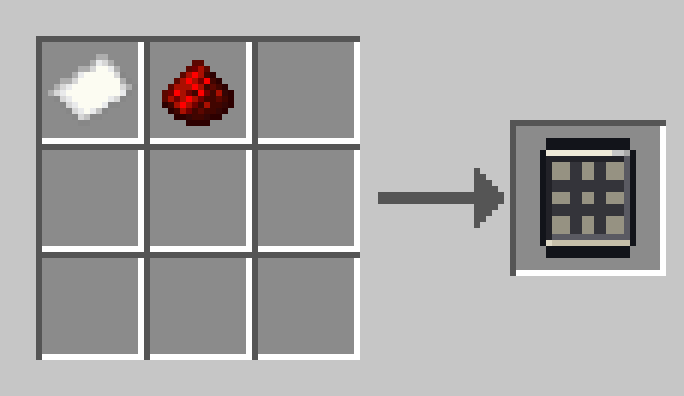
Crafting Assembler
Holds up to 9 Crafting Patterns and runs the crafting queue.
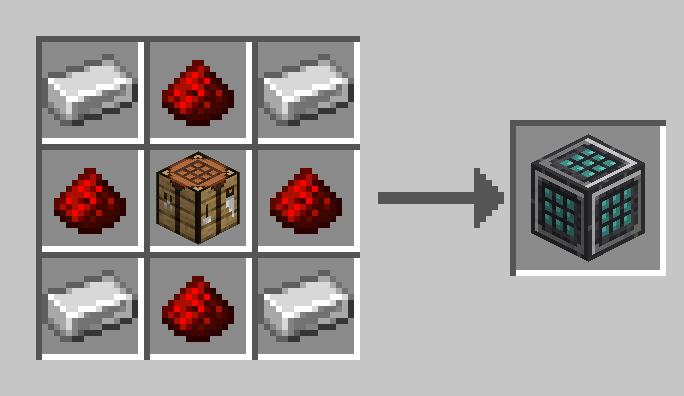
Crafter
Holds up to 9 Process Patterns for the machine it sits against.
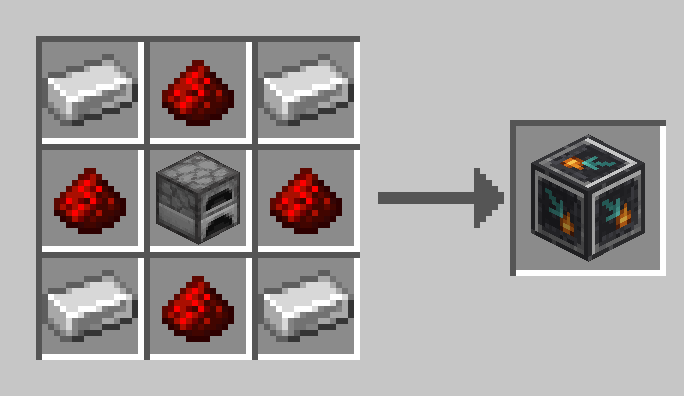
Storage Monitor
Shows one item's live network total in the world. Right-click with an item to bind it.
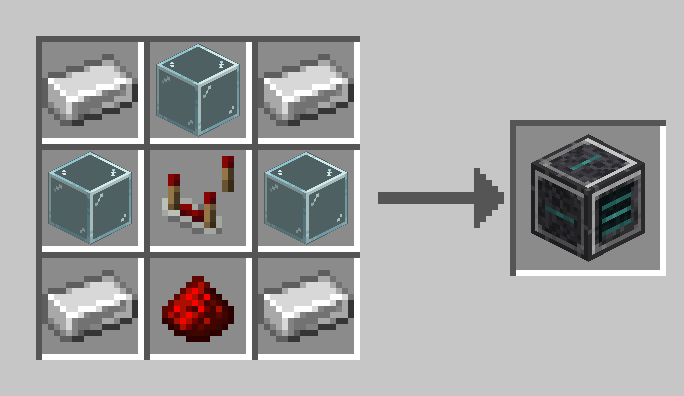
Compactor
Holds one nugget/ingot/block family as a single pool and wears it on its face. Set the item in its screen.
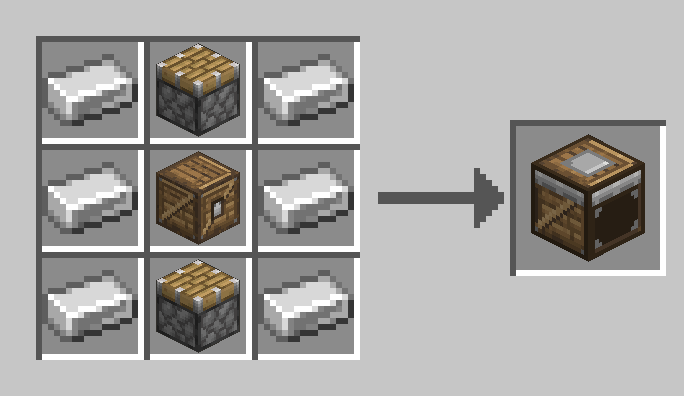
Expansion Card
Slots into a Compactor. Each card doubles its capacity, up to four cards.
Requirements
- Minecraft 26.2
- Fabric Loader
- Fabric API
Polymer, sgui, and every other library are bundled inside the jar. Install PolyStorage on the server only; connecting players need nothing but vanilla Minecraft. Works in singleplayer and on LAN too.
Dedicated-server setup (one step): after the first start, open config/polymer/auto-host.json and set "enabled": true, then restart. Polymer then hosts the resource pack itself and sends it to joining players automatically. That pack is what gives the mod its custom look. Players without it (for example Bedrock players connecting through Geyser) still get clean vanilla stand-in visuals for every block, item, and menu, so the mod stays fully usable either way.
Bedrock players (Geyser)
Bedrock players are detected automatically and get vanilla stand-in visuals that render correctly: real item icons in the terminal, clean titles, and count badges on entries. For the full custom look, install the optional Bedrock Support Pack (the extra file attached to each release). Put the mcpack in Geyser's packs folder and the mappings json in custom_mappings, set enable-custom-content: true in Geyser's config, and set "bedrock_item_visuals": "mapped" in config/polystorage.json. Bedrock players then see the mod's real item and menu icon textures.
PolyStorage is fully server-side. No client installation required.
Screenshots
Gallery
-
 Screenshot 2026-08-21 215529.png Screenshot 2026-08-21 215529.png
 -
 Screenshot 2026-08-21 215436.png Screenshot 2026-08-21 215436.png
 -
 Screenshot 2026-08-21 215800.png Screenshot 2026-08-21 215800.png
 -
 Screenshot 2026-08-21 215619.png Screenshot 2026-08-21 215619.png
Versions
Files
Relations
Project Relations
More like this
Similar Mods
Suggestions use data such as tags, dependencies, dependents, descriptions, titles, and more to rank how much they overlap with this mod.
On ModDex
Community snapshot
By the numbers
Statistics
 (opens in a new tab)
Get it on
Available Platforms
On ModDex
Community snapshot
By the numbers
Statistics
Resources