
Community listing page, reviews here may not be monitored by the author.
Pomidor

No reviews yet
Hiding nicknames, displaying side light, mob statistics, coordinate conversion, everything in this mod.
Community voices
Reviews
No reviews yet. Be the first to review this project!
Get it on
Available Platforms
Compatibility
Supported Environments
Runs entirely on the client. Works on vanilla servers.
About
Project Details
For authors
Embed Badge
If you're the author of this project, you can embed a live badge anywhere that supports HTML or Markdown. It updates automatically whenever ratings change.
Use HTML for any page that supports it, or Markdown for README files and Markdown-based descriptions.
Identifiers
Platform IDs
About
Description
🍅 Pomidor [EN]
Disabling Player Name Tags
- You can hide player name tags (default hotkey: "I").
- This can be used in hide-and-seek games or servers that disable name tags
Forcing Mob Name Tags Display
- You can force the display of mob names (default hotkey: "O").
- Useful for cases like trading with villagers, where their name shows the item or profession.
Displaying Light Block
- You can enable the display of light blocks (default hotkey: "U").
- Useful for easily placing hidden lighting.
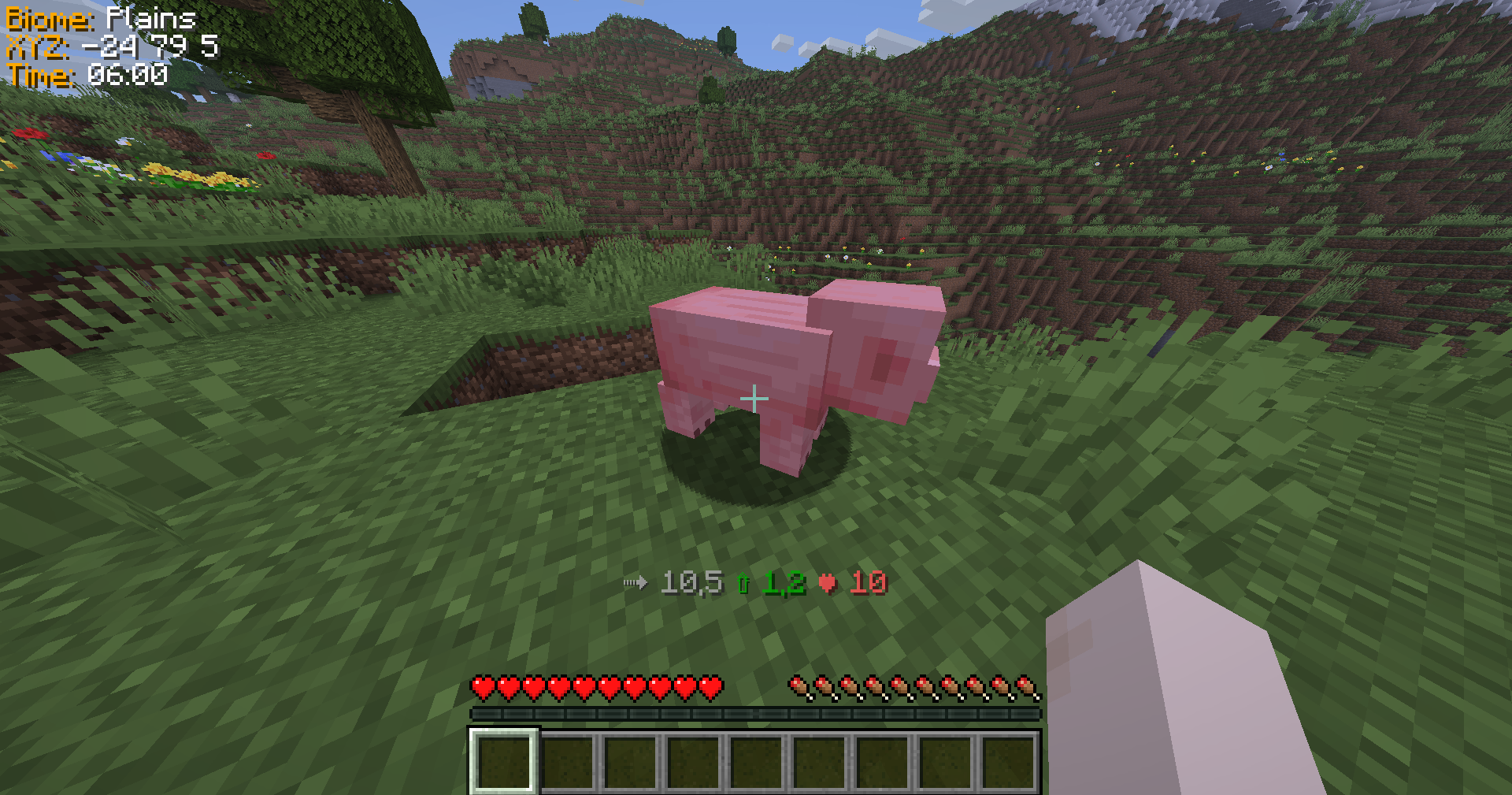
Mountable Mob Stats
- By right-clicking with Shift held on a mountable mob (horse, camel, pig, etc.), the mob's stats will be displayed above the hotbar.
Death coordinates
- Shows your last coordinates and dimension in chat every time you die to help you get back your resources
Coordinates Conversion
- /coordsconvert - Get portal coordinates from your current location.
- /coordsconvert - Get portal coordinates from block coordinates.
- /coordsconvert - Get portal coordinates from block coordinates in a specific dimension.
- Alternative command: /cc.
Displaying useful information
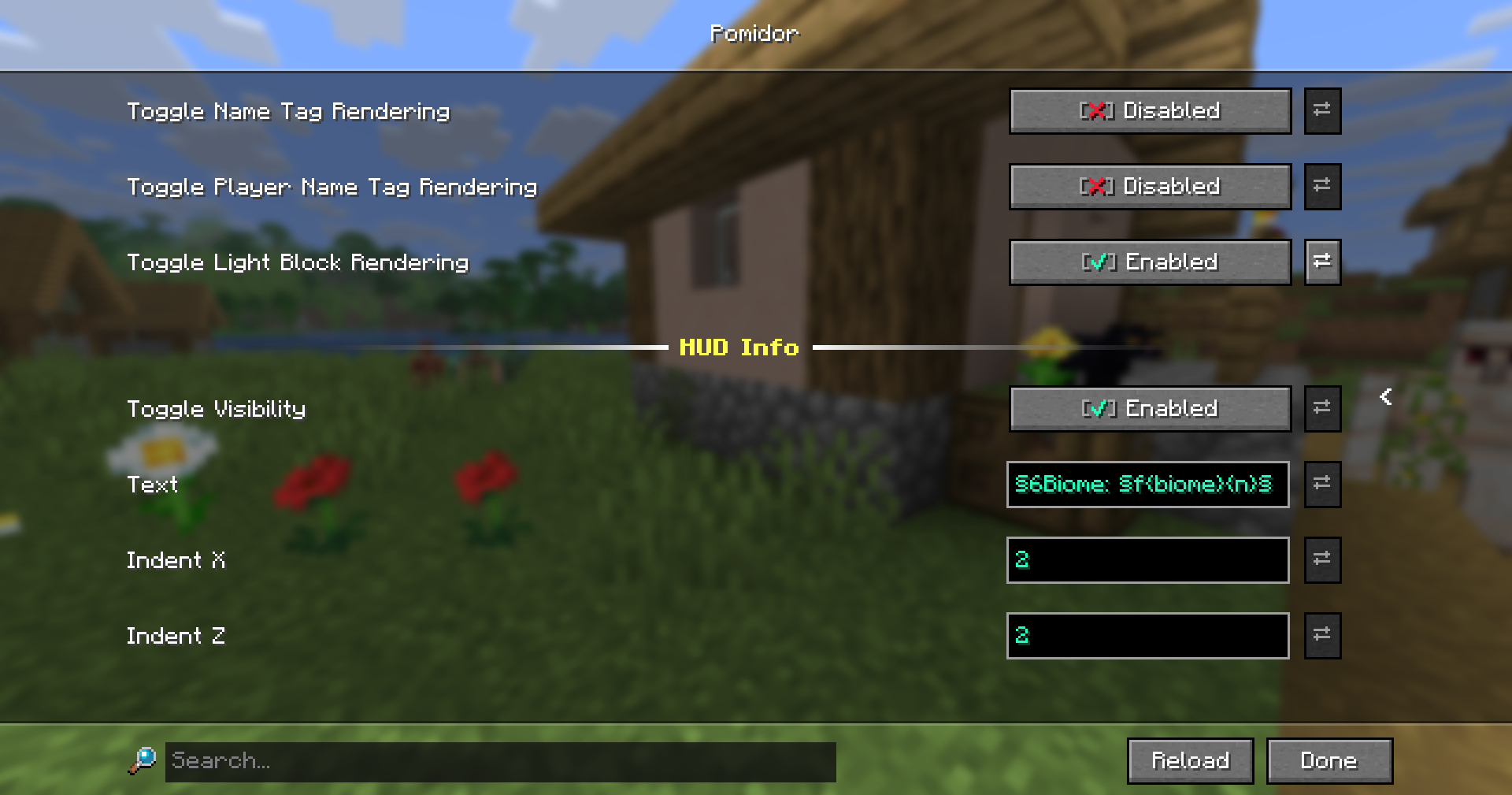
- You can adjust the display of coordinates, biome, time of day, etc.
- All can be easily changed through the configuration.
See all placeholders
{fps} - FPS
{posX} - player X coordinate
{posY} - player Y coordinate
{posZ} - player Z coordinate
{facing} - direction the player is facing
{speed} - current speed
{yaw} - yaw
{pitch} - pitch
{time} - time of day
{days} - server age in days
{biome} - current biome
{difficulty} - server difficulty
{dimension} - current world
{ping} | {pingColored} - your ping
{n} - new line
🍅 Pomidor [RU]
Переключение режимов отображения ников игроков
- Вы можете скрыть или принутильно отобразить ники игроков (горячая клавиша по умолчанию "I")
- Это может быть полездно для пряток или для отображения ников на тех серверах, где это отлючено
Принудительное отображение имен мобов
- Вы можете принудительно отображать имена мобов (горячая клавиша по умолчанию "O")
- Полезно в таких случаях, как торговля с жителями, где их имя отображает товар или профессию
Отображение блока света
- Вы можете включить отображение блоков света (горячая клавиша по умолчанию "U")
- Полезно для удобного размещения скрытого освещения
Характеристика ездовых мобов
- При клике Shift+ПКМ по мобу над хот баром отображается характеристика ездового моба (лошади, верблюда, свиньи и т.д.)
Координаты смерти
- В чате отображаются ваши координаты и мир каждый раз, когда вы умираете, чтобы помочь вам вернуть свои ресурсы
Конвертация коррдинат
- /coordsconvert - получите координаты портала по вашему текущему местоположению
- /coordsconvert - получить координаты портала по коррдинатам блока
- /coordsconvert <мир> - получить координаты портала по коррдинатам блока в определенном мире
- Альтернативная команда: /cc
Вывод полезно информации
- Вы можете настроить показ координат, биома, времени суток и т.д.
- Всё легко настраивается через конфигурацию
Посмотреть все заполнители
{fps} - FPS
{posX} - позиция игрока по X
{posY} - позиция игрока по Y
{posZ} - позиция игрока по Z
{facing} - направление игрока
{speed} - скорость игрока
{yaw} - yaw
{pitch} - pitch
{time} - время суток
{days} - дни
{biome} - биом
{difficulty} - сложность игры
{dimension} - мир
{ping} | {pingColored} - ваш пинг
{n} - новая строка
Screenshots
Gallery
-
-
 CoordsConvert
 -
 Config
Versions
Files
Relations
Project Relations
More like this
Similar Mods
Suggestions use data such as tags, dependencies, dependents, descriptions, titles, and more to rank how much they overlap with this mod.
On ModDex
Community snapshot
By the numbers
Statistics

Want to reach Minecraft players?
We're looking for a server hosting partner to feature here and other parts of the site. Interested? Send us a message!
Get in touchGet it on
Available Platforms
On ModDex
Community snapshot
By the numbers