
Community listing page, reviews here may not be monitored by the author.
PomPom

No reviews yet
LabPBR 3D visuals WITHOUT Iris or heavy shader packs
Community voices
Reviews
No reviews yet. Be the first to review this project!
Get it on
Available Platforms
Compatibility
Supported Environments
Runs entirely on the client. Works on vanilla servers.
About
Project Details
For authors
Embed Badge
If you're the author of this project, you can embed a live badge anywhere that supports HTML or Markdown. It updates automatically whenever ratings change.
Use HTML for any page that supports it, or Markdown for README files and Markdown-based descriptions.
Identifiers
Platform IDs
Resources
External Links
About
Description
PomPom — real 3D, no shader pack required
Bumpy 3D blocks with depth and moving shadows — for a fraction of a shader pack's cost.
No shaderpacks required. PomPom bakes LabPBR pack depth straight into terrain at a low cost. It hooks into how Minecraft (or Sodium) draws the world and adds the 3D look on top. It isn't free — you'll give up a few frames — but nowhere near what a full shader pack asks of your GPU. (And if you do run a shader pack, PomPom automatically deactivates when one is activated!)
Honest note: PomPom is "matte by design", doing 3D and normal mapping, but it does not give the wet or shiny look like a true shader. This tradeoff is crucial for keeping the mod light, and lets you say "wow, that's 3D!" without "why is my game at 20fps?"
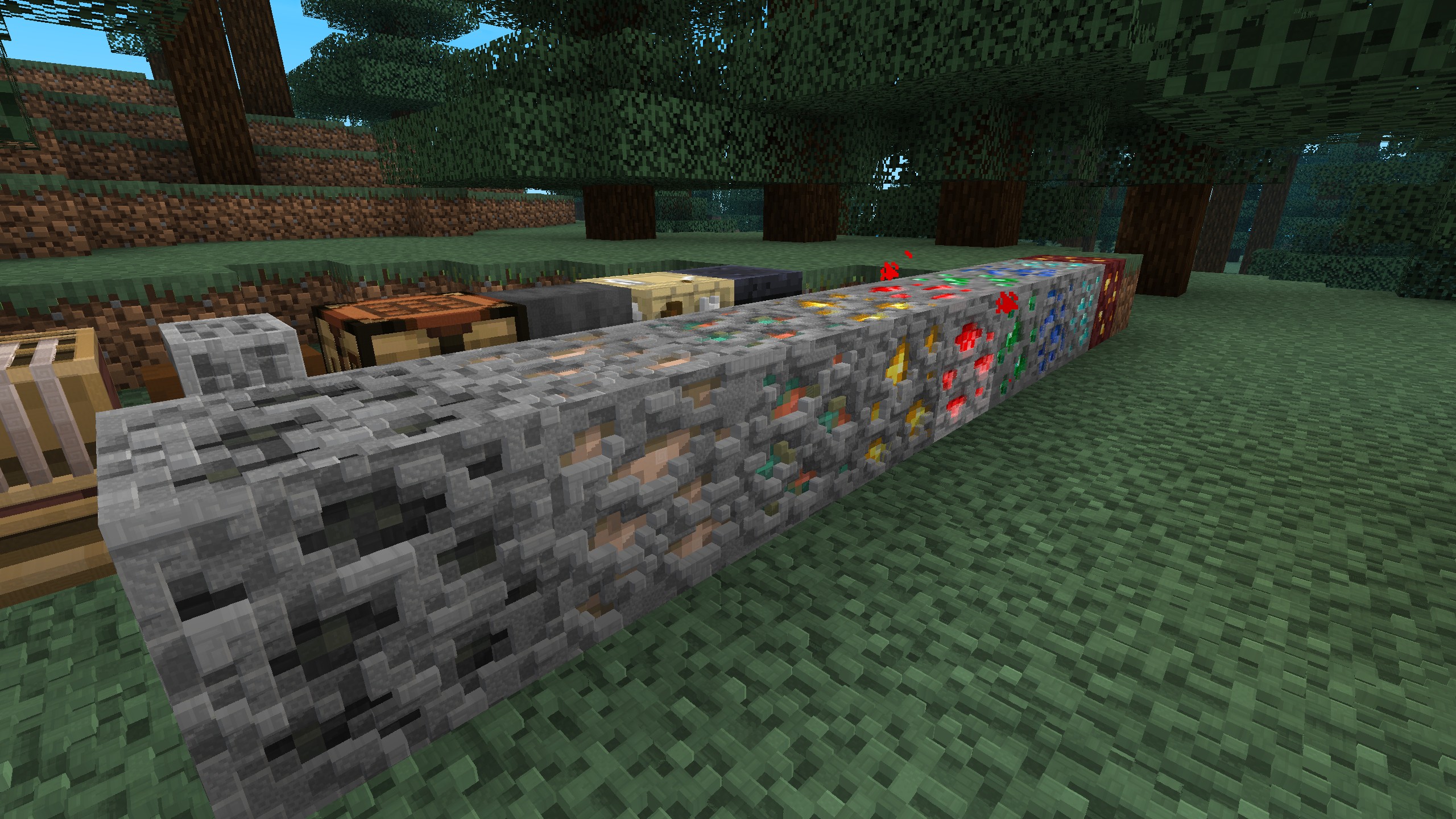
Why PomPom is special
Before PomPom, there were primarily only 2 ways of getting true 3D, and both dunked on performance:
| Setup | Performance | 3D depth |
|---|---|---|
| Vanilla + LabPBR pack | ✅ | ❌ |
| Vanilla + 3D pack (JSON geometry) | ❌ | ✅ |
| Shader pack (Iris) | ❌ | ✅ |
| PomPom | ✅ | ✅ |
Why?
- Vanilla + LabPBR pack — you have SO much fancy information (depth, roughness, etc.) that just won't show up because vanilla Minecraft doesn't read or use it.
- Vanilla + a 3D resource pack (JSON block models) — actual 3D models = lag, because giving all blocks extra mesh data just tanks your frames.
- A shader pack (Iris) + LabPBR pack — real 3D depth + gorgeous visuals, but you *should know by now what shaders do to your performance.
- PomPom + LabPBR pack — 3D depth no geometry bloat and heavy shader pipeline. It costs a few frames but FAR less than the 2 other methods; that's why it exists after all.
Do I need a special resource pack?
No — PomPom works on any texture pack, even vanilla. It has two modes and picks automatically:
- With a LabPBR resource pack → respects the authored 3D data and delivers it, giving you real 3D like a shaderpack.
- With any other pack (or vanilla) → it generates depth on its own from block textures and shades it.
So you can install it and immediately see a difference, then add a LabPBR pack later for the best results.
Quickstart
- Install Fabric and Fabric API.
- Drop PomPom into your
modsfolder. - (Optional but recommended) add Sodium for the best FPS, and a LabPBR resource pack for authored 3D.
- (Optional) add Mod Menu + YACL to open in-game settings and toggle features
That's it — launch and look at some stone.
Requirements & compatibility
| Minecraft | Fabric Loader |
| Required | Fabric API |
| Recommended | Sodium (performance), a LabPBR resource pack (best visuals) |
| For the config screen | Mod Menu + YACL (both optional) |
⚠️ This is a beta
First public release! Working LabPBR POM is expected, but artifacting and glitches are possible. If you hit something weird, please report it — screenshots and your setup (pack, Sodium on/off, config) help a ton.
License
PomPom is All Rights Reserved, with one explicit exception:
✅ You may include an unmodified copy of PomPom in a modpack — but only if that modpack is distributed exclusively on Modrinth.
That means:
- ✅ Allowed: bundling PomPom, unchanged, in a Modrinth-hosted modpack.
- ❌ Not allowed: distributing it on any other platform, redistributing it as a standalone download, or including a modified version.
If you want to use PomPom in any other way, please ask first.
Screenshots
Gallery
-
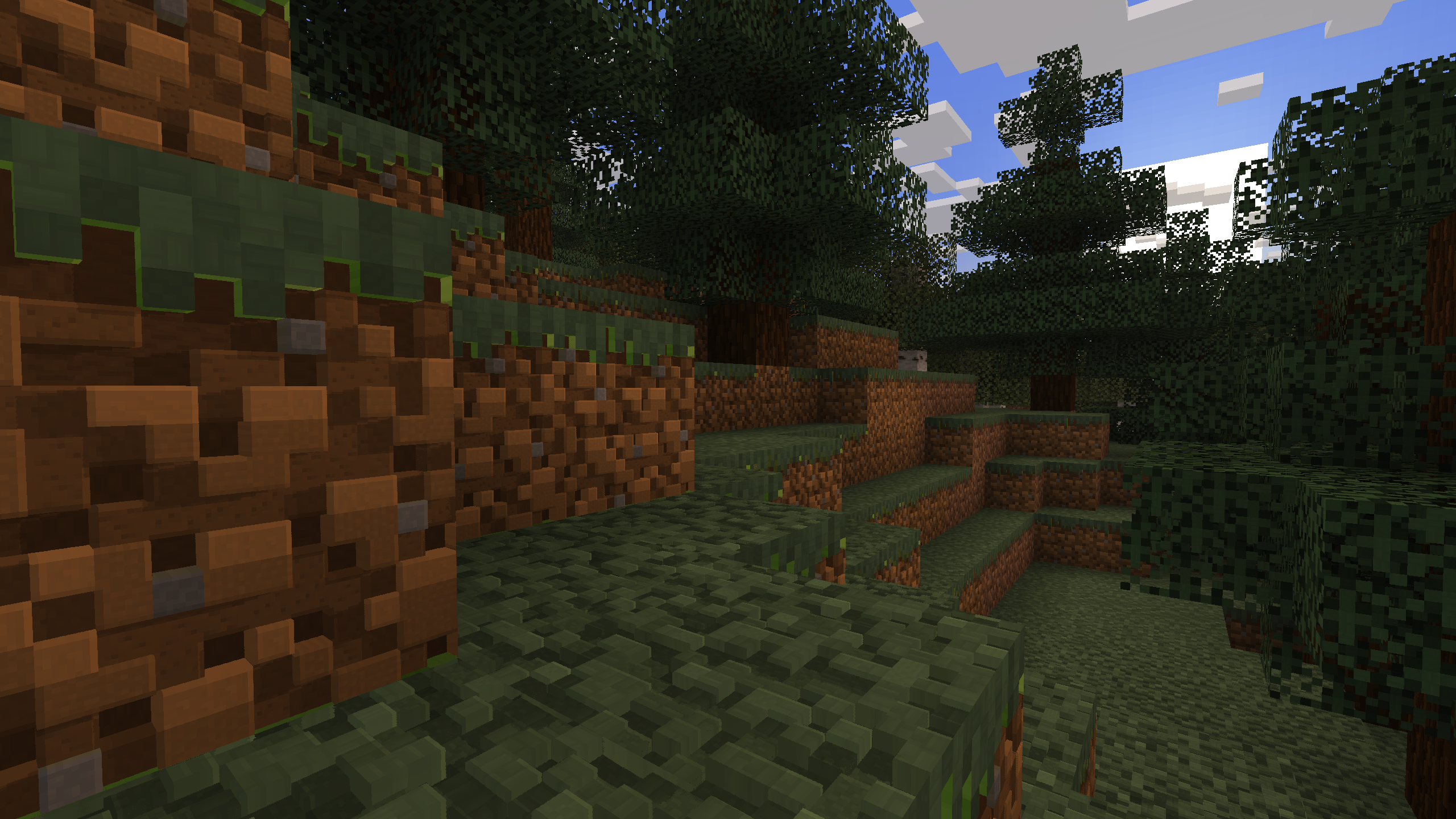 Shadows that follow the sun Bump shadows shift across the whole day.
 -
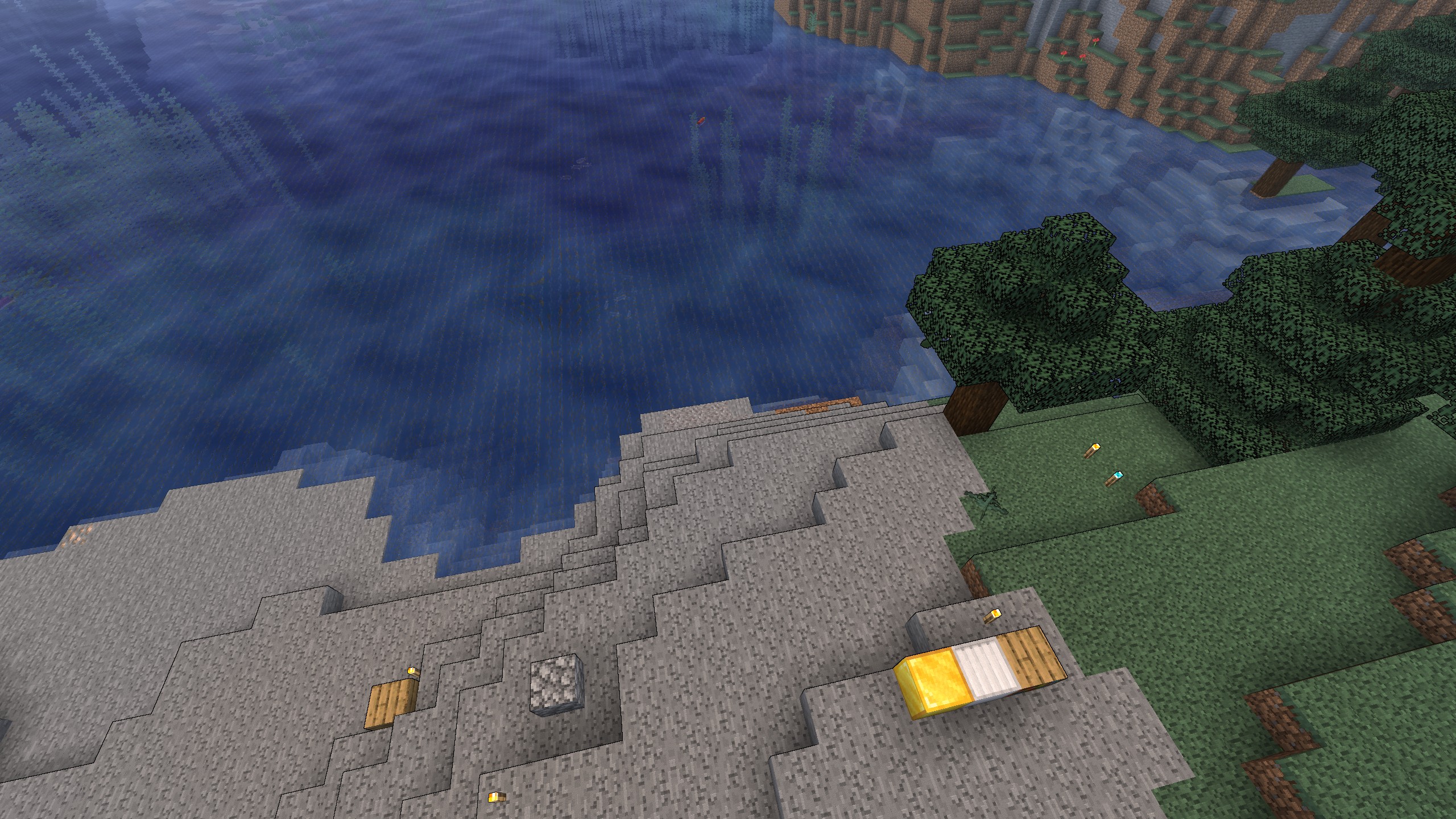 Stylized looks, optional World outline + cel shading, one toggle away.
 -
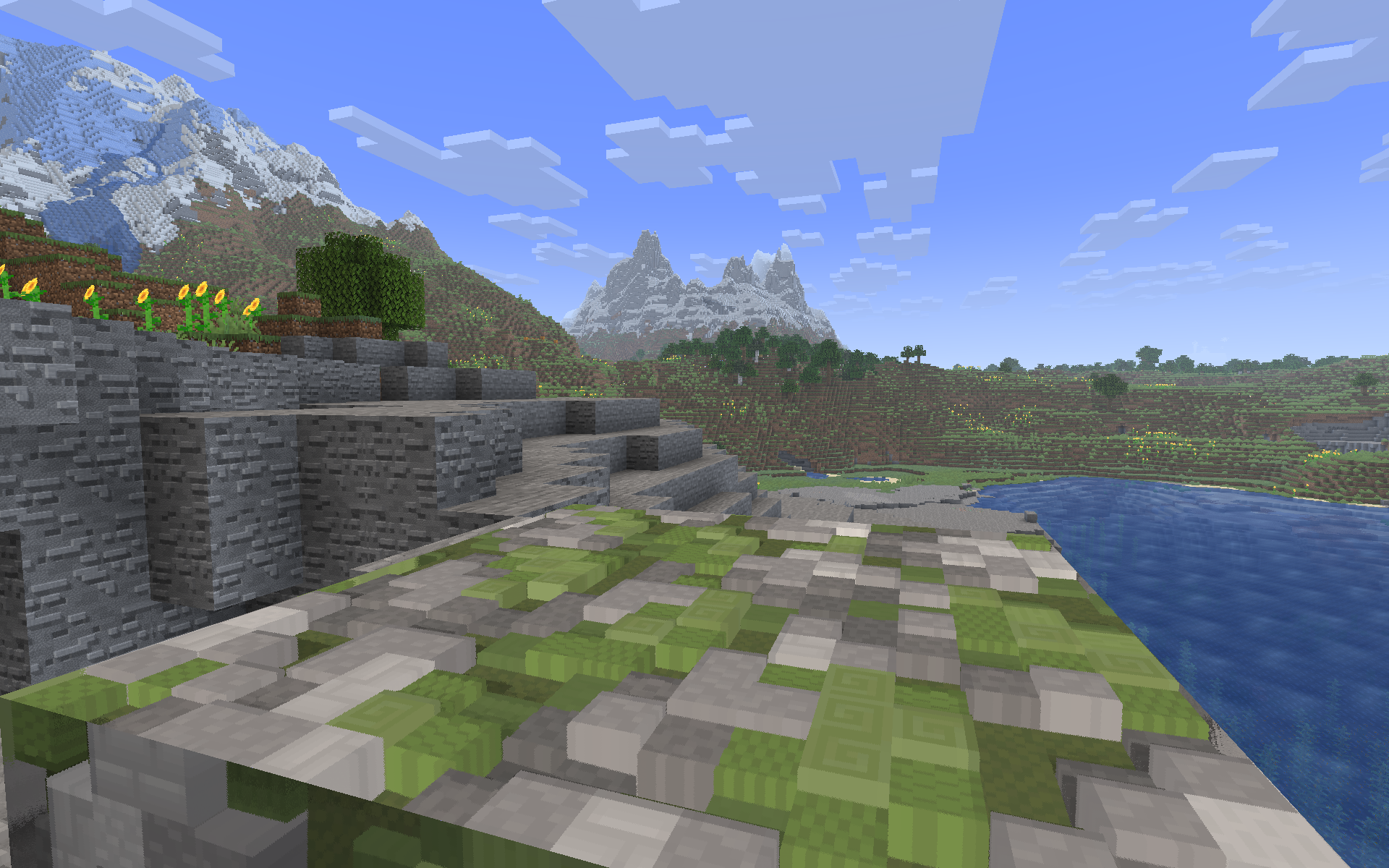 Real carved depth (POM) With a LabPBR pack, texture are genuinely three-dimensional.
 -
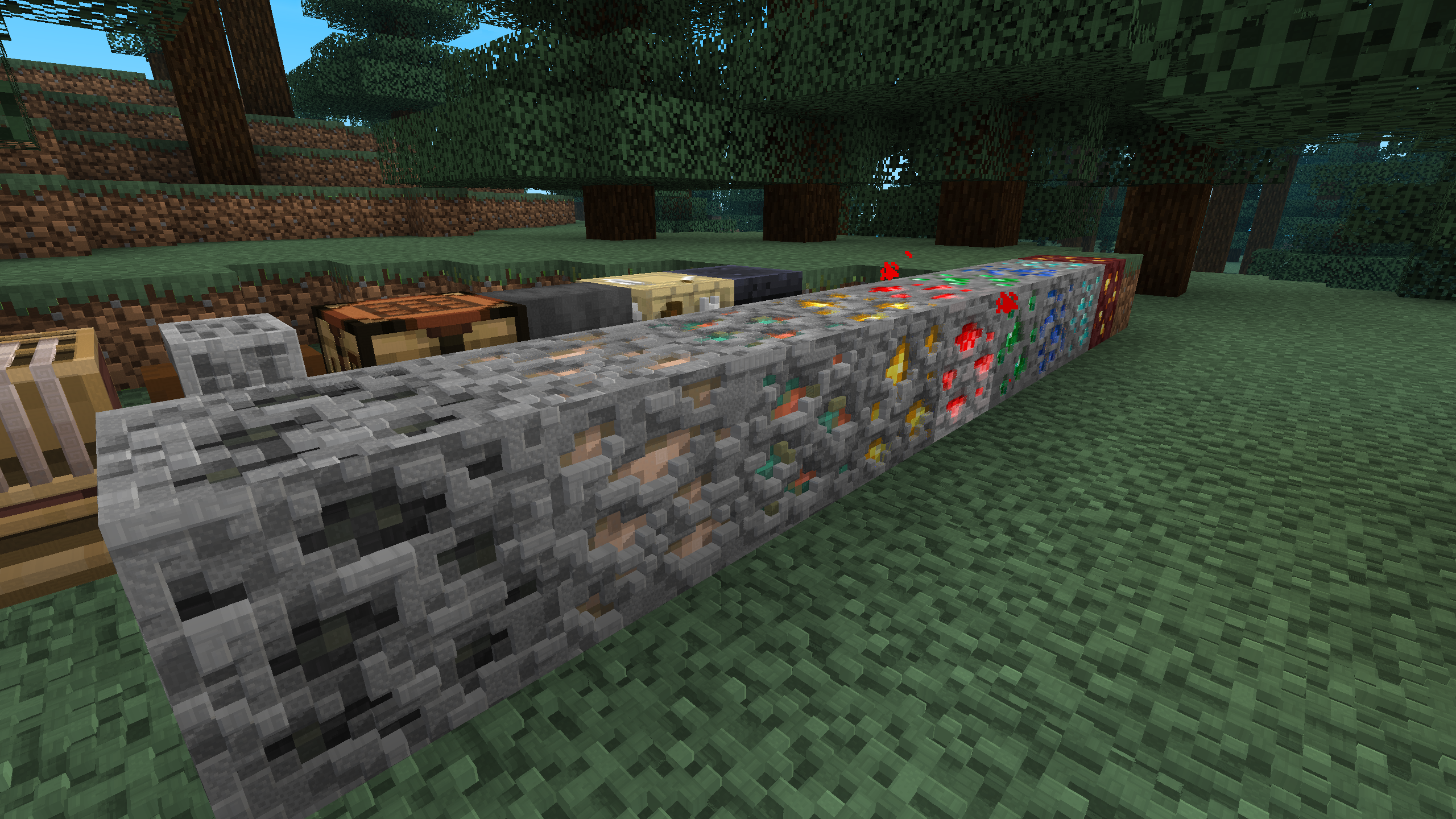 Patchy 128x PBR We used Patchy 128x PBR resource pack for all of the POM screenshots.
 -
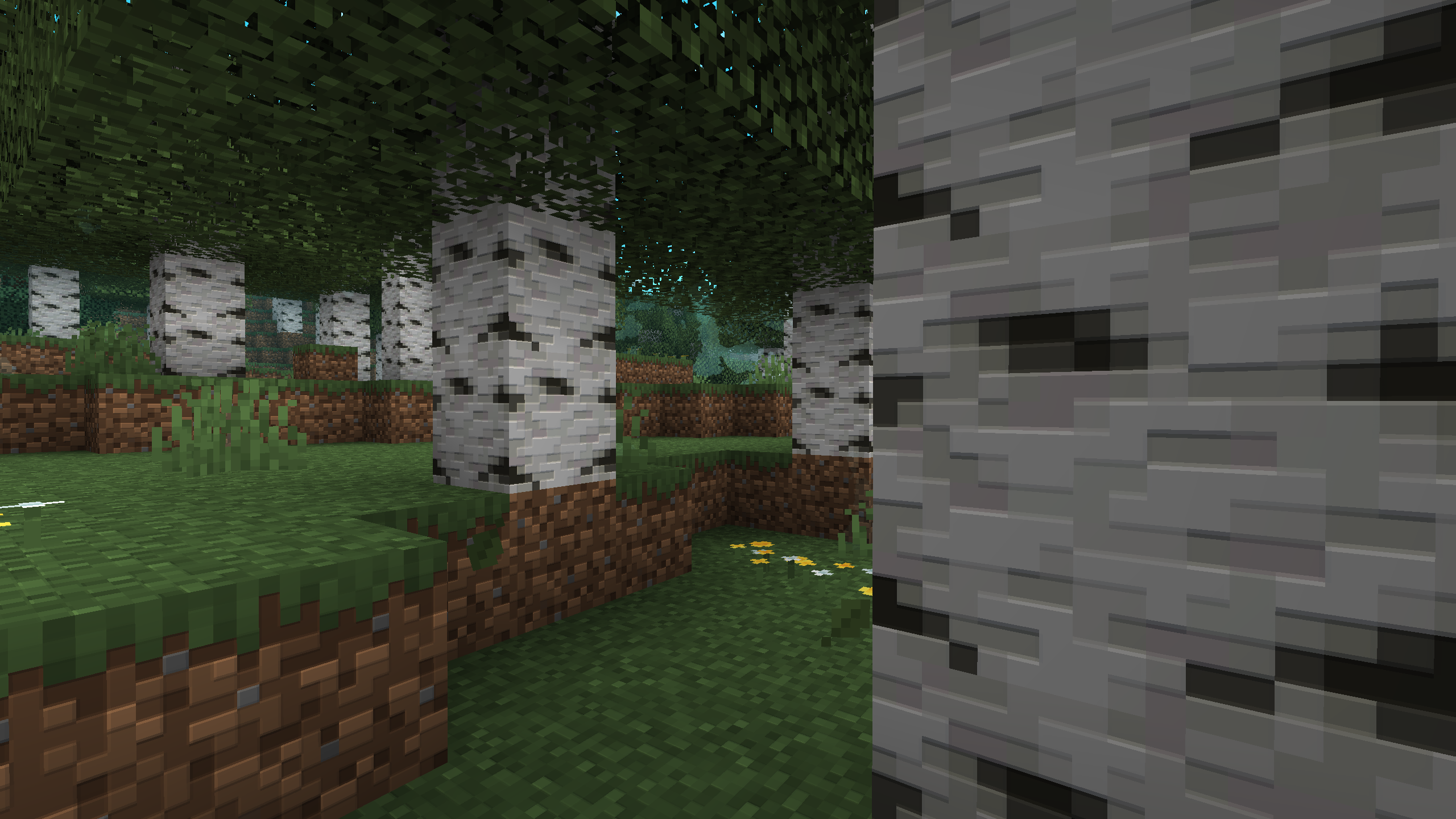 No resource pack needed Ships with procedural PBR + normal mapping, so you can enjoy vanilla depth.
 -
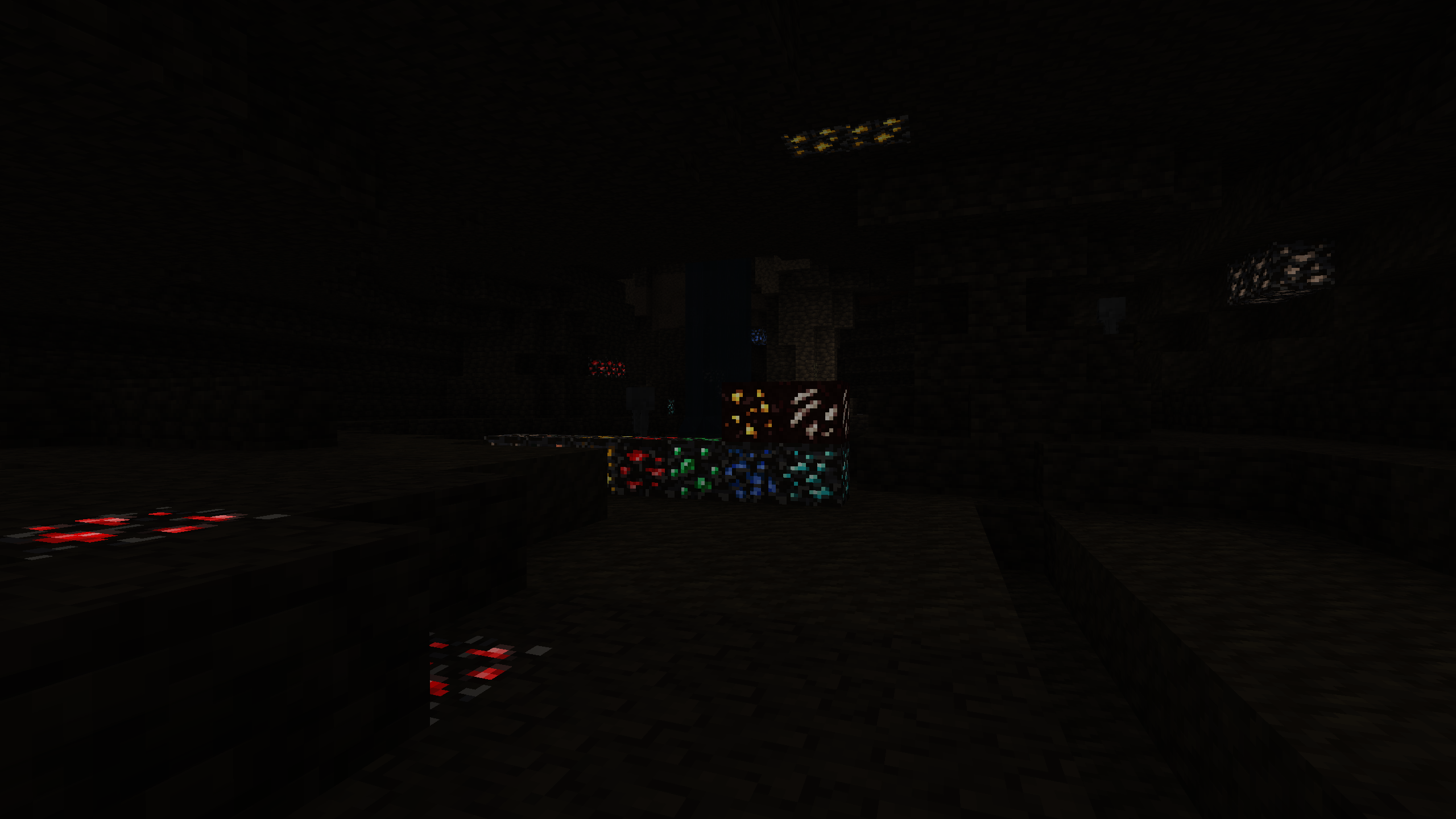 Glowing ores, no shaders Complementary-style ore glow, built in.
Versions
Files
Relations
Project Relations
More like this
Similar Mods
Suggestions use data such as tags, dependencies, dependents, descriptions, titles, and more to rank how much they overlap with this mod.
On ModDex
Community snapshot
By the numbers
Statistics

Want to reach Minecraft players?
We're looking for a server hosting partner to feature here and other parts of the site. Interested? Send us a message!
Get in touchGet it on
Available Platforms
On ModDex
Community snapshot
By the numbers
Statistics
Resources