
Portalist's Toolkit
No reviews yet
Portals, wireless redstone, gravity changing, and more.
Centers around fantasy elements such as spells, rituals, and magical energies, often involving personal empowerment and magical automation.
Fabric is a mod loader for versions 1.14+ of Minecraft, particularly popular for client side and optimization mods.
Community voices
Reviews
Click once to include, again to exclude, again to clear
No reviews yet. Be the first to review this project!
Get it on
Available Platforms
 Modrinth
Compatibility
Supported Environments
About
Project Details
For authors
Embed Badge
If you're the author of this project, you can embed a live badge anywhere that supports HTML or Markdown. It updates automatically whenever ratings change.
Use HTML for any page that supports it, or Markdown for README files and Markdown-based descriptions.
Identifiers
Platform IDs
Resources
External Links
About
Description






A good Portalist needs only three items.
Harness the power of quantum entanglement and Ender magic to create gateways through space. Use your Redstone knowledge to send and receive remote signals. Tamper with relativity to bend gravity to your advantage. Do it all with Portalist's Toolkit.
Mod Requirements
The Toolkit
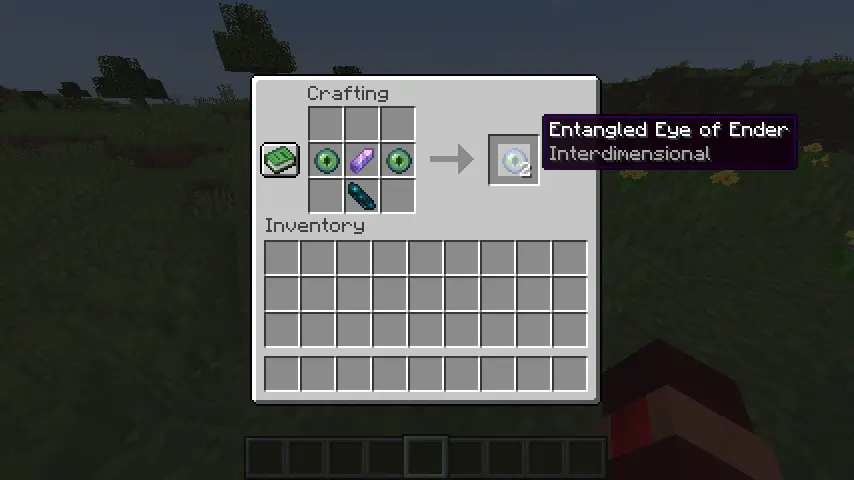
Entangled Eye of Ender
Created by combining two Eyes of Ender with an Amethyst Shard, this is the most essential item in the mod. Every pair of Entangled Eyes of Ender is unique. You can also add an Echo Shard to create an interdimensional bond.

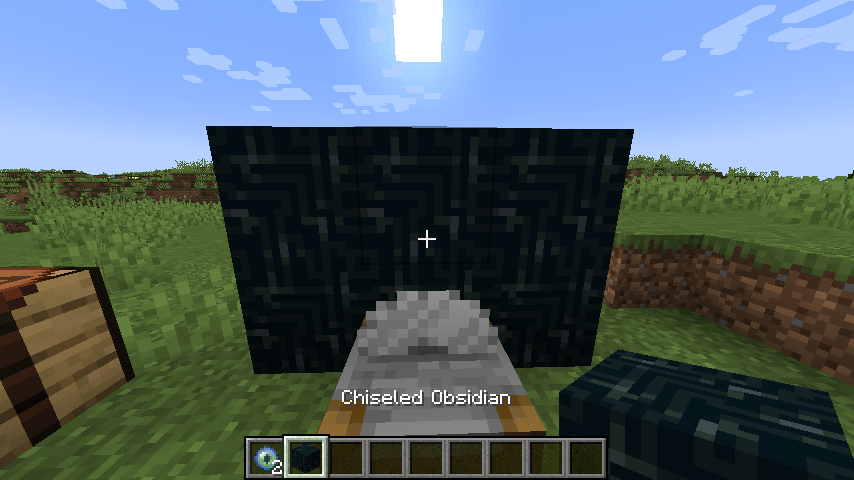
Chiseled Obsidian
A block made by putting Obsidian in a Stonecutter, or by combining 2 Obsidian in a Crafting Table. Is used as the frame material for portals (in combination with the Obsidian Core). Also can be used as a decorative block.
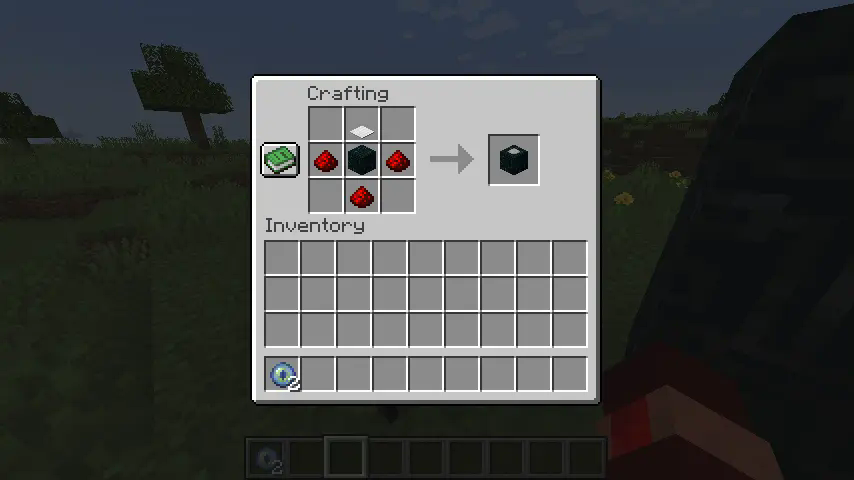
Obsidian Core
The Obsidian Core has a slot on the front that can hold an Eye of Ender, which can be inserted by right-clicking the front of the block. Sneak-right-click the front of the block with both hands empty to remove the Eye from the slot. Hoppers and other Redstone components can also be used to manipulate and detect the Eye in the slot.
Obsidian Cores will amplify the signal of any Eye of Ender placed in their slot. For Entangled Eyes of Ender, this allows you to use their bond to your advantage. For regular Eyes of Ender, this allows for chunk loading.
The Obsidian Core also has an iron pad on top that sets the rotation of portals. This pad can be rotated by right-clicking the Core while its slot is empty.
Obsidian Cores can be disabled with a redstone signal.

Portals
To create a portal, create two portal frames out of Chiseled Obsidian (corners required). The frames must be the same shape and size, but can be any distance apart. Add an Obsidian Core to each frame in the same relative position. Make sure the Obsidian Core's pad is facing the interior of the portal, and the slot of the Core is facing towards the front of the portal. Create a pair of Entangled Eyes of Ender, and put one in each Core.
Portals only work in the same dimension, unless your Entangled Eyes of Ender have an interdimensional bond.

ORIENTATION MATTERS. Make sure that your Core lines up with how your portal should behave. If you enter the portal facing the Eye in one Core, you should come out of the other frame with its Eye behind you.

If you can't get your portal to work, you can make a model like this to help you figure out where to place your Obsidian Core:

Gravity Manipulation
You can right-click an empty Obsidian Core to rotate it around the front. By making two portal frames with differently-oriented Cores, your gravity will be changed when you walk through. Just make sure they are in the same relative position. For example, if one frame is 3x3 with a Core in the bottom-middle block, an example of a valid partner would be another 3x3 frame with a Core in the left-middle block, rotated so that the pad faces the center of the portal.

If you want to disable Gravity Manipulation on your world/server, you can uninstall the Gravity Changer mod, as it is not required (only recommended).
Chunk Loading
Obsidian Cores with an Eye of Ender in them will load chunks. If being used solely for this purpose, you don't actually need an entanglement; a regular Eye of Ender will do.
Chunks loaded with Obsidian Cores are given a load ticket of 31, which means that the chunk the Core is in will be fully loaded, and the 8 surrounding chunks will be lazy chunks (more info on tickets here).
Chunk loading will be disabled if the Obsidian Core is powered with redstone.

Signal Detection
Entangled Eyes of Ender can be used to detect the signal of their partner. First, place one Obsidian Core and place an Entangled Eye of Ender in it. Then, use the other Entangled Eye by right-clicking it. It will tell you the distance in blocks to the Core. This can be used like a more accurate Lodestone Compass.
Giving the Core a redstone signal will disable its ability to be tracked.

Redstone
Obsidian Cores can be disabled with a redstone signal. This will disable the portal if there is one, disable chunk loading, and disable signal detection.

Obsidian Cores give a Comparator output of 0, 5, 10, or 15 depending on their state.
| State | Signal Strength |
|---|---|
| Empty | 0 |
| Has Eye, but cannot detect its partner | 5 |
| Has Eye and detects its partner | 10 |
| Portal active | 15 |

This can be combined with the fact that powering a Core will disable it. This enables wireless redstone. When a Core is disabled or destroyed, the Comparator output of the other Core will drop from 10 or 15 to 5, which can be detected.

This also works 2 ways because disabled Obsidian Cores will still give an accurate Comparator signal based on the state of their partner.
Here is an example circuit for simple 2-way communication.

Gamerules
| Gamerule | Default Value | Allowed Range | Description |
|---|---|---|---|
maxPortalLength |
32 |
[0,64] |
Sets the maximum allowed width/height for portals. Can be set to 0 to disable portals altogether. |
minPortalLength |
1 |
[1,64] |
Sets the minimum width and height required for portals. For example, if set to 2, all portals must be 2x2 or larger. |
Commands
| Command | Description |
|---|---|
pt_clear_cache |
Clears the Eye NBT storage, potentially clearing up memory if there are many different Entangled Eyes of Ender that aren't being used. |
pt_regenerate_portals |
Destroys and regenerates all active portals. Can sometimes resolve temporary glitches. |
pt_forceload_temporary <position> <ticks> |
Used internally. |
pt_create_portal <eye_id> <x_0> <y_0> <z_0> <dimension_0> <facing_0> <roll_0> <x_1> <y_1> <z_1> <dimension_1> <facing_1> <roll_1> <width> <height> |
Used internally. |
Usage in Modpacks
Feel free to include this mod in your modpacks!
Screenshots
Gallery
-
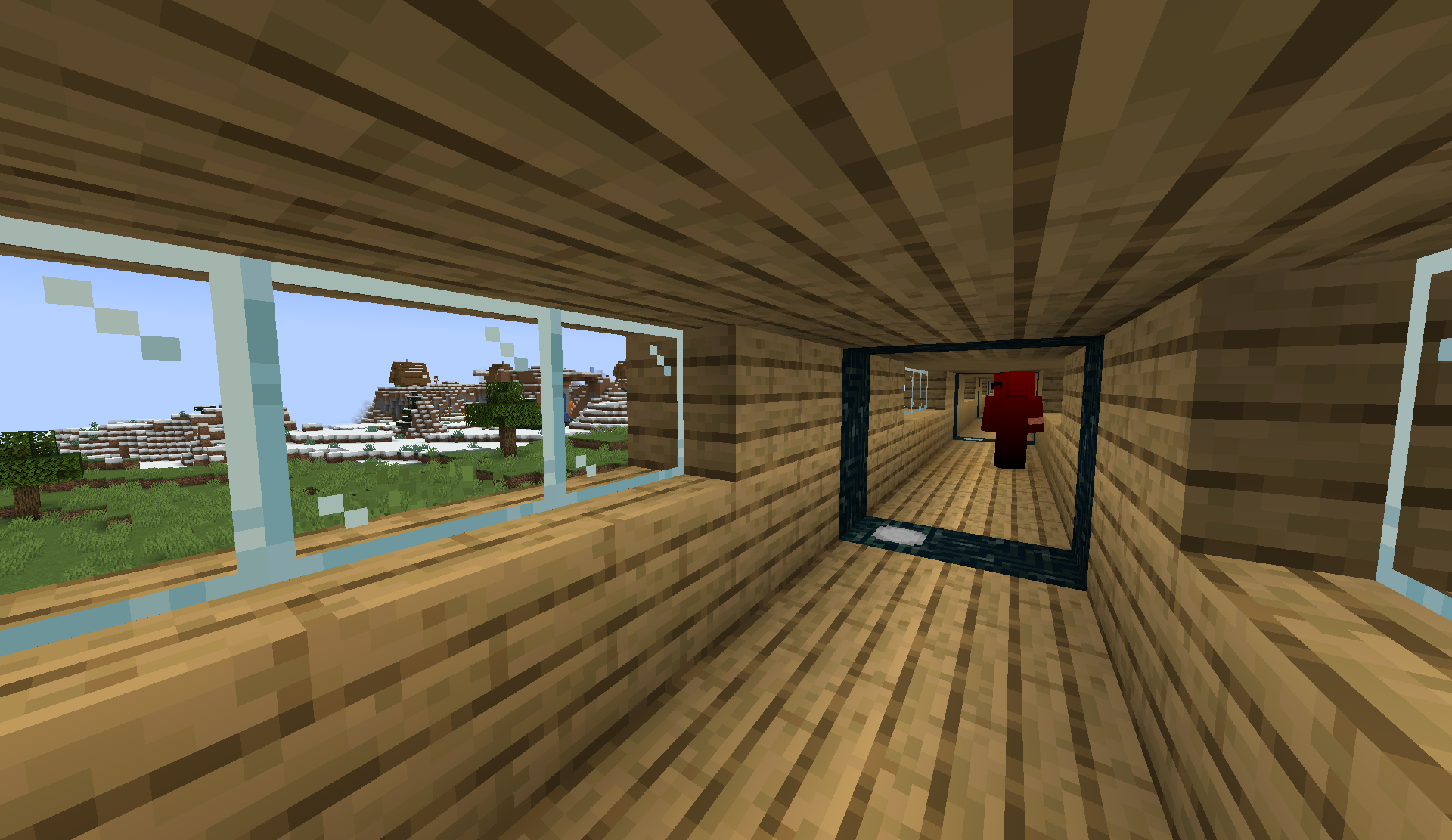 Infinite Tunnel A tunnel made of Oak Planks with a portal on each end
 -
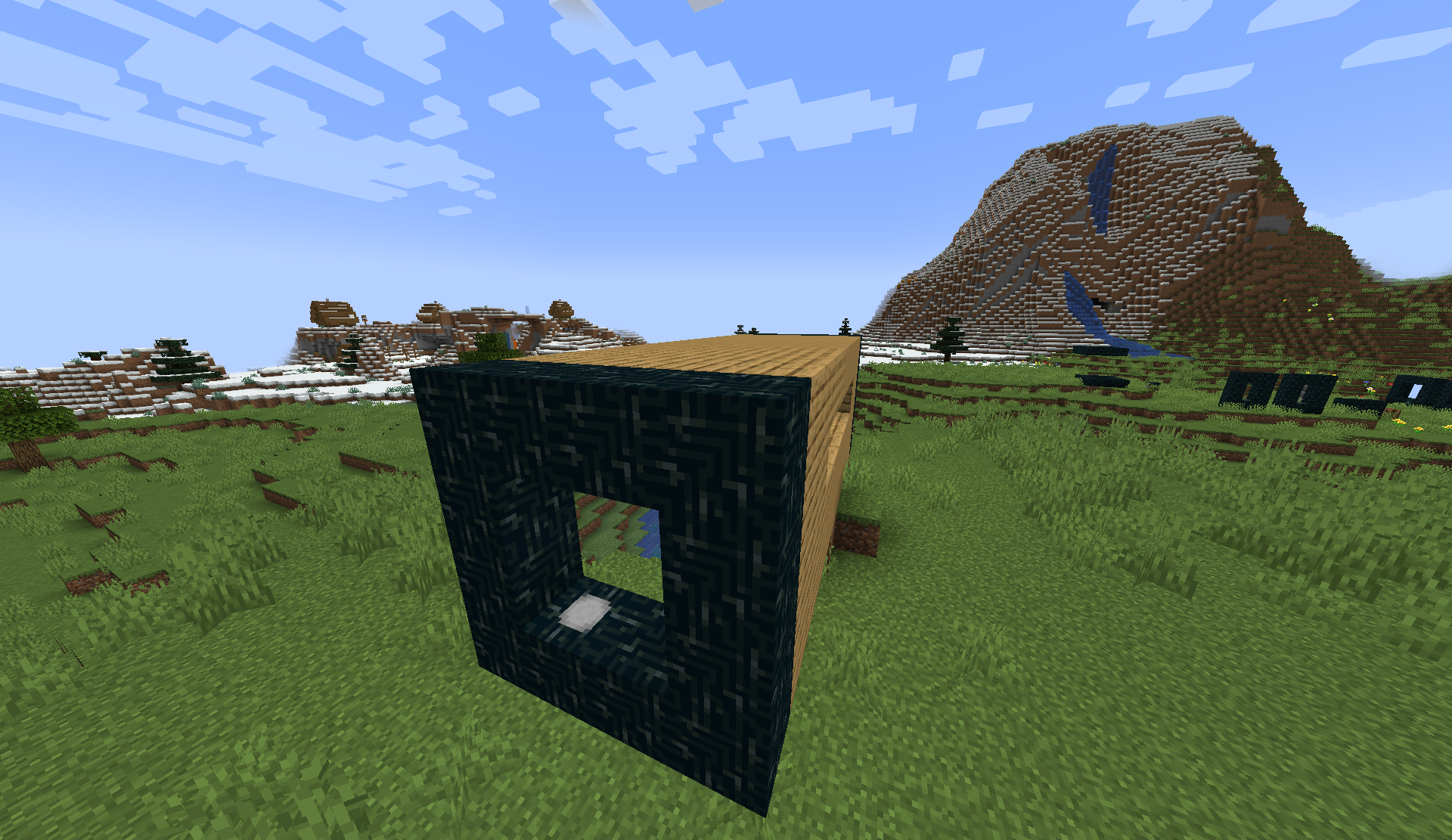 Infinite Tunnel Exterior What the Infinite Tunnel looks like from the outside
 -
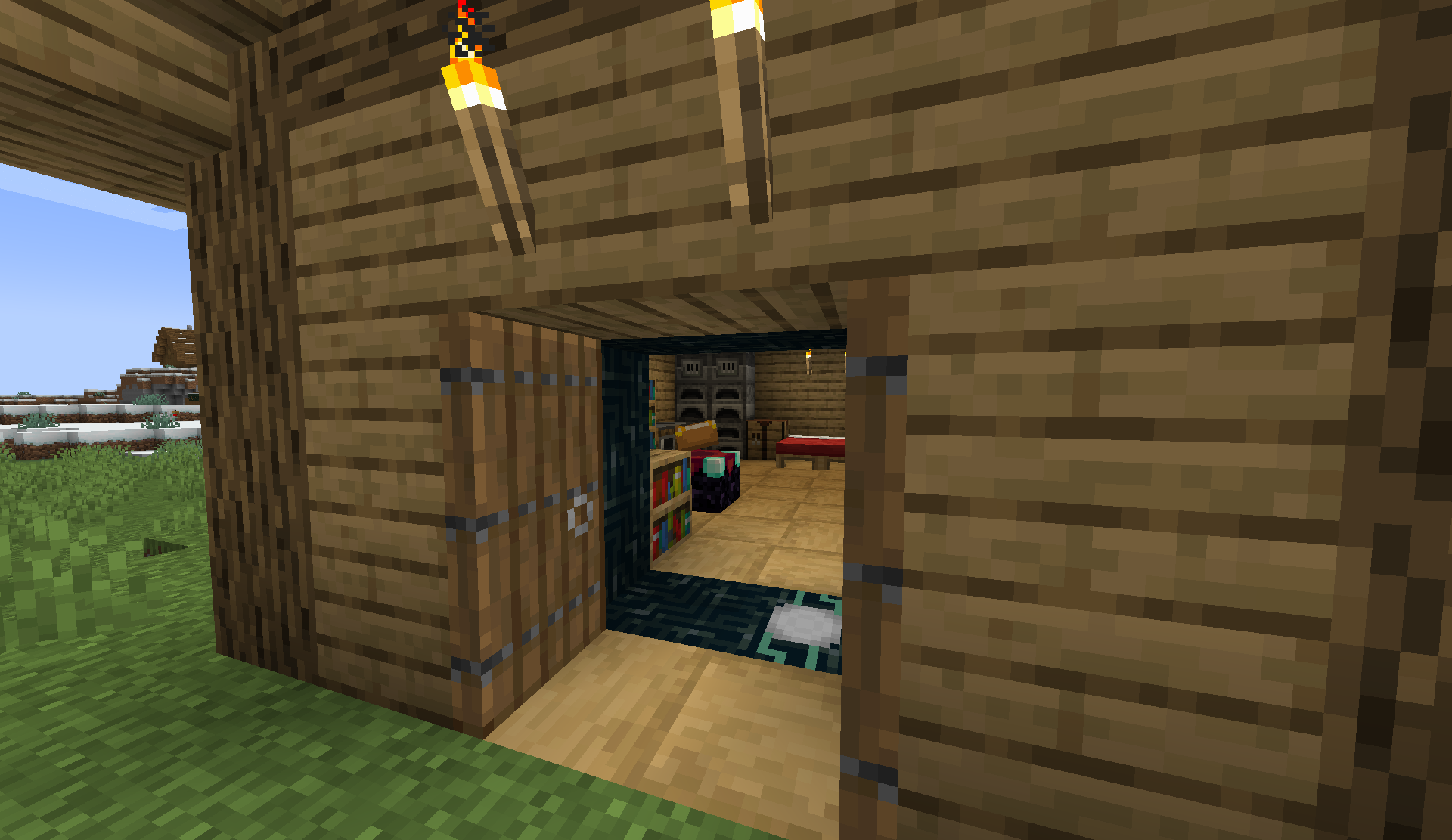 Non-Euclidean House 1 The Non-Euclidean House that's bigger on the inside!
 -
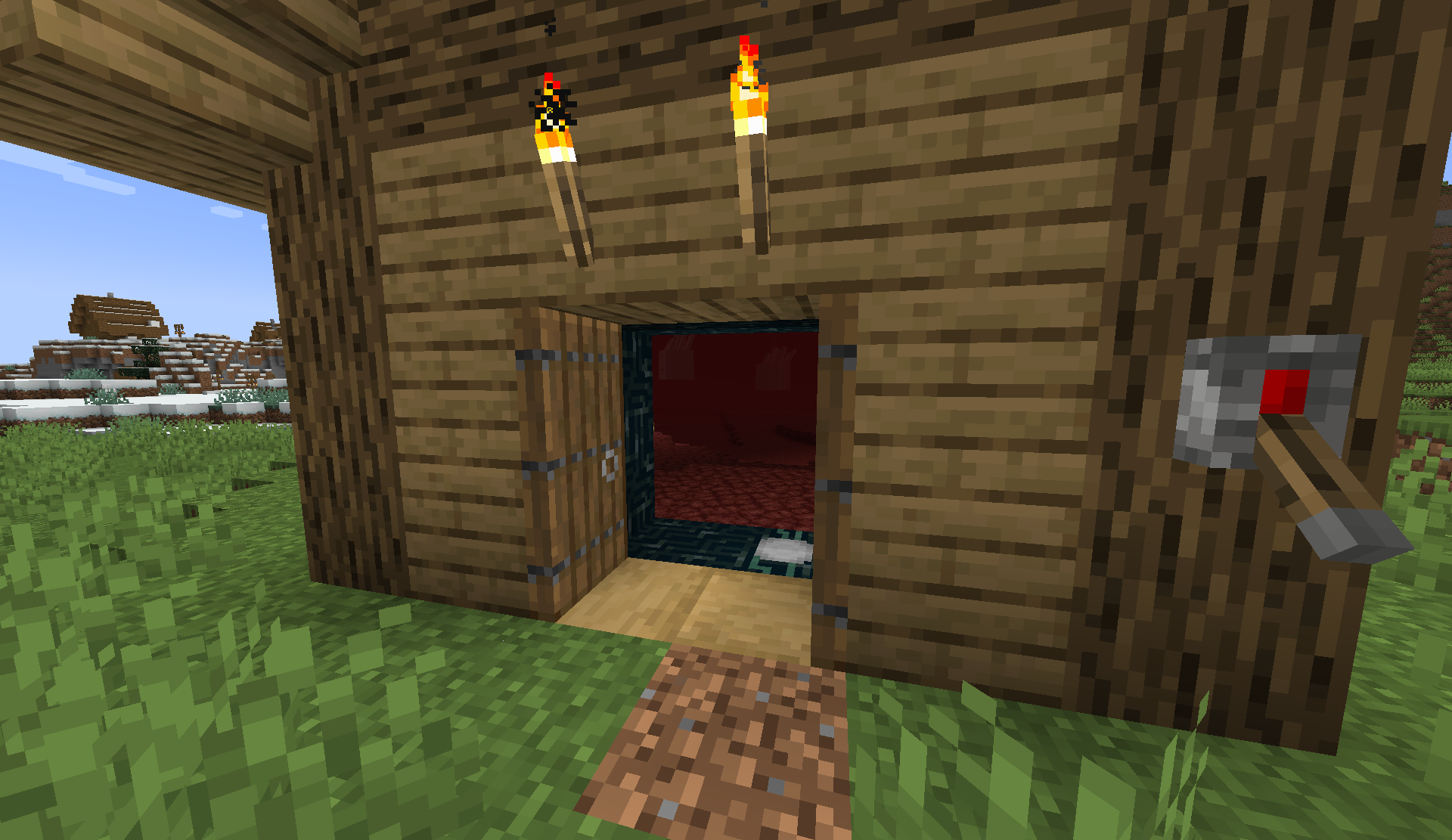 Non-Euclidean House 2 The Non-Euclidean House that goes into the Nether!
 -
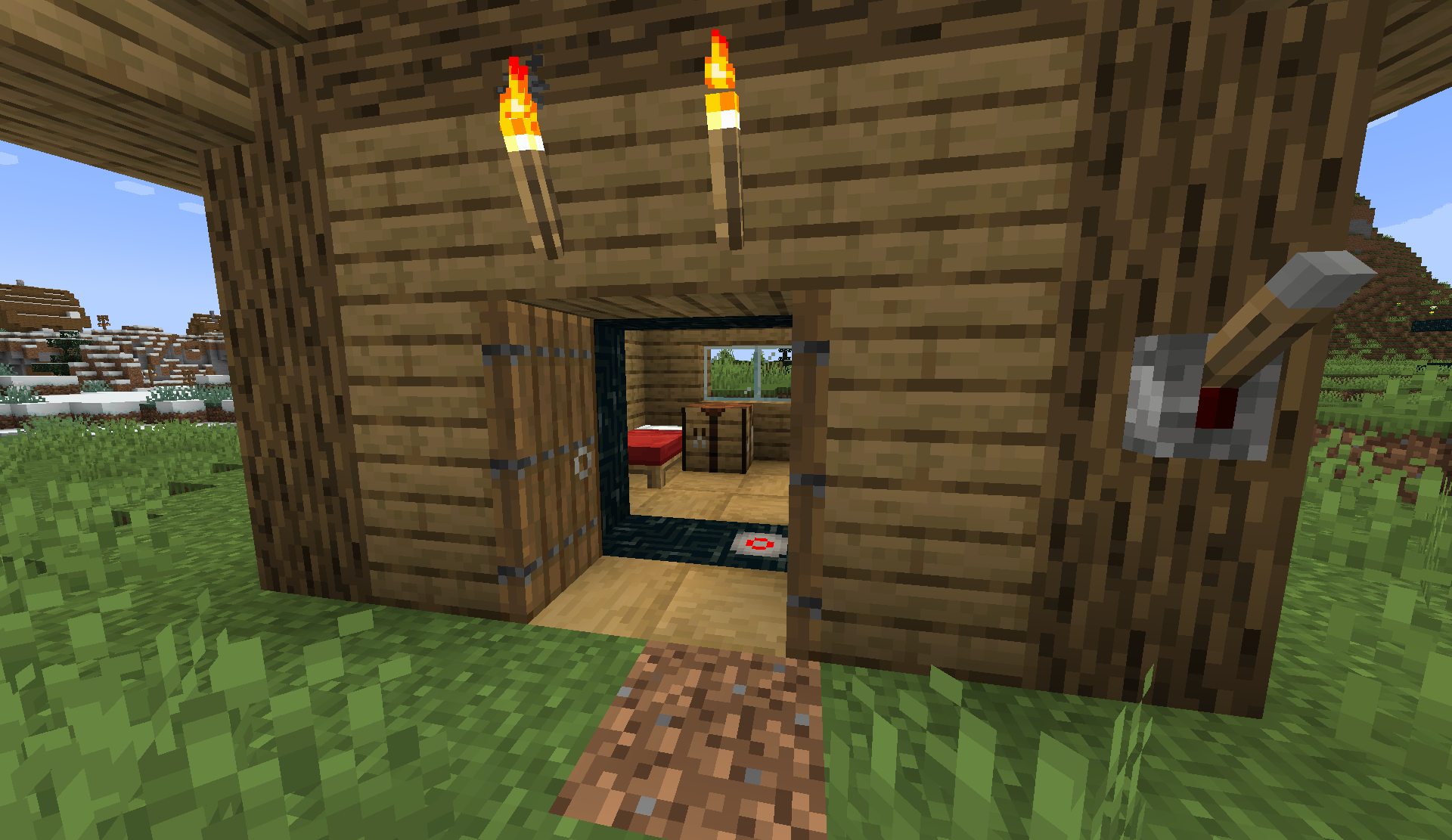 Non-Euclidean House (Off) The Non-Euclidean House with the lever off
 -
 Title Image
 -
 Thumbnail Image
 -
 Static Thumbnail Image
Versions
Files
Relations
Project Relations
More like this
Similar Mods
Suggestions use data such as tags, dependencies, dependents, descriptions, titles, and more to rank how much they overlap with this mod.
On ModDex
Community snapshot
By the numbers
Statistics

Want to reach Minecraft players?
We're looking for a server hosting partner to feature here and other parts of the site. Interested? Send us a message!
Get in touchGet it on
Available Platforms
On ModDex
Community snapshot
By the numbers
Statistics
Resources