
Community listing page, reviews here may not be monitored by the author.
Portals & Dimensions


No reviews yet
Create custom portals with configurable frames and linked custom dimensions. Build dimensions with math formula terrain, vanilla noise, or flat/void worlds.
Community voices
Reviews
No reviews yet. Be the first to review this project!
Get it on
Available Platforms
Compatibility
Supported Environments
Must be installed on both the client and the server.
The author has not specified where this runs.
Varies by version.
About
Project Details
For authors
Embed Badge
If you're the author of this project, you can embed a live badge anywhere that supports HTML or Markdown. It updates automatically whenever ratings change.
Use HTML for any page that supports it, or Markdown for README files and Markdown-based descriptions.
Identifiers
Platform IDs
About
Description
Portals & Dimensions
Create fully customizable portals linked to procedurally generated dimensions — all from an intuitive in-game GUI.
Features
Custom Portals
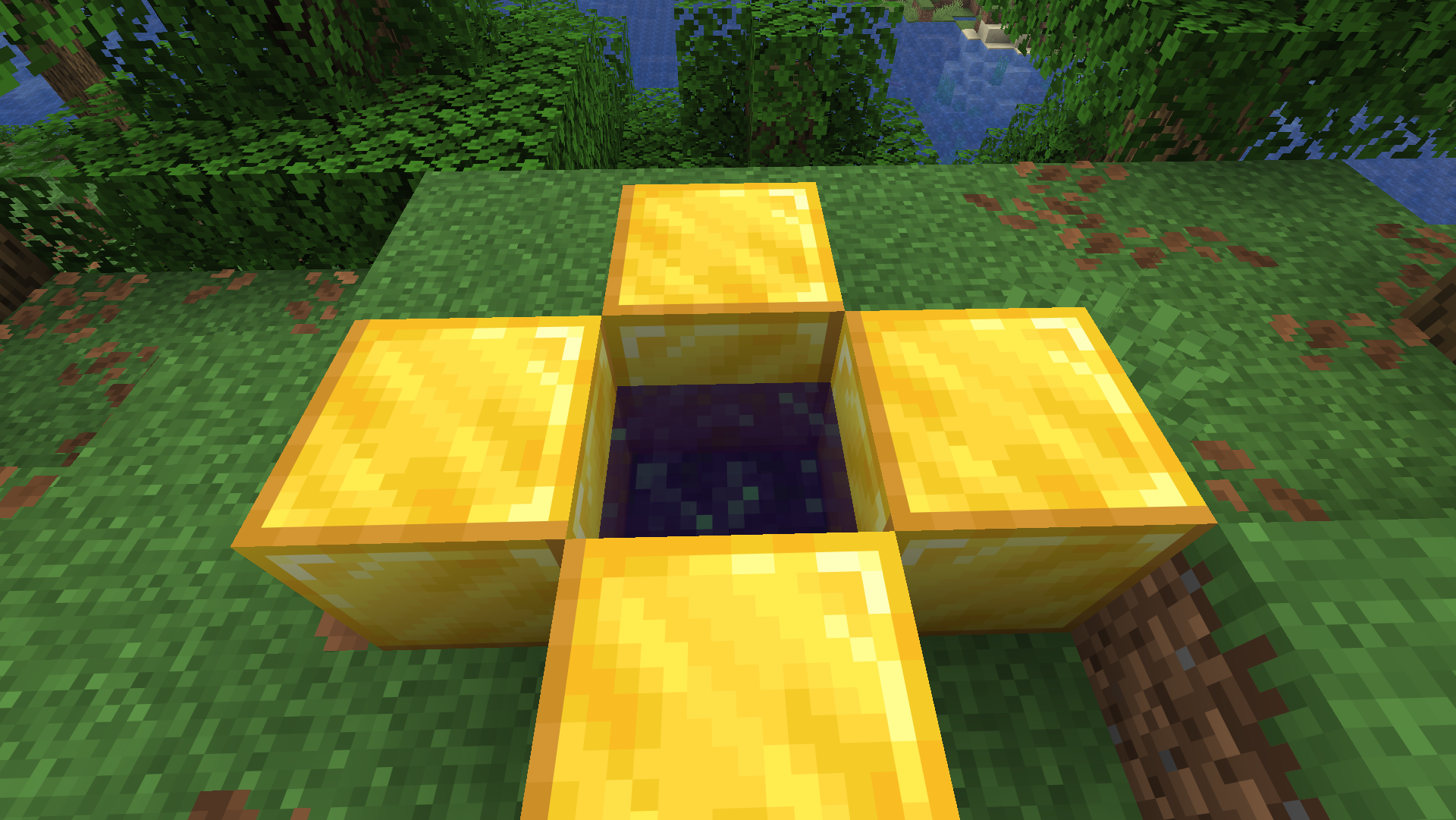
- Build portal frames from any solid block (obsidian, diamond, gold, etc.)
- Adjustable portal size (width x height)
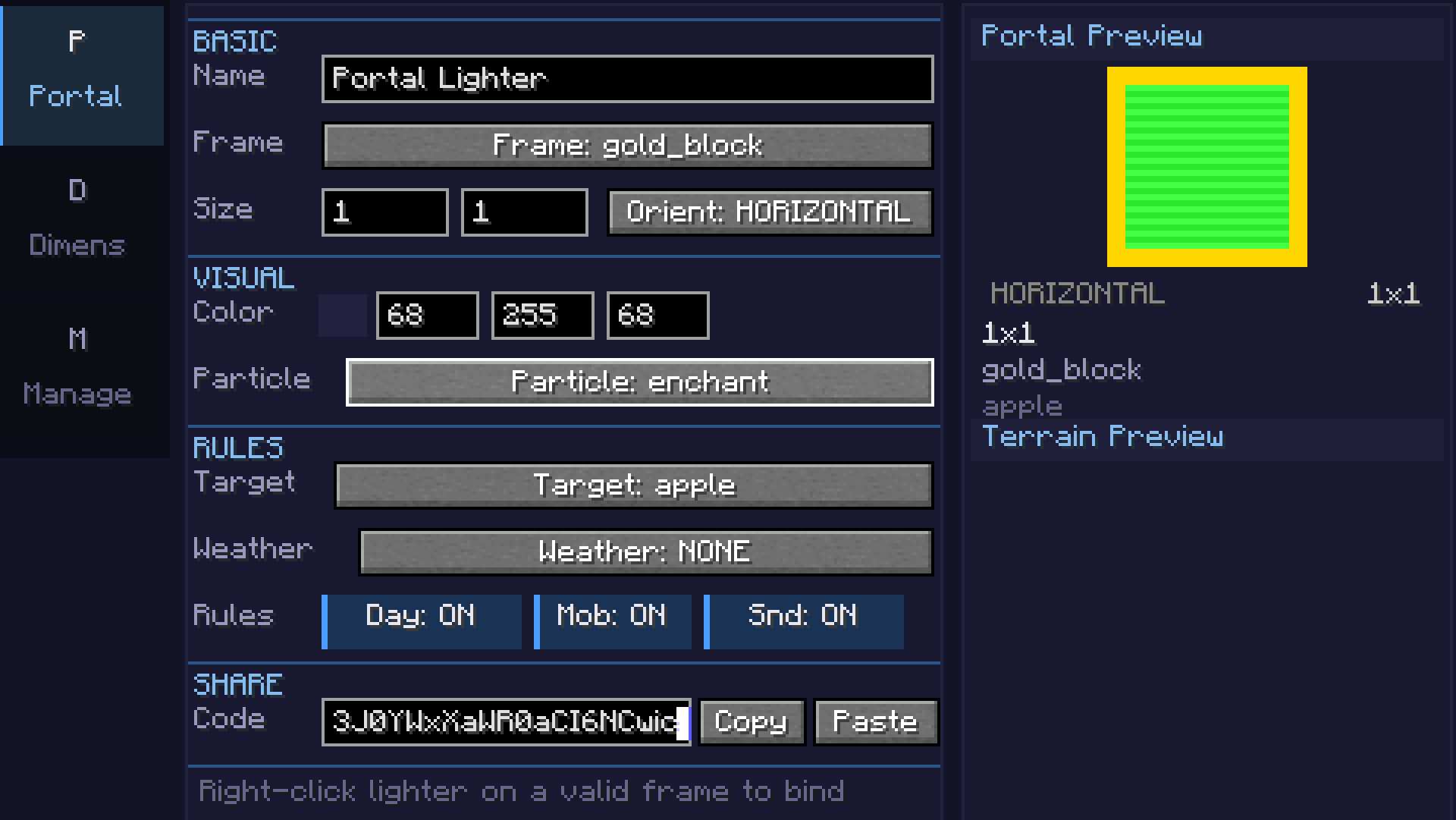
- Configurable 24-bit portal color with live preview
- Horizontal and vertical portal orientations
- Color picker with palette, recent colors, and RGB input
Custom Dimensions
- 7 terrain types: Void, Flat, Normal, Amplified, Nether, End, and Math formula
- Math terrain: Define terrain with
sin,cos,noise,perlin,fbm, and custom expressions - supports 2D heightmap and full 3D density - Coordinate scale slider for terrain stretch/compression
- Smooth terrain toggle for natural-looking slopes
- Configurable sea level, surface/underground/fluid blocks
- Cave generation with adjustable density
- Ore generation (coal, iron, copper, gold, redstone, diamond, lapis)
- Structure generation (villages, temples, etc.) - toggleable
- Mixed biome support with Perlin-noise-based transitions
Atmosphere
- Sky, fog, ambient light, water, and cloud color customization
- Fog density control
- Skylight, ceiling, and ultrawarm dimension properties
- Light level override (0-15)
- Configurable ambient particles (portal, end rod, soul fire, lava, etc.)
Game Rules (per-dimension)
- Day/night cycle & fixed time
- Mob spawning, natural spawning, PvP, fall damage, fire spread
- Keep inventory, bed works, respawn allowed
- Weather lock (clear, rain, thunder)
- Gravity multiplier
Commands
/pdims list— List all configured custom dimensions/pdims tp <dimension>— Teleport to a custom dimension/pdims info <dimension>— View dimension configuration details/pdims reload— Reload dimension configs from file
Screenshots
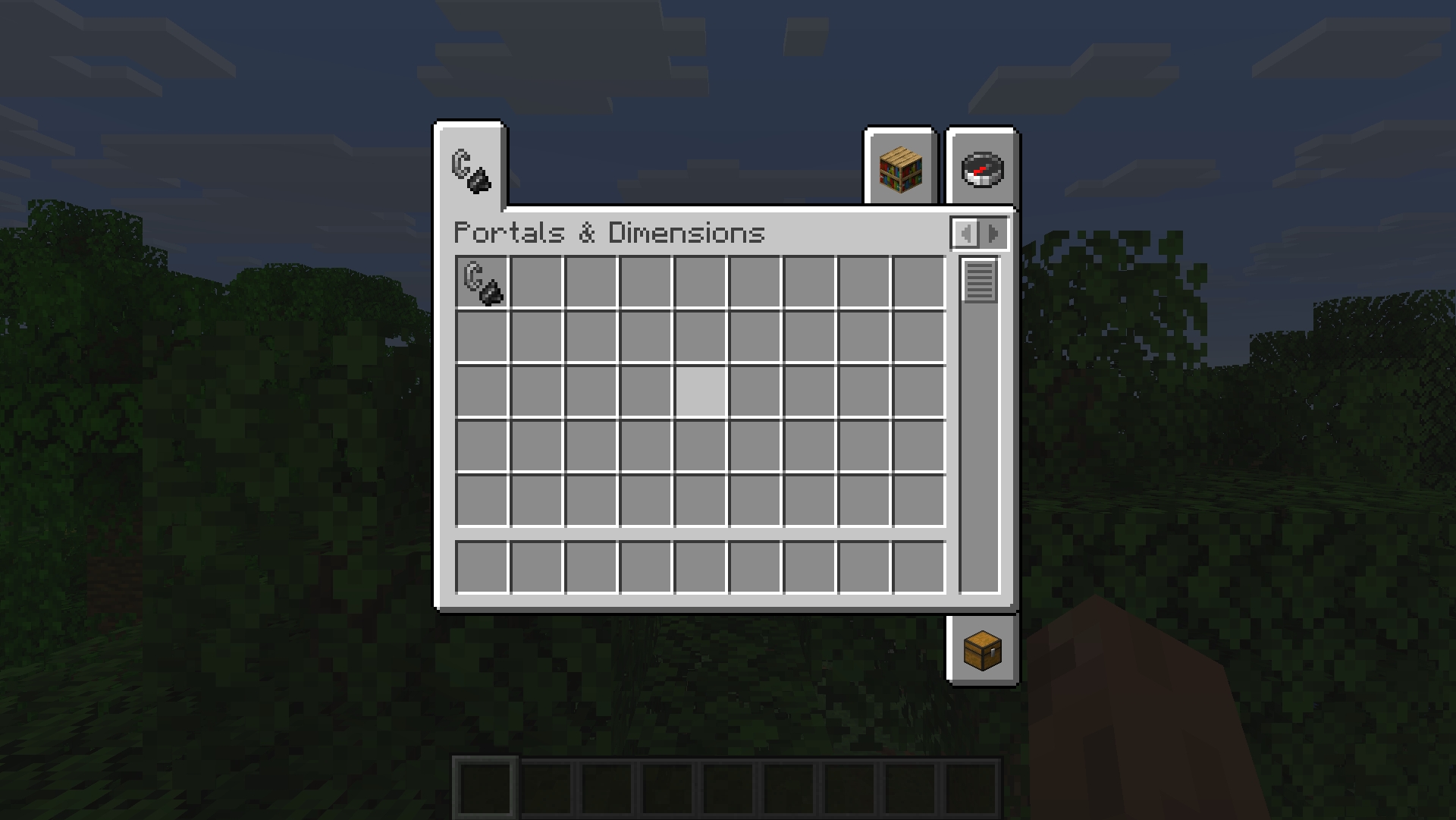
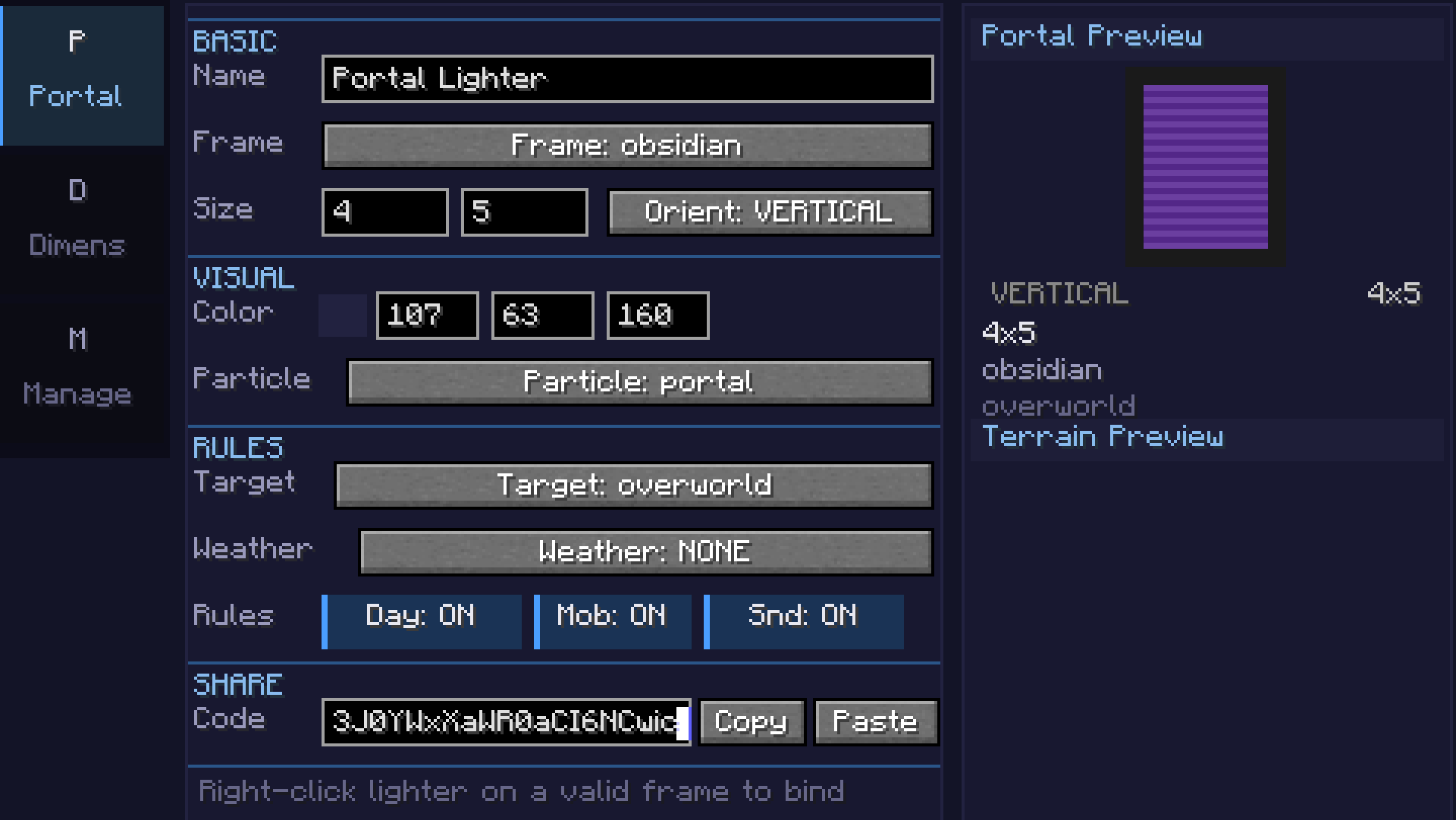
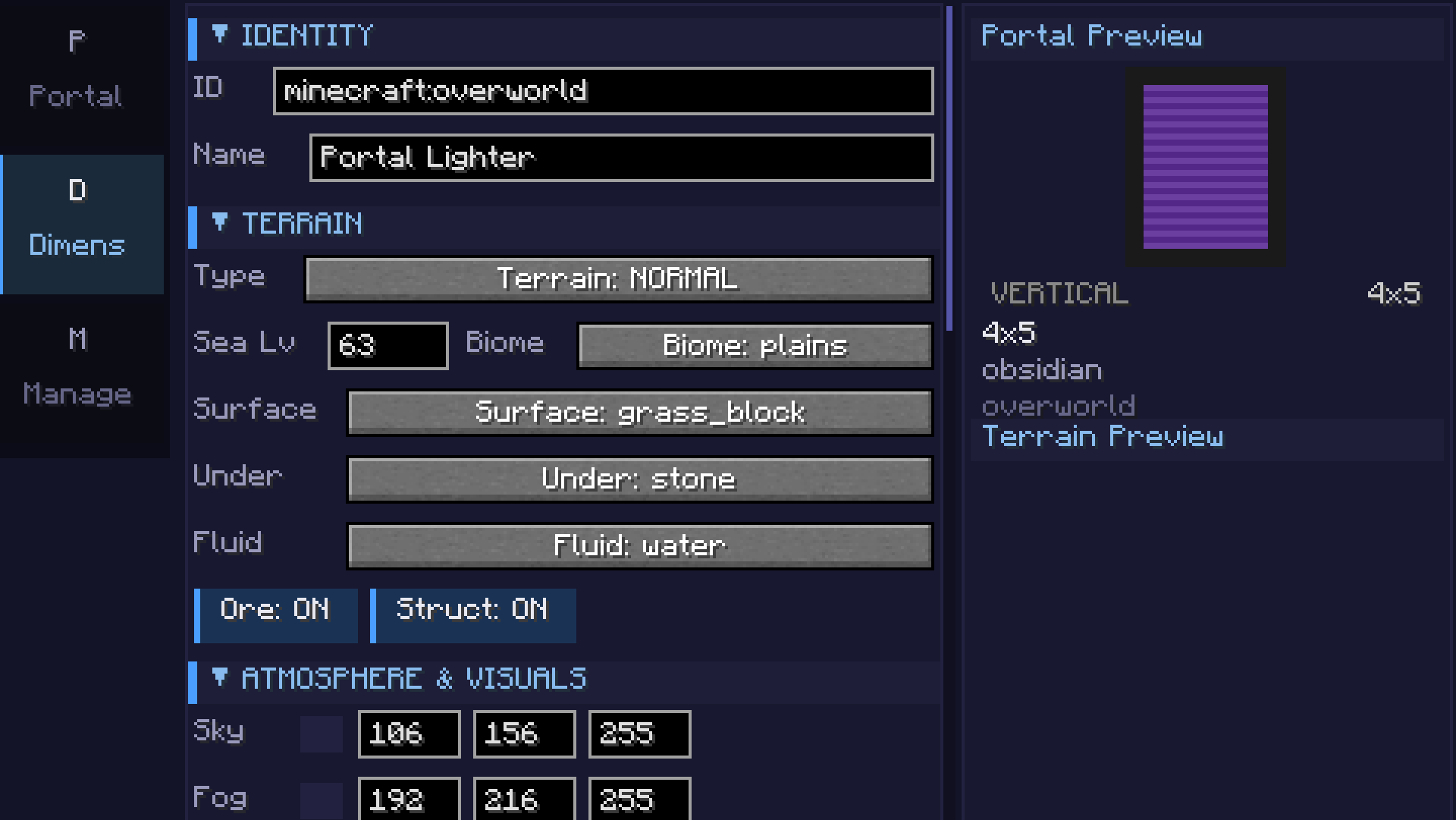
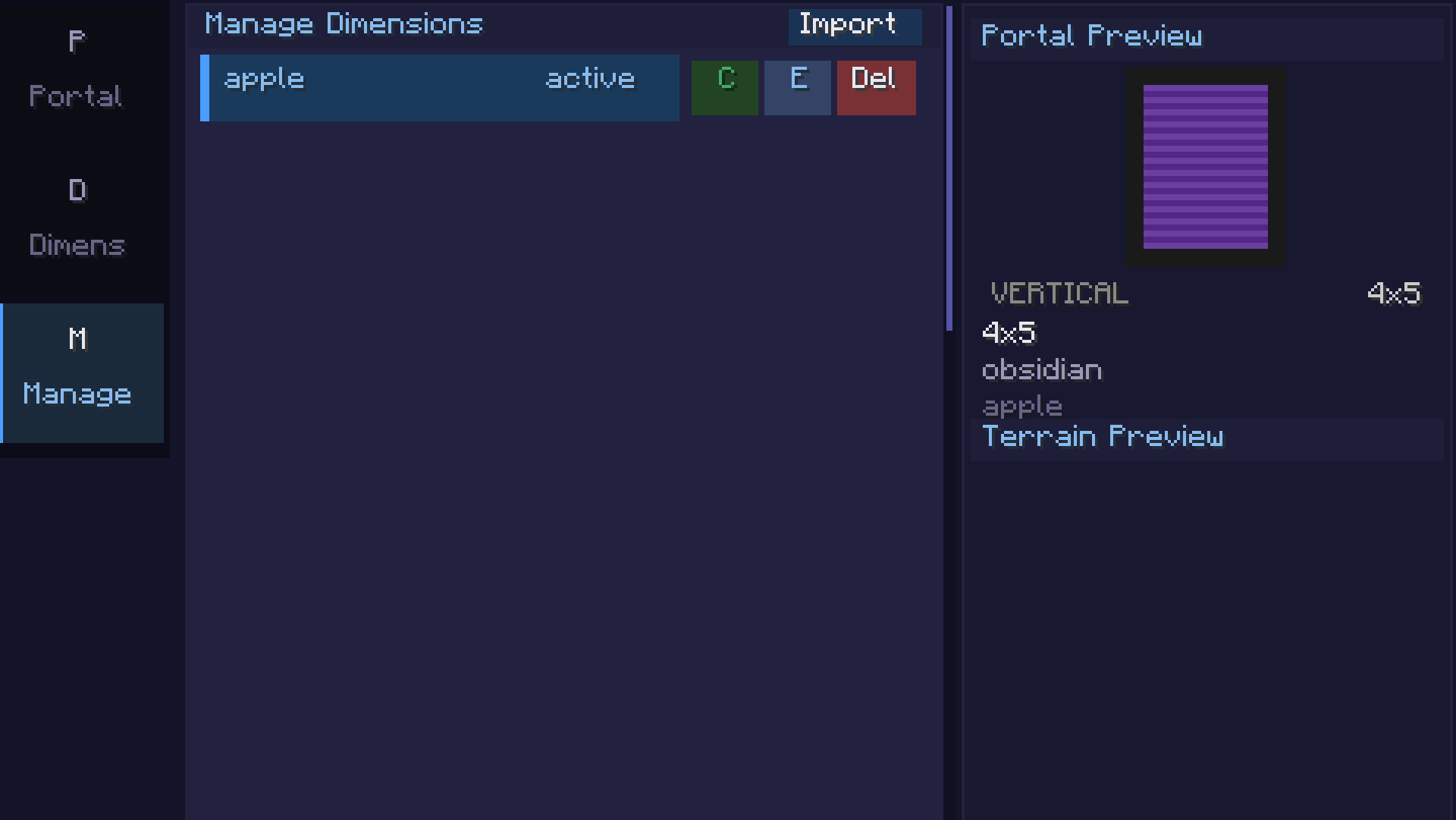
Math Formula Terrain
| Category | Example | Description |
|---|---|---|
| 2D Basic | sin(x/10)*cos(z/10)*20 + 50 |
Rolling hills |
| 2D Intermediate | noise(x/20,z/20)*30 + 60 |
Smooth noise terrain |
| 2D Advanced | fbm(x/40,z/40,4,2,0.5)*40 + 50 |
Fractal mountains |
| 3D | fbm(x/30,y/15,z/30,3,2,0.5) > 0.5 |
Floating islands / caves |
| Beginner | abs(x/10) + abs(z/10) * 2 + 40 |
Valley |
Available functions: sin, cos, tan, abs, sqrt, pow, min, max, mod, floor, ceil, round, noise(x,z), perlin(x,y,z), fbm(x,y,z,octaves,lacunarity,gain), if(cond, a, b), random(x,z), dist(x,z), gauss(x,z), mix(a,b,t), remap(v, inLo, inHi, outLo, outHi)
Requirements
- Minecraft 26.1.x
- Fabric Loader 0.18.5+
- Fabric API 0.145.3+
Getting Started
- Craft or get the Portals & Dimensions lighter (creative tab or
/give) - Right-click to open the configuration GUI
- Portals tab: Set frame block, portal color, and size
- Dimension tab: Configure terrain type, formula, biome, colors, and game rules
- Manage tab: Save, clone, export, or import dimension configs
- Light a portal frame with the configured lighter to create a linked portal
Portals & Dimensions
Create fully customizable portals linked to procedurally generated dimensions — all from an intuitive in-game GUI.
Features
Custom Portals
- Build portal frames from any solid block (obsidian, diamond, gold, etc.)
- Adjustable portal size (width x height)
- Configurable 24-bit portal color with live preview
- Horizontal and vertical portal orientations
- Color picker with palette, recent colors, and RGB input
Custom Dimensions
- 7 terrain types: Void, Flat, Normal, Amplified, Nether, End, and Math formula
- Math terrain: Define terrain with
sin,cos,noise,perlin,fbm, and custom expressions - supports 2D heightmap and full 3D density - Coordinate scale slider for terrain stretch/compression
- Smooth terrain toggle for natural-looking slopes
- Configurable sea level, surface/underground/fluid blocks
- Cave generation with adjustable density
- Ore generation (coal, iron, copper, gold, redstone, diamond, lapis)
- Structure generation (villages, temples, etc.) - toggleable
- Mixed biome support with Perlin-noise-based transitions
Atmosphere
- Sky, fog, ambient light, water, and cloud color customization
- Fog density control
- Skylight, ceiling, and ultrawarm dimension properties
- Light level override (0-15)
- Configurable ambient particles (portal, end rod, soul fire, lava, etc.)
Game Rules (per-dimension)
- Day/night cycle & fixed time
- Mob spawning, natural spawning, PvP, fall damage, fire spread
- Keep inventory, bed works, respawn allowed
- Weather lock (clear, rain, thunder)
- Gravity multiplier
Commands
/pdims list— List all configured custom dimensions/pdims tp <dimension>— Teleport to a custom dimension/pdims info <dimension>— View dimension configuration details/pdims reload— Reload dimension configs from file
Screenshots
Math Formula Terrain
| Category | Example | Description |
|---|---|---|
| 2D Basic | sin(x/10)*cos(z/10)*20 + 50 |
Rolling hills |
| 2D Intermediate | noise(x/20,z/20)*30 + 60 |
Smooth noise terrain |
| 2D Advanced | fbm(x/40,z/40,4,2,0.5)*40 + 50 |
Fractal mountains |
| 3D | fbm(x/30,y/15,z/30,3,2,0.5) > 0.5 |
Floating islands / caves |
| Beginner | abs(x/10) + abs(z/10) * 2 + 40 |
Valley |
Available functions: sin, cos, tan, abs, sqrt, pow, min, max, mod, floor, ceil, round, noise(x,z), perlin(x,y,z), fbm(x,y,z,octaves,lacunarity,gain), if(cond, a, b), random(x,z), dist(x,z), gauss(x,z), mix(a,b,t), remap(v, inLo, inHi, outLo, outHi)
Requirements
- Minecraft 26.1.x
- Fabric Loader 0.18.5+
- Fabric API 0.145.3+
Getting Started
- Craft or get the Portals & Dimensions lighter (creative tab or
/give) - Right-click to open the configuration GUI
- Portals tab: Set frame block, portal color, and size
- Dimension tab: Configure terrain type, formula, biome, colors, and game rules
- Manage tab: Save, clone, export, or import dimension configs
- Light a portal frame with the configured lighter to create a linked portal
Screenshots
Gallery
Versions
Files
Relations
Project Relations
More like this
Similar Mods
Suggestions use data such as tags, dependencies, dependents, descriptions, titles, and more to rank how much they overlap with this mod.
On ModDex
Community snapshot
By the numbers
Statistics
Want to reach Minecraft players?
We're looking for a server hosting partner to feature here and other parts of the site. Interested? Send us a message!
Get in touchGet it on
Available Platforms
On ModDex
Community snapshot
By the numbers