Community listing page, reviews may not be monitored by the author.
Potion Bar


No reviews yet
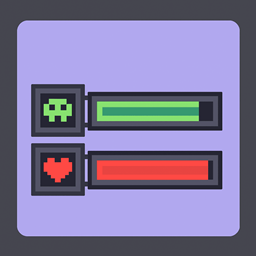
Potion bar mod that adds a progress bar for potions

Community voices
Reviews
No reviews yet. Be the first to review this project!
Get it on
Available Platforms
Compatibility
Supported Environments
Runs entirely on the client. Works on vanilla servers.
About
Project Details
For authors
Embed Badge
If you're the author of this project, you can embed a live badge anywhere that supports HTML or Markdown. It updates automatically whenever ratings change.
Use HTML for any page that supports it, or Markdown for README files and Markdown-based descriptions.
Identifiers
Platform IDs
About
Description
🧪 Potion Bar
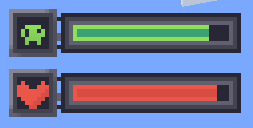
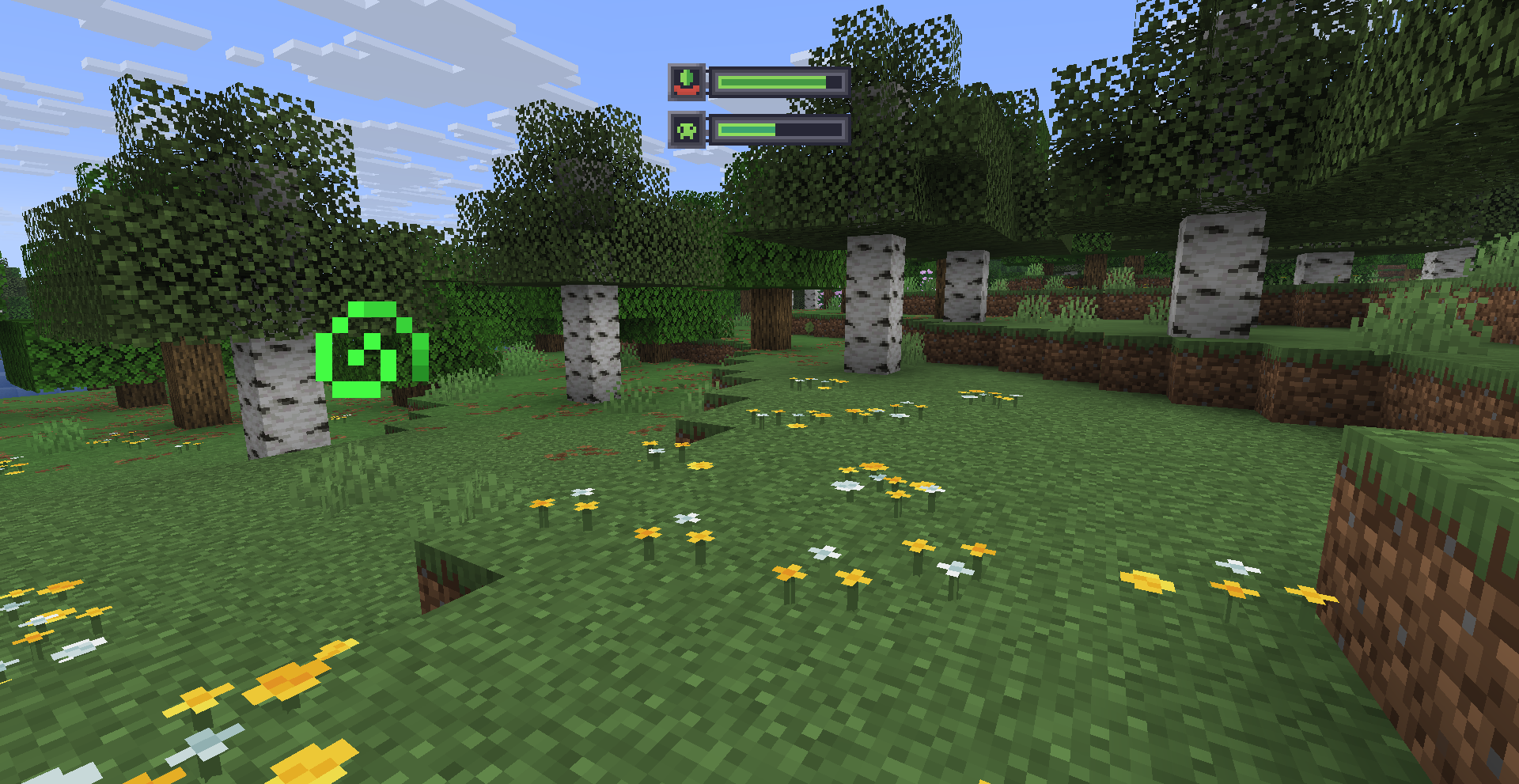
Potion Bar adds clean and simple progress bars for active potion effects.
No more guessing — see exactly how much time is left for each effect, with a bar and an icon on the side.

✅ Features:
- Displays potion duration as a progress bar
- Colored bars depending on the potion type
- Fully client-side — no need to install on servers
⚙️ Commands:
Position Hud:
- /potionbar position center (default)
- /potionbar position left
- /potionbar position right
- /potionbar position custom — opens HUD editor (drag \& drop)
Show Vanilla effects:
- /potionbar vanilaEffects show
- /potionbar vanilaEffects hide (default)
Timer system:
- /potionbar timer on — enable potion effect timer
- /potionbar timer off — disable potion effect timer
- /potionbar timer left — show timer on the left
- /potionbar timer right — show timer on the right (default)
- /potionbar timer above — show timer above the icon
- /potionbar timer below — show timer below the icon
Custom icons:
- /potionbar CustomIcons on — enable custom textures (default)
- /potionbar CustomIcons off — disable (vanilla textures)
📸 Screenshots:
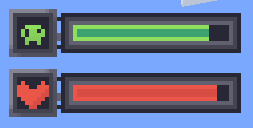

🧪 Stay informed. Stay alive. Use Potion Bar.
🧪 Potion Bar
Potion Bar adds clean and simple progress bars for active potion effects.
No more guessing — see exactly how much time is left for each effect, with a bar and an icon on the side.
✅ Features:
- Displays potion duration as a progress bar
- Colored bars depending on the potion type
- Fully client-side — no need to install on servers
⚙️ Commands:
Position Hud:
- /potionbar position center (default)
- /potionbar position left
- /potionbar position right
- /potionbar position custom — opens HUD editor (drag & drop)
Show Vanilla effects:
- /potionbar vanilaEffects show
- /potionbar vanilaEffects hide (default)
Timer system:
- /potionbar timer on — enable potion effect timer
- /potionbar timer off — disable potion effect timer
- /potionbar timer left — show timer on the left
- /potionbar timer right — show timer on the right (default)
- /potionbar timer above — show timer above the icon
- /potionbar timer below — show timer below the icon
Custom icons:
- /potionbar CustomIcons on — enable custom textures (default)
- /potionbar CustomIcons off — disable (vanilla textures)
Level:
- /potionbar level on — enable level effects (default)
- /potionbar level off — disable level effects
📸 Screenshots:
🧪 Stay informed. Stay alive. Use Potion Bar.
Screenshots
Gallery
-
-

-
 Effects
Versions
Files
Relations
Project Relations
More like this
Similar Mods
Suggestions use data such as tags, dependencies, dependents, descriptions, titles, and more to rank how much they overlap with this mod.
On ModDex
Community snapshot
By the numbers
Statistics

Get it on
Available Platforms
On ModDex
Community snapshot
By the numbers