
Community listing page, reviews here may not be monitored by the author.
Potion Icons


No reviews yet
Putting effect icons in more places

Community voices
Reviews
No reviews yet. Be the first to review this project!
Get it on
Available Platforms
Compatibility
Supported Environments
Runs entirely on the client. Works on vanilla servers.
About
Project Details
For authors
Embed Badge
If you're the author of this project, you can embed a live badge anywhere that supports HTML or Markdown. It updates automatically whenever ratings change.
Use HTML for any page that supports it, or Markdown for README files and Markdown-based descriptions.
Identifiers
Platform IDs
About
Description
Potion Icons
A mod that puts effect icons in more places, primarily overlaid over potion items and in text.
Features
Item Overlay
Any item with a potion component has its effect's icon(s) rendered on top of it in the inventory, hotbar, etc, making it easier to differentiate potions at a glance.
By default, the icon is always rendered in the top-left corner of the item slot, but this can be configured to match your preference! There are 4 modes that determine where the icon is rendered:
- NONE: Icon is not rendered.
- TRY_BOTTOM_RIGHT: Renders in the bottom right corner for non-stackable items. Top left otherwise.
- TOP_LEFT (default): Renders in the top left corner.
- FULL: Renders across the entire item slot.
These can be set separately based on whether you are holding shift or not. You can also set if the icon should render in front of or behind the item.

Potion Tooltips
Effect icons are rendered in potion tooltips next to their listed effect. This can be disabled in the config.

Typable in Text
Effect icons can be displayed in chat, signs, or anywhere else that you can type text in game. For example, [effect:fire_resistance] will show as the fire resistance effect icon.
For more info, see Inline's Page, this is just another matcher.


Potion Icons
A mod that puts effect icons in more places, primarily overlaid over potion items and in text.
Features
Item Overlay
Any item with a potion component has its effect's icon(s) rendered on top of it in the inventory, hotbar, etc, making it easier to differentiate potions at a glance.
By default, the icon is always rendered in the top-left corner of the item slot, but this can be configured to match your preference! There are 4 modes that determine where the icon is rendered:
- NONE: Icon is not rendered.
- TRY_BOTTOM_RIGHT: Renders in the bottom right corner for non-stackable items. Top left otherwise.
- TOP_LEFT (default): Renders in the top left corner.
- FULL: Renders across the entire item slot.
These can be set separately based on whether you are holding shift or not. You can also set if the icon should render in front of or behind the item.
Potion Tooltips
Effect icons are rendered in potion tooltips next to their listed effect. This can be disabled in the config.
Typable in Text
Effect icons can be displayed in chat, signs, or anywhere else that you can type text in game. For example, [effect:fire_resistance] will show as the fire resistance effect icon.
For more info, see Inline's Page, this is just another matcher.
Screenshots
Gallery
-
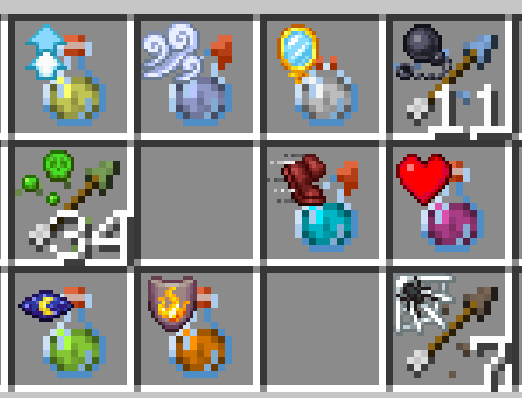 Effect Item Overlays Various effect icons overlaid on top of potions and tipped arrows
 -
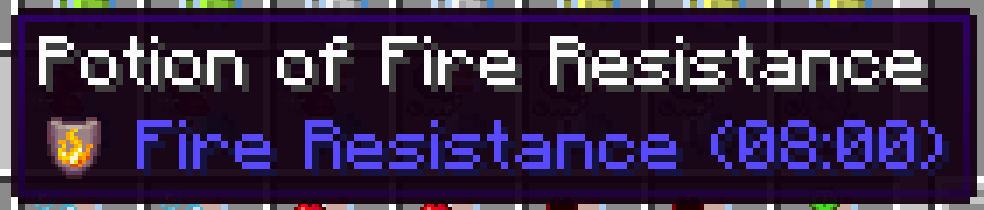 Effect in Tooltip Effect icon next to effect name in a potion tooltip
 -
 Icons in Chat Icons can be typed in chat
 -
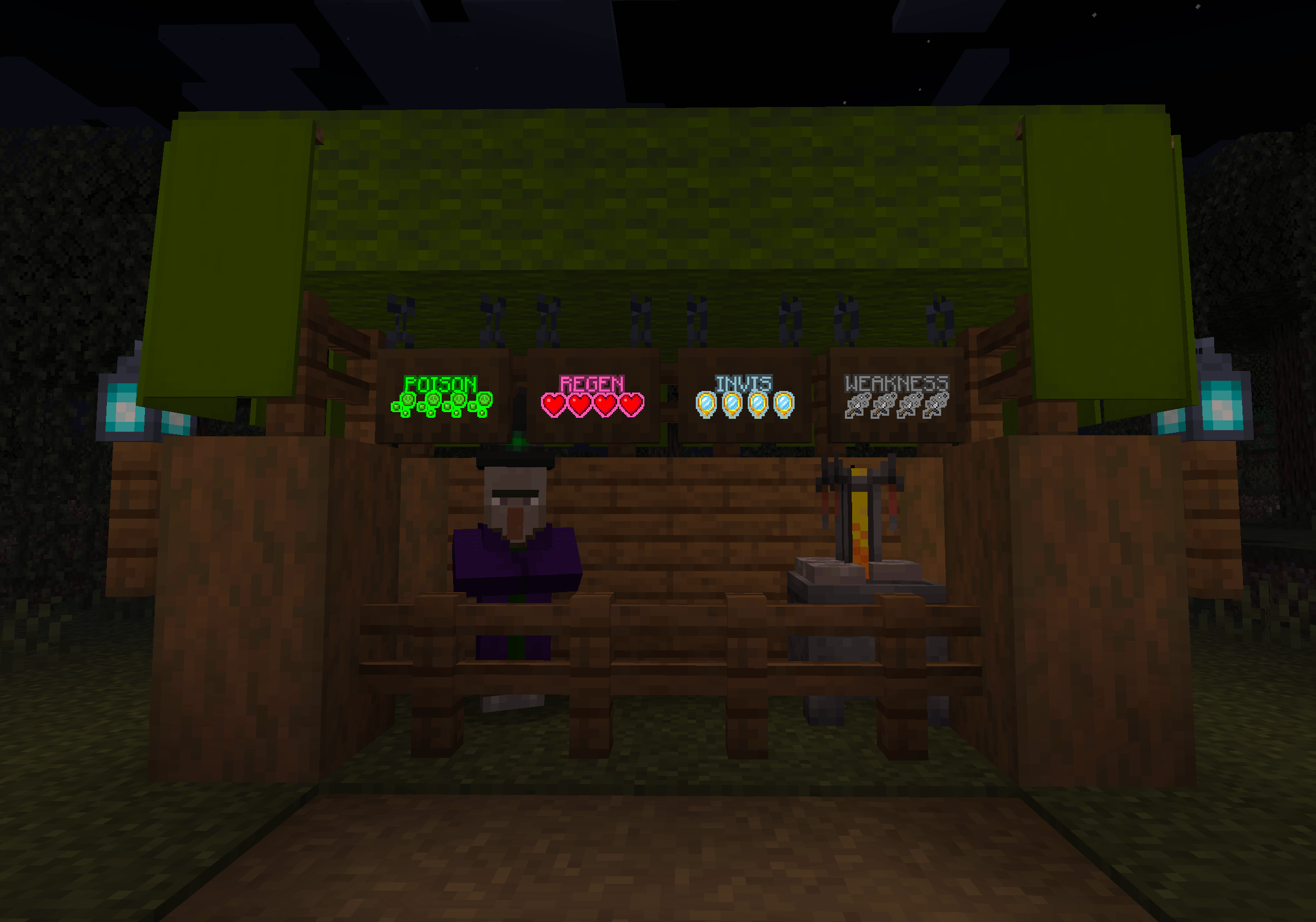 Witch's Shop Effect icons on signs used for decoration
 -
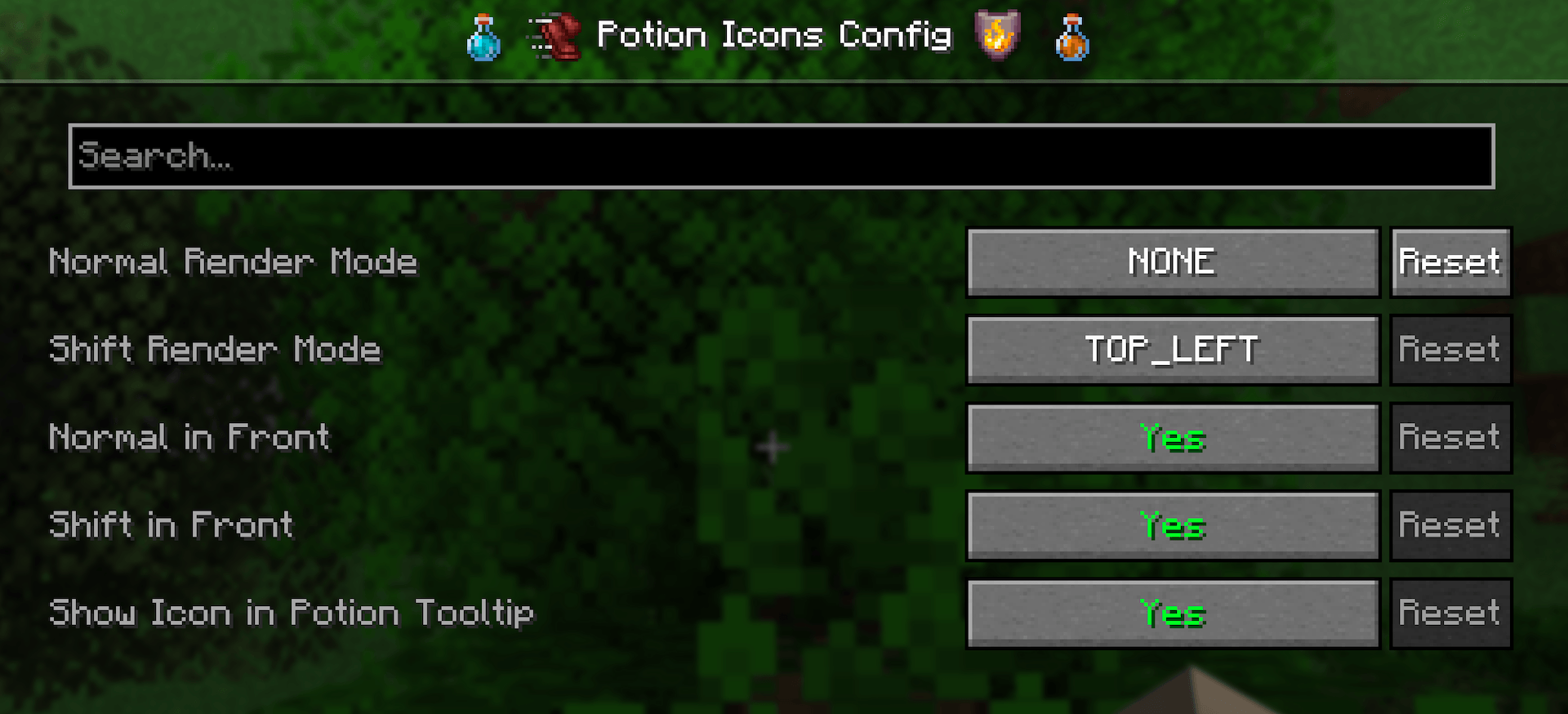 Config Config screen where everything is customizable
-
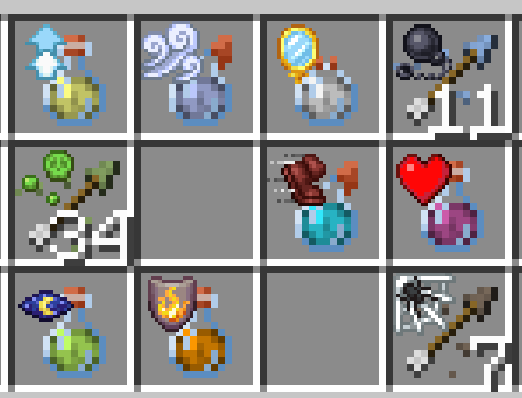 Effect Overlays Various effect icons overlaid on top of potions and tipped arrows
 -
 Typing effects in chat
 -
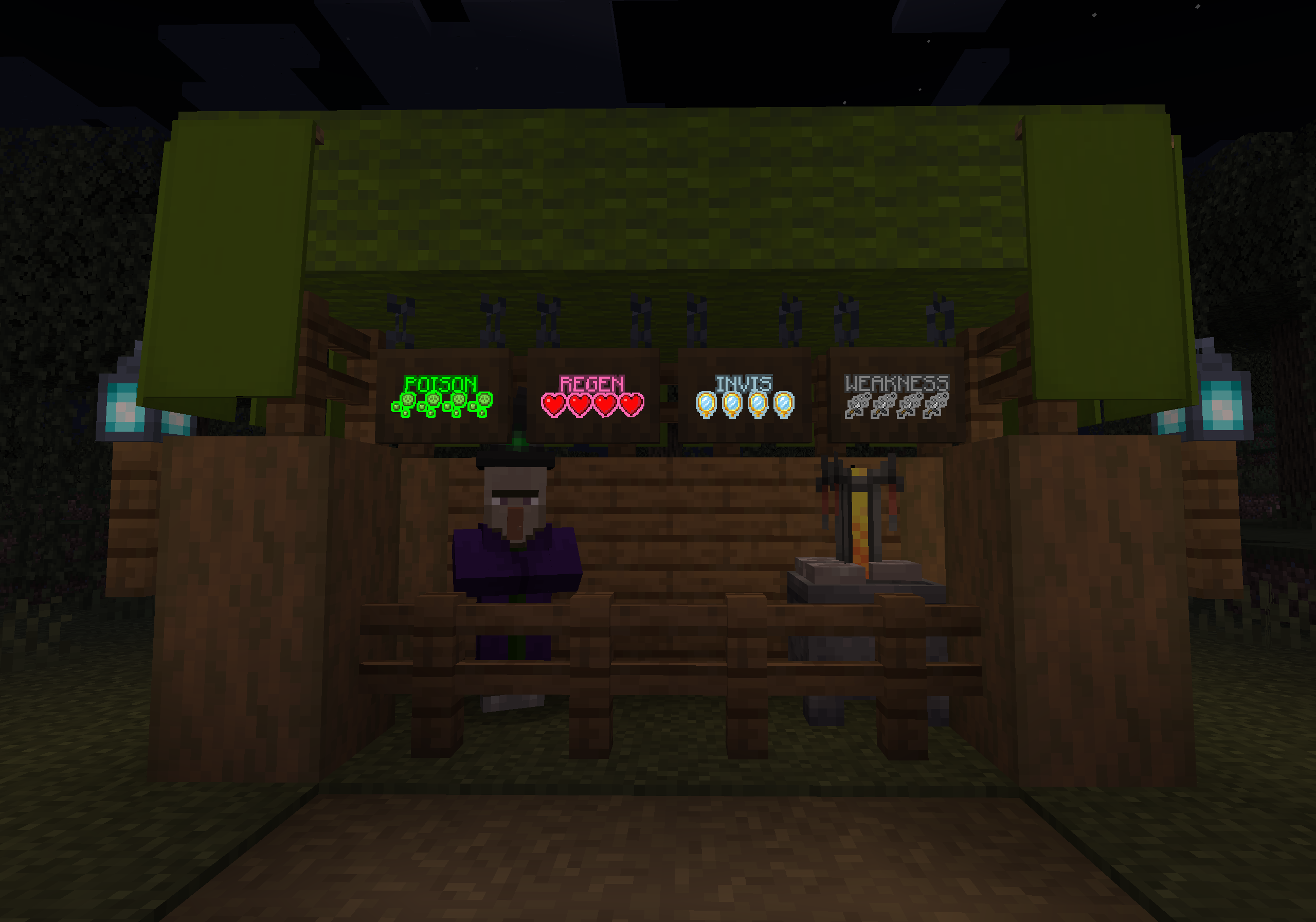 Witch's Shop Effect icons on signs can make for great decoration!
 -
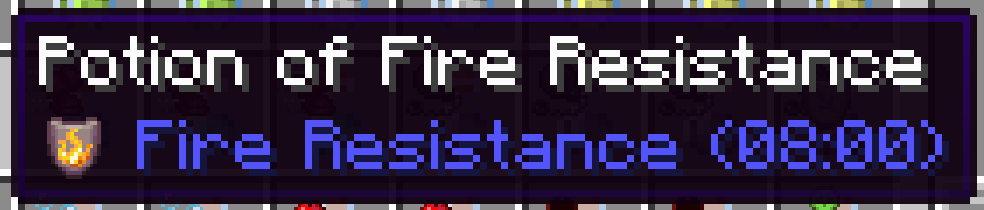 Icons in Potion Tooltips
 -
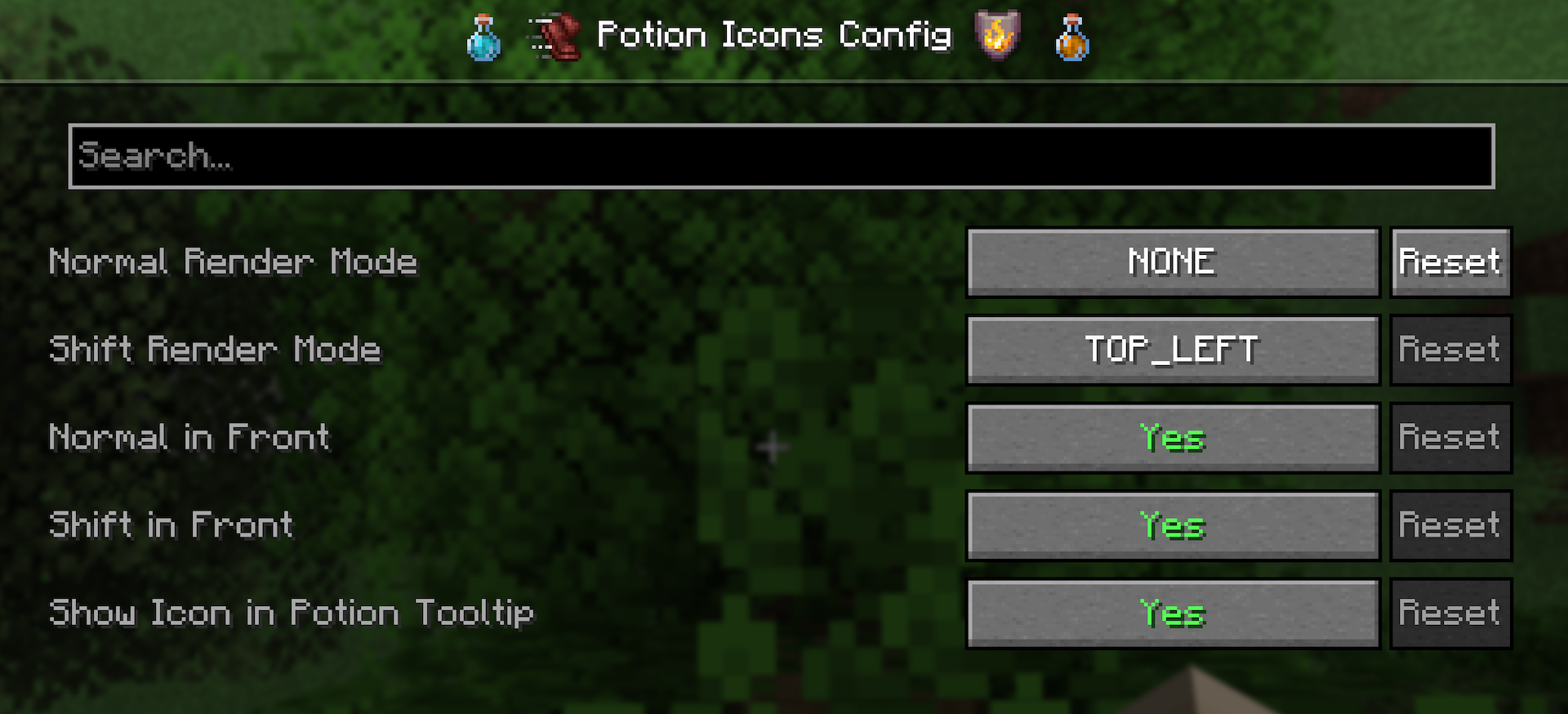 Everything's Configurable The mod's config screen showing how each feature can be toggled and/or customized
Versions
Files
Relations
Project Relations
More like this
Similar Mods
Suggestions use data such as tags, dependencies, dependents, descriptions, titles, and more to rank how much they overlap with this mod.
On ModDex
Community snapshot
By the numbers
Statistics
 (opens in a new tab)
Get it on
Available Platforms
On ModDex
Community snapshot
By the numbers