
PowerHUD
No reviews yet
A modern, highly customizable HUD overlay mod for Minecraft Fabric 1.21.4
Fabric is a mod loader for versions 1.14+ of Minecraft, particularly popular for client side and optimization mods.
Community voices
Reviews
Click once to include, again to exclude, again to clear
No reviews yet. Be the first to review this project!
Get it on
Available Platforms
 Modrinth
Compatibility
Supported Environments
About
Project Details
For authors
Embed Badge
If you're the author of this project, you can embed a live badge anywhere that supports HTML or Markdown. It updates automatically whenever ratings change.
Use HTML for any page that supports it, or Markdown for README files and Markdown-based descriptions.
Identifiers
Platform IDs
About
Description
PowerHUD
A modern, highly customizable HUD overlay mod for Minecraft Fabric 1.21.4
✨ Features 📊 Performance & Diagnostics
Real-time FPS Display with color-coded performance indicators
Animated FPS Dot that pulses based on performance
Min/Max/Average FPS Tracking with reset capability
Custom F3 Debug Screen - Cleaner, tabbed debug interface
🗺️ Navigation & World Info
Coordinates Display (XYZ) with block position
Facing Direction with cardinal directions
Biome Information - See current biome name
Time Display - In-game time with day/night indicator
Gamemode Indicator - Current game mode display
🎒 Inventory & Equipment
Visual Inventory Display - Grid-based inventory visualization
Best Tool Suggestions - Shows optimal tool for target block
Block Information - Displays block you're looking at
Block Statistics - Track blocks mined/placed
🌊 Survival Stats
Oxygen Level Indicator - Visual oxygen bar for underwater exploration
Vitality Display - Health and status information
🎨 Customization 🎮 Default Keybindings Key Action \O\ Open configuration screen \H\ Toggle HUD visibility \R\ Reset FPS statistics \Z\ Cycle debug screen modes
📦 Installation Requirements
Minecraft 1.21.4
Fabric Loader (latest version)
Fabric API (required dependency)
Steps
Install Fabric Loader for Minecraft 1.21.4
Download Fabric API and place in your .minecraft/mods\ folder
Download the latest PowerHUD release from Releases
Place \powerhud-vX.X.X.jar\ in your .minecraft/mods\ folder
Launch Minecraft with the Fabric profile
⚙️ Configuration
Press \O\ in-game to open the configuration screen. Available Options
Toggle Elements - Show/hide individual HUD components
Font Selection - Choose from 9 custom monospace fonts
Color Customization - Select from 20+ colors for text and data
Bold Titles - Toggle bold formatting for element titles
HUD Workbench - Visual drag-and-drop editor with:
Live HUD preview
Zone-based snapping (left, center, right)
Spacer elements for flexible layouts
Auto-stacking with precise hitbox alignment
Scaling - Adjust HUD size from 50% to 250%
FPS Tweaks - Configure display mode (Minimal/Normal/Full), thresholds, and animated dot indicator
Inventory Tweaks - Choose display style (Grid/Percent/Fraction)
Oxygen Settings - Adjust centered overlay position with color-coded bar and toggle vanilla air bubbles
HUD Profiles – Save/load/rename/delete/export/import HUD layouts. Save button is always enabled; enter a name to create/overwrite, leave blank to save to current. Profile names are validated for allowed characters and length.
Export/Import Profiles
Export Profile: Click Export to save the current profile as a .json file in your home folder.
Import Profile: Place a .json file named import_profile.json in your home folder and click Import to add it to your profiles.
📋 Roadmap
HUD stuff under consideration include:
Animated transitions and effects
Light level display
Durability warnings
Session statistics
And much more!
🤝 Contributing
Contributions are welcome! Here's how you can help:
Report Bugs - Open an issue with details
Suggest Features - Share your ideas in the issues section
Submit Pull Requests - Fork, code, and PR!
Development Guidelines
Follow existing code style
Test thoroughly before submitting
Update documentation for new features
📄 License
This project is licensed under the MIT License - see the LICENSE file for details. 🐛 Bug Reports & Support
Found a bug or need help?
Open an issue
Provide Minecraft version, Fabric Loader version, and steps to reproduce
📊 Version History
v1.13.0 – (February 13, 2026)
    NEW: Accessibility color presets are now stored per profile
    CHANGED: 'Default' color preset renamed to 'Off'
    Manual color selection is only available when 'Off' is selected
    All accessibility presets enforce dark background and bold data
    README and version.txt updated to reflect these changes

v1.12.0 – (February 13, 2026)
    NEW: Complete profile management overhaul
        Save, rename, delete, export, and import profiles
        Save button always enabled: blank = save to current, text = new/overwrite
        Profile name validation (letters, numbers, -, _, max 32 chars)
        Visual feedback for all actions
        Tooltips for all profile actions
        Keyboard shortcuts for save/cancel
        Auto-focus on profile input
        Improved workflow for profile save/restore
        Export: saves profile as .json to your home folder
        Import: loads import_profile.json from your home folder

v1.11.5 - Previous release (February 13, 2026)
    IMPROVED: Profile manager now displays the currently loaded profile at the top
    IMPROVED: Profile list has compact Load ("L") and Delete ("x") buttons for each profile
    NEW: Delete confirmation dialog prevents accidental profile deletion
    UI fixes for button sizing and layout

v1.11.4 - Previous release (February 12, 2026)
    NEW: HUD Profiles - Save/load/delete HUD layouts for quick switching between custom setups. Instantly switch between different HUD configurations and layouts. Profiles are stored and can be restored at any time, making it easy to experiment or revert to a favorite layout.
    IMPROVED: Oxygen overlay UI - Lighter opacity, always fixed width, improved text contrast
    IMPROVED: HUD Workbench - Drag boxes align exactly with HUD bounds at any scale
    IMPROVED: Persistence - Settings reliably save and restore
    FIXED: Vanilla air bubble hiding - Now properly hides all air bubble states (full, bursting, empty) when toggle is off

v1.11.3 - Previous release (February 12, 2026)
    Added HUD profile management (save/load/delete), improved oxygen overlay, UI fixes

v1.11.2 - Previous release (February 12, 2026)
    FIXED: Vanilla air bubble hiding - Now properly hides all air bubble states (full, bursting, empty) when toggle is off

v1.11.1 - Previous release (February 12, 2026)
    NEW: WYSIWYG HUD Workbench - Visual drag-and-drop editor with live preview
    NEW: Zone-Based Snapping - Elements auto-snap to left, center, or right screen zones
    NEW: Spacer Elements - Add flexible vertical spacing between elements
    IMPROVED: Hitbox Alignment - Drag/hover boxes now align precisely with HUD text at any scale
    FIXED: Critical NPE crash when opening HUD workbench
    Auto-stacking elements in each zone with proper spacing
    Elements shift automatically when dragged between positions
    Version auto-displayed in About screen via Fabric metadata

v1.10.1 - Previous release
    Refactored oxygen display to centered overlay with color-coded bars
    Removed text effects (shimmer, chroma) for cleaner performance
    Removed background styling and shadow features for simplified design
    Expanded color palette to 20+ options
    Improved FPS display modes (Minimal/Normal/Full)
    Enhanced configuration screen
🙏 Acknowledgments
Built with Fabric
Font resources from various open-source projects
Inspired by the Minecraft modding community
Screenshots
Gallery
-
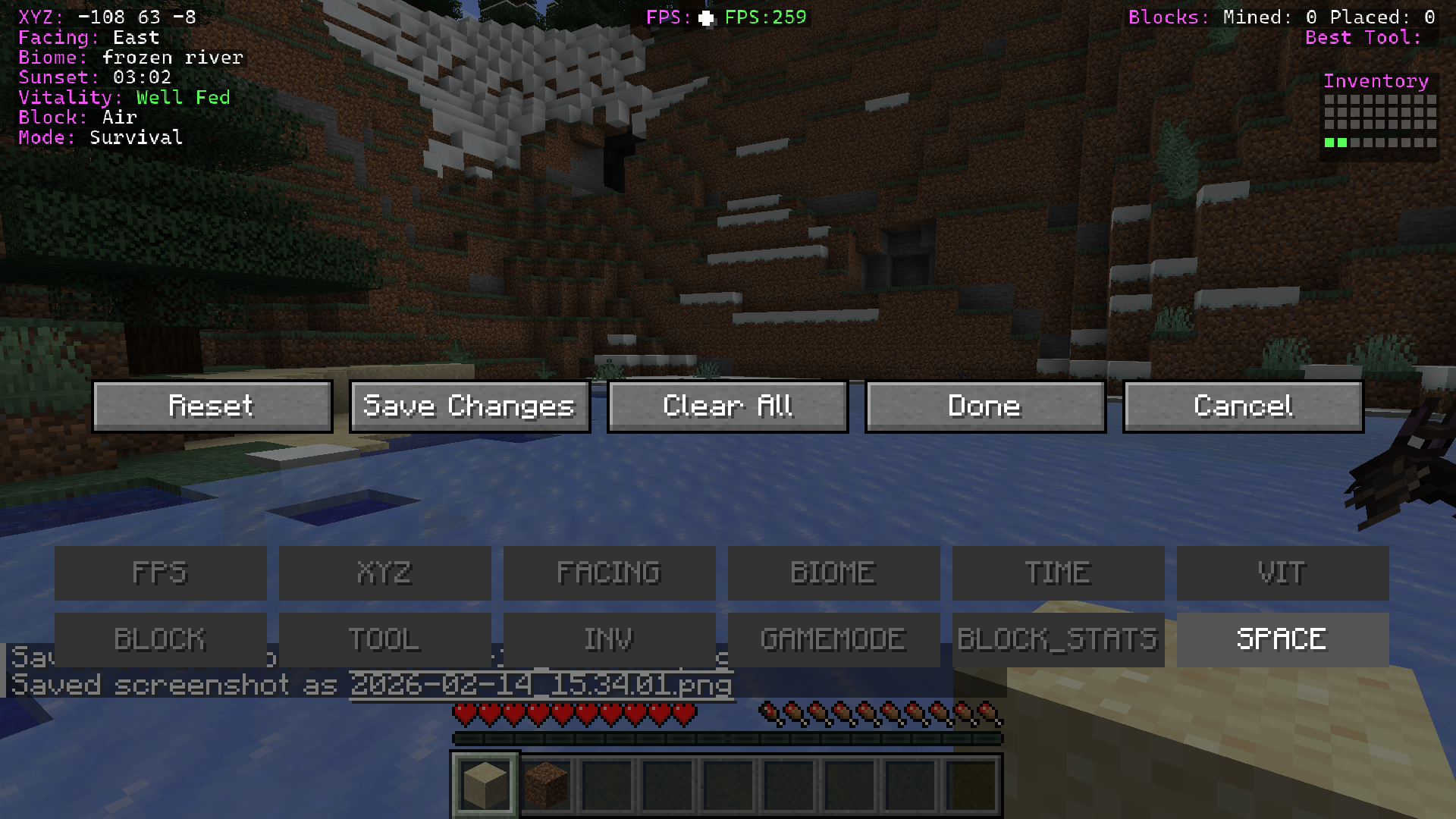 Element Drag & Drop interface Drag & drop elements to your preferred location, left right or middle, and save changes, include spacers if needed.
 -
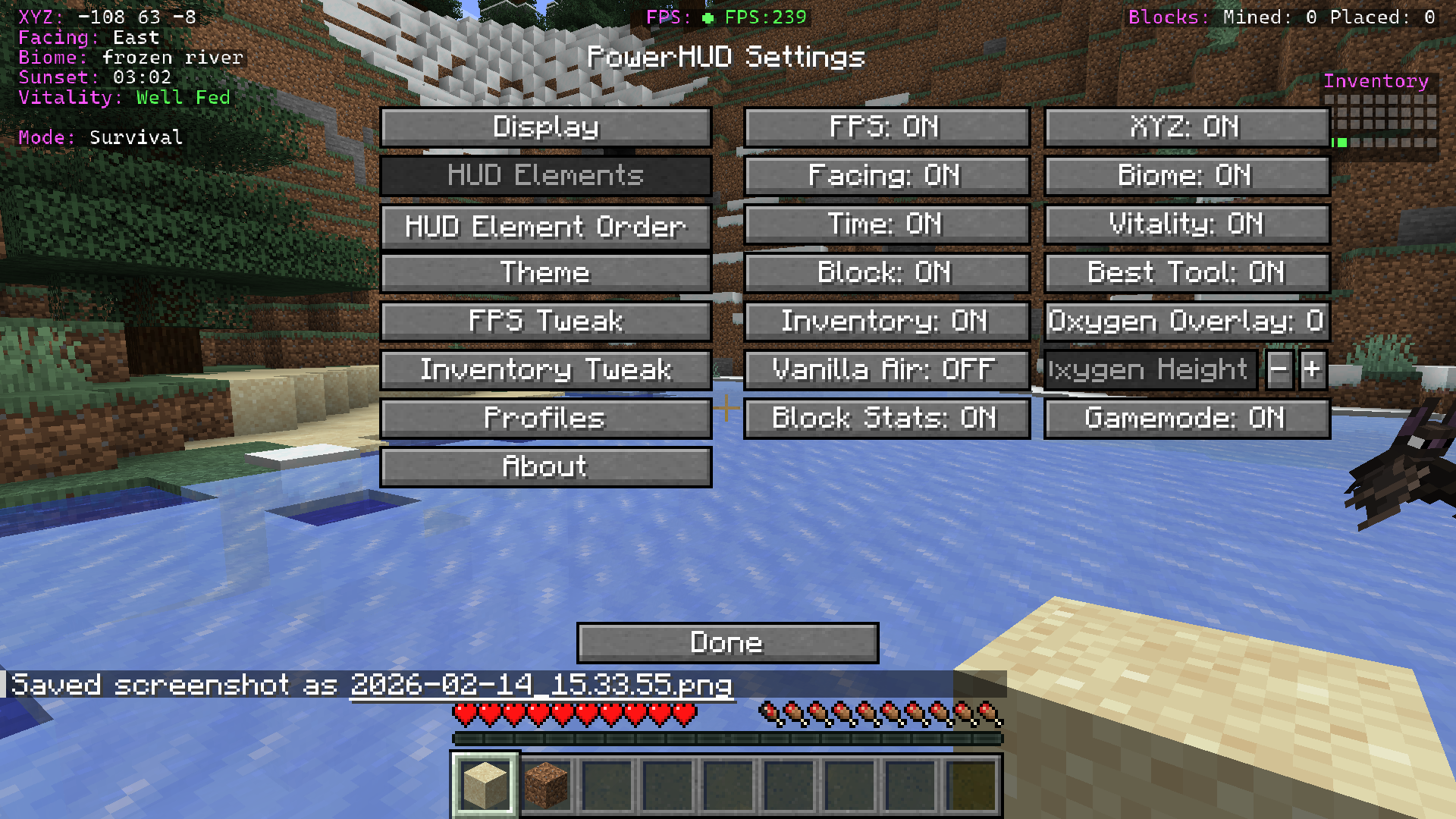 PowerHUD elements Each element can be toggled on/off including toggling off Vanilla air bubble and having a custom oxygen warning display underwater.
 -
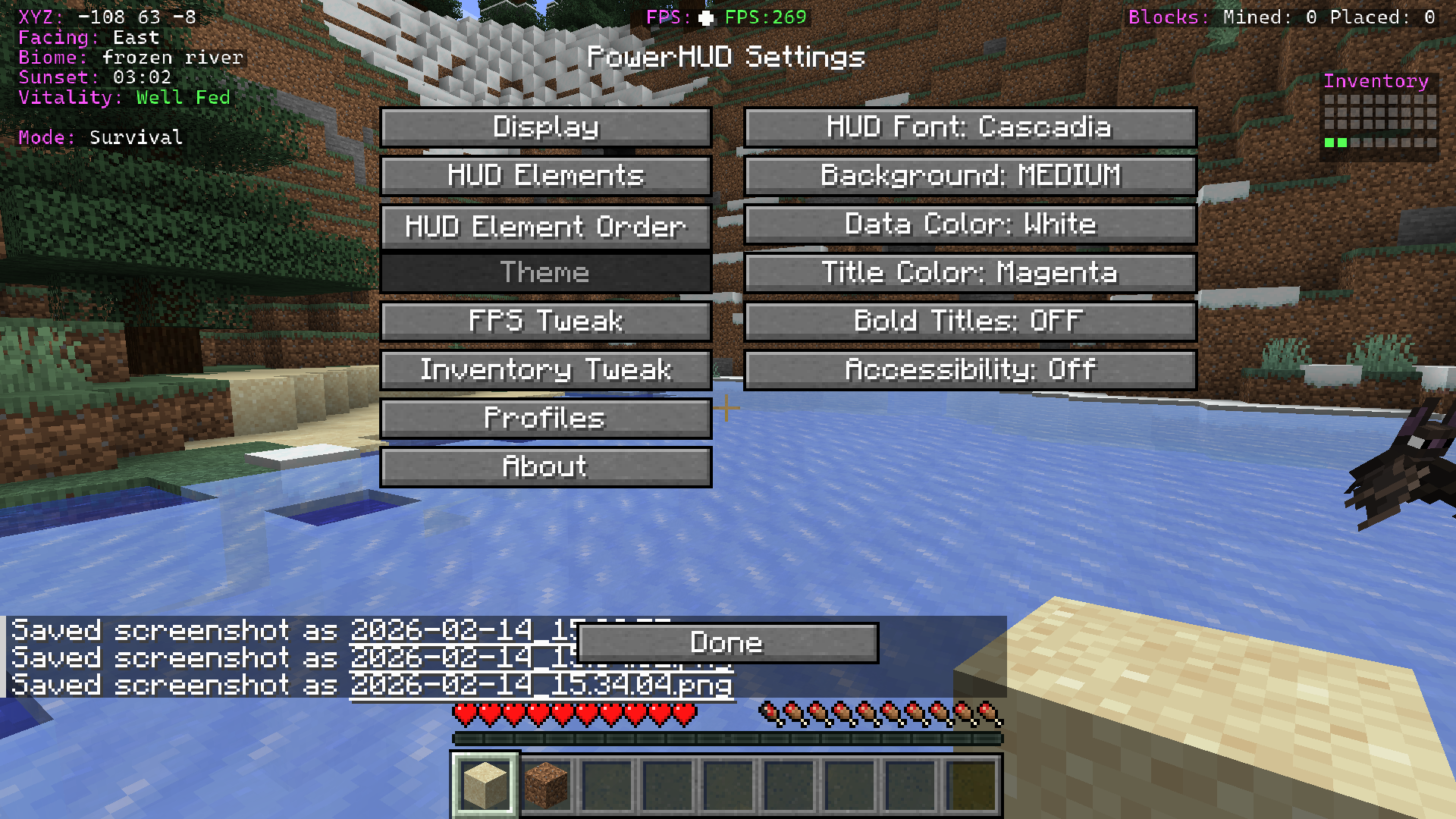 Theme options Custom fonts, scaling, colours for title, data, and accesibility options.
 -
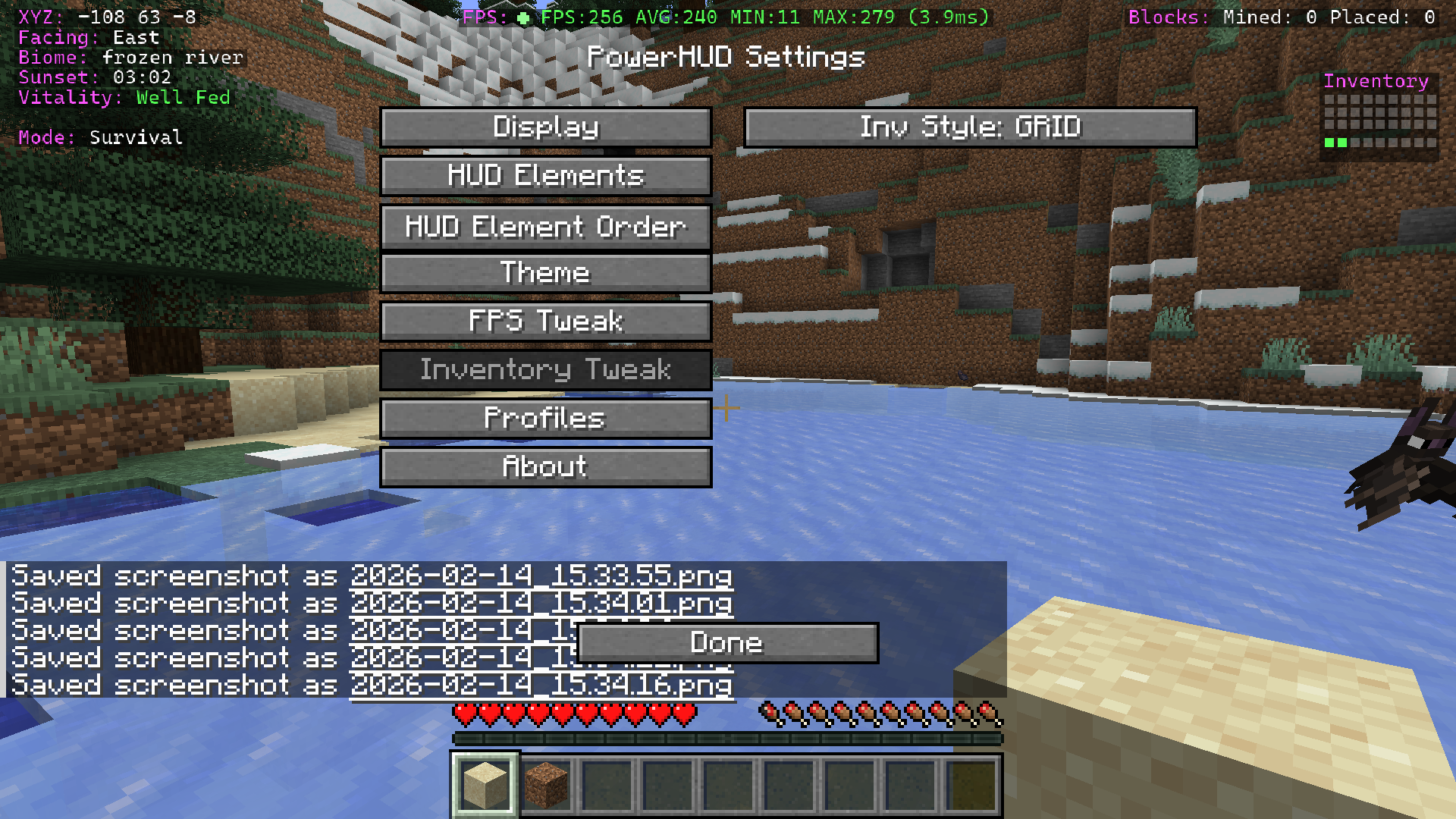 Inventory box Shows dynamically when objects in your inventory it will fill up, useful to see at a glance how much space you have left. Works in creative & survival.
 -
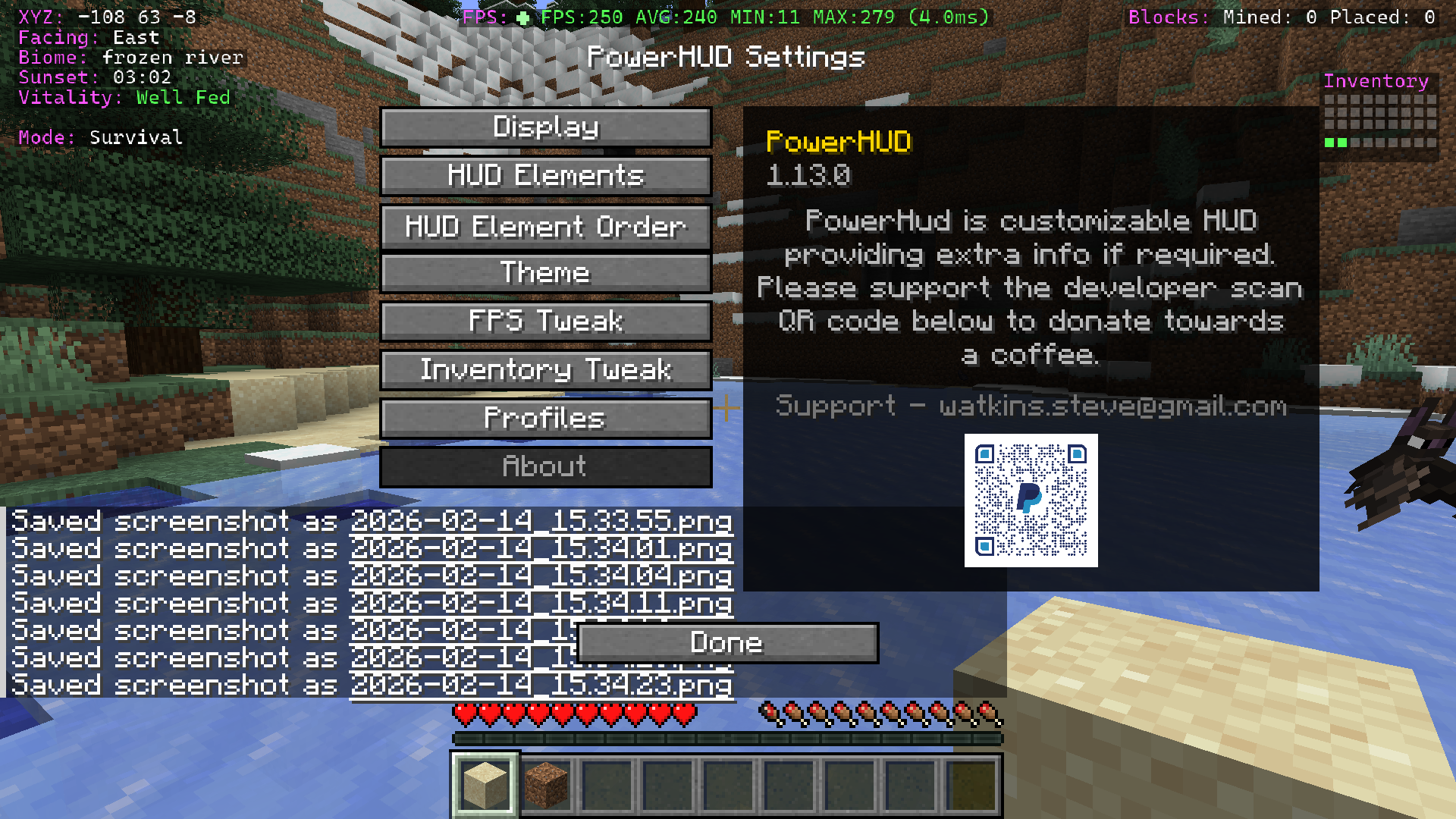 About screen Donation for a coffee :)
 -
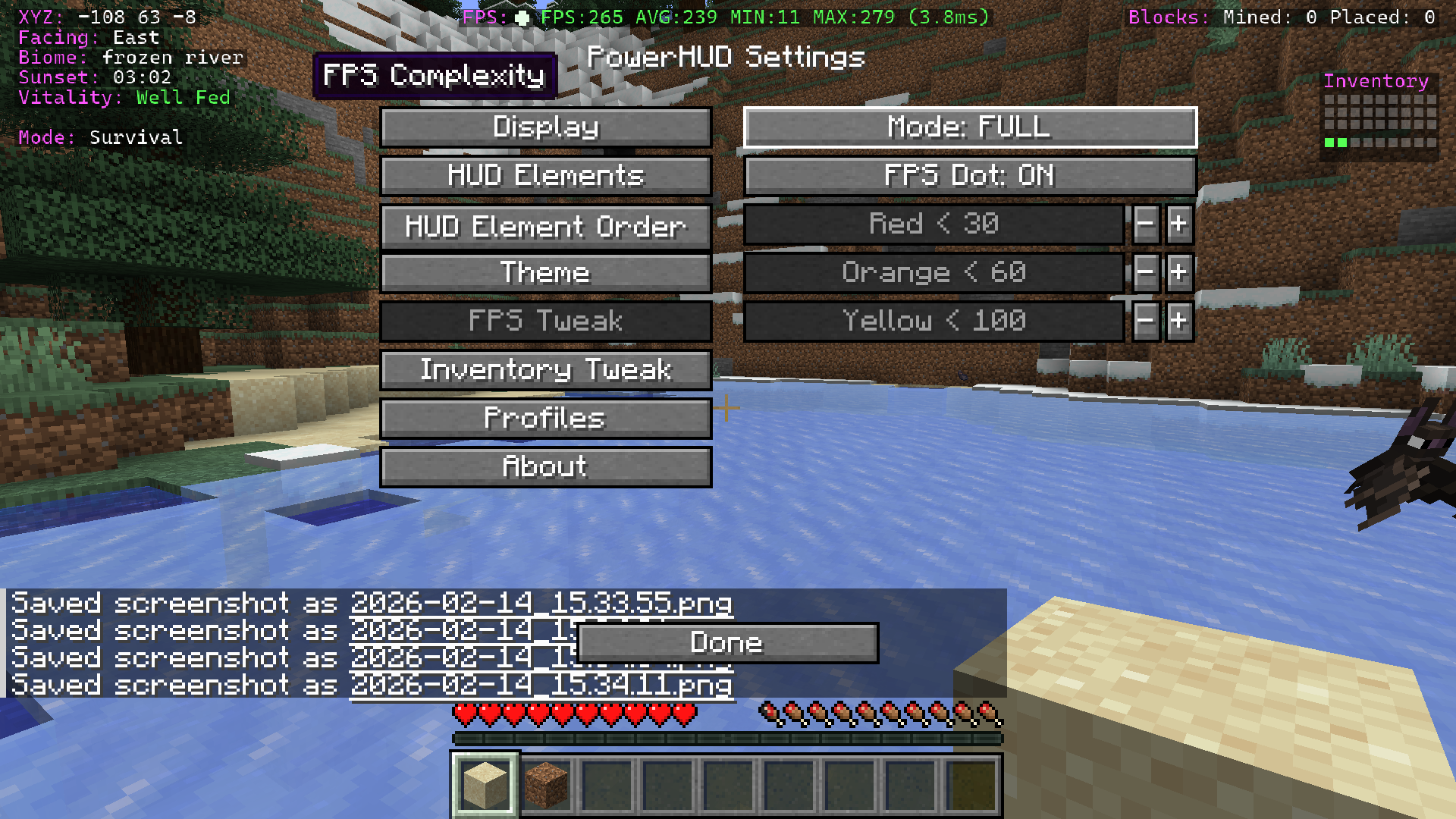 FPS customisation Colour code your FPS display as you choose, changes colour when FPS moves between set limits, 3 modes for FPS data and also flashing dot.
 -
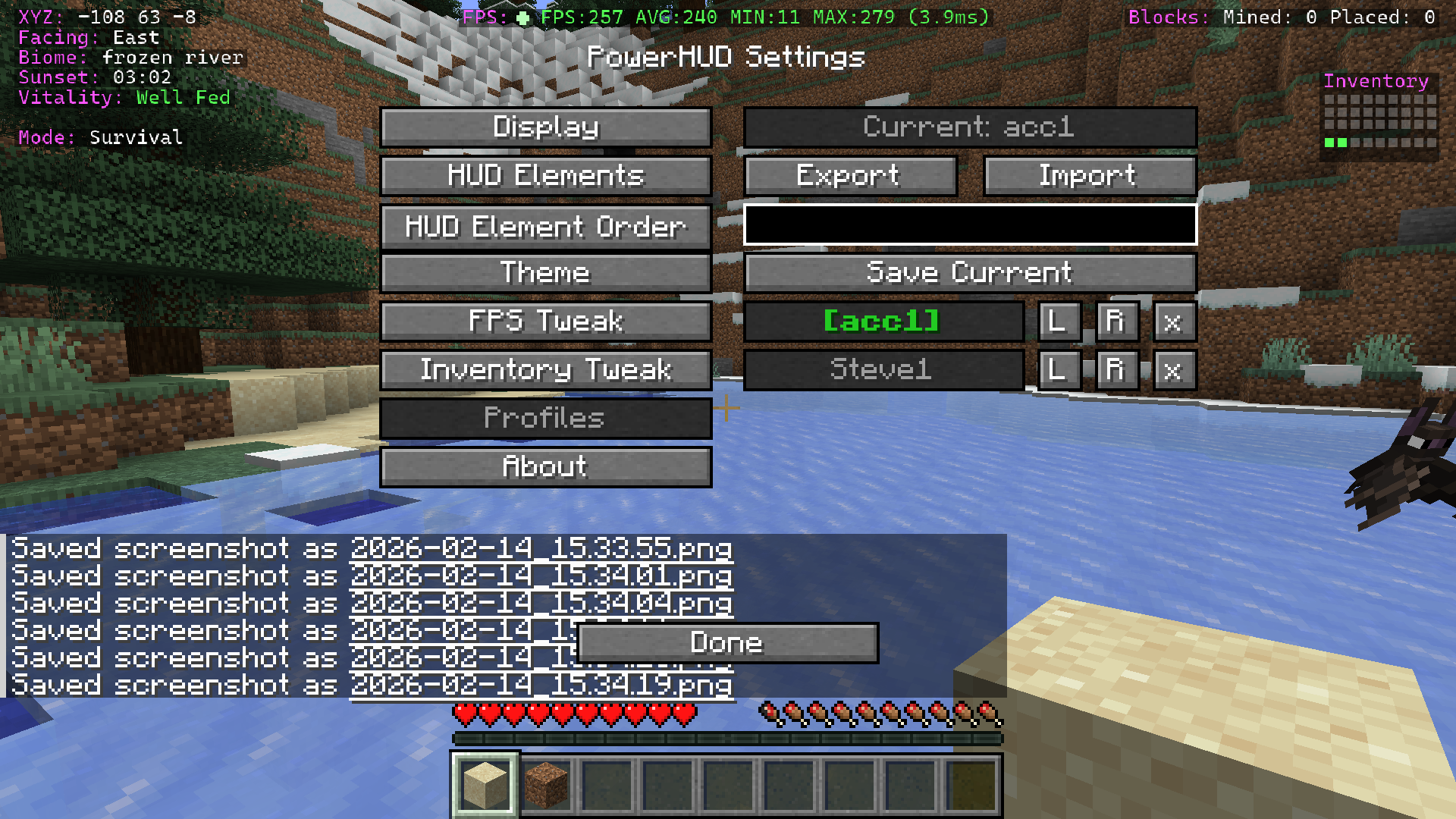 Profile manager Load, save, create new profiles, rename, delete and export & import.
 -
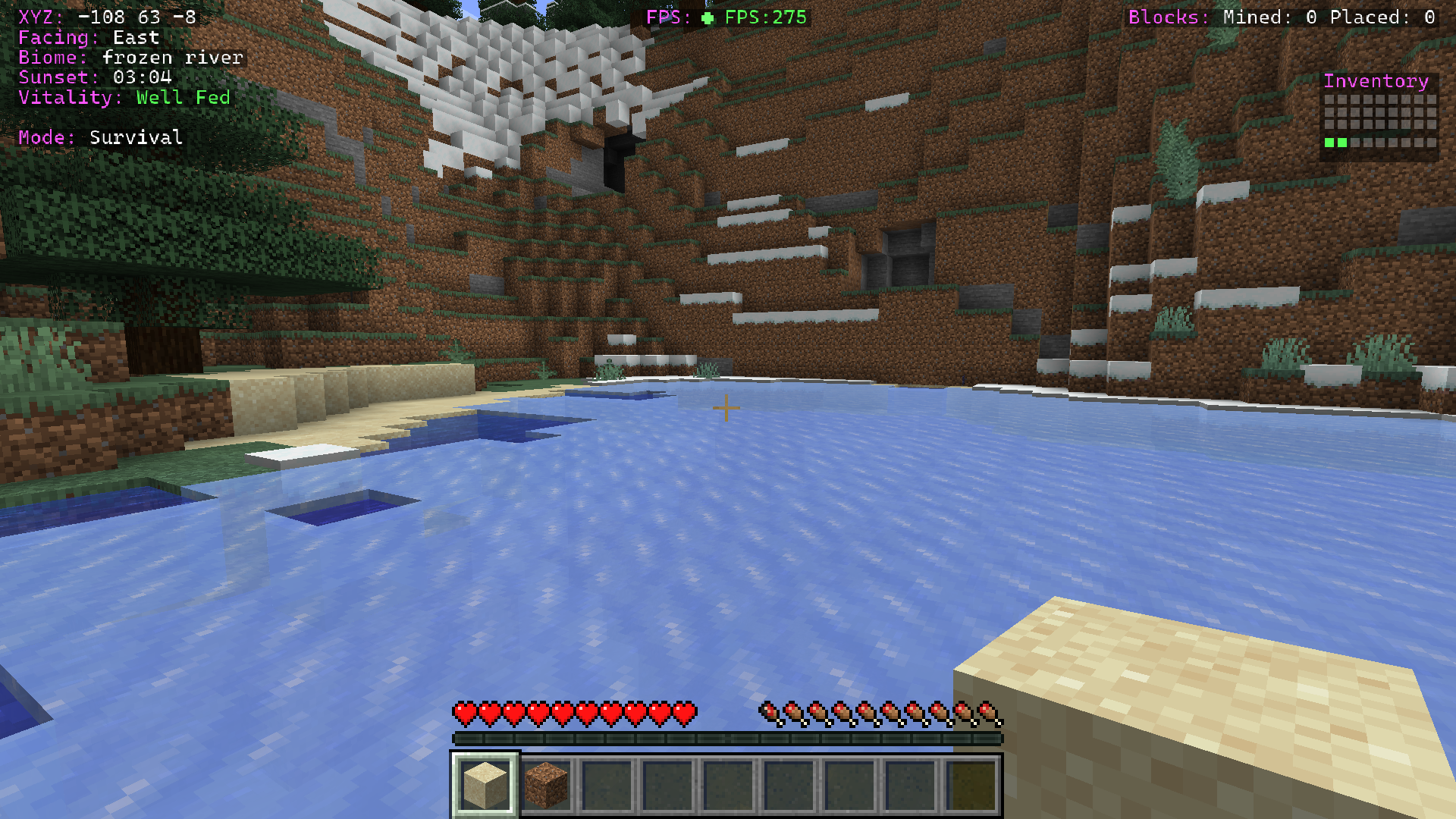 PowerHUD MOD on display in game
Versions
Files
Relations
Project Relations
More like this
Similar Mods
Suggestions use data such as tags, dependencies, dependents, descriptions, titles, and more to rank how much they overlap with this mod.
On ModDex
Community snapshot
By the numbers
Statistics

Want to reach Minecraft players?
We're looking for a server hosting partner to feature here and other parts of the site. Interested? Send us a message!
Get in touchGet it on
Available Platforms
On ModDex
Community snapshot
By the numbers