
Priority
No reviews yet
A mod which allows you to swap your items hotbar priority explained in Marlow's video about the hotbar order.
Fabric is a mod loader for versions 1.14+ of Minecraft, particularly popular for client side and optimization mods.
Community voices
Reviews
Click once to include, again to exclude, again to clear
No reviews yet. Be the first to review this project!
Get it on
Available Platforms
 Modrinth
Compatibility
Supported Environments
About
Project Details
For authors
Embed Badge
If you're the author of this project, you can embed a live badge anywhere that supports HTML or Markdown. It updates automatically whenever ratings change.
Use HTML for any page that supports it, or Markdown for README files and Markdown-based descriptions.
Identifiers
Platform IDs
About
Description
The config menu will not close if there is an error message at the bottom middle. In order to close the menu please fix whatever problem is stated in the error message
Priority is a Fabric mod for Minecraft that enhances hotbar management by allowing players to customize the priority order of hotbar slots for key bindings. This mod overrides Minecraft's default hotbar key handling to check and prioritize slots based on user-defined priorities, enabling more efficient and personalized hotbar switching.
Features Priority-Based Hotbar Switching Customizable Slot Priorities: Assign a priority value (1-9) to each of the 9 hotbar slots (1-9). Priority 1 is checked first. Priority 9 is checked last. if 2 slots are clicked at once the one checked later will be selected
How to Use It with Mod Menu Install Mod Menu: Ensure you have the Mod Menu mod installed alongside Hotbar Priority (see Installation section above). Launch Minecraft: Start the game with Fabric loader, cloth config and mod menu, then load into a world or the main menu. Open Mods Screen: Press the "Mods" button in the main menu.
Find Priority: Scroll through the list of mods and locate "Priority". Access Config: Click the mods icon next to the name in Mod Menu.
Adjust Priorities: In the config screen, you'll see sliders or input fields for each hotbar slot (1-9). Set the priority values: Defaults match vanilla (slot 1 = 1, slot 2 = 2, etc.). Save Changes: Simply just press esc or close the menu to apply. The menu will not close if a priority is not set or if priorities are conflicting. This setup allows for personalized hotbar behavior, such as prioritizing items in certain slots to be switched to over others when clicked at the same time.
Screenshots
Gallery
-
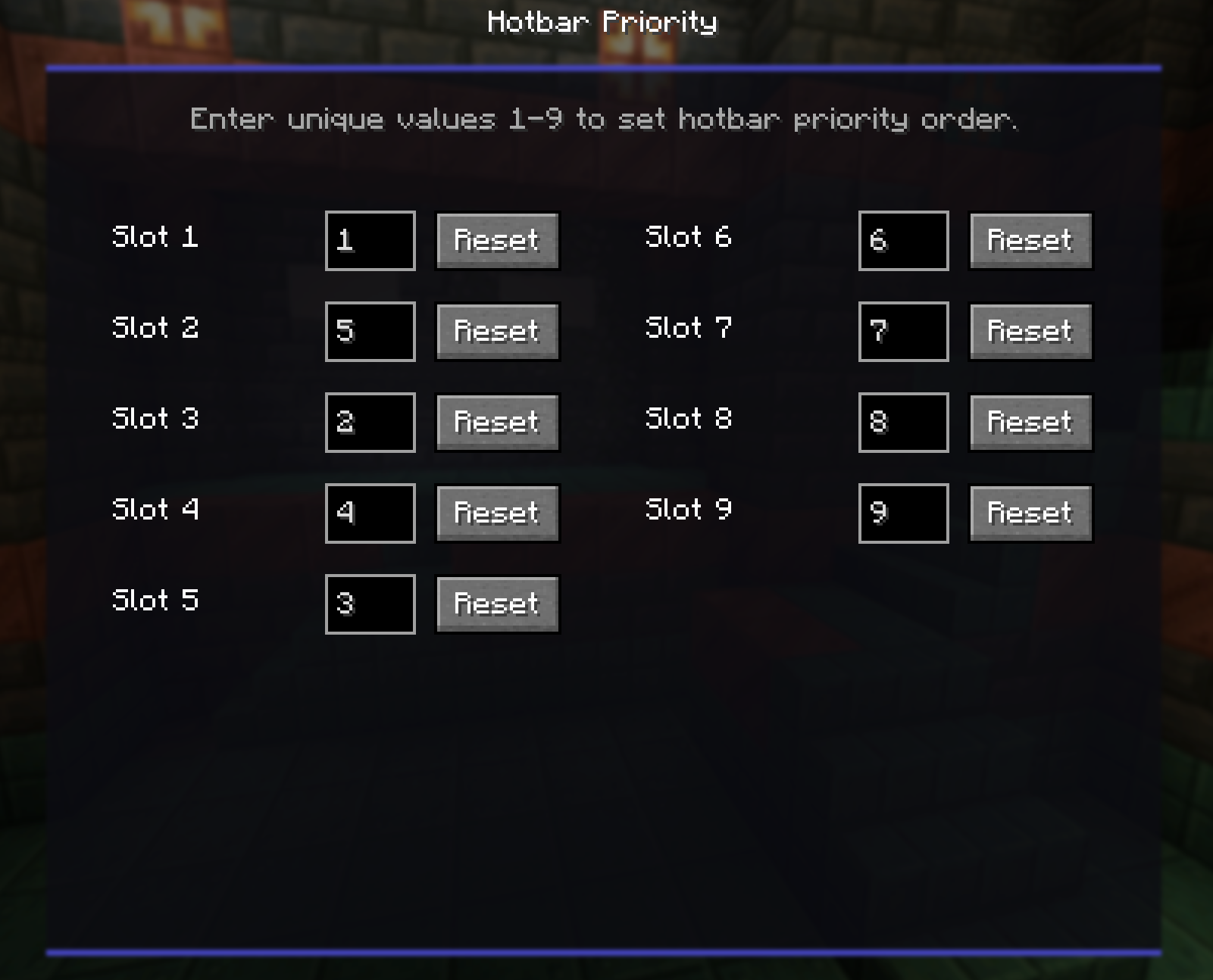 Config screen
Versions
Files
Relations
Project Relations
More like this
Similar Mods
Suggestions use data such as tags, dependencies, dependents, descriptions, titles, and more to rank how much they overlap with this mod.
On ModDex
Community snapshot
By the numbers
Statistics

Want to reach Minecraft players?
We're looking for a server hosting partner to feature here and other parts of the site. Interested? Send us a message!
Get in touchGet it on
Available Platforms
On ModDex
Community snapshot
By the numbers