
PrivateCreative
No reviews yet
Mod and plugin that allows players to have their separate creative dimension or world for testing.
General improvements to world generation, such as bug fixes, aesthetic overhauls, or misc additions.
Fabric is a mod loader for versions 1.14+ of Minecraft, particularly popular for client side and optimization mods.
Paper is a fork of Spigot that adds its own plugin API on top of the Bukkit API. All Spigot plugins are compatible with paper, not all paper plugins are compatible with Spigot.
Spigot is a popular software for running dedicated servers that can load Plugins created with the Bukkit API.
Community voices
Reviews
Click once to include, again to exclude, again to clear
No reviews yet. Be the first to review this project!
Get it on
Available Platforms
 Modrinth
Compatibility
Supported Environments
About
Project Details
For authors
Embed Badge
If you're the author of this project, you can embed a live badge anywhere that supports HTML or Markdown. It updates automatically whenever ratings change.
Use HTML for any page that supports it, or Markdown for README files and Markdown-based descriptions.
Identifiers
Platform IDs
About
Description
PrivateCreative
🎯 Fabric mod — v1.1
A multi-dimensional creative system for Minecraft
This Fabric mod creates three shared creative dimensions that provide a collaborative building environment while keeping the survival world completely isolated. Perfect for players that want to offer creative building without affecting gameplay balance.
Minecraft compatibility:
>= 1.21.11Requires: Fabric Loader>= 0.18.4, Fabric API
Key features
-
🌍 Three shared creative dimensions:
- Normal world: Standard terrain generation
- Superflat world: Flat building platform perfect for large projects
- Void world: Empty space for creative building without terrain limits
-
💾 Complete state isolation:
- Separate inventory for each dimension (survival + 3 creative)
- Independent position, effects, and game mode saving
- Switch between dimensions without losing progress
- Survival spawn position is preserved correctly even after dying in a creative dimension
-
🌐 Multi-Language support: Full interface in 9 languages (EN, DE, ES, FR, PT, IT, RU, ZH, JA) with per-player settings
-
👑 Advanced admin commands:
/cwcommand wrapper restricted to creative dimensions only:- Give items, apply effects, summon entities
- Enchant items, manage players
-
🤝 Full TPA system: Complete teleport/invite system with automatic timeouts
-
🗺️ World border management: Set custom world borders per creative dimension
-
🔧 Data repair: Emergency
/pc resetcommand to repair corrupt player data
📦 Installation (Fabric)
- Install Minecraft with Fabric Loader
- Download and install Fabric API
- Place both Fabric API and this mod in your
mods/folder - Launch the server — three creative dimensions are automatically available
- Use
/pc creative [normal/superflat/void]to switch dimensions
Usage Examples
# Switch to creative dimensions (Shared)
/pc creative normal         # Switch to normal creative dimension
/pc creative superflat      # Switch to superflat creative dimension
/pc creative void           # Switch to void creative dimension
/pc survival                # Return to survival world

# Teleport system
/pc tpa PlayerName          # Invite player to your current creative dimension
/pc accept                  # Accept invitation
/pc decline                 # Decline invitation
/pc kick PlayerName         # Remove player from creative dimension

# World management
/pc creativedelete normal   # Reset the normal creative dimension
/pc creativedelete superflat # Reset the superflat creative dimension
/pc creativedelete void     # Reset the void creative dimension
/pc worldborder void 500    # Set world border radius for void dimension

# Information & settings
/pc info                    # Show current world information
/pc language de             # Switch to German
/pc language                # Show current language
/pc reset                   # Repair corrupt player data (emergency)

# Admin commands (Creative dimensions only)
/cw give Player diamond 64  # Give items to players
/cw effect Player speed 30 2 # Apply effects
/cw summon zombie           # Spawn entities
/cw enchant Player sharp 5  # Enchant held items
/cw kill Player             # Kill players
🔌 Bukkit/Spigot/Paper Plugin — v1.3
Individual private creative worlds for each player
A plugin version that gives each player their own completely private creative world, separate from other players. Designed for smaller servers where players want individual building spaces.
Key features
-
🏠 Private creative worlds: Each player gets their own individual Creative world accessible only to them and invited guests. (Complete separate world, not just a dimension)
-
🚧 Configurable world borders: Players can set custom world border radius when creating their world
-
💾 Basic state management: Automatic saving of inventory and position when switching between survival and creative
-
🤝 Basic TPA system: Simple invite system allowing players to bring guests to their private creative world
-
⚙️ World management: Players can stop, auto-kill, delete and recreate their private worlds as needed
-
🌐 Language support: Per-player language settings via
/pc language -
⚙️ Auto-unload: Empty creative worlds are automatically unloaded when players go offline (configurable delay)
📦 Installation (Plugin)
- Download the plugin
.jarfile - Place it in your server's
plugins/folder - Restart your server
- Players can use
/pc creativeto create their private world
Usage Examples
# Private World Management
/pc creative                # Create/access your private creative world
/pc creative void 5000      # Create a void world with 5000 block radius border
/pc creative superflat 1000 # Create a superflat world with 1000 block radius border
/pc survival                # Return to survival world
/pc creativestop            # Stop (unload) your creative world without deleting it
/pc creativeautokill        # Toggle automatic world cleanup
/pc creativedelete          # Delete your private creative world

# Guest Management
/pc tpa PlayerName          # Invite player to your private world
/pc accept                  # Accept invitation to someone's world
/pc deny                    # Deny invitation
/pc kick PlayerName         # Remove guest from your private world

# Information & settings
/pc info                    # Show current world information
/pc language de             # Switch to German
/pc language                # Show current language
/pc reload                  # Reload plugin configuration (admin)
🎯 Which version should you choose?
Choose the Fabric-Mod if:
- You want collaborative building with shared creative dimensions
- Or you play offline locally
Choose the plugin if:
- You want each player to have their own private creative (actual) world (importing through FTP possible)
- You're running a bukkit/paper server
💬 Support
Screenshots
Gallery
-
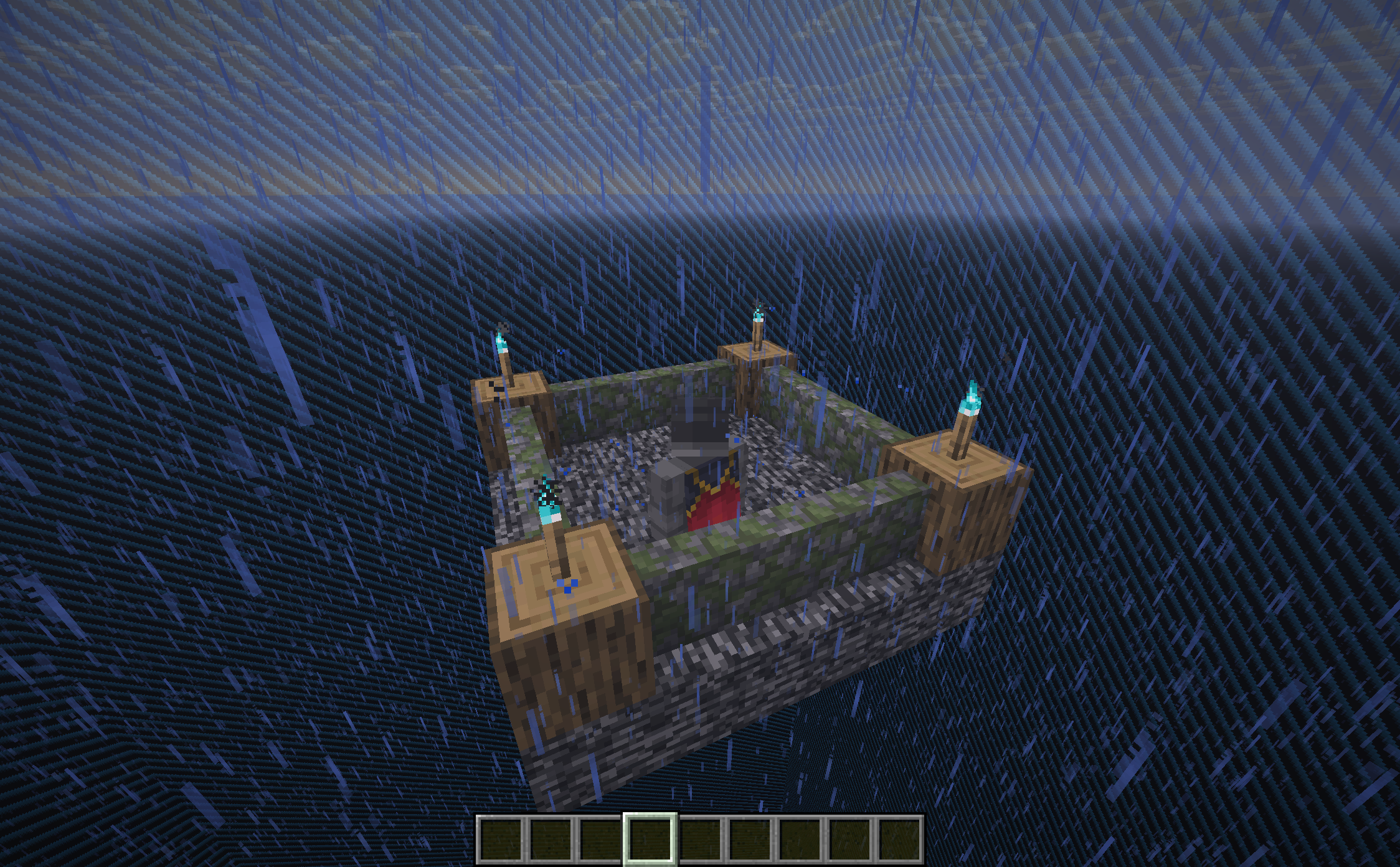 Creative "void" world Available are: normal world, void, superflat
 -
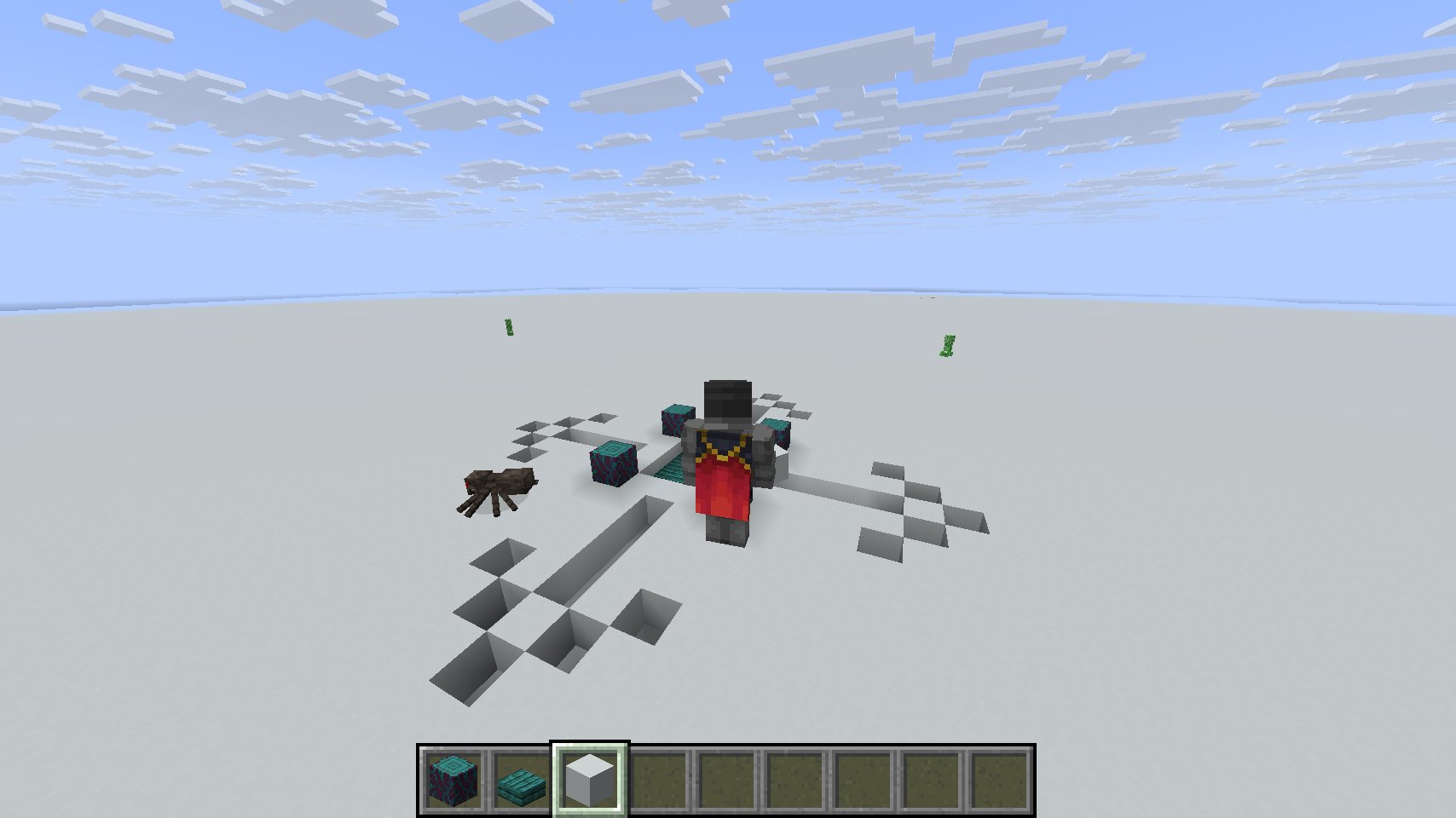 Creative "superflat" world Available are: normal world, void, superflat
 -
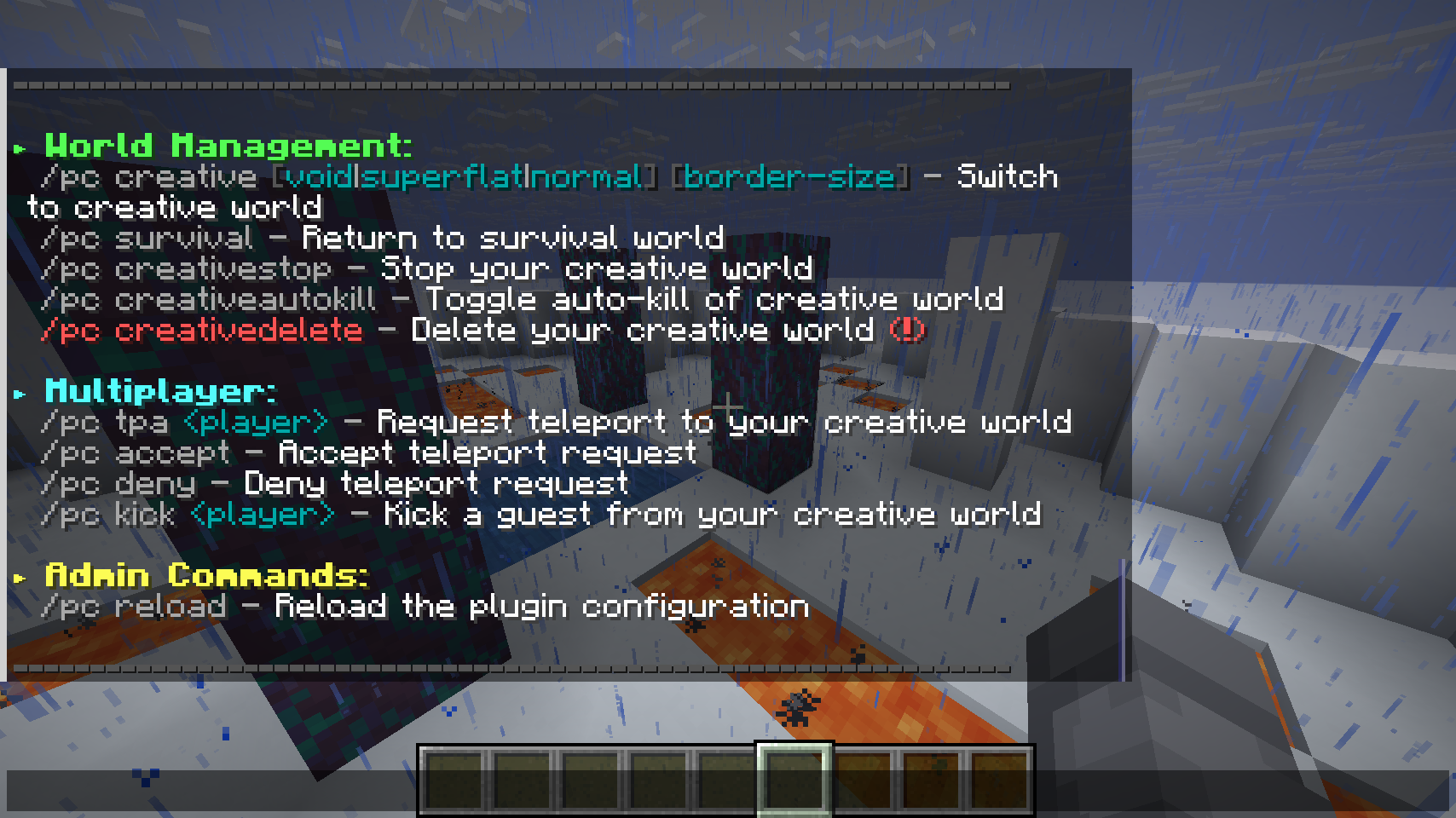 (Bukkit) "/pc" command help Using "/pc" without any parameter, will output infos about its usage.
 -
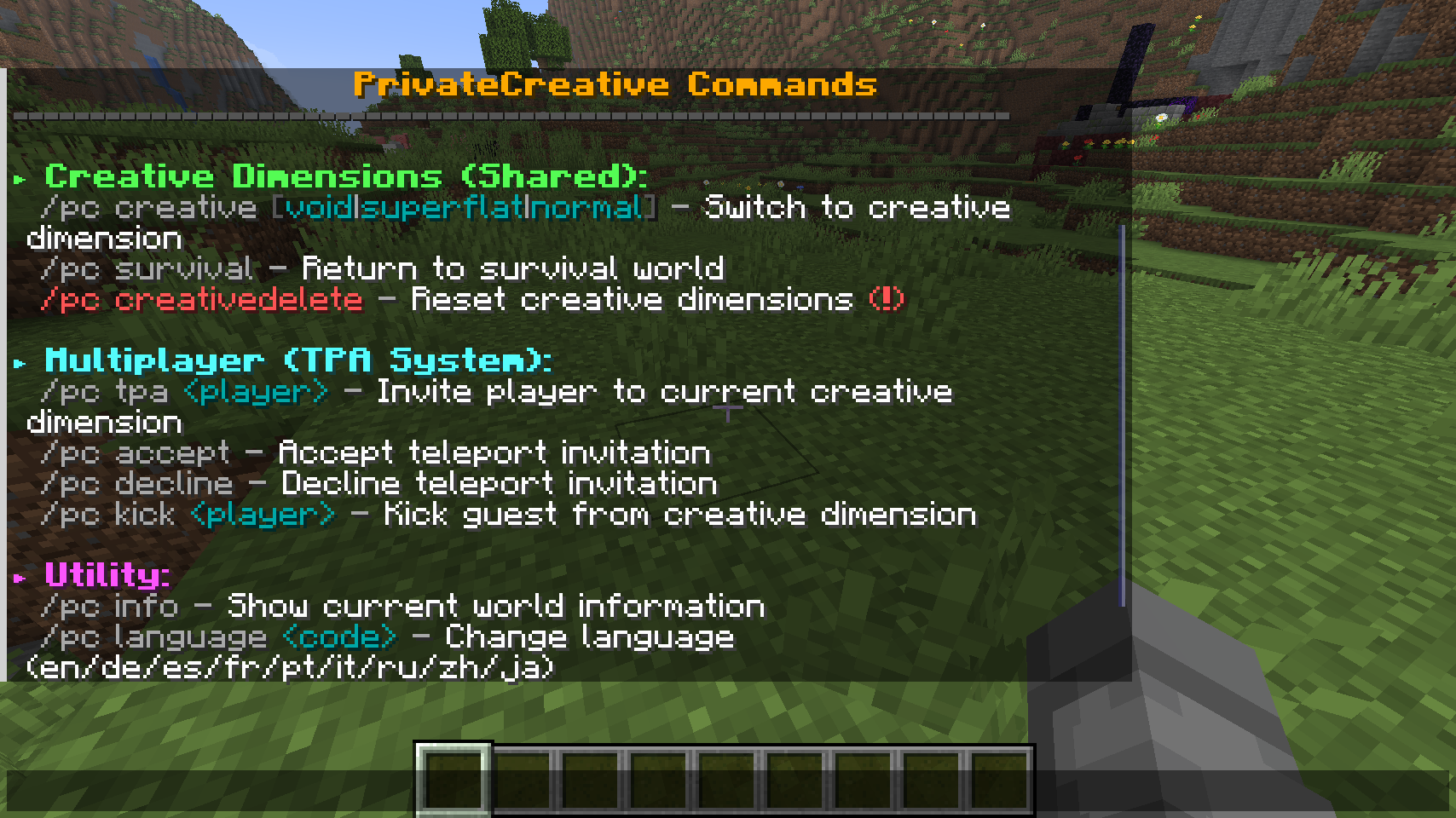 (Fabric) "/pc" command help Using "/pc" without any parameter, will output infos about its usage.
Versions
Files
Relations
Project Relations
More like this
Similar Mods
Suggestions use data such as tags, dependencies, dependents, descriptions, titles, and more to rank how much they overlap with this mod.
On ModDex
Community snapshot
By the numbers
Statistics

Want to reach Minecraft players?
We're looking for a server hosting partner to feature here and other parts of the site. Interested? Send us a message!
Get in touchGet it on
Available Platforms
On ModDex
Community snapshot
By the numbers