
Community listing page, reviews here may not be monitored by the author.
PrivyChat


No reviews yet
This is PrivyChat, if your chat is blocked, try this client

Community voices
Reviews
No reviews yet. Be the first to review this project!
Get it on
Available Platforms
Compatibility
Supported Environments
Must be installed on both the client and the server.
About
Project Details
For authors
Embed Badge
If you're the author of this project, you can embed a live badge anywhere that supports HTML or Markdown. It updates automatically whenever ratings change.
Use HTML for any page that supports it, or Markdown for README files and Markdown-based descriptions.
Identifiers
Platform IDs
Resources
External Links
About
Description
💬 PrivyChat
PrivyChat is a Minecraft client-side mod that lets you create public or private text groups to chat with your friends in a simple, secure, and organized way.
Instead of relying only on Minecraft's global chat, PrivyChat allows you to create your own chat groups, invite friends, and keep conversations separate from public chat.
Whether you're playing on a survival server, with friends, or on a private world, PrivyChat makes communication easier and more enjoyable.
✨ Features
-
🌍 Create public chat groups that anyone can join.
-
🔒 Create private groups and invite only the players you want.
-
💬 Clean and easy-to-use graphical interface.
-
🎮 Fully integrated into Minecraft.
-
⚡ Lightweight and simple to use.
📜 Commands
| Command | Description |
|---|---|
/pchat help |
Displays all available commands. |
/pchat create |
Creates a new public group. |
/pchat invite <player> |
Invites a player to your current group. |
/pchat join <group> |
Joins a group you've been invited to. |
/pchat leave |
Leaves your current group. |
🖥️ User Interface
Press Right Ctrl to open the PrivyChat menu.
From the Settings menu, you can customize the keybind used to open the interface at any time.
❤️ Feedback
If you encounter any bugs or have suggestions for new features, please leave a comment. Your feedback helps improve PrivyChat for everyone!
💬 ClientChat System — Full Specification 🌐 Overview
ClientChat is a Minecraft client-side communication system that adds a global and private messaging layer on top of the game.
It allows players using the same mod to:
communicate across servers (via external backend) create private chat groups send direct messages broadcast messages globally within a server
It does not modify or replace Minecraft server chat, but runs alongside it as a separate communication network.
All communication is handled through a WebSocket-based backend server, which connects all clients using the mod.
⚙️ Core Features 💬 Global Chat System
A shared chat layer for all users connected to the same server or network session.
👥 Private Chat Rooms
Players can create, join, and manage private chat groups.
📩 Direct Messaging
Send private messages to specific players instantly.
🌍 Cross-Server Communication
Players can communicate even while on different Minecraft servers (as long as they are connected to the backend).
🧩 Command System (/chat)
All functionality is accessed through the /chat command.
🌍 /chat ➤ Global Server Chat Message
Sends a message to all players with the ClientChat mod connected to the same server session.
Behavior:
Broadcasts to all connected clients Visible in Minecraft chat with custom formatting Includes player name prefix
Example:
/chat Hello everyone!
Output:
[Steve] Hello everyone! 🧠 /chat create <room_name> ➤ Create Private Chat Room
Creates a private chat room.
Behavior:
Player becomes the owner of the room Room is registered in backend server Only invited users can join
Example:
/chat create friends 📩 /chat invite ➤ Invite Player to Current Room
Invites a player to the chat room you are currently in.
Behavior:
Sends invite request through backend Player receives notification Player must accept via /chat join
Example:
/chat invite Alex 🚪 /chat join <room_name> ➤ Join a Chat Room
Joins a room you have been invited to.
Behavior:
Backend verifies invitation If valid → adds player to room If not invited → error message
Example:
/chat join friends
Responses:
✅ Success: Joined room ❌ Error: You are not invited 🚪 /chat leave ➤ Leave Current Chat Room
Removes player from current active room.
Behavior:
Player stops receiving room messages Returns to global chat mode
Example:
/chat leave 🗣️ /chat tell ➤ Private Direct Message
Sends a private message to a specific player.
Behavior:
Works regardless of rooms Player does not need to be online in same server Message highlighted (e.g. yellow or special format)
Example:
/chat tell Alex hey, where are you?
Output (receiver):
[DM] Steve → You: hey, where are you? 🌐 /chat global ➤ Force Global Broadcast
Sends a message to everyone in the current server session, even if inside a private chat room.
Behavior:
Overrides room restrictions Visible to all connected clients in that server Used for announcements or urgent messages
Example:
/chat global Server restarting in 5 minutes! 🧠 System Rules 🧩 Chat Modes
Players always exist in one of these states:
🌍 Global mode 👥 Room mode 🚪 None (default fallback) 🔐 Permissions Logic Rooms require invitation to join Only room members receive room messages Direct messages bypass all restrictions Global messages are always public 📡 Message Flow Player types /chat command Client mod intercepts command Message converted into JSON packet Sent to WebSocket server Server processes logic (rooms, invites, routing) Server broadcasts to correct clients Clients display message in Minecraft chat UI 🌐 Backend Requirement
The system requires a lightweight server:
WebSocket-based (recommended) Handles: connected players rooms invitations message routing
Without this backend, communication cannot work between different players.
🎨 Chat Presentation (Client Side)
Messages can be styled as:
🌍 Global: white text + player prefix 👥 Room: colored room tag 📩 DM: yellow highlight 🚨 Global override: red or bold
Example:
[GLOBAL] Steve: Hello! [FRIENDS] Alex: yo [DM] Steve → Alex: hi 🚀 Concept Summary
ClientChat is a Minecraft social communication layer that:
works client-side connects players via external server adds global chat, rooms, and DMs behaves like a lightweight Discord inside Minecraft
Screenshots
Gallery
-
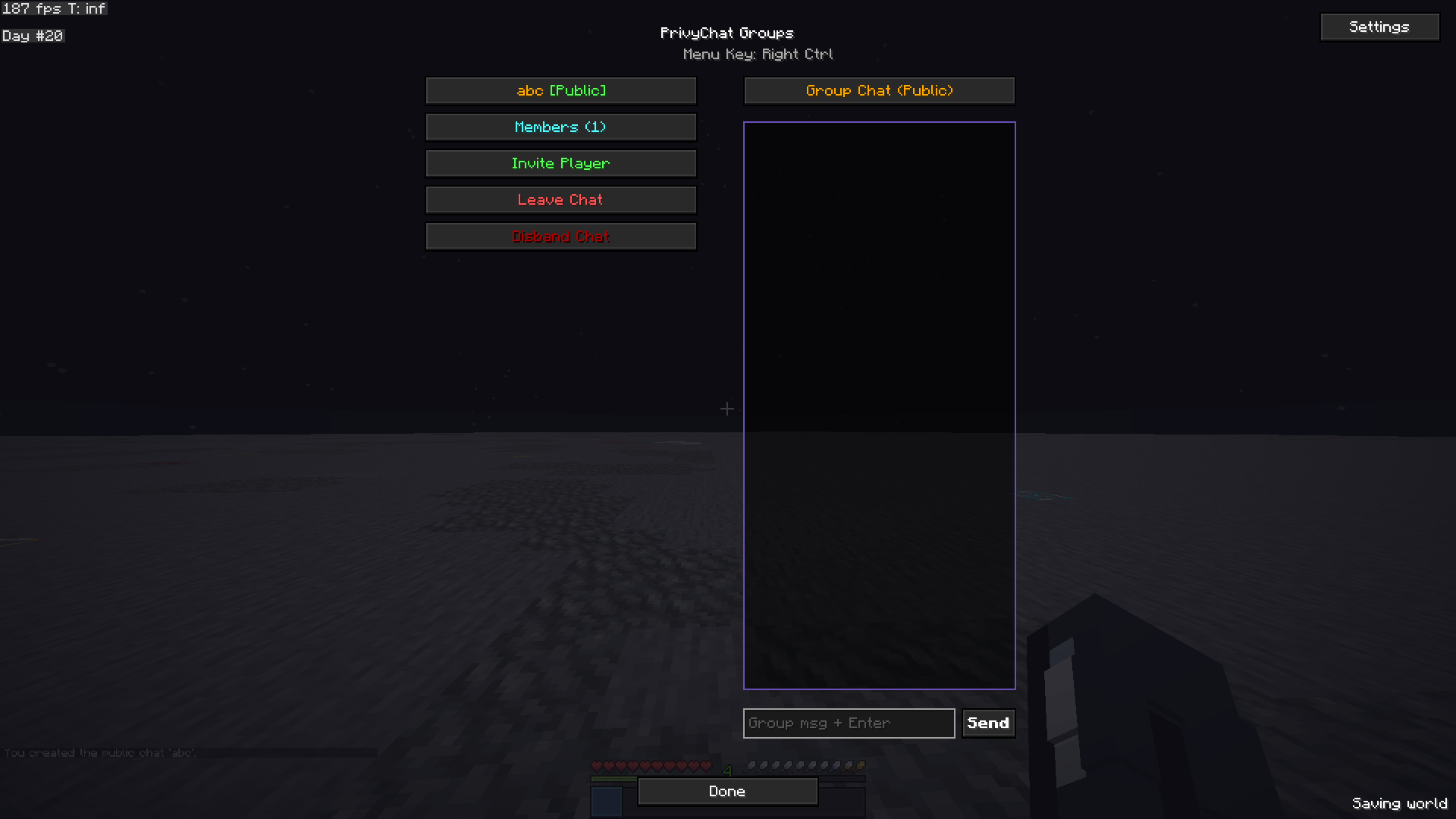 PrivyChat group Group Menu prevew
 -
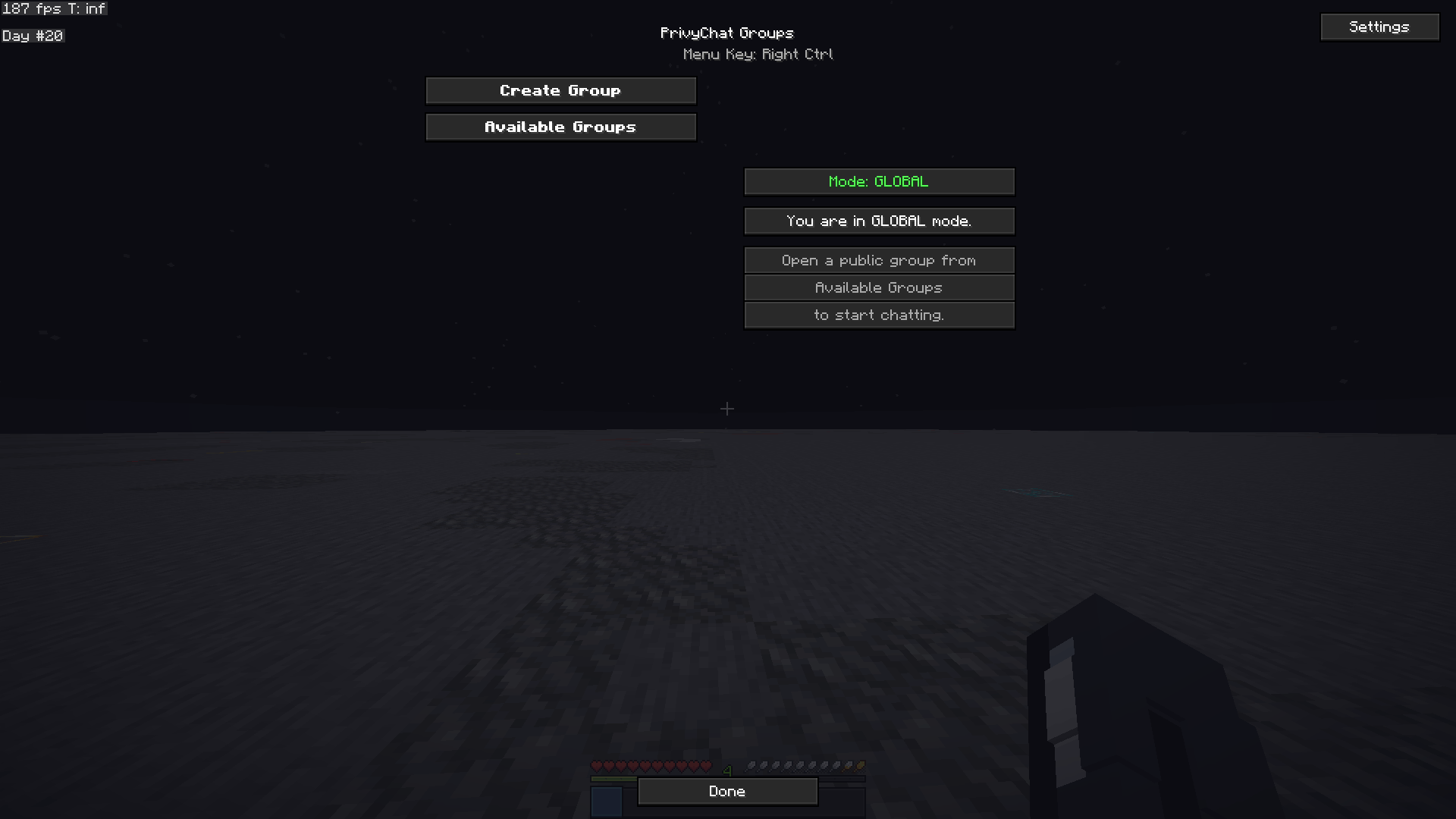 PrivyChat Menu Ui (acces by default with "right control")
 -
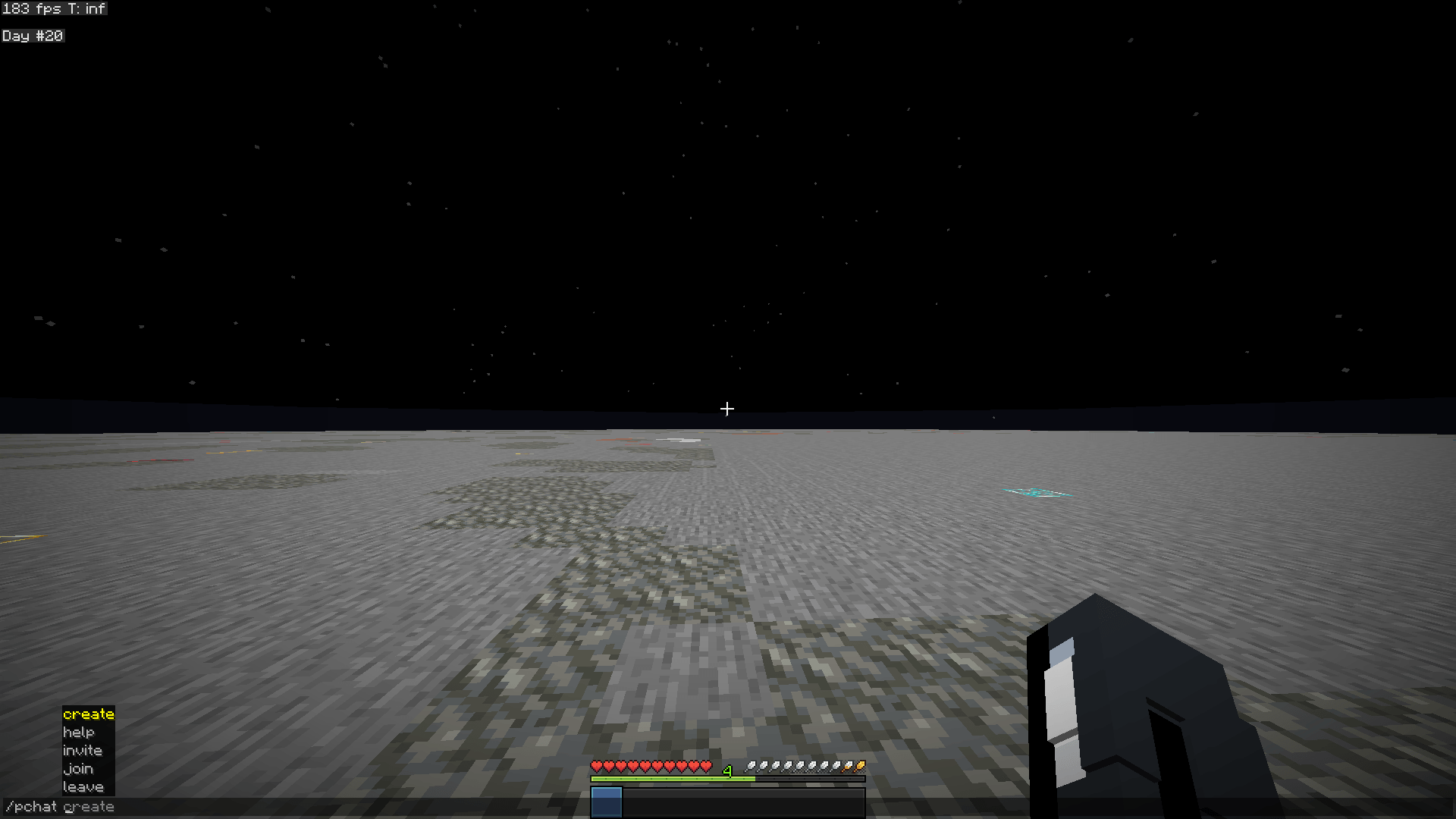 Commands Commands
Versions
Files
Relations
Project Relations
More like this
Similar Mods
Suggestions use data such as tags, dependencies, dependents, descriptions, titles, and more to rank how much they overlap with this mod.
On ModDex
Community snapshot
By the numbers
Statistics
 (opens in a new tab)
Get it on
Available Platforms
On ModDex
Community snapshot
By the numbers
Statistics
Resources