Community listing page, reviews may not be monitored by the author.
Project ZombCraft

No reviews yet
Play Project Zomboid as Minecraft's Steve: connects Project Zomboid Build 42 with a real Minecraft running beside it (needs the Project ZombCraft mod from the Steam Workshop).

Community voices
Reviews
No reviews yet. Be the first to review this project!
Get it on
Available Platforms
About
Project Details
For authors
Embed Badge
If you're the author of this project, you can embed a live badge anywhere that supports HTML or Markdown. It updates automatically whenever ratings change.
Use HTML for any page that supports it, or Markdown for README files and Markdown-based descriptions.
Identifiers
Platform IDs
Resources
External Links
About
Description
Project ZombCraft
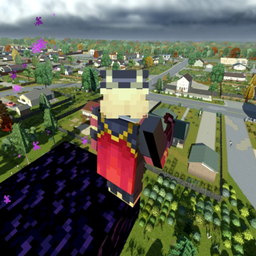
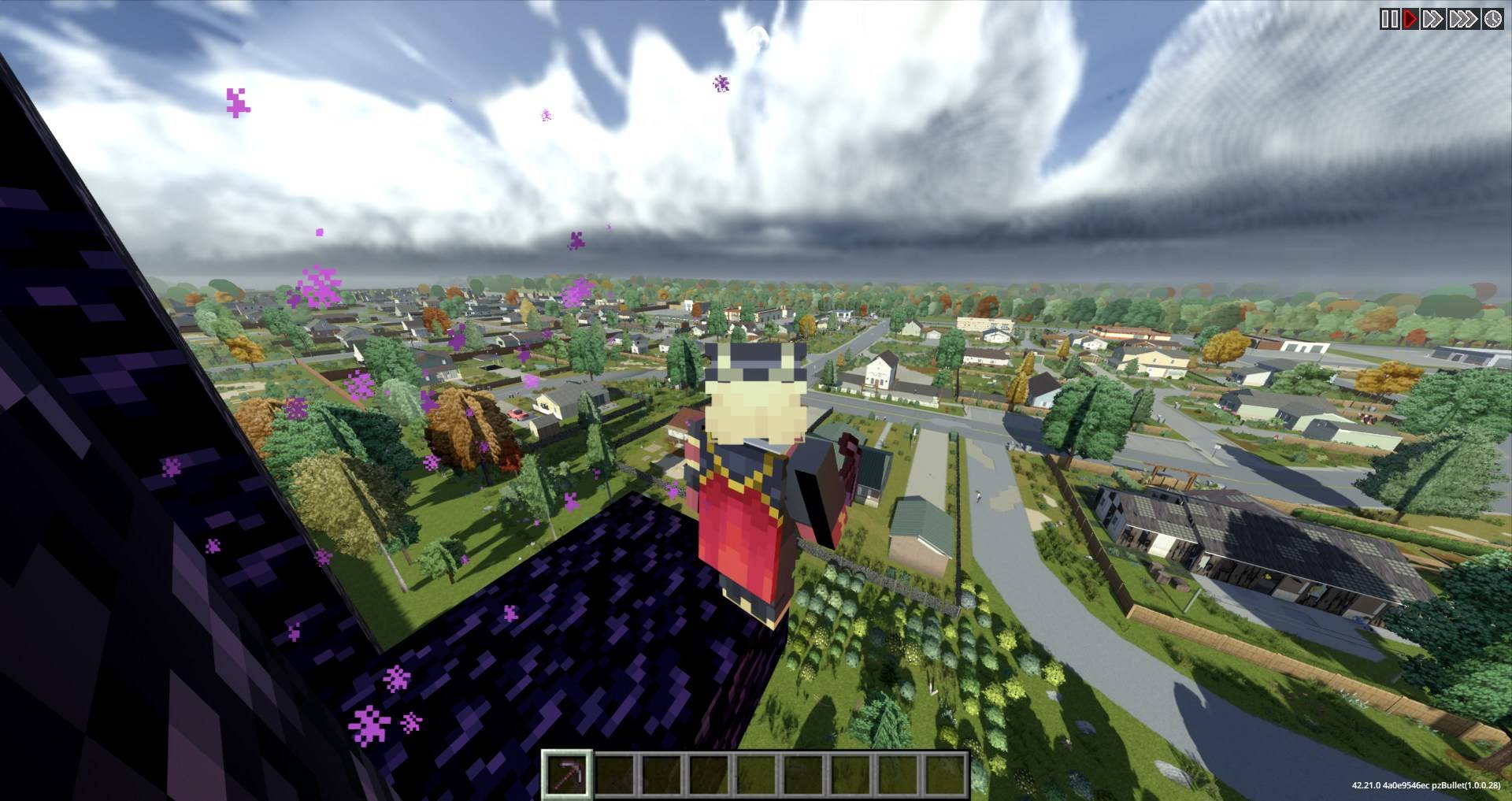
Play Project Zomboid as Minecraft's Steve. Project ZombCraft connects Project Zomboid Build 42 with a real Minecraft: Java Edition running beside it. Project Zomboid stays the world and the zombies; Minecraft brings Steve, his movement, blocks, inventory, survival and HUD.
This is the Minecraft half (Project-ZombCraft for Fabric). You also need the Project Zomboid half from the Steam Workshop.
Two Minecraft versions (download the file for yours; the Project Zomboid mod is the same for both):
| Minecraft | File | What it is |
|---|---|---|
| 26.3 | Project-ZombCraft-Fabric-<version>+mc26.3.jar |
Vanilla Minecraft. The main version: the full game. |
| 1.20.1 | Project-ZombCraft-Fabric-<version>+mc1.20.1.jar |
Supports other Fabric mods, but buggy. Tested with Create (Fabric) 6.0.8 and Viltrumite. |
Single player only for now. Multiplayer is in development.
You need
- Project Zomboid Build 42 (42.21 or later) on Windows, with ZombieBuddy, Project Viewpoint and Project ZombCraft from the Steam Workshop
- Minecraft: Java Edition in Prism Launcher, one of:
- 26.3 with Fabric Loader 0.19.5, Fabric API, GeckoLib 5.5.7, this mod's +mc26.3 file, and Java 25. Better Combat is optional, for its melee animations.
- 1.20.1 with Fabric Loader 0.16 or later, Fabric API for 1.20.1, GeckoLib 4.8.4 for 1.20.1, this mod's +mc1.20.1 file, and Java 17. Add the other Fabric 1.20.1 mods you want (Better Combat is not supported on 1.20.1).
Install
- In Prism Launcher, create a Minecraft 26.3 or 1.20.1 instance with Fabric: in the New Instance dialog pick the version and, under Mod loader, select Fabric. The instance's Version tab must list Fabric Loader next to Minecraft. Without it Minecraft starts as plain vanilla and ignores every mod.
- Add Fabric API, GeckoLib (for that Minecraft version) and this mod's file for that version to the instance (Prism's Mods → Download mods, or put the jars in its
modsfolder). - Subscribe to Project ZombCraft, ZombieBuddy and Project Viewpoint on the Steam Workshop and enable all three in Project Zomboid's Mods menu. ZombieBuddy needs a one-time setup: follow its Workshop page.
How to play
- Start Project Zomboid. Its main menu lists your Minecraft instances that have this mod: press Play and it starts yours (Prism Launcher, MultiMC and PolyMC). Project Zomboid never starts Minecraft by itself. With CurseForge, the Modrinth App or Mojang's launcher, start the instance yourself and Project Zomboid waits for it.
- While Minecraft loads, Project Zomboid shows its loading screen. Minecraft runs in its own window; leave it running.
- Start a new game. Before character creation, choose Steve (Minecraft's character: no character creation, Minecraft's inventory and rules, Minecraft's starter kit) or Zomboid survivor (Project Zomboid's own character, played in first person; it never becomes Steve). A character keeps its choice: to change it, start a new character.
- You start in first person. As Steve, Minecraft's HUD is there as soon as Minecraft has opened the save's world.
The first time, ZombieBuddy asks you to approve Project-ZombCraft's Java code: approve it.
Each Project Zomboid save has its own Minecraft world, so Steve's inventory and your blocks stay with that save. Pausing Project Zomboid pauses Minecraft too. Minecraft closes itself, saving its world, a few seconds after Project Zomboid exits.
Troubleshooting
- Minecraft opens its normal title screen and nothing happens. The mod isn't loaded: check that the instance's Version tab lists Fabric Loader.
- Project Zomboid shows no Steve. Check that ZombieBuddy, Project Viewpoint and Project ZombCraft are all enabled, that you approved Project-ZombCraft in ZombieBuddy's prompt, and that the box at the top of the screen doesn't say something is missing.
- 1.20.1 with other mods: something looks wrong or breaks. Try without the other mods first; if it works then, please report which mod.
- Minecraft crashed or closed. Start it again from the same Prism instance, wait for it to load, then press O again in Project Zomboid. If that doesn't reconnect, load the save again.
Bug reports: GitHub issues.
Credits
Made by Lumi-nary. Built on ZombieBuddy, Project Viewpoint, Fabric and GeckoLib. Not affiliated with The Indie Stone, Mojang, ZombieBuddy, Project Viewpoint.
All rights reserved: please don't re-upload or redistribute this mod or any part of it. Videos, streams and modpacks that download it from this page are welcome. Versions up to 0.13.1 were published as open source under the MIT License.
Notes
- Parts of the code, the 3D gun models and the page texts were written with AI coding assistants, directed, reviewed and play-tested by the author.
- The mod connects to Project Zomboid running on the same PC through a shared-memory file in the temp folder, and reads/writes its exported data in
~/.pzcraft. No network use beyond Minecraft's own.
Screenshots
Gallery
-
 Discord_W7bLQk3s0e.jpg Discord_W7bLQk3s0e.jpg
Versions
Files
Relations
Project Relations
More like this
Similar Mods
Suggestions use data such as tags, dependencies, dependents, descriptions, titles, and more to rank how much they overlap with this mod.
On ModDex
Community snapshot
By the numbers
Statistics

Get it on
Available Platforms
On ModDex
Community snapshot
By the numbers
Statistics
Resources