Community listing page, reviews here may not be monitored by the author.
PureLog

No reviews yet
Purelog is a Minecraft mod that filters and reduces client and server log clutter on your disk. It includes deep configuration, server permissions, and a real-time in-game HUD overlay.

Community voices
Reviews
No reviews yet. Be the first to review this project!
Get it on
Available Platforms
About
Project Details
For authors
Embed Badge
If you're the author of this project, you can embed a live badge anywhere that supports HTML or Markdown. It updates automatically whenever ratings change.
Use HTML for any page that supports it, or Markdown for README files and Markdown-based descriptions.
Identifiers
Platform IDs
Resources
External Links
About
Description
PureLog — Log-Management für Minecraft
PureLog gibt dir die volle Kontrolle über die Logs deines Minecraft-Clients oder -Servers. Statt endloser Textdateien mit tausenden Zeilen bekommst du eine übersichtliche GUI mit Suche, Filtern, Profilen und Live-Overlay. Und du entscheidest, was überhaupt auf die Festplatte geschrieben wird.
Für wen ist PureLog?
- Spieler, die ihre Festplatte sauber halten und bei Minecraft-Problemen schnell sehen wollen, was schiefgelaufen ist – ohne in der Logdatei zu suchen.
- Modder und Server-Admins, die Fehler in Mods schnell finden, ihren Log schlank halten und Filter an ihre User verteilen wollen.
- Performance-Bewusste, die ihre Log-Ausgabe unter Kontrolle bringen wollen – clientseitig und serverseitig.
Hauptfunktionen
★ Not-Aus (Client & Server)
Wenn eine Mod den Log flutet (z. B. durch eine Endlosschleife von Warnungen), stoppt Not-Aus das Schreiben sofort. Der Server schaltet ab, bevor die Festplatte vollläuft. Konfigurierbar nach Zeitfenster und Anzahl der Einträge.
★ Log-Filter (Client & Server)
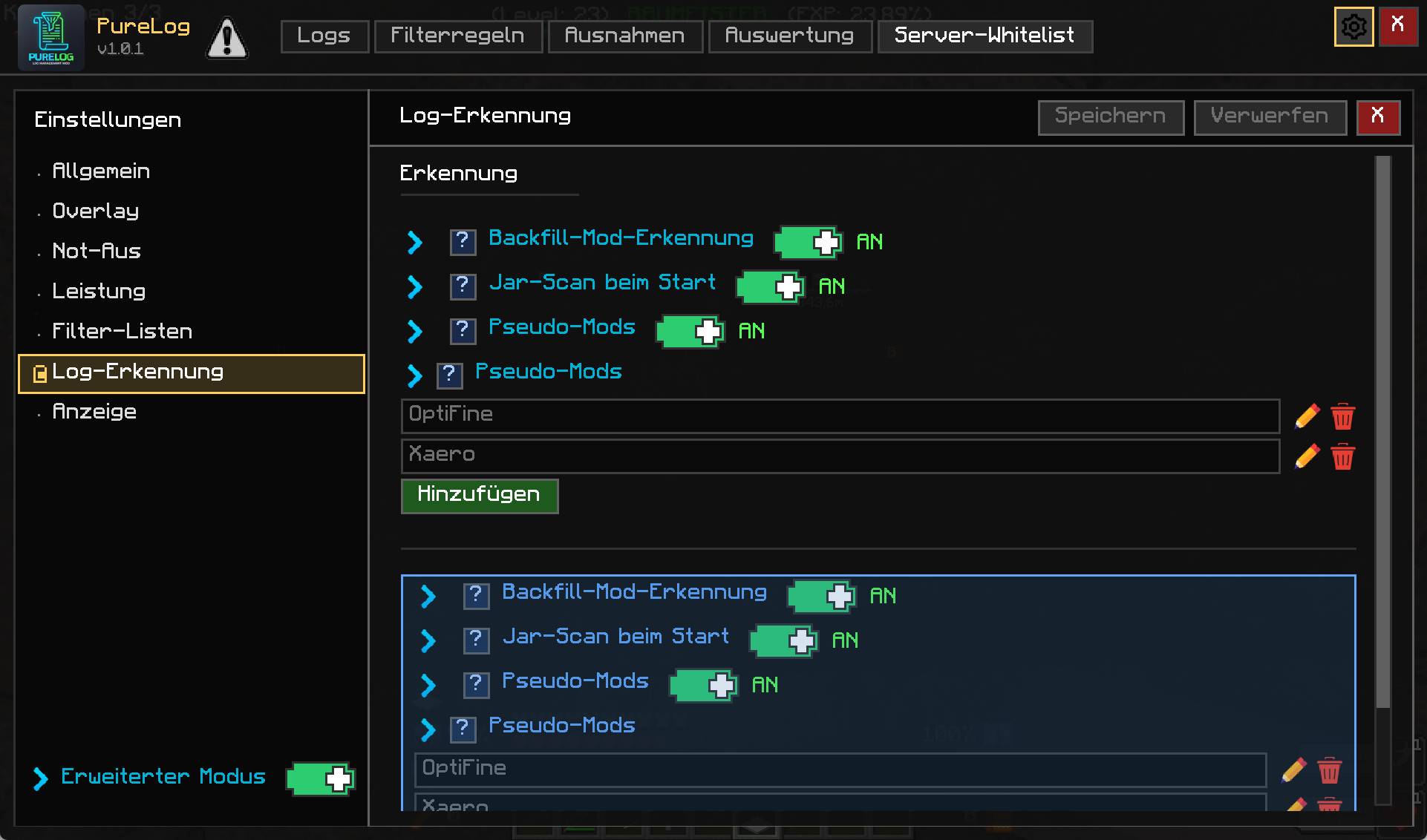
Regeln nach Text, Regex, Level und Mod. Filter und Ausnahmen (Whitelist) getrennt pflegbar. Filter greifen auf Client und Server, getrennt konfigurierbar.
★ Overlay (Client & Server)
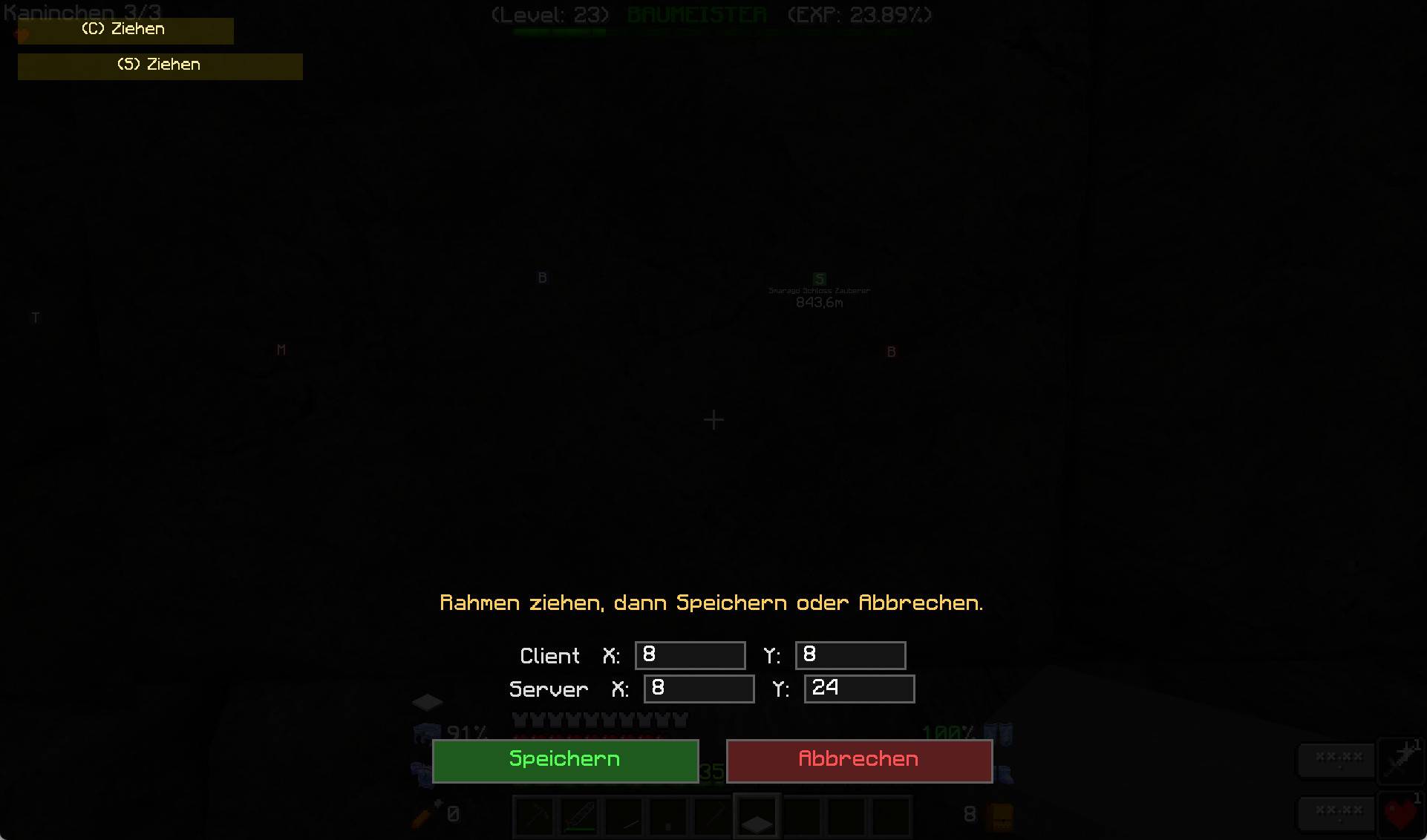
Zeigt die letzten X Minuten der Log-Aktivität direkt im Spiel ein – als kleine Tabelle in einer Bildschirmecke. Perfekt für Live-Analysen beim Testen. Anker, Position, Transparenz, Textfarbe und Schriftgröße sind frei konfigurierbar.
★ Profile und Profil-Filter (Client)
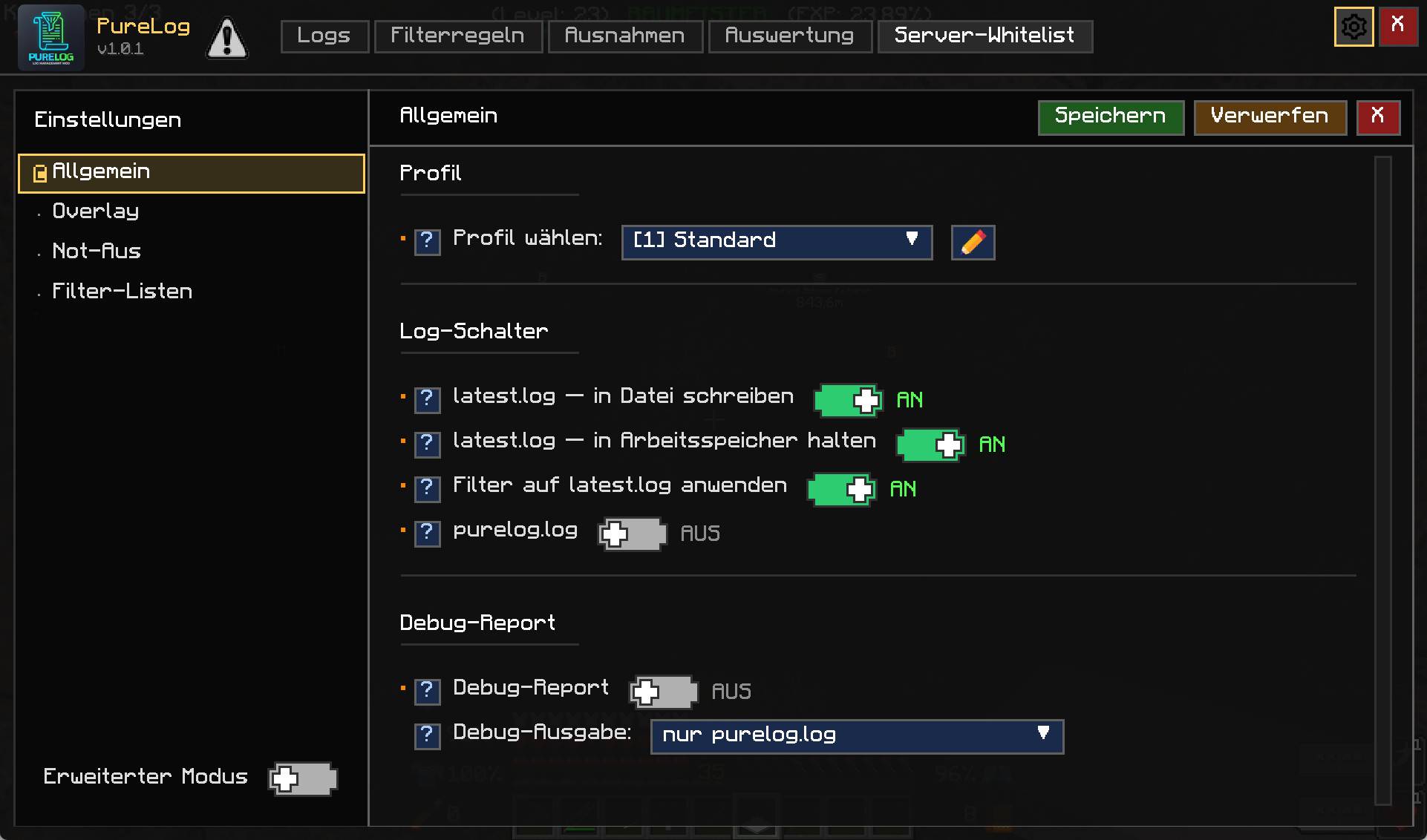
Lege eigene Filter-Profile an, z. B. „Server A“, „Server B“, „Entwicklung“. Mit einem Klick wechselst du zwischen ihnen. Profile enthalten nur Client-Optionen, keine Server-Werte.
★ Log-GUI mit Tabs
Vier Reiter: latest.log, purelog.log, (S) purelog.log, (S) purelog-debug.log. Suche, Hover-Tooltips, Strg+C zum Kopieren, Anzeige-Modus Kurz/Lang.
★ Suche mit Syntaxmod:jei, level:WARN, source:Server thread, !mod:minecraft, logische Operatoren AND / OR. Freitext wird in der Nachricht gesucht.
★ Log-Dateien selbst verwalten
PureLog kann eigene Dateien schreiben (purelog.log, purelog-debug.log) und Forges Dateien filtern. Tagesrotation, Aufbewahrungsdauer (x Tage), Append-Modus.
★ Server-Whitelist mit Rollen (Server)
VIEWER, EDITOR, ADMIN – sauber getrennt von Minecraft-OPs. Nur berechtigte Spieler sehen und ändern Server-Filter, Einstellungen oder die Whitelist.
★ Auswertung
Report-Tab mit Mod-Übersicht, Fehler-/Warn-/Info-Zählern, Top-5-Mods, Zeitfenster-Auswertung.
Was PureLog nicht macht
- Keine Änderung an Minecraft selbst.
- Keine Änderung an anderen Mods.
- Keine Cloud, keine Telemetrie, keine externen Verbindungen.
Kompatibilität: Minecraft 1.19.1, Forge 42.x. Weitere Versionen in Planung.
English:
PureLog — Log Management for Minecraft
PureLog gives you full control over your Minecraft client and server logs. Instead of digging through endless text files, you get a clean GUI with search, filters, profiles, and a live overlay. And you decide what actually ends up on disk.
Who is it for?
- Players who want to keep their disk clean and, when Minecraft breaks, find out what went wrong fast without searching through the log file.
- Modders and server admins who want to find mod errors quickly, keep their logs lean, and distribute filter rules to their users.
- Performance-focused users who want to control log output, on client and server side.
Key Features
★ Not-Aus (Emergency Stop) (Client & Server)
When a mod floods the log (e.g. through an infinite loop of warnings), Not-Aus stops writing immediately. The server shuts it down before the disk fills up. Configurable by time window and entry count.
★ Log Filters (Client & Server)
Rules by text, regex, level, and mod. Filters and exceptions (whitelist) kept separately. Filters apply on client and server, configured independently.
★ Overlay (Client & Server)
Shows the last X minutes of log activity right in-game — as a small table in a screen corner. Perfect for live analysis while testing. Anchor, position, transparency, text color, and font size are fully configurable.
★ Profiles and Profile Filters (Client)
Create your own filter profiles, e.g. "Server A", "Server B", "Development". Switch between them with one click. Profiles contain client-side options only, never server values.
★ Log GUI with Tabs
Four tabs: latest.log, purelog.log, (S) purelog.log, (S) purelog-debug.log. Search, hover tooltips, Ctrl+C to copy, display mode short/long.
★ Syntax-Aware Searchmod:jei, level:WARN, source:Server thread, !mod:minecraft, logical operators AND / OR. Free text searches the message.
★ Log File Management
PureLog can write its own files (purelog.log, purelog-debug.log) and filter Forge's files. Daily rotation, retention (x days), append mode.
★ Server Whitelist with Roles (Server)
VIEWER, EDITOR, ADMIN — cleanly separated from Minecraft OPs. Only authorized players see and change server filters, settings, or the whitelist.
★ Reporting
Report tab with mod overview, error/warn/info counts, top 5 mods, time-window analysis.
What PureLog Does Not Do
- No changes to Minecraft itself.
- No changes to other mods.
- No cloud, no telemetry, no external connections.
Compatibility: Minecraft 1.19.1, Forge 42.x. Further versions planned.
Screenshots
Gallery
-
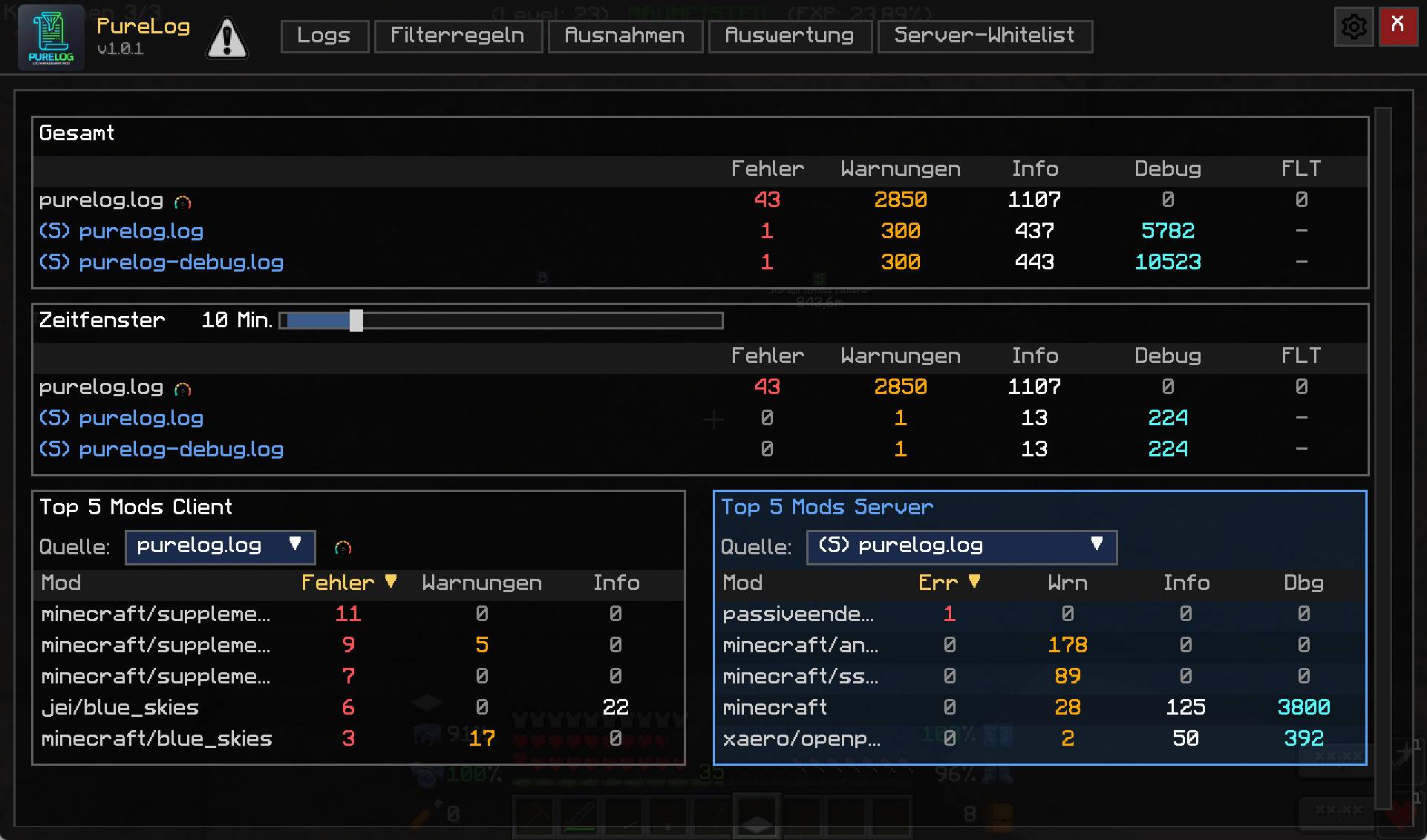 image-attachment_225d7b19-b019-44b2-815d-da49fef99971.jpg Dashboard
 -
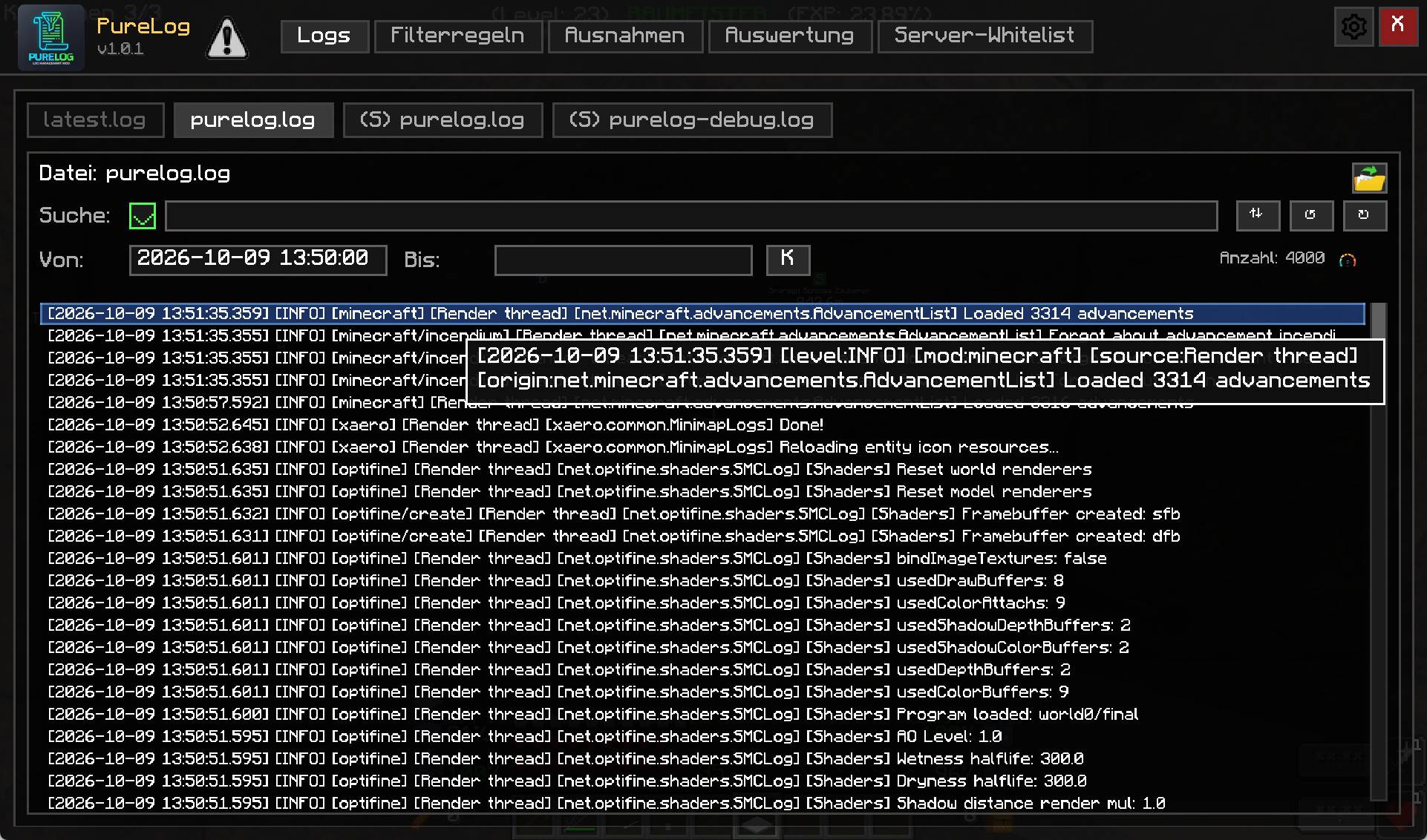 picture2_logs.jpg picture2_logs.jpg
 -
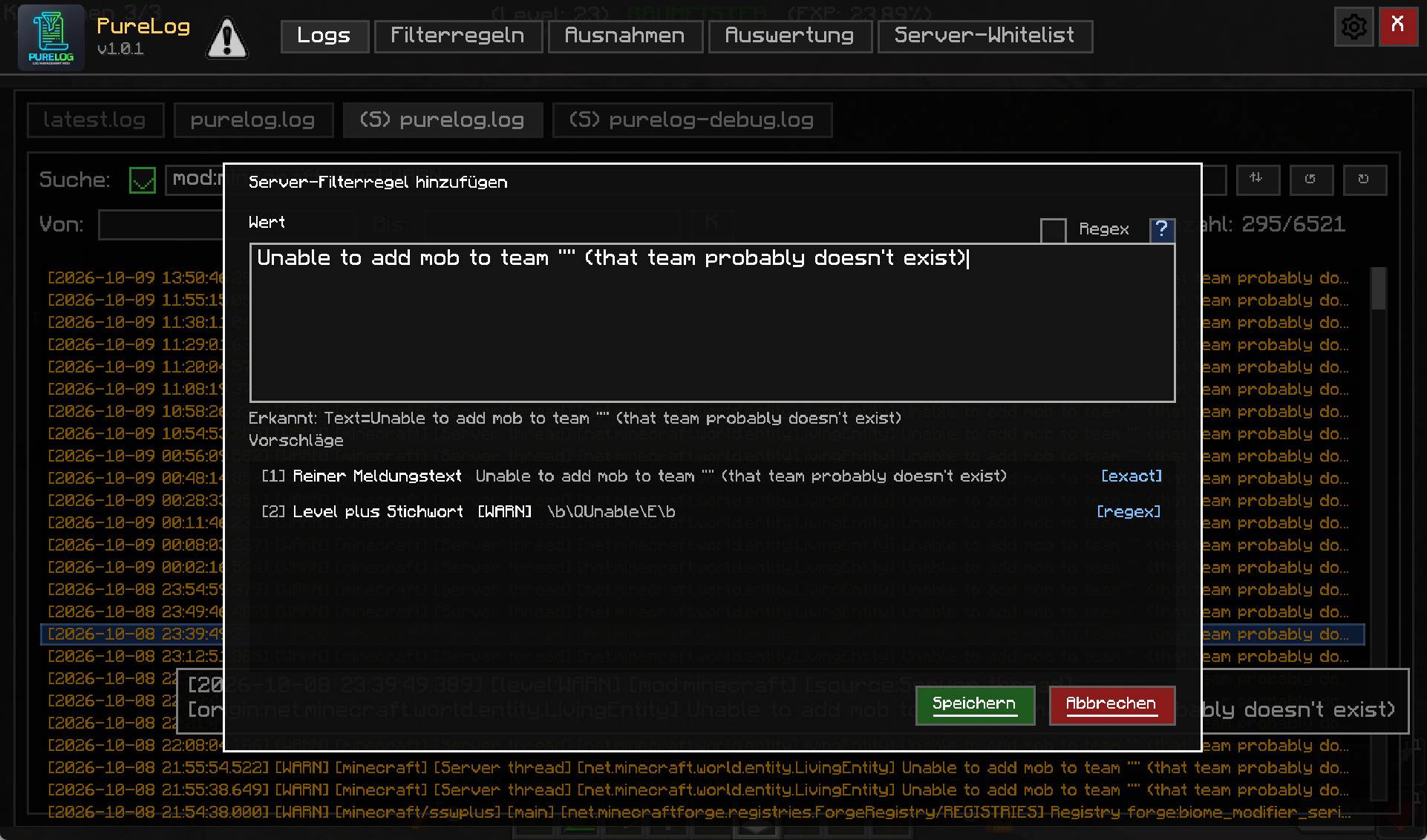 picture2_logs_addfilter.jpg picture2_logs_addfilter.jpg
 -
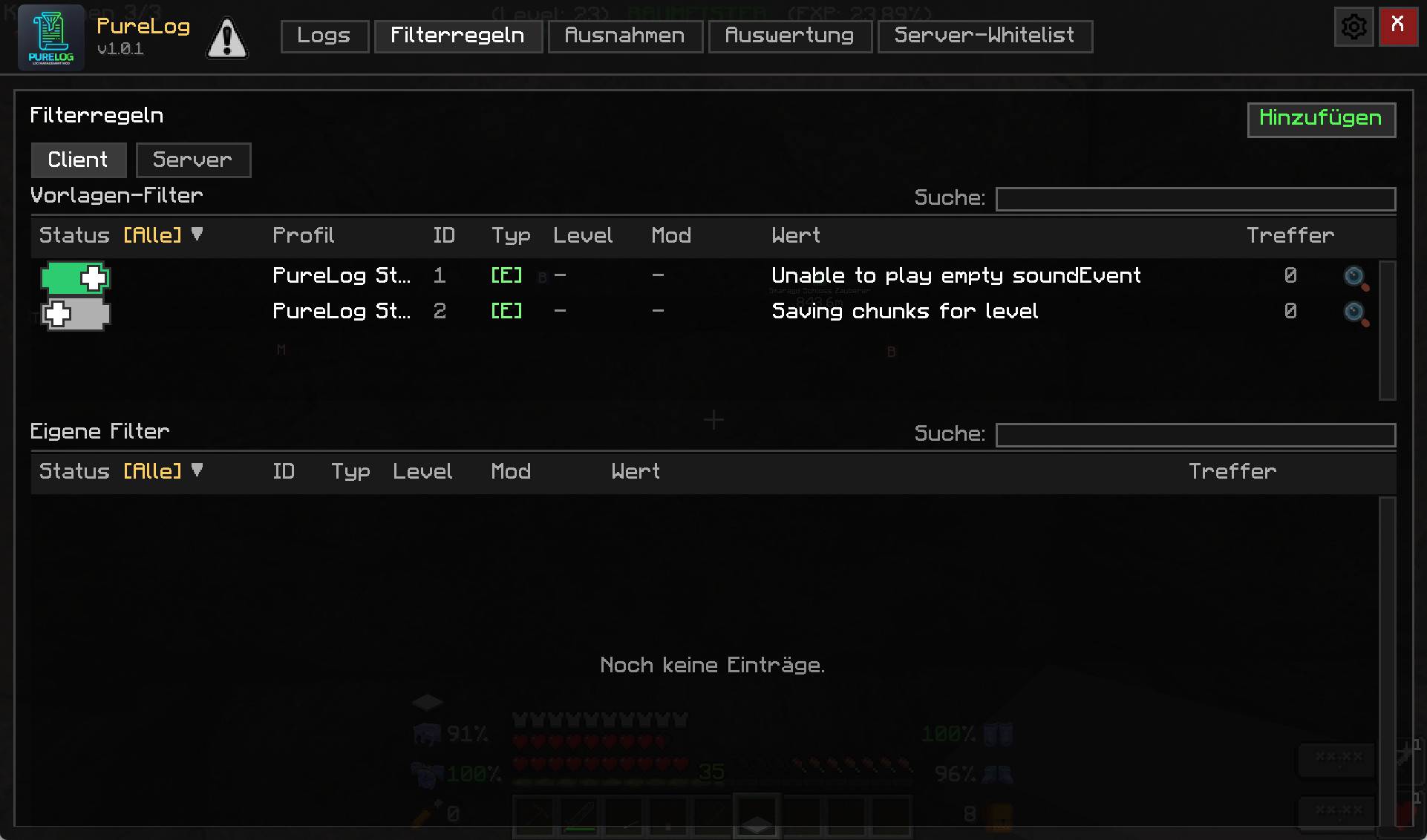 picture3_filter.jpg picture3_filter.jpg
 -
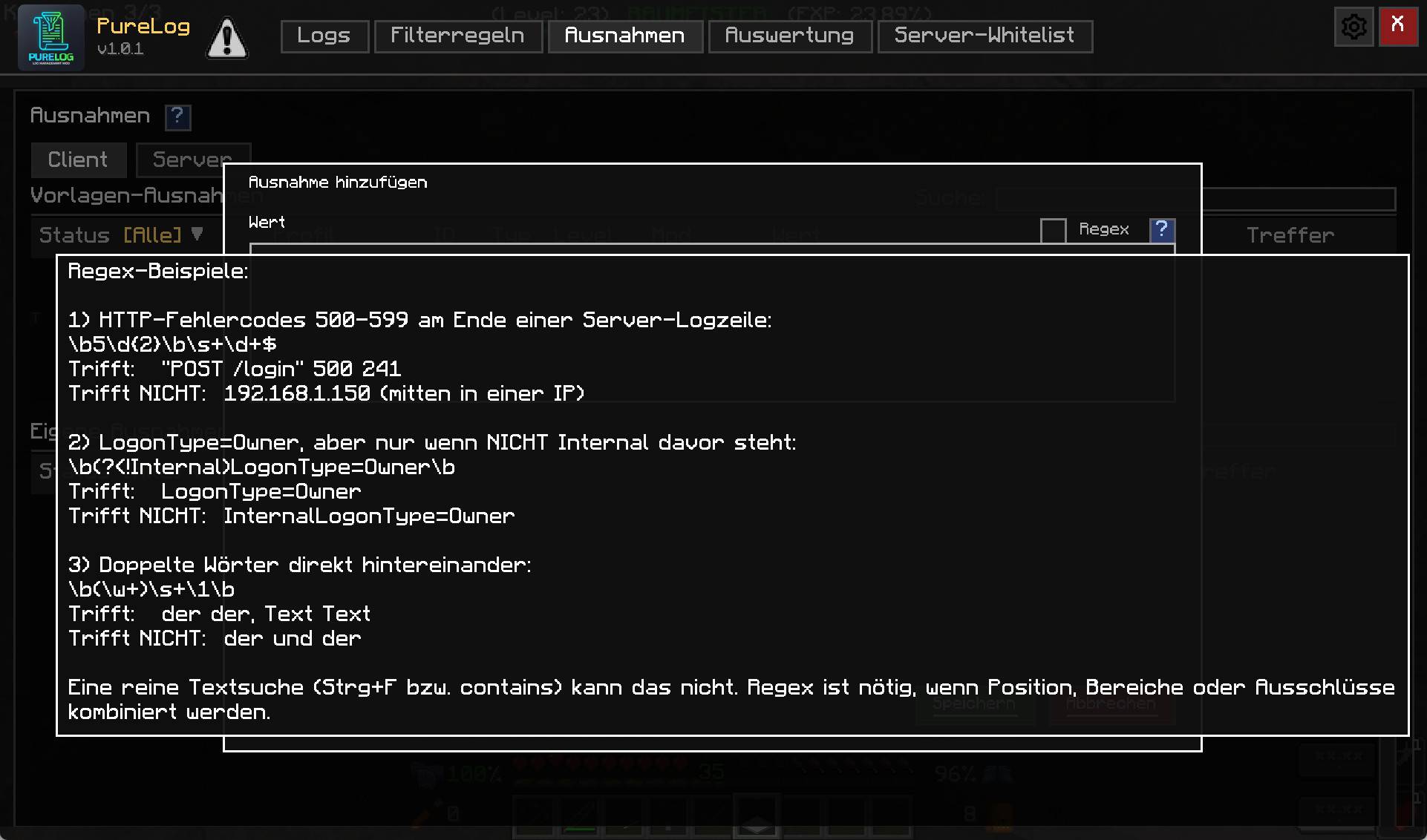 picture4_exceptions.jpg picture4_exceptions.jpg
 -
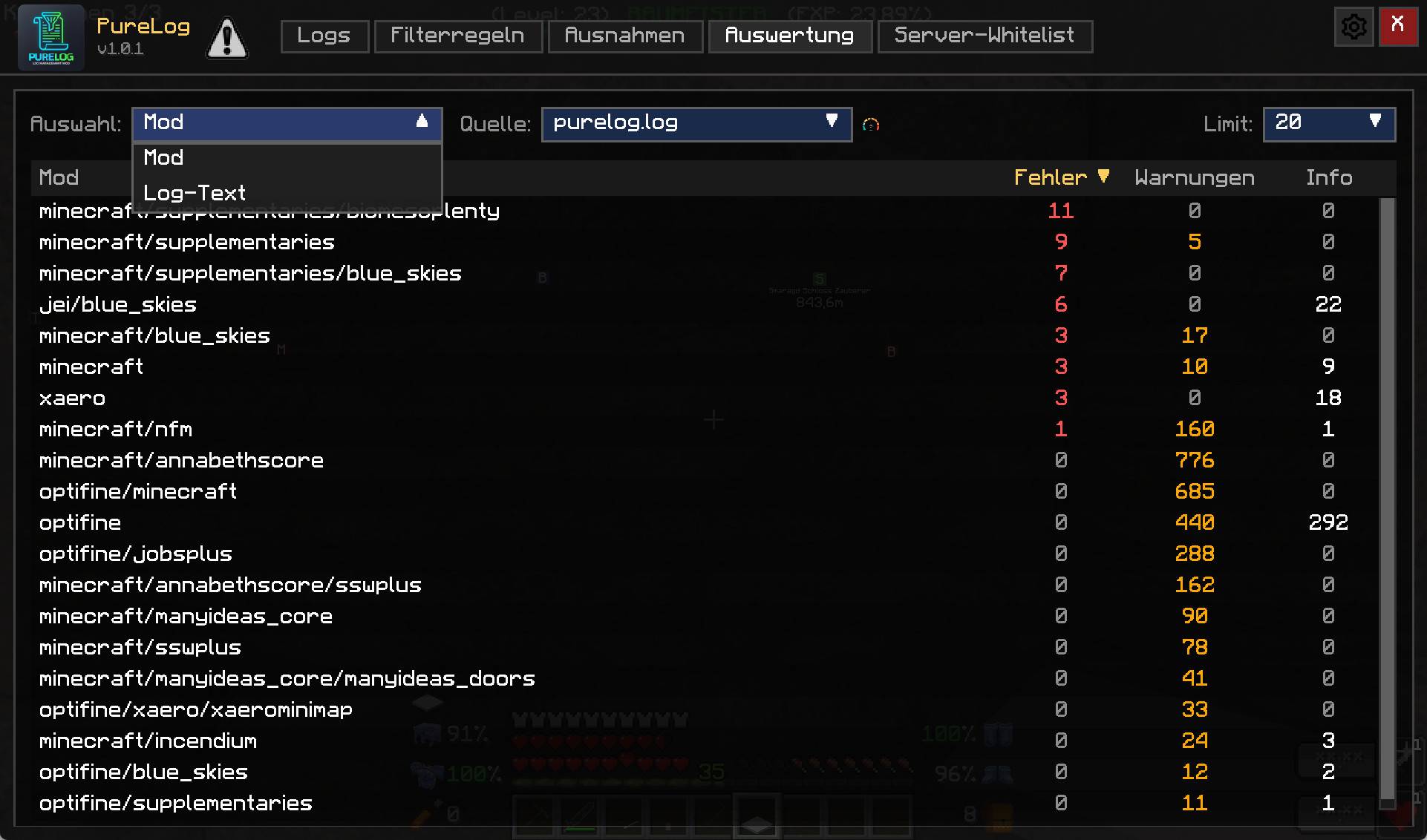 picture5_report.jpg picture5_report.jpg
 -
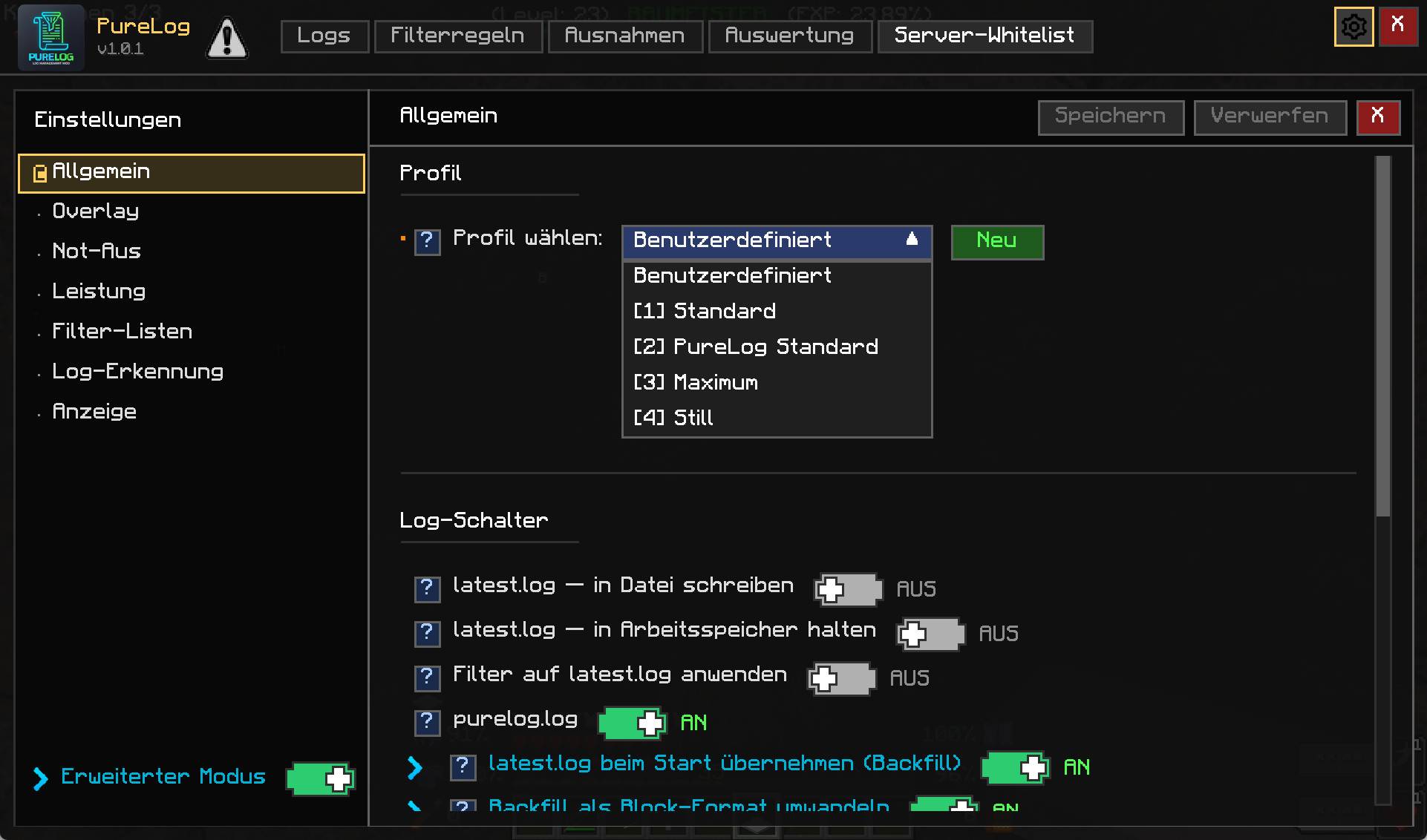 picture6_option1.jpg picture6_option1.jpg
 -
 picture6_option2_overlay.jpg picture6_option2_overlay.jpg
 -
 picture6_option3_logdetection.jpg picture6_option3_logdetection.jpg
 -
 picture6_option4_no_advancemodus.jpg picture6_option4_no_advancemodus.jpg
Versions
Files
Relations
Project Relations
More like this
Similar Mods
Suggestions use data such as tags, dependencies, dependents, descriptions, titles, and more to rank how much they overlap with this mod.
On ModDex
Community snapshot
By the numbers
Statistics
 (opens in a new tab)
Get it on
Available Platforms
On ModDex
Community snapshot
By the numbers
Statistics
Resources