
Community listing page, reviews here may not be monitored by the author.
Purescale


No reviews yet
A performance mod based on upscaling and frame generation.
Community voices
Reviews
No reviews yet. Be the first to review this project!
Get it on
Available Platforms
Compatibility
Supported Environments
Runs entirely on the client. Works on vanilla servers.
About
Project Details
For authors
Embed Badge
If you're the author of this project, you can embed a live badge anywhere that supports HTML or Markdown. It updates automatically whenever ratings change.
Use HTML for any page that supports it, or Markdown for README files and Markdown-based descriptions.
Identifiers
Platform IDs
Resources
External Links
About
Description

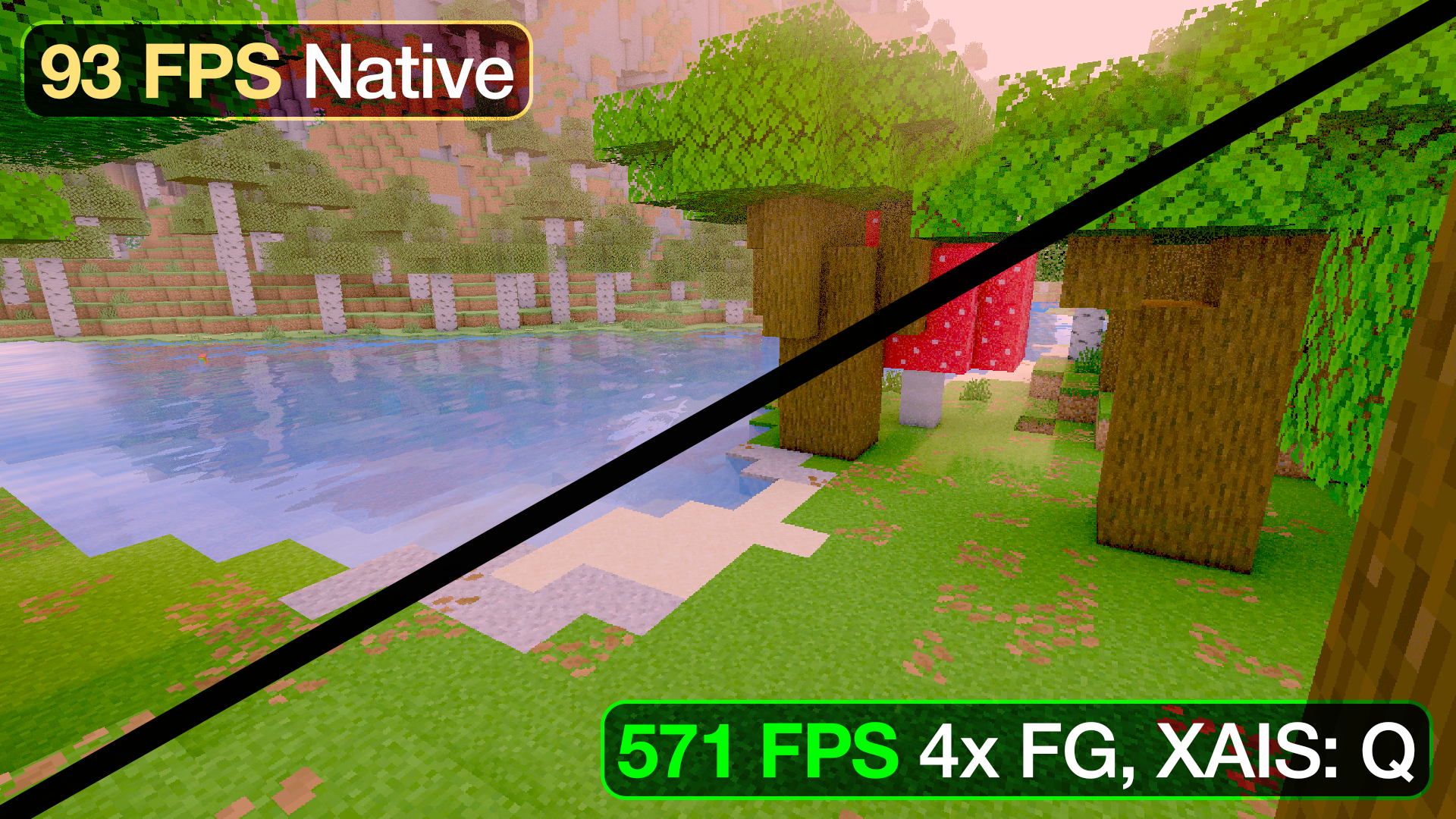
Purescale is a client-side mod that gives you more FPS through upscaling and frame generation. It runs on pretty much any GPU.
The idea is simple. It renders the game at a lower resolution and then rebuilds it back up to full res, so you keep most of the sharpness for a fraction of the cost. The HUD and menus stay at native resolution, so text and inventory icons are still crisp. You get to pick which upscaler you want, from AMD's FSR1 to my own XSSS and XAIS temporal reconstruction. It helps the most when your GPU is the bottleneck, like at high resolutions or with shaders and path tracing.
There's also frame generation. It takes two rendered frames and fills in the frames in between them, which makes motion look smoother even when your CPU can't keep up. No RTX or tensor cores needed for this part. It works on any GPU that can run Minecraft, and it plays fine with shaderpacks.
Upscalers
- XSSS (default), my recommended reconstruction
- XAIS 2 ULTRA and XAIS 1, my own temporal reconstruction
- AMD FSR1 (EASU + RCAS)
- XeSS-Style and NIS-Style
- DLAA, for anti-aliasing at native res without dropping resolution
- Sharpen Only, just RCAS sharpening and nothing else
- Nearest, Bilinear and Bicubic for the cheap simple filters
Controls
- F6 - turn Purescale on and off
- F8 - FPS and stats overlay (off by default)
- F9 - settings
Everything else, including quality, the frame gen multiplier and engine, lives in the F9 settings screen (Basic up top, Advanced folds out).
Settings
You can change the upscaler and quality (or set a custom render scale), sharpening, the frame gen multiplier, and a bunch of extra knobs like history strength, ghost reduction, motion-adaptive resolution, FXAA and frame pacing.
Notes
- Upscaling mainly helps when you're GPU-bound.
- Frame gen runs one real frame behind, so there's a little extra input latency. Fast-moving mobs can ghost a bit; the hand is protected by a depth-based guard so it shouldn't double on fast turns.

Purescale is a client-side mod that gives you more FPS through upscaling and frame generation. It runs on pretty much any GPU.
The idea is simple. It renders the game at a lower resolution and then rebuilds it back up to full res, so you keep most of the sharpness for a fraction of the cost. The HUD and menus stay at native resolution, so text and inventory icons are still crisp. You get to pick which upscaler you want, from AMD's FSR1 all the way to real NVIDIA DLSS if you're on an RTX card. It helps the most when your GPU is the bottleneck, like at high resolutions or with shaders and path tracing.
There's also frame generation. It takes two rendered frames and fills in the frames in between them, which makes motion look smoother even when your CPU can't keep up. No RTX or tensor cores needed for this part. It works on any GPU that can run Minecraft, and it plays fine with shaderpacks.
Upscalers
- XAIS 2 ULTRA (default) and XAIS 1, my own temporal reconstruction
- AMD FSR1 (EASU + RCAS)
- XeSS-Style and NIS-Style
- DLAA, for anti-aliasing at native res without dropping resolution
- Sharpen Only, just RCAS sharpening and nothing else
- Nearest, Bilinear and Bicubic for the cheap simple filters
- NVIDIA DLSS on RTX cards (falls back to XAIS 2 if it can't run)
Controls
- F6 - turn Purescale on and off
- F7 - cycle quality
- F8 - FPS and stats overlay
- F9 - settings
- B - A/B compare against native
- C - hold to peek at the native image
Settings
You can change the upscaler and quality (or set a custom render scale), sharpening, the frame gen multiplier, and a bunch of extra knobs like history strength, ghost reduction, motion-adaptive resolution, FXAA and frame pacing.
Notes
- Upscaling mainly helps when you're GPU-bound.
- Frame gen runs one real frame behind, so there's a little extra input latency. Fast-moving mobs or your hand can ghost a bit.
- DLSS needs an RTX card with recent drivers. On anything else it just uses XAIS 2 instead.
Screenshots
Gallery
Versions
Files
Relations
Project Relations
More like this
Similar Mods
Suggestions use data such as tags, dependencies, dependents, descriptions, titles, and more to rank how much they overlap with this mod.
On ModDex
Community snapshot
By the numbers
Statistics
Want to reach Minecraft players?
We're looking for a server hosting partner to feature here and other parts of the site. Interested? Send us a message!
Get in touchGet it on
Available Platforms
On ModDex
Community snapshot
By the numbers
Statistics
Resources