
Community listing page, reviews here may not be monitored by the author.
PureSounds


No reviews yet
A beautiful equalizer and fine-grained audio tuning — no server required, works in singleplayer, multiplayer, and realms.
Community voices
Reviews
No reviews yet. Be the first to review this project!
Get it on
Available Platforms
Compatibility
Supported Environments
Runs entirely on the client. Works on vanilla servers.
About
Project Details
For authors
Embed Badge
If you're the author of this project, you can embed a live badge anywhere that supports HTML or Markdown. It updates automatically whenever ratings change.
Use HTML for any page that supports it, or Markdown for README files and Markdown-based descriptions.
Identifiers
Platform IDs
Resources
External Links
About
Description
wPureSound
Client-side sound control mod for Minecraft (Fabric).
A beautiful equalizer and fine-grained audio tuning — no server required, works in singleplayer, multiplayer, and realms.
RU: Клиентский мод для тонкой настройки звука в Minecraft (Fabric). Красивый эквалайзер и гибкая регулировка аудио. Сервер не нужен — работает в одиночной игре, на серверах и в realms.
Features / Возможности
| Feature | EN | RU |
|---|---|---|
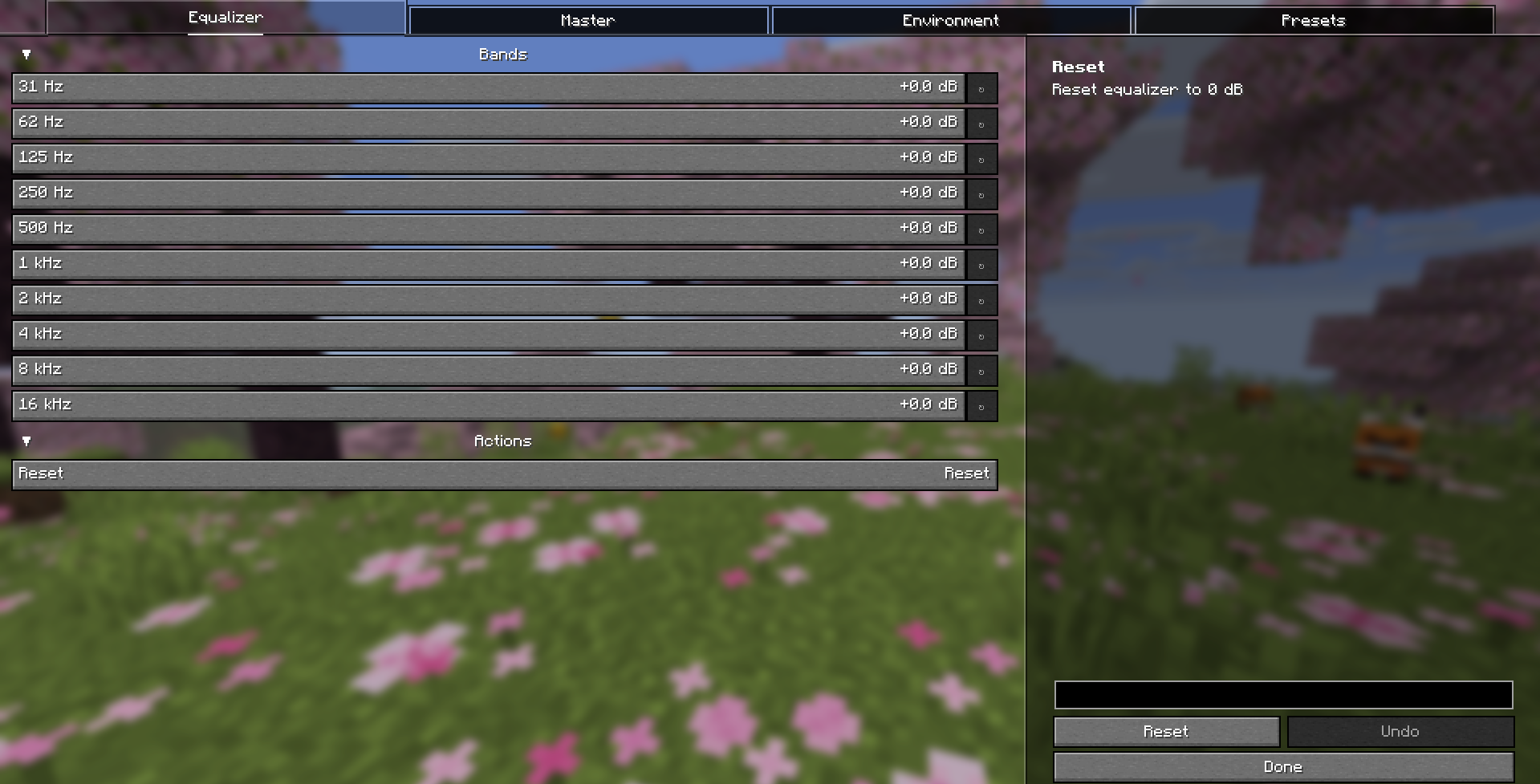
| 10-band equalizer | Boost or cut 10 frequency bands (31 Hz – 16 kHz) from −12 to +12 dB. | 10-полосный эквалайзер: усиление или срез 10 частот (31 Гц – 16 кГц) от −12 до +12 дБ. |
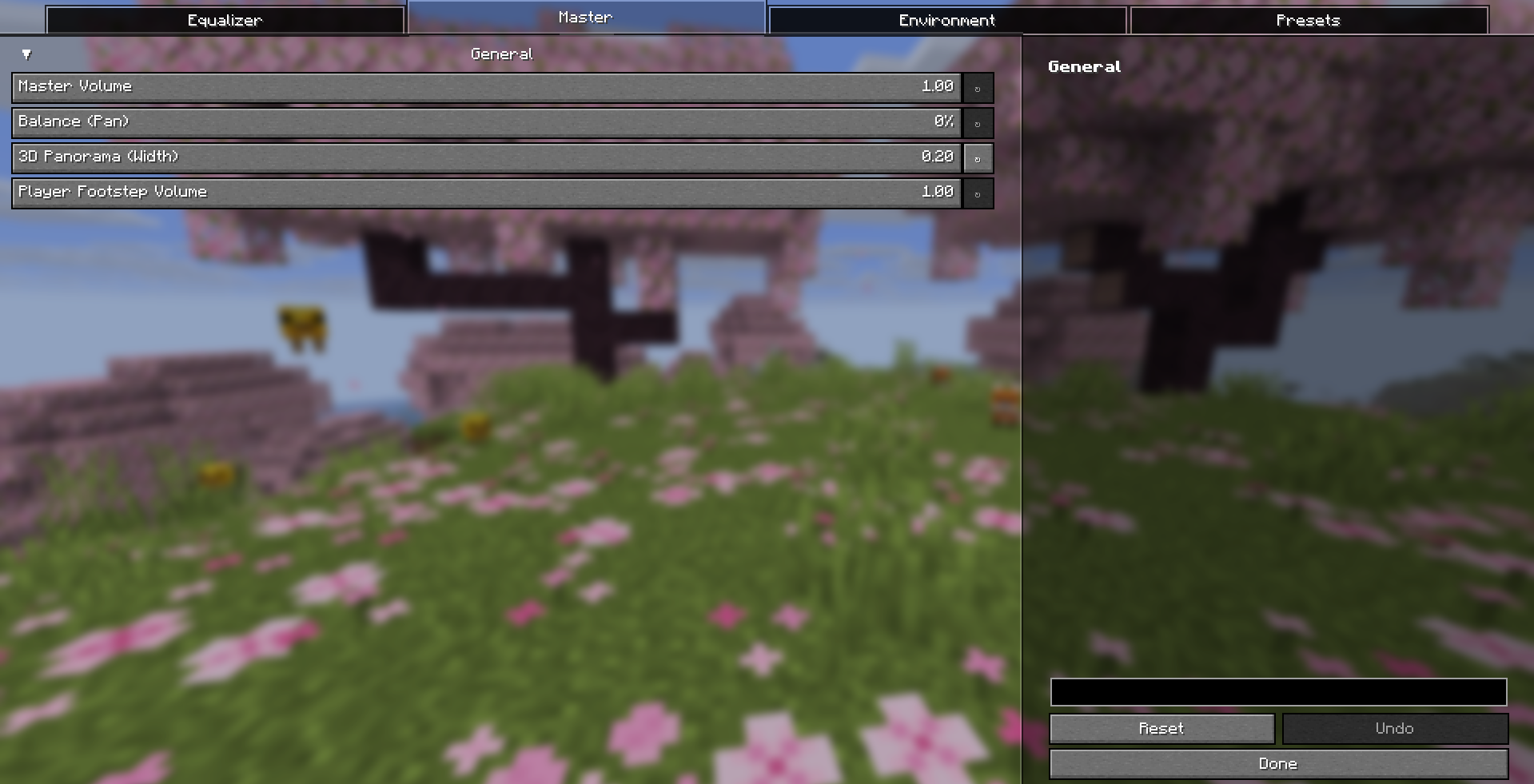
| Master volume | Global volume multiplier. | Общая громкость. |
| Balance (Pan) | Shift sound left / right. | Сдвиг звука влево / вправо. |
| 3D Panorama (Width) | Widen the stereo base for a more spacious, 3D soundstage. | Расширение стереобазы для более объёмного, «3D» звучания. |
| Footstep volume | Separate volume for the player's own footsteps. | Отдельная громкость шагов самого игрока. |
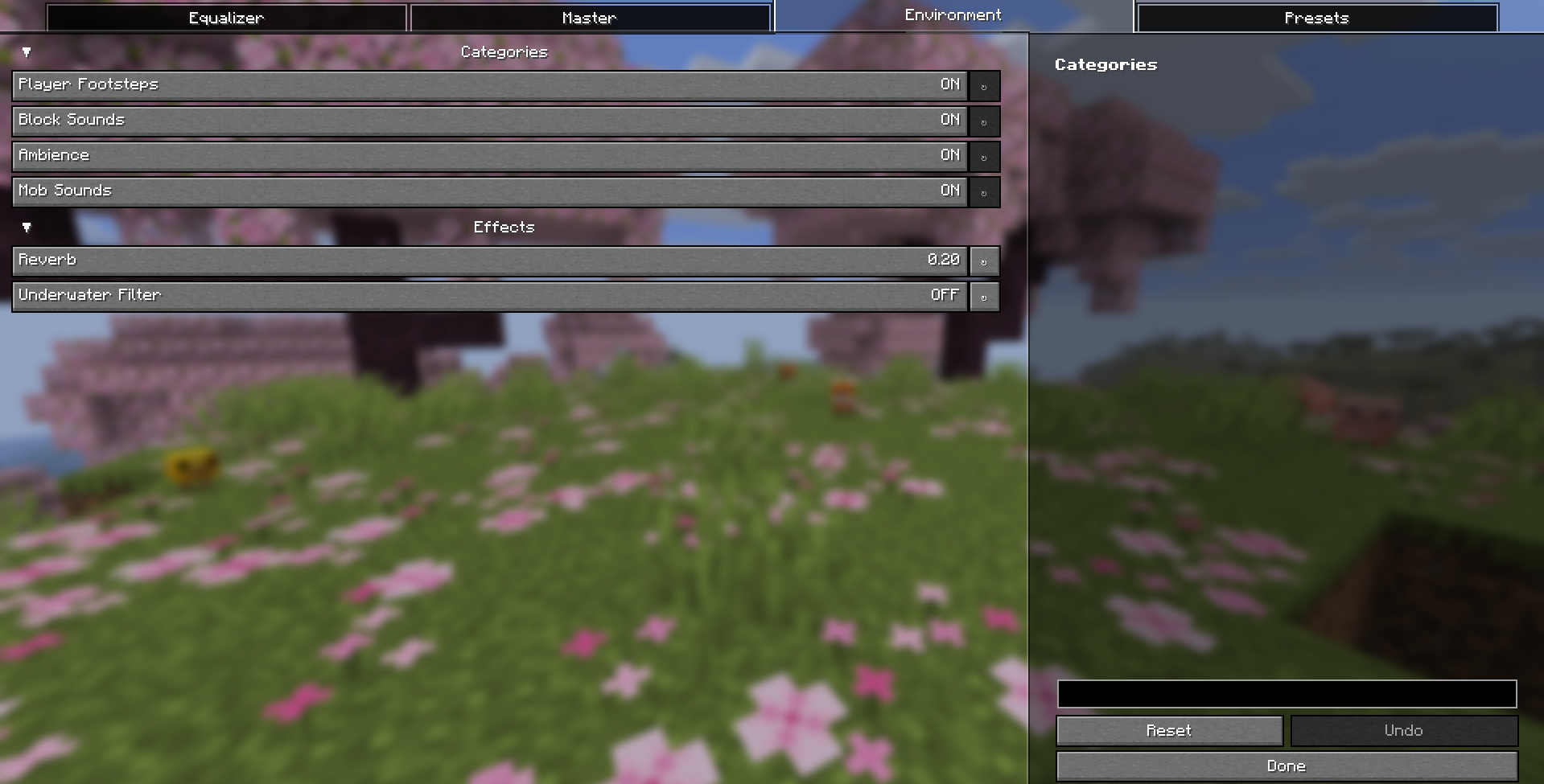
| Category toggles | Enable / disable footsteps, blocks, ambience, mobs. | Вкл / выкл шагов, блоков, атмосферы, мобов. |
| Reverb | Add a sense of space to the sound. | Добавляет ощущение пространства. |
| Underwater filter | Automatically dampens all sound while you are underwater or in powder snow — like in real life. | Автоматически приглушает все звуки под водой или в снегу — как в реальности. |
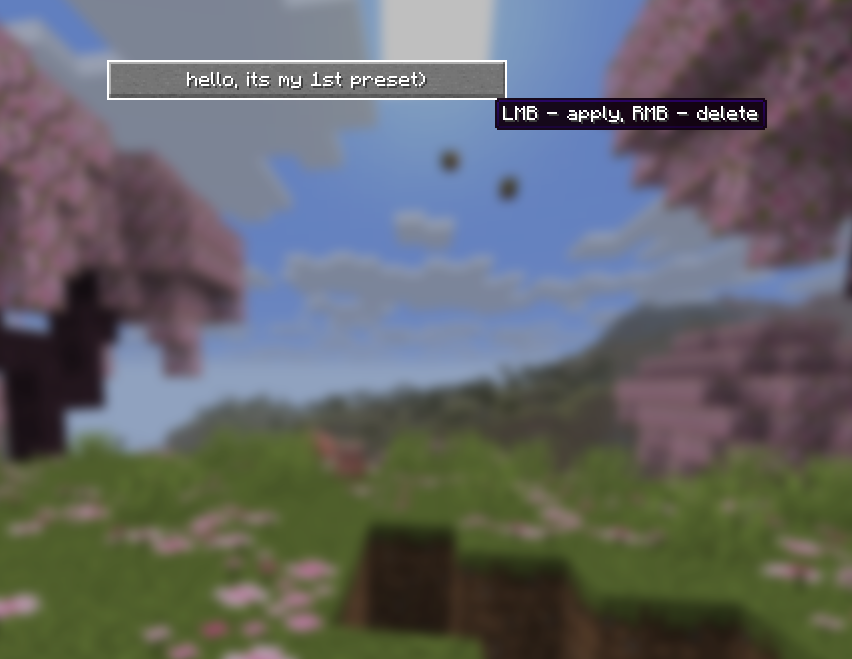
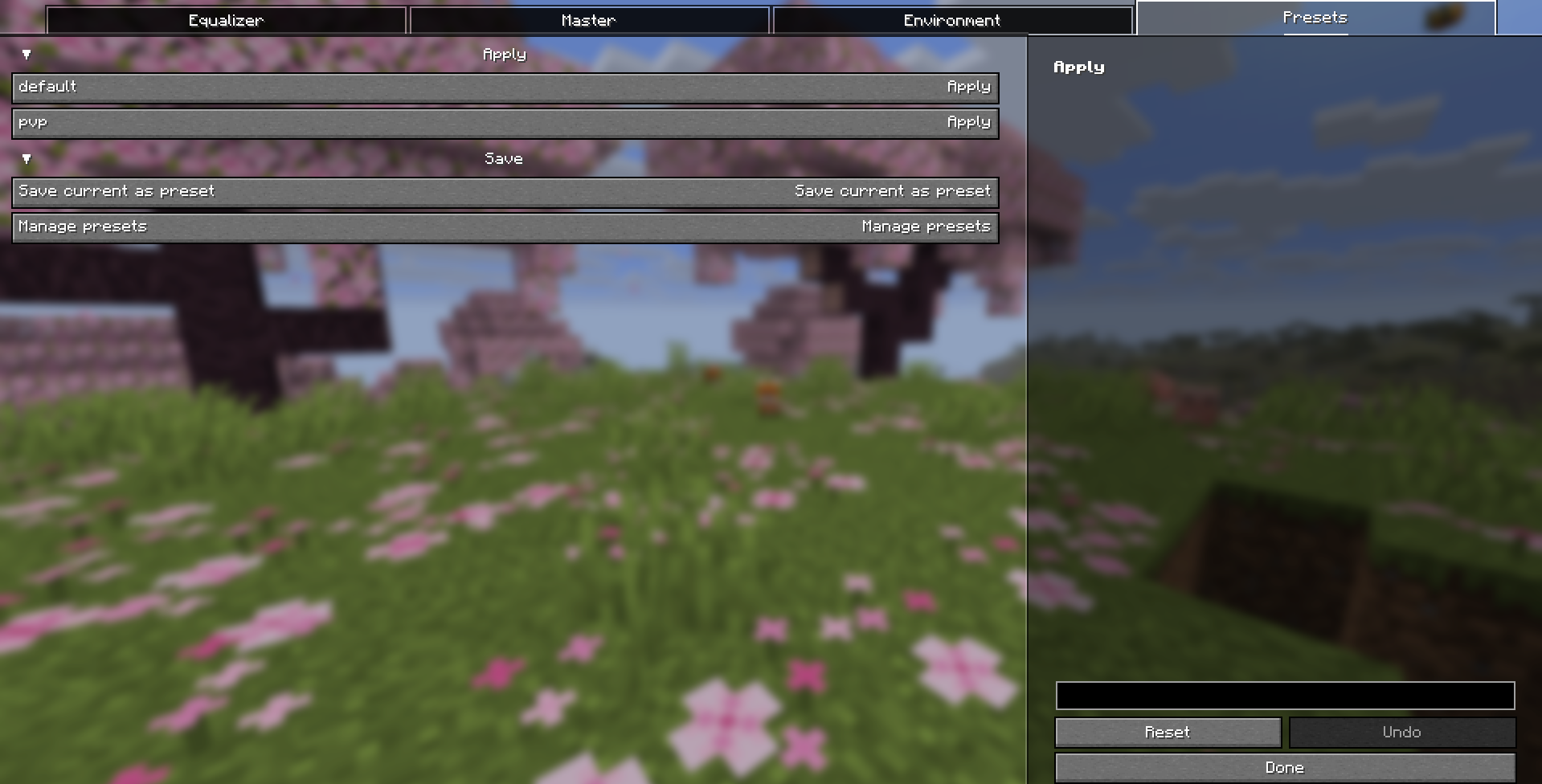
| Presets | Built-in default and pvp presets, plus save / manage your own. Apply with LMB, delete with RMB. |
Встроенные пресеты default и pvp, а также сохранение и управление своими. ЛКМ — применить, ПКМ — удалить. |
| Live reset | Reset equalizer to 0 dB with one button, updates instantly. | Сброс эквалайзера в 0 дБ одной кнопкой, мгновенно. |
| Localization | English & Russian — follows your game language. | Английский и русский — подстраивается под язык игры. |
Controls / Управление
- Press P to open the settings screen.
- Or open it from Mod Menu (if installed).
RU: Нажмите P, чтобы открыть настройки. Или откройте через Mod Menu (если установлен).
Requirements / Зависимости
| Dependency | Version | Notes / Примечание |
|---|---|---|
| Minecraft | ~26.1.2 |
Required game version. / Требуемая версия игры. |
| Fabric Loader | >=0.19.2 |
Tested with 0.19.3. / Проверено на 0.19.3. |
| Fabric API | * (any) |
Recommended 0.155.2+26.1.2. / Рекомендуется 0.155.2+26.1.2. |
| YetAnotherConfigLib (YACL) | * (any) |
Required — powers the GUI. 3.9.6+26.1-fabric. / Обязательно — отвечает за интерфейс. |
| Mod Menu | * (any) |
Optional — adds the mod to the mods list. 18.0.0 works on MC 26.1.2. / Опционально — добавляет мод в список. |
Java: Requires Java 25. RU: Требуется Java 25.
Note on Mod Menu: The
modmenu_versioningradle.propertiesis20.0.1, but that build targets MC 26.2–26.3. For MC 26.1.2 use Mod Menu 18.0.0 (dropmodmenu-18.0.0.jarintomods/). It is bundled locally for the build.RU: В
gradle.propertiesуказанmodmenu_version=20.0.1, но эта сборка для MC 26.2–26.3. Для MC 26.1.2 нужен Mod Menu 18.0.0 (положитеmodmenu-18.0.0.jarвmods/). Он подключён локально для сборки.
Installation / Установка
- Install Fabric Loader for Minecraft 26.1.2.
- Install Fabric API, YACL, and (optionally) Mod Menu into your
mods/folder. - Drop
wpuresound-1.0.0.jarinto themods/folder. - Launch the game and press P.
RU:
- Установите Fabric Loader для Minecraft 26.1.2.
- Поместите Fabric API, YACL и (по желанию) Mod Menu в папку
mods/.- Положите
wpuresound-1.0.0.jarв папкуmods/.- Запустите игру и нажмите P.
Configuration / Конфигурация
Settings are stored automatically at:
config/wpuresound.json
config/wpuresound_presets.json
RU: Настройки сохраняются автоматически в
config/wpuresound.jsonиconfig/wpuresound_presets.json.
License / Лицензия
CC0-1.0 — public domain. Free to use, modify, and share.
RU:
CC0-1.0— общественное достояние. Свободно использовать, изменять и распространять.
wPureSound
Client-side sound control mod for Minecraft (Fabric).
A beautiful equalizer and fine-grained audio tuning — no server required, works in singleplayer, multiplayer, and realms.
RU: Клиентский мод для тонкой настройки звука в Minecraft (Fabric). Красивый эквалайзер и гибкая регулировка аудио. Сервер не нужен — работает в одиночной игре, на серверах и в realms.
Features / Возможности
| Feature | EN | RU |
|---|---|---|
| 10-band equalizer | Boost or cut 10 frequency bands (31 Hz – 16 kHz) from −12 to +12 dB. | 10-полосный эквалайзер: усиление или срез 10 частот (31 Гц – 16 кГц) от −12 до +12 дБ. |
| Master volume | Global volume multiplier. | Общая громкость. |
| Balance (Pan) | Shift sound left / right. | Сдвиг звука влево / вправо. |
| 3D Panorama (Width) | Widen the stereo base for a more spacious, 3D soundstage. | Расширение стереобазы для более объёмного, «3D» звучания. |
| Footstep volume | Separate volume for the player's own footsteps. | Отдельная громкость шагов самого игрока. |
| Category toggles | Enable / disable footsteps, blocks, ambience, mobs. | Вкл / выкл шагов, блоков, атмосферы, мобов. |
| Reverb | Add a sense of space to the sound. | Добавляет ощущение пространства. |
| Underwater filter | Automatically dampens all sound while you are underwater or in powder snow — like in real life. | Автоматически приглушает все звуки под водой или в снегу — как в реальности. |
| Presets | Built-in default and pvp presets, plus save / manage your own. Apply with LMB, delete with RMB. |
Встроенные пресеты default и pvp, а также сохранение и управление своими. ЛКМ — применить, ПКМ — удалить. |
| Live reset | Reset equalizer to 0 dB with one button, updates instantly. | Сброс эквалайзера в 0 дБ одной кнопкой, мгновенно. |
| Localization | English & Russian — follows your game language. | Английский и русский — подстраивается под язык игры. |
Controls / Управление
- Press P to open the settings screen.
- Or open it from Mod Menu (if installed).
RU: Нажмите P, чтобы открыть настройки. Или откройте через Mod Menu (если установлен).
Requirements / Зависимости
| Dependency | Version | Notes / Примечание |
|---|---|---|
| Minecraft | ~26.1.2 |
Required game version. / Требуемая версия игры. |
| Fabric Loader | >=0.19.2 |
Tested with 0.19.3. / Проверено на 0.19.3. |
| Fabric API | * (any) |
Recommended 0.155.2+26.1.2. / Рекомендуется 0.155.2+26.1.2. |
| YetAnotherConfigLib (YACL) | * (any) |
Required — powers the GUI. 3.9.6+26.1-fabric. / Обязательно — отвечает за интерфейс. |
| Mod Menu | * (any) |
Optional — adds the mod to the mods list. 18.0.0 works on MC 26.1.2. / Опционально — добавляет мод в список. |
Java: Requires Java 25. RU: Требуется Java 25.
Note on Mod Menu: The
modmenu_versioningradle.propertiesis20.0.1, but that build targets MC 26.2–26.3. For MC 26.1.2 use Mod Menu 18.0.0 (dropmodmenu-18.0.0.jarintomods/). It is bundled locally for the build.RU: В
gradle.propertiesуказанmodmenu_version=20.0.1, но эта сборка для MC 26.2–26.3. Для MC 26.1.2 нужен Mod Menu 18.0.0 (положитеmodmenu-18.0.0.jarвmods/). Он подключён локально для сборки.
Installation / Установка
- Install Fabric Loader for Minecraft 26.1.2.
- Install Fabric API, YACL, and (optionally) Mod Menu into your
mods/folder. - Drop
wpuresound-1.0.0.jarinto themods/folder. - Launch the game and press P.
RU:
- Установите Fabric Loader для Minecraft 26.1.2.
- Поместите Fabric API, YACL и (по желанию) Mod Menu в папку
mods/.- Положите
wpuresound-1.0.0.jarв папкуmods/.- Запустите игру и нажмите P.
Configuration / Конфигурация
Settings are stored automatically at:
config/wpuresound.json
config/wpuresound_presets.json
RU: Настройки сохраняются автоматически в
config/wpuresound.jsonиconfig/wpuresound_presets.json.
License / Лицензия
CC0-1.0 — public domain. Free to use, modify, and share.
RU:
CC0-1.0— общественное достояние. Свободно использовать, изменять и распространять.
Screenshots
Gallery
-
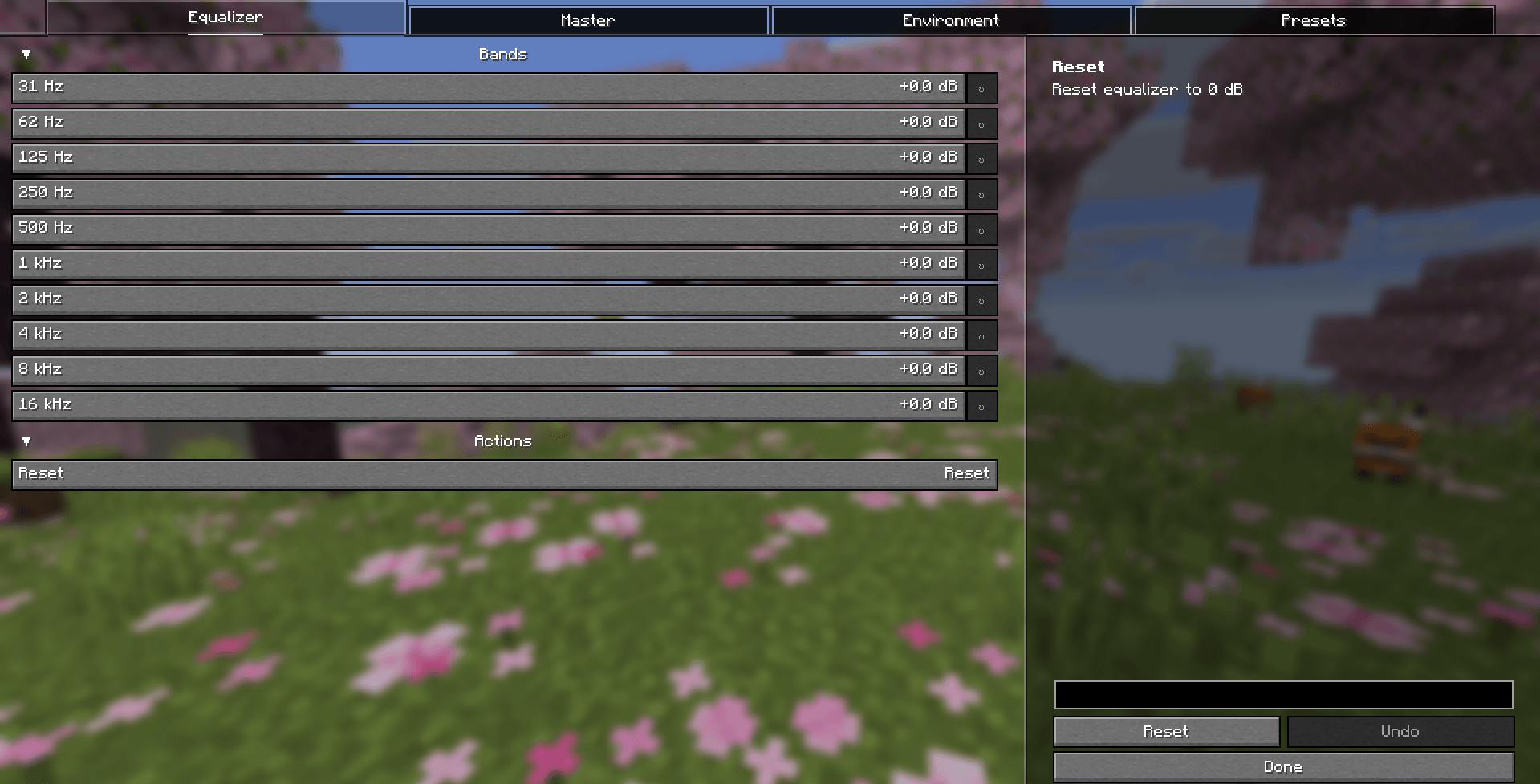 image.png image.png
Versions
Files
Relations
Project Relations
More like this
Similar Mods
Suggestions use data such as tags, dependencies, dependents, descriptions, titles, and more to rank how much they overlap with this mod.
On ModDex
Community snapshot
By the numbers
Statistics
Want to reach Minecraft players?
We're looking for a server hosting partner to feature here and other parts of the site. Interested? Send us a message!
Get in touchGet it on
Available Platforms
On ModDex
Community snapshot
By the numbers
Statistics
Resources