
PVP Stats+
No reviews yet
The mod offers a customizable HUD, detailed match tracking, tiered progression, and performance analytics for PvP, allowing players to optimize their interface, track stats, and refine their combat skills.
Provides a framework or library for other mods to use.
Fabric is a mod loader for versions 1.14+ of Minecraft, particularly popular for client side and optimization mods.
Community voices
Reviews
Click once to include, again to exclude, again to clear
No reviews yet. Be the first to review this project!
Get it on
Available Platforms
 Modrinth
Compatibility
Supported Environments
About
Project Details
For authors
Embed Badge
If you're the author of this project, you can embed a live badge anywhere that supports HTML or Markdown. It updates automatically whenever ratings change.
Use HTML for any page that supports it, or Markdown for README files and Markdown-based descriptions.
Identifiers
Platform IDs
About
Description
HUD Editor 🖥️
The HUD Editor gives you complete control over your PvP interface, letting you arrange and toggle visual elements for maximum clarity and comfort.
Features
- Visibility Control
- Toggle elements like the scoreboard or recording indicator on or off.
- Great for reducing screen clutter or tailoring your view to your playstyle.
Click to watch video
- Score Elements GUI
- Right-click the scoreboard to open a configuration menu.
- Reset Scores between matches or tournaments.
- Customize the view:
- Scores Only
- Heads + Scores
Click to watch video
- Resizable HUD
- Use the mouse scroll wheel to resize HUD elements like the scoreboard and recorder.
- Easy access to the GUI with right-click makes in-game adjustments quick and intuitive.
Click to watch video
Recorder GUI 🕹️
Track stats precisely with the Recorder GUI, designed for all PvP modes.
How It Works
-
9-Box Interface
- Choose from modes like:
- Crystal PvP
- Cart PvP
- Netherite Pot
- Diamond Pot
- SMP
- UHC
- Axe PvP
- Sword PvP
- Choose from modes like:
-
Quick Activation
- After selecting a mode, your stats begin tracking the moment you hit another player.
-
Auto-Save
- After a match, your stats are automatically sent to the Stats GUI.
Click to watch video
- Custom Modes
- Use
/creategamemode {item} {name}to add your own game modes.
- Use
Click to watch video
- Delete Options
- Ctrl + Delete: Removes all hotkeys.
Click to watch video
Indicator Element 💡
A clear, blinking icon lets you know when you're recording.
Features
- Blinks when recording is active, stops when paused.
- Right-click the bar to toggle manually.
Click to watch video
Stats GUI 📊
Your personal analytics dashboard for PvP matches.
Features
- Match Overview
- Win (🟢) or lose (🔴) indicators
- Player heads, usernames
- Sort using Ascending or Descending buttons
Click to watch video
- Detailed Match Stats
- Mode-specific tracking:
- Items used
- Damage dealt
- Attack types
- Match duration ⏱️
- Unique Match ID
- Mode-specific tracking:
Click to watch video
-
K/D Ratio
- Automatically calculated and displayed
-
Tiers & Progression System
- Shows your current tier and recent changes
Click to watch video
- Deletion Options
- Ctrl + Delete: Delete all game modes
- Hover + Delete: Delete a specific mode
Click to watch video
Tiers & Progression System 🏅
Earn recognition for your skill and growth in PvP.
Tier Breakdown
- High Tier (HT1–HT5): Top performers
- Low Tier (LT1–LT5): New or learning players
Progression
- Climb tiers with wins and kills
- Fall back after frequent losses
- Tiers are color-coded in the Stats GUI
- Exclusive rewards at HT1
Why Use This Mod? 💡
- 📈 Analyze your progress
- 🔍 Improve your combat strategy
- 🎨 Customize your HUD
- 🏆 Track & show off your K/D and tier rank
Screenshots
Gallery
-
 Pvp stats+ fabric 1.21+ featured item
 -
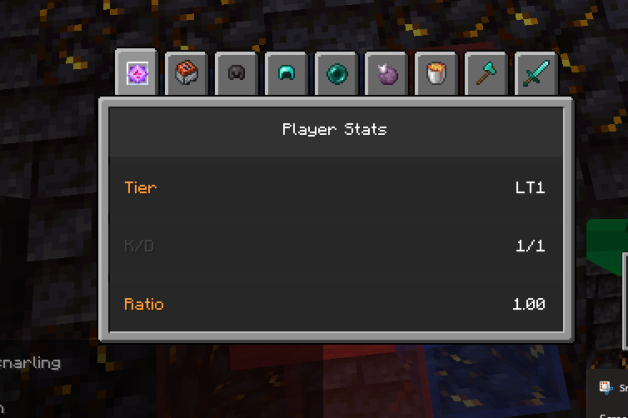 Player Stats📈 The Player Stats tracks your tier progression from LT5 to HT1 and displays your kill/death ratio against each player. Left-click to open and view the stats.
 -
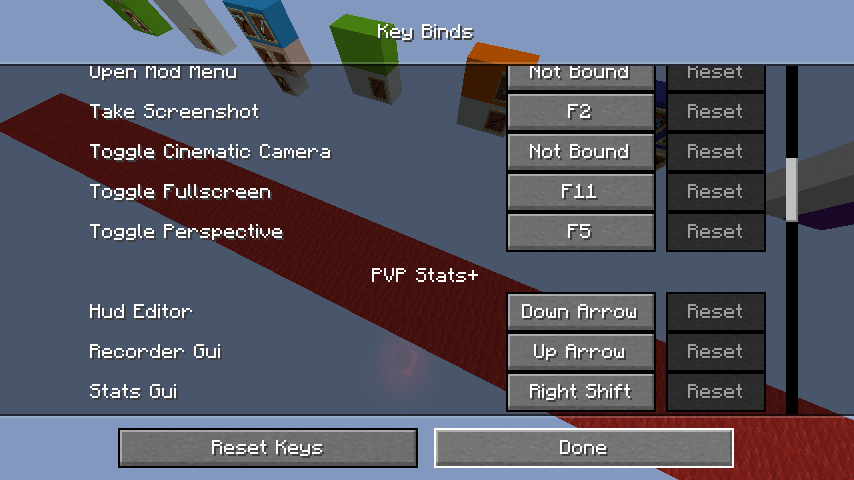 Controls🎮 The default hotkeys for the mod are easy to use and fully customizable: HUD Editor: Down Arrow ⬇️ Recorder GUI: Up Arrow ⬆️ Stats GUI: Right Shift ⌨️
 -
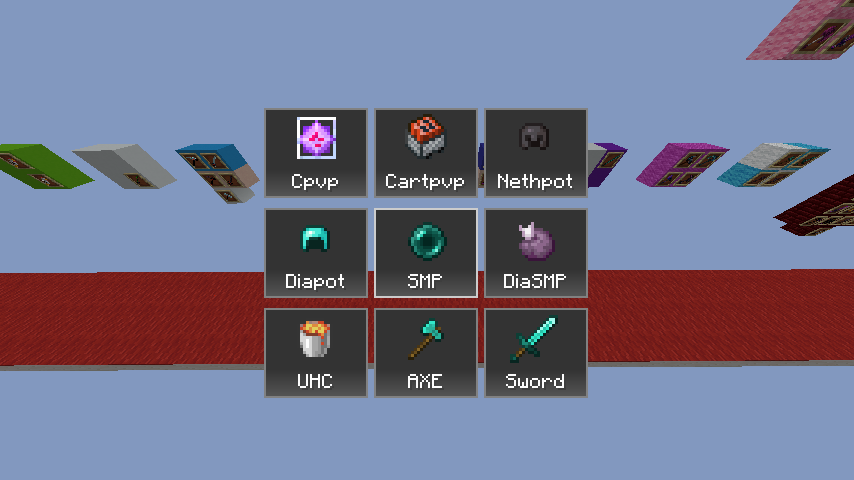 Recorder Gui📷 The Recorder GUI lets you select a game mode to track, including Crystal PvP, Cart PvP, Netherite Pot, Diamond Pot, SMP, UHC, Axe PvP, and Sword PvP. Simply pick a mode and hit your opponent once to start recording stats!
 -
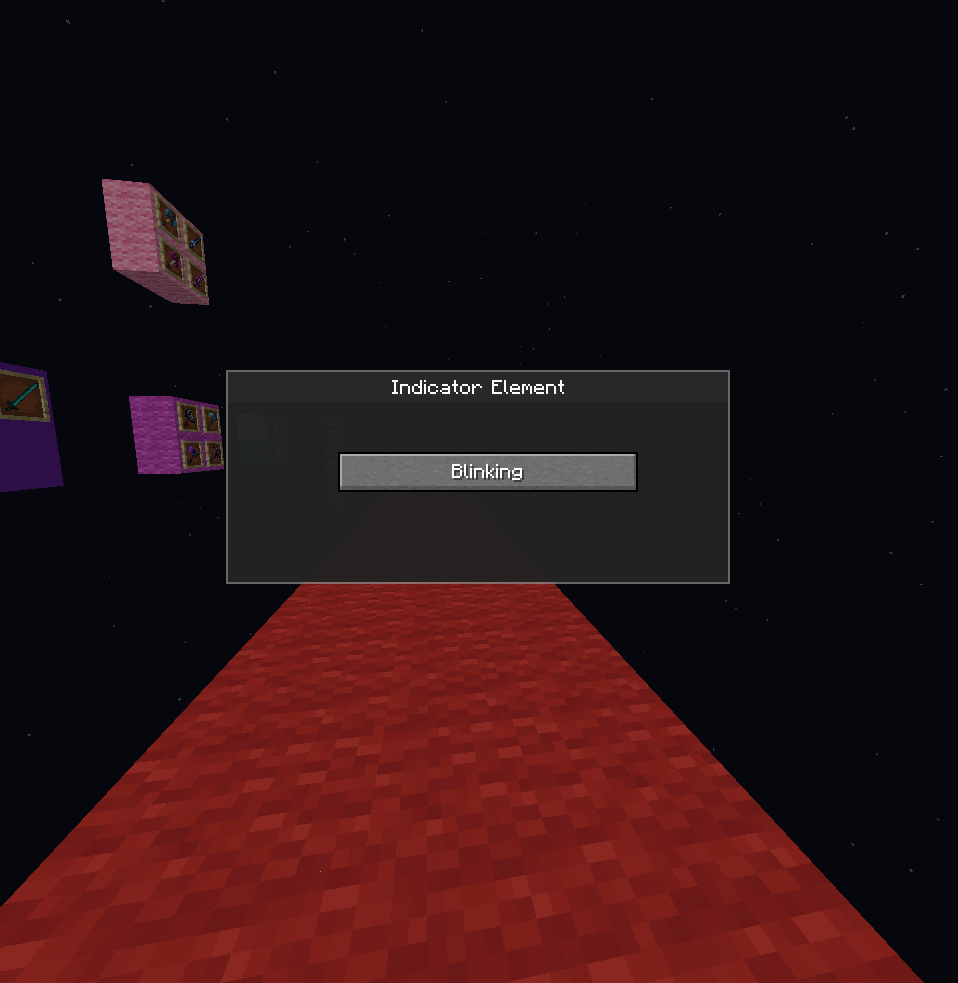 Indicator Element💡 The Indicator Element GUI opens when you right-click the recording bar. It shows whether recording is active with a blinking indicator and allows you to toggle recording on or off.
 -
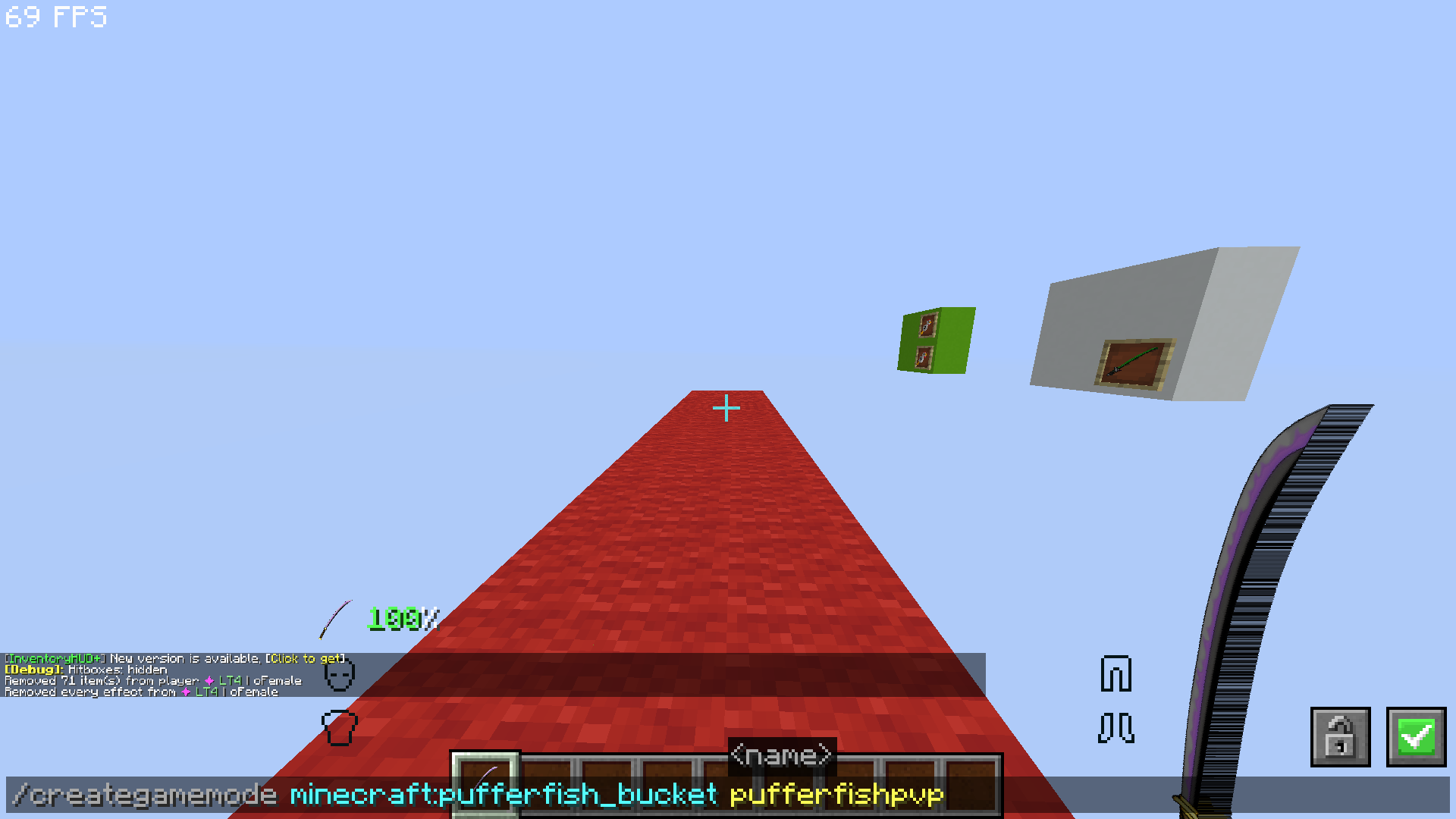 Custom Game Creation ⚙️ Use the /creategamemode {item you want} {name of gamemode} command to create your very own gamemode! Your custom gamemode will be tracked and seamlessly integrated into your stats, ensuring every game counts.
 -
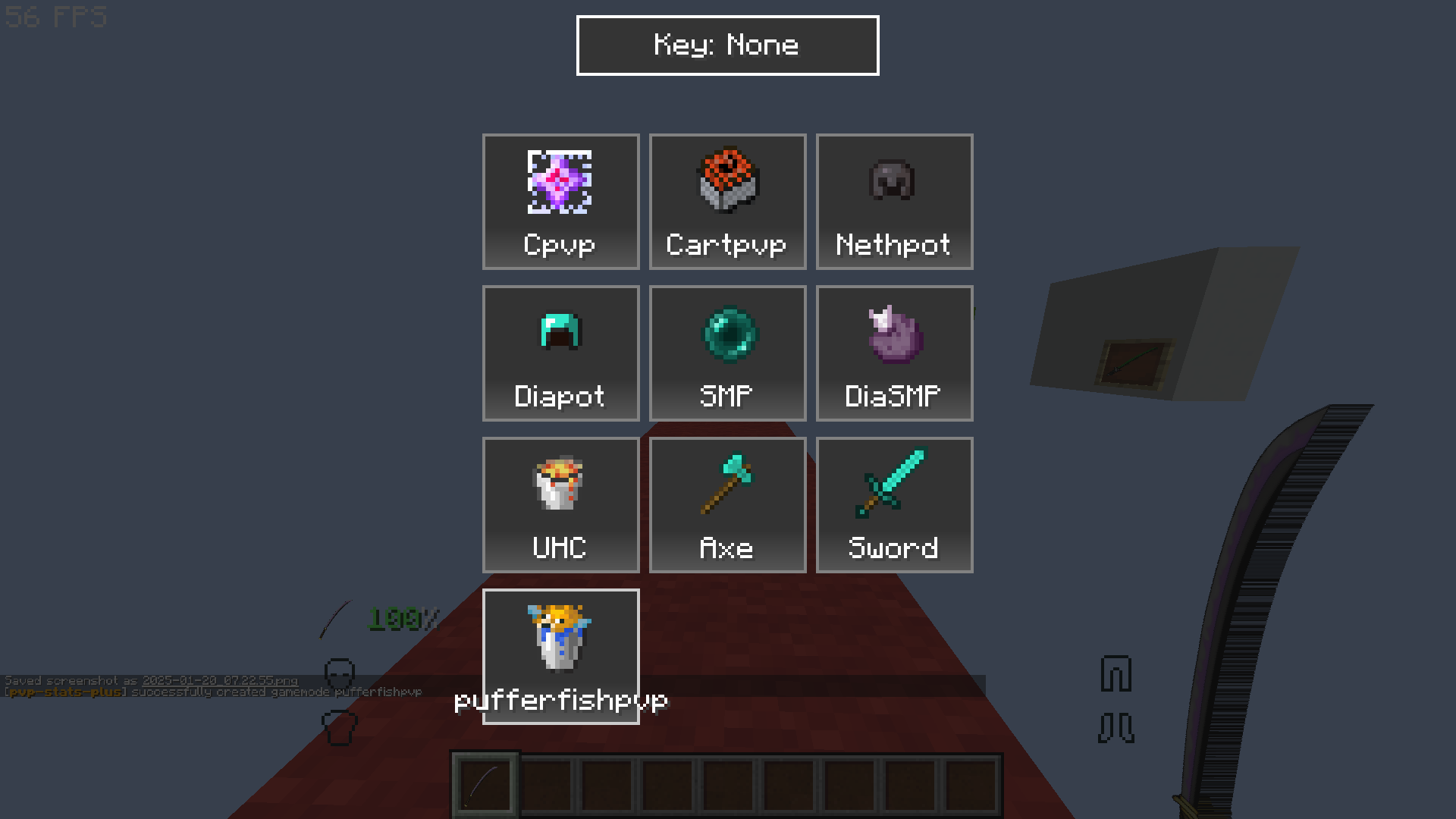 Recorder GUI: Added Custom Gamemode 📝 After creating a custom gamemode, you’ll also see it listed in the Recorder GUI. This tool ensures that every custom game session is logged and recorded, keeping all your stats in one place for easy access.
 -
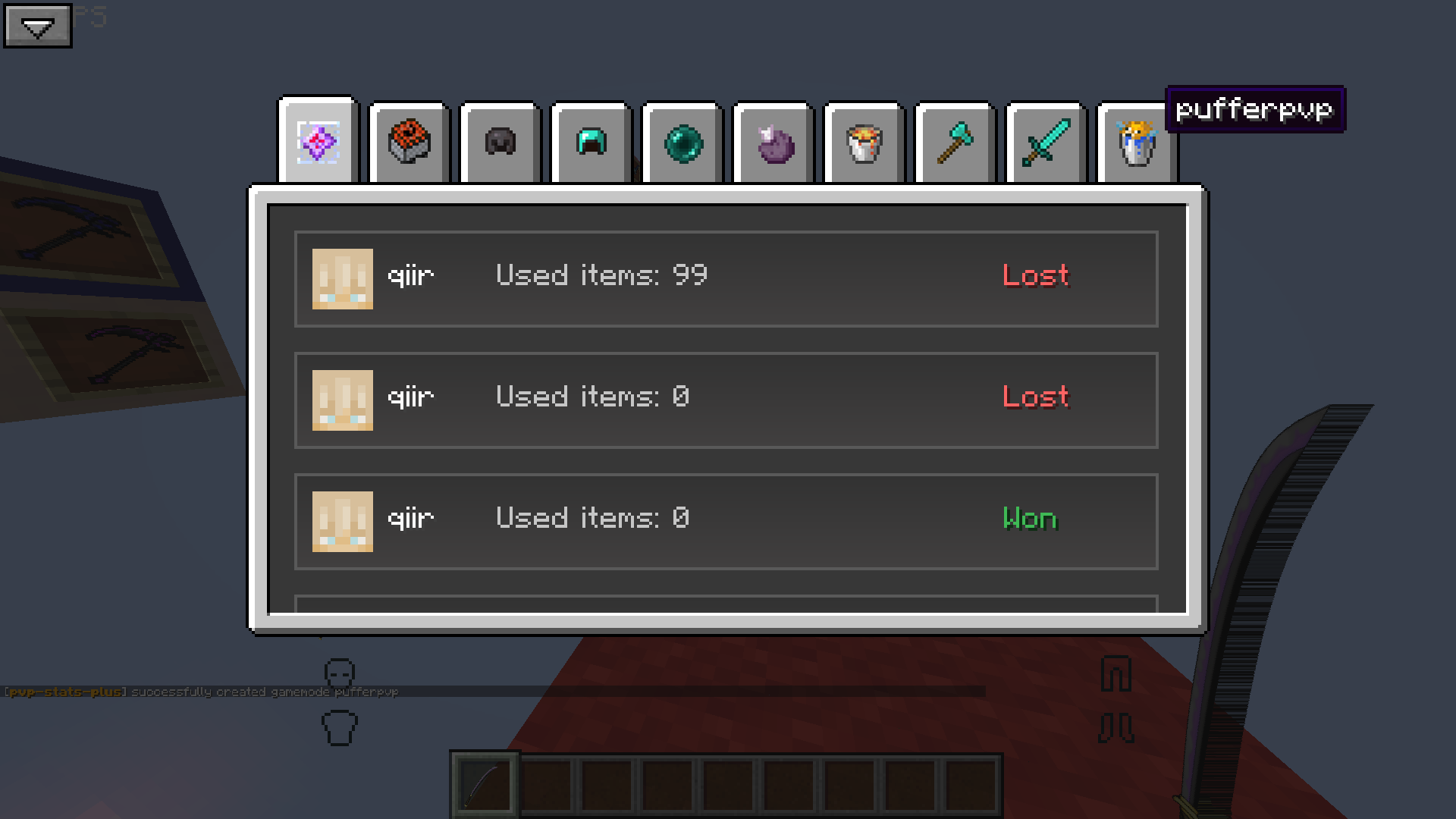 Stats GUI: Custom Gamemode 📊 Once you've added your custom gamemode, it will appear in the Stats GUI. This handy interface tracks your performance across all gamemodes, including your creations, so you can monitor your progression and compare stats.
 -
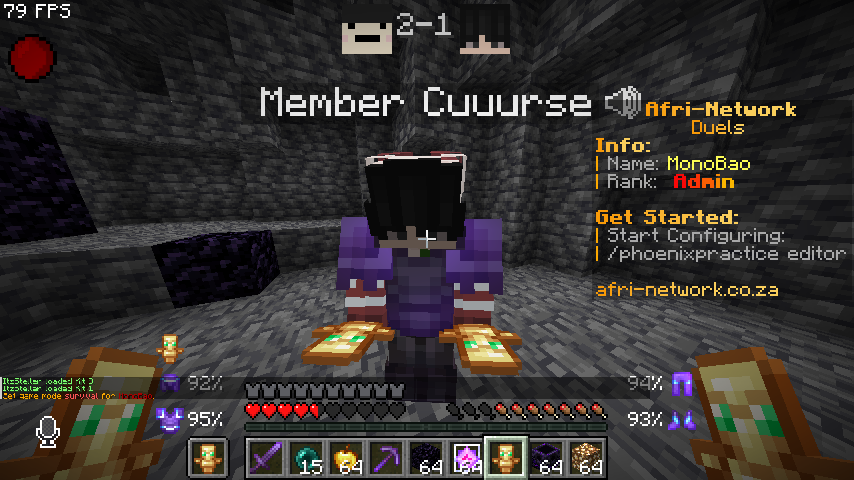 Score display📊 The Score Display shows your scores along with the recording indicator. You can toggle the recording indicator on or off through the HUD Editor.
 -
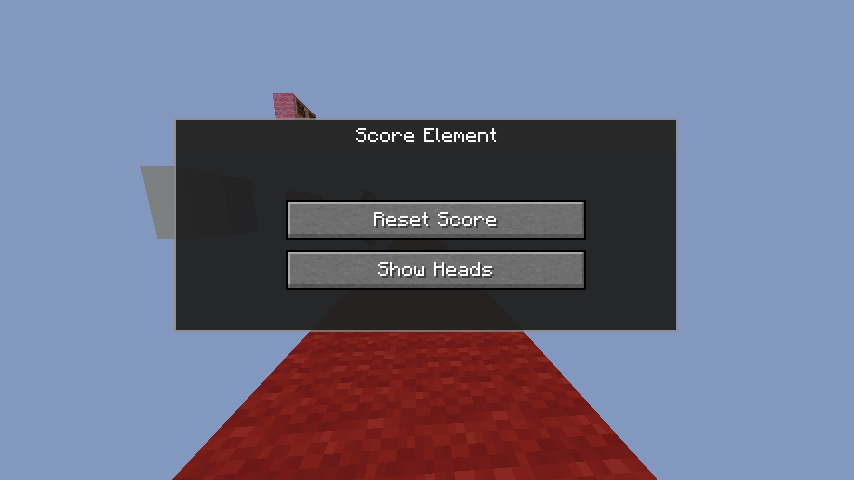 Score Element🛠️ The Score Element lets you reset all scores for current or past opponents. It also allows you to add or remove player heads, showing only the scores if preferred.
 -
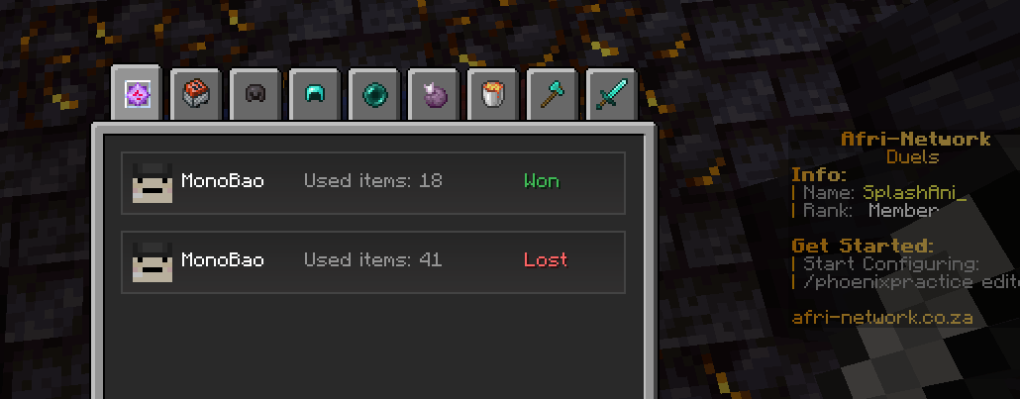 Stat Gui📊 The Stats GUI tracks wins 🟢, losses 🔴, K/D ratio, and detailed match stats like damage and duration, all organized by game mode. 🎮✨
 -
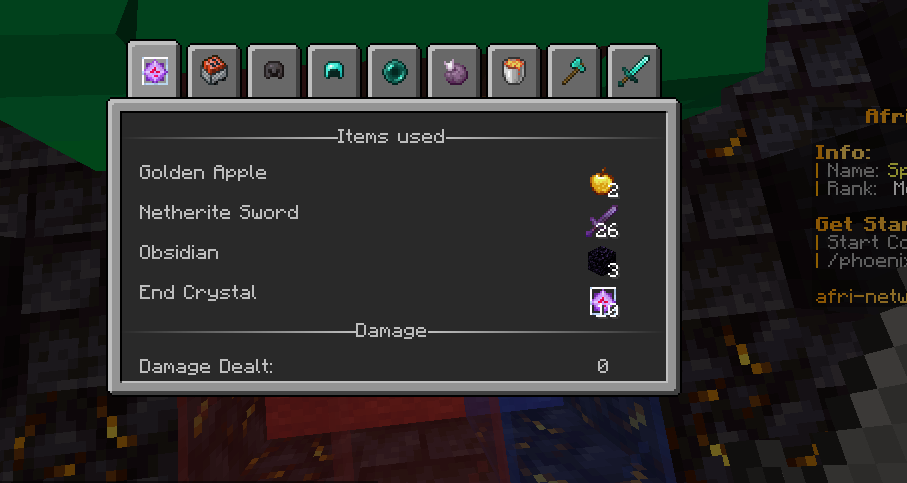 Match information 🏆 The Match Information shows the result, K/D ratio, damage dealt, items used, match duration ⏱️, and game mode, making it easy to review your performance.
 -
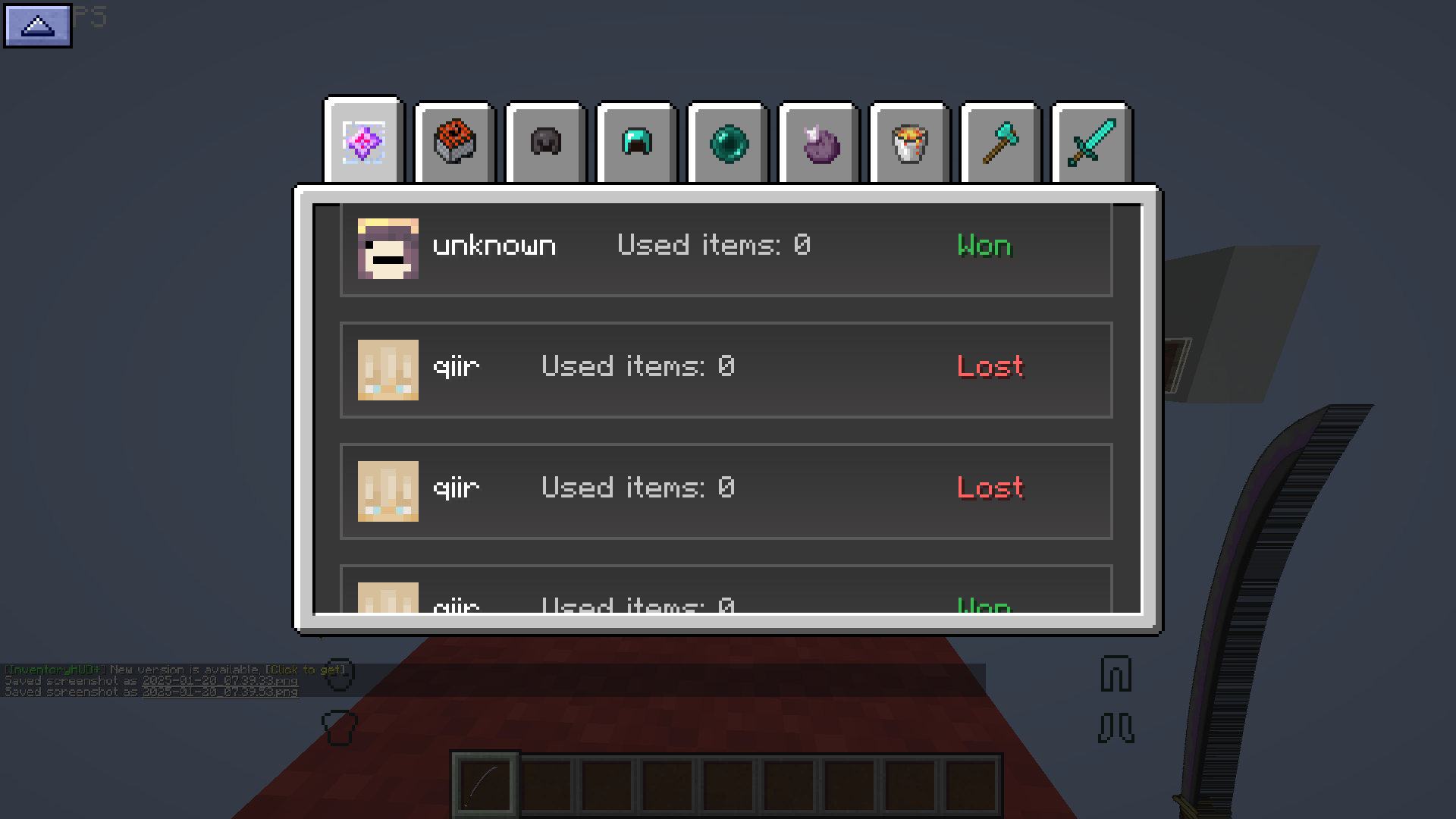 Ascending and Descending Sort ↕️ Easily sort your matches! With the Ascending/Descending button, arrange games in your preferred order—whether you're looking for your earliest victories or most recent challenges.
 -
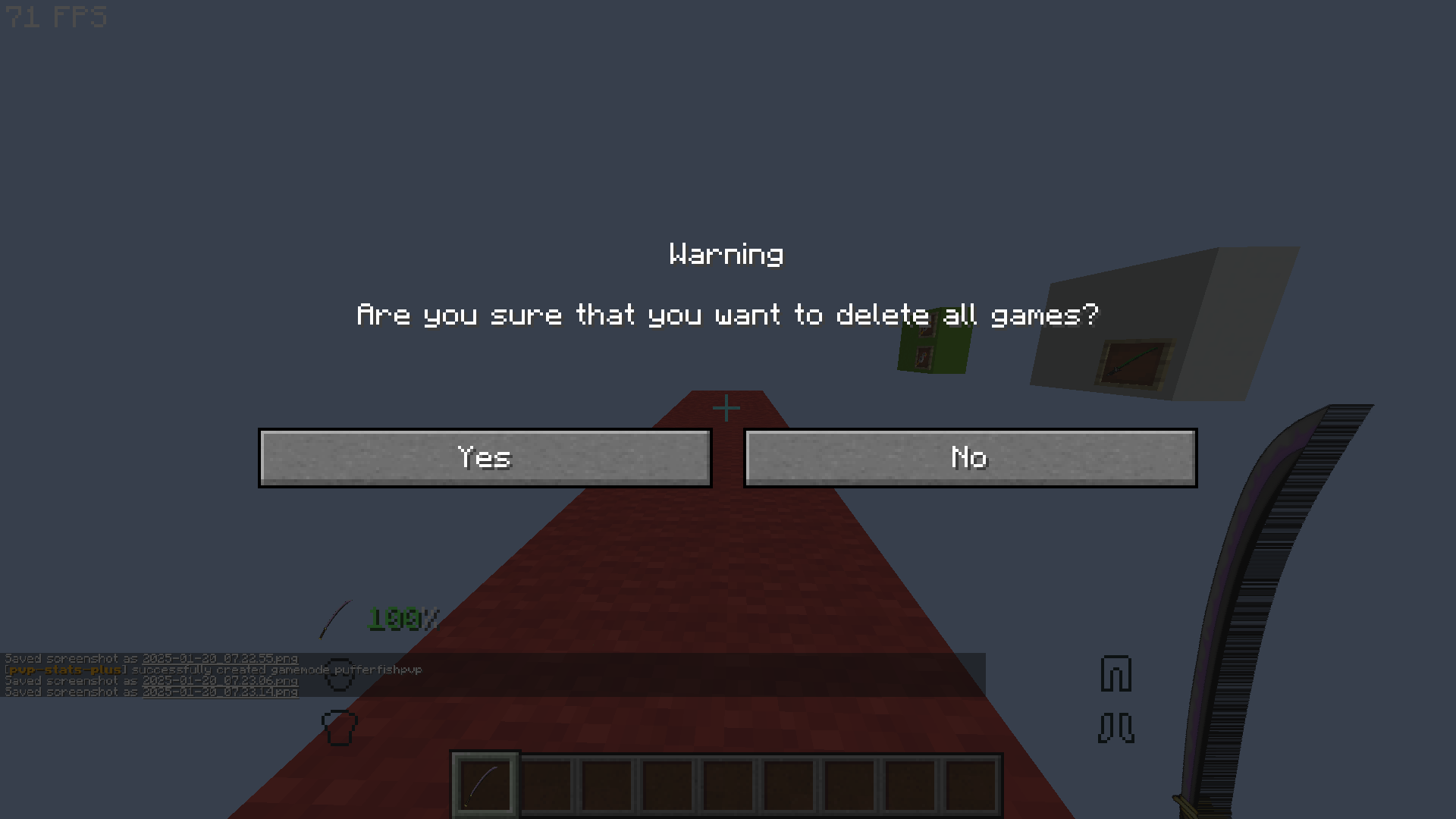 Stats GUI: Delete All Games 🗑️ Press Ctrl + Delete to instantly delete all games listed in the Stats GUI. Use with caution—once gone, they’re gone for good!
 -
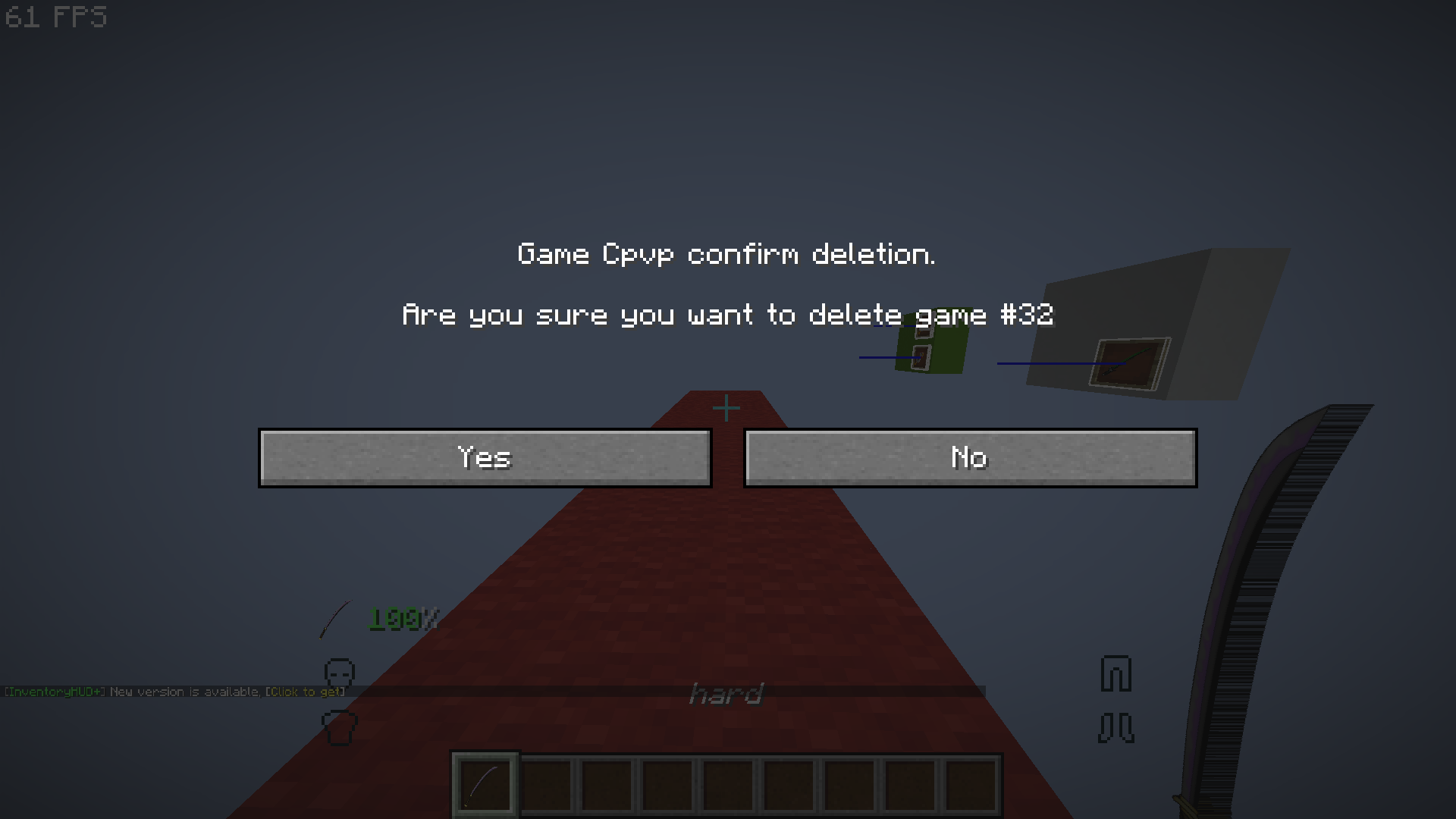 Delete a Specific Match ❌ Want to remove just one game? Hover over a gamemode in the Stats GUI and press the Delete button to delete that specific match.
 -
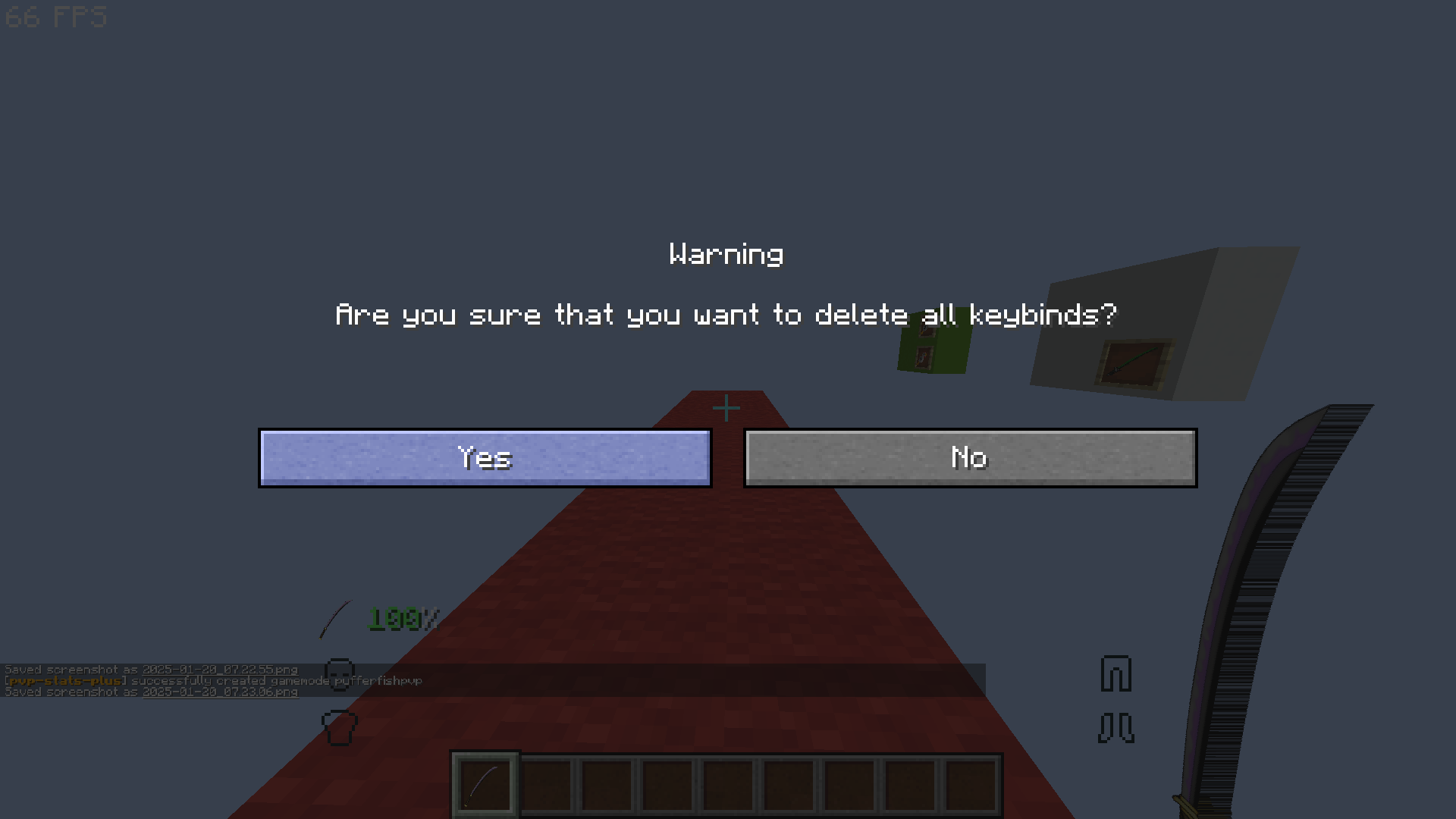 Recorder GUI: Keybind Delete 🔑 To clear all hotkeys in the Recorder GUI, use the Ctrl + Delete command. Clean and reset your bindings in one simple step!
Versions
Files
Relations
Project Relations
More like this
Similar Mods
Suggestions use data such as tags, dependencies, dependents, descriptions, titles, and more to rank how much they overlap with this mod.
On ModDex
Community snapshot
By the numbers
Statistics

Want to reach Minecraft players?
We're looking for a server hosting partner to feature here and other parts of the site. Interested? Send us a message!
Get in touchGet it on
Available Platforms
On ModDex
Community snapshot
By the numbers