
Community listing page, reviews here may not be monitored by the author.
Pylons


Just another magic block mod

Community voices
Reviews
No reviews yet. Be the first to review this project!
Get it on
Available Platforms
Compatibility
Supported Environments
Must be installed on both the client and the server.
About
Project Details
For authors
Embed Badge
If you're the author of this project, you can embed a live badge anywhere that supports HTML or Markdown. It updates automatically whenever ratings change.
Use HTML for any page that supports it, or Markdown for README files and Markdown-based descriptions.
Identifiers
Platform IDs
About
Description
Currently adds the following blocks.
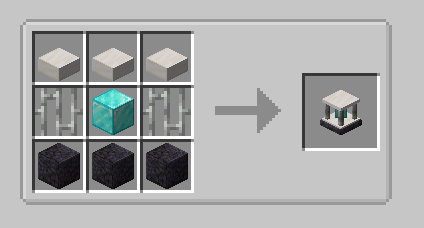
Expulsion Pylon:
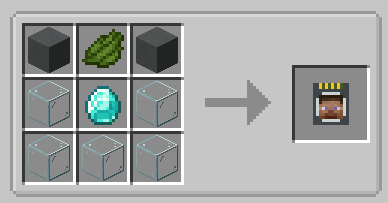
Intended for use on servers, this block allows you to expel other players from the chunk it's placed in. You can whitelist players with a Player Filter - OPs are always whitelisted.
Infusion Pylon:
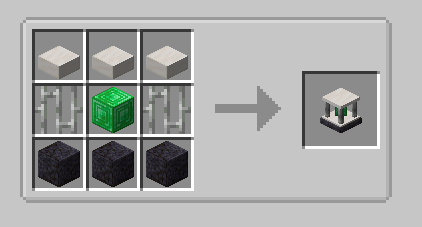
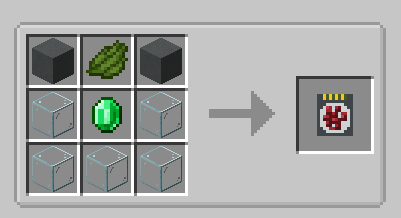
Allows you to apply effects to yourself from any distance (may require chunkloading) with activated Potion Filters. Potion Filters can be activated by applying an effect to yourself (from a potion, for example) and then right-clicking the Potion Filter. The minimum effect duration that can be extracted is 60 seconds by default. This will extract all remaining duration from the player and apply it to the Filter. To fully activate it, you will need a total of 1 hour of duration, the equivalent of 7.5 vanilla extended potions.
If you have multiple cards containing the same effect, you can combine them. Place one card in each hand, and right click. The duration from the off hand card will be added to the card in your main hand.
Harvester Pylon:
Harvests crops in a configurable radius (from 3x3 to 9x9) around the pylon and outputs to an inventory above. Place the pylon inside the water block of the farm:
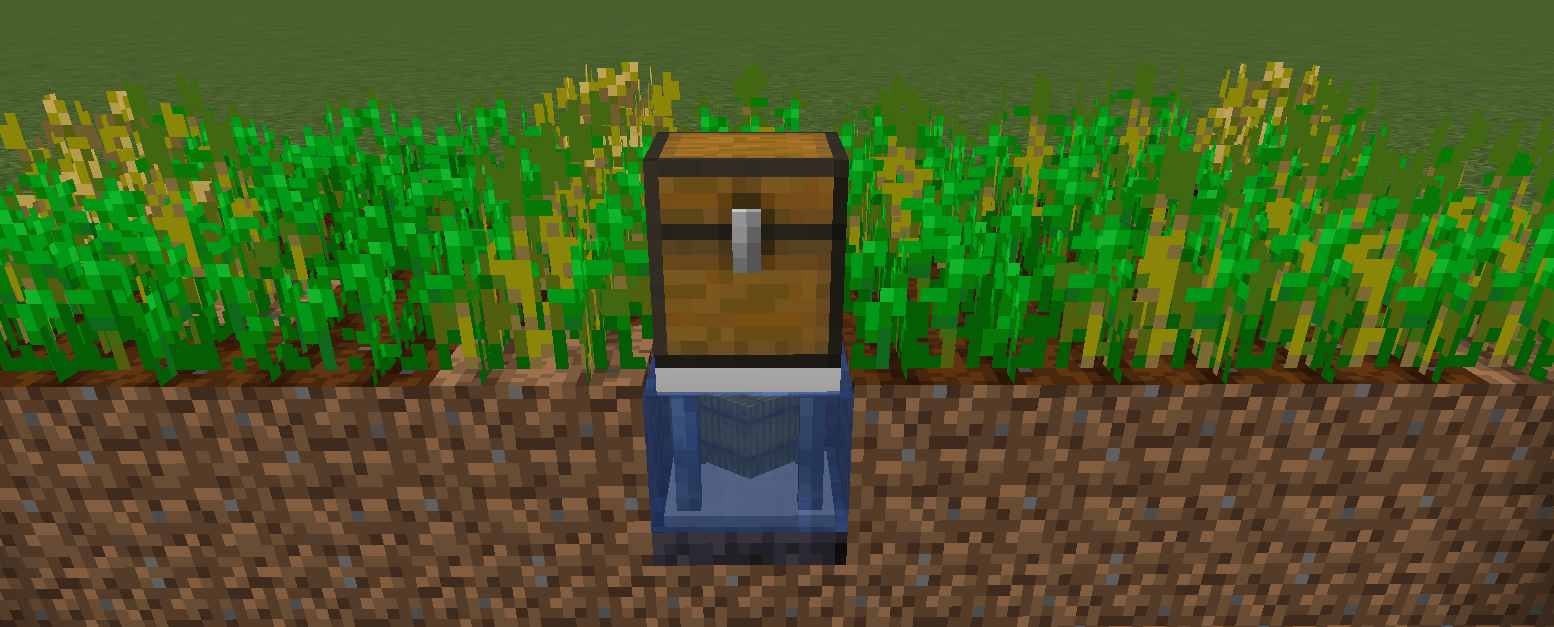
By default, the pylon requires a hoe in the pylon inventory, and will consume 1 durability per crop harvest. There is a config option to disable this. Unbreakable hoes, such as Mystical Agriculture's Supremium Hoe, can be used.
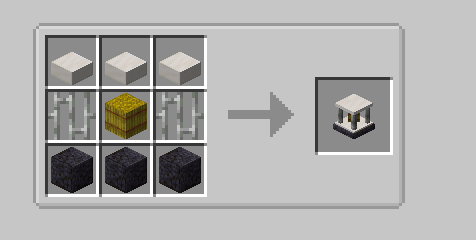
Interdiction Pylon
Prevents all spawns of specified mobs within the selected chunk range (1x1 to 5x5). Right click on a mob with a Mob Filter, then add the filter to the pylon to block that mob.
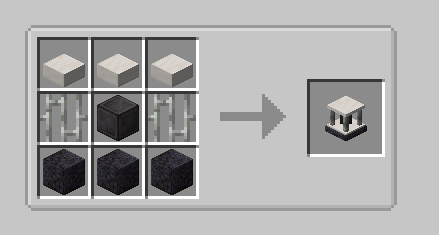
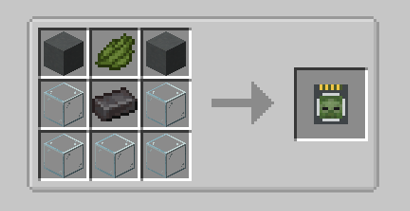
Protection Pylon (added in 5.3)
Prevents the pylon owner from breaking blocks or killing mobs within the selected chunk range (1x1 to 5x5 chunks). Add Mob Filters and Block Filters to specify which mobs and blocks to protect.
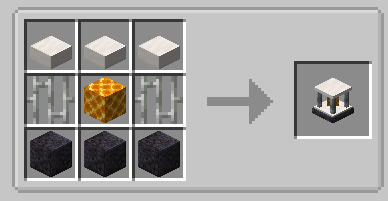
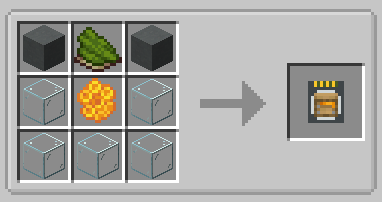
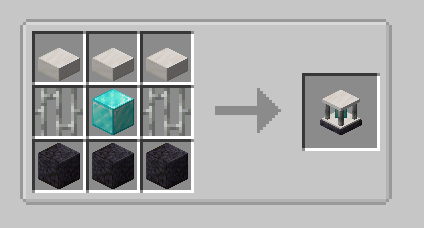
Currently adds the following blocks.
Expulsion Pylon:
Intended for use on servers, this block allows you to expel other players from the chunk it's placed in. You can whitelist players with a Player Filter - OPs are always whitelisted.
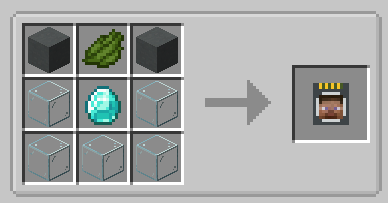
Infusion Pylon:
Allows you to apply effects to yourself from any distance (may require chunkloading) with activated Potion Filters. Potion Filters can be activated by applying an effect to yourself (from a potion, for example) and then right-clicking the Potion Filter. The minimum effect duration that can be extracted is 60 seconds by default. This will extract all remaining duration from the player and apply it to the Filter. To fully activate it, you will need a total of 1 hour of duration, the equivalent of 7.5 vanilla extended potions.
If you have multiple cards containing the same effect, you can combine them. Place one card in each hand, and right click. The duration from the off hand card will be added to the card in your main hand.
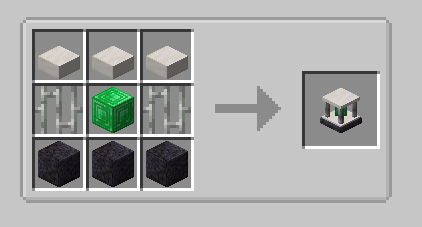
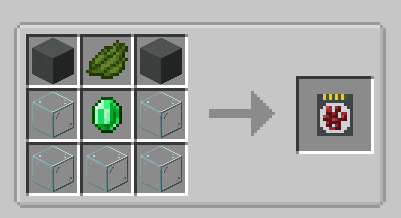
Harvester Pylon:
Harvests crops in a configurable radius (from 3x3 to 9x9) around the pylon and outputs to an inventory above. Place the pylon inside the water block of the farm:
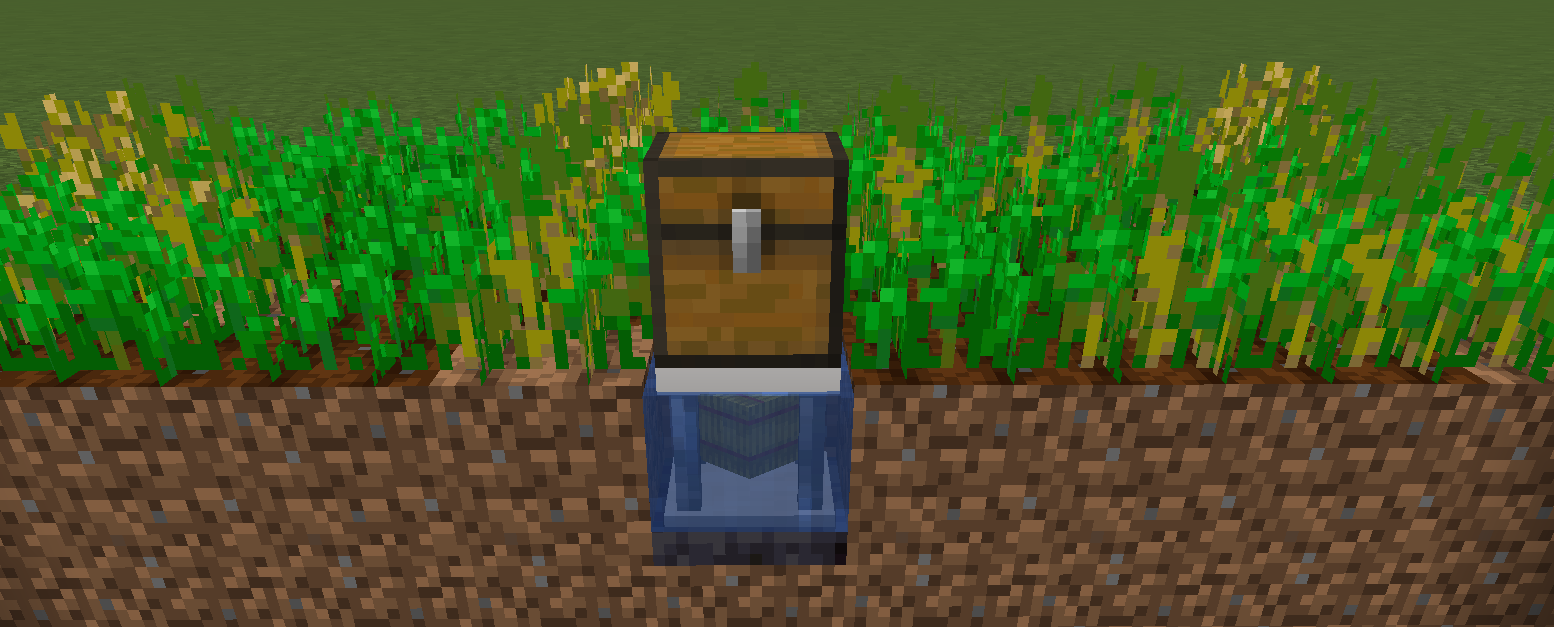
By default, the pylon requires a hoe in the pylon inventory, and will consume 1 durability per crop harvest. There is a config option to disable this. Unbreakable hoes, such as Mystical Agriculture's Supremium Hoe, can be used.
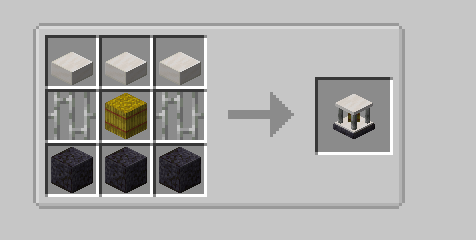
Interdiction Pylon
Prevents all spawns of specified mobs within the selected chunk range (1x1 to 5x5). Right click on a mob with a Mob Filter, then add the filter to the pylon to block that mob.
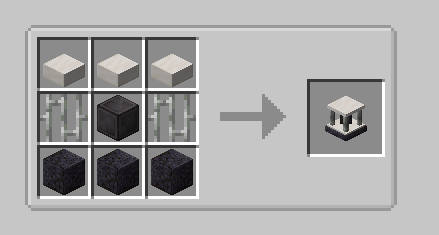
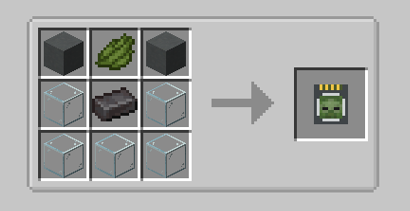
Screenshots
Gallery
-
Expulsion Pylon Recipe
-
Infusion Pylon Recipe
-
Player Filter Recipe
-
Potion Filter Recipe
-
Harvester Pylon Placement
-
Harvester Pylon Recipe
-
Interdiction Pylon Recipe
-
Mob Filter Recipe
-
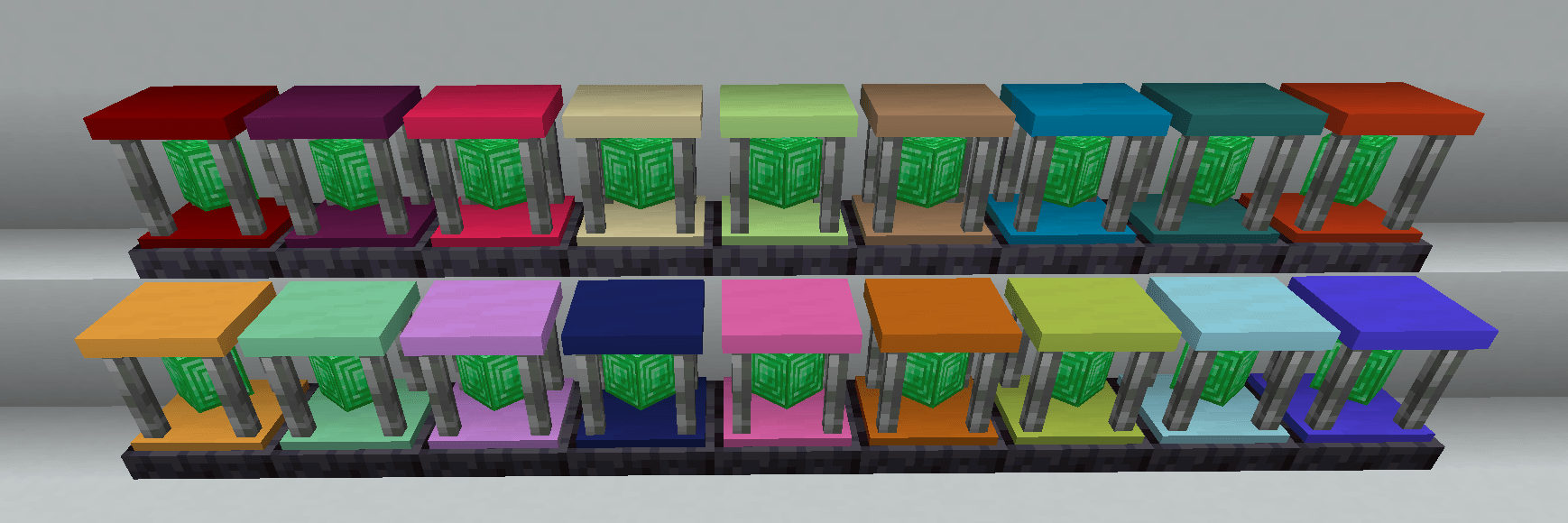 Dyenamics Dyes
 -
 Vanilla Dyes
 -
Block Filter Recipe
-
Protection Pylon Recipe
-
Infusion pylon recipe
-
Harvester pylon recipe
-
Player filter recipe
-
Harvester pylon placement
-
Interdiction pylon recipe
-
Mob filter recipe
-
Potion filter recipe
-
Expulsion pylon recipe
Versions
Files
Relations
Project Relations
More like this
Similar Mods
Suggestions use data such as tags, dependencies, dependents, descriptions, titles, and more to rank how much they overlap with this mod.
On ModDex
Community snapshot
By the numbers
Statistics
 (opens in a new tab)
Get it on
Available Platforms
On ModDex
Community snapshot
By the numbers