
Community listing page, reviews here may not be monitored by the author.
QIO Sync


No reviews yet
Adds configurable search synchronization in Mekanism's QIO storage interface for JEI or EMI, along with QOL improvements to recipe handling.
Community voices
Reviews
No reviews yet. Be the first to review this project!
Get it on
Available Platforms
Compatibility
Supported Environments
Runs entirely on the client. Works on vanilla servers.
About
Project Details
For authors
Embed Badge
If you're the author of this project, you can embed a live badge anywhere that supports HTML or Markdown. It updates automatically whenever ratings change.
Use HTML for any page that supports it, or Markdown for README files and Markdown-based descriptions.
Identifiers
Platform IDs
Resources
External Links
About
Description
QIO Sync is a client-side QOL mod for Mekanism's QIO storage interface.
It adds search synchronization inspired by Refined Storage and improves how JEI and EMI recipes are transferred into QIO's three crafting windows.
Search synchronization
A button in the QIO interface lets you choose how its search bar interacts with JEI or EMI:
- OFF: QIO and recipe-viewer searches remain independent
- 1W: Typing in QIO also updates the JEI or EMI search box
- 2W: Typing in either search box updates the other
Improved QIO recipe transfer
When using JEI or EMI's Fill Recipe button (+):
- Automatically opens a QIO crafting window when necessary
- Prioritizes empty crafting grids
- Uses all three available QIO crafting windows
- Replaces occupied grids in a round-robin pattern if every grid is in use
Forge 1.20.1 improvements
The Forge version provides several features from newer versions of Mekanism:
- Fixes EMI recipe transfer and the Fill Recipe button in QIO
- Fixes EMI recipe and usage keybinds while hovering over items stored in QIO
- Prevents EMI recipe screens from closing QIO crafting windows unexpectedly
- Adds a QIO/INV option for deciding where items displaced by a new crafting recipe are sent
- Adds a GRID/QIO option for deciding whether items shift-clicked from the player's inventory go into the open crafting grid or get stored in the current QIO frequency
- Adds extra auto-selected search modes which let you begin typing into a search box immediately upon opening QIO's interface
Installation and configuration
QIO Sync is entirely client-side. It does not need to be installed on a server. Install it in the client's mods folder alongside Mekanism and EMI or JEI (or both).
The UI behavior options added by this mod are saved in qiosync-client.toml. The settings are applied globally to every QIO interface accessed by the player.
QIO Sync is a client-side QOL mod for Mekanism's QIO storage interface
It adds search synchronization inspired by Refined Storage and improves how EMI or JEI recipes are transferred into QIO's three crafting windows.
Search synchronization
A button in the QIO interface lets you choose how its search bar interacts with EMI or JEI:
- OFF: QIO and recipe-viewer searches remain independent
- 1W: Typing in QIO also updates the EMI or JEI search box
- 2W: Typing in either search box updates the other
Improved QIO recipe transfer
When using JEI or EMI's Fill Recipe button (+):
- Automatically opens a QIO crafting window when necessary
- Prioritizes empty crafting grids
- Uses all three available QIO crafting windows
- Replaces occupied grids in a round-robin pattern if every grid is in use
Forge 1.20.1 improvements
The Forge version provides several features from newer versions of Mekanism:
- Fixes EMI recipe transfer and the Fill Recipe button in QIO
- Fixes EMI recipe and usage keybinds while hovering over items stored in QIO
- Prevents EMI recipe screens from closing QIO crafting windows unexpectedly
- Adds a QIO/INV option for deciding where items displaced by a new crafting recipe are sent
- Adds a GRID/QIO option for deciding whether items shift-clicked from the player's inventory go into the open crafting grid or get stored in the current QIO frequency
- Adds extra auto-selected search modes which let you begin typing into a search box immediately upon opening QIO's interface
Installation and configuration
QIO Sync is entirely client-side. It does not need to be installed on a server. Install it in the client's mods folder alongside Mekanism and EMI or JEI (or both).
The UI behavior options added by this mod are saved in qiosync-client.toml. The settings are applied globally to every QIO interface accessed by the player.
Screenshots
Gallery
-
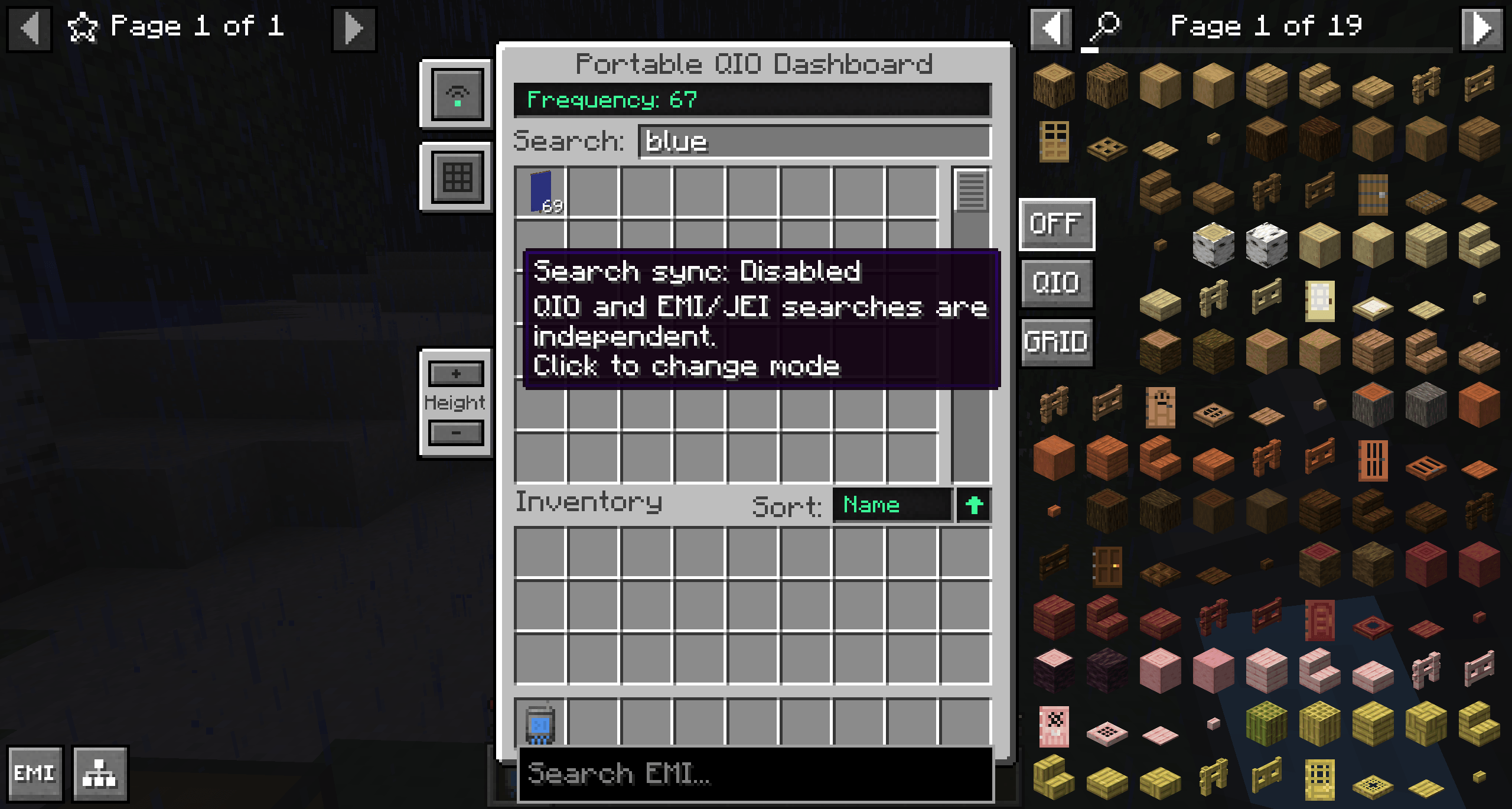 Search Sync Disabled
 -
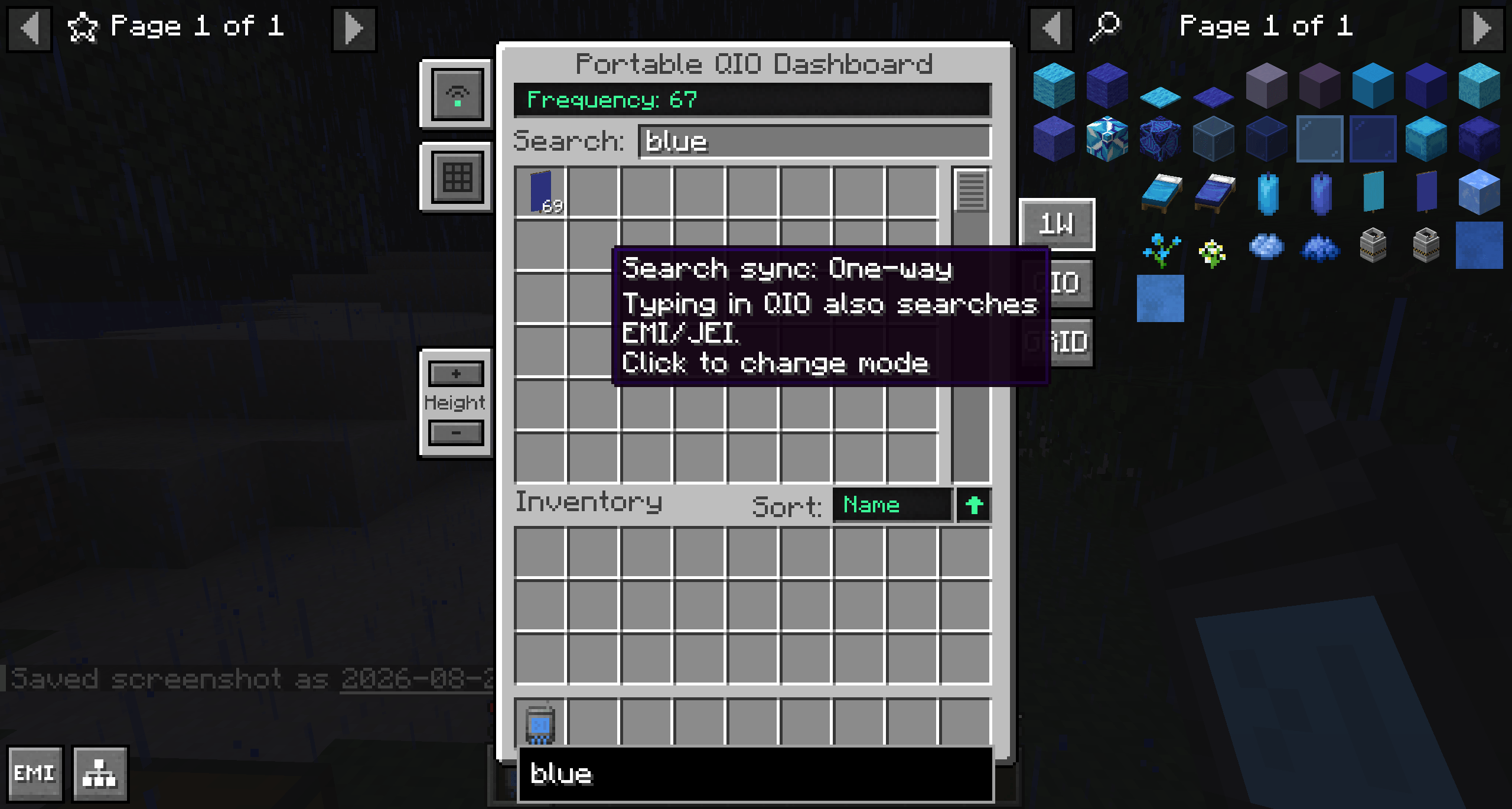 Search Sync 1W
 -
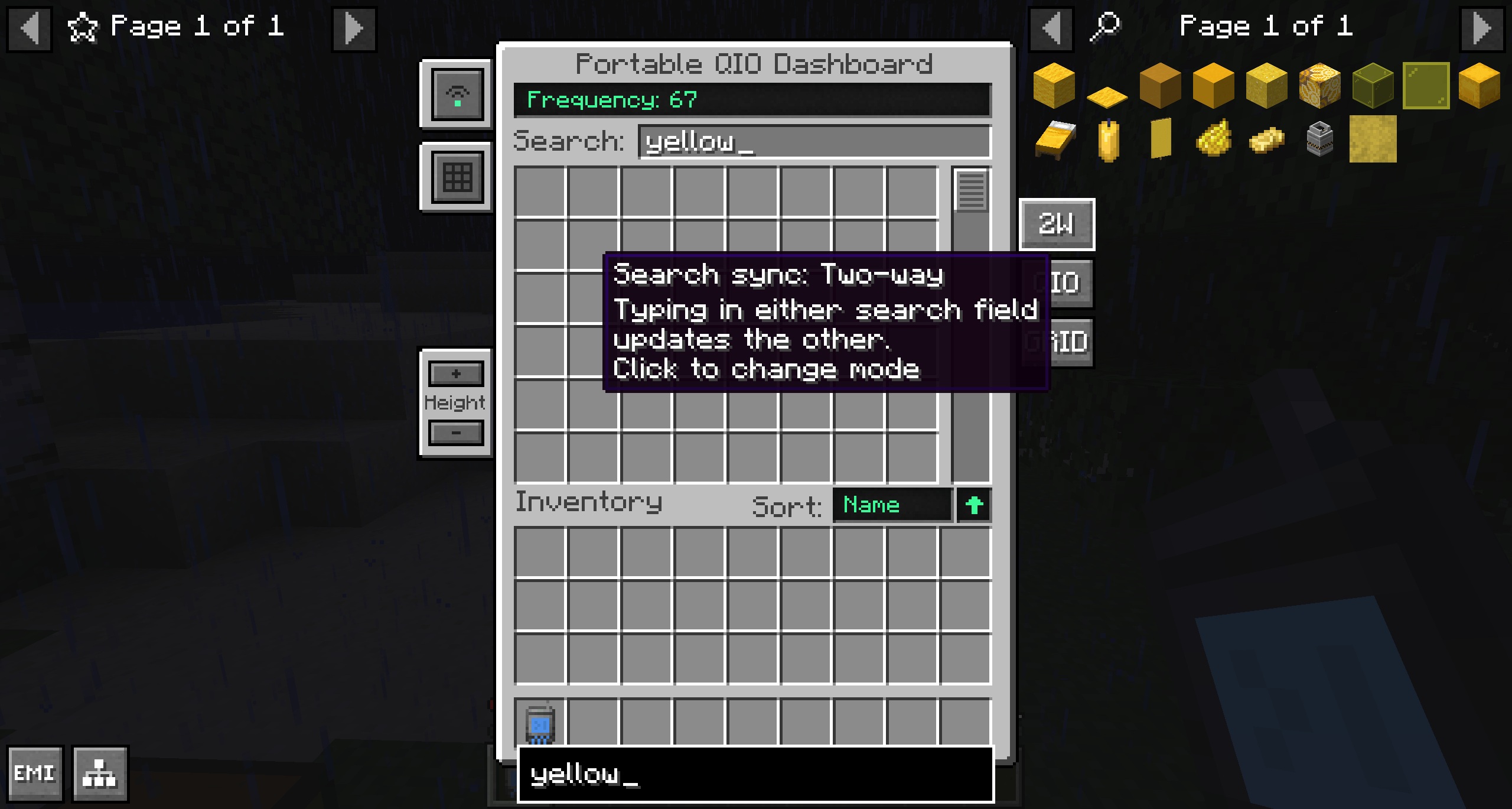 Search Sync 2W
 -
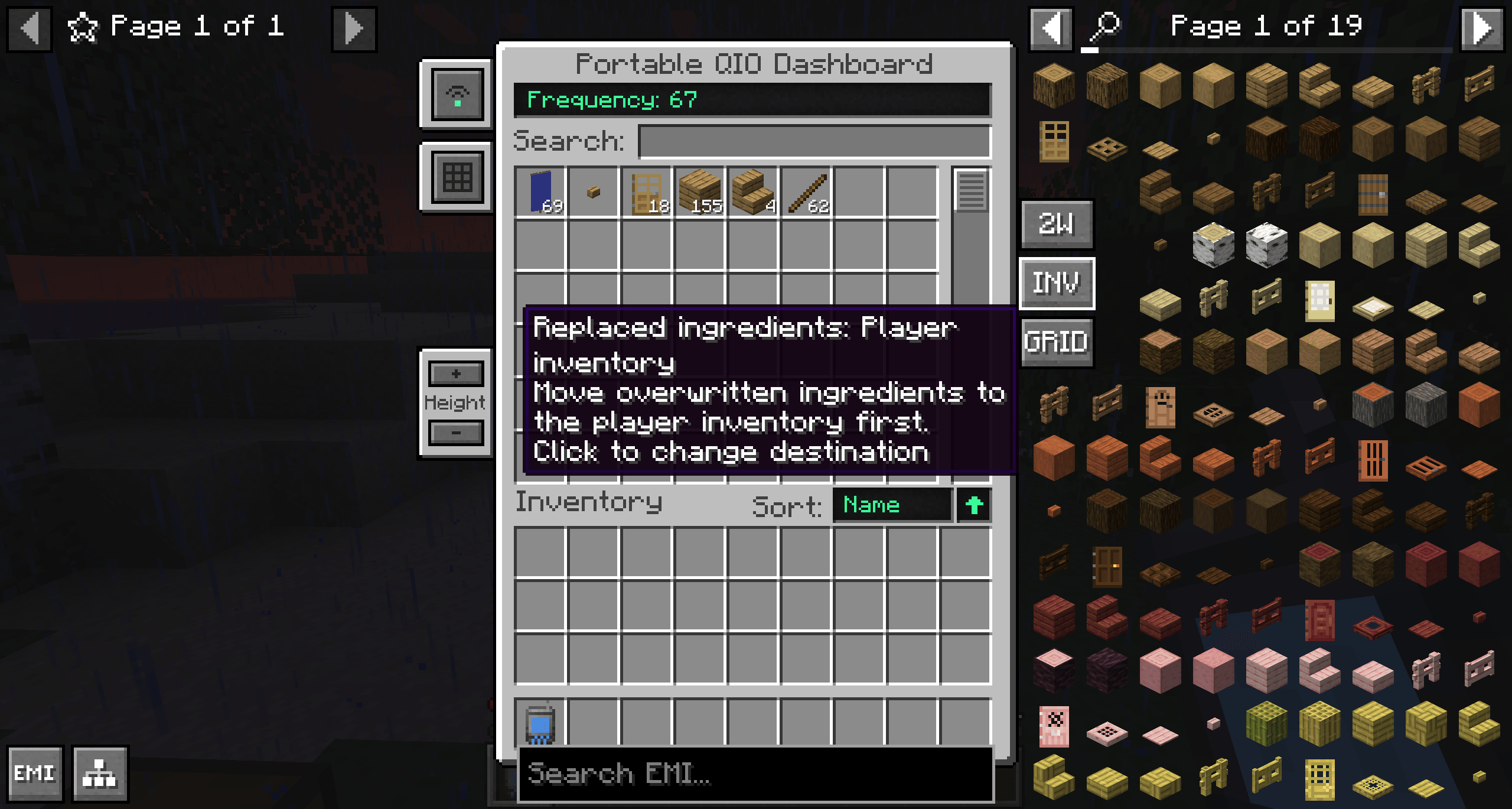 Replaced ingredients INV
 -
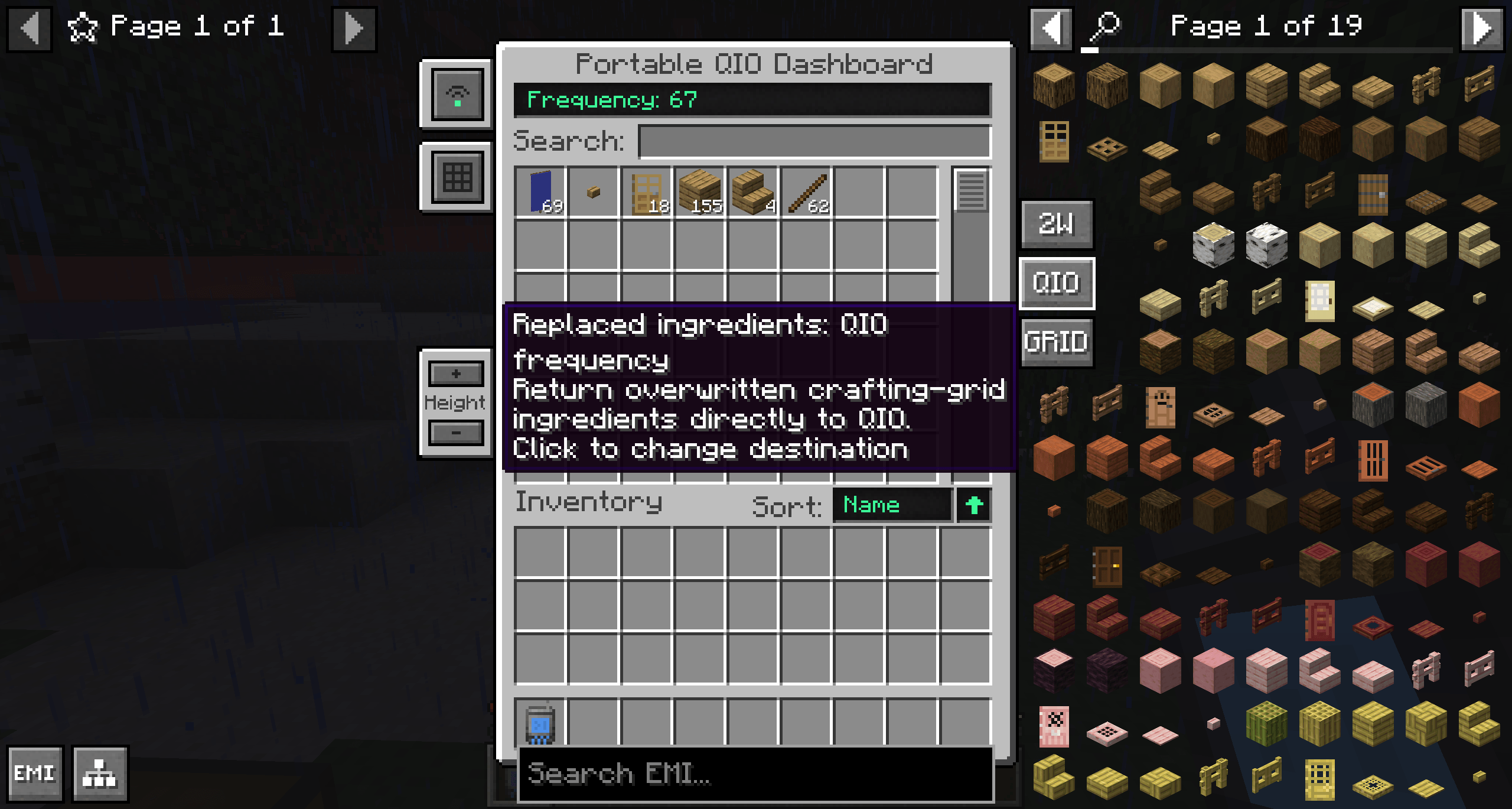 Replaced ingredients QIO
 -
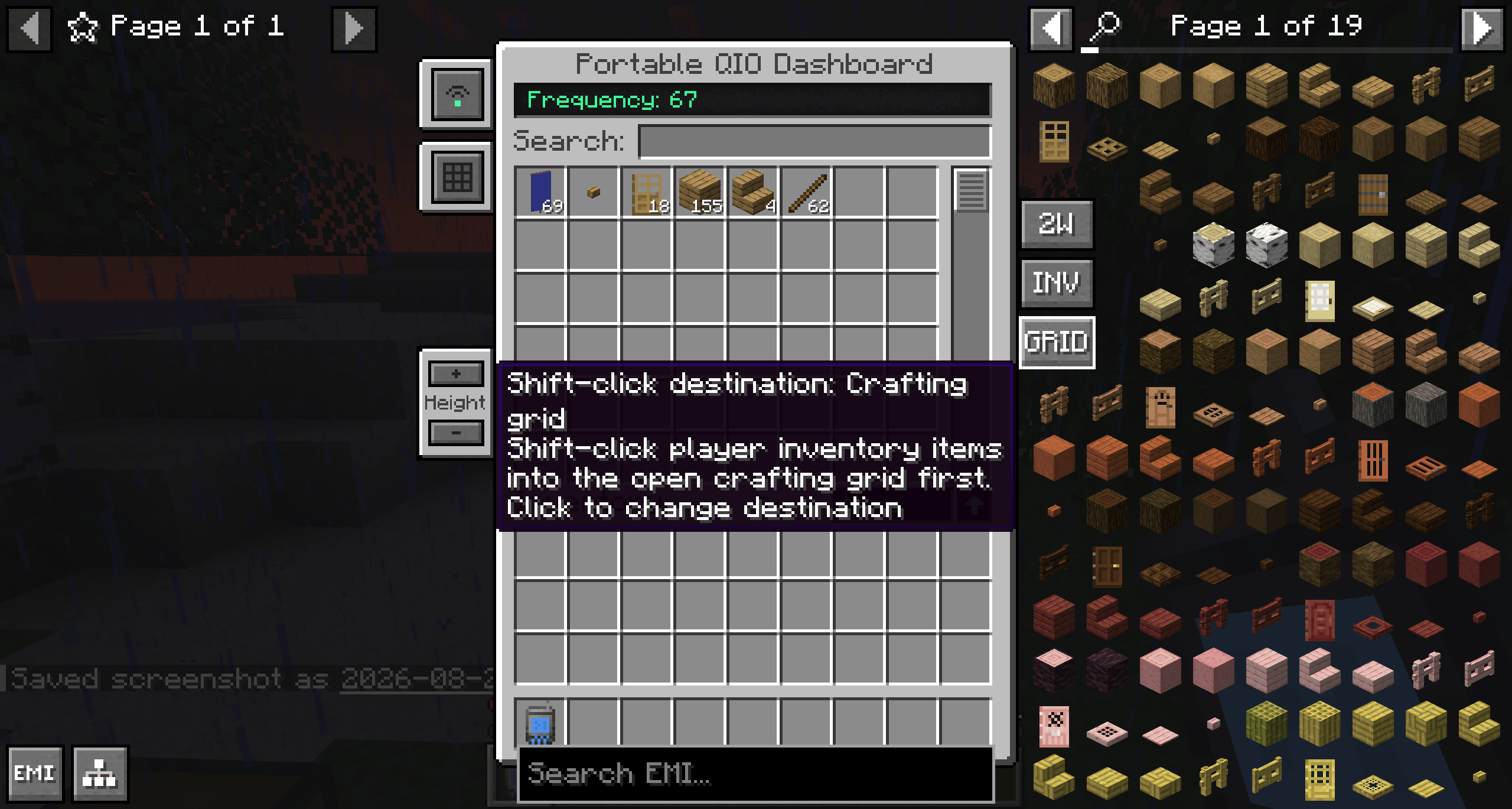 Shift-click GRID
 -
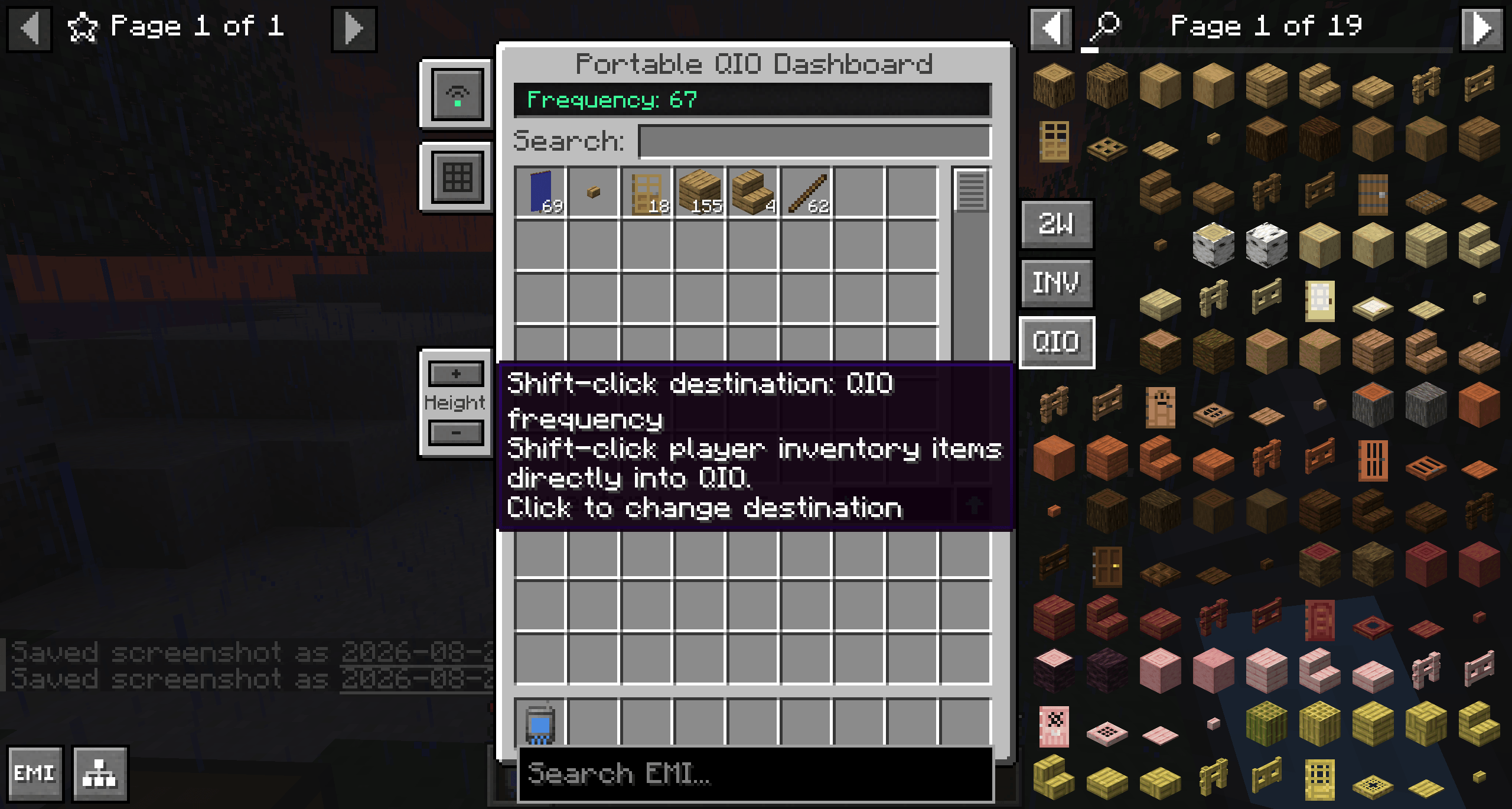 Shift-click QIO
-
 Search sync disabled QIO and EMI/JEI searches are independent
 -
 One-way sync Typing in QIO also searches EMI/JEI
 -
 Two-way sync Typing in either search field updates the other
Versions
Files
Relations
Project Relations
More like this
Similar Mods
Suggestions use data such as tags, dependencies, dependents, descriptions, titles, and more to rank how much they overlap with this mod.
On ModDex
Community snapshot
By the numbers
Statistics
Want to reach Minecraft players?
We're looking for a server hosting partner to feature here and other parts of the site. Interested? Send us a message!
Get in touchGet it on
Available Platforms
On ModDex
Community snapshot
By the numbers
Statistics
Resources