
Community listing page, reviews here may not be monitored by the author.
QOL-TOOLKIT

No reviews yet
An Improvement mod from minecraft with simple features
Community voices
Reviews
No reviews yet. Be the first to review this project!
Get it on
Available Platforms
Compatibility
Supported Environments
Runs entirely on the client. Works on vanilla servers.
About
Project Details
For authors
Embed Badge
If you're the author of this project, you can embed a live badge anywhere that supports HTML or Markdown. It updates automatically whenever ratings change.
Use HTML for any page that supports it, or Markdown for README files and Markdown-based descriptions.
Identifiers
Platform IDs
Resources
External Links
About
Description
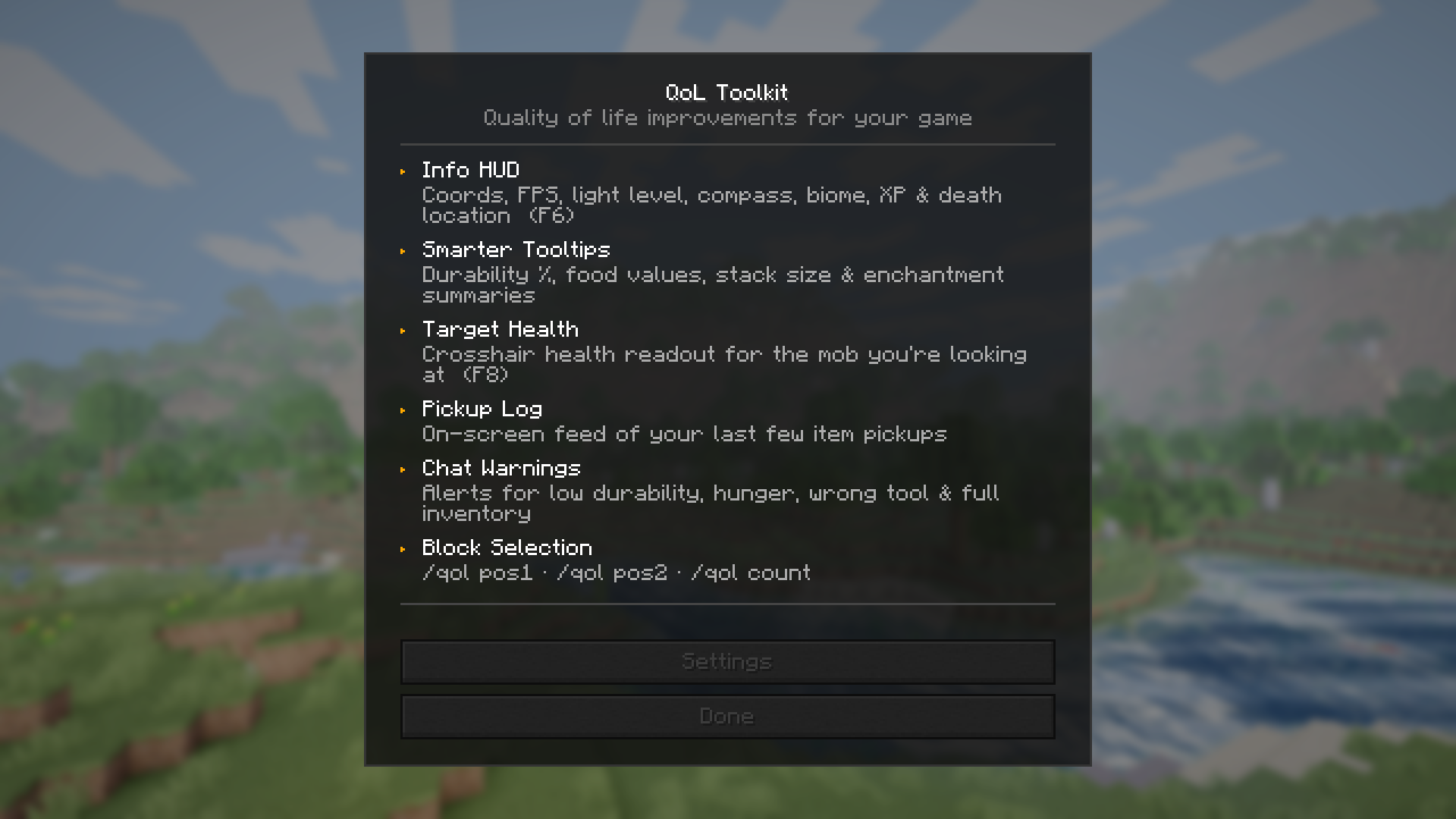
QoL Toolkit
A lightweight, client-side quality-of-life mod for Minecraft 26.2 — no server required.
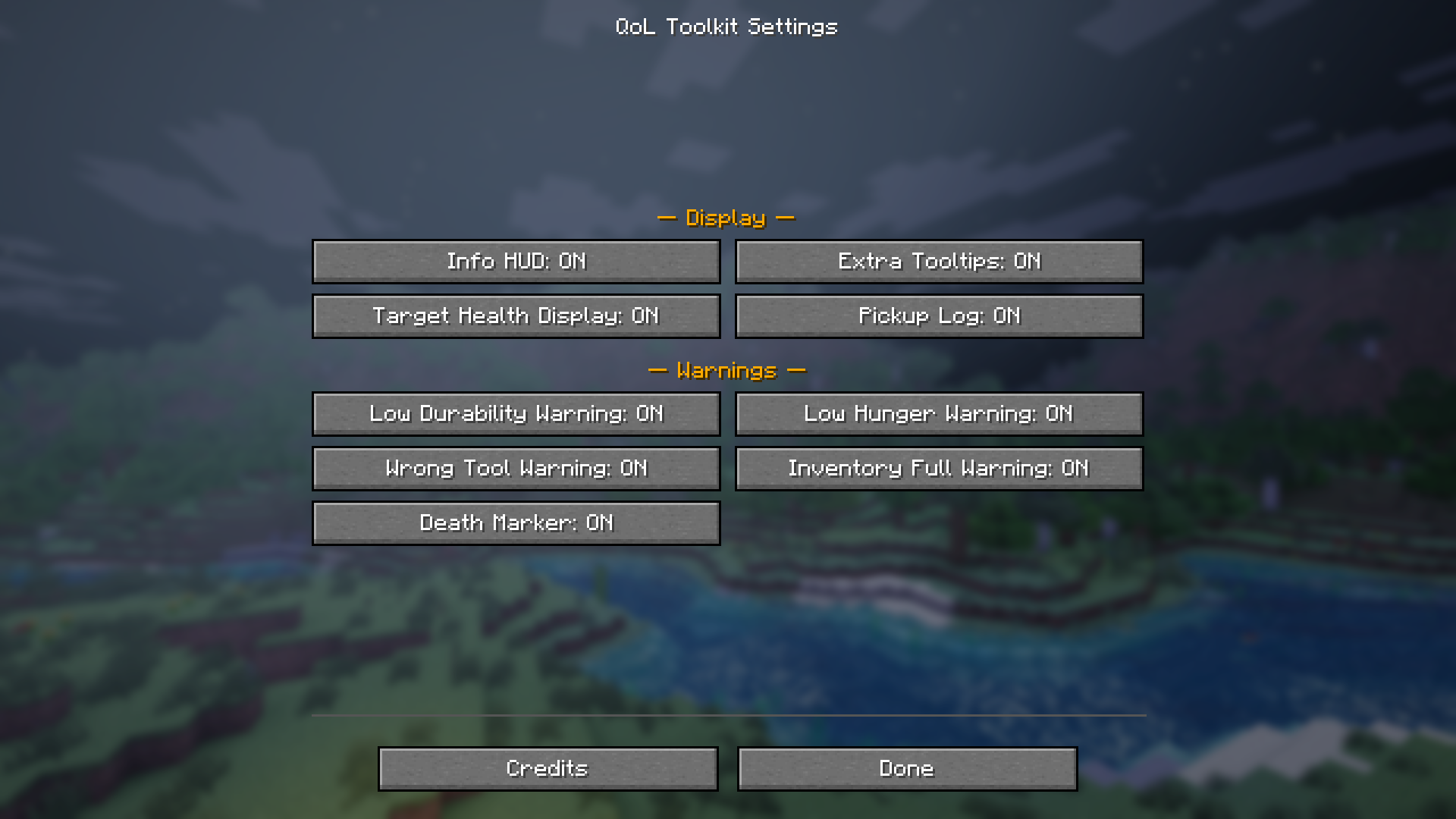
QoL Toolkit bundles the small-but-essential features that vanilla Minecraft is missing into a single, zero-dependency mod. Everything is toggleable, nothing is forced on you, and it works on any server you join.
Features
🗺️ Info HUD
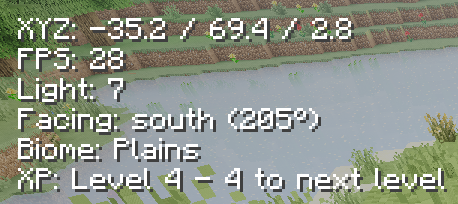
A clean heads-up display showing your coordinates, FPS, light level, compass bearing, current biome, XP level, armor durability, and your last death location — all in one place. Toggle with F6.
📋 Smarter Tooltips
Hover over any item to see extra detail: durability as a percentage, food hunger and saturation values, stack size, and a compact enchantment summary (e.g. Sharp V · Unbr III · Loot II) so you can read your gear at a glance.
❤️ Target Health Display
See the health of whatever mob your crosshair is resting on, shown directly on your HUD. Toggle with F8.
📦 Pickup Log
A small on-screen feed that shows the last few items you've picked up — useful when farming or looting chests quickly.
⚠️ Chat Warnings
Automatic alerts so nothing sneaks up on you:
- Low durability — warns before your tools break
- Low hunger — reminds you to eat
- Wrong tool — nudges you when you're mining with the wrong item
- Inventory full — lets you know before you start losing drops
📐 Block Selection Tool
Mark two corners with /qol pos1 and /qol pos2, then use /qol count to get a full block-type breakdown of the selected volume. Great for building planning and survival inventory prep.
Commands
| Command | Description |
|---|---|
/qol |
Open the main menu |
/qol settings |
Open the settings screen |
/qol toggle <feature> |
Toggle any feature without opening the menu |
/qol pos1 / /qol pos2 |
Set selection corners to the block you're looking at |
/qol count |
Count block types in your selection |
/qol selection |
Show current selection corners |
/qol clearselection |
Clear the selection |
Keybindings
| Key | Action |
|---|---|
| F6 | Toggle Info HUD |
| F8 | Toggle Target Health Display |
| F9 | Open QoL Toolkit menu |
Requirements
- Minecraft 26.2
- Fabric Loader 0.19.3+
- Fabric API 0.152.2+26.2
Notes
- Client-side only — works on any multiplayer server, no mod needed server-side
- All settings persist between sessions
- Made by James Berry · Licensed under CC0-1.0
Screenshots
Gallery

Versions
Files
Relations
Project Relations
More like this
Similar Mods
Suggestions use data such as tags, dependencies, dependents, descriptions, titles, and more to rank how much they overlap with this mod.
On ModDex
Community snapshot
By the numbers
Statistics

Want to reach Minecraft players?
We're looking for a server hosting partner to feature here and other parts of the site. Interested? Send us a message!
Get in touchGet it on
Available Platforms
On ModDex
Community snapshot
By the numbers
Statistics
Resources