Community listing page, reviews may not be monitored by the author.
QueQiao


No reviews yet
A plugin/mod that establishes a connection between Minecraft and NoneBot.

Community voices
Reviews
No reviews yet. Be the first to review this project!
Get it on
Available Platforms
Compatibility
Supported Environments
Runs entirely on the server. Also works in singleplayer.
Runs on a dedicated server only; does not work in singleplayer.
Varies by version.
About
Project Details
For authors
Embed Badge
If you're the author of this project, you can embed a live badge anywhere that supports HTML or Markdown. It updates automatically whenever ratings change.
Use HTML for any page that supports it, or Markdown for README files and Markdown-based descriptions.
Identifiers
Platform IDs
About
Description

📖 Documentation · ⬇️ Modrinth · ⬇️ CurseForge · 🐛 Report Issues
Introduction
- Distributes player events from the server in
JSONformat viaWebSocket- Implemented
Events:Player ChatPlayer CommandPlayer Death(Not available for Velocity)Player JoinPlayer QuitPlayer Advancement(Achievement)
- Implemented
- Receives
JSONmessages viaWebSocketand forwards to in-game players- Implemented APIs:
Documentation
- Visit the
ApiFox QueQiaofor detailed documentation
Can't find a suitable Mod/Plugin version? Feel free to submit an
Issue
Quick Start
- Install the corresponding server
plugin/mod - Configure
websocket_serverinconfig.yml:enable: true# Enable WebSocket serverhost: "127.0.0.1"# WebSocket Server addressport: 8080# WebSocket Server port
- Start the server and wait for
WebSocket Serverto initialize - Use
ApiFoxor other API testing tools, or connect with Integration projects and with theseRequest Header
{
    // Required: server name, must match 'server_name' in config.yml
    "x-self-name": "TestServer",
    // Optional: auth token, must match 'access_token' in config.yml (omit if empty)
    "Authorization": "Bearer 123"
}- Launch the game and join the server
- Refer to the
API Documentationto send messages or listen to player events.
Integration Projects
@17TheWord/nonebot-adapter-minecraft:NoneBot2adapter@17TheWord/nonebot-plugin-mcqq:NoneBot2plugin@CikeyQi/mc-plugin:YunZaiplugin@Twiyan0/koishi-plugin-minecraft-sync-msg:Koishiplugin@17TheWord/zerobot-plugin-mcqq:ZeroBotplugin@kterna/astrbot_plugin_mcqq:AstrBotplugin@KroMiose/nekro-agent:AIagent
Related Projects
@kterna/queqiao_mcdr:MCDRimplementation ofQueQiaofor message exchange
Compatibility
@kitUIN/ChatImage: Displays images in Minecraft chat
Community
Special Thanks
@kitUIN: For code assistance and build tools@kitUIN/ModMultiVersion: IDEA multi-version MOD plugin@kitUIN/ModMultiVersionTool: Multi-version MOD build tool
Support & Contribution
- Star this project if you find it useful or support me on
Afdian - Submit suggestions/bugs via
Issues - Contribute via
Pull requests
License
This project is licensed under the MIT license.
QueQiao
✨ Minecraft Server Mod/Plugin for Real-time Player Events & API Broadcast Messaging ✨




📖 Documentation · ⬇️ Modrinth · ⬇️ CurseForge · 🐛 Report Issues
Introduction
- Distributes player events from the server in
JSONformat viaWebSocket- Implemented
Events:Player ChatPlayer CommandPlayer Death(Not available for Velocity)Player JoinPlayer QuitPlayer Advancement(Achievement)
- Receives
JSONmessages viaWebSocketand forwards to in-game players- Implemented APIs:
- Implemented
Documentation
- Visit the
ApiFox QueQiaofor detailed documentation
Can't find a suitable Mod/Plugin version? Feel free to submit an
Issue
Quick Start
- Install the corresponding server
plugin/mod - Configure
websocket_serverinconfig.yml:enable: true# Enable WebSocket serverhost: "127.0.0.1"# WebSocket Server addressport: 8080# WebSocket Server port
- Start the server and wait for
WebSocket Serverto initialize - Use
ApiFoxor other API testing tools, or connect with Integration projects- Configure global
Request Header:{ // Required: server name, must match 'server_name' in config.yml "x-self-name": "TestServer", // Optional: auth token, must match 'access_token' in config.yml (omit if empty) "Authorization": "Bearer 123" }
- Configure global
- Launch the game and join the server
- Refer to the
API Documentationto send messages or listen to player events.
Integration Projects
@17TheWord/nonebot-adapter-minecraft:NoneBot2adapter@17TheWord/nonebot-plugin-mcqq:NoneBot2plugin@CikeyQi/mc-plugin:YunZaiplugin@Twiyan0/koishi-plugin-minecraft-sync-msg:Koishiplugin@17TheWord/zerobot-plugin-mcqq:ZeroBotplugin@kterna/astrbot_plugin_mcqq:AstrBotplugin@KroMiose/nekro-agent:AIagent
Related Projects
@kterna/queqiao_mcdr:MCDRimplementation ofQueQiaofor message exchange
Compatibility
@kitUIN/ChatImage: Displays images in Minecraft chat
Community
Special Thanks
@kitUIN: For code assistance and build tools@kitUIN/ModMultiVersion: IDEA multi-version MOD plugin@kitUIN/ModMultiVersionTool: Multi-version MOD build tool
Support & Contribution
- Star this project if you find it useful or support me on
Afdian - Submit suggestions/bugs via
Issues - Contribute via
Pull requests
License
This project is licensed under the MIT license.
Screenshots
Gallery
-
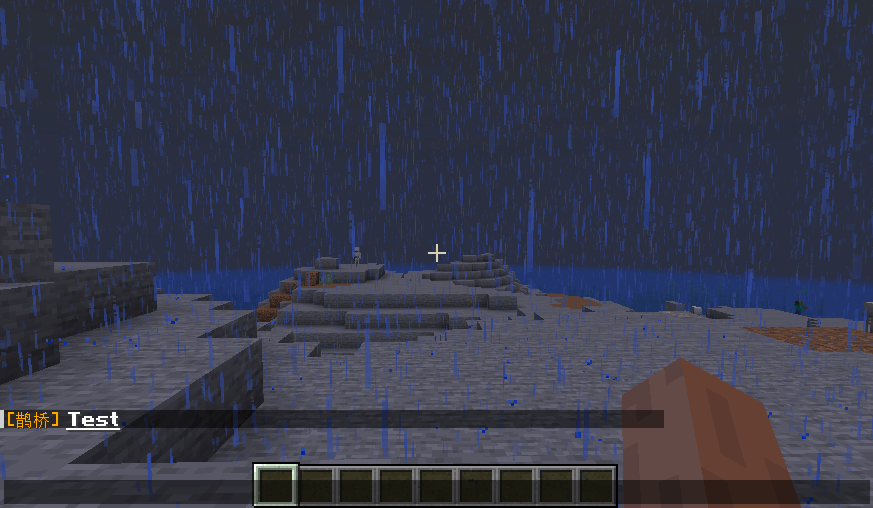 2024-08-16_11.32.00.png 2024-08-16_11.32.00.png
-
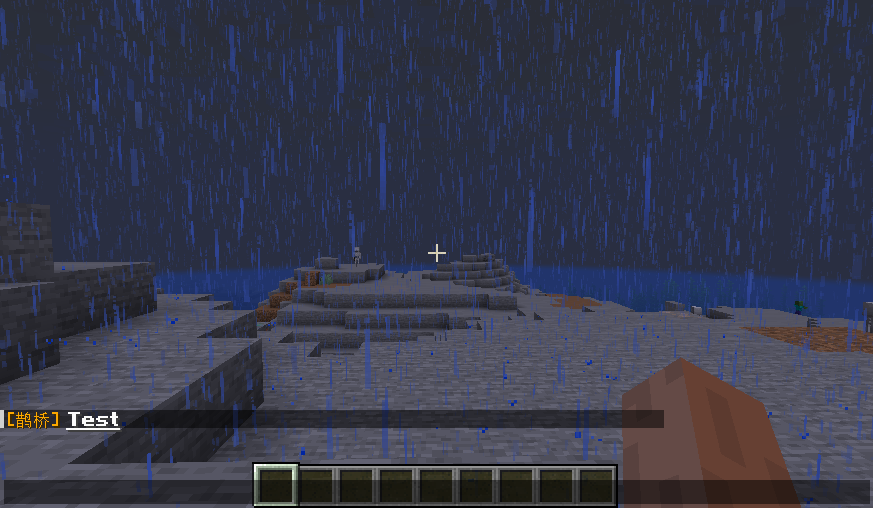 Normal message Broadcast message to everyone
Versions
Files
Relations
Project Relations
More like this
Similar Mods
Suggestions use data such as tags, dependencies, dependents, descriptions, titles, and more to rank how much they overlap with this mod.
On ModDex
Community snapshot
By the numbers
Statistics

Get it on
Available Platforms
On ModDex
Community snapshot
By the numbers