Community listing page, reviews here may not be monitored by the author.
Quick Container Tabs

No reviews yet
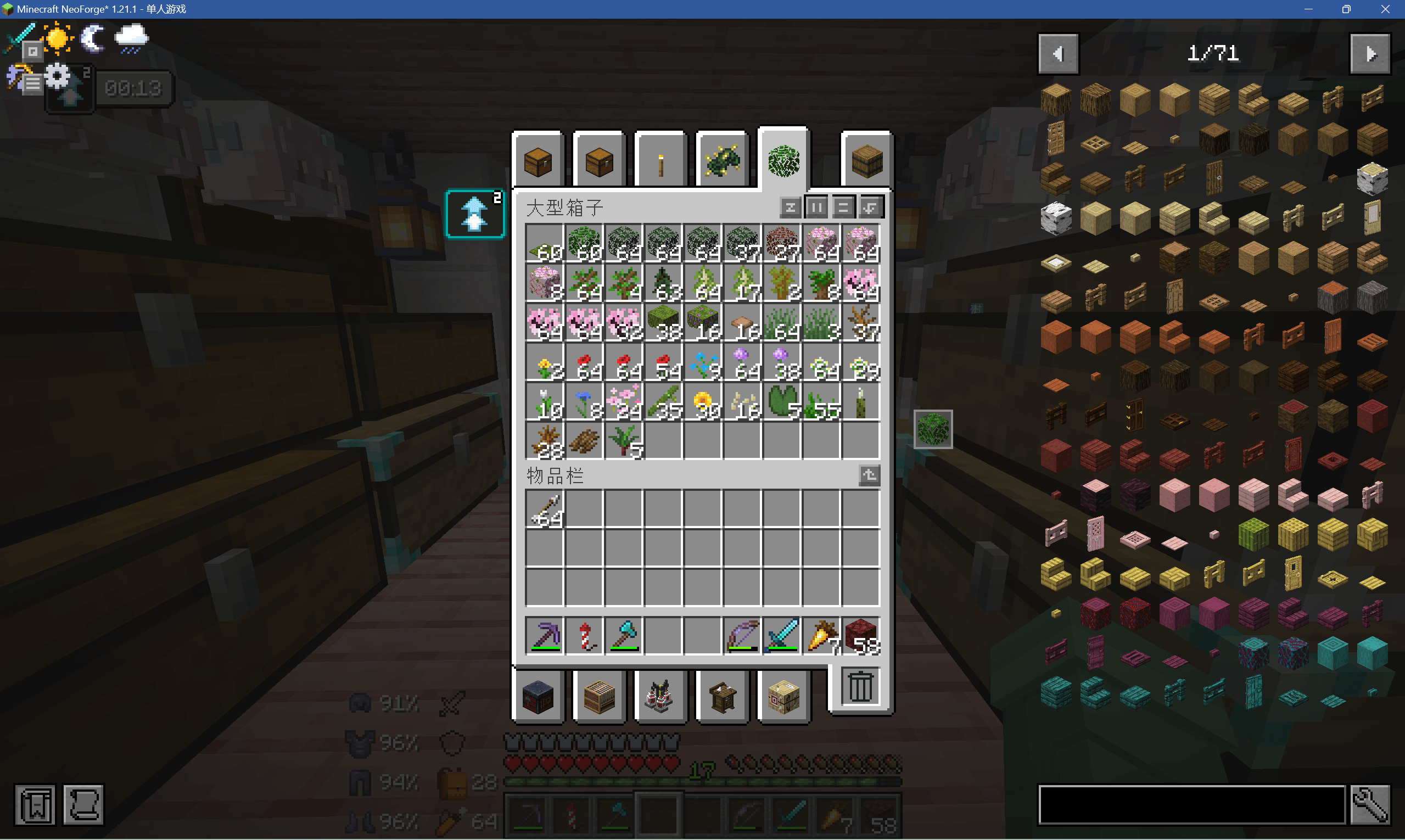
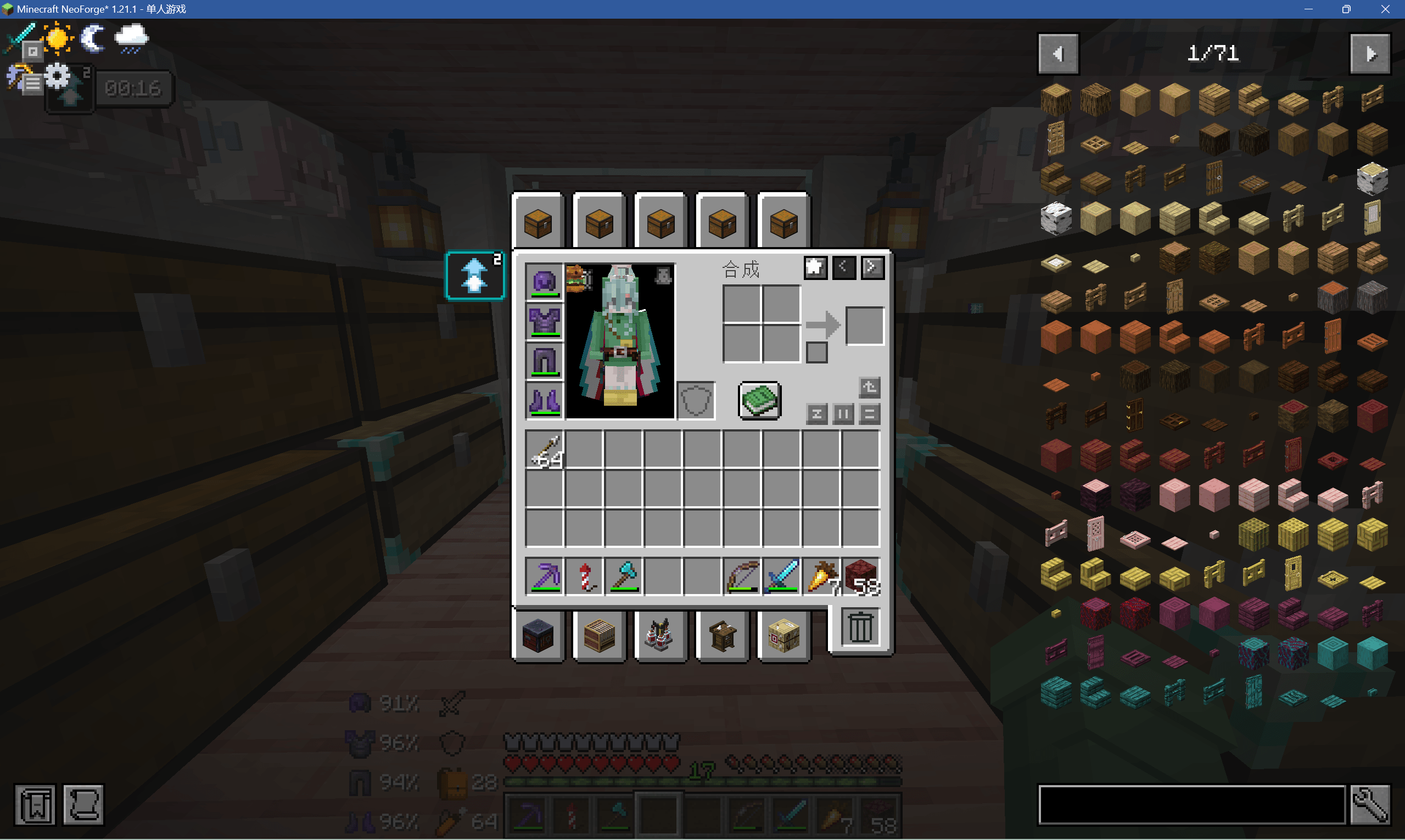
Adds click‑able tabs on the top and bottom of inventory, chest and various work‑block GUIs. Click tabs to instantly open nearby containers / work blocks, skipping the tedious workflow of "close GUI → walk over → right‑click block".
Community voices
Reviews
No reviews yet. Be the first to review this project!
Get it on
Available Platforms
About
Project Details
For authors
Embed Badge
If you're the author of this project, you can embed a live badge anywhere that supports HTML or Markdown. It updates automatically whenever ratings change.
Use HTML for any page that supports it, or Markdown for README files and Markdown-based descriptions.
Identifiers
Platform IDs
Resources
External Links
About
Description
Quick Container Tabs
Adds click‑able tabs on the top and bottom of inventory, chest and various work‑block GUIs. Click tabs to instantly open nearby containers / work blocks, skipping the tedious workflow of "close GUI → walk over → right‑click block".
✨ Features
Basic Functions
- Top Tabs: Detect nearby container‑type blocks (Chest, Barrel, Furnace, Shulker Box, Hopper, Dispenser, etc.)
- Bottom Tabs: Detect nearby work‑type blocks (Crafting Table, Anvil, Enchanting Table, Smithing Table, Stonecutter, Loom, etc.)
- Independent page‑turn buttons for top and bottom sections, supporting paginated browsing
- Hover tooltip shows the corresponding block name
- Scanning radius and items per page are fully configurable
🎨 Personalization Settings (Core Highlights)
Custom Tab Icons You can set a custom display icon for each individual container. Supports vanilla items as well as items added by other mods. There are no restrictions on item sources.
Favorite & Pin Containers Each tab comes with a favorite button. Favorited container tabs will be pinned to a dedicated area on the right side of the GUI for priority display, and will not be hidden by pagination. Frequently‑used chests and machines can be pinned with one click.
Rich Configuration Panel (Default hotkey
Bto open config menu) Tweak mod behavior deeply inside the config UI:
- Scan Range: Default scan distance is 4 blocks (vanilla player interaction reach is 4.5 blocks, with safety margin reserved). You may increase or decrease the scanning radius.
- Tab Display Priority: Customize sort priority for containers and work blocks in the tab list.
- Tab Layout Position: Adjust vertical layout and rendering direction of tabs.
- Blacklist / Exclusion List: Suppress blocks you do not want to appear in tabs.
- Third‑party Mod Compatibility: Add containers and work blocks from other mods into scan‑recognition scope.
⚙️ Usage
- Open any inventory, chest, crafting‑table or other block GUI. Tabs for nearby containers and work blocks will automatically render at top and bottom.
- Hover your mouse to view block names; click tabs to directly open the corresponding container.
- Click the favorite button on tabs to pin frequently‑used containers to the dedicated right‑side favorite area.
- Press hotkey
Bto open the configuration menu, adjust scan distance, priority, layout, third‑party block compatibility and all other parameters.
📄 License
This project is licensed under the MIT License. Feel free to Star and Fork the repository, modify and redistribute.
All source code of this mod is AI‑generated without hand‑written code. The maintainer is only responsible for requirement definition, result acceptance, issue feedback and bug validation.
Screenshots
Gallery
-
 222.png 222.png
 -
 111.png 111.png
Versions
Files
Relations
Project Relations
More like this
Similar Mods
Suggestions use data such as tags, dependencies, dependents, descriptions, titles, and more to rank how much they overlap with this mod.
On ModDex
Community snapshot
By the numbers
Statistics
Want to reach Minecraft players?
We're looking for a server hosting partner to feature here and other parts of the site. Interested? Send us a message!
Get in touchGet it on
Available Platforms
On ModDex
Community snapshot
By the numbers
Statistics
Resources