
Community listing page, reviews here may not be monitored by the author.
QuickBinds

No reviews yet
Advanced client-side mod that allows you to create powerful command keybinds and macros. Features: profiles with automatic server switching, Basic and Extended modes, action chains with WAIT delays, rich placeholders, favorites, logs, and other.
Community voices
Reviews
No reviews yet. Be the first to review this project!
Get it on
Available Platforms
Compatibility
Supported Environments
Runs entirely on the client. Works on vanilla servers.
About
Project Details
For authors
Embed Badge
If you're the author of this project, you can embed a live badge anywhere that supports HTML or Markdown. It updates automatically whenever ratings change.
Use HTML for any page that supports it, or Markdown for README files and Markdown-based descriptions.
Identifiers
Platform IDs
Resources
External Links
About
Description
QuickBinds
QuickBinds is a client-side mod for Fabric 1.21.1–1.21.11 that allows you to bind commands, chat messages, key presses, mouse clicks, sounds, titles, and more to custom key combinations.

Features
- Basic & Extended Setup: Choose between a simplified bind editor or an advanced one with extra stages.
- Single Actions & Chains: Create simple binds or full action chains / macros.
- Multi-Key Combinations: Create multiple key blocks (up to 3 keys per block) — bind activates when any block is pressed.
- Profiles: Create multiple profiles for different playstyles or servers.
- Profile Settings: Rename profiles and assign server addresses for automatic profile loading.
- Auto Profile Loading: Profiles can switch automatically when joining specific servers.
- Favorites: Mark important binds and keep them at the top of the list.
- Search: Quickly filter binds by name in the main list.
- Color Markers: Assign colors to binds for visual organization.
- Execution Log: View history of recently executed binds.
- Command & Chat Messages: Bind text, commands (for example
/home), or local client-side messages (*message) to keys. - Key Press Simulation: Simulate pressing any keyboard key.
- Mouse Simulation: Simulate Left Click (Attack) or Right Click (Use).
- Sound Action: Play any game sound with customizable volume and pitch.
- Title/Subtitle/Action Bar: Display large titles, subtitles, or action bar messages.
- WAIT Action: Add pauses inside chains without using per-action delays.
- Execution Stages:
- On Press - executes when the bind is activated.
- Main Action - the main action stage.
- On Release - executes when the bind is released or finished.
- Execution Modes:
- Press - executes once.
- Toggle - turns the bind on/off with each press.
- Hold - keeps the bind active while the key is held.
- Chain Mode: Execute multiple actions in sequence.
- Random Mode: Pick a random action from a chain.
- Repeat: Automatically repeat the main action when supported by the mode.
- Placeholders: Insert dynamic variables like
{x},{y},{z},{health},{dimension},{held_item},{clipboard}, and more. - Math Expressions: Use simple math like
{10+5}or{20-3}directly in messages. - Import/Export: Share your binds using clipboard code.
- Tooltips & Help Screen: Built-in hints and documentation inside the GUI.
- Multi-language: English, Russian, Polish, Ukrainian, German, French, Portuguese (Brazil).
Usage
- Press the
~key to open the main menu. - Use the profile buttons to create, delete, switch, or edit profiles.
- Click + Add Bind.
- Choose:
- Single Action or Chain / Macro
- Basic or Extended
- In the edit screen:
- Enter a bind name
- Configure key combinations (click the Keys button)
- Select the execution mode
- Configure the available action stages
- For chains, add multiple actions and optionally use WAIT
- Click Save.
Basic vs Extended
- Basic - only the Main Action stage is available.
- Extended - gives access to:
- On Press
- Main Action
- On Release
Action Types
- Message - Sends chat, command, or local text depending on prefix
- Mouse - Simulates left or right mouse click
- Key Press - Simulates pressing a selected key
- Sound - Plays a game sound with configurable volume and pitch
- Title - Displays a large title on screen
- Subtitle - Displays a subtitle below the title
- Action Bar - Displays a message above the hotbar
- Wait - Inserts a timed pause inside a chain (chain mode only)
Placeholders
{x},{y},{z}- Current coordinates{dimension}- Current dimension{nickname}- Your player name{health}- Current health{held_item}- Name of item in main hand{held_amount}- Stack size in main hand{durability}- Remaining durability of held item{offhand_item}- Name of item in offhand{armor}- Total armor points{food}- Current food level{xp_level}- Current XP level{gamemode}- Current gamemode{biome}- Current biome{direction}- Facing direction{server_ip}- Server IP (orSingleplayer){ping}- Current ping{fps}- Current FPS{clipboard}- Contents of your clipboard
Prefixes
/command- sends a command*text- shows a local client-side message"text"- sends plain text without prefix behavior
Have an idea for mod update?
- Join our Discord!
Screenshots
Gallery
-
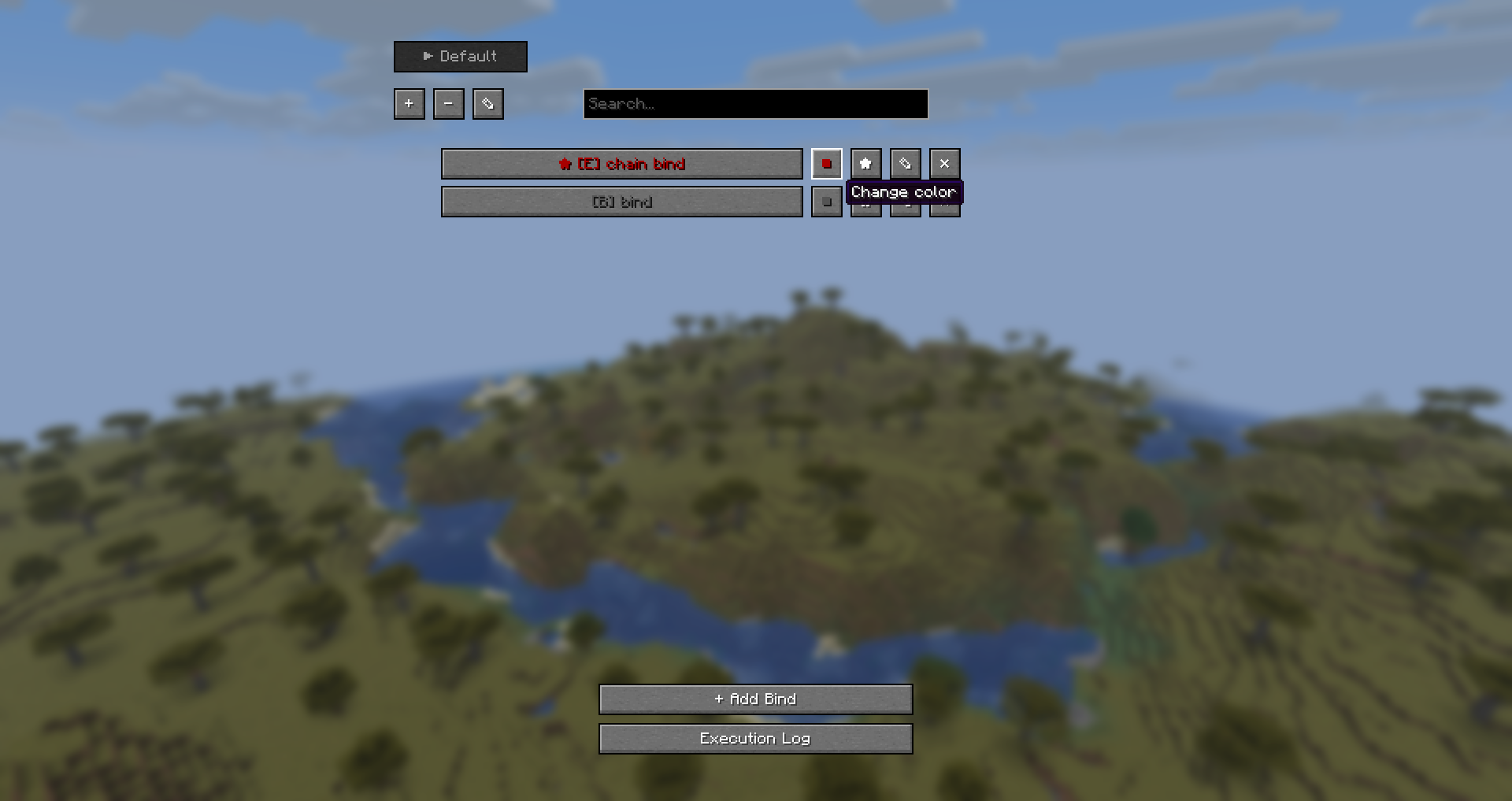 Color
Color -
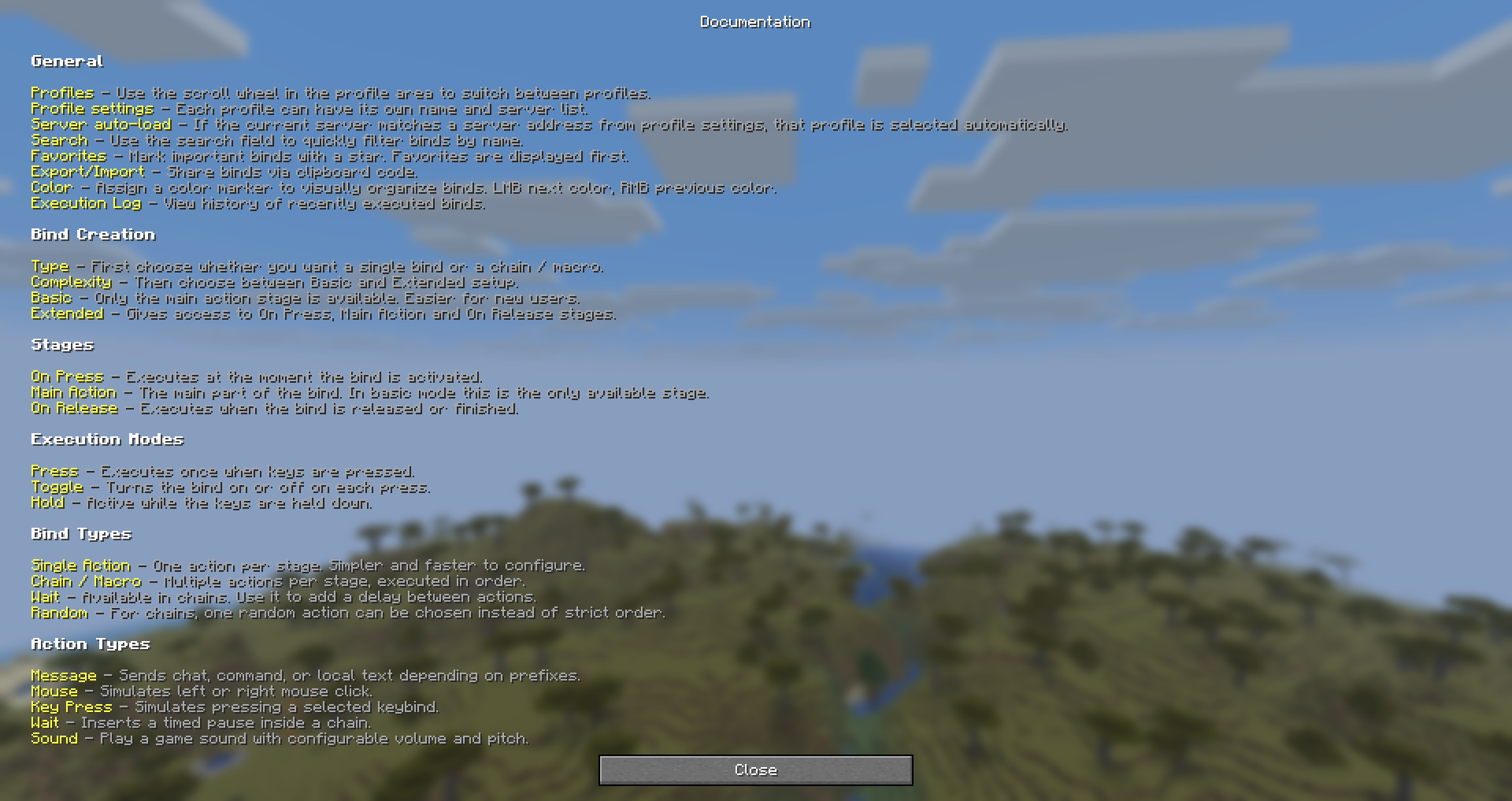 Documentation
 -
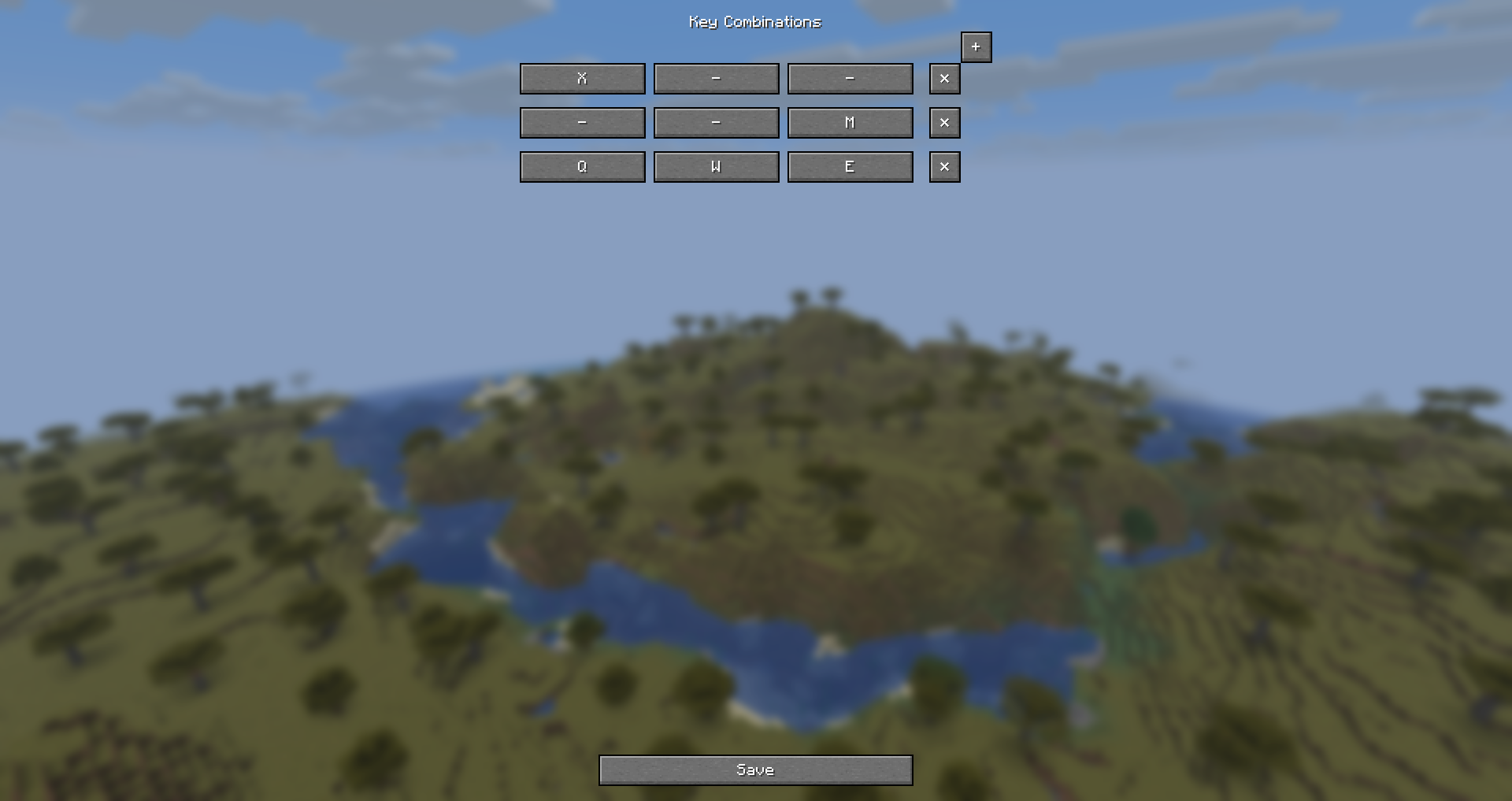 Key combinations
 -
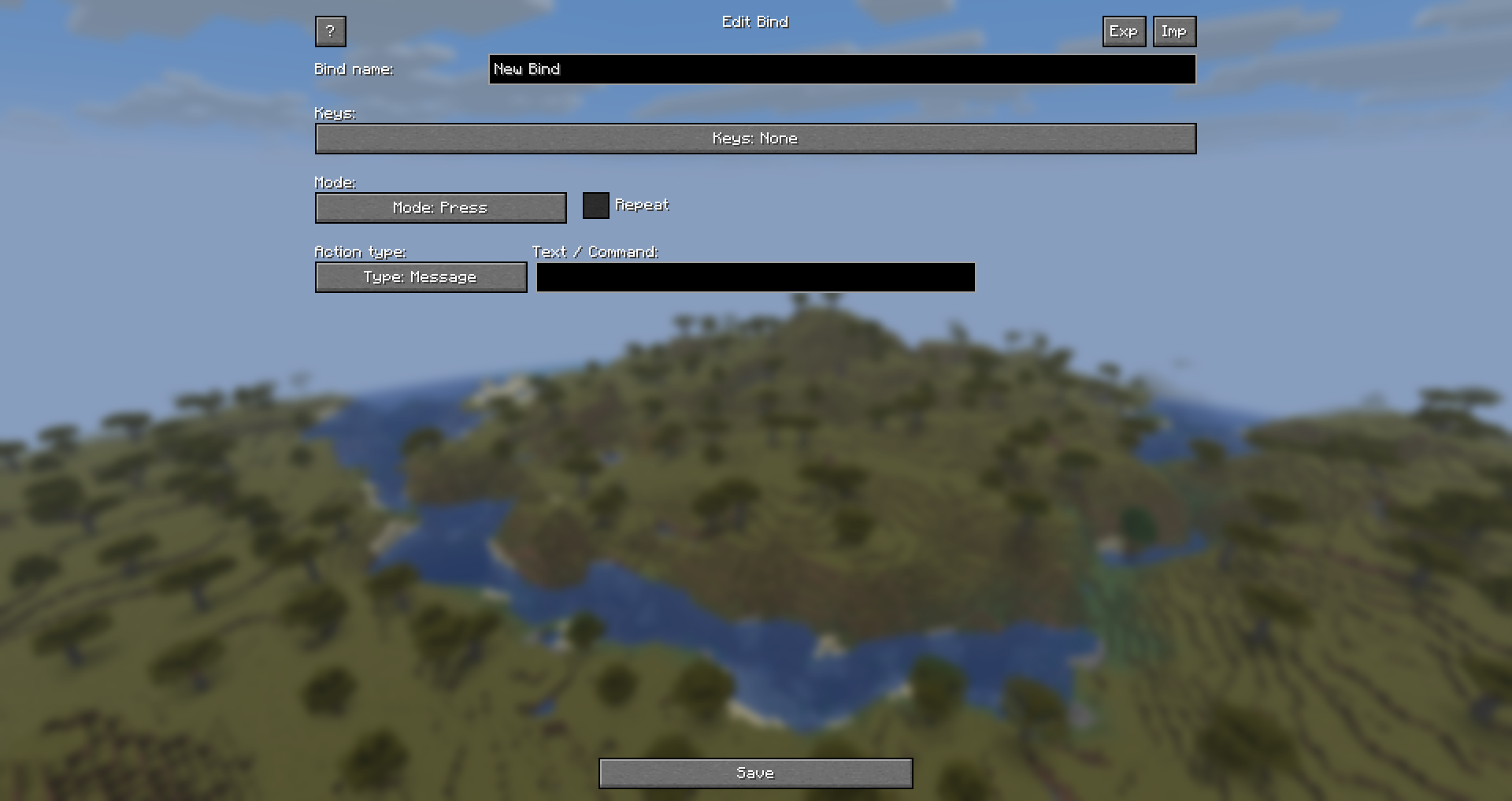 Basic bind
 -
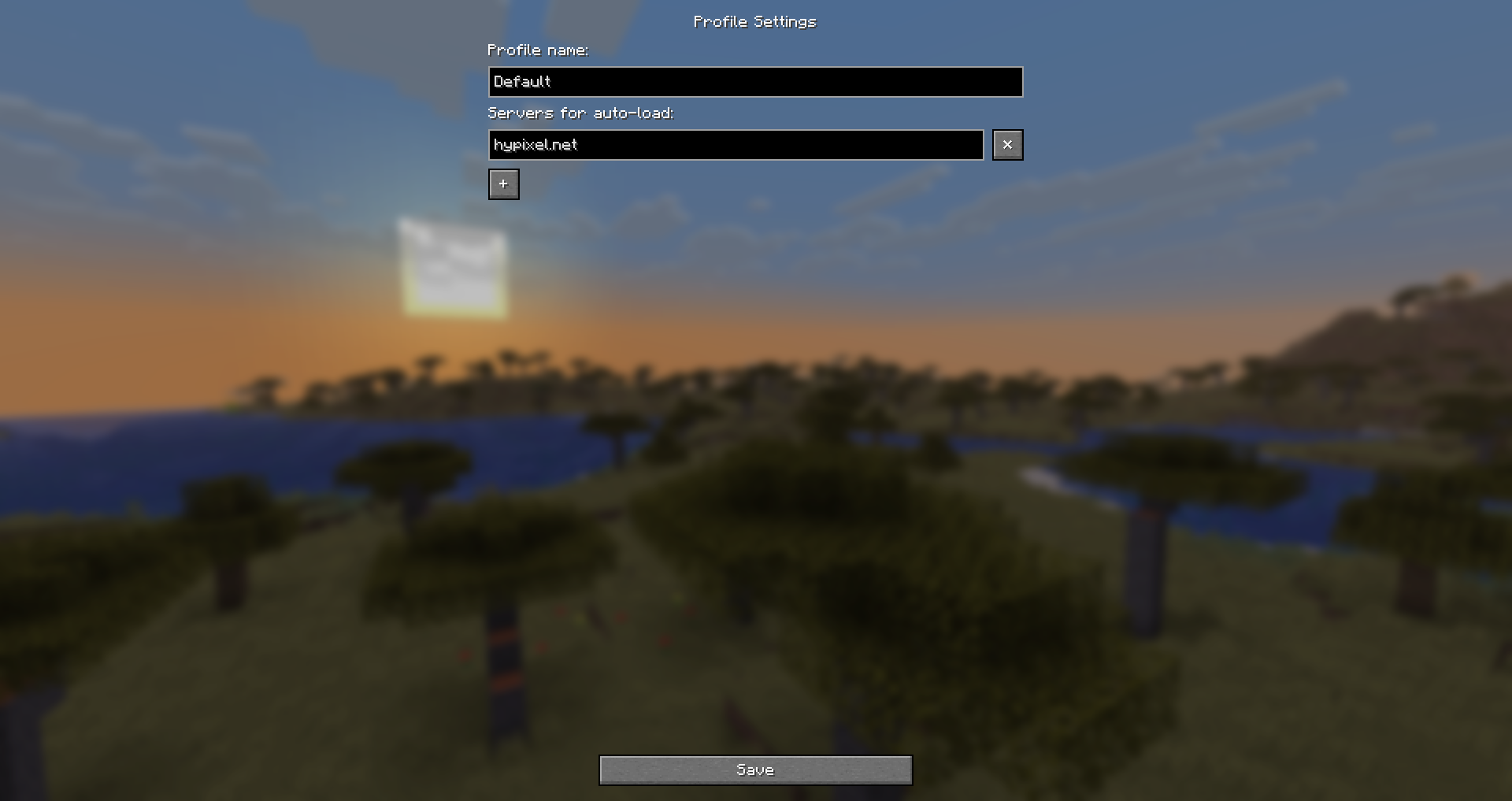 Profiles
 -
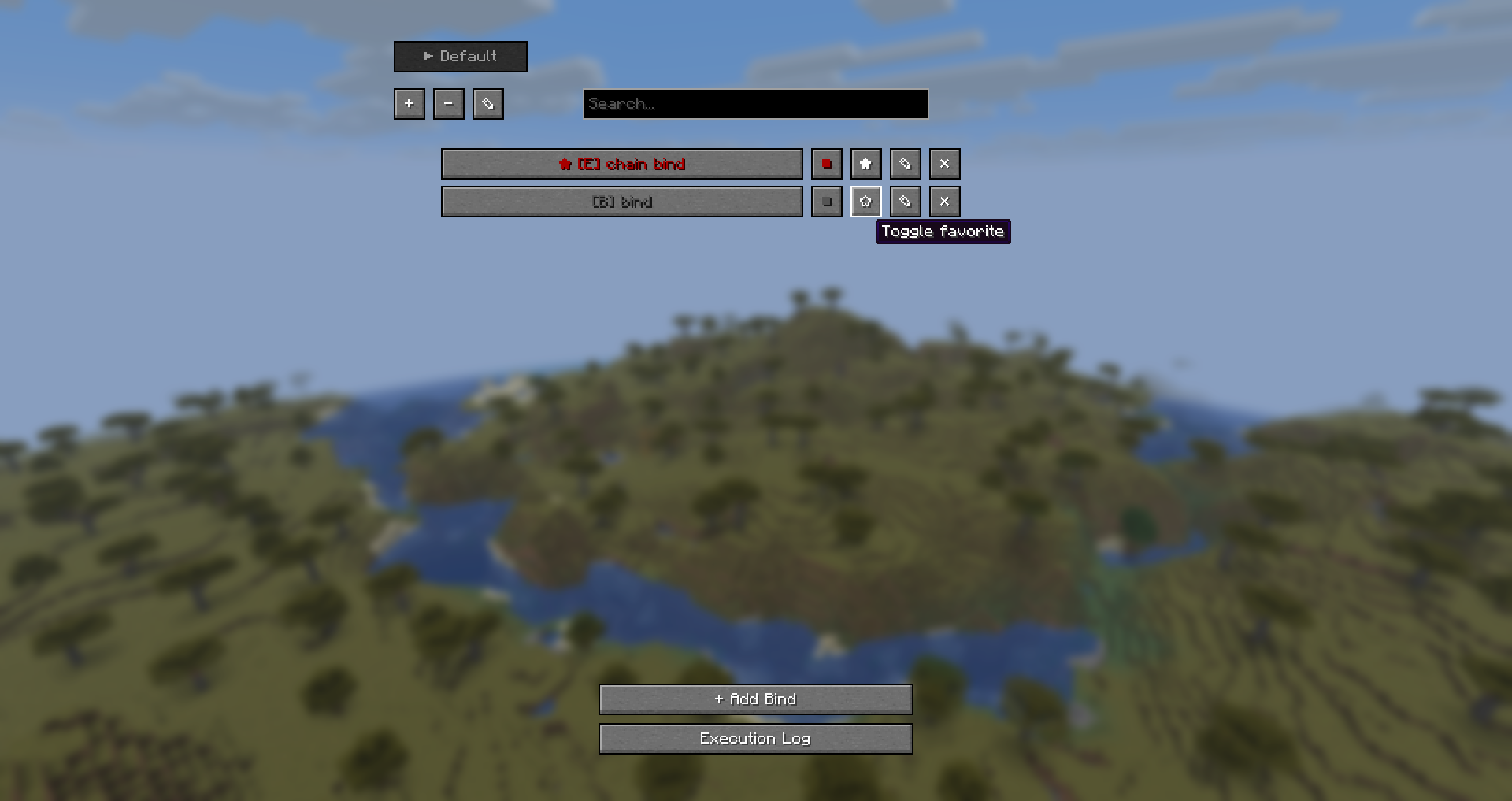 Favorites
 -
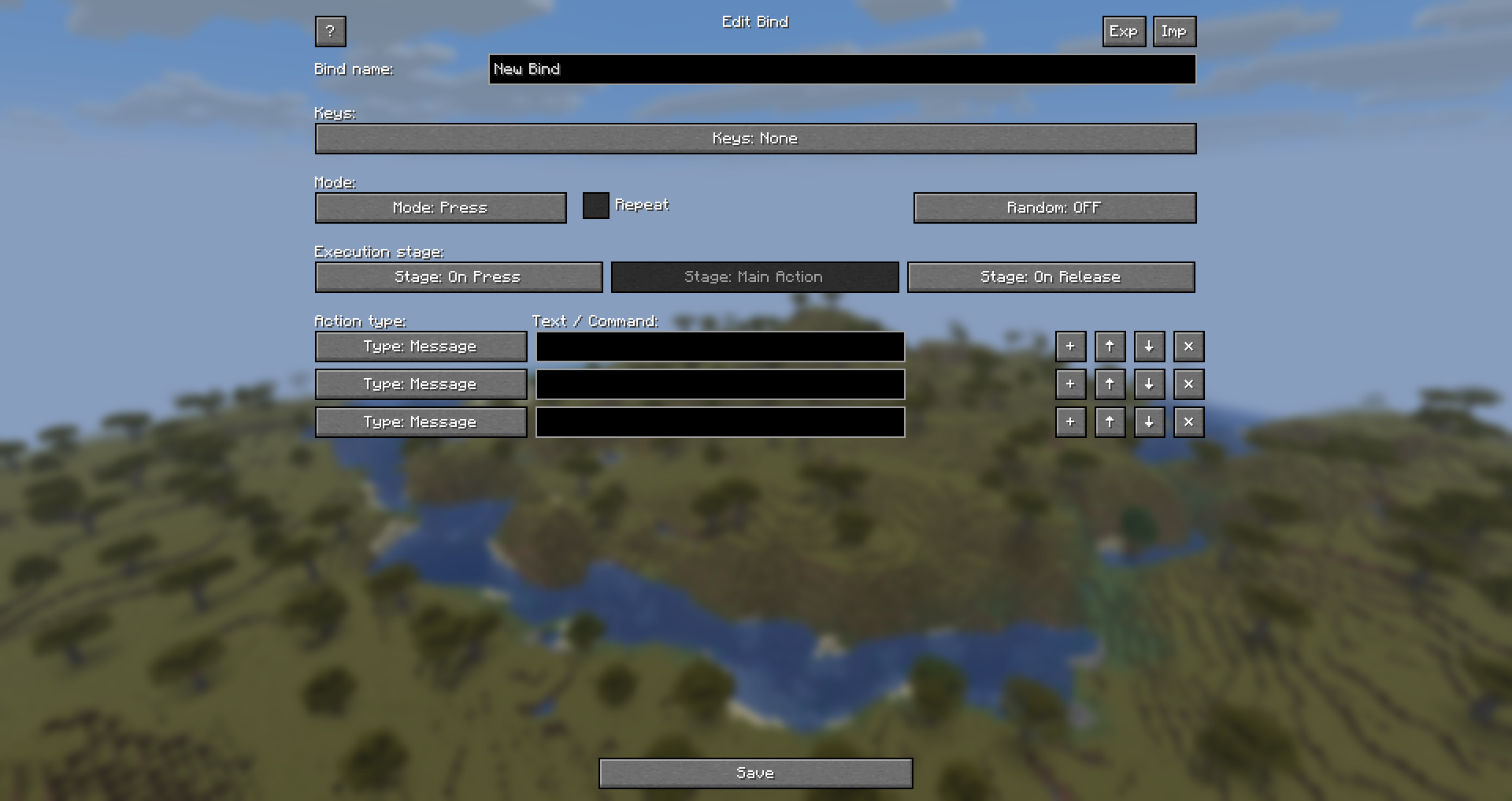 Chain bind
 -
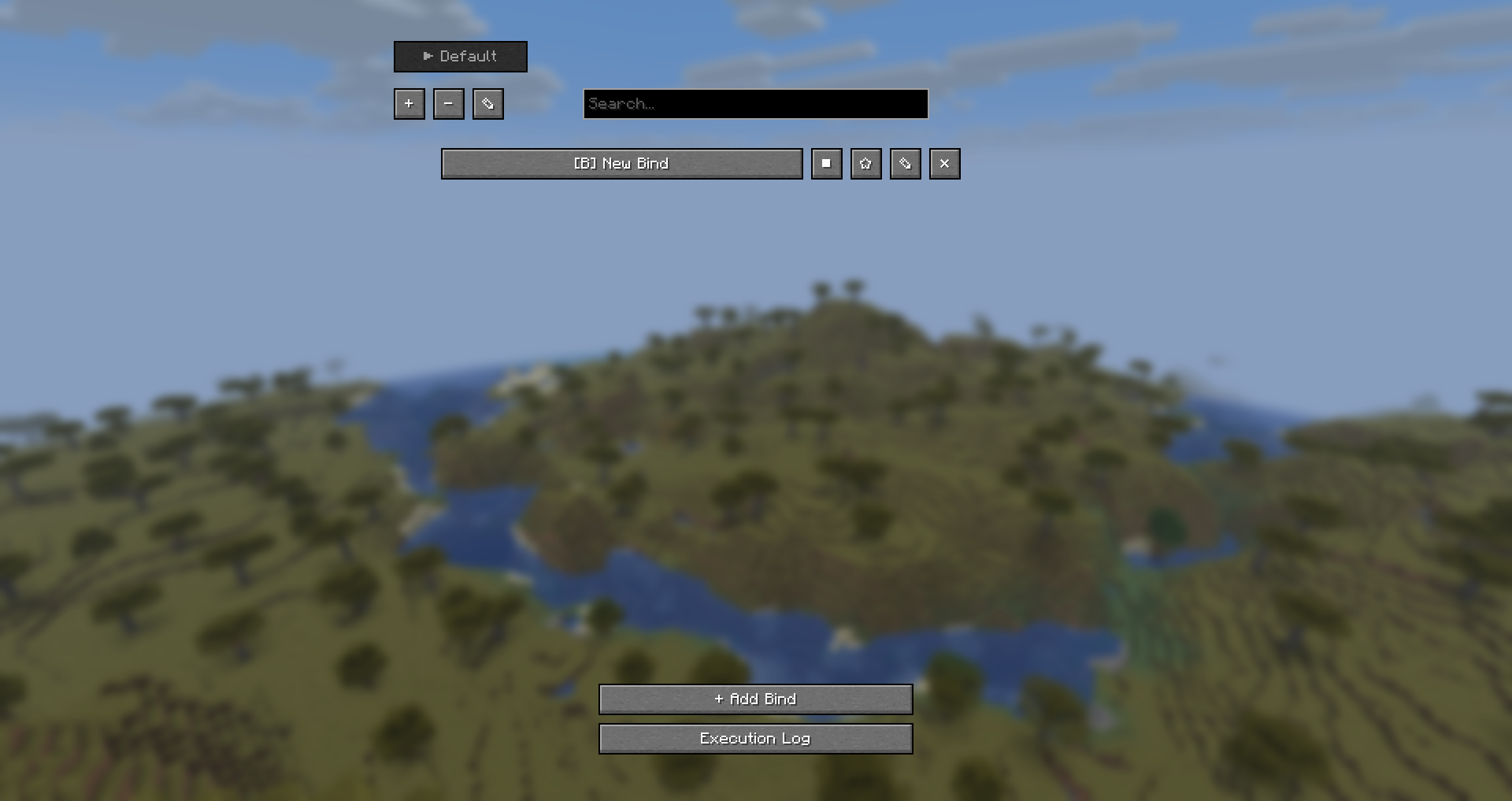 Default menu (~)
 -
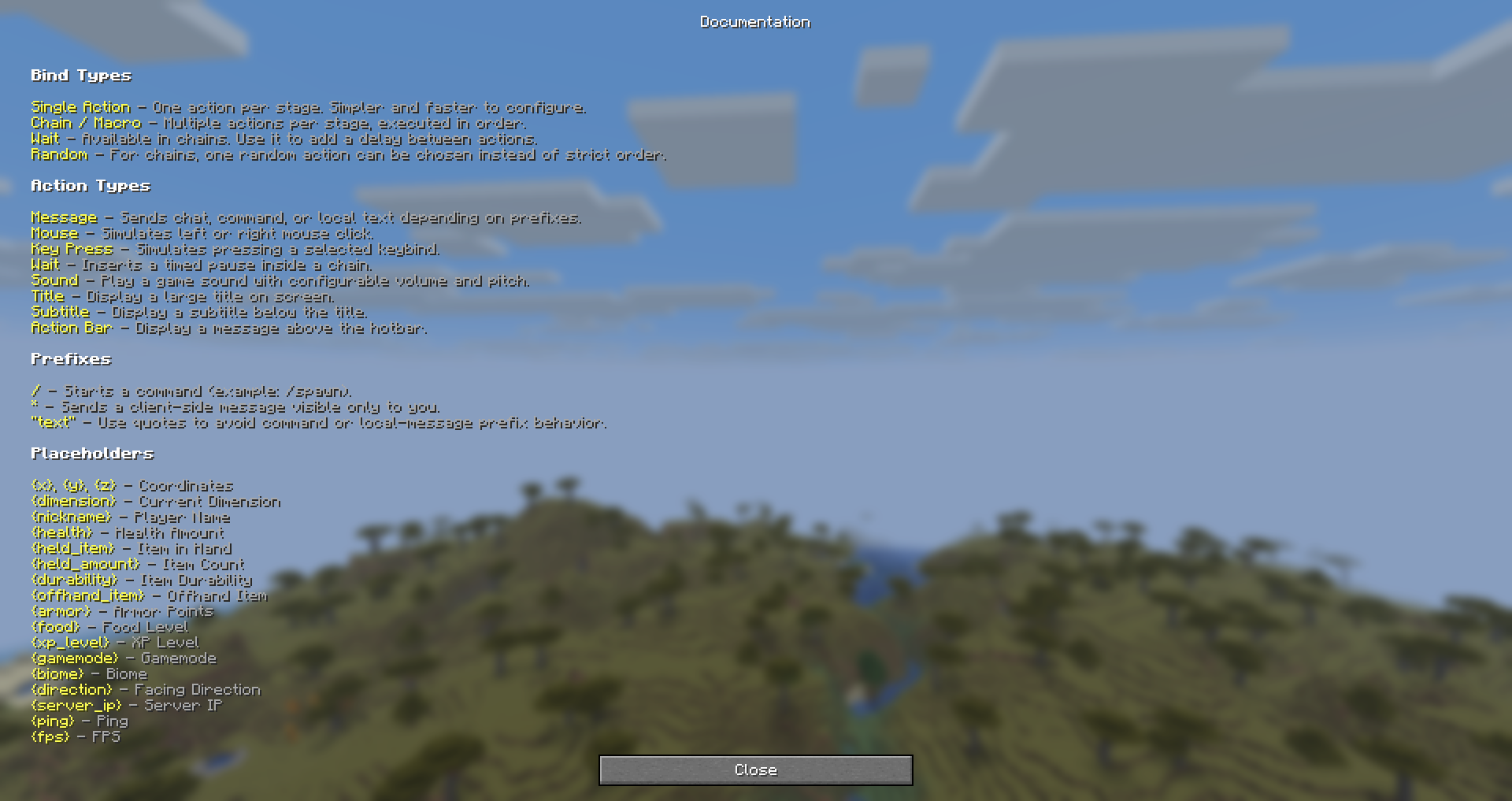 Placeholders
 -
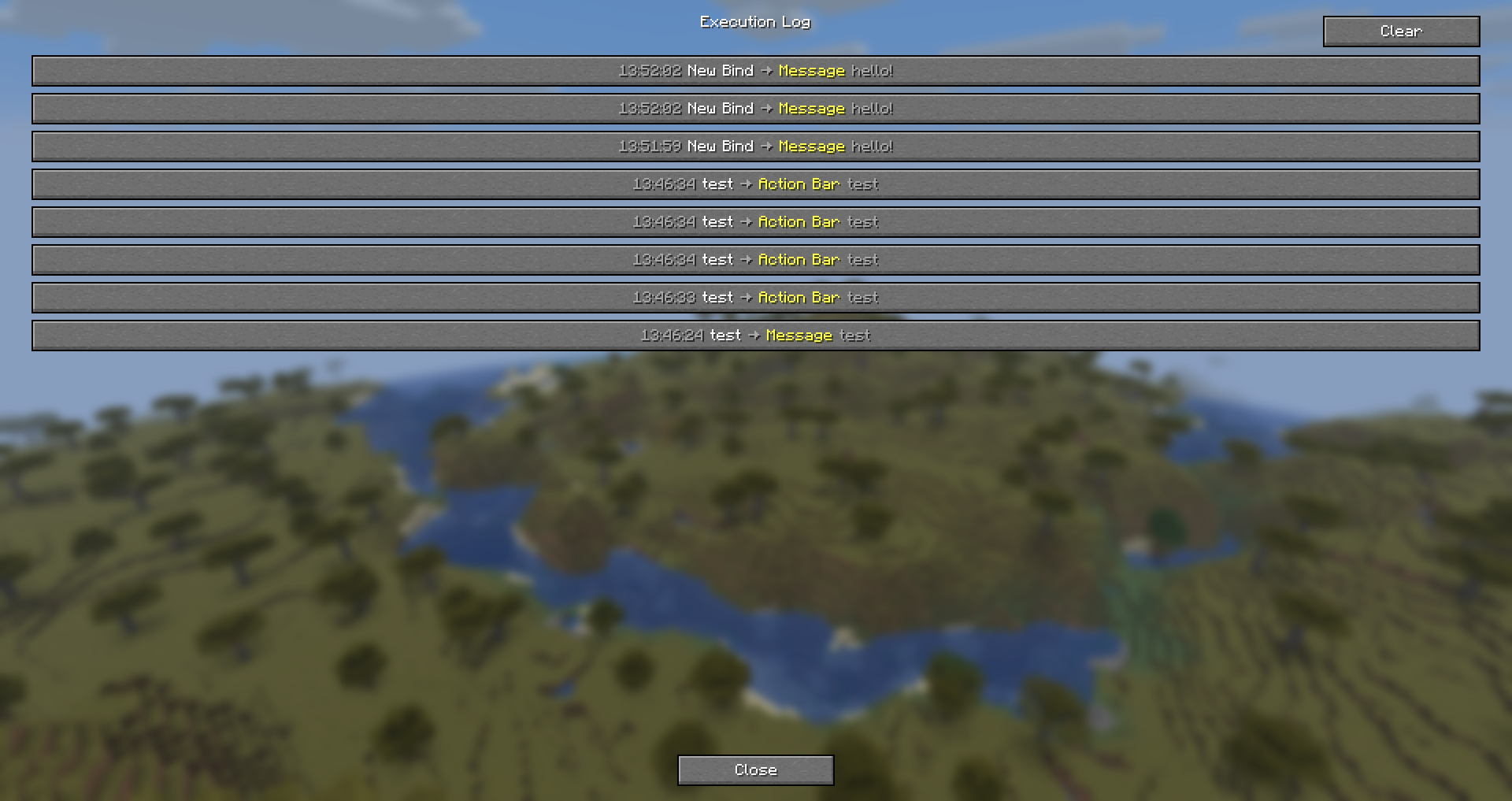 Execution log
Versions
Files
Relations
Project Relations
More like this
Similar Mods
Suggestions use data such as tags, dependencies, dependents, descriptions, titles, and more to rank how much they overlap with this mod.
On ModDex
Community snapshot
By the numbers
Statistics

Want to reach Minecraft players?
We're looking for a server hosting partner to feature here and other parts of the site. Interested? Send us a message!
Get in touchGet it on
Available Platforms
On ModDex
Community snapshot
By the numbers
Statistics
Resources