
Community listing page, reviews here may not be monitored by the author.
QuickHost


No reviews yet
This mod adds a simple way to with your friends on your own world without any port forwarding with the power of UPnP
Community voices
Reviews
No reviews yet. Be the first to review this project!
Get it on
Available Platforms
Compatibility
Supported Environments
Runs entirely on the client. Works on vanilla servers.
About
Project Details
For authors
Embed Badge
If you're the author of this project, you can embed a live badge anywhere that supports HTML or Markdown. It updates automatically whenever ratings change.
Use HTML for any page that supports it, or Markdown for README files and Markdown-based descriptions.
Identifiers
Platform IDs
Resources
External Links
About
Description
QuickHost
This mod allows you to play with your friends without any port forwarding
What is UPnP
UPnP is a service that is enabled on every router by default allowing applications like Discord to automatically open a port forwarding temporarely.
How do I host?
You open a singleplayer world, then pause, then Host using UPnP
Is there a console?
Yes! Once you click the host using UPnP button in the pause menu, it will give you a link to your server console.
Is there any config?
Yes! In the pause menu, underneath the Host using UPnP button there is a Host Config button
How do my friends connect?
Go to localhost:6767 (your server console) and copy the IP + Port given and send it to them
Do my friends need the mod?
No! Not at all! They can just go into Multiplayer -> Add server and enter your ip as the server ip.
Are other mods supported?
Yes! Your friends need the same mods though or else they won't be able to connect.
Why is there a lot of P2P stuff?
I was tired at 2 am in the morning and thought this was P2P when the mod was done. I'm too lazy to rename it in Minecraft, but this mod isn't Peer to Peer
QuickHost
This mod allows you to play with your friends without any port forwarding
--WHAT IS THIS MOD--
QuickHost is a mod, that makes playing with your friends easier by allowing your friends to connect to your world without any port forwarding or server! Simple and efficient
--FEATURES--
- Play with your friends in your world without any struggles
- Host Console (http://localhost:6767)
- Host config (See galery)
- Your friends can play without the mod!
--HOW--
Using the technologies of UPnP, the mod automatically port forwards your world to everyone, so your friends can play with you.
--WHY WOULD I EVER USE IT--
It is way easier & faster than doing port forwarding and setup work yourself.
--FAQ--
What is UPnP
UPnP is a service that is enabled on every router by default allowing applications like Discord to automatically open a port forwarding temporarely.
How do I host?
You open a singleplayer world, then press escape, then Host using UPnP
Is there a console?
Yes! Once you click the host using UPnP button in the pause menu, it will give you a link to your server console.
Is there any config?
Yes! In the pause menu, underneath the Host using UPnP button there is a Host Config button
How do my friends connect?
Go to localhost:6767 (your server console) and copy the IP + Port given and send it to them
Do my friends need the mod?
No! Not at all! They can just go into Multiplayer -> Add server and enter your ip as the server ip.
Are other mods supported?
Yes! Your friends need the same mods though or else they won't be able to connect.
HELP!! In the public IP text it says "unmapped"
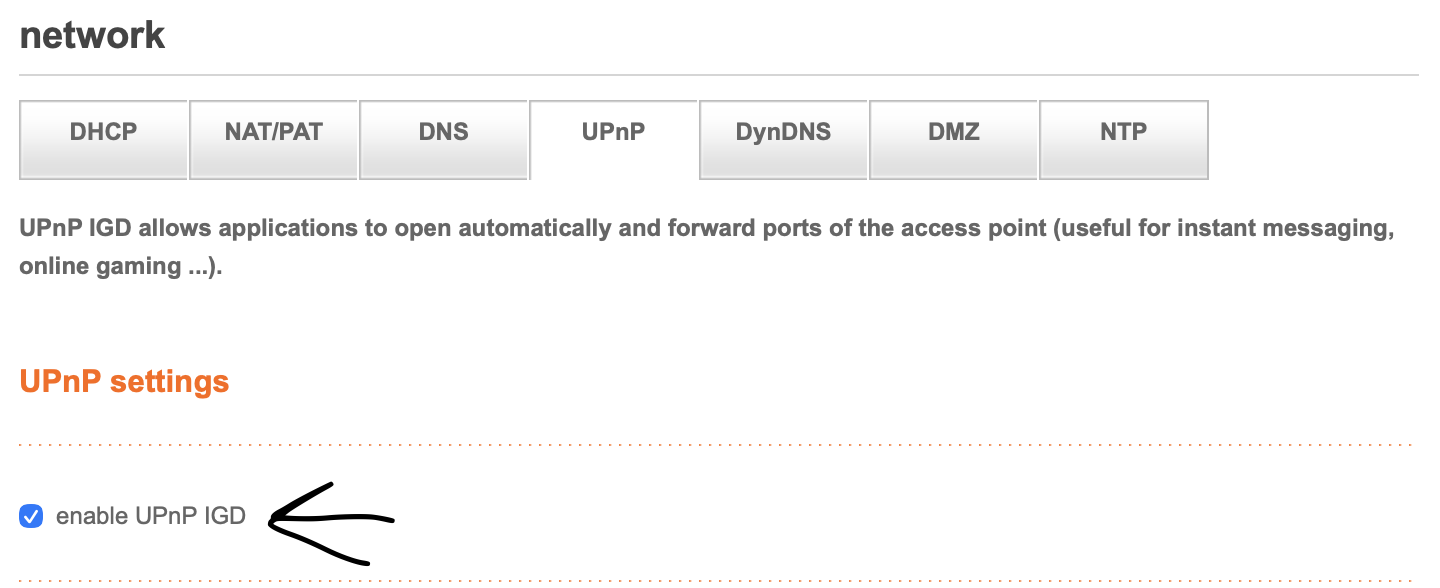
Sadly, you have disabled UPnP in your settings router.
How do I enable UPnP?
Orange's Livebox Router
Example for Orange (Livebox) mobile:
1.Access your router at http://192.168.1.1
2.Login with your router password
Where to find the password?
On your livebox, there should be a sticker with a default password. If there is none, I am pretty sure you can reset it someway but I don't know how to.3.Go to Advanced Settings

4.Go to UPnP
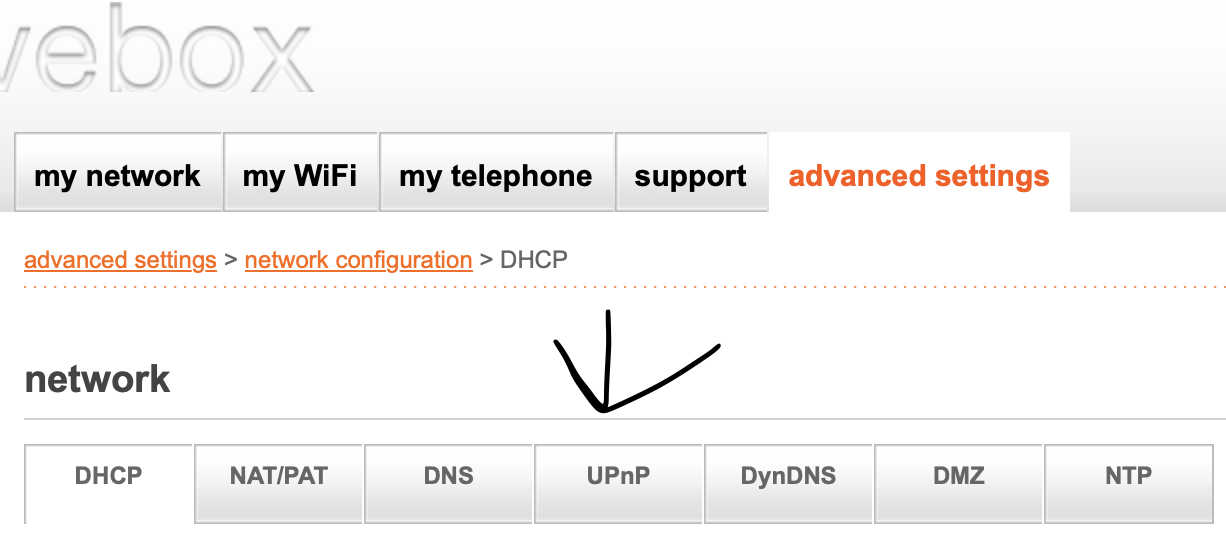
5.Enable UPnP
Screenshots
Gallery
-
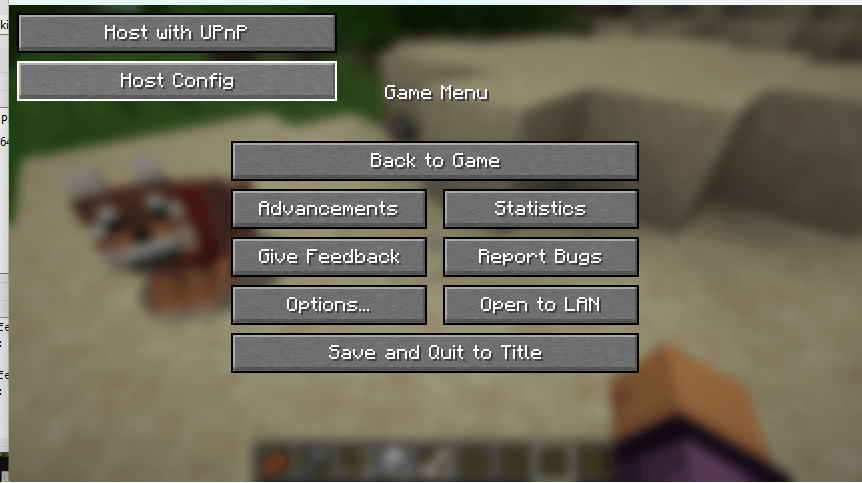 Pause Menu Pause menu with the buttons
 -
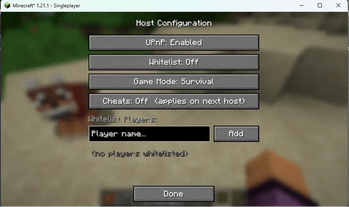 Host Config Host Config
 -
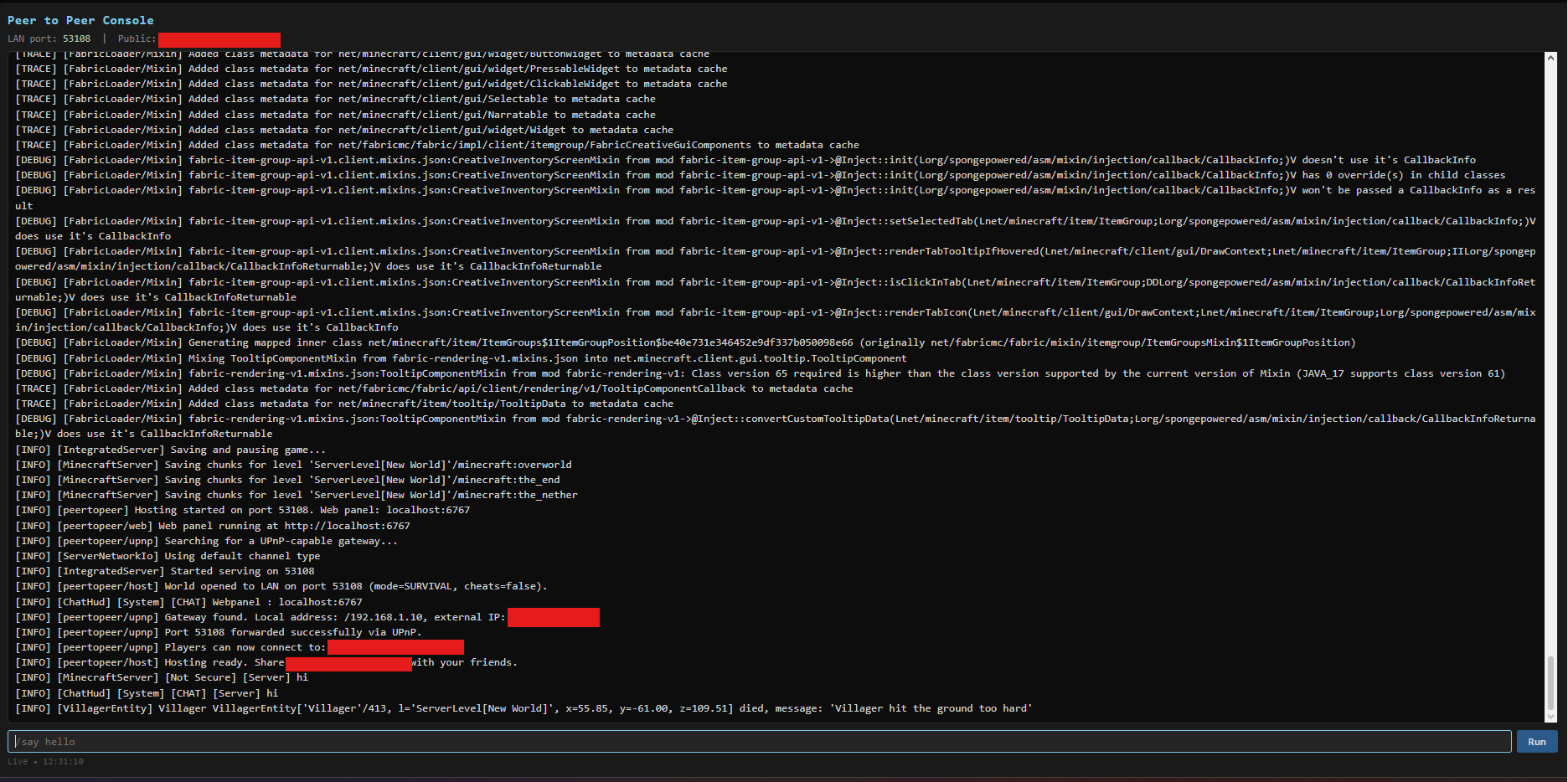 Console The Console at localhost:6767
-
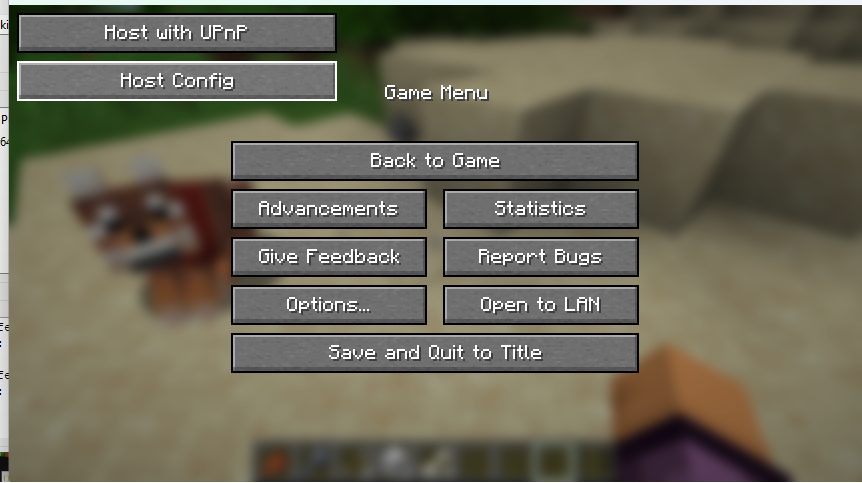 Pause Menu Pause menu with the buttons
 -
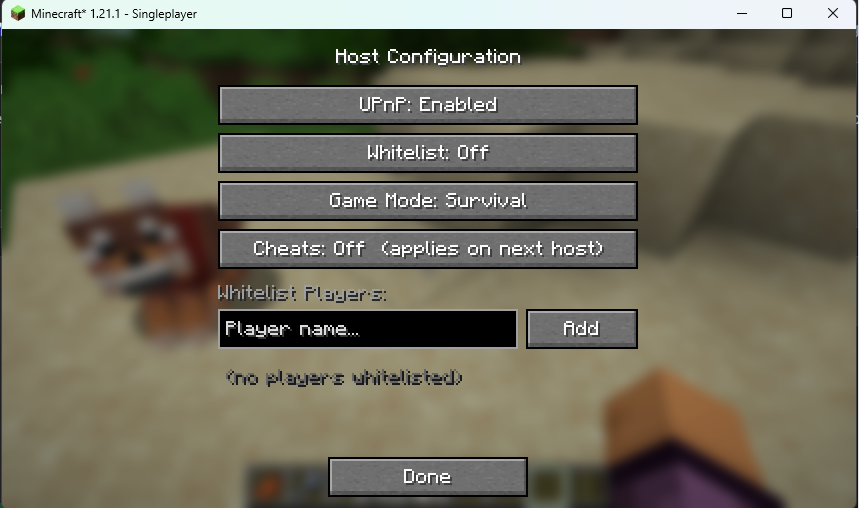 Host Config Menu
 -
 Chat Message when hosting The chat message indicating that you have successfully hosted
 -
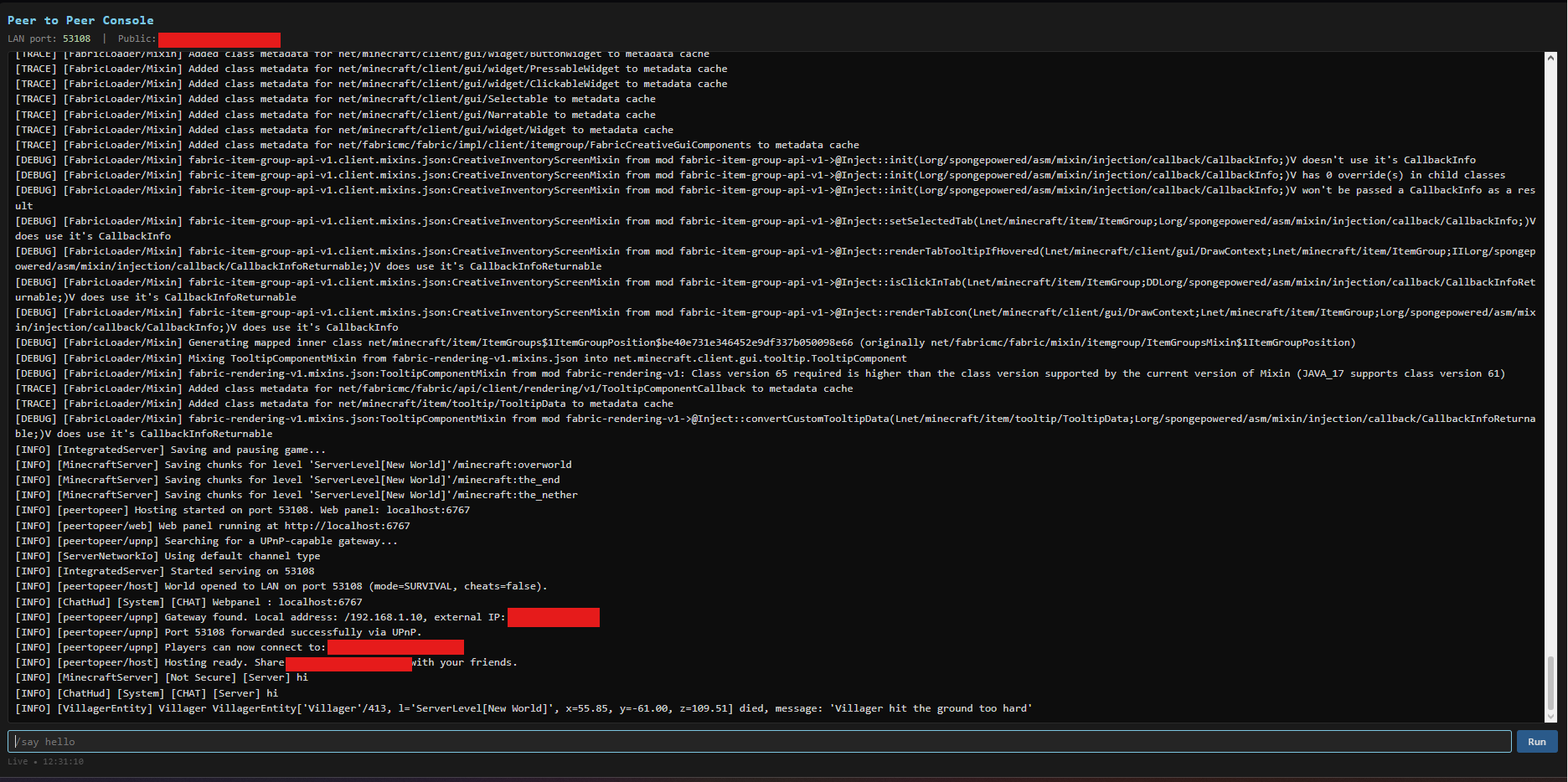 Console The Console at localhost:6767
Versions
Files
Relations
Project Relations
More like this
Similar Mods
Suggestions use data such as tags, dependencies, dependents, descriptions, titles, and more to rank how much they overlap with this mod.
On ModDex
Community snapshot
By the numbers
Statistics
Want to reach Minecraft players?
We're looking for a server hosting partner to feature here and other parts of the site. Interested? Send us a message!
Get in touchGet it on
Available Platforms
On ModDex
Community snapshot
By the numbers
Statistics
Resources