Community listing page, reviews here may not be monitored by the author.
Quivers: Upgradeable & Dyeable


No reviews yet
Adds quiver to the game. Archery equipment mod.
Community voices
Reviews
No reviews yet. Be the first to review this project!
Get it on
Available Platforms
Compatibility
Supported Environments
Must be installed on both the client and the server.
About
Project Details
For authors
Embed Badge
If you're the author of this project, you can embed a live badge anywhere that supports HTML or Markdown. It updates automatically whenever ratings change.
Use HTML for any page that supports it, or Markdown for README files and Markdown-based descriptions.
Identifiers
Platform IDs
Resources
External Links
About
Description

Carry every arrow type in a single inventory slot. Switch selected arrow with shotcuts.
Four tiers: Leather, Iron, Diamond and Netherite. Each holding more arrows than the last.
Hovering over the quiver shows its contents. It works with any arrow, vanilla or modded.
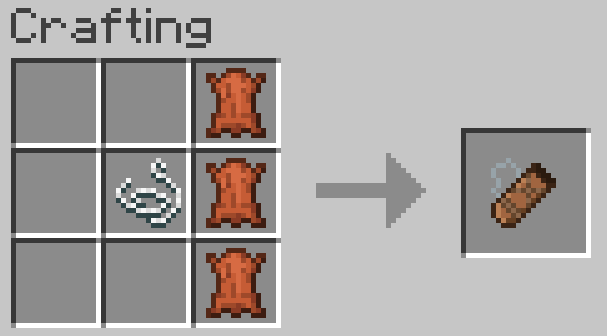
Crafting
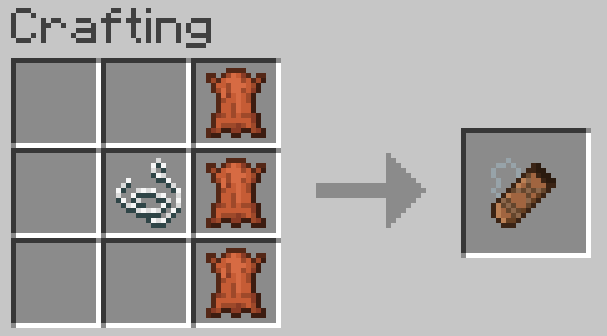
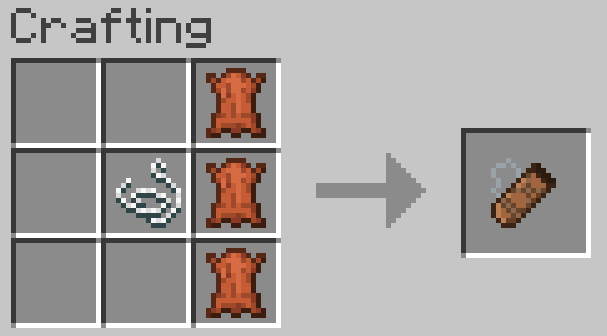
3 leather in a vertical line, with a string to the left of the middle leather.
Switching arrows
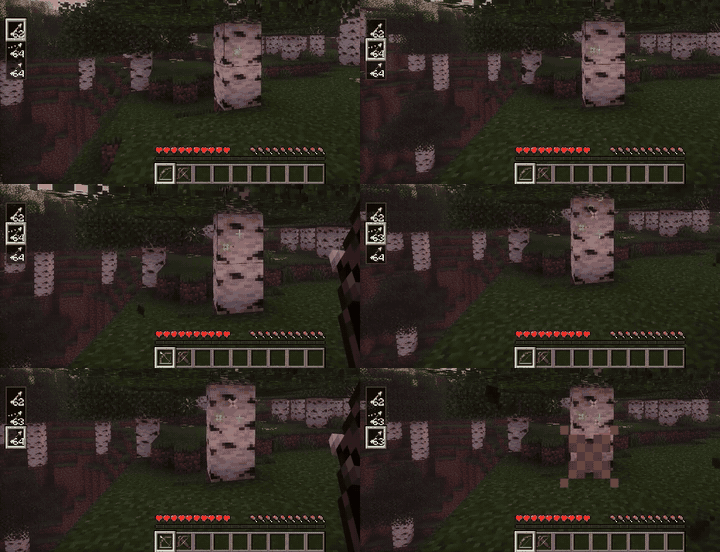
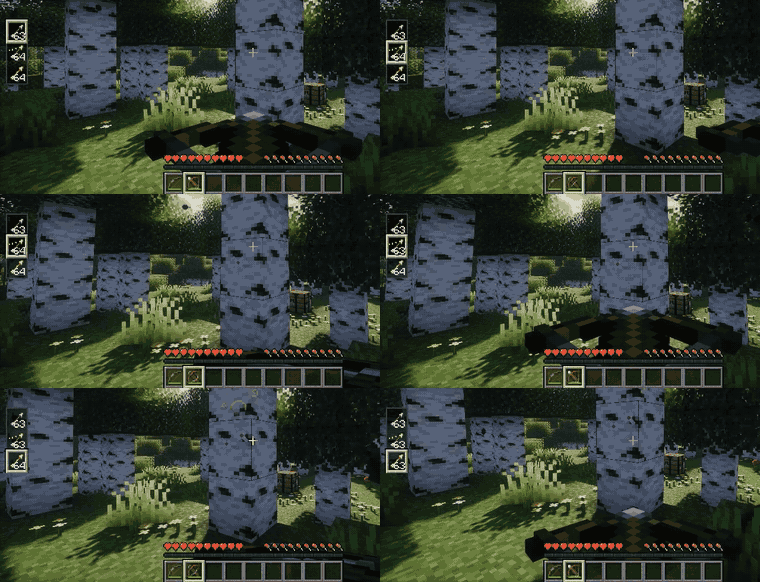
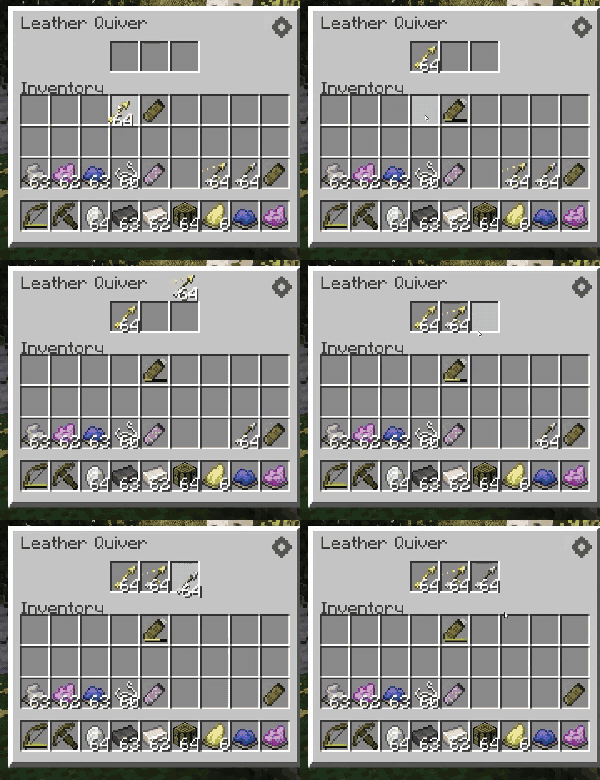
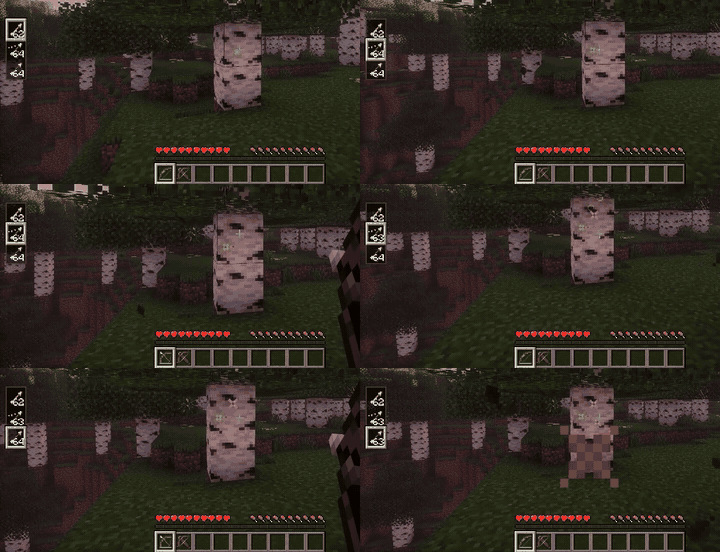
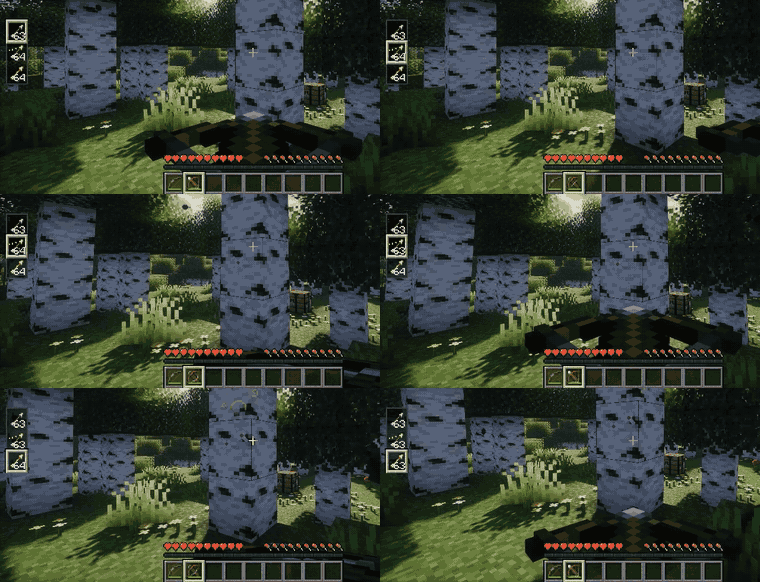
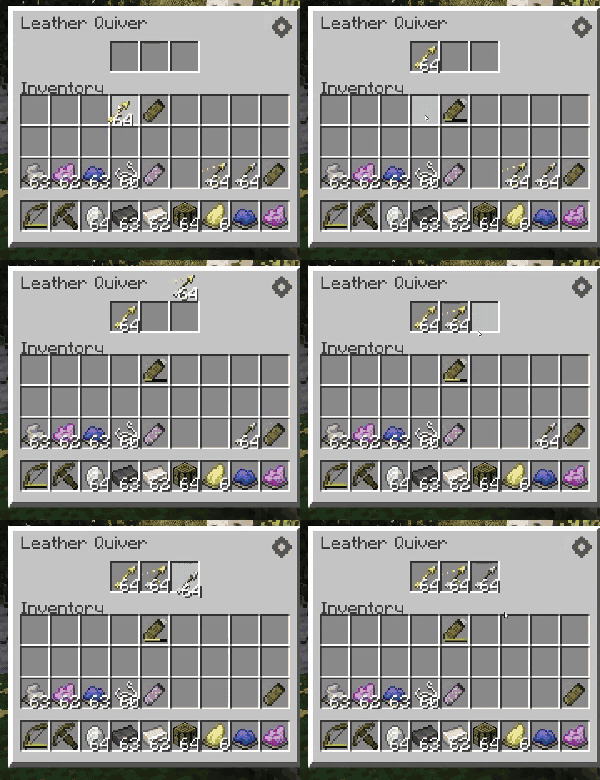
Hold a bow or crossbow and use Alt + Scroll to pick the active arrow type. (You can rebind in the keybind settings.)
Storing arrows
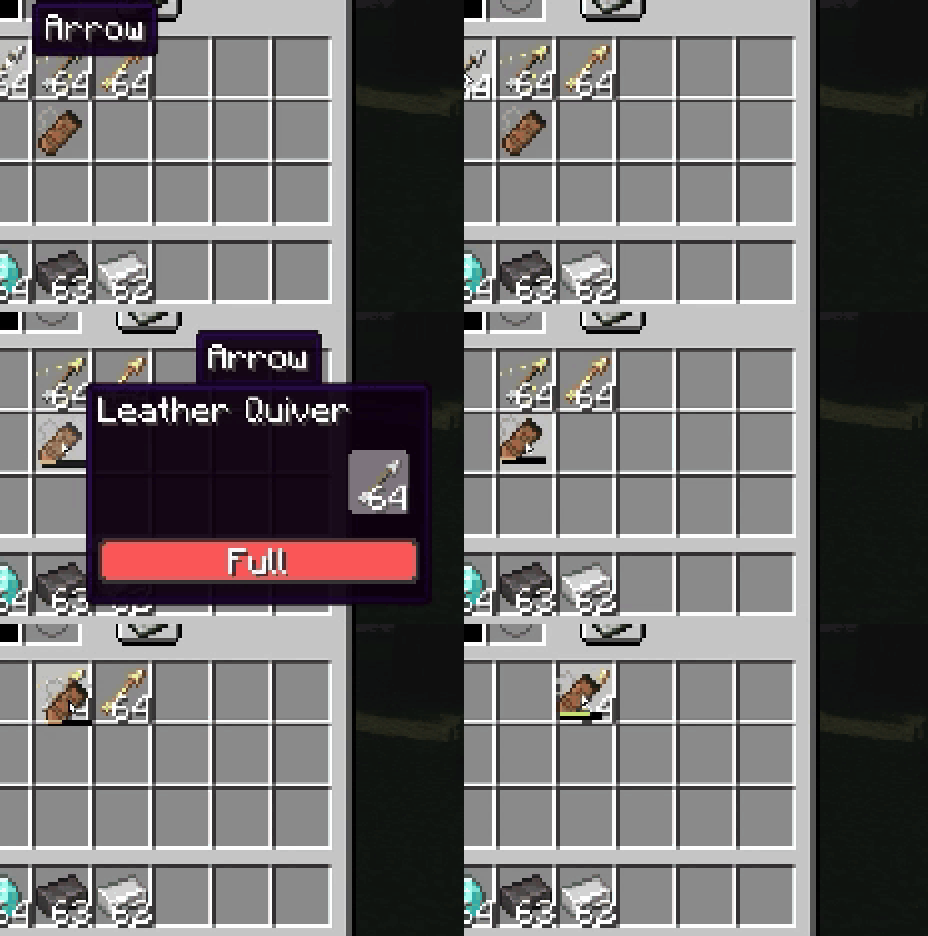
Arrows picked up from the ground go straight into the quiver automatically (can be turned off in the settings).
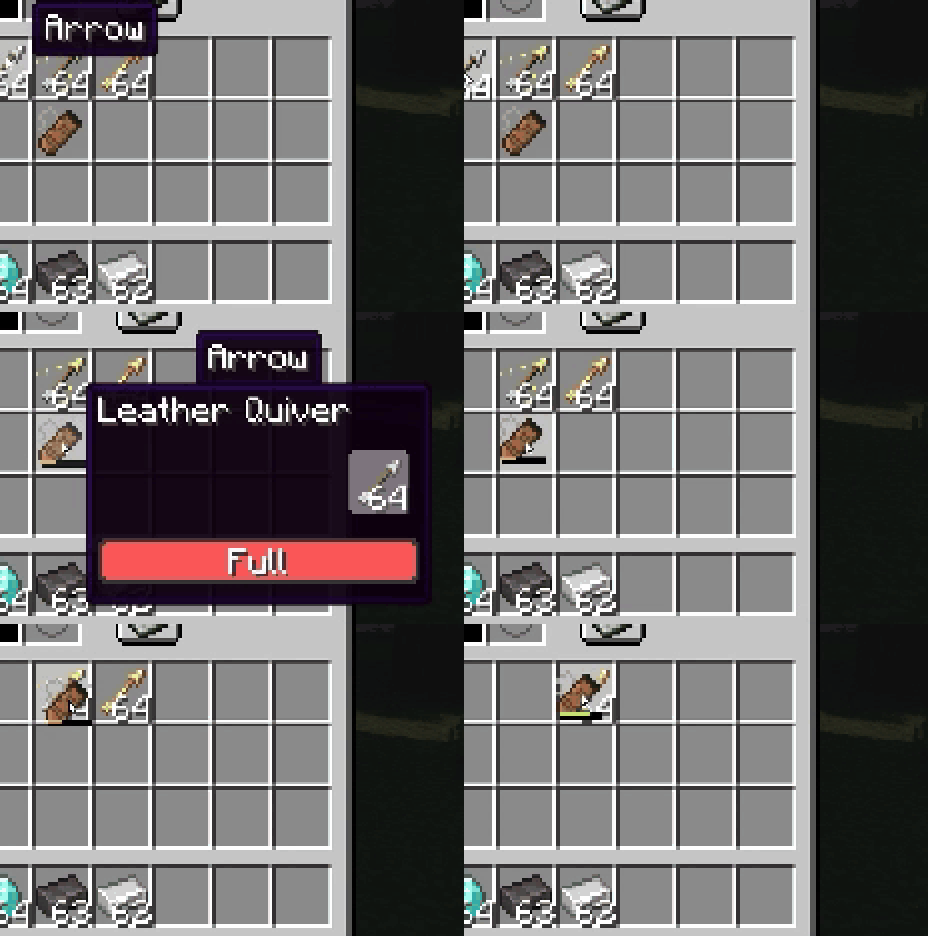
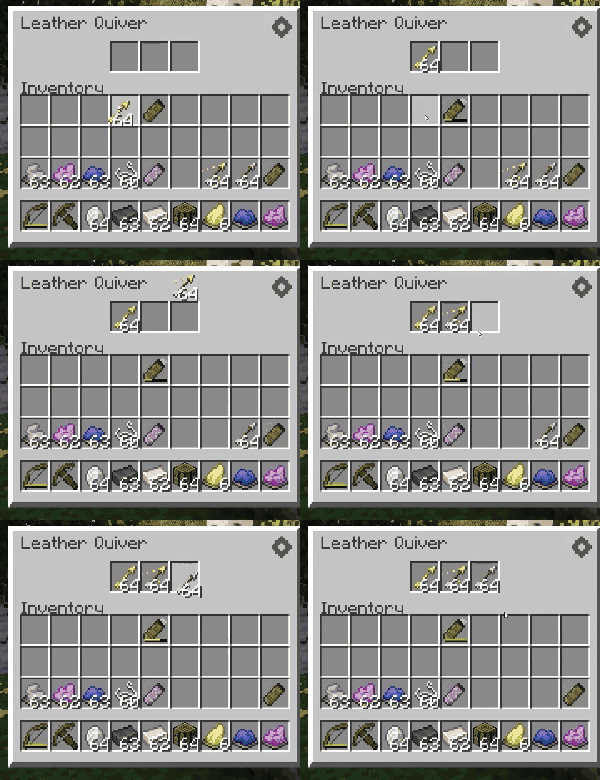
You can also drop arrows onto the quiver, drop the quiver onto arrows, or open its window and drag them in by hand.
Upgrading
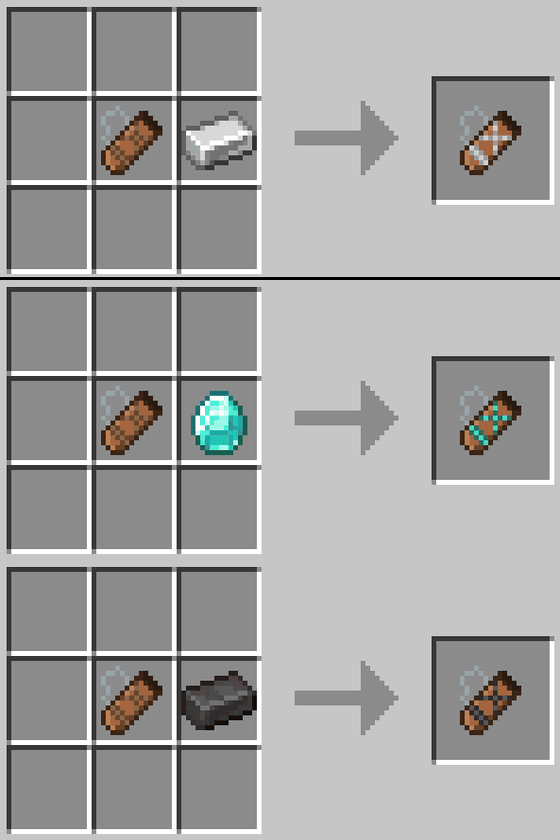
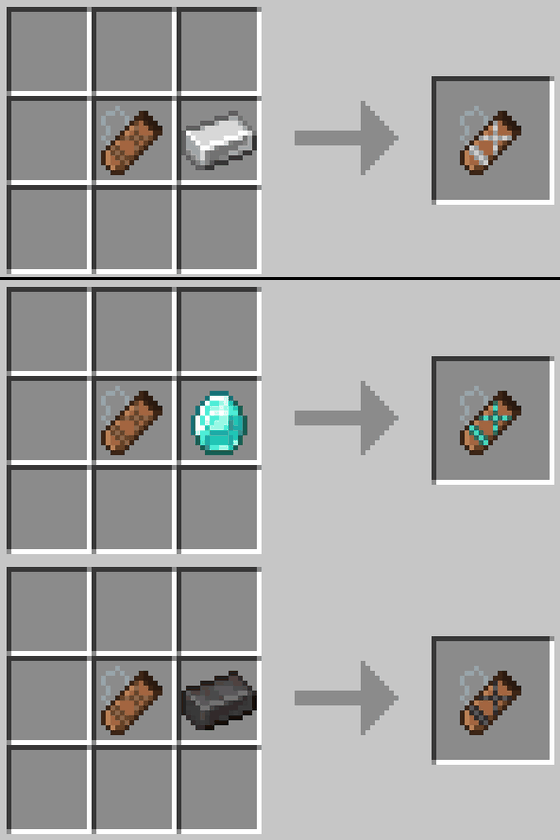
Combine any quiver with 1 material (Iron Ingot, Diamond, or Netherite Ingot) to upgrade it, regardless of its current tier.
Leather → 3 slots, Iron → 4 slots, Diamond → 6 slots, and Netherite → 8 slots.
Dyeing
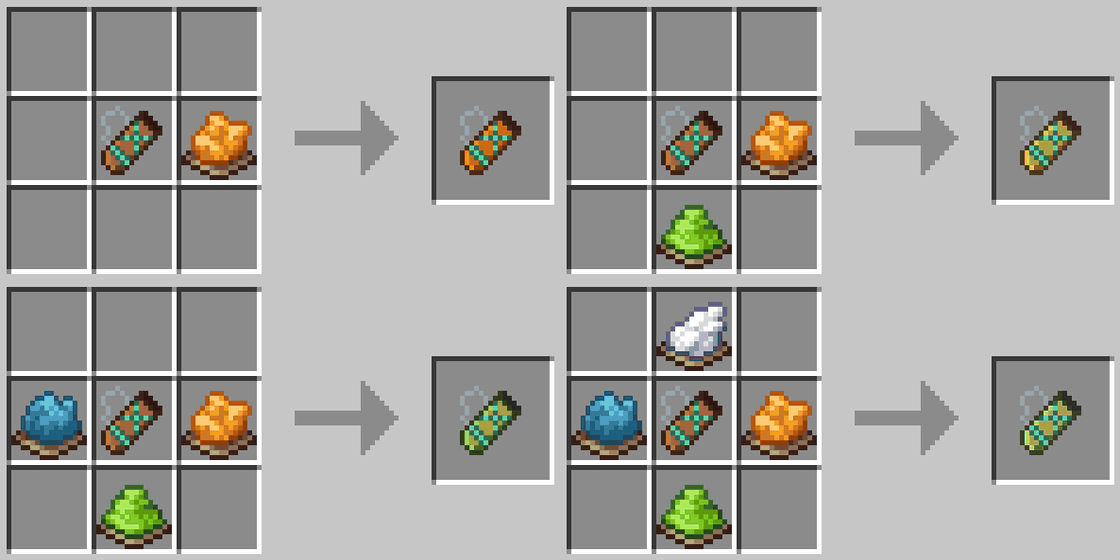
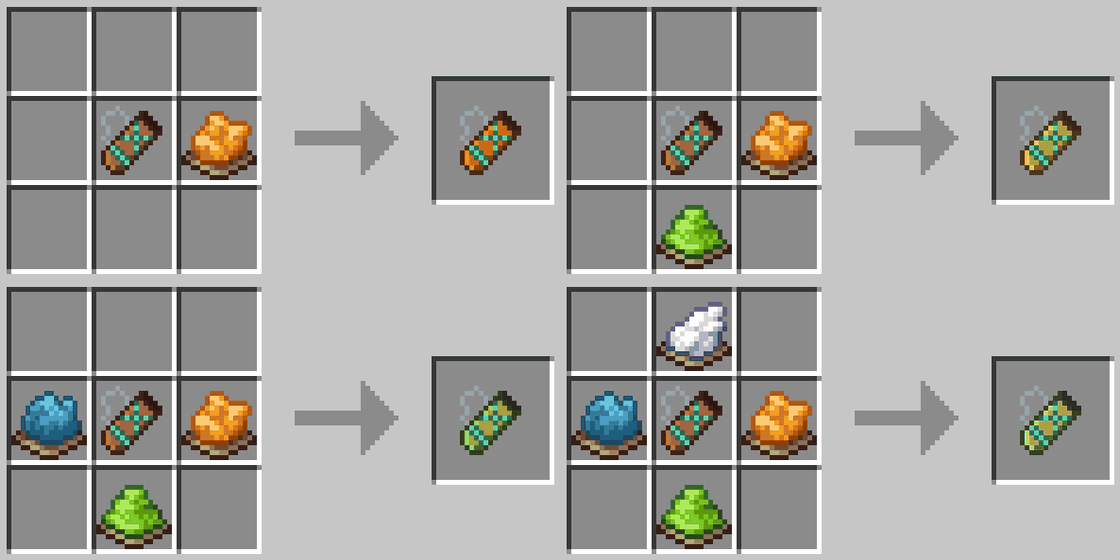
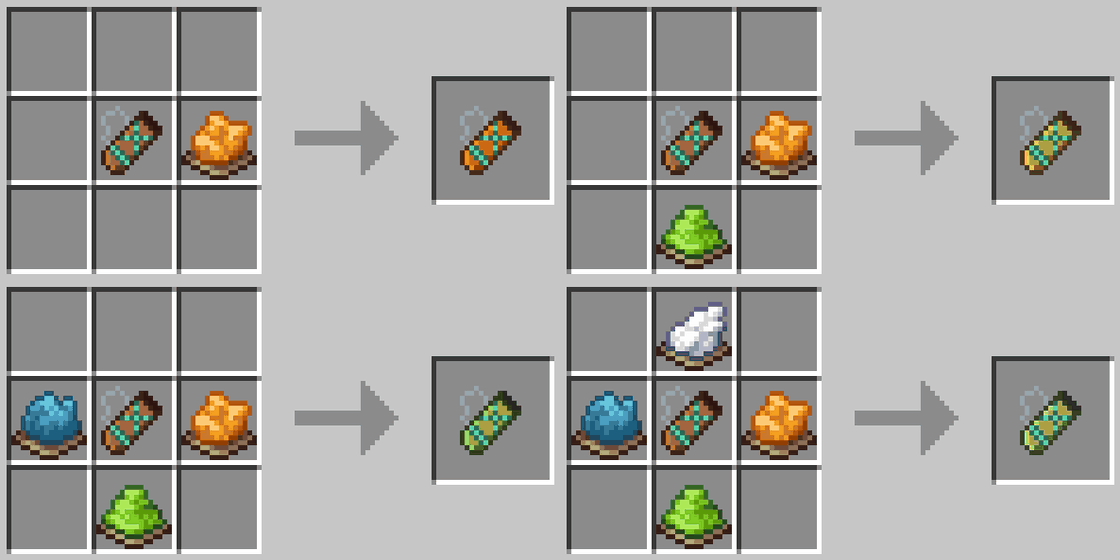
The quiver follows the same dyeing rules as leather armor: mix dyes for a custom color, and wash it off in a cauldron.
Settings
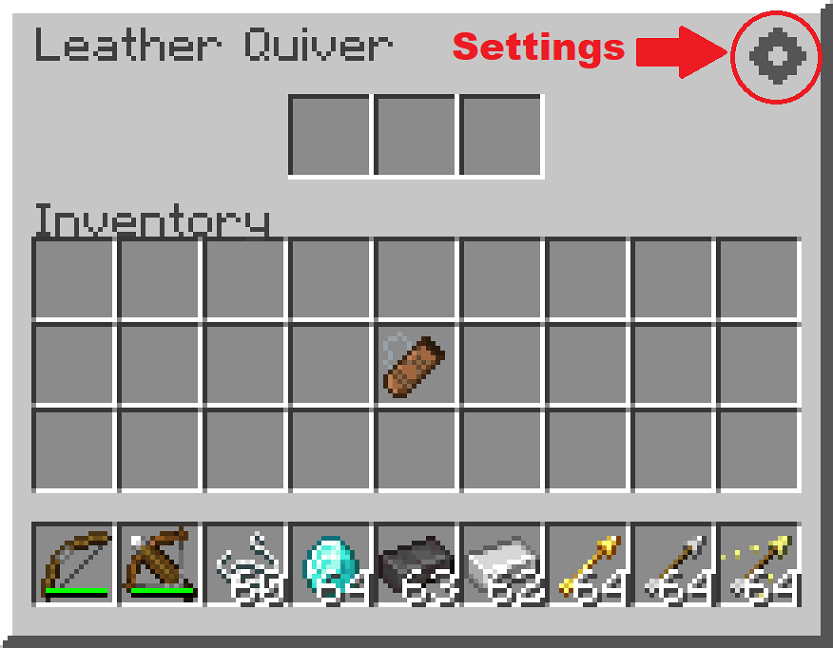
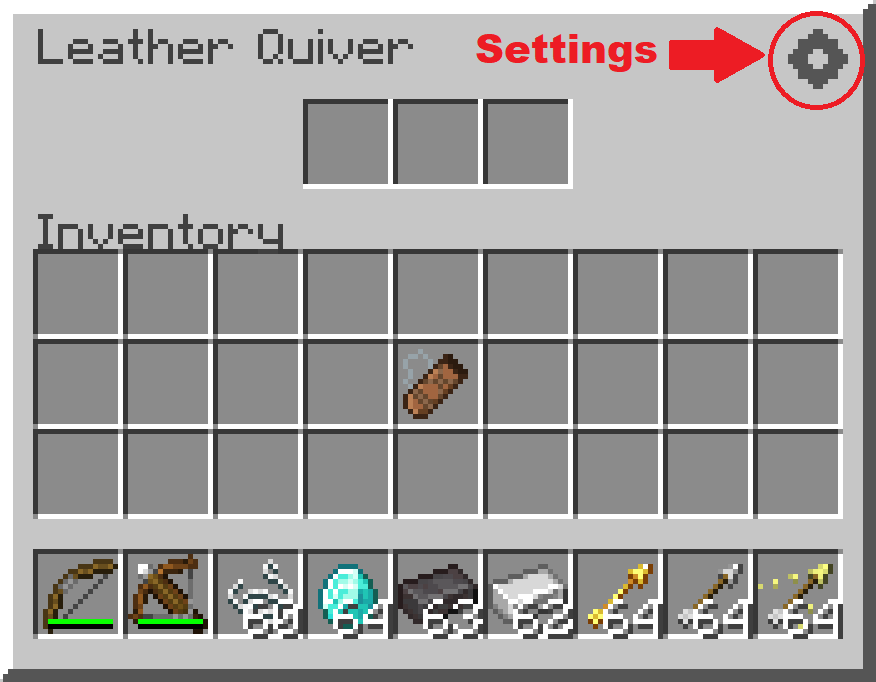
Customize the mod from the button in the top-right corner of the Quiver window. (Keybinds, like the arrow-switching shortcut, are set in the game's own Controls settings.)

Carry every arrow type in a single inventory slot. Switch selected arrow with shotcuts.
Four tiers: Leather, Iron, Diamond and Netherite. Each holding more arrows than the last.
Hovering over the quiver shows its contents. It works with any arrow, vanilla or modded.
Crafting
3 leather in a vertical line, with a string to the left of the middle leather.
Switching arrows
Hold a bow or crossbow and use Alt + Scroll to pick the active arrow type. (You can rebind in the keybind settings.)
Storing arrows
Arrows picked up from the ground go straight into the quiver automatically (can be turned off in the settings).
You can also drop arrows onto the quiver, drop the quiver onto arrows, or open its window and drag them in by hand.
Upgrading
Combine any quiver with 1 material (Iron Ingot, Diamond, or Netherite Ingot) to upgrade it, regardless of its current tier.
Leather → 3 slots, Iron → 4 slots, Diamond → 6 slots, and Netherite → 8 slots.
Dyeing
The quiver follows the same dyeing rules as leather armor: mix dyes for a custom color, and wash it off in a cauldron.
Settings
Customize the mod from the button in the top-right corner of the Quiver window. (Keybinds, like the arrow-switching shortcut, are set in the game's own Controls settings.)
Screenshots
Gallery
-
 craft craft.png
 -
 dyeing.gif dyeing.gif
 -
 stacking.gif stacking.gif
 -
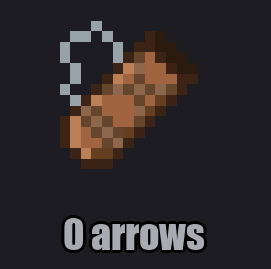 no arrows.png no arrows.png
 -
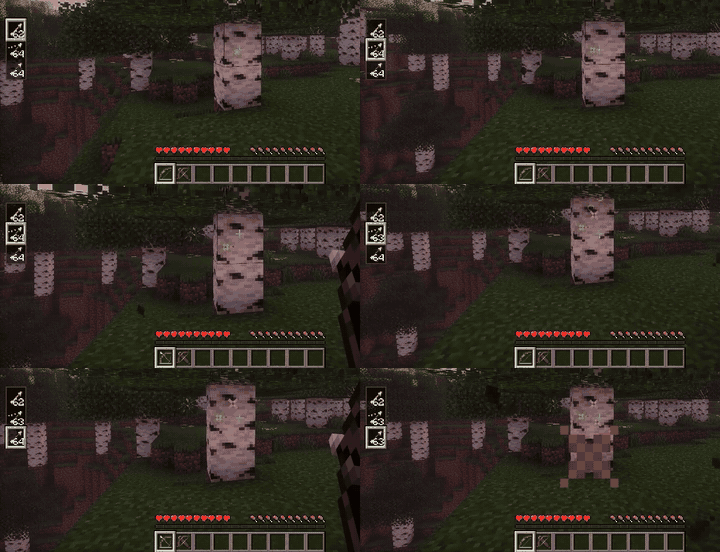 preview bow.gif preview bow.gif
 -
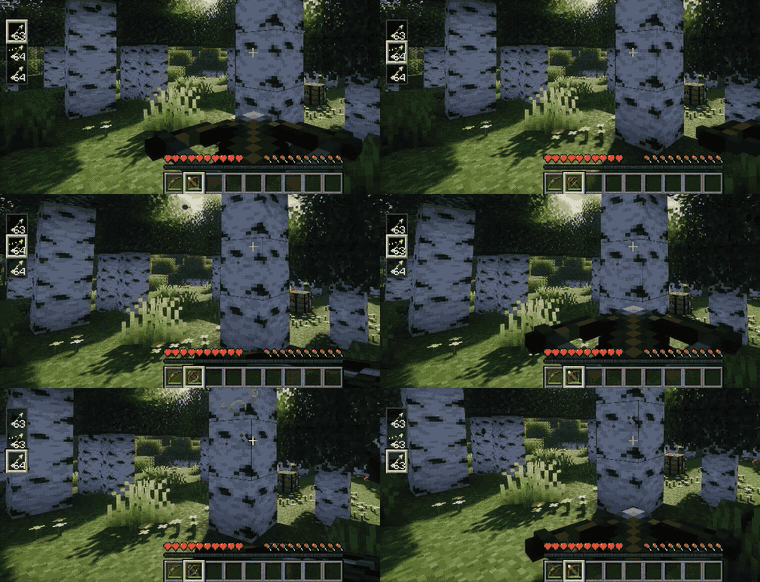 preview crossbow.gif preview crossbow.gif
 -
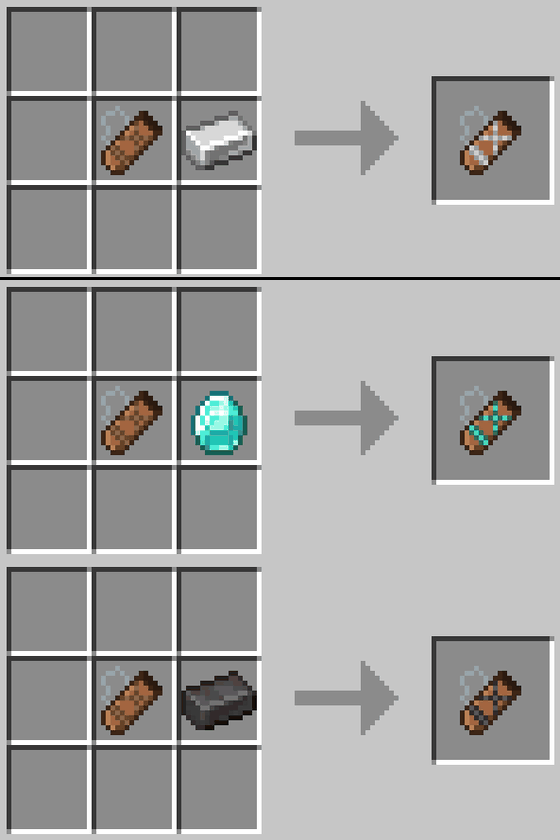 upgrade.gif upgrade.gif
 -
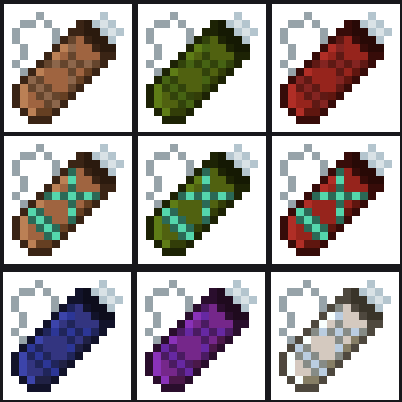 colors.png colors.png
-
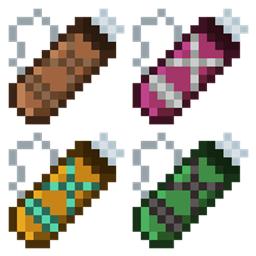
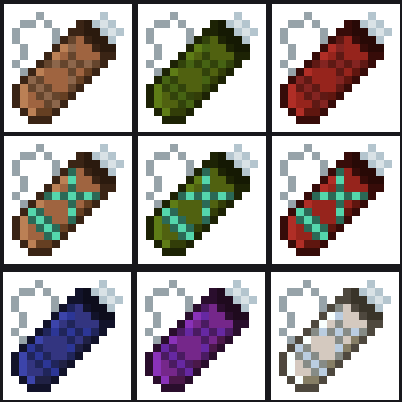 Dyed Quivers You can dye quivers with the same vanilla dyeing mechanic.
 -
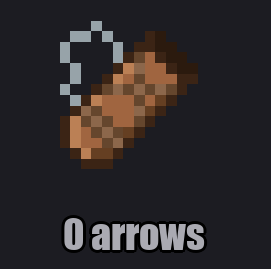 No Arrows 0 arrows shows empty icon
Versions
Files
Relations
Project Relations
More like this
Similar Mods
Suggestions use data such as tags, dependencies, dependents, descriptions, titles, and more to rank how much they overlap with this mod.
On ModDex
Community snapshot
By the numbers
Statistics
Want to reach Minecraft players?
We're looking for a server hosting partner to feature here and other parts of the site. Interested? Send us a message!
Get in touchGet it on
Available Platforms
On ModDex
Community snapshot
By the numbers
Statistics
Resources