
Community listing page, reviews here may not be monitored by the author.
Random Assistant


No reviews yet
This is a mod that provides a hierarchical drop-tracking graph for Minecraft with random drops.
Community voices
Reviews
No reviews yet. Be the first to review this project!
Get it on
Available Platforms
Compatibility
Supported Environments
Must be installed on both the client and the server.
About
Project Details
For authors
Embed Badge
If you're the author of this project, you can embed a live badge anywhere that supports HTML or Markdown. It updates automatically whenever ratings change.
Use HTML for any page that supports it, or Markdown for README files and Markdown-based descriptions.
Identifiers
Platform IDs
About
Description
Will not display properly on the legacy site
Random Drop Assistant
This is a mod that provides a hierarchical drop-tracking graph for Minecraft with random drops.



The Red Book
Inside the survival inventory, there is a new book next to the recipe book. This is the loot table tracking book.
Loot Table Tracking
- The book will automatically track loot tables that have been found in the world.
- This includes block breaking, entity killing, fishing, chest looting, and more.
- The book will also track recipes you have crafted and blocks you interact with in the world.
- This includes stripping logs, waxing copper, and more.
- Crafting recipes and interactions are tracked so that you can see the paths you took to get to a specific item.
- All tracking is done via a custom implementation of the in-game statistics system so there is no need to worry about data loss. - Consequently, unless this mod is installed server-side, the book will not be able to track loot tables as statistics are stored server-side.
Red Book Display
- The red book will open up a new widget to the right of the inventory, closing the recipe book if it is open.
- This widget will contain a list of every loot table that has been discovered, i.e. the loot table to get diamonds.
- Each loot table entry will have a preview of "Best Source == Number of Steps ==> Target Item"
- The "Best Source" is the block, entity or recipe that is naturally found (if possible) and has the least number of steps to get to the target item.
- Clicking on a loot table entry will open up that loot table's graph above the inventory.
- There is a settings button in the top right which will take you to the mod's settings.
Loot Table Graph
- The loot table graph will show the target item you selected in the red book.
- In the top left, there will be an icon indicating what your current target item is and a compass which you can click to re-center the graph on the target item.
- The graph will contain nodes and arrows connecting the nodes.
- Right-click a node to highlight the path from that node to the target item.
- Use the mouse wheel to zoom in and out.
Settings
The settings menu can be accessed by clicking the settings button in the top right of the red book.
Unbroken Stars (default:
on)- Display star icons on unbroken blocks
Silk-Touch Stars (default:
on)- Display star icons on broken but not silk-touched blocks
- Requires Unbroken Stars to be
on
Enable Override (default:
off)- Enable all undiscovered loot tables
- This is not permanent and can be disabled at any time
Randomize Colours (default:
off)- Randomize world and entity colours (Cosmetic)
Search Depth (default:
6)- The maximum number of steps to search for a path to the target item
- Increasing this will increase the size of the graph and time it takes to generate the graph, thus, values over 15 are not recommended
Highlight Radius (default
5)- The radius for how many blocks (that are unbroken) are highlighted when holding down the highlight key (default
v) - Values over 10 are not recommended when surrounded by a lot of unbroken blocks as highlighting blocks is somewhat intensive
- The radius for how many blocks (that are unbroken) are highlighted when holding down the highlight key (default
Dependencies
Random Drop Assistant
This is a mod that provides a hierarchical drop-tracking graph for Minecraft with random drops.


The Red Book
Inside the survival inventory, there is a new book next to the recipe book. This is the loot table tracking book.
Loot Table Tracking
- The book will automatically track loot tables that have been found in the world.
- This includes block breaking, entity killing, fishing, chest looting, and more.
- The book will also track recipes you have crafted and blocks you interact with in the world.
- This includes stripping logs, waxing copper, and more.
- Crafting recipes and interactions are tracked so that you can see the paths you took to get to a specific item.
- All tracking is done via a custom implementation of the in-game statistics system so there is no need to worry about data loss.
- Consequently, unless this mod is installed server-side, the book will not be able to track loot tables as statistics are stored server-side.
Red Book Display
- The red book will open up a new widget to the right of the inventory, closing the recipe book if it is open.
- This widget will contain a list of every loot table that has been discovered, i.e. the loot table to get diamonds.
- Each loot table entry will have a preview of "Best Source == Number of Steps ==> Target Item"
- The "Best Source" is the block, entity or recipe that is naturally found (if possible) and has the least number of steps to get to the target item.
- Clicking on a loot table entry will open up that loot table's graph above the inventory.
- There is a settings button in the top right which will take you to the mod's settings.
Loot Table Graph
- The loot table graph will show the target item you selected in the red book.
- In the top left, there will be an icon indicating what your current target item is and a compass which you can click to re-center the graph on the target item.
- The graph will contain nodes and arrows connecting the nodes.
- Right-click a node to highlight the path from that node to the target item.
- Use the mouse wheel to zoom in and out.
Settings
The settings menu can be accessed by clicking the settings button in the top right of the red book.
- Unbroken Stars (default:
on)- Display star icons on unbroken blocks
- Silk-Touch Stars (default:
on)- Display star icons on broken but not silk-touched blocks
- Requires Unbroken Stars to be
on
- Enable Override (default:
off)- Enable all undiscovered loot tables
- This is not permanent and can be disabled at any time
- Randomize Colours (default:
off)- Randomize world and entity colours (Cosmetic)
- Search Depth (default:
6)- The maximum number of steps to search for a path to the target item
- Increasing this will increase the size of the graph and time it takes to generate the graph, thus, values over 15 are not recommended
- Highlight Radius (default
5)- The radius for how many blocks (that are unbroken) are highlighted when holding down the highlight key (default
v) - Values over 10 are not recommended when surrounded by a lot of unbroken blocks as highlighting blocks is somewhat intensive
- The radius for how many blocks (that are unbroken) are highlighted when holding down the highlight key (default
Dependencies
Screenshots
Gallery
-
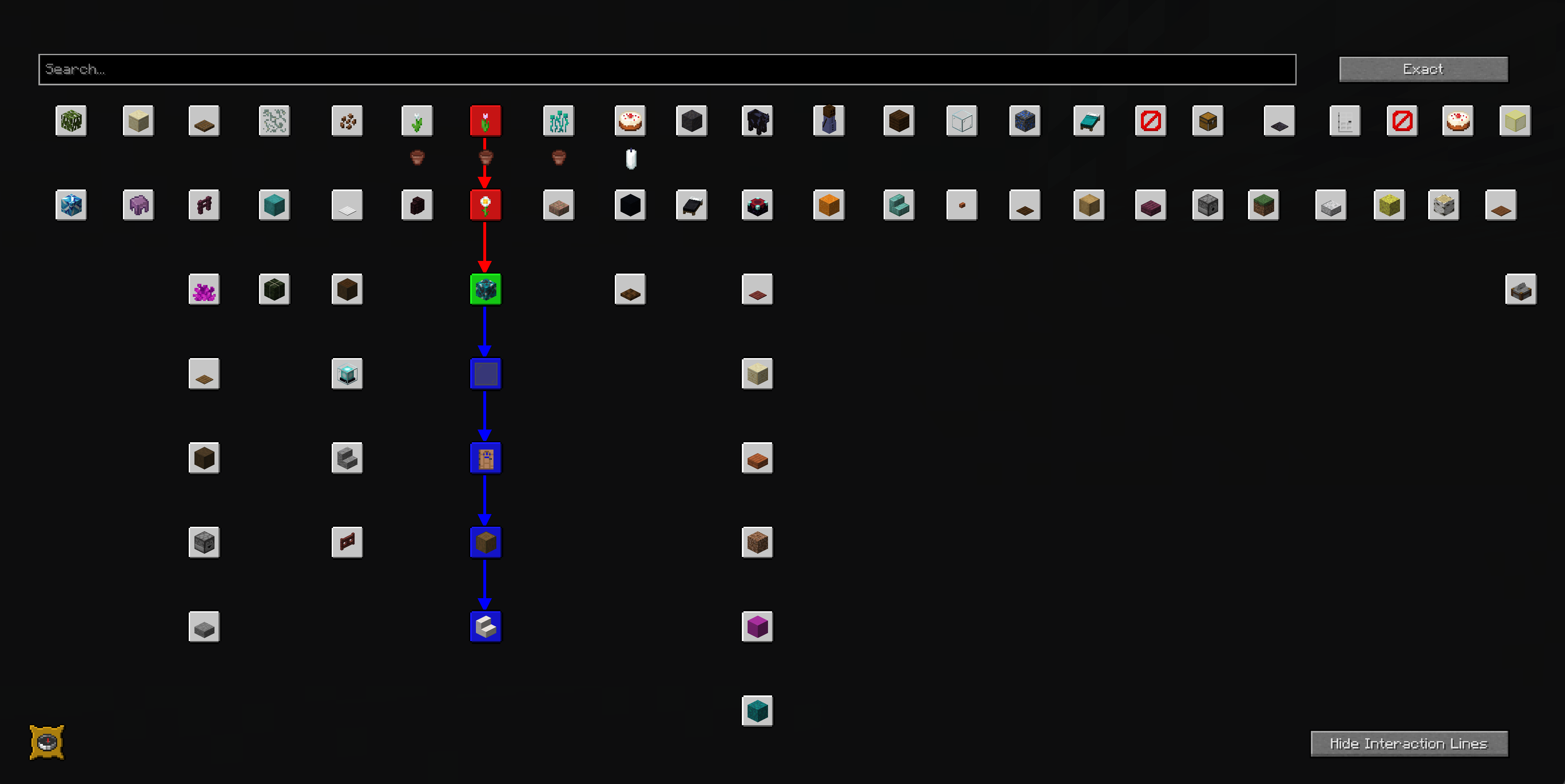 GUI A sample of the gui after playing for a bit
-
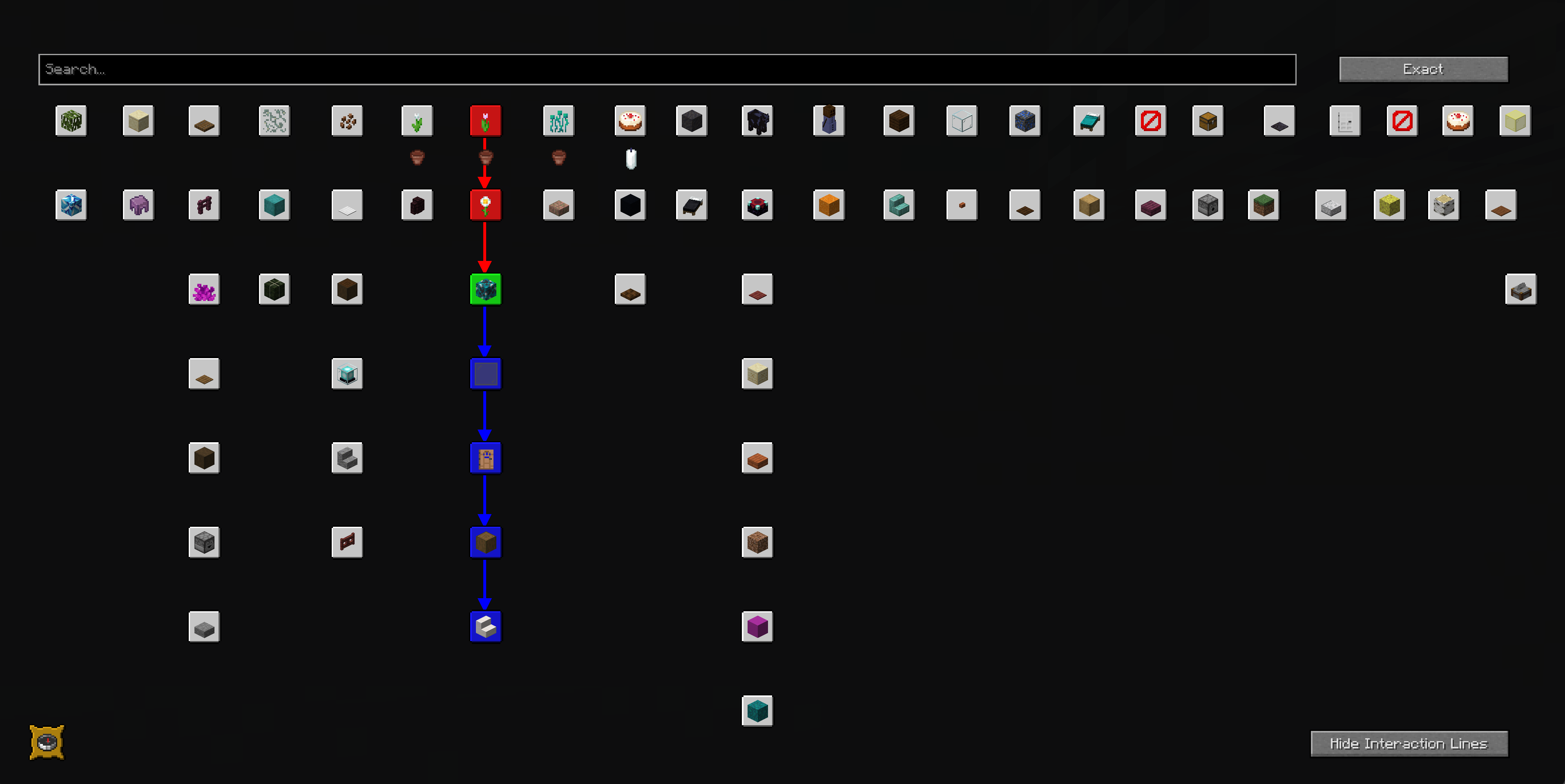 GUI Sample gui after playing for a bit.
Versions
Files
Relations
Project Relations
More like this
Similar Mods
Suggestions use data such as tags, dependencies, dependents, descriptions, titles, and more to rank how much they overlap with this mod.
On ModDex
Community snapshot
By the numbers
Statistics
Want to reach Minecraft players?
We're looking for a server hosting partner to feature here and other parts of the site. Interested? Send us a message!
Get in touchGet it on
Available Platforms
On ModDex
Community snapshot
By the numbers