Community listing page, reviews here may not be monitored by the author.
Rarmor

No reviews yet
A mod about an RF powered armor that can be upgraded and modified!

Community voices
Reviews
No reviews yet. Be the first to review this project!
Get it on
Available Platforms
About
Project Details
For authors
Embed Badge
If you're the author of this project, you can embed a live badge anywhere that supports HTML or Markdown. It updates automatically whenever ratings change.
Use HTML for any page that supports it, or Markdown for README files and Markdown-based descriptions.
Identifiers
Platform IDs
About
Description
Rarmor is a mod about a powerful RF powered armor that can be upgraded with tons of modules!
Note that the mod is still in beta, so there might be stuff that gets changed in the future.
It has a bunch of stuff already though!
Scroll down to get a sneak-peek and some bits of information!
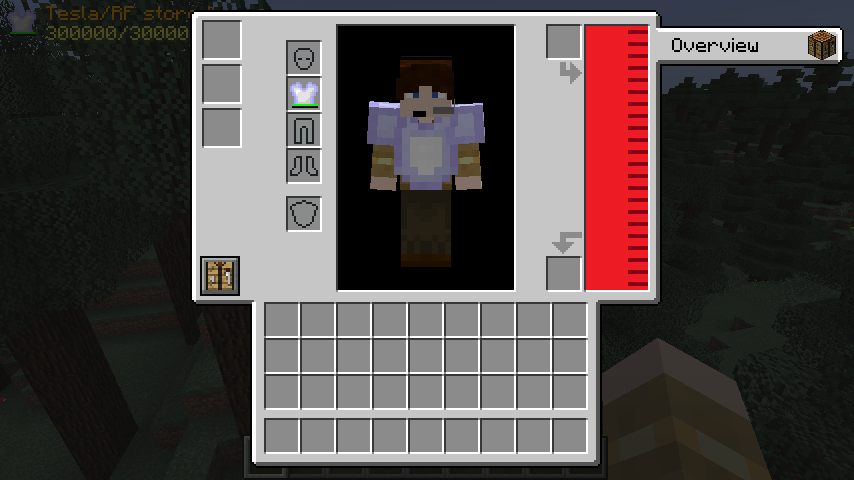
This is what it looks like when you first put on the Rarmor chestplate. It is the main part of the armor and without it, you're not going to be able to do a whole lot. To open this GUI, just open your inventory! The two slots on the right can be used to charge the internal RF/Tesla buffer, but you can also use a module to do that too!
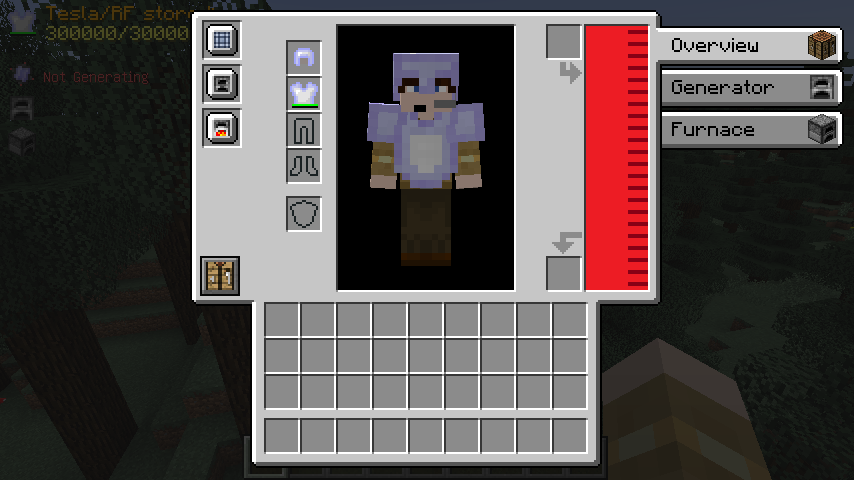
This is what it looks like when you have installed some modules. The three slots on the left are used to do exactly that! As you can see, some modules create tabs on the right that you can click and take a look at, too.
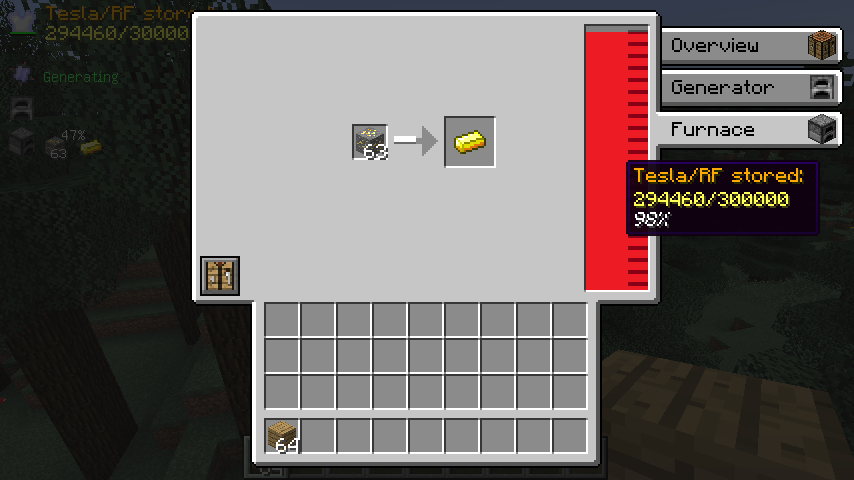
This is the smelting module's tab opened for example. In here, you can smelt up items using the RF buffer. This, of course, also works if you don't have the GUI open and you're just running around in the fields!

Speaking of not having the GUI open: When that's the case, you can also see the Rarmor HUD on the top left. Not every module will be listed there, but most of them will show you some neat additional information. The position of this hud can be changed in the config, too!
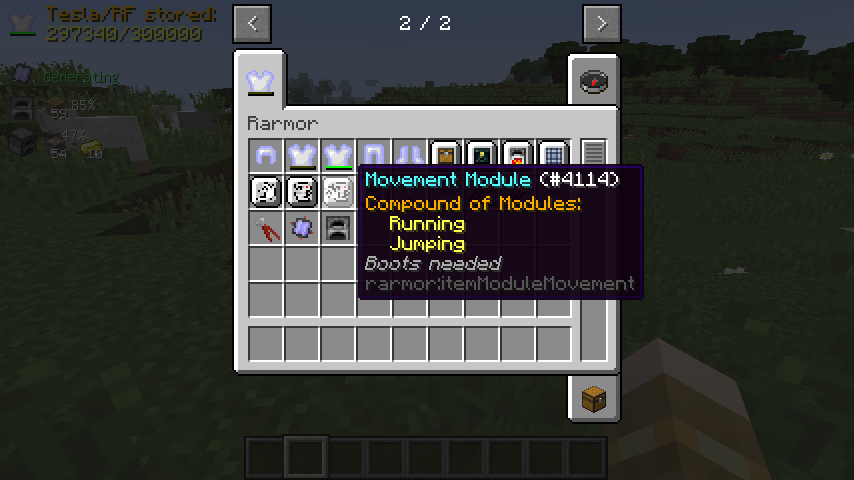
If you want more information on one of the modules, you can just hover over its item in your inventory. This module, for example, is a compound of two other ones so that you don't use up as much space in the module slots. As you can also see, this module requires to to wear the Rarmor boots to be able to be installed and function.
To see the source code, submit bug reports and suggestions and visit the Jenkins and Maven pages for downloading unstable, development and API builds, click here!
Screenshots
Gallery
-
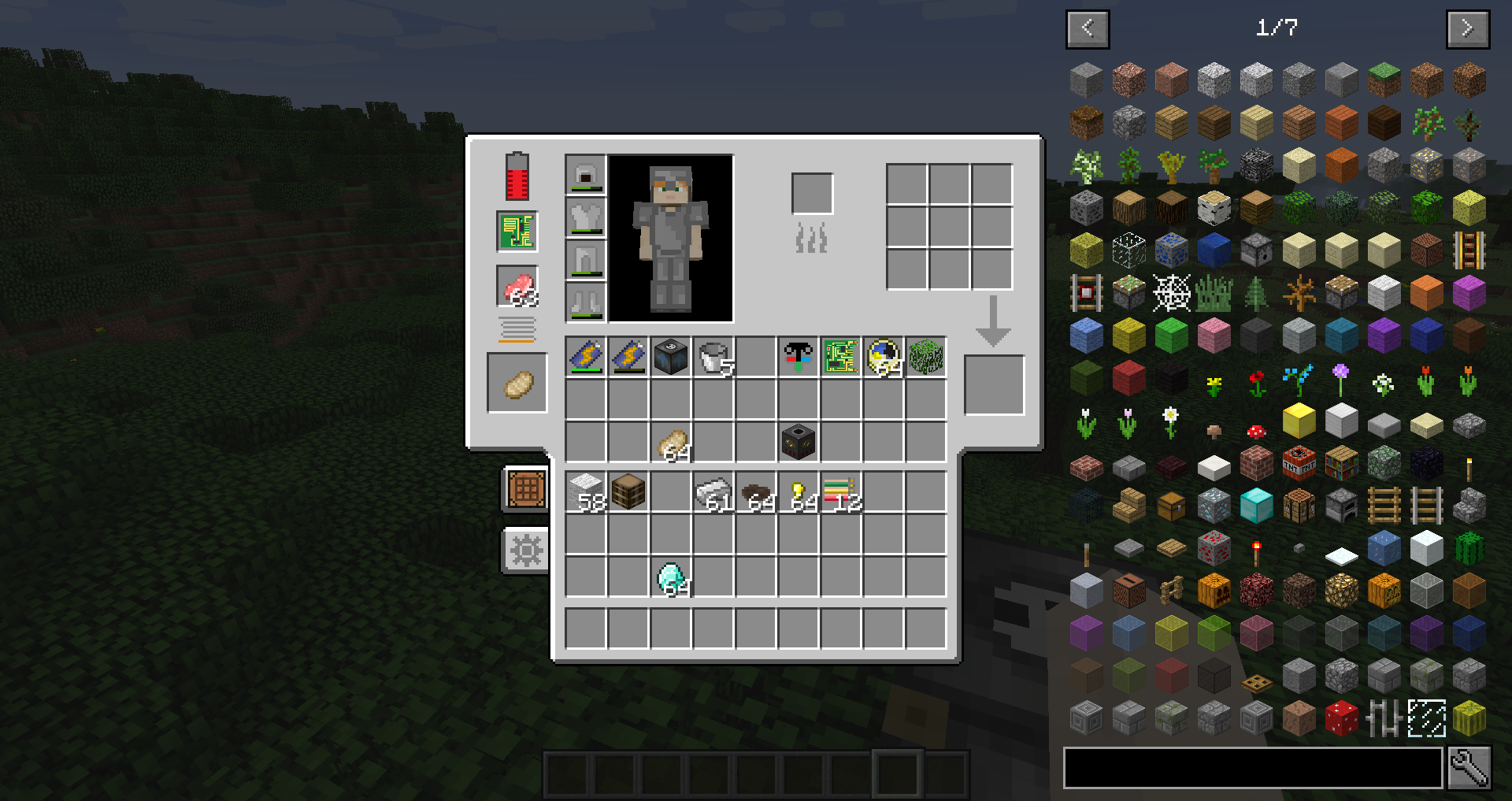 The Rarmor Inventory
Versions
Files
Relations
Project Relations
More like this
Similar Mods
Suggestions use data such as tags, dependencies, dependents, descriptions, titles, and more to rank how much they overlap with this mod.
On ModDex
Community snapshot
By the numbers
Statistics
 (opens in a new tab)
Get it on
Available Platforms
On ModDex
Community snapshot
By the numbers