Community listing page, reviews may not be monitored by the author.
Raw's Visual keybinder

No reviews yet
A visual solution for keybinding.

Community voices
Reviews
No reviews yet. Be the first to review this project!
Get it on
Available Platforms
About
Project Details
For authors
Embed Badge
If you're the author of this project, you can embed a live badge anywhere that supports HTML or Markdown. It updates automatically whenever ratings change.
Use HTML for any page that supports it, or Markdown for README files and Markdown-based descriptions.
Identifiers
Platform IDs
Resources
External Links
About
Description
This mod is a solution for having a big modpack with many keybinds.
It adds an extra way to manage keybinds. It provides an extra screen which will be accessible by the button next to the default edit 'keybind button' in the options menu.
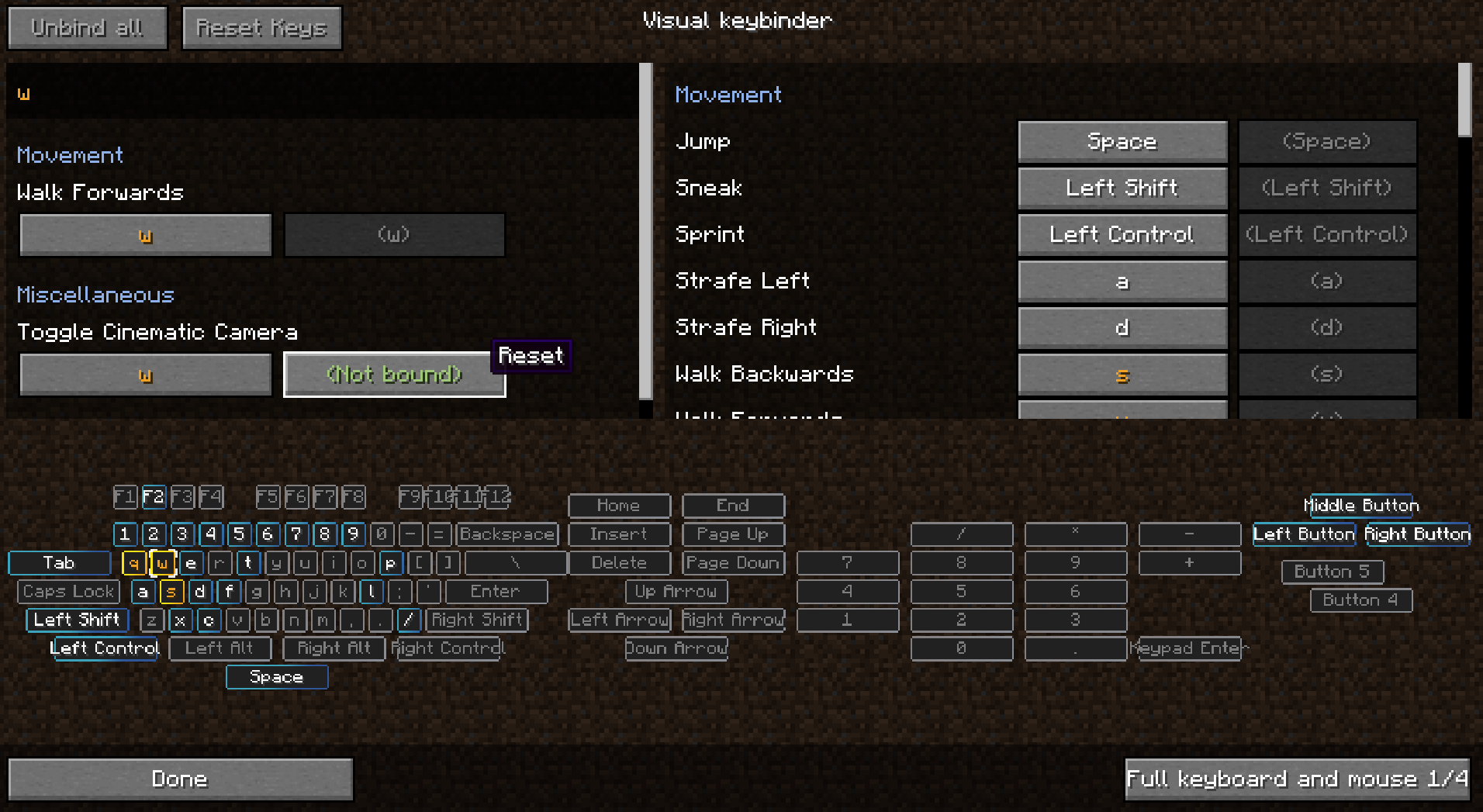
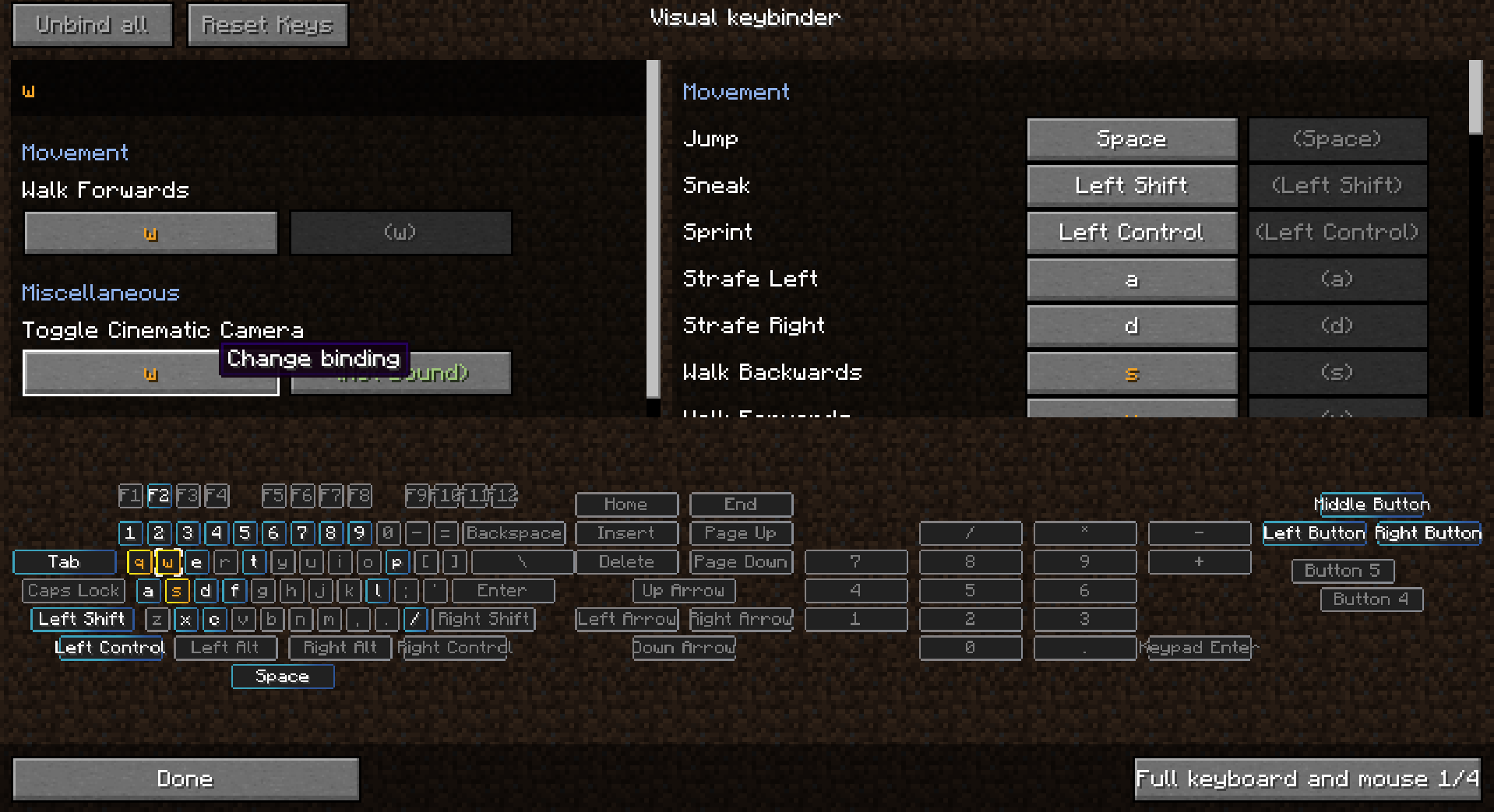
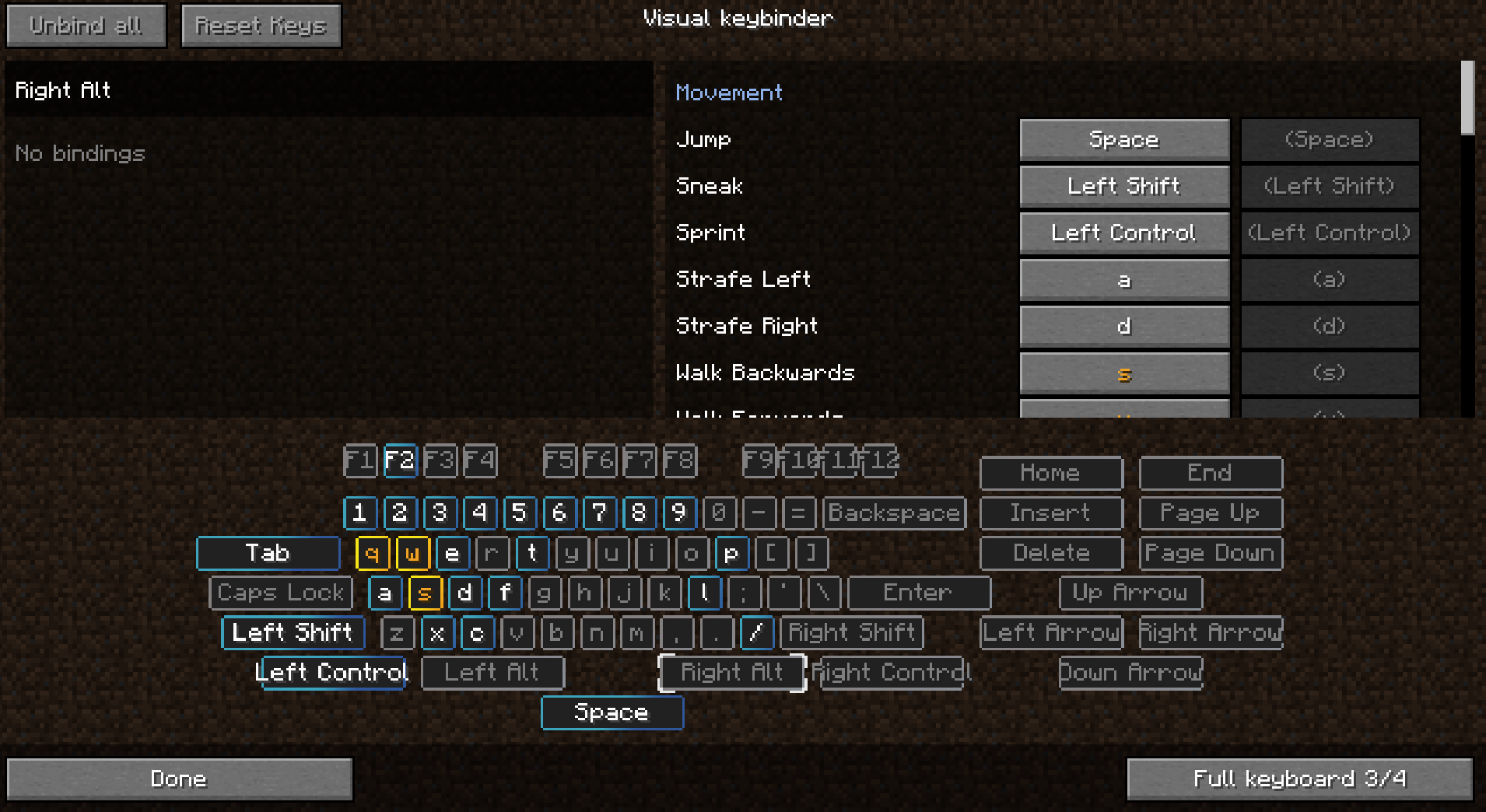
The screen has a layout like a keyboard with all conflicting and used buttons highlighted. This way players have a great overview of which keys are still available and which ones need attention.
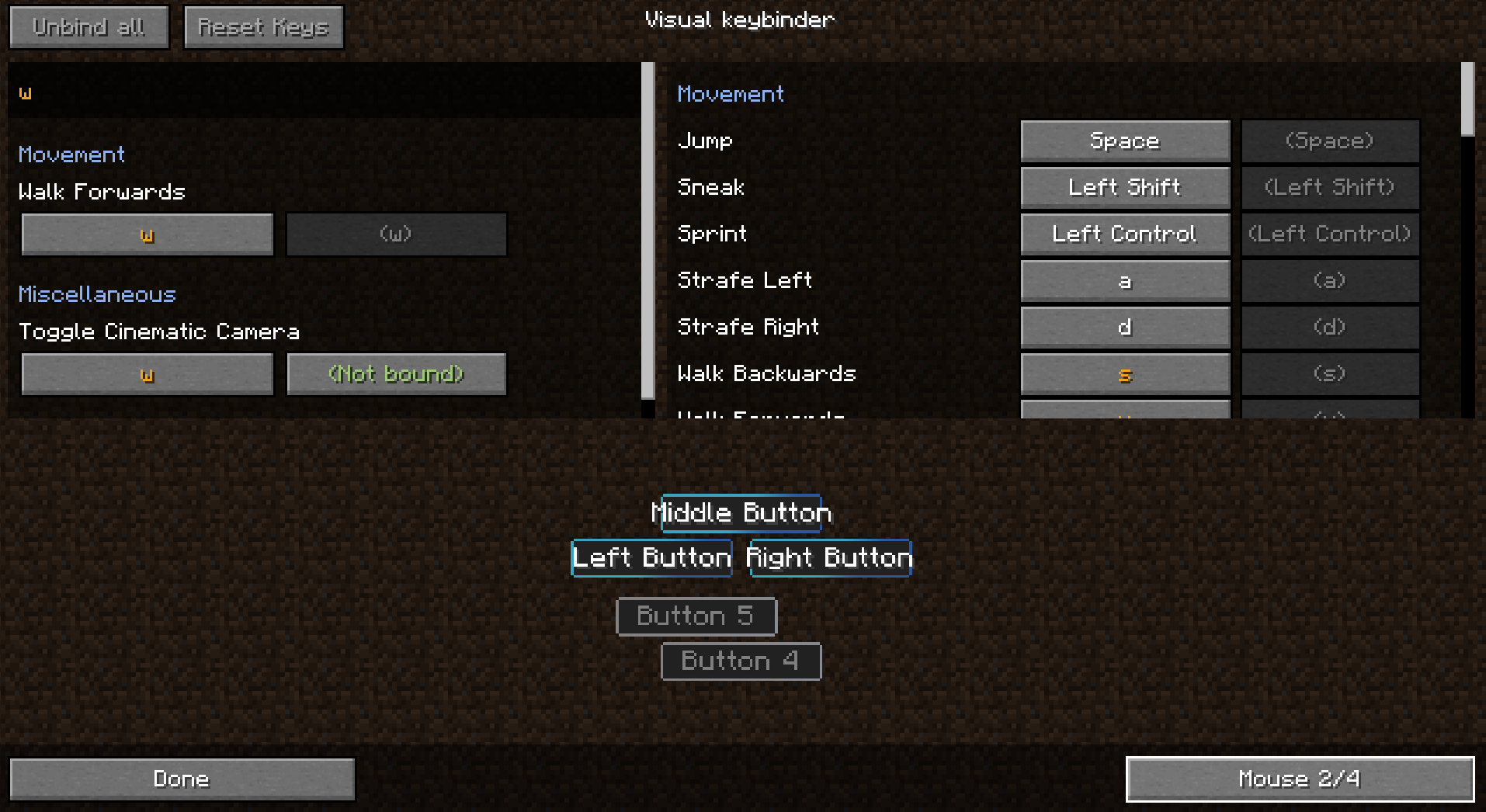
As a side effect of making this mod you can also use modifiers with mouse buttons like Shift+left click. This may or may not be usefull for some situations.
Multiple layouts are available and layouts could be changed or added in the config.
Client mod. Does not have to be on a server.
See images for some screenshots.
Presets
Presets can be loaded and saved. They are stored in the .minecraft folder under 'keybinding presets'.
Switch between presets quickly by setting up a keybind for your favorite presets.
How to make a preset load on first start
Use 'preset_to_load_on_first_startup.txt' to specify a keybind that should load on startup. These bindings will then be loaded on startup.
The file initialized.dat will be created when a player has started the game for the first time. When this file is present, the preset in preset_to_load_on_first_startup.txt will not be loaded.
Making a preset readonly
When opening a preset with notepad you can add the text 'readonly' on the first line and then save.
Shipping keybinds with modpack
- make sure you export the folder keybinding preset
- do Not export keybinding presets/initialized.dat
- save a preset in the game
- edit the created file in notepad
- at the start of the file insert a new line with the text: readonly
- nothing more nothing less
- then in the file preset_to_load_on_first_startup.txt, on the second line fill in the name of your preset, which is the filename without the preset.txt which is at the end of the filename.
You can ship your modpack with multiple presets, but only one preset can be loaded on startup. It is possible to use Capital letters in the filename.
Use in modpack is allowed without asking
-------------------------------------------------------------------
Thanks to Radimous for backporting to 1.18.2!
Thanks to Bubin7766 for porting to 1.21.1 Neoforge!
Screenshots
Gallery
-
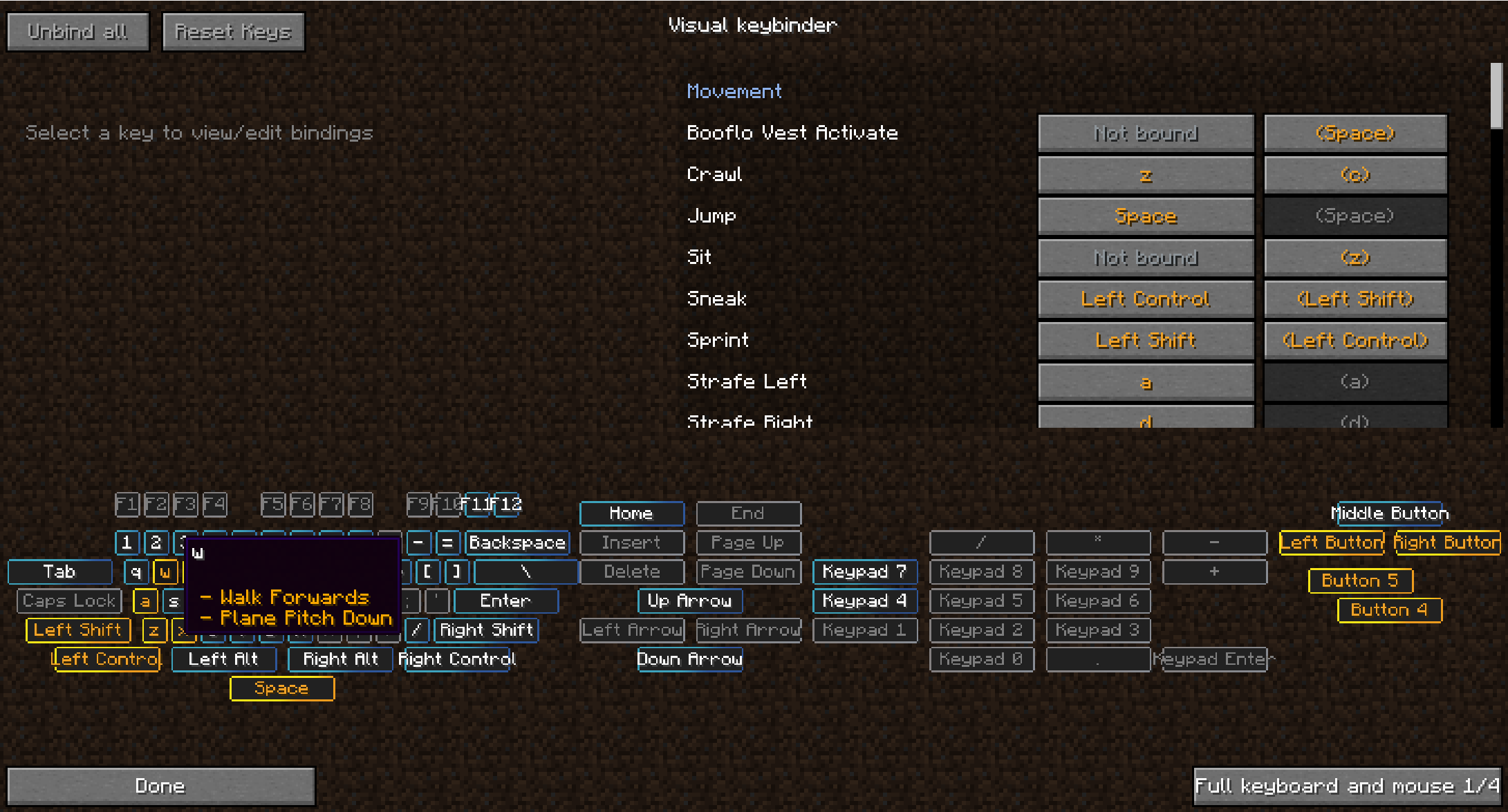 Schermafbeelding 2024-05-21 011121.png Schermafbeelding 2024-05-21 011121.png
 -
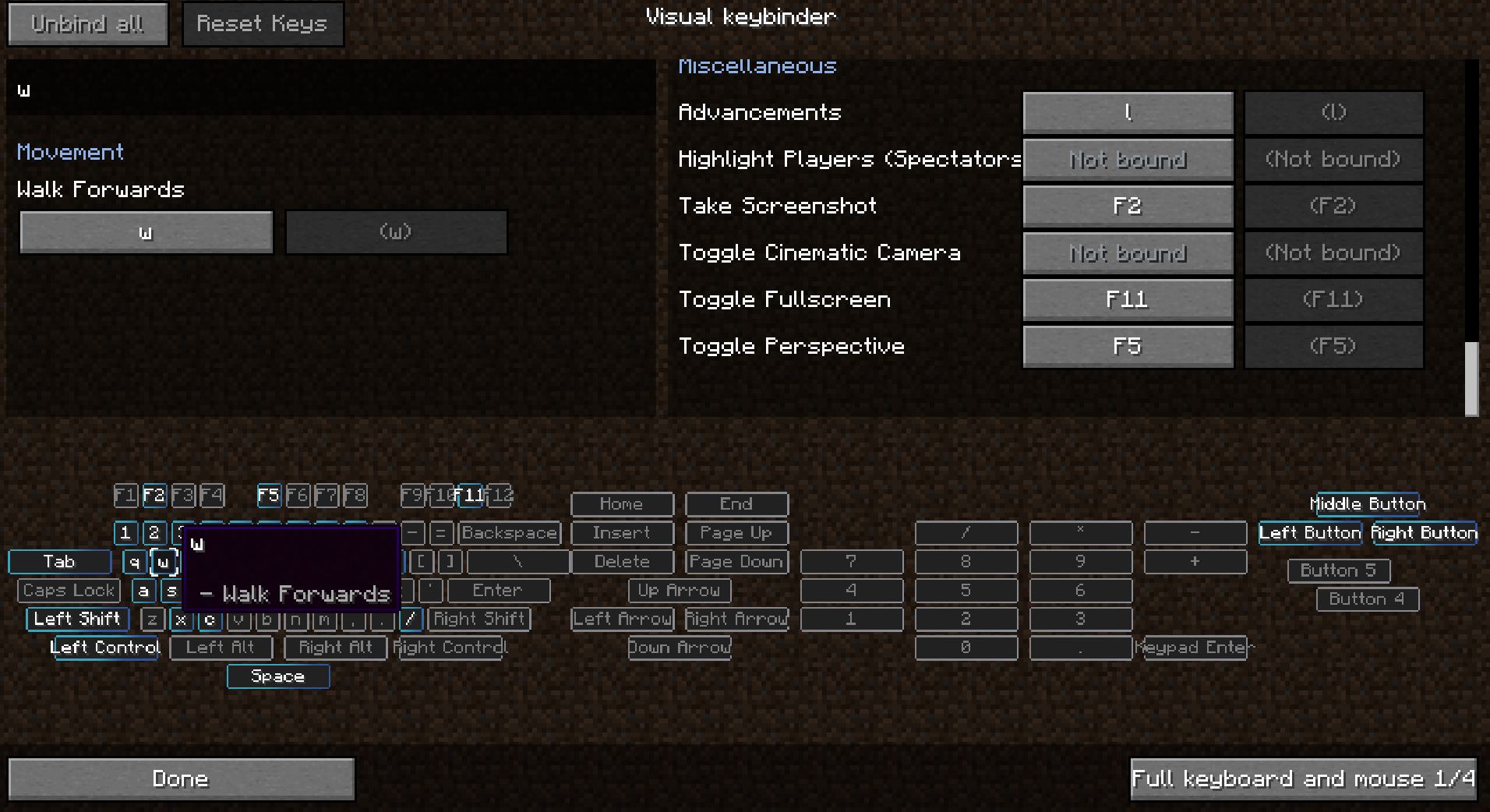 Schermafbeelding 2024-05-21 021036.png Schermafbeelding 2024-05-21 021036.png
 -
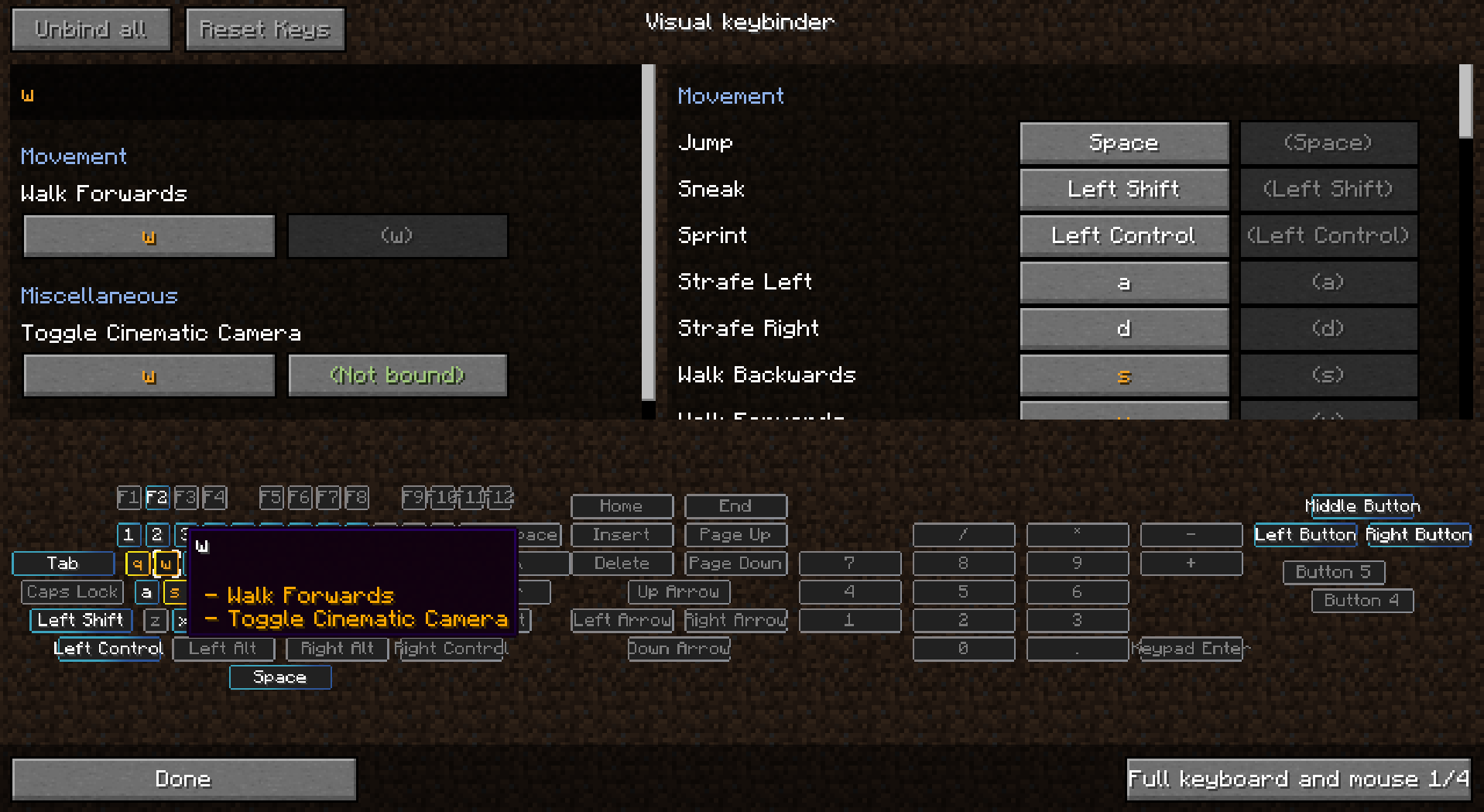 Schermafbeelding 2024-05-21 021054.png Schermafbeelding 2024-05-21 021054.png
 -
 Schermafbeelding 2024-05-21 021101.png Schermafbeelding 2024-05-21 021101.png
 -
 Schermafbeelding 2024-05-21 021108.png Schermafbeelding 2024-05-21 021108.png
 -
 Schermafbeelding 2024-05-21 021114.png Schermafbeelding 2024-05-21 021114.png
 -
 Schermafbeelding 2024-05-21 021120.png Schermafbeelding 2024-05-21 021120.png
Versions
Files
Relations
Project Relations
More like this
Similar Mods
Suggestions use data such as tags, dependencies, dependents, descriptions, titles, and more to rank how much they overlap with this mod.
On ModDex
Community snapshot
By the numbers
Statistics
 (opens in a new tab)
Get it on
Available Platforms
On ModDex
Community snapshot
By the numbers
Statistics
Resources