
Community listing page, reviews may not be monitored by the author.
Realistic Walkie-Talkie

No reviews yet
Walkie-talkies for Simple Voice Chat: tune a frequency and talk to everyone on it, with radio sound, beeps, signal bars and a clean HUD.

Community voices
Reviews
No reviews yet. Be the first to review this project!
Get it on
Available Platforms
About
Project Details
For authors
Embed Badge
If you're the author of this project, you can embed a live badge anywhere that supports HTML or Markdown. It updates automatically whenever ratings change.
Use HTML for any page that supports it, or Markdown for README files and Markdown-based descriptions.
Identifiers
Platform IDs
Resources
External Links
About
Description
Proximity chat is great until your friend is on the other side of the mountain.
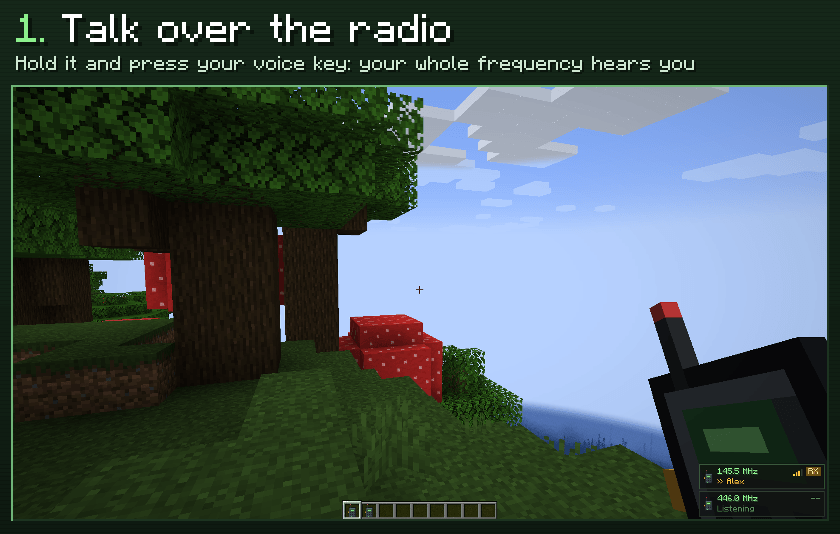
Realistic Walkie-Talkie adds real radios to Simple Voice Chat: tune to a frequency, hold the walkie-talkie and talk. Everyone carrying a walkie-talkie on that frequency hears you, near or far, with the sound of a real radio.
Features
- Voice over the radio: hold a walkie-talkie that is on and press your Simple Voice Chat talk key. Only people on your frequency hear the radio.
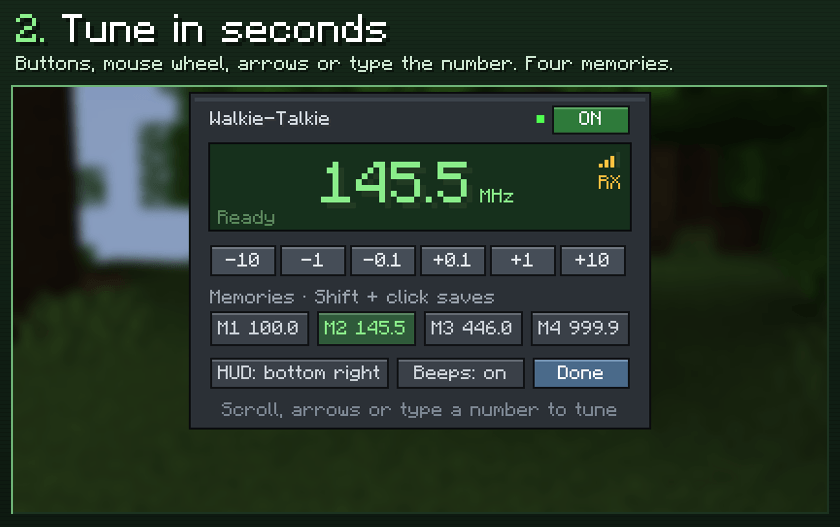
- Frequencies from 100.0 to 999.9 MHz: pick a private one for your team, or stay on 100.0 to meet strangers.
- Real radio sound: small speaker tone, squelch and a roger beep when someone stops talking.
- Range and signal: the signal fades with distance (3000 blocks by default), with more static and dropouts the further away you are. No signal in other dimensions unless the server allows it.
- Listen to several channels: every walkie-talkie in your inventory that is on keeps listening, so carry one for your team and one for the whole server.
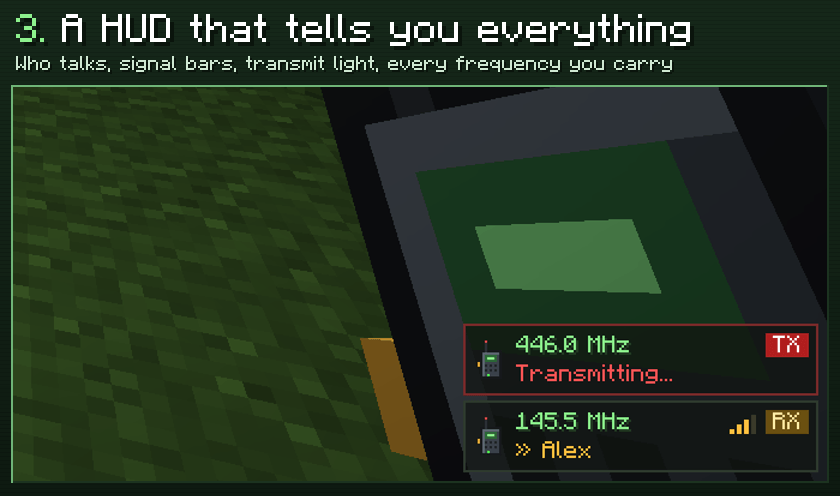
- A clean HUD: frequency, who is talking, signal bars and a red TX light while you transmit. Pick the corner, or hide it.
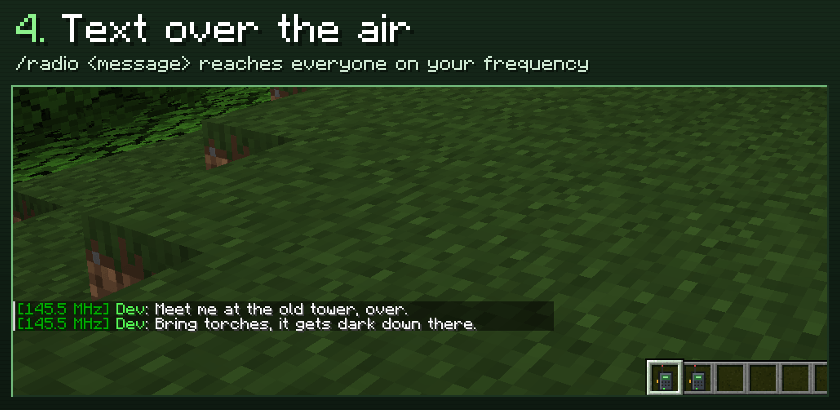
- Text messages:
/radio <message>reaches your frequency too. A weak signal loses letters. - Its own volume slider in the Simple Voice Chat settings.
How to use it
- Right-click: open the tuner. Tune with the buttons, the mouse wheel (Shift for 1 MHz steps), the arrow keys, or type the number and press Enter. Shift + click a memory button saves the current frequency.
- Sneak + right-click: switch it on or off.
- Talk: hold it in your hand and press your voice chat key. To listen, it can be anywhere in your inventory.
/walkieshows your frequency and how many people are listening./walkie tune 145.5,/walkie on,/walkie off./walkie echois a radio check: you hear your own transmissions, handy to test it alone.
Settings
- Server,
config/walkietalkies-server.properties:range(blocks, 0 = unlimited),cross_dimension,direct_range(players this close already hear each other and get no radio copy) andtext_messages. - Client,
config/walkietalkies-client.properties(also from the tuner): HUD corner, beeps and the four memories.
Requirements
- Simple Voice Chat, on the server and on every client.
- Fabric: Fabric API.
- The mod is needed on both sides: server and clients.
Versions
- Fabric: Minecraft 1.20.1 to 26.3
- NeoForge: Minecraft 1.20.1 (Forge jar) and 1.20.2 to 26.3
- Forge: Minecraft 1.20.1 to 26.3, except 1.20.3, 1.20.5 and 1.21.2 (Simple Voice Chat has no Forge version for them)
Questions, ideas or bugs? Join the Discord.
Screenshots
Gallery
Versions
Files
Relations
Project Relations
More like this
Similar Mods
Suggestions use data such as tags, dependencies, dependents, descriptions, titles, and more to rank how much they overlap with this mod.
On ModDex
Community snapshot
By the numbers
Statistics

Get it on
Available Platforms
On ModDex
Community snapshot
By the numbers
Statistics
Resources