Community listing page, reviews here may not be monitored by the author.
Realm Finder

No reviews yet
A Minecraft mod that turns your photographs into real blocks and mobs. Inspired by Viewfinder.
Community voices
Reviews
No reviews yet. Be the first to review this project!
Get it on
Available Platforms
About
Project Details
For authors
Embed Badge
If you're the author of this project, you can embed a live badge anywhere that supports HTML or Markdown. It updates automatically whenever ratings change.
Use HTML for any page that supports it, or Markdown for README files and Markdown-based descriptions.
Identifiers
Platform IDs
Resources
External Links
About
Description
RealmFinder
Bring your photographs to life. Inspired by the indie puzzle game Viewfinder, RealmFinder lets you capture slices of the Minecraft world with a camera and stamp them back into reality from your own perspective.
Note: Early Alpha Release. This is an early preview build released to test core mechanics and collect player feedback. Bugs and rapid changes are to be expected.
How to Play
- Grab a Viewfinder Camera from the Tools and Utilities tab (or craft one).
- Look at any building, terrain, or group of animals and Right-click to take a snapshot.
- Hold the Photograph in your hand to see the real-time perspective overlay appear on your screen.
- Line up your view and Right-click to stamp the photograph into reality!
- Made a mistake? Press Z anytime to undo and recover your photo.
Features
Reshape Your World
Snap a photo of a bridge, rotate around, and stamp it across a canyon. What you see through the photograph becomes real blocks in the world.
Capture Living Mobs
Animals, villagers, monsters, and armor stands in your photo frame are captured and recreated when you stamp the photo into the world.
Resize Reality
Hold Ctrl or Shift and scroll your mouse wheel (or use the [ and ] bracket keys) while holding a photograph to change its scale:
- 0.5x Miniature
- 1.0x Normal
- 2.0x Giant
- 3.0x Colossal
Clean Undo Anytime
Mistakes happen. Press the Z key to immediately reverse your last photo placement. Blocks return to normal, spawned entities disappear, and your Photograph item returns straight to your inventory.
Photo Album
Right-click the Photo Album item to open a two-page gallery. Store up to 18 photographs on the left page and inspect full-size live photo previews with capture dates, block counts, and mob counts on the right page.
Photo Display Stand
Place a wooden easel stand in your world to display your best shots in 3D. Right-click with a photo to mount it, right-click with an empty hand to take it back, or Shift + Right-click to materialize the photo forward into the world directly from the easel.
Controls
| Action | Control |
|---|---|
| Take photograph | Right-click with Camera |
| Stamp photo into world | Right-click with Photograph |
| Additive stamp (no carving) | Shift + Right-click with Photograph |
| Snap angle lock (90 degrees) | Hold Shift while holding Photograph |
| Change photo size | Ctrl / Shift + Mouse Scroll (or [ and ] keys) |
| Undo last placement | Press Z |
| Open Photo Album | Right-click with Photo Album |
| Mount / take photo on easel | Right-click Photo Stand |
| Stamp photo from easel | Shift + Right-click Photo Stand |
Requirements
- Minecraft 1.21.1
- Fabric Loader 0.19.5 or higher
- Fabric API
- Java 21
Screenshots
Gallery
-
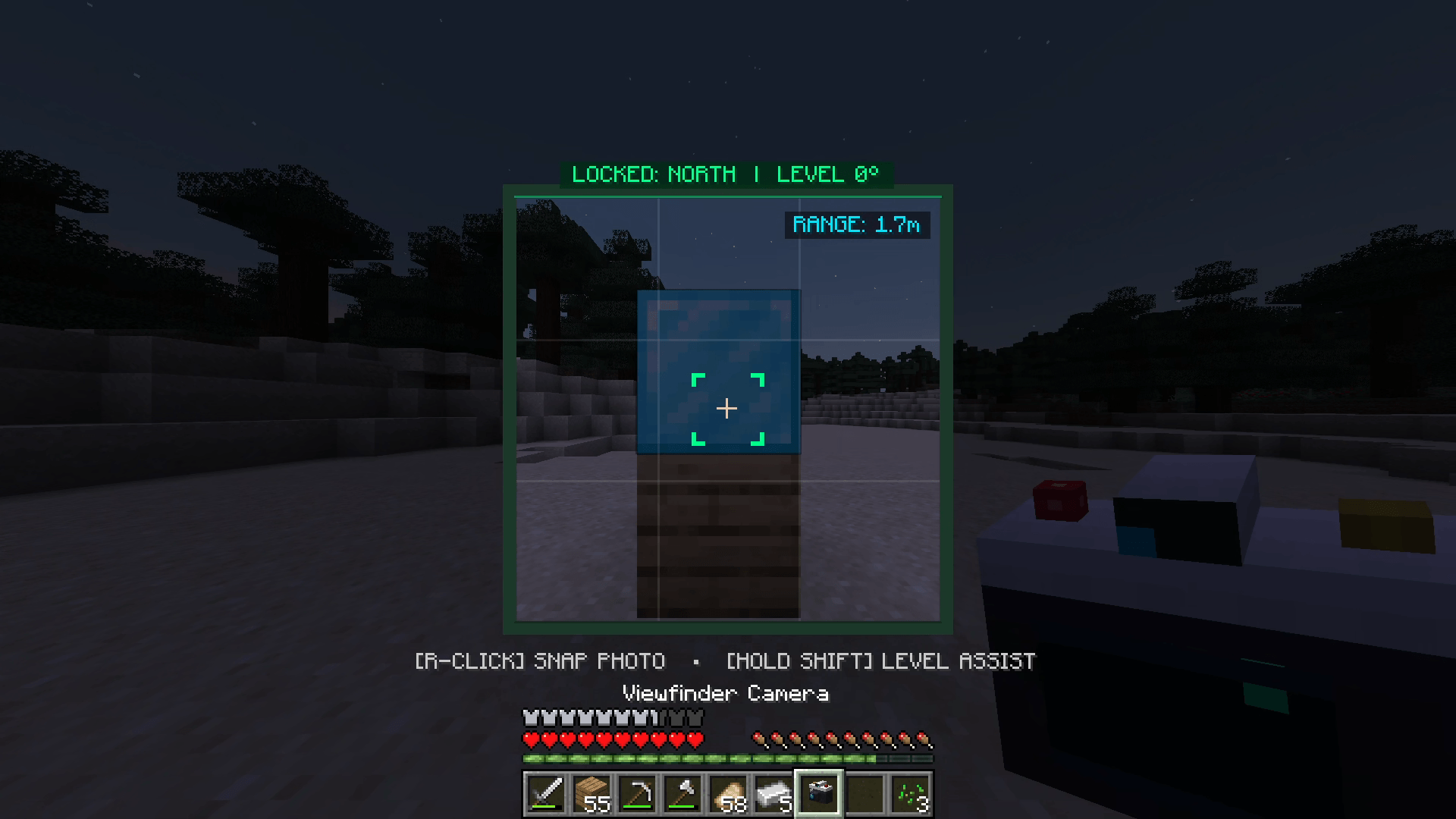 image-attachment_b575db35-b2f6-4e43-8ddc-9b0dea72778e.PNG
 -
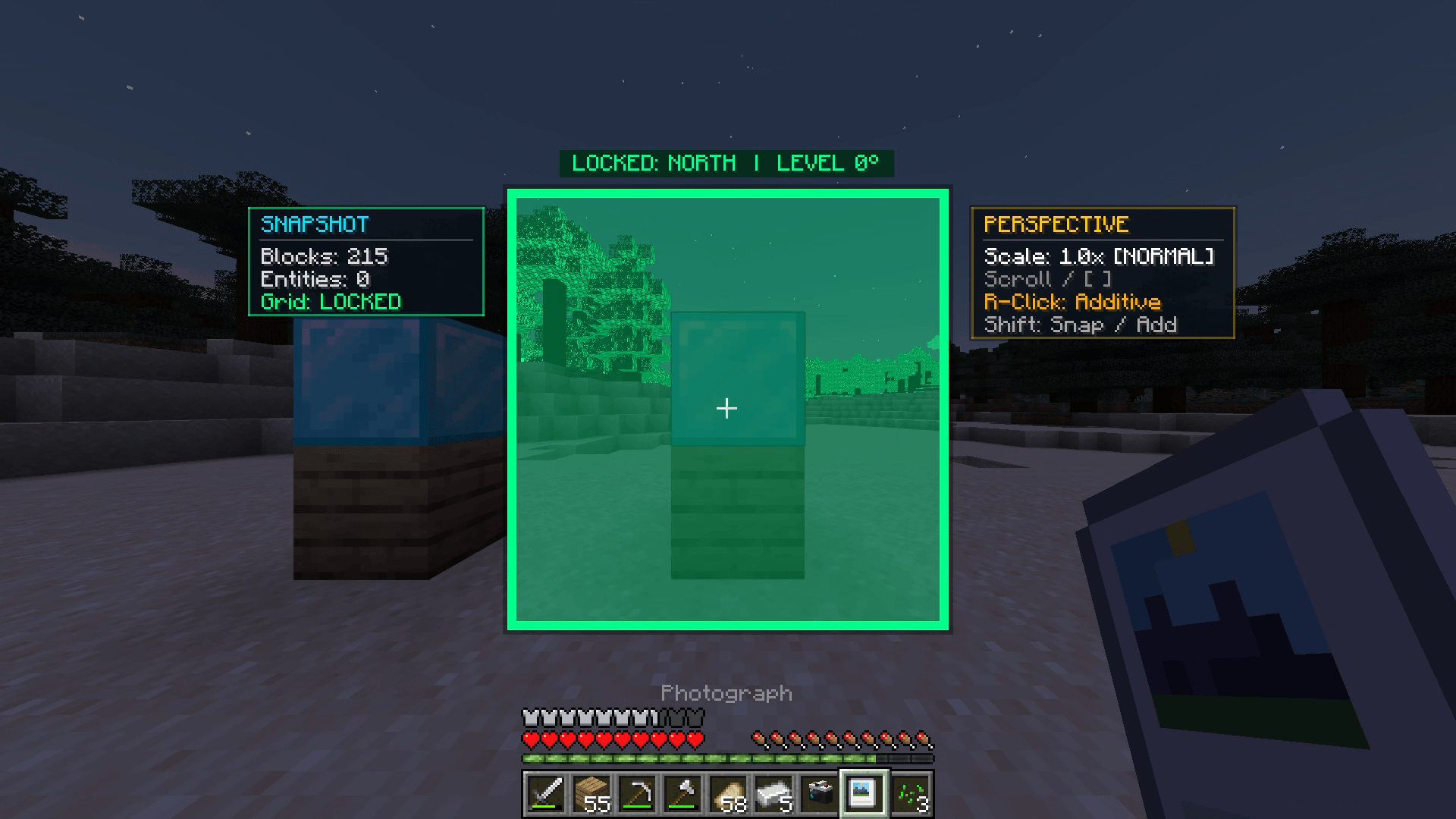 image-attachment_58dc02c0-a5e0-417f-88e9-b911af84c9df.PNG
Versions
Files
Relations
Project Relations
More like this
Similar Mods
Suggestions use data such as tags, dependencies, dependents, descriptions, titles, and more to rank how much they overlap with this mod.
On ModDex
Community snapshot
By the numbers
Statistics
Want to reach Minecraft players?
We're looking for a server hosting partner to feature here and other parts of the site. Interested? Send us a message!
Get in touchGet it on
Available Platforms
On ModDex
Community snapshot
By the numbers
Statistics
Resources