Community listing page, reviews here may not be monitored by the author.
Realm Foundry

No reviews yet
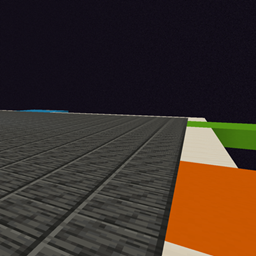
Start in a void world. Create and store up to 6 limited sized versions of the overworld to gather resources and find structures. Good for Minigames and modpacks.
Community voices
Reviews
No reviews yet. Be the first to review this project!
Get it on
Available Platforms
About
Project Details
For authors
Embed Badge
If you're the author of this project, you can embed a live badge anywhere that supports HTML or Markdown. It updates automatically whenever ratings change.
Use HTML for any page that supports it, or Markdown for README files and Markdown-based descriptions.
Identifiers
Platform IDs
Resources
External Links
About
Description
Features:
- New players begin in
realmfoundry:hub, a shared void platform with vertical building space and six guarded gateway corridors. - Each gateway controls one real, separate dimension with normal, superflat, or amplified terrain.
- Right-click an empty gateway to choose terrain, a starting climate, and world-border radius.
- Border radius can be selected from 500 through 2000 blocks.
- The creating survival player owns that realm slot. Its owner or an operator can replace or retire it; everyone may enter it.
- Replacing a realm evacuates players to the hub and moves the slot to untouched terrain at runtime. Existing terrain is no longer reachable through the gate.
- Every realm has an above-ground protected arrival platform.
- Every player receives a reusable Foundry Atlas that returns them to the hub.
- A reusable Netherway Key travels to a protected shared shelter in the vanilla Nether. It can be supplied through quests, commands, or an optional server setting.
- Sneak-right-click any hub gate to open its management screen.
/realmfoundry manage [slot]
/realmfoundry hub
/realmfoundry enter <slot>
/realmfoundry generate <slot> <terrain> <climate> <radius>
/realmfoundry replace <slot> <terrain> <climate> <radius> confirm
/realmfoundry retire <slot> confirm
/realmfoundry status
Climate choices are random, temperate, warm, cold, mountain, and forest. Terrain choices are normal, superflat, and amplified. Superflat always uses plains.
The travel items can also be granted by commands:
/give <player> realmfoundry:foundry_atlas
/give <player> realmfoundry:netherway_key
The server's config/realmfoundry-server.toml file includes:
giveNetherwayKeyOnLogin = false
Set it to true to automatically give missing Netherway Keys on login and respawn.
Screenshots
Gallery
Versions
Files
Relations
Project Relations
More like this
Similar Mods
Suggestions use data such as tags, dependencies, dependents, descriptions, titles, and more to rank how much they overlap with this mod.
On ModDex
Community snapshot
By the numbers
Statistics
Want to reach Minecraft players?
We're looking for a server hosting partner to feature here and other parts of the site. Interested? Send us a message!
Get in touchGet it on
Available Platforms
On ModDex
Community snapshot
By the numbers
Statistics
Resources