Community listing page, reviews here may not be monitored by the author.
RealmForge Ascension

No reviews yet
Realmforge Ascension: choose a class, brave Rift Expeditions, and rise through legendary power.
Community voices
Reviews
No reviews yet. Be the first to review this project!
Get it on
Available Platforms
About
Project Details
For authors
Embed Badge
If you're the author of this project, you can embed a live badge anywhere that supports HTML or Markdown. It updates automatically whenever ratings change.
Use HTML for any page that supports it, or Markdown for README files and Markdown-based descriptions.
Identifiers
Platform IDs
Resources
External Links
About
Description
Realmforge Ascension
Quickstart
- Craft a Rift Altar using the recipe below and place it in your world.
- Pick a class with
/realmforge class <warrior|mage|rogue|summoner|ranger|paladin>. - Right-click the Rift Altar to open a Rift Expedition and fight off three waves of enemies.
- Check your progress anytime with
/realmforge profile. - Defend the altar — don't wander too far or the expedition will withdraw!
Overview
Realmforge Ascension turns your world into a persistent RPG. Choose one of six classes, mark your territory with a Rift Altar, and battle through escalating waves of rift enemies to earn Ascension XP and grow your character's power. Progress is saved to your player profile and persists across sessions.
What It Adds
| Item/Block | Description |
|---|---|
| Ascension Codex | A personal keepsake item representing your journey through Realmforge Ascension. |
| Rift Altar | A tough, obsidian-like block that serves as the anchor point for Rift Expeditions. Right-click it to begin a battle event. |
How To Use
Choosing a Class
Use the command:
/realmforge class <warrior|mage|rogue|summoner|ranger|paladin>
Each class represents a different playstyle path. You can change your class at any time by simply issuing the command again with a different class name.
Checking Your Profile
/realmforge profile
This displays your chosen class, current level (up to a cap of 1000), and accumulated Ascension XP.
Starting a Rift Expedition
Place a Rift Altar and right-click it. You must have chosen a class first. Once triggered:
- The rift opens and enemies spawn near the altar.
- You must defeat all enemies in a wave before the next one arrives.
- There are three waves total, each tougher than the last, scaled to your current level.
- Stay near the altar — moving too far away, dying, or changing worlds will cause the expedition to withdraw and end early.
- Completing all three waves rewards you with progression toward your character's growth.
Only one expedition can be active per player at a time.
Crafting And Obtaining
The Rift Altar is crafted from obsidian, amethyst shards, and an ender eye:


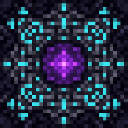
The Ascension Codex is not crafted through a recipe — it is a marker item tied to your progression and can be found in the Ingredients creative tab, while the Rift Altar is available in the Functional creative tab for easy access.
Abilities And Mechanics
- Classes: Warrior, Mage, Rogue, Summoner, Ranger, and Paladin each mark your character with a distinct identity. Class choice is flexible and can be swapped freely.
- Leveling: Your level and Ascension XP are tracked persistently and displayed through your profile. Level caps at 1000.
- Renown: A hidden secondary progression score is tracked alongside level and XP for future growth and bragging rights.
- Rift Expeditions: Triggered at any Rift Altar, these are timed combat encounters where you fend off escalating waves of enemies. Enemy strength scales with your level, keeping the challenge relevant as you grow stronger.
Progression And Strategy
- Build multiple Rift Altars around your base or explored territory to have convenient access to expeditions wherever you roam.
- Keep an eye on the action bar during an active expedition for wave updates and rift status.
- Since altars are extremely tough to break, they make durable, permanent fixtures for repeated grinding.
- Use
/realmforge profileregularly to track your climb toward higher levels and greater Ascension XP as you battle through the rifts.
Screenshots
Gallery
Versions
Files
Relations
Project Relations
More like this
Similar Mods
Suggestions use data such as tags, dependencies, dependents, descriptions, titles, and more to rank how much they overlap with this mod.
On ModDex
Community snapshot
By the numbers
Statistics
Want to reach Minecraft players?
We're looking for a server hosting partner to feature here and other parts of the site. Interested? Send us a message!
Get in touchGet it on
Available Platforms
On ModDex
Community snapshot
By the numbers
Statistics
Resources