Community listing page, reviews here may not be monitored by the author.
Rearview Mirror


No reviews yet
Allows you to see behind you at all times!
Community voices
Reviews
No reviews yet. Be the first to review this project!
Get it on
Available Platforms
Compatibility
Supported Environments
Runs entirely on the client. Works on vanilla servers.
About
Project Details
For authors
Embed Badge
If you're the author of this project, you can embed a live badge anywhere that supports HTML or Markdown. It updates automatically whenever ratings change.
Use HTML for any page that supports it, or Markdown for README files and Markdown-based descriptions.
Identifiers
Platform IDs
Resources
External Links
About
Description
Rearview Mirror Mod
A client-only Fabric mod that adds a rearview mirror.
The mirror allows players to see behind them within a configurable HUD box at all times. No more F5 spamming, no more creepers sneaking up!

Controls
Default keys:
- `R` - toggle mirror HUD
- `O` - open the config screen
Inside the config screen:
- Use the Mirror FOV slider to change the rear camera angle
- Drag and resize the mirror as needed
- Edit the framerate of the mirror for performance.
The config is saved to:
.minecraft/config/rearviewmirror.json Performance
Because this mod works by calling an extra render before the main render for every frame,
it adds a constant multiplier on the complexity. I've tried lowering the resolution and animations
for the rendered image, however it appears to be capped by the overhead of rendering a frame.
As such the only meaningful performance improvement is by adjusting the framerate of the mirror, which
you can do in the in-game config screen.
Rearview Mirror Mod
A client-only Fabric mod that adds a rearview mirror.
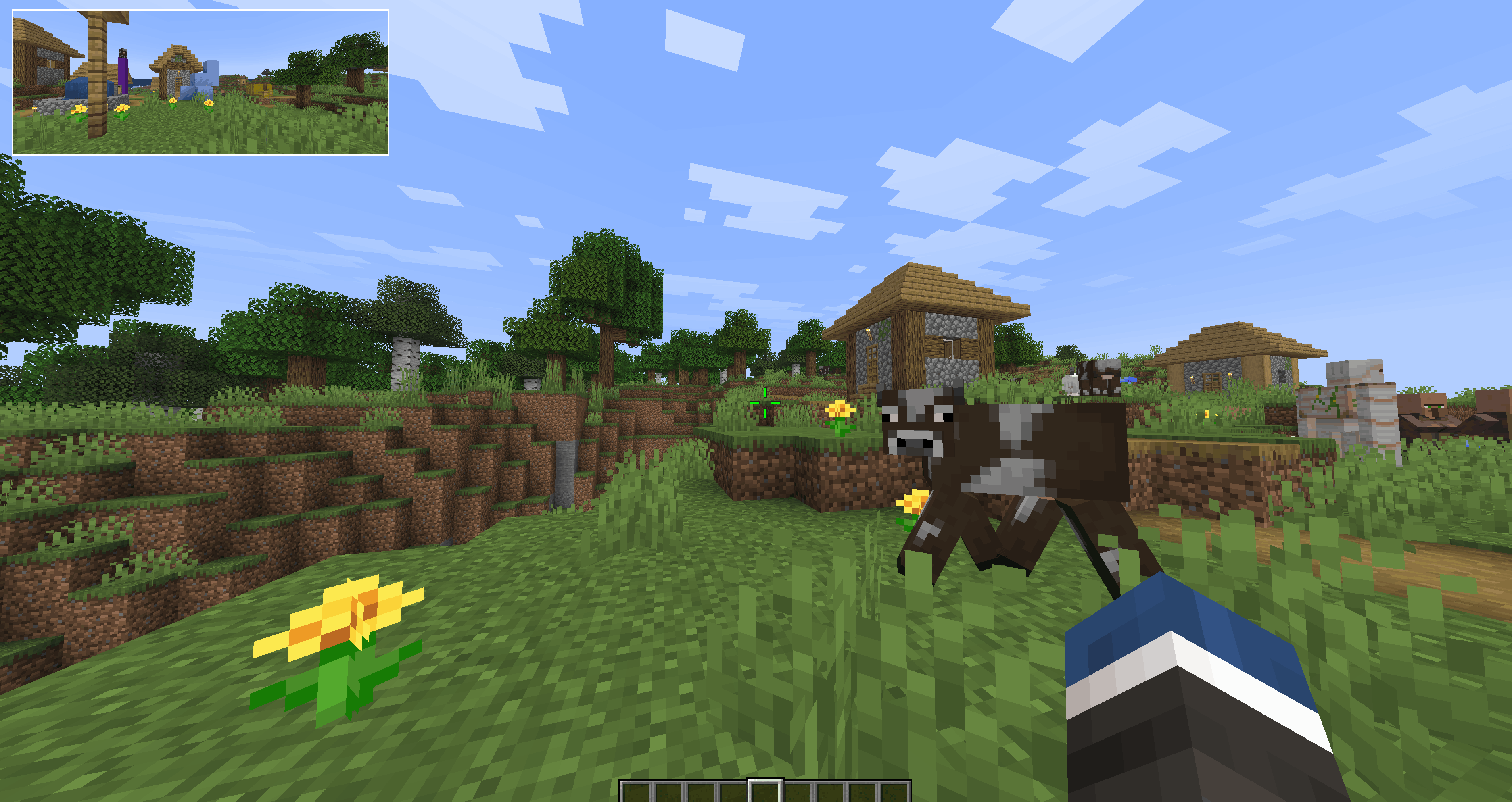
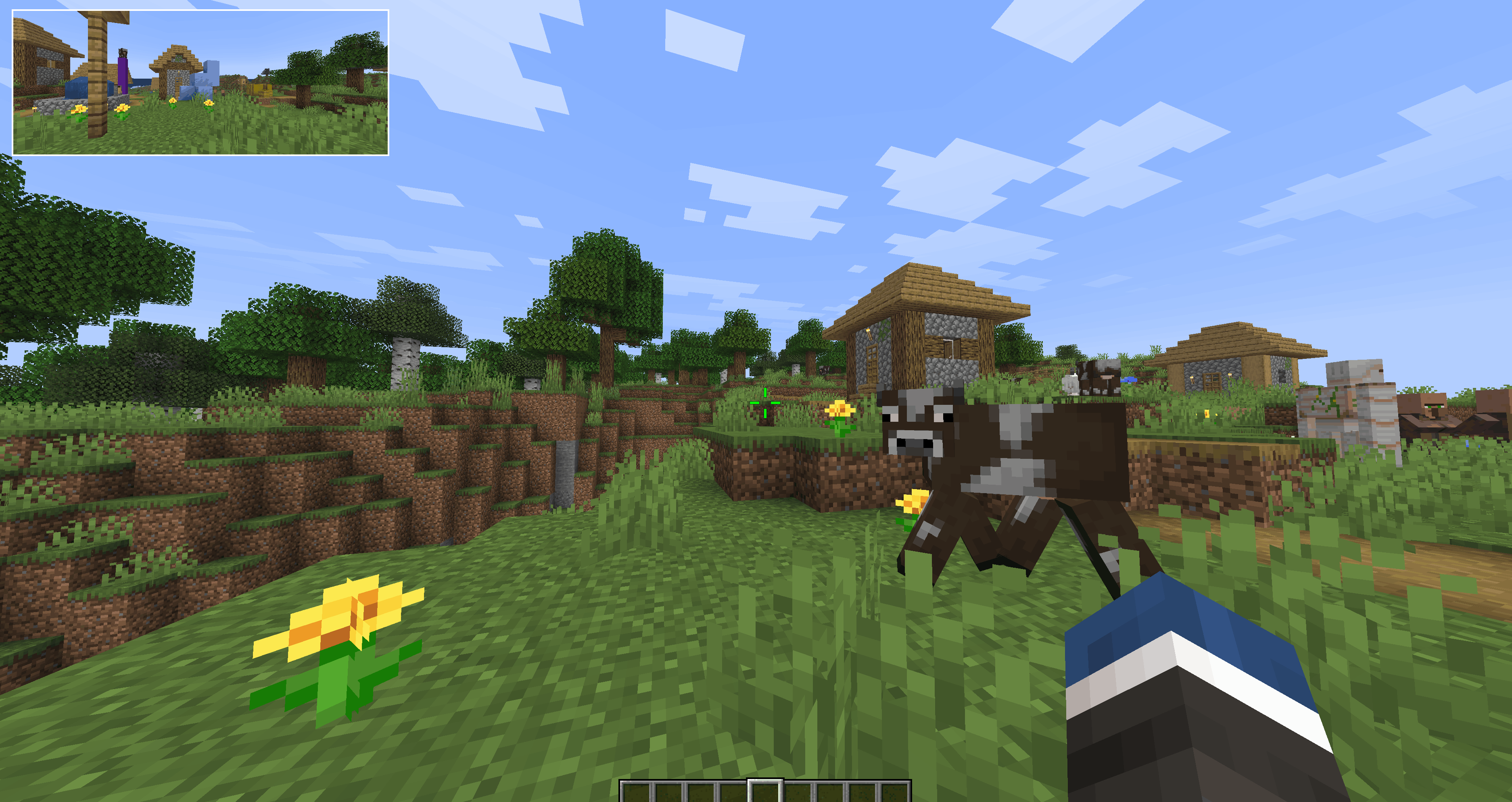
The mirror allows players to see behind them within a configurable HUD box at all times. No more F5 spamming, no more creepers sneaking up!
Controls
Default keys:
R- toggle mirror HUDO- open the config screen
Inside the config screen:
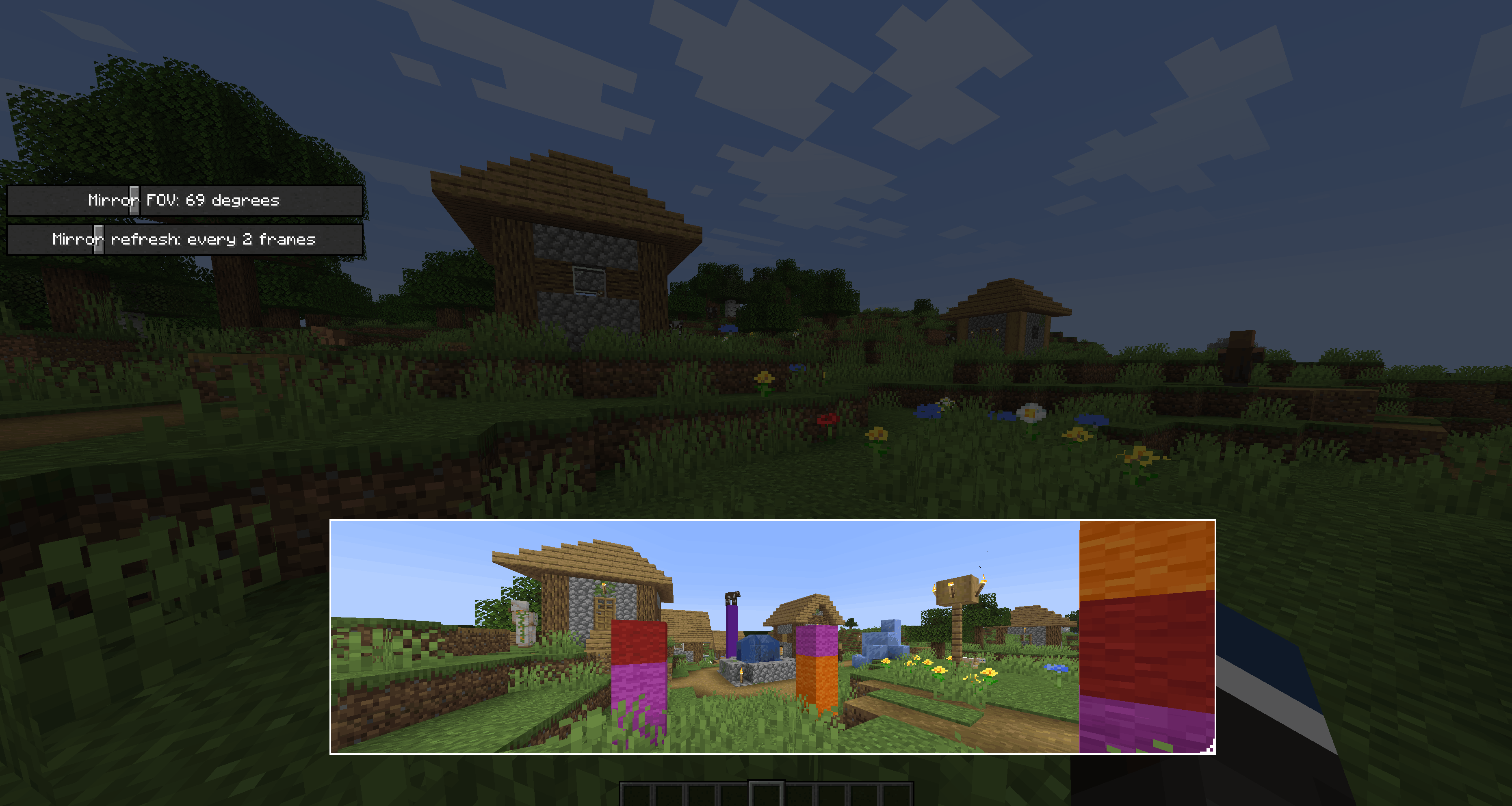
- Use the Mirror FOV slider to change the rear camera angle
- Drag and resize the mirror as needed
- Edit the framerate of the mirror for performance.
The config is saved to:
.minecraft/config/rearviewmirror.json
Performance
Because this mod works by calling an extra render before the main render for every frame, it adds a constant multiplier on the complexity. I've tried lowering the resolution and animations for the rendered image, however it appears to be capped by the overhead of rendering a frame. As such the only meaningful performance improvement is by adjusting the framerate of the mirror, which you can do in the in-game config screen.
Screenshots
Gallery
-
 b65b694baa93007df8c6a1108bf7244e80d595bc.png b65b694baa93007df8c6a1108bf7244e80d595bc.png
 -
 example 2.png example 2.png
-
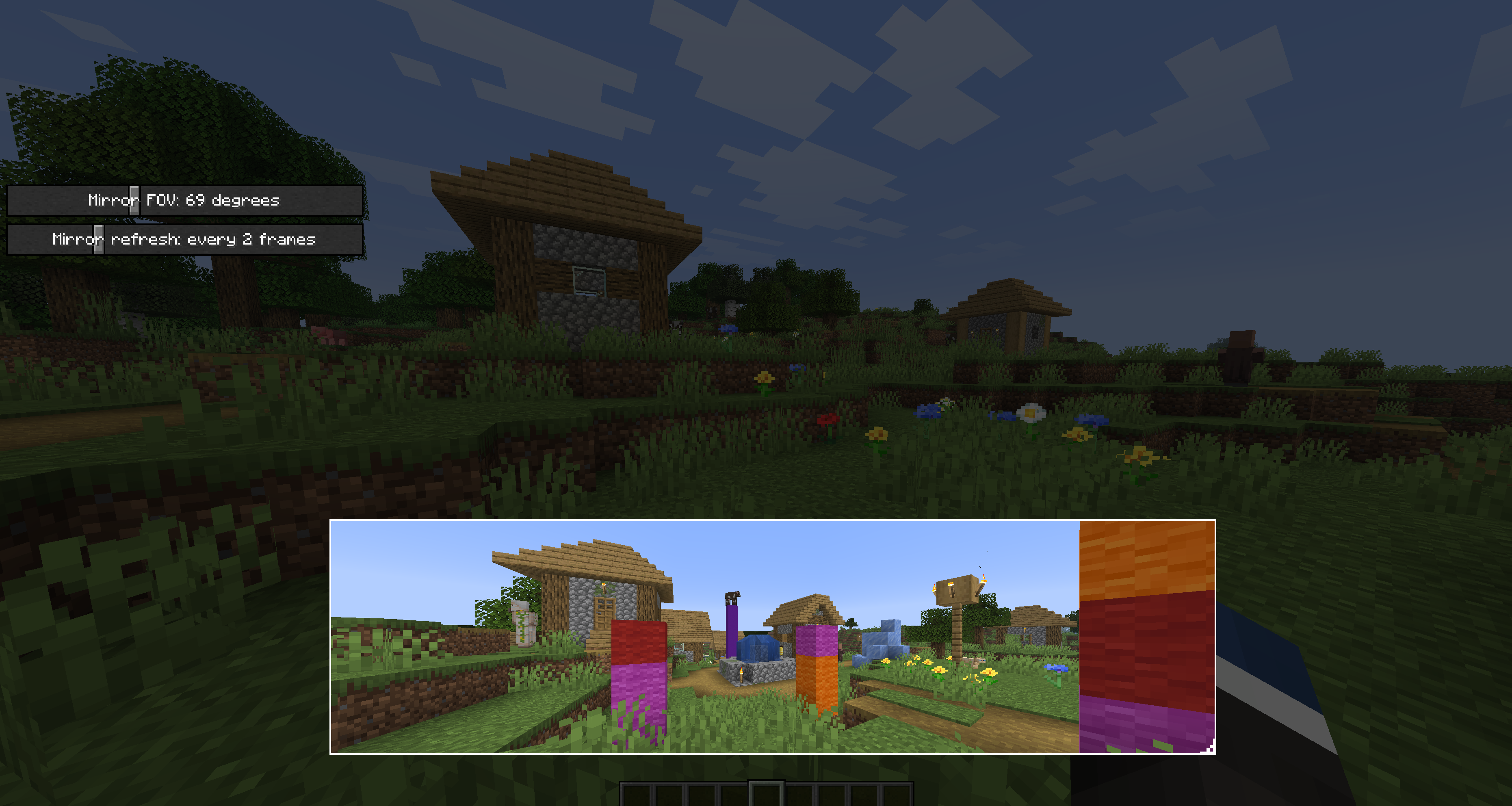 Configuration screen Here you can adjust the size, aspect ratio, location, framerate, and FOV of the mirror
 -
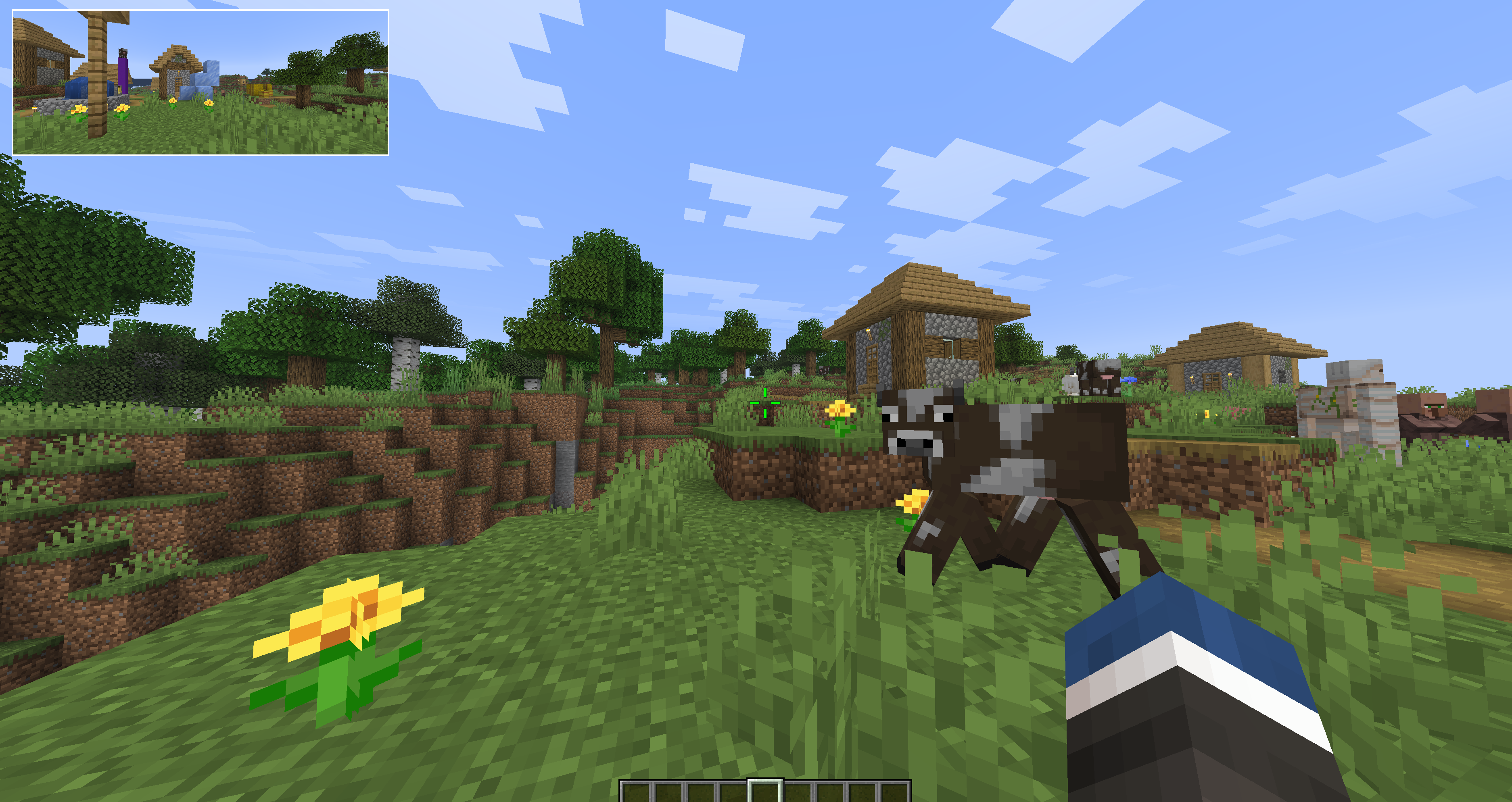 Mirror in action! (PNG)
 -
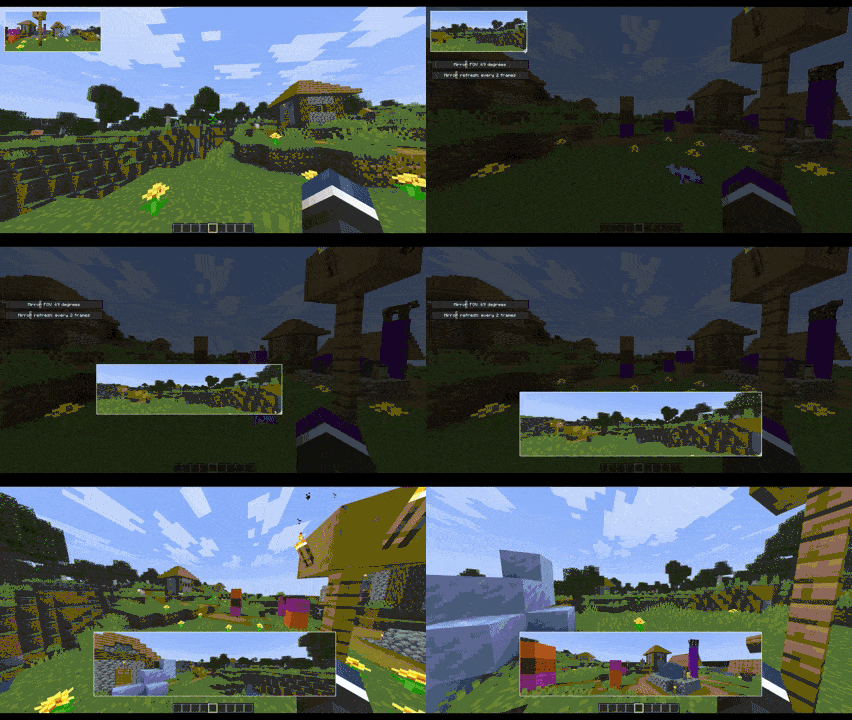 Mirror in Action (Compressed Gif) Sorry about video quality. I had to compress this a lot
Versions
Files
Relations
Project Relations
More like this
Similar Mods
Suggestions use data such as tags, dependencies, dependents, descriptions, titles, and more to rank how much they overlap with this mod.
On ModDex
Community snapshot
By the numbers
Statistics
Want to reach Minecraft players?
We're looking for a server hosting partner to feature here and other parts of the site. Interested? Send us a message!
Get in touchGet it on
Available Platforms
On ModDex
Community snapshot
By the numbers
Statistics
Resources