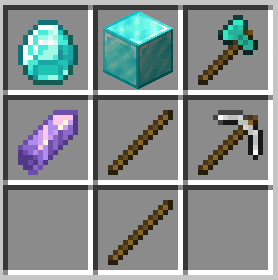
RecipeBuff
No reviews yet
Makes the game challenging with advanced recipes, and toughened mobs.
Data Packs were introduced to vanilla Minecraft in version 1.13 and allow the server to modify data about the game, or run commands. Data Packs are compatible with all mod loaders.
Forge is a popular mod loader for versions 1.1+ of Minecraft.
Neoforge is a fork of the Minecraft Forge available for versions 1.20.1+ of Minecraft. Many Forge mods are compatible with Neoforge and vice versa.
Fabric is a mod loader for versions 1.14+ of Minecraft, particularly popular for client side and optimization mods.
Quilt is a fork of the Fabric mod loader. Many Fabric mods are compatible with Quilt and vice versa.
Community voices
Reviews
Click once to include, again to exclude, again to clear
No reviews yet. Be the first to review this project!
Get it on
Available Platforms
 Modrinth
Compatibility
Supported Environments
About
Project Details
For authors
Embed Badge
If you're the author of this project, you can embed a live badge anywhere that supports HTML or Markdown. It updates automatically whenever ratings change.
Use HTML for any page that supports it, or Markdown for README files and Markdown-based descriptions.
Identifiers
Platform IDs
Resources
External Links
About
Description
This datapack changes many recipes, like the wooden pickaxe, to be much more complicated and tedious to create. Along with changes to crafting, mobs have been buffed to annihilate you in three seconds. When you are injured, you become weaker and have effects like slowness.
Recipes changed include (but not limited to):
- All tools (except shovels)
- Crafting Table and Furnace
- Armor
How to install:
If you are adding this into a pre-existing world:
- Unzip the file
- Place into a minecraft save e.g. C:\users\Optim00se\AppData\Roaming\.minecraft\saves\world\datapacks\
- If the datapack does not show any message upon loading the world, try /reload
If you are creating a new world:
- Unzip the file
- In the Create New World menu, click More
- Click the Data Packs button, go to Open Pack Folder
- Navigate to the unzipped folder that has RecipeBuff
- Select it to be used for world creation.
- If the datapack does not show any message upon loading the world, try /reload
Any issues? My username on Discord is @optim00se
Screenshots
Gallery
-
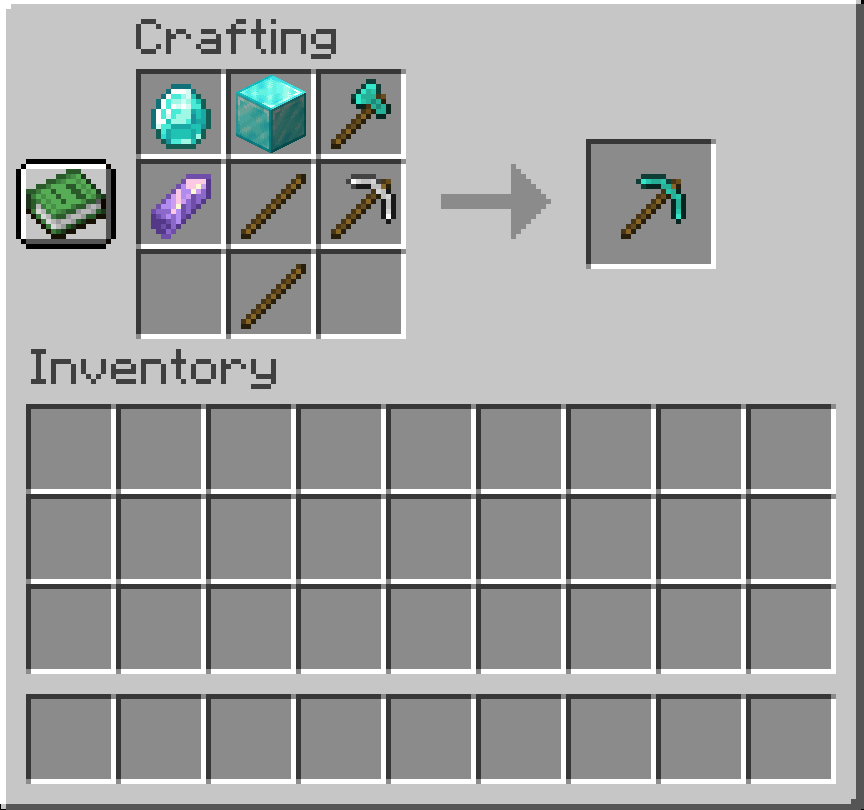 Diamond Pickaxe Good luck!
 -
 You are deathly injured. When your health/hunger is low, you may receive unwanted effects.
Versions
Files
Relations
Project Relations
More like this
Similar Mods
Suggestions use data such as tags, dependencies, dependents, descriptions, titles, and more to rank how much they overlap with this mod.
On ModDex
Community snapshot
By the numbers
Statistics

Want to reach Minecraft players?
We're looking for a server hosting partner to feature here and other parts of the site. Interested? Send us a message!
Get in touchGet it on
Available Platforms
On ModDex
Community snapshot
By the numbers
Statistics
Resources