
Community listing page, reviews here may not be monitored by the author.
Recipefy

No reviews yet
Now you can craft valuable, uncraftable items in Minecraft like the Trident and the Enchanted Golden Apple. Recipefy adds logical and fair crafting Nrecipes for these items without breaking the game's balance.
Community voices
Reviews
No reviews yet. Be the first to review this project!
Get it on
Available Platforms
About
Project Details
For authors
Embed Badge
If you're the author of this project, you can embed a live badge anywhere that supports HTML or Markdown. It updates automatically whenever ratings change.
Use HTML for any page that supports it, or Markdown for README files and Markdown-based descriptions.
Identifiers
Platform IDs
Resources
External Links
About
Description
Recipefy - Recipes for Uncraftable Items
Tired of searching endless chests for valuable items or raiding dungeons to find what you need? The Recipefy data pack is here to solve that! This pack introduces balanced, vanilla-friendly crafting recipes for many of the game's most sought-after but uncraftable items.
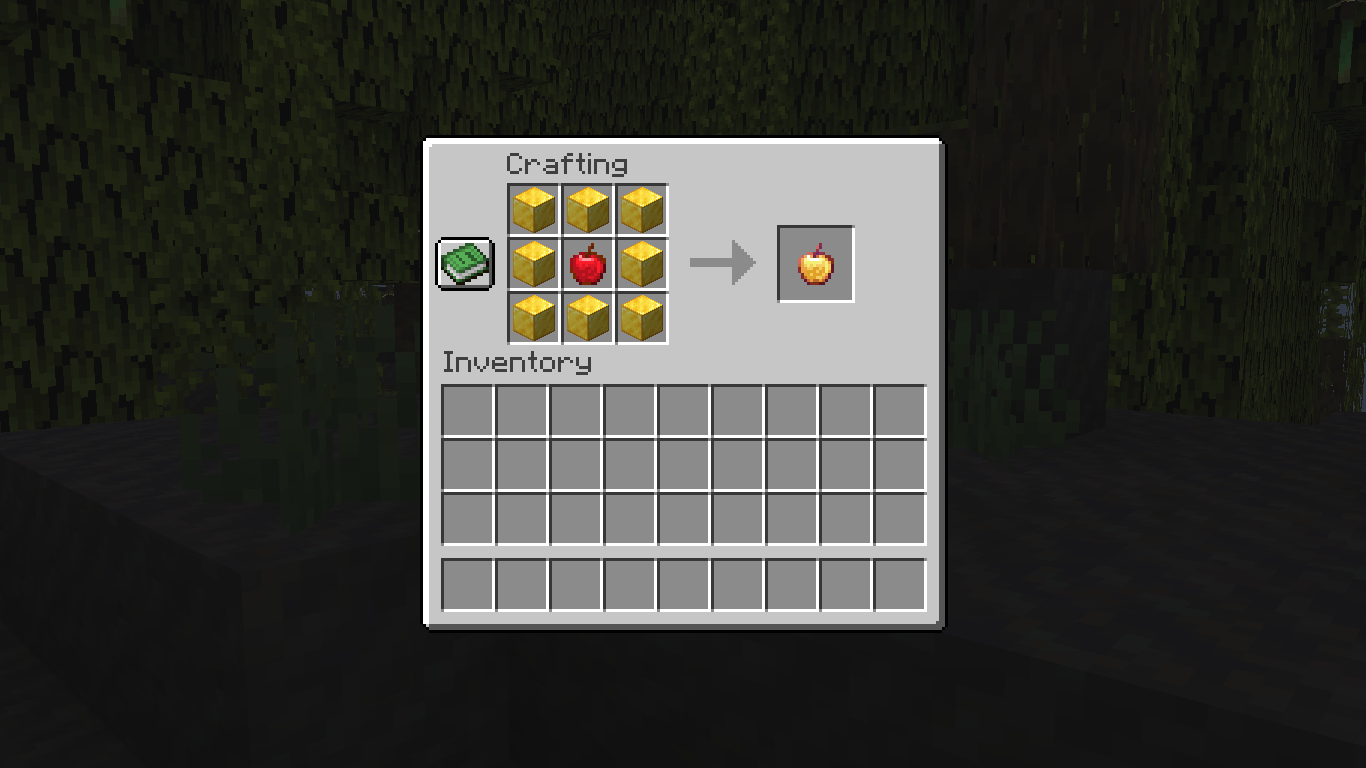
Our goal is to reduce the reliance on pure luck (RNG) and reward your effort and resource gathering. Now, instead of leaving it to chance, you can craft powerful items like the Enchanted Golden Apple or the Trident right at your crafting table. Take control of your adventure!
(Main Features)
Features
Fully Vanilla-Friendly: No new items, blocks, or textures. Recipefy only adds recipes for existing vanilla items.
Balanced Recipes: Each recipe has been carefully designed to be fair, challenging, and rewarding, ensuring it doesn't break the core game balance.
Easy Installation: No mods required. Simply drop the data pack into your world's folder and you're ready to go!
What Can You Craft?
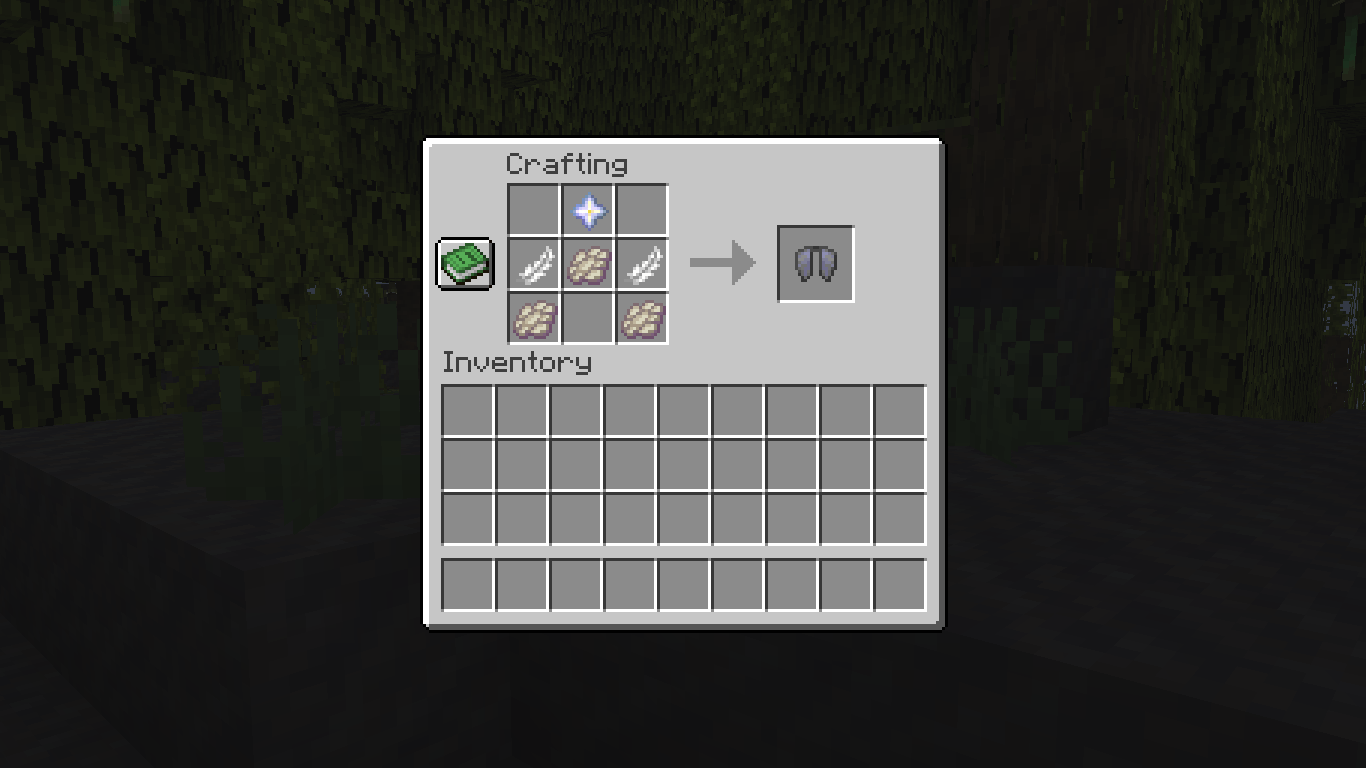
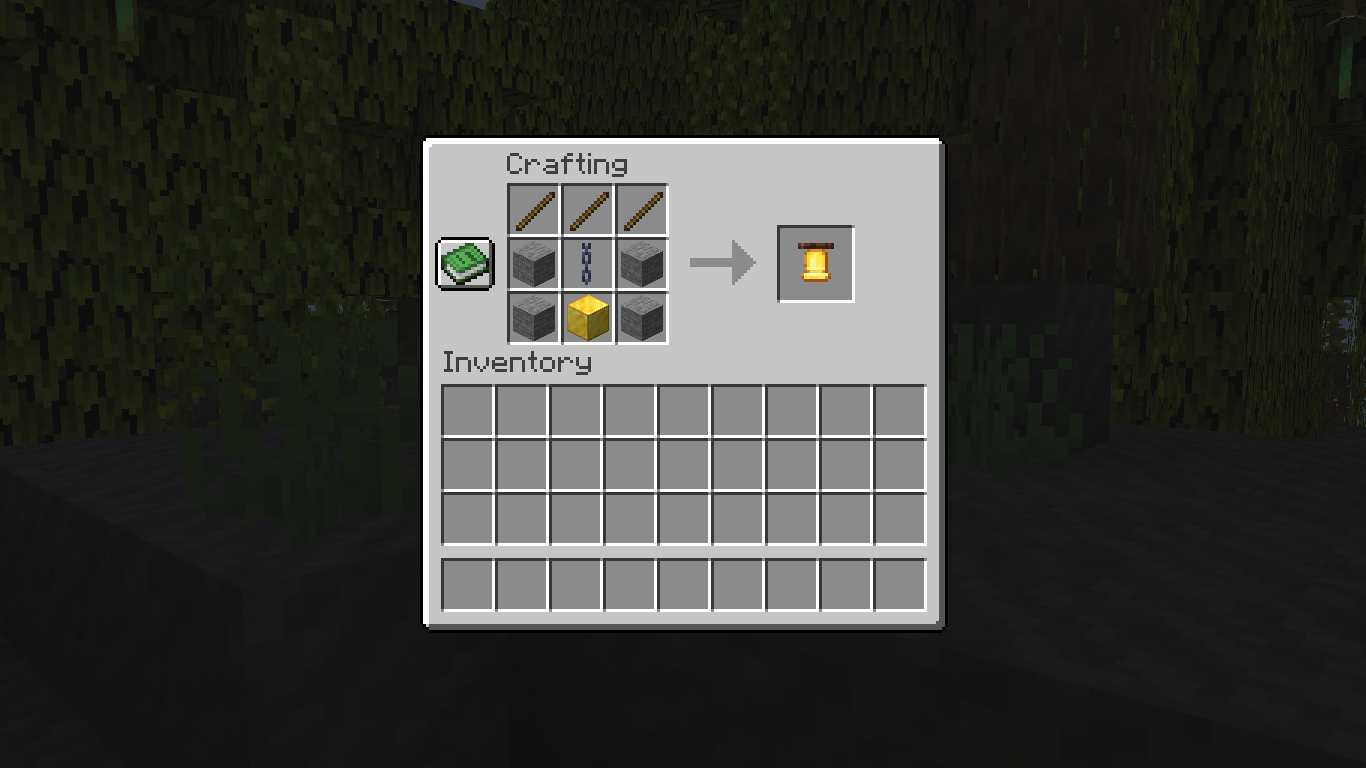
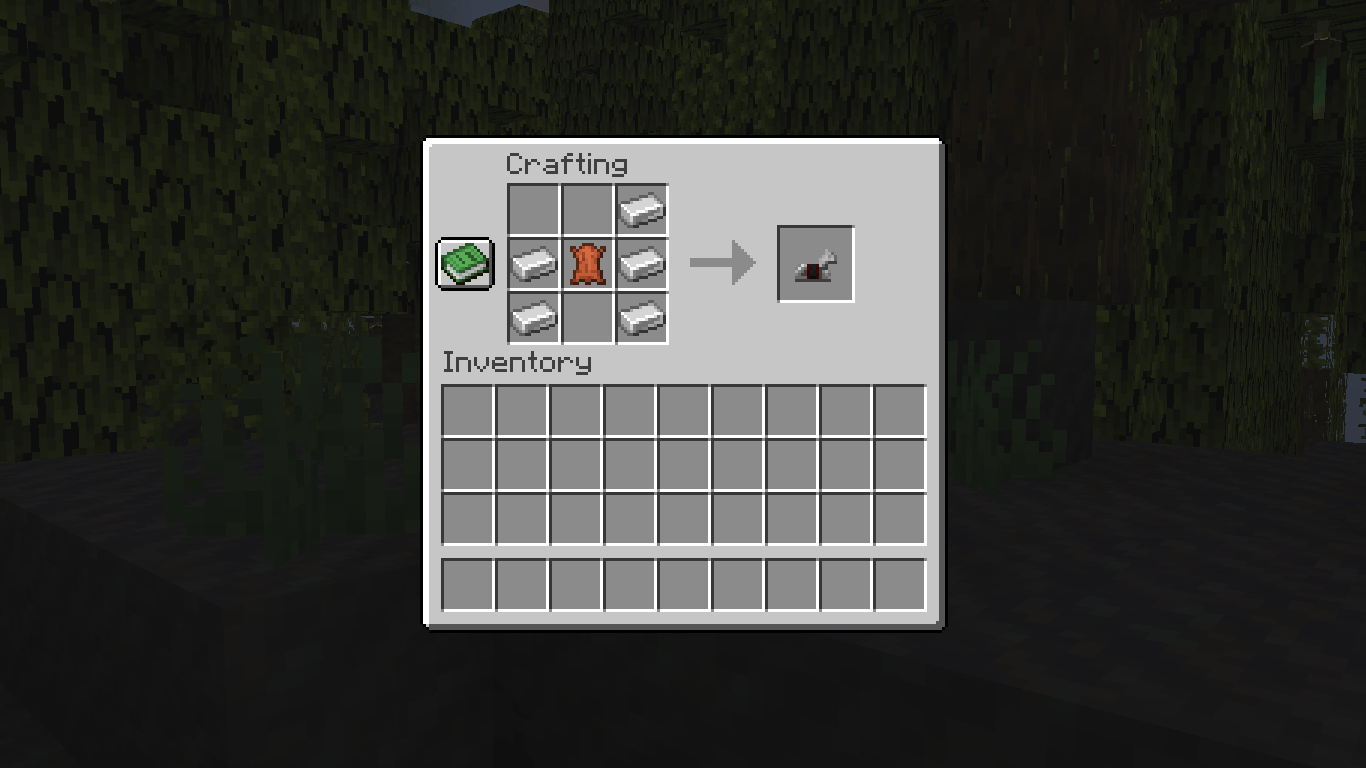
Here are some of the items you can now craft with Recipefy:
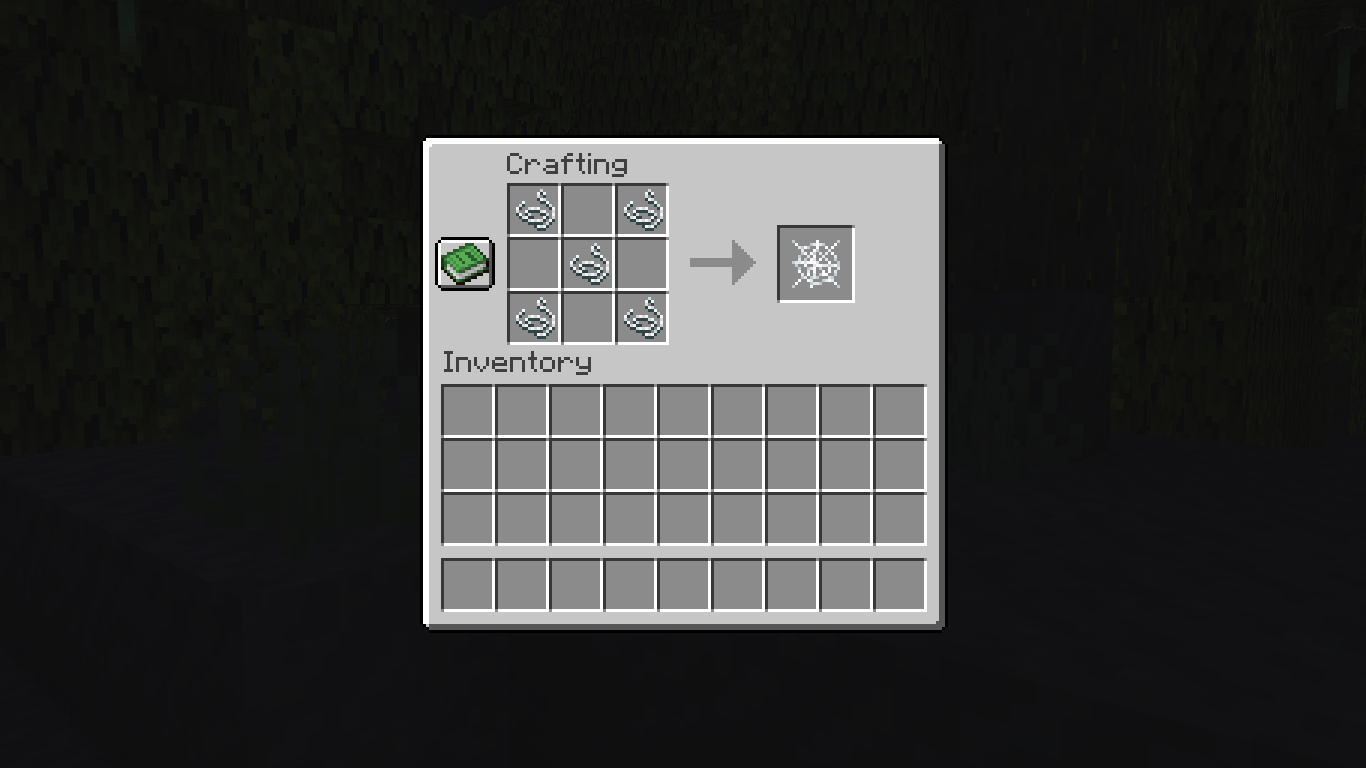
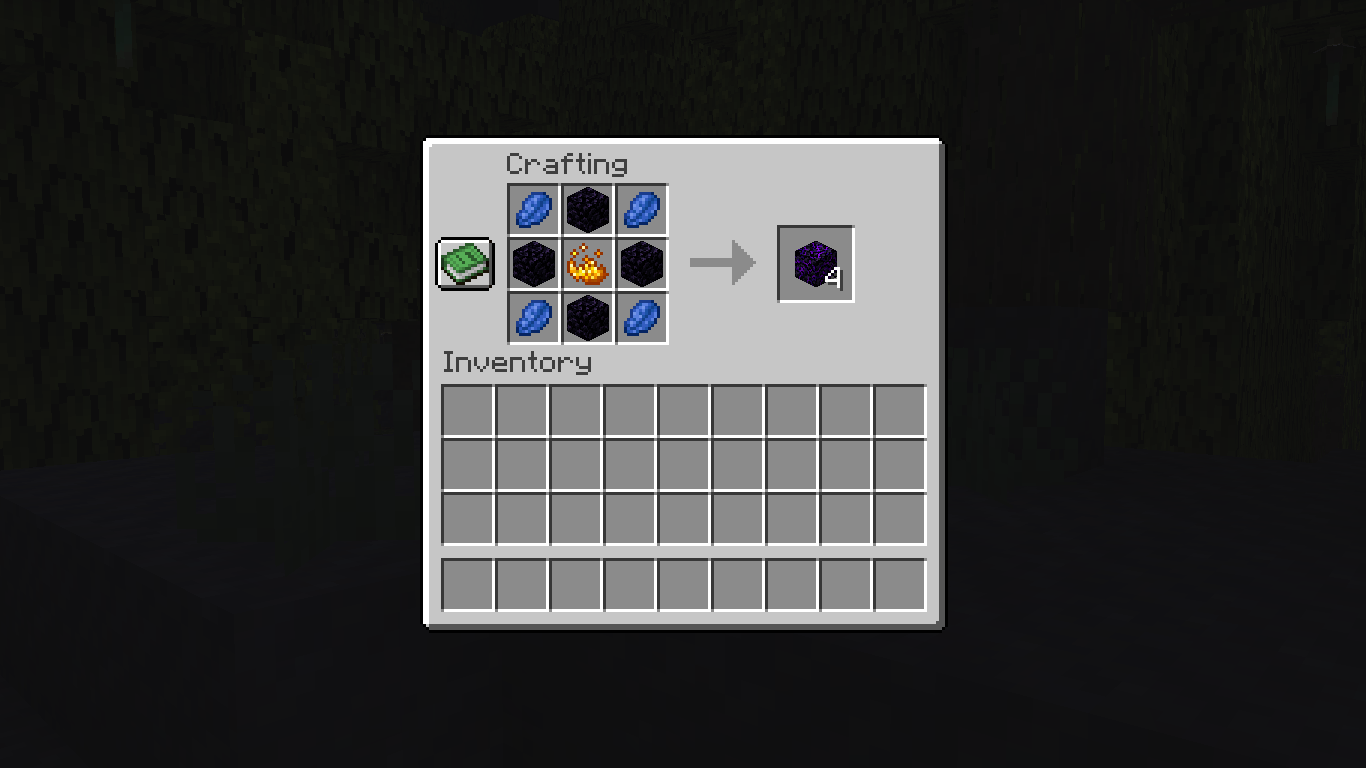
Enchantment Golden Apple Horse Armor (İron,Gold,Diamond) Elytra Name Tag Sponge Trident Totem Of Undying Dead Bush Crying Obsidian Cobweb Bell End Portal Frame How to Install
Download the .zip file for the data pack.
Navigate to your Minecraft saves folder (usually found at %appdata%/.minecraft/saves).
Open the folder of the world you want to add the data pack to.
Place the downloaded .zip file directly into the datapacks folder.
If you are in the world, run the command /reload. If not, just start the world, and it will be loaded automatically.
Enjoy your new recipes!
Screenshots
Gallery
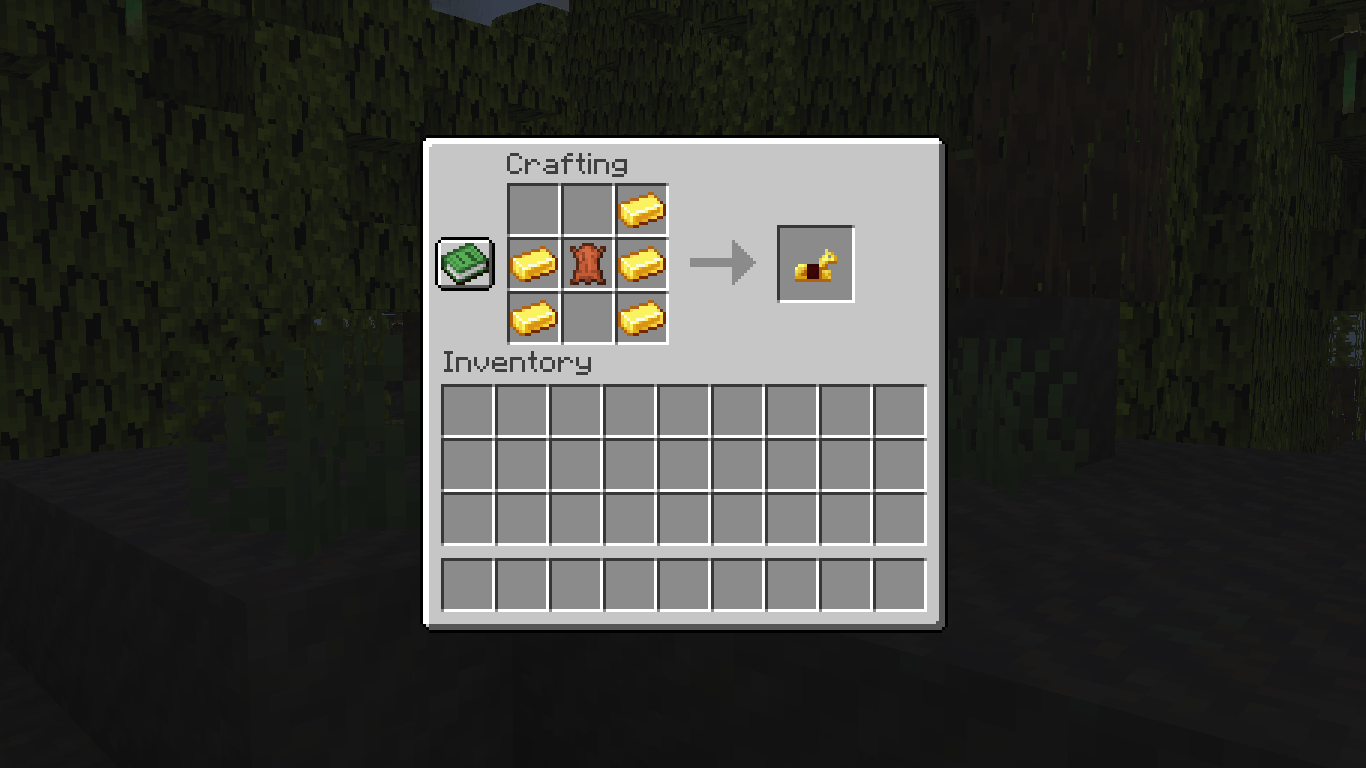
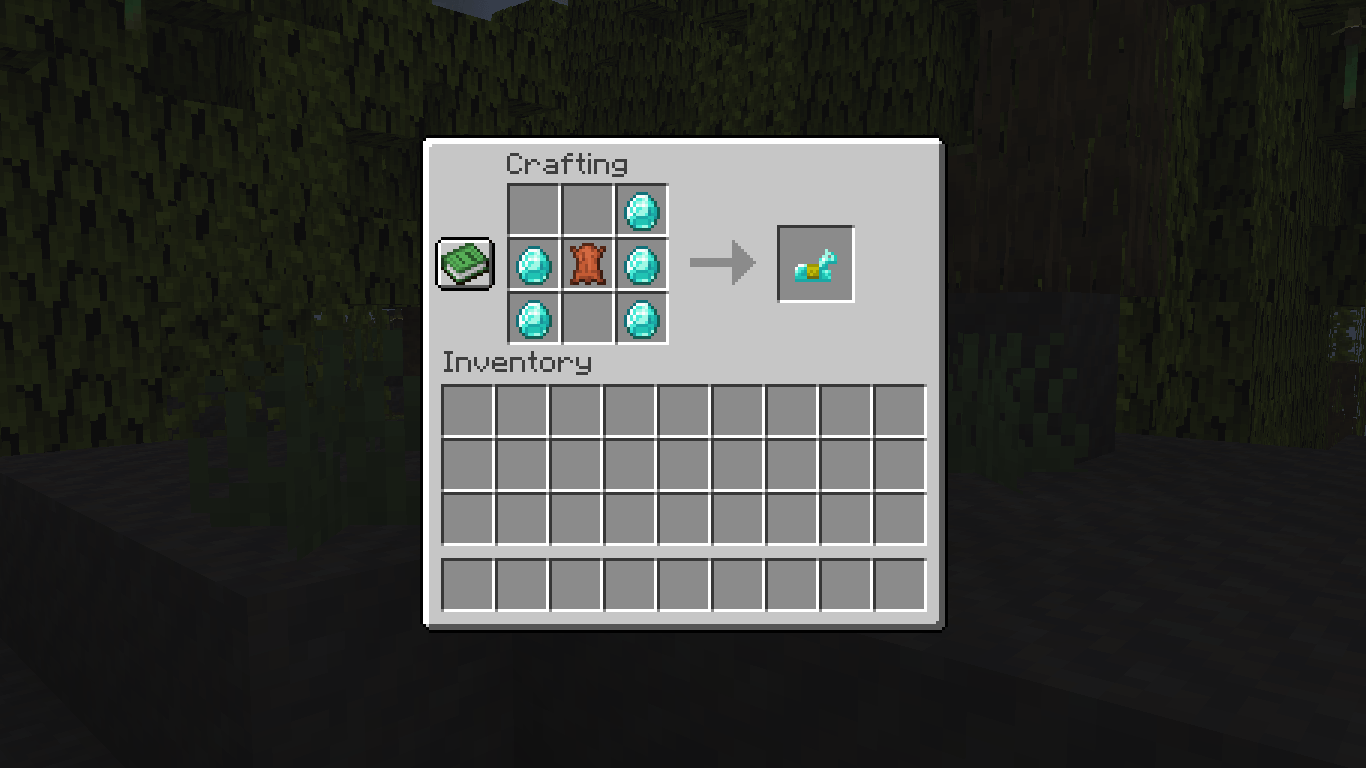
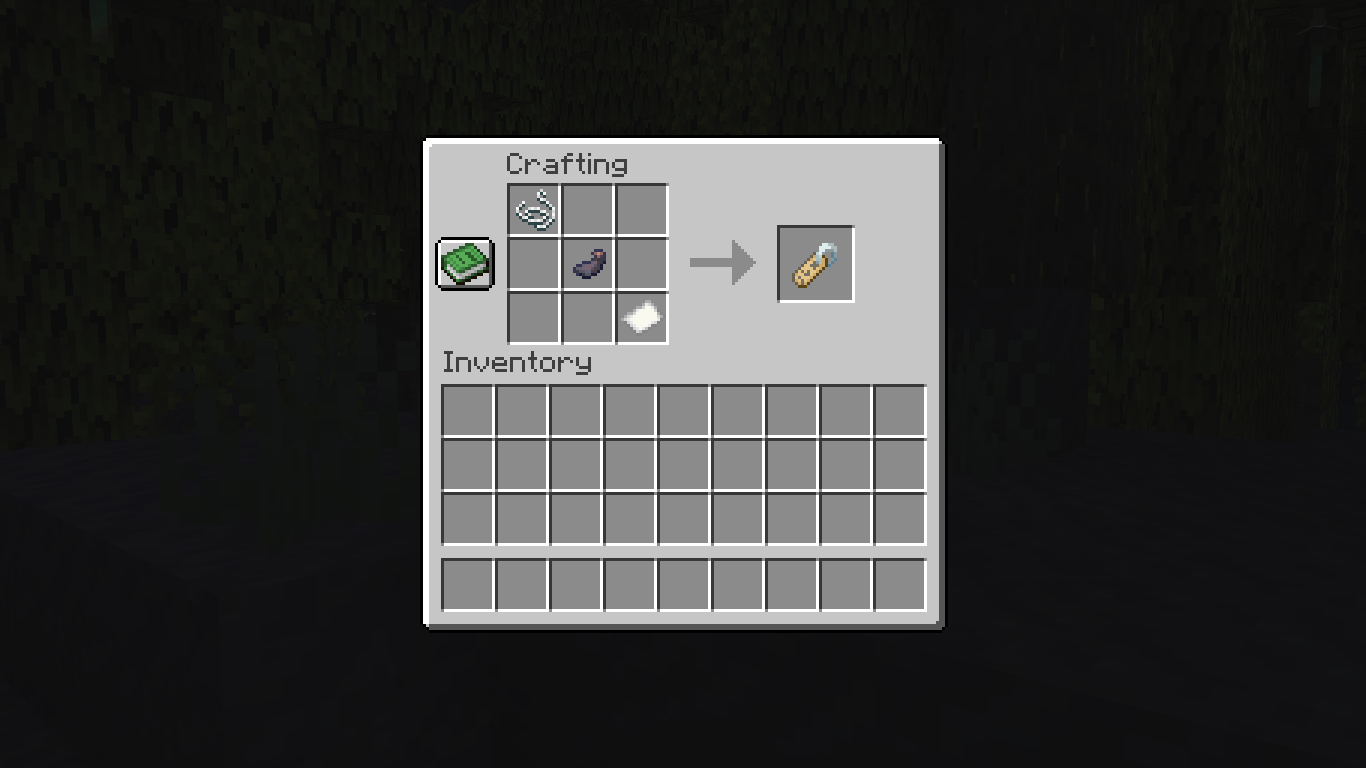
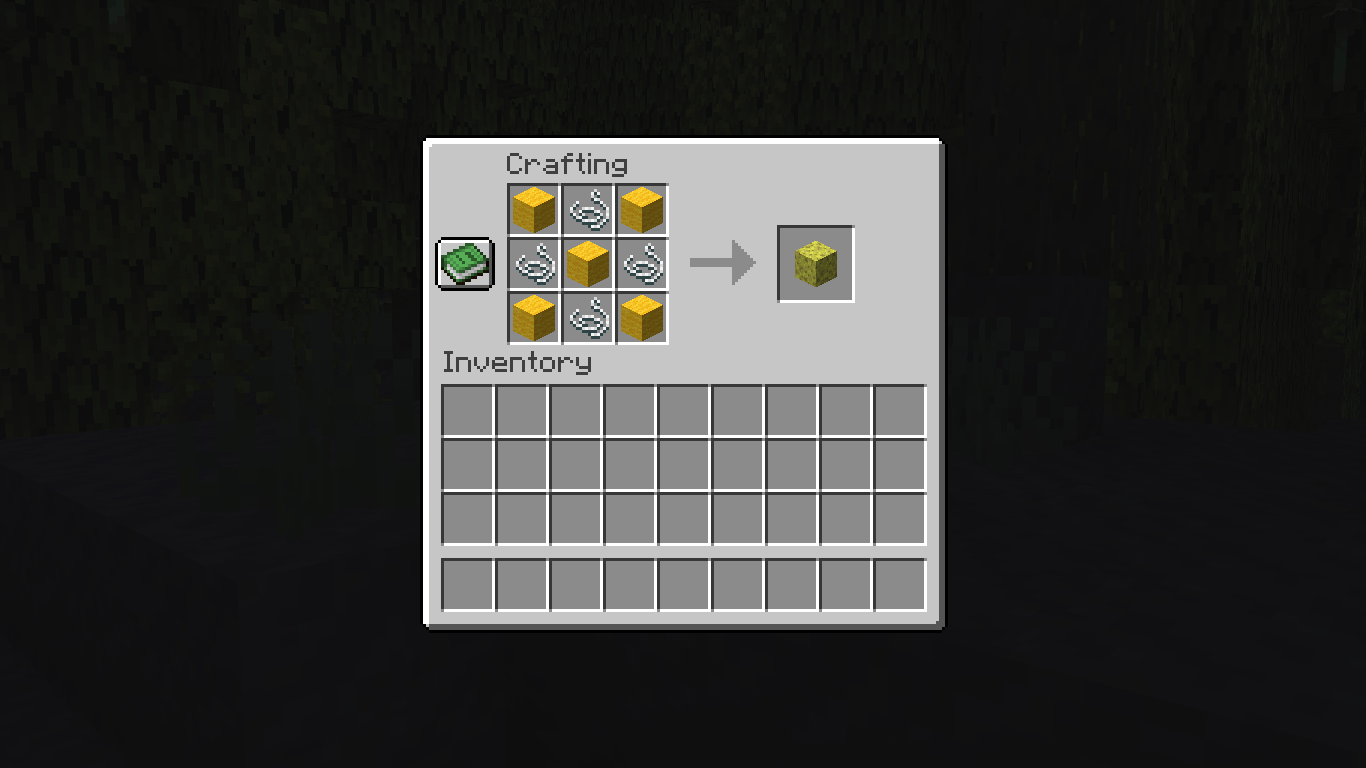
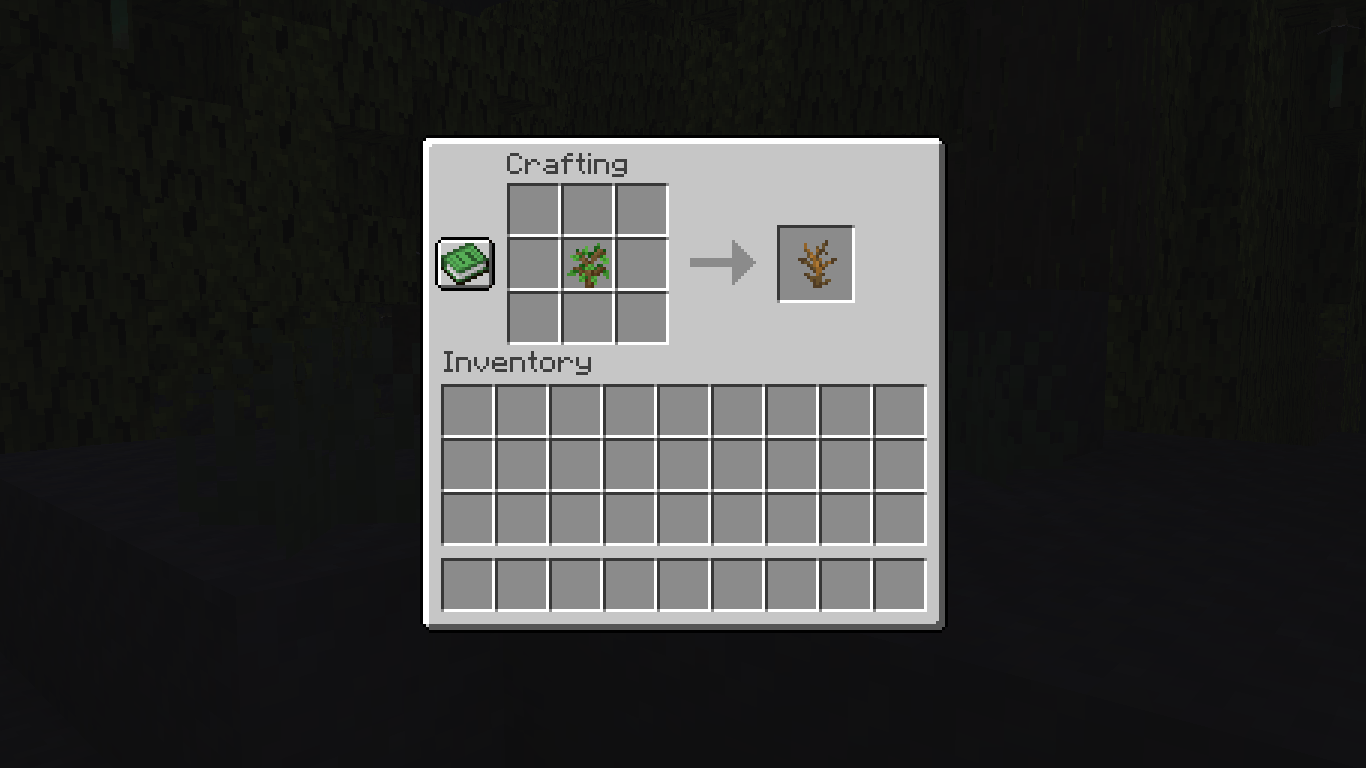
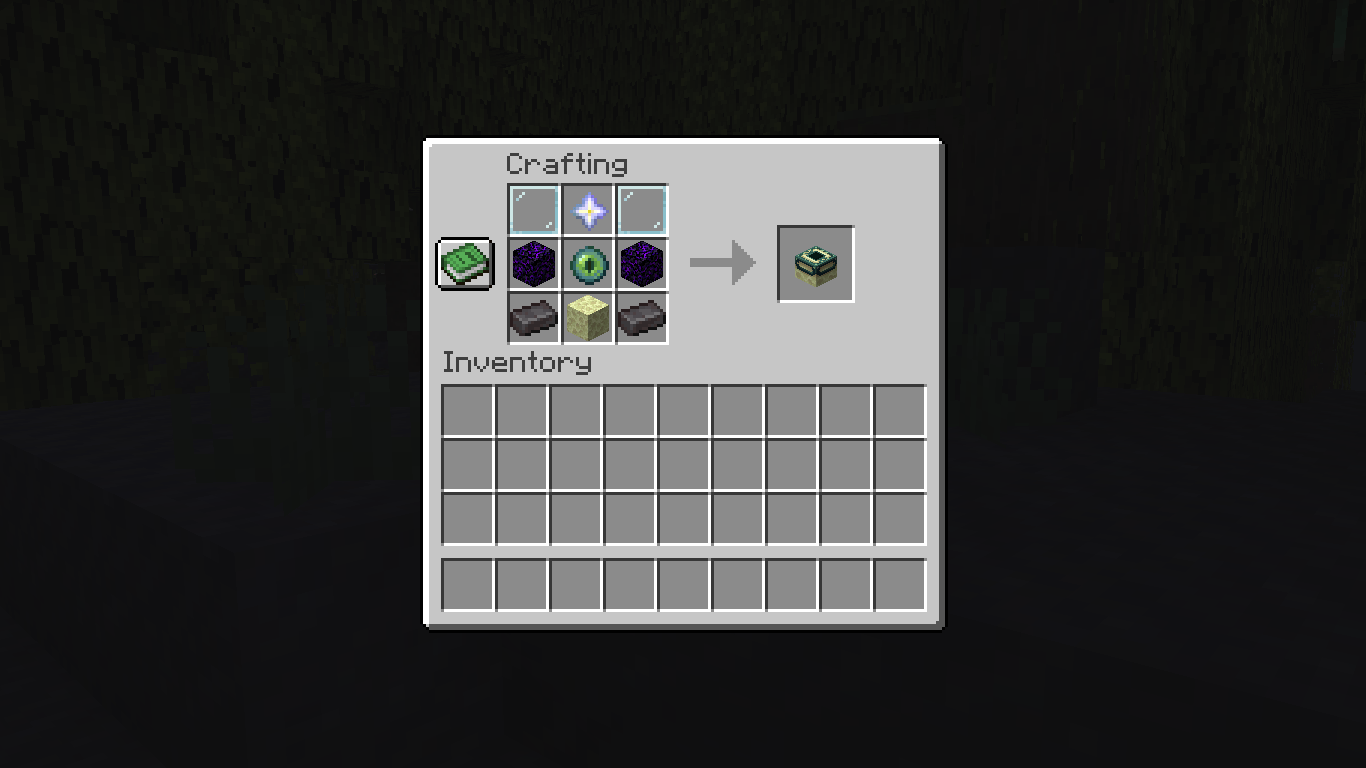
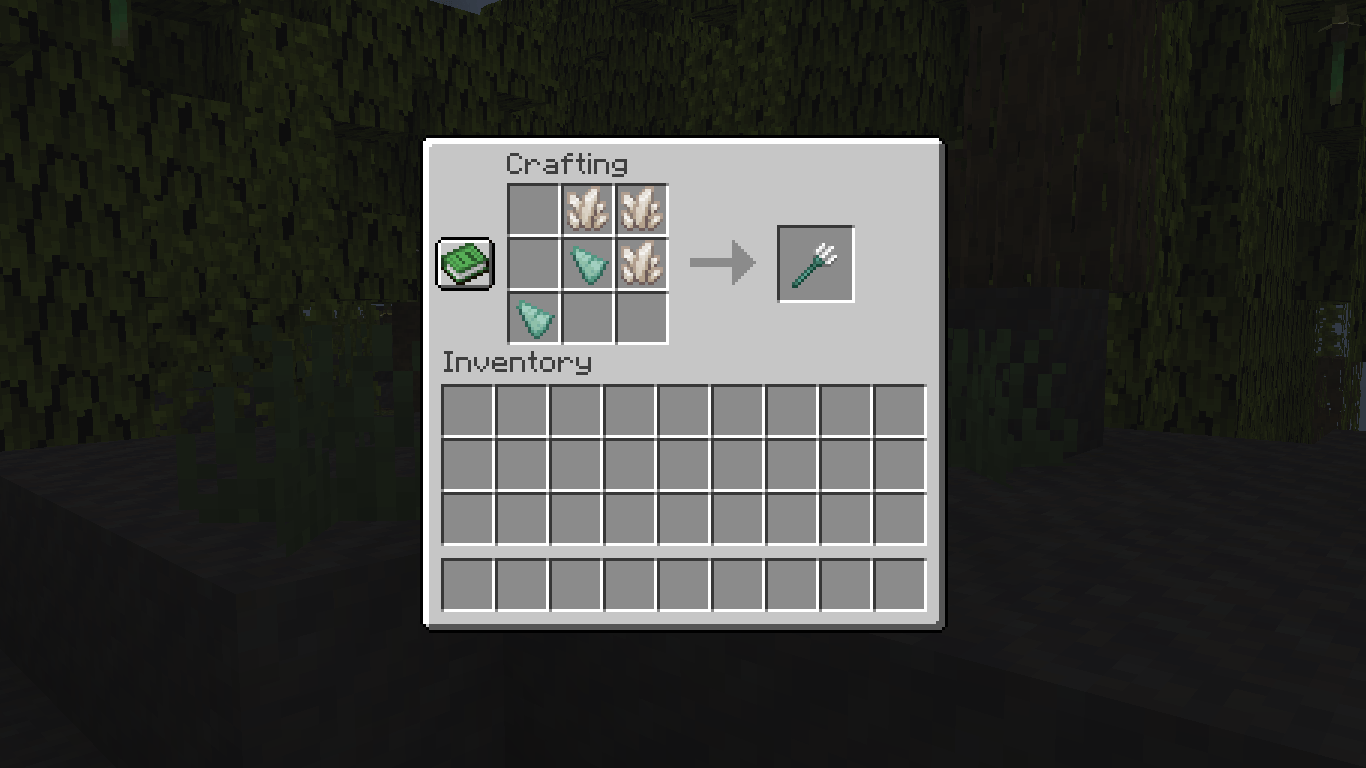
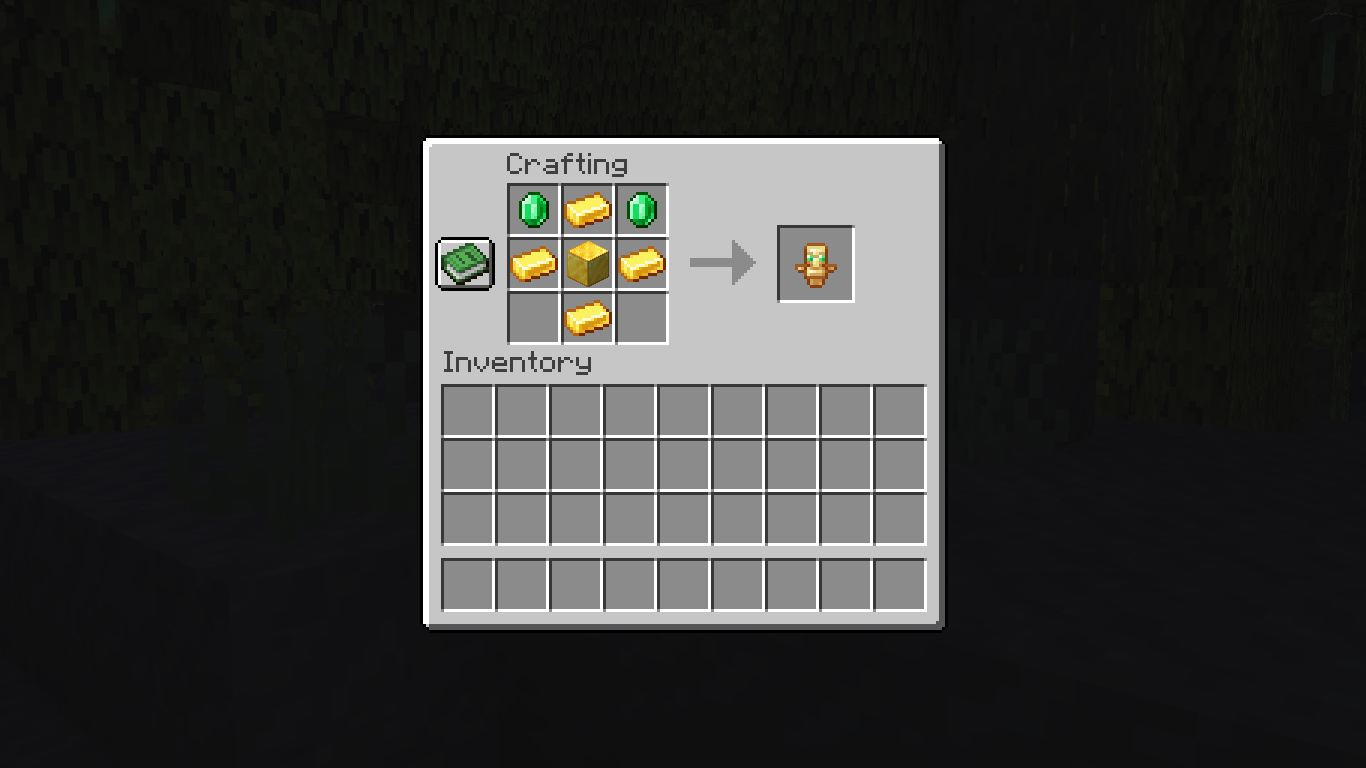
Versions
Files
Relations
Project Relations
More like this
Similar Mods
Suggestions use data such as tags, dependencies, dependents, descriptions, titles, and more to rank how much they overlap with this mod.
On ModDex
Community snapshot
By the numbers
Statistics

Want to reach Minecraft players?
We're looking for a server hosting partner to feature here and other parts of the site. Interested? Send us a message!
Get in touchGet it on
Available Platforms
On ModDex
Community snapshot
By the numbers
Statistics
Resources