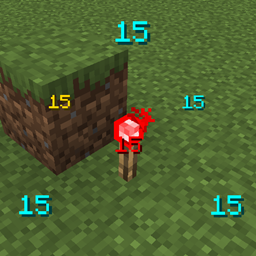
Community listing page, reviews may not be monitored by the author.
Redstone Signal Visualizer


No reviews yet
A mod that lets you visualize redstone signals with neat numbers.

Community voices
Reviews
No reviews yet. Be the first to review this project!
Get it on
Available Platforms
Compatibility
Supported Environments
Required on the client. Installing it on the server adds functionality.
About
Project Details
For authors
Embed Badge
If you're the author of this project, you can embed a live badge anywhere that supports HTML or Markdown. It updates automatically whenever ratings change.
Use HTML for any page that supports it, or Markdown for README files and Markdown-based descriptions.
Identifiers
Platform IDs
Resources
External Links
About
Description
Redstone Signal Visualizer
See every redstone signal at a glance — debug, optimize, and design with confidence.
Overview
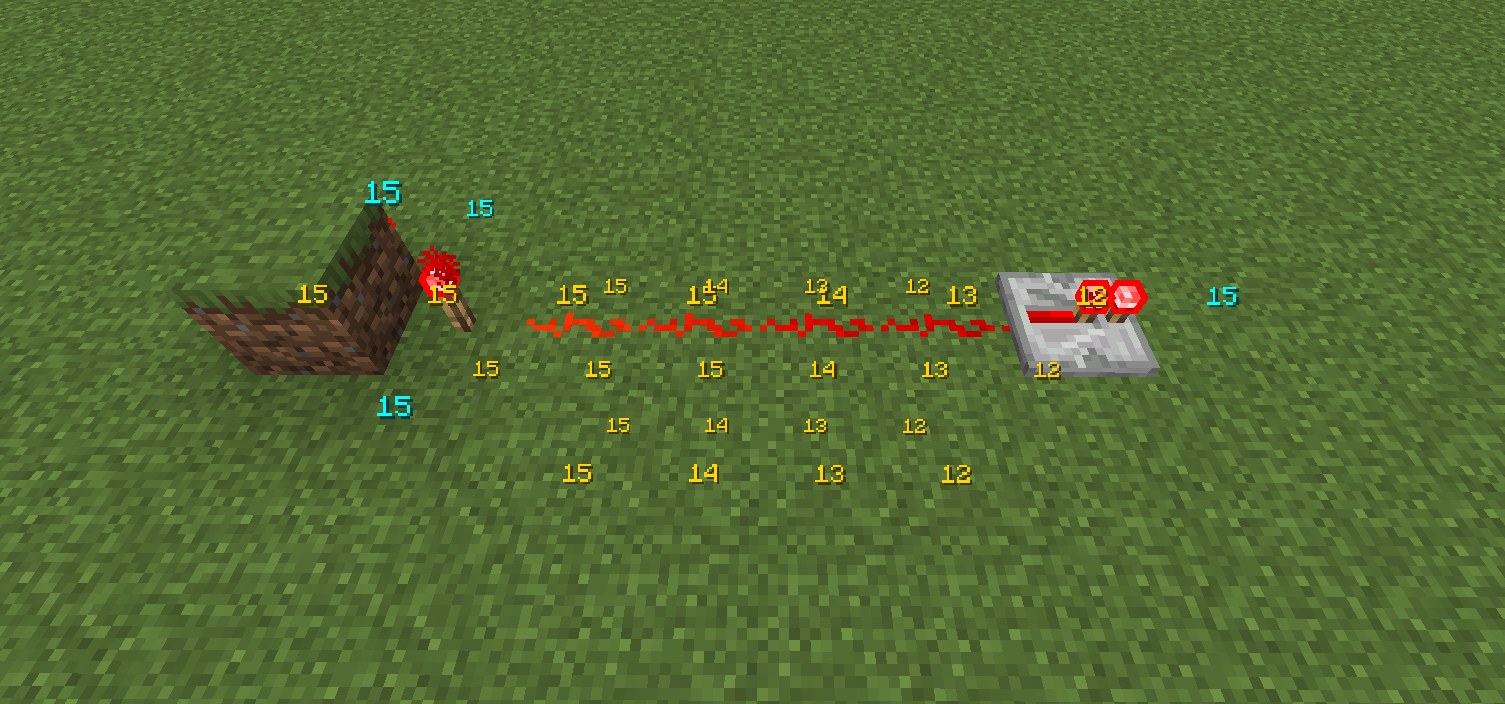
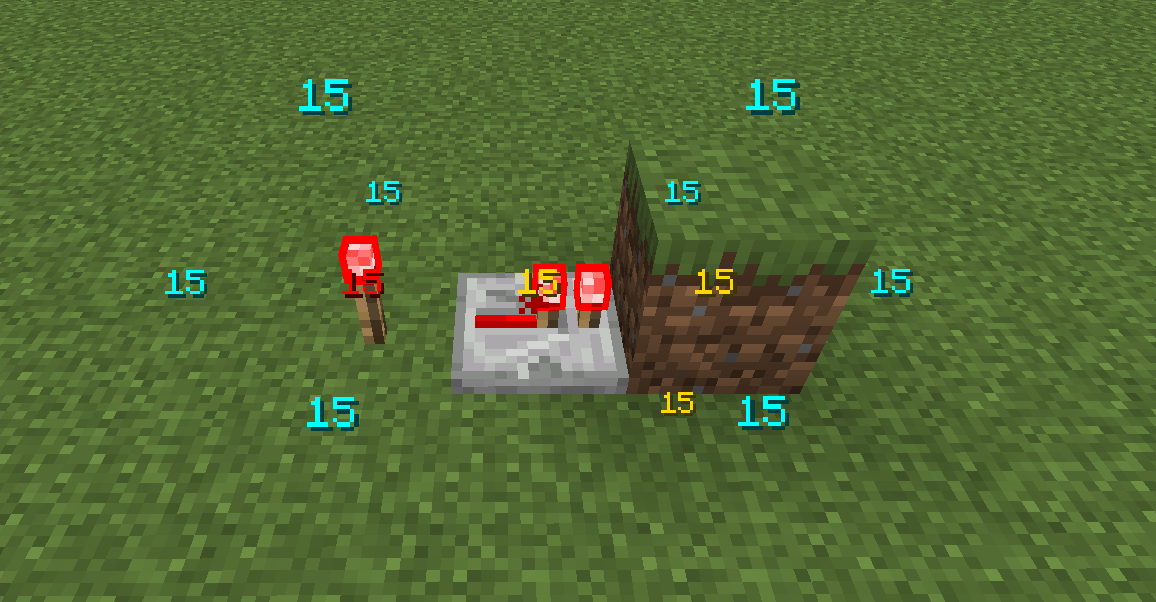
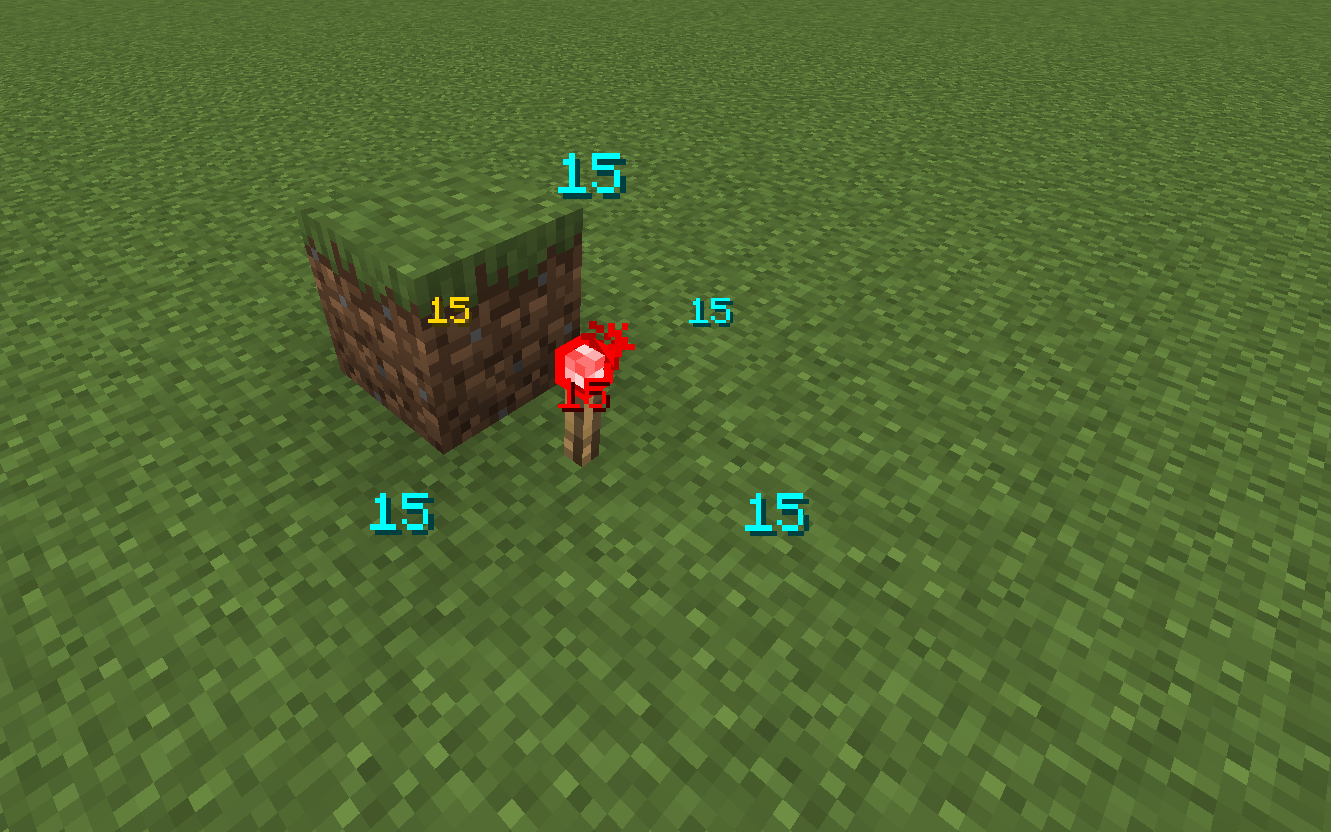
Redstone Signal Visualizer overlays real-time redstone signal strengths in-world so builders, redstone engineers, and server admins can inspect and debug circuits quickly without changing mechanics.
This mod splits responsibilities between server and client: the server performs authoritative sampling of redstone state (including comparator outputs and other values the client is not allowed to access), ensuring visualizations reflect the true world state. The client focuses on rendering overlays, handling input, and per-player customization. In singleplayer or when the server-side component is absent, the client can perform a best-effort local inspection, but it may lack comparator-level accuracy.
Features
- Real-time visualization of redstone signal strength and propagation
- Server-side sampling with optional client fallback for correctness
- Per-player client rendering: colors, opacity, and visualization modes
- Configurable update delay and radius to control performance overhead
- Keybinding support for toggle, hold-to-show, cycle modes, and freeze
- In-game config UI plus editable
config/redstone_visualizer.json
How it works — Server vs Client
Server-side (authoritative): The server samples block updates and redstone propagation to compute authoritative signal strengths. This ensures visualizations reflect the true world state (good for multiplayer and server-based debugging).
Client-side (rendering & local fallback): The client receives updates from the server and renders overlays (lines, gradients, labels, and animations). When the server-side component is absent (or for quick singleplayer mode), the client can locally inspect blocks for a best-effort visualization.
Interaction: The server sends either periodic updates or responds to client requests (depending on configuration). Clients control what they render (radius, mode, colors) so multiple players can visualize independently without forcing server-side rendering for everyone.
Performance & Player Control
- Update delay: Adjustable refresh interval (ms). Increase the delay to reduce CPU/network usage, or decrease it for snappier updates.
- Radius: Limits how far from the player signals are visualized. Lower radius reduces overhead on busy servers and lower-end clients.
- Per-player limits: Players can set their own radius and refresh rate to limit client-side cost and avoid overloading servers.
Tip: On high-population servers increase the update delay and reduce radius for best performance.
Settings & Customization
Settings are available via the in-game UI (Controls / Mods / Config) and via config/redstone_visualizer.json.
You can customize:
- Enable/disable the mod globally or per-player
- Display toggles: turn on/off
showEmits,showReceives, andshowComparatorsto control which signal types are rendered - Colors & opacity for default/obstructed/emitter/comparator signals
- Radius & update delay: control how far and how often updates are performed to trade responsiveness for performance
- Behavior: request frequency, server push vs client poll, and how much data is sent
Note: The client currently registers a single keybinding (default "i") to open the mod's options screen.
Installation
- Drop the mod JAR into your
mods/folder (Fabric loader supported). Restart the client and/or server. - Server admins: install the server component on the server for authoritative visuals in multiplayer.
Usage Scenarios & Examples
- Quickly locate signal leaks or unintended clocks
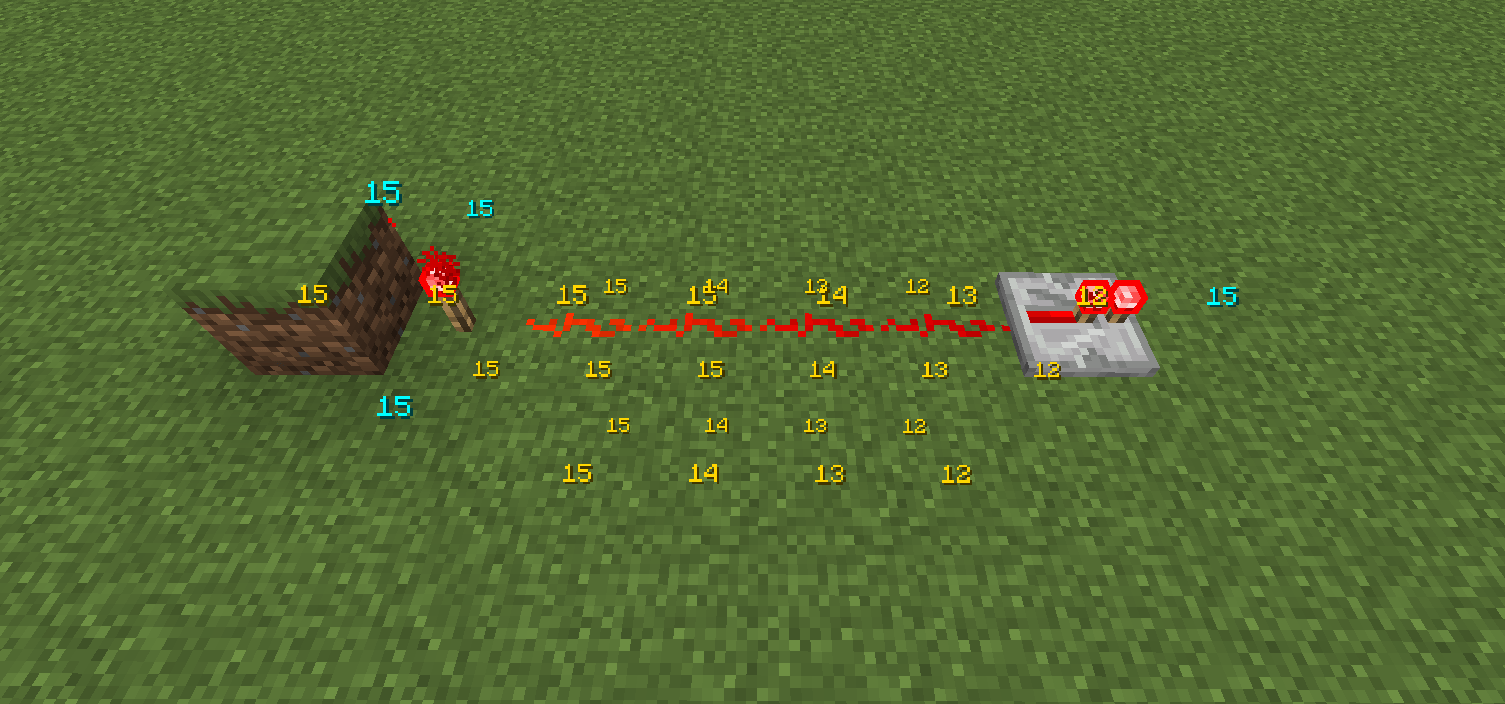
- Measure propagation delay visually across repeaters and comparators
- Educate players by showing signal strength gradients during tutorials
- Debug server-side redstone issues without hosing performance
Redstone Signal Visualizer
See every redstone signal at a glance — debug, optimize, and design with confidence.
Overview
Redstone Signal Visualizer overlays real-time redstone signal strengths in-world so builders, redstone engineers, and server admins can inspect and debug circuits quickly without changing mechanics.
This mod splits responsibilities between server and client: the server performs authoritative sampling of redstone state (including comparator outputs and other values the client is not allowed to access), ensuring visualizations reflect the true world state. The client focuses on rendering overlays, handling input, and per-player customization. In singleplayer or when the server-side component is absent, the client can perform a best-effort local inspection, but it may lack comparator-level accuracy.
Features
- Real-time visualization of redstone signal strength and propagation
- Server-side sampling with optional client fallback for correctness
- Per-player client rendering: colors, opacity, and visualization modes
- Configurable update delay and radius to control performance overhead
- Keybinding support for toggle, hold-to-show, cycle modes, and freeze
- In-game config UI plus editable
config/redstone_visualizer.json
How it works — Server vs Client
-
Server-side (authoritative): The server samples block updates and redstone propagation to compute authoritative signal strengths. This ensures visualizations reflect the true world state (good for multiplayer and server-based debugging).
-
Client-side (rendering & local fallback): The client receives updates from the server and renders overlays (lines, gradients, labels, and animations). When the server-side component is absent (or for quick singleplayer mode), the client can locally inspect blocks for a best-effort visualization.
-
Interaction: The server sends either periodic updates or responds to client requests (depending on configuration). Clients control what they render (radius, mode, colors) so multiple players can visualize independently without forcing server-side rendering for everyone.
Performance & Player Control
- Update delay: Adjustable refresh interval (ms). Increase the delay to reduce CPU/network usage, or decrease it for snappier updates.
- Radius: Limits how far from the player signals are visualized. Lower radius reduces overhead on busy servers and lower-end clients.
- Per-player limits: Players can set their own radius and refresh rate to limit client-side cost and avoid overloading servers.
Tip: On high-population servers increase the update delay and reduce radius for best performance.
Settings & Customization
Settings are available via the in-game UI (Controls / Mods / Config) and via config/redstone_visualizer.json.
You can customize:
- Enable/disable the mod globally or per-player
- Display toggles: turn on/off
showEmits,showReceives, andshowComparatorsto control which signal types are rendered - Colors & opacity for default/obstructed/emitter/comparator signals
- Radius & update delay: control how far and how often updates are performed to trade responsiveness for performance
- Behavior: request frequency, server push vs client poll, and how much data is sent
Note: The client currently registers a single keybinding (default i) to open the mod's options screen.
Installation
- Drop the mod JAR into your
mods/folder (Fabric loader supported). Restart the client and/or server. - Server admins: install the server component on the server for authoritative visuals in multiplayer.
Usage Scenarios & Examples
- Quickly locate signal leaks or unintended clocks
- Measure propagation delay visually across repeaters and comparators
- Educate players by showing signal strength gradients during tutorials
- Debug server-side redstone issues without hosing performance
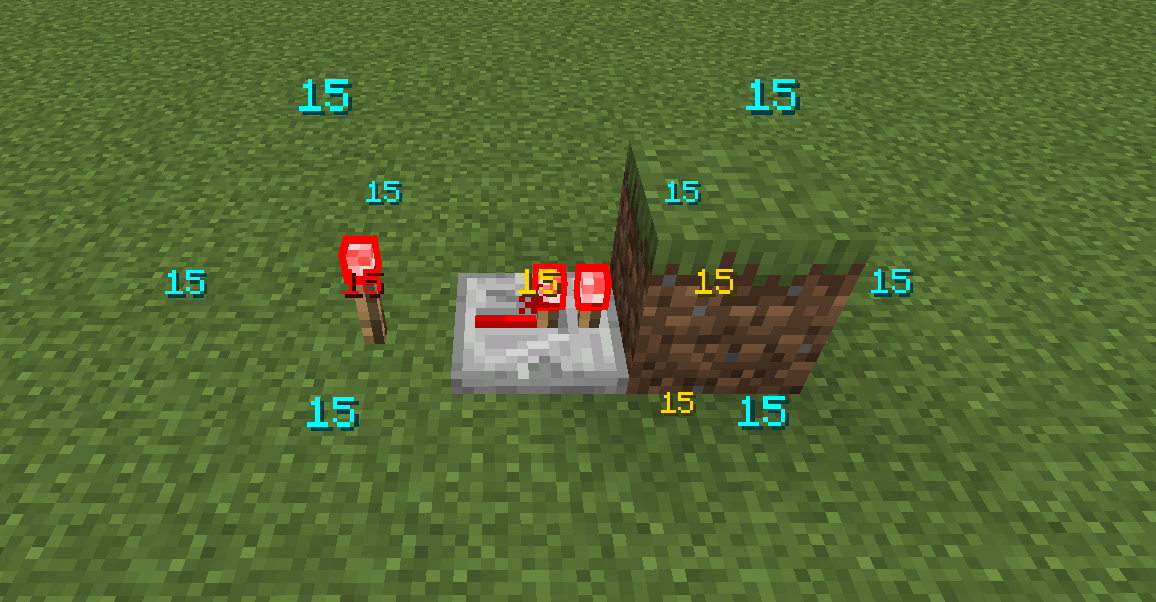
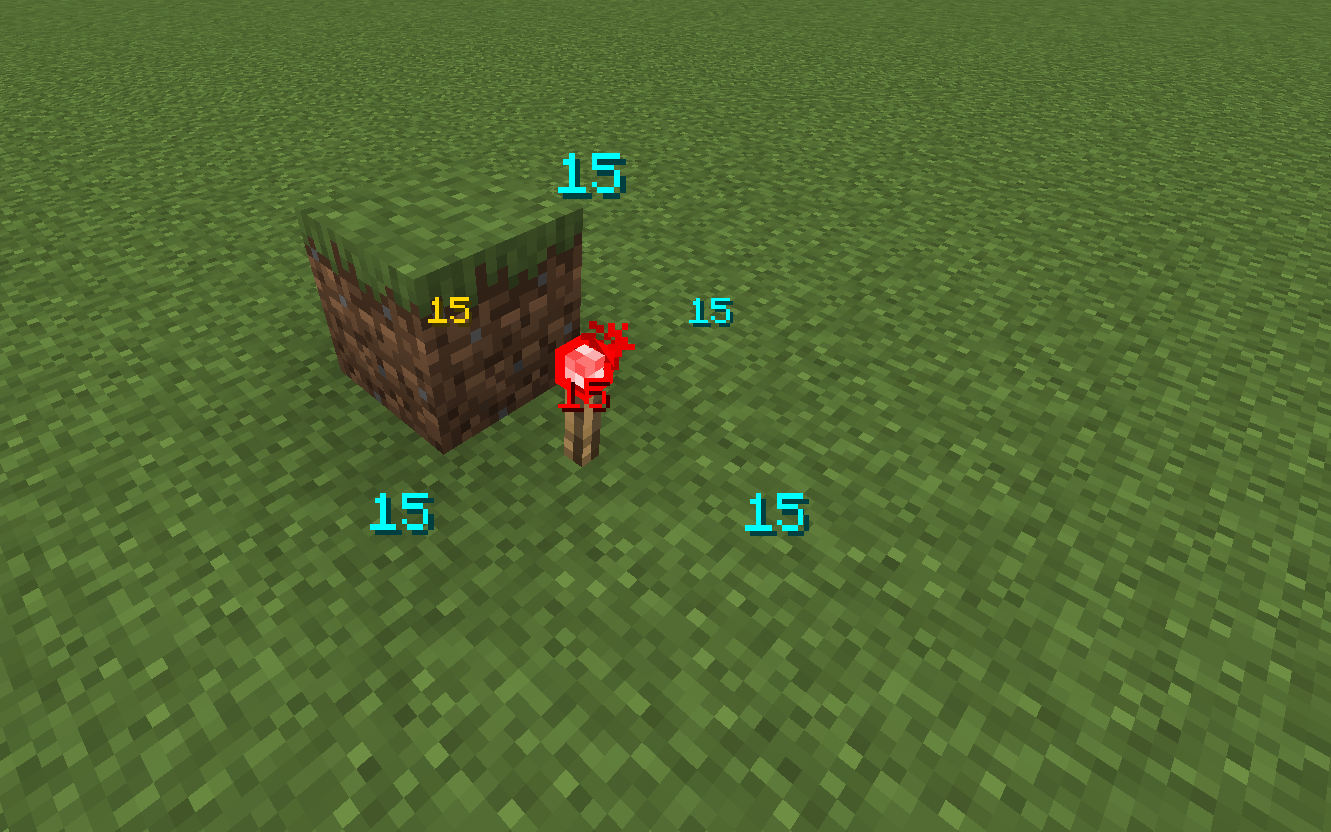
Screenshots
Gallery
-
 Screenshot 2025-01-19 194019.png Screenshot 2025-01-19 194019.png
 -
 Screenshot 2025-01-19 194122.png Screenshot 2025-01-19 194122.png
 -
 Screenshot 2025-01-19 193840.png Screenshot 2025-01-19 193840.png
Versions
Files
Relations
Project Relations
More like this
Similar Mods
Suggestions use data such as tags, dependencies, dependents, descriptions, titles, and more to rank how much they overlap with this mod.
On ModDex
Community snapshot
By the numbers
Statistics

Get it on
Available Platforms
On ModDex
Community snapshot
By the numbers
Statistics
Resources