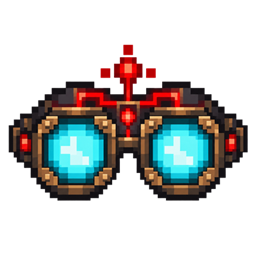
Community listing page, reviews may not be monitored by the author.
Redstone Vision

No reviews yet
Track redstone signals and circuits through blocks with rechargeable engineering goggles.

Community voices
Reviews
No reviews yet. Be the first to review this project!
Get it on
Available Platforms
About
Project Details
For authors
Embed Badge
If you're the author of this project, you can embed a live badge anywhere that supports HTML or Markdown. It updates automatically whenever ratings change.
Use HTML for any page that supports it, or Markdown for README files and Markdown-based descriptions.
Identifiers
Platform IDs
Resources
External Links
About
Description

Redstone Vision
Redstone Vision adds a pair of rechargeable engineering goggles that make working with redstone circuits easier. See signal paths through blocks, inspect components, and follow your wiring without constantly breaking walls or tearing apart your builds.
Whether you're building a simple piston door or troubleshooting a complicated redstone machine, Redstone Vision helps you see what's going on.
How It Works
Equip your Engineer's Goggles and activate Redstone Vision.
While the goggles are active, surrounding blocks become partially transparent, allowing redstone wiring and components to stand out.
- See through blocks: Surrounding terrain becomes partially transparent, making circuits easier to follow.
- Track redstone paths: Redstone dust and supported components are highlighted with visible outlines.
- Inspect signals: Look at a component to check its signal strength and available block-state information.
- Keep your builds intact: Follow your wiring without digging through your own construction.
- Works with complex builds: Useful for underground wiring, multi-layer circuits, compact machines, and large redstone projects.
Engineer's Goggles
Redstone Vision isn't a permanent visual effect or a free spectator tool. Its functionality comes from a wearable item powered by redstone dust.
Craft the goggles, charge them, and wear them in your helmet slot.
The goggles automatically activate when equipped with available charge. You can also turn the vision mode on or off whenever you need it.
Redstone-Powered Vision
The goggles use redstone dust as fuel.
| Redstone Dust | Vision Time |
|---|---|
| 1 | 3 seconds |
| 10 | 30 seconds |
| 20 | 1 minute |
| 64 | 3 minutes 12 seconds |
Maximum capacity: 64 redstone dust.
Fuel is only consumed while Redstone Vision is active. Turn the goggles off to save your remaining charge.
When the charge runs out, the vision mode automatically switches off.
Controls
| Action | Control |
|---|---|
| Equip goggles | Right-click while holding them |
| Open charging interface | Shift + Right-click while holding them |
| Toggle Redstone Vision | V |
| Recharge while wearing goggles | Shift + V |
Redstone dust is automatically loaded when placed into the charging slot.
The HUD displays your remaining charge, so you always know how much time you have left.
Designed for Redstone Builders
Redstone Vision is a building and troubleshooting utility, not a replacement for redstone mechanics.
It doesn't generate power, automatically fix circuits, or change how Minecraft redstone behaves.
It simply makes existing circuits easier to understand and manage.
Build more. Break less. Keep your redstone under control.
Compatibility
- Minecraft: 1.21.1
- Mod Loader: NeoForge
- Java: 21
- Multiplayer: Server-side installation required
- Supported Components: Vanilla redstone components, with additional detection through tags and compatible block naming
Rendering compatibility with shaders and alternative rendering mods may vary.
Current Features
- Wearable engineering goggles with a custom model and texture
- Redstone-powered vision with rechargeable fuel
- Partially transparent world rendering
- Highlighted redstone wiring and components
- Signal strength and component-state inspection
- Automatic activation when equipping charged goggles
- Manual vision toggle
- Charging without removing the goggles
- Charge indicator and status HUD
- English and Russian localization
Screenshots
Gallery
Versions
Files
Relations
Project Relations
More like this
Similar Mods
Suggestions use data such as tags, dependencies, dependents, descriptions, titles, and more to rank how much they overlap with this mod.
On ModDex
Community snapshot
By the numbers
Statistics

Get it on
Available Platforms
On ModDex
Community snapshot
By the numbers
Statistics
Resources