
Community listing page, reviews may not be monitored by the author.
Wireless Redstone: RedstoneLink-makomi


No reviews yet
A fun and useful wireless redstone mod

Community voices
Reviews
No reviews yet. Be the first to review this project!
Get it on
Available Platforms
Compatibility
Supported Environments
Must be installed on both the client and the server.
About
Project Details
For authors
Embed Badge
If you're the author of this project, you can embed a live badge anywhere that supports HTML or Markdown. It updates automatically whenever ratings change.
Use HTML for any page that supports it, or Markdown for README files and Markdown-based descriptions.
Identifiers
Platform IDs
Resources
External Links
About
Description


What it can do?
- Connect the switches on the wall neatly and beautifully to the lights on the ceiling.
- Control multiple remote Redstone machines centrally and name the switches and receive nodes.
- Record and view the Redstone signal curves.
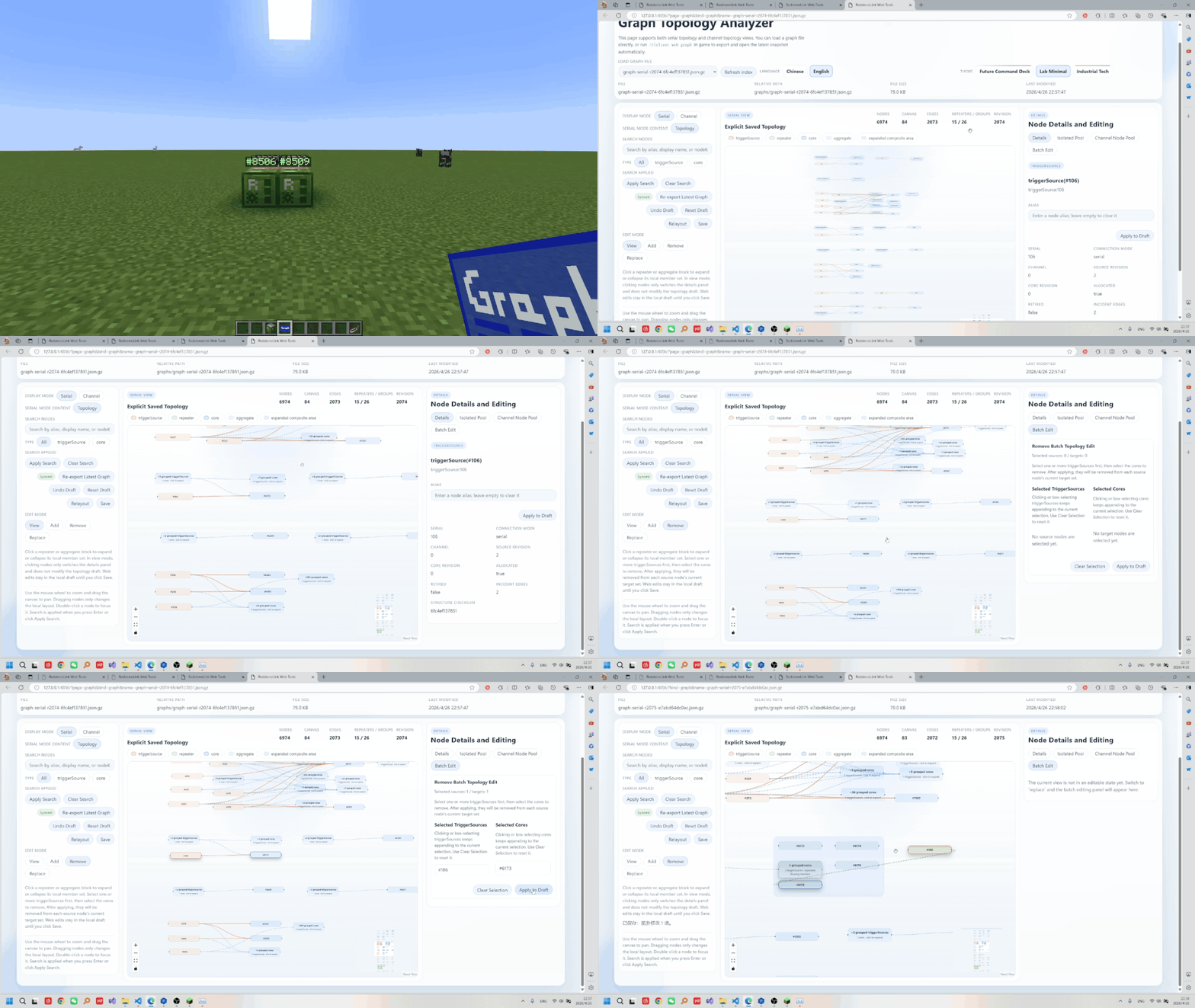
- Visualize the connection diagram of the nodes to be edited.
- Flexibly control the validity of the connections .
- Remotely control a certain Redstone device…
Features
- Stronger wireless pistons: capable of pushing and pulling boxes, furnaces, funnels, and more.
![stronger]()
- Wirelessly control the original items with the original items themselves.They support all Mod functions.
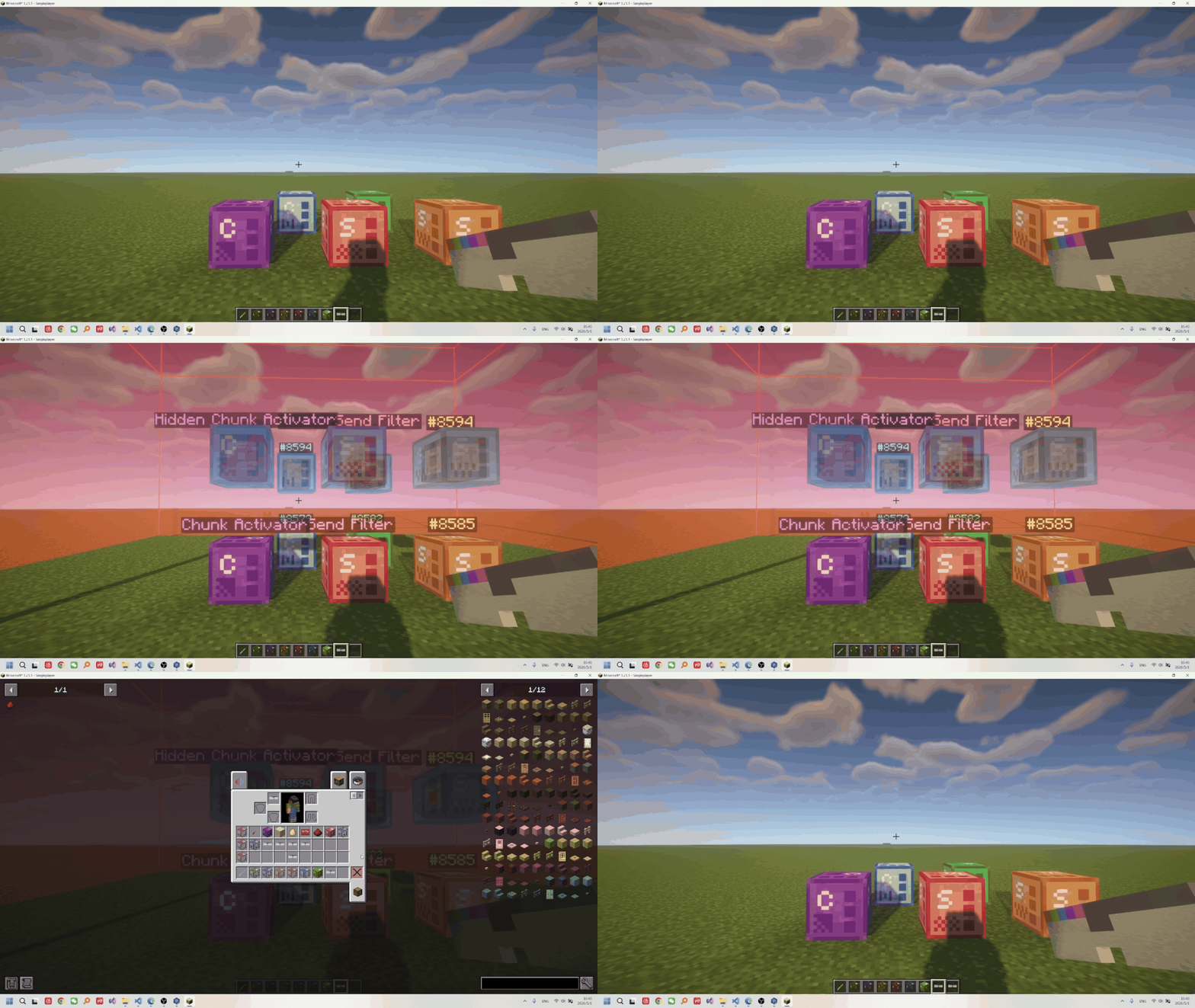
- Hidden, no collision
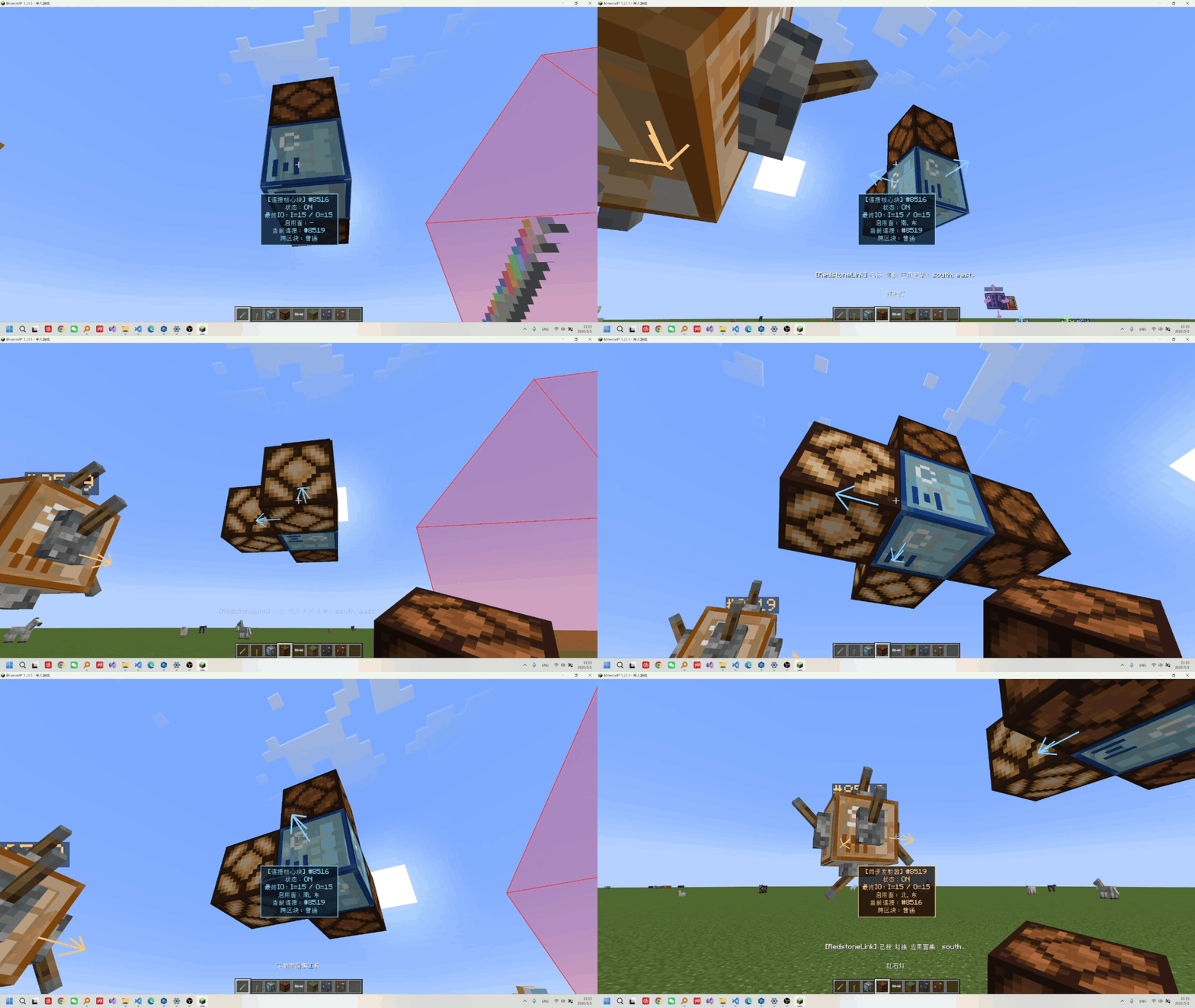
- Directional editing of output and input
- Transmission with
no distance limit, support forcross-dimensionoperation, and on-demandforce-loading - supports
zero delayand 0/1/2batch packagingdelay windows, and can stablytransmit 0-15 strength signals (sync). - the
Quick Link Tool, pairing GUI, web visualization editor, and incremental/overwrite edits all connected in one workflow. - the status panel can
trackandplot I/O curves, and with K-key debugging you can locate issues quickly. - ID and channel capacity up to
2^63-1, supportscustom node aliases, channels, and automatically cleans up invalid IDs. - multiple triggerSource/core combinations, plus node sets, channels, strength filtering, and
dynamic control.
Getting Started
Item Guide/Recipes
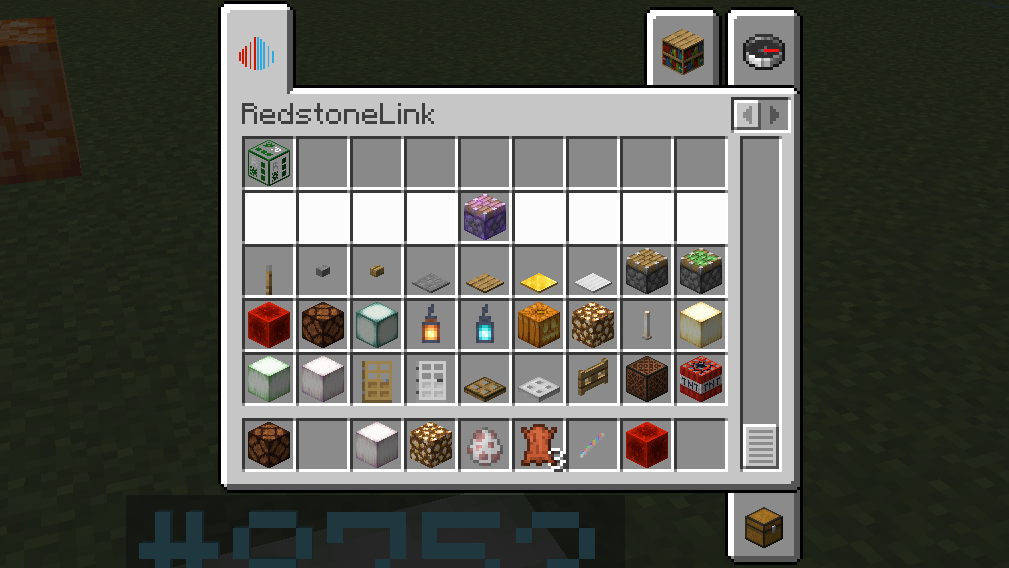
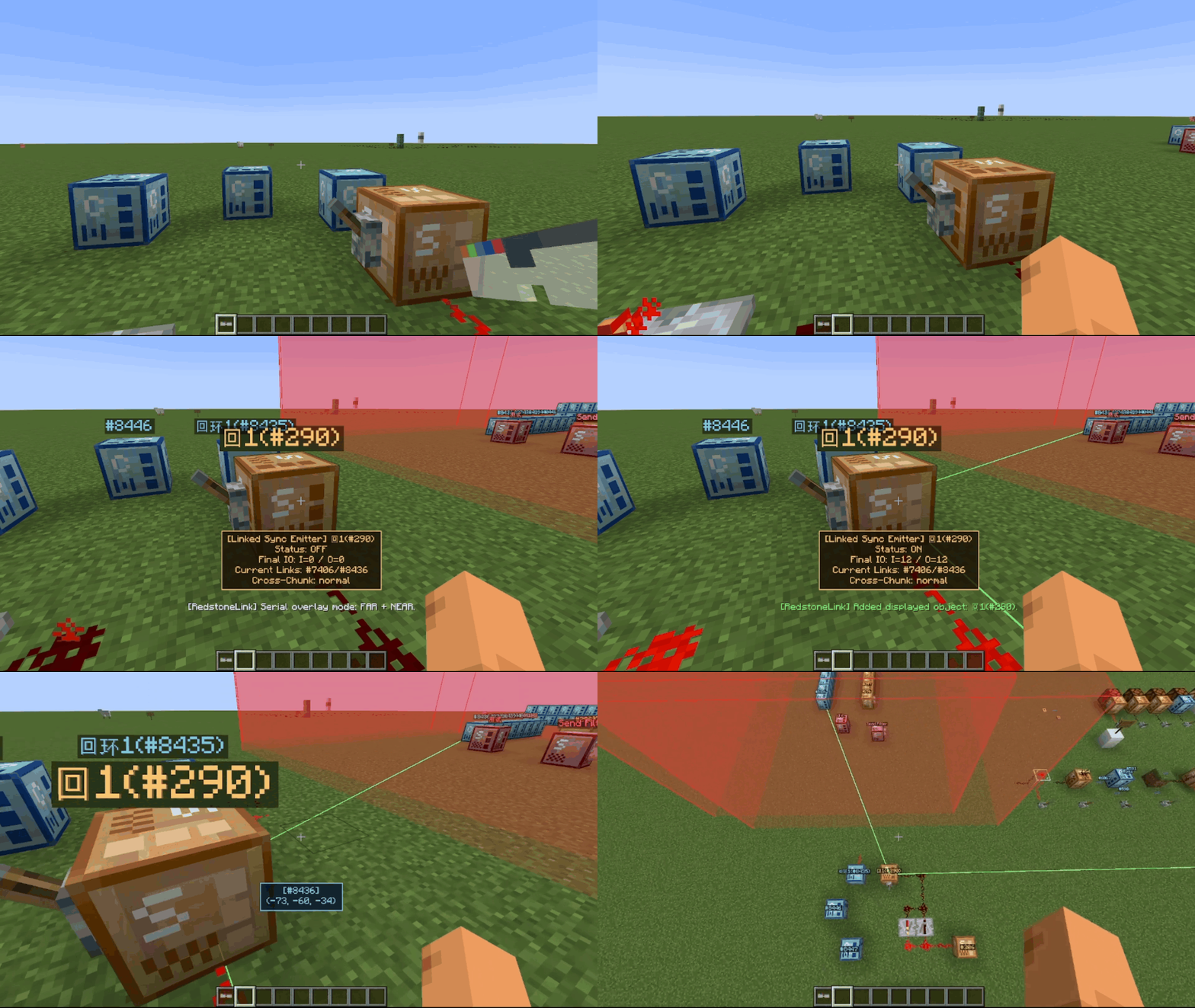
Nodes are divided into three categories: triggers, connection cores, and repeaters:
The usage method is:
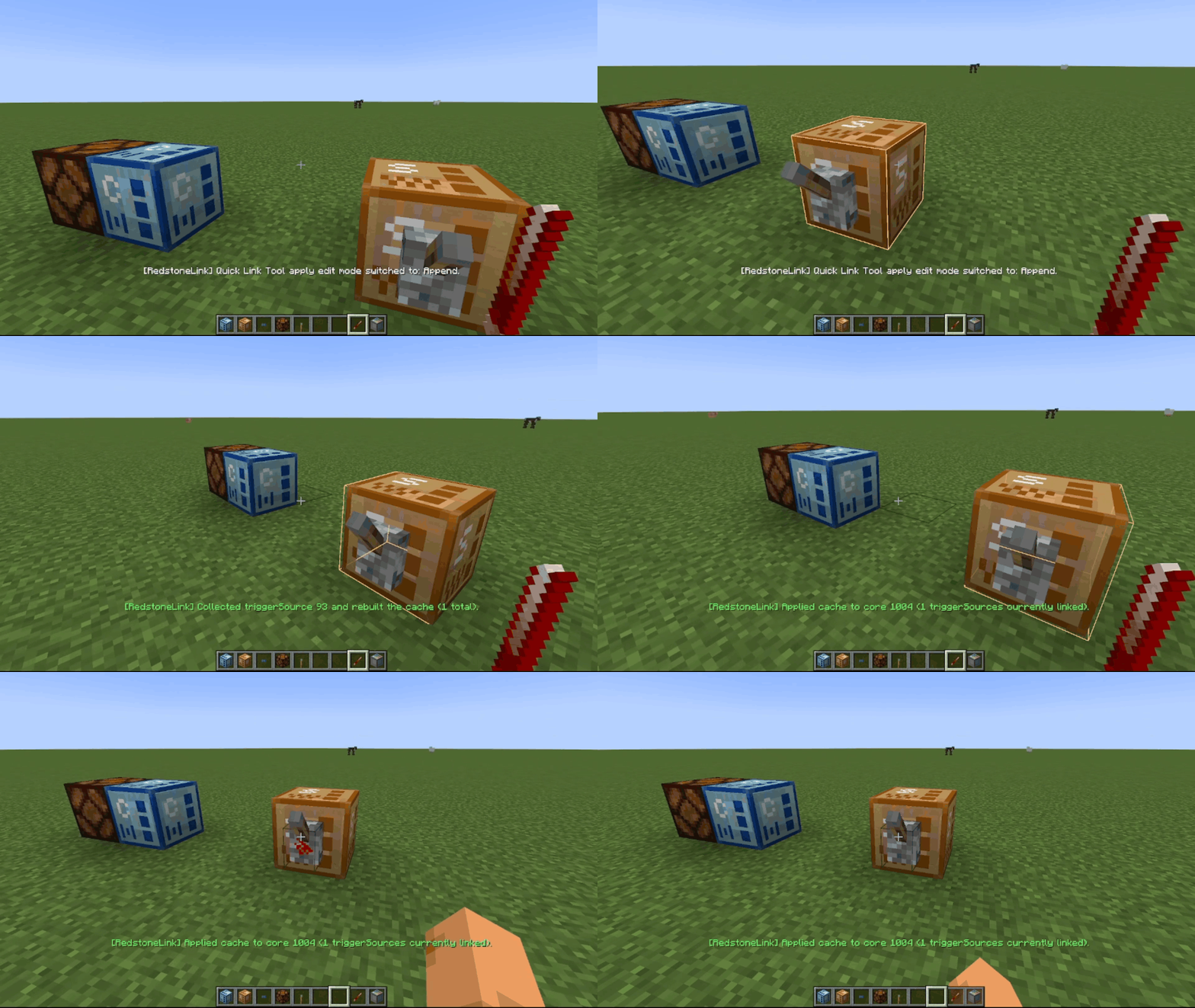
- Establishing Connections: Squat down and right-click to open the pairing UI, or use the
Quick Connection Toolto configure the serial number or channel.
- Activating Transmission: Activate the trigger through
Redstone Signal Inputtotransmit Redstone signalsto the connected connection core, or use arepeaterfor relaying.
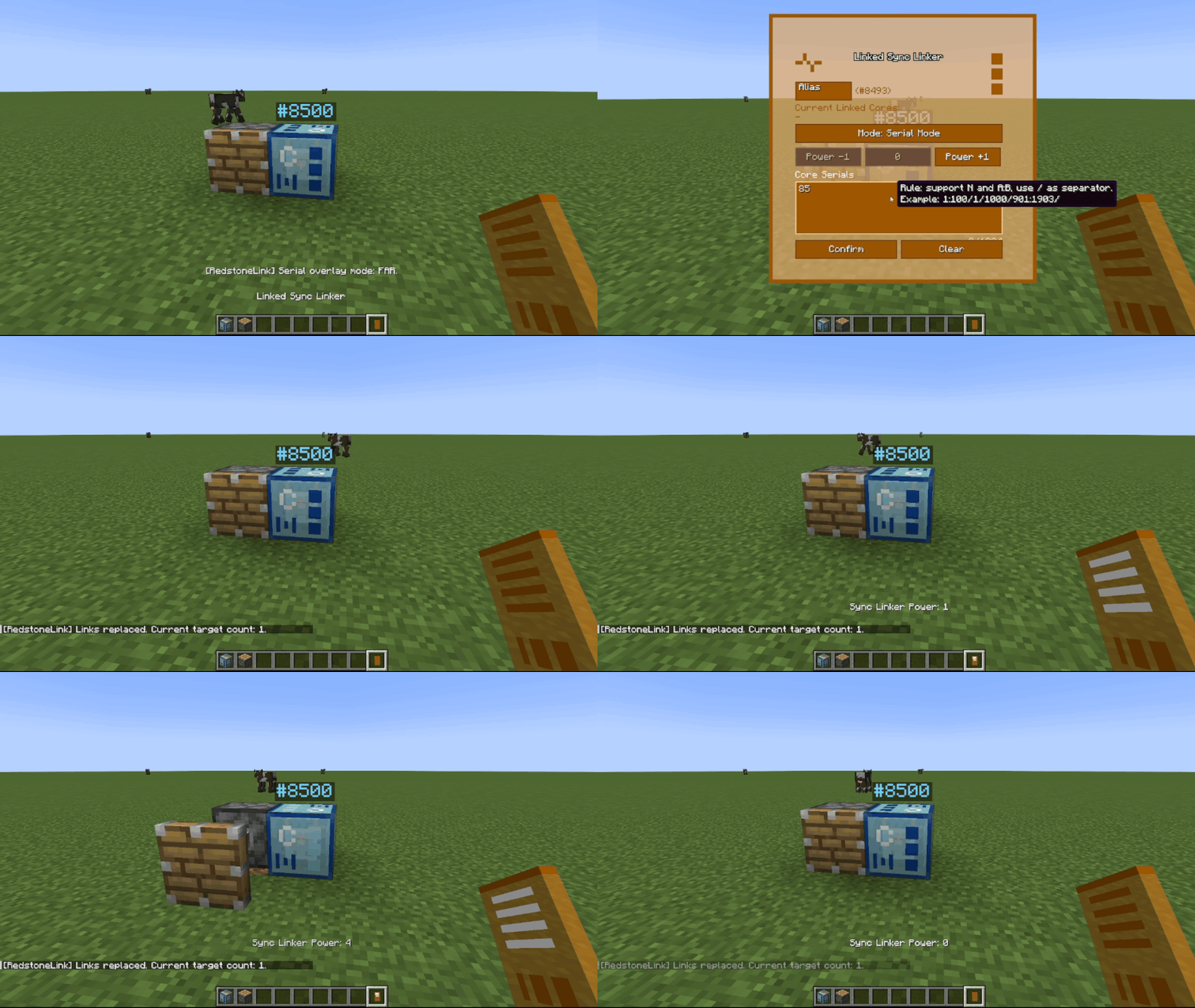
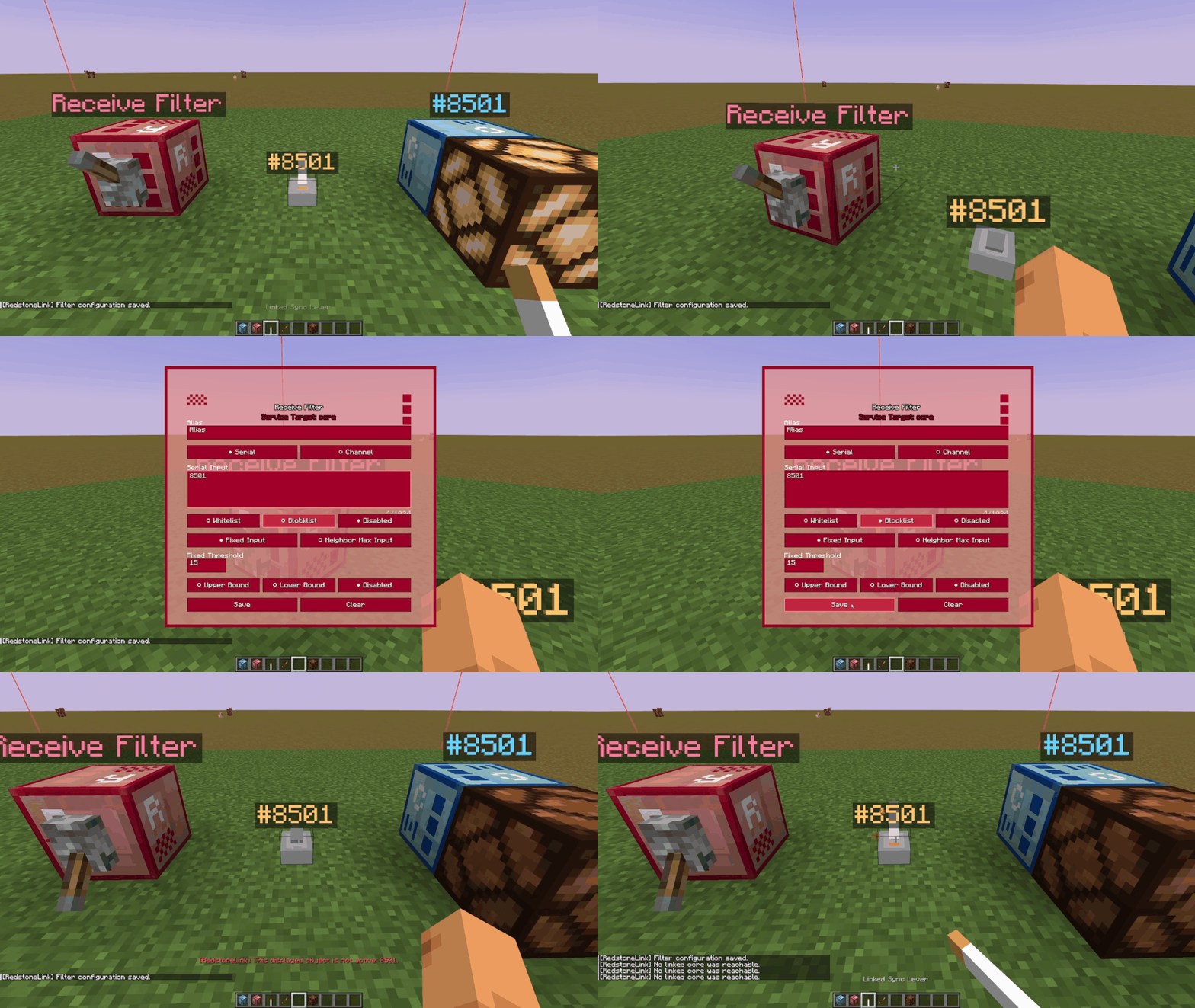
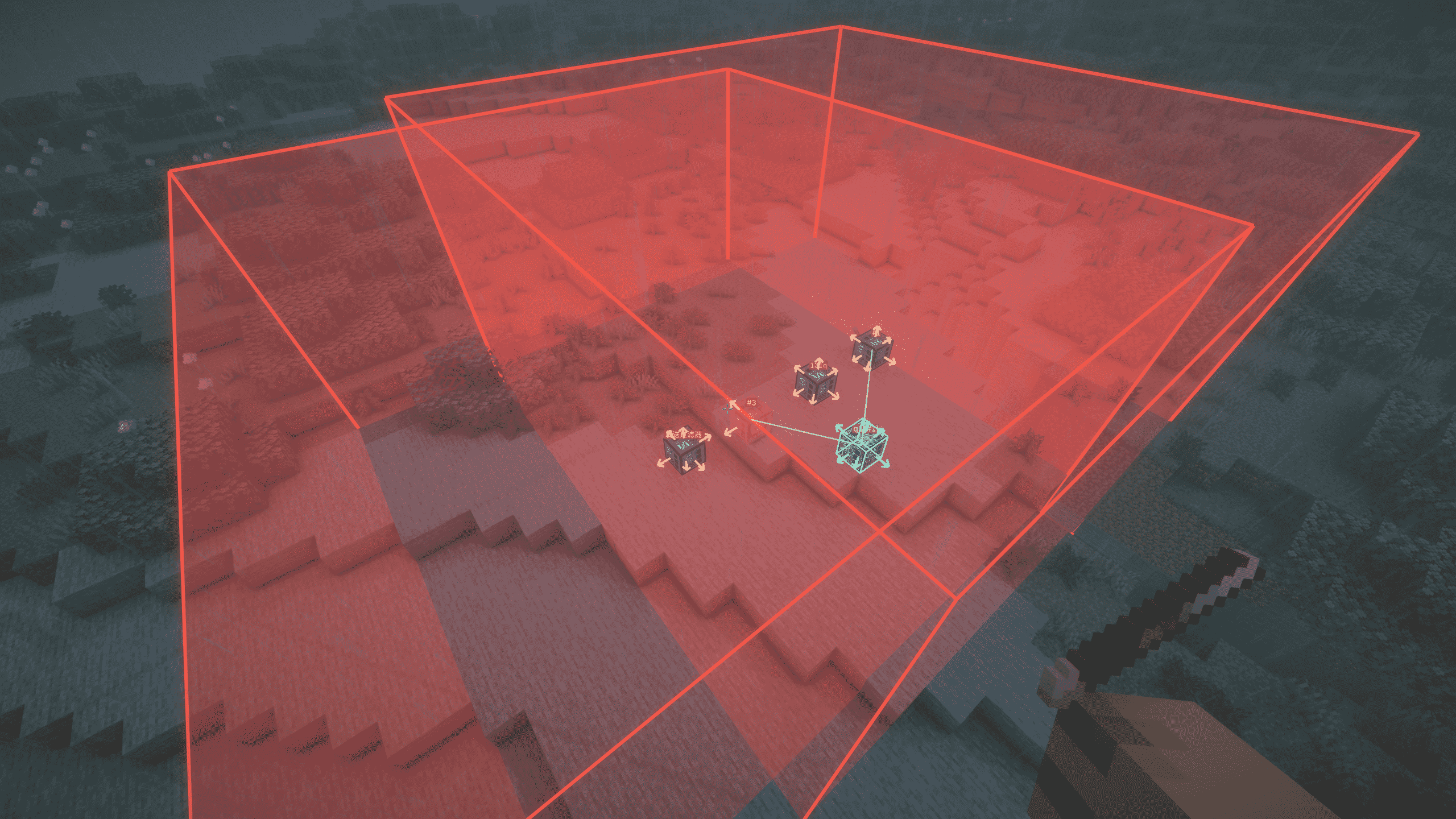
- Filtering: Configure the filter and place it so that its
range of effectcovers the corresponding node, and then activate the filter.
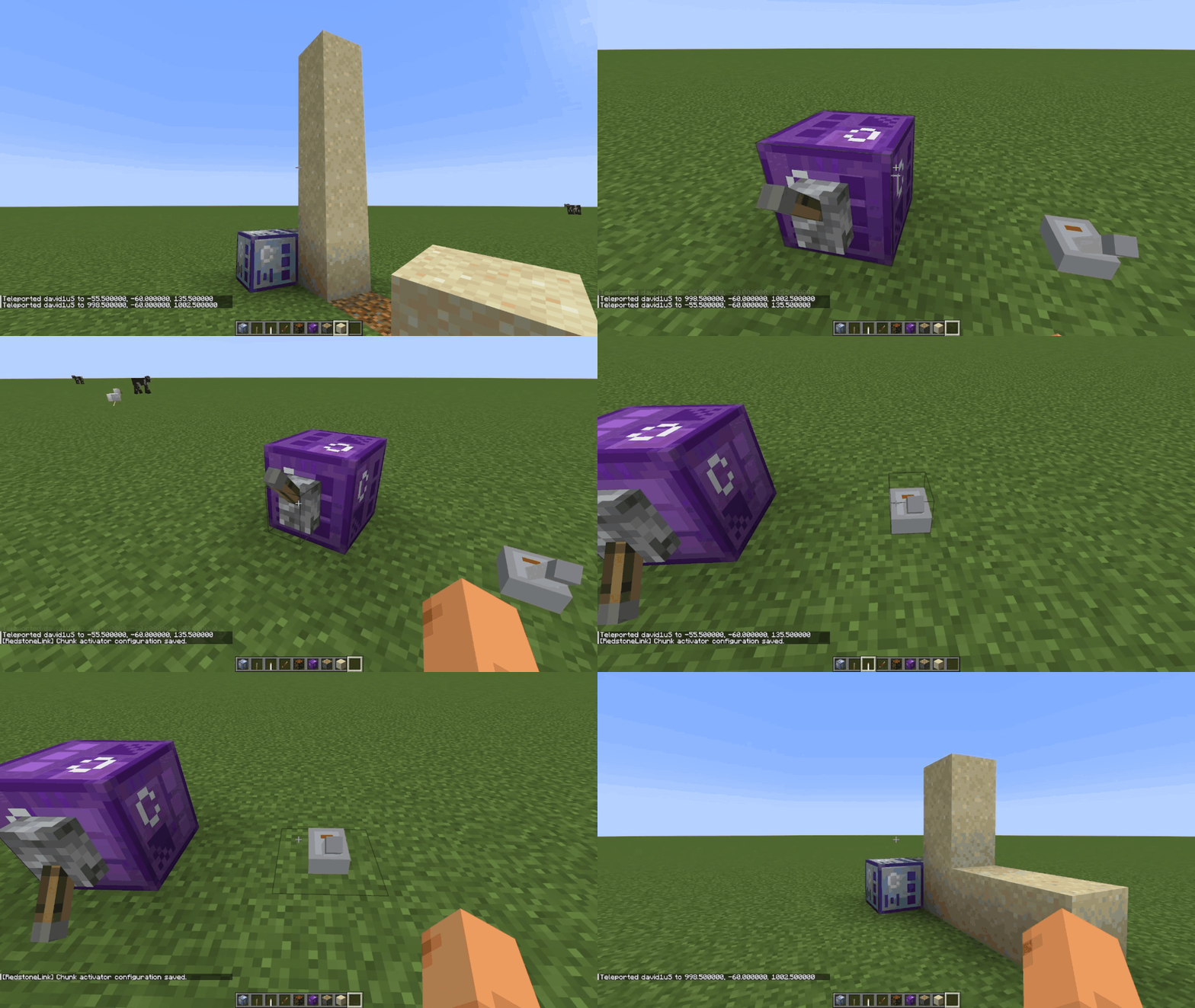
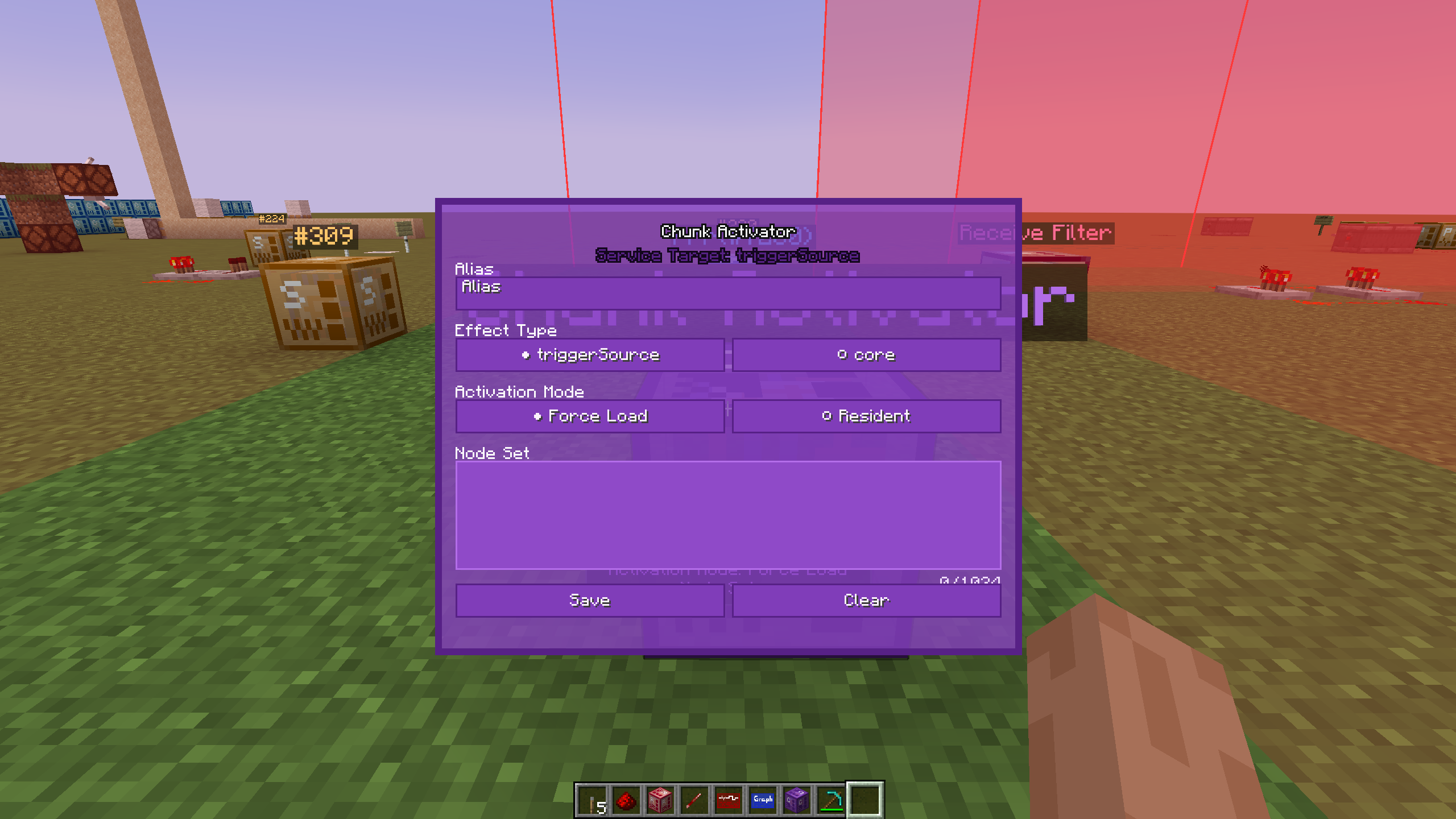
- Forced Loading: Configure the block activator, place it and activate it.
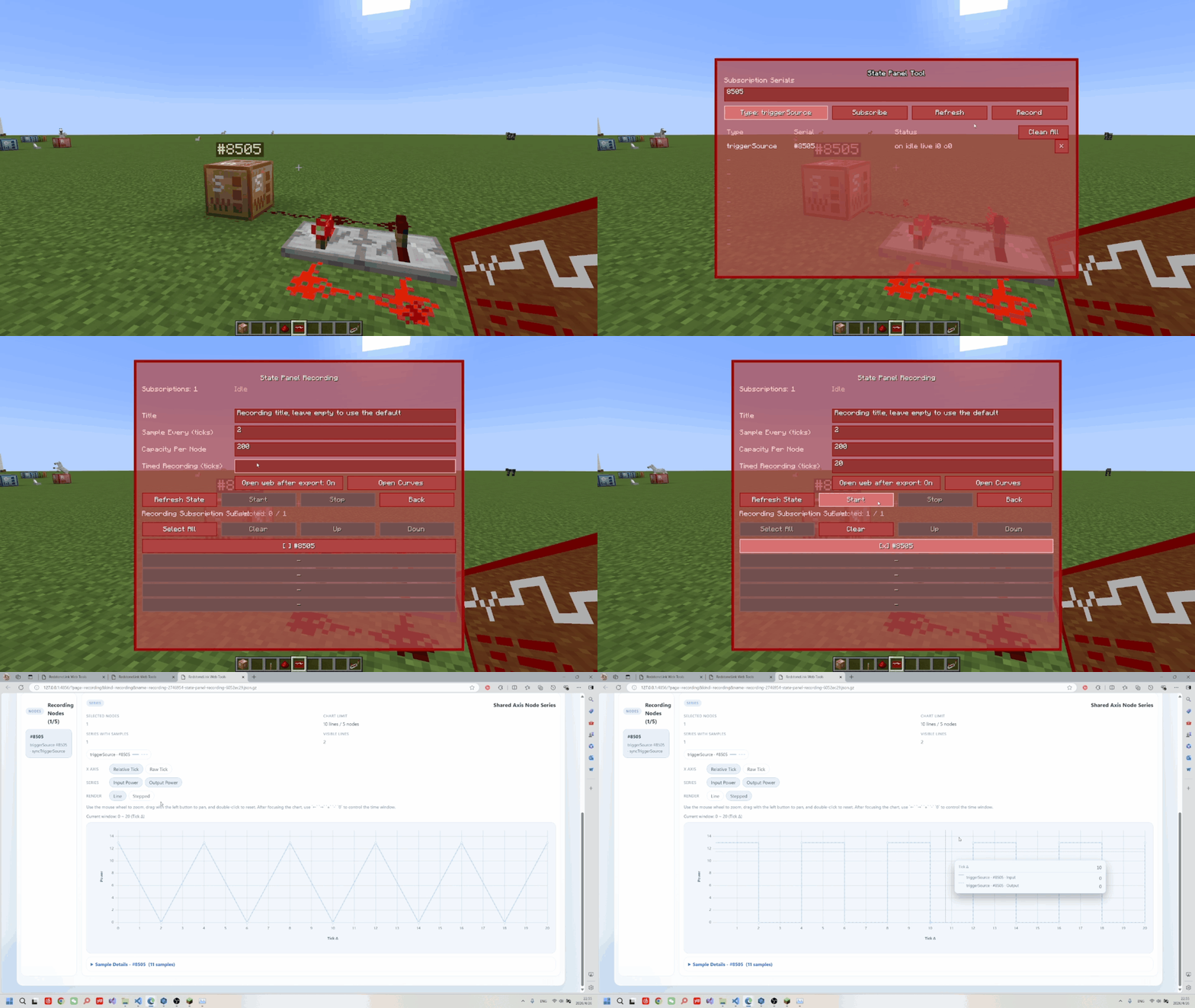
- Recording Signals: Subscribe to the corresponding node on the status panel, and configure and start the recording.
- Assisted Debugging: Wear the
Smart Glassesand use theKkey to interact with the empty hand interface nodes, thereby switching between displaying node information and establishing connections.
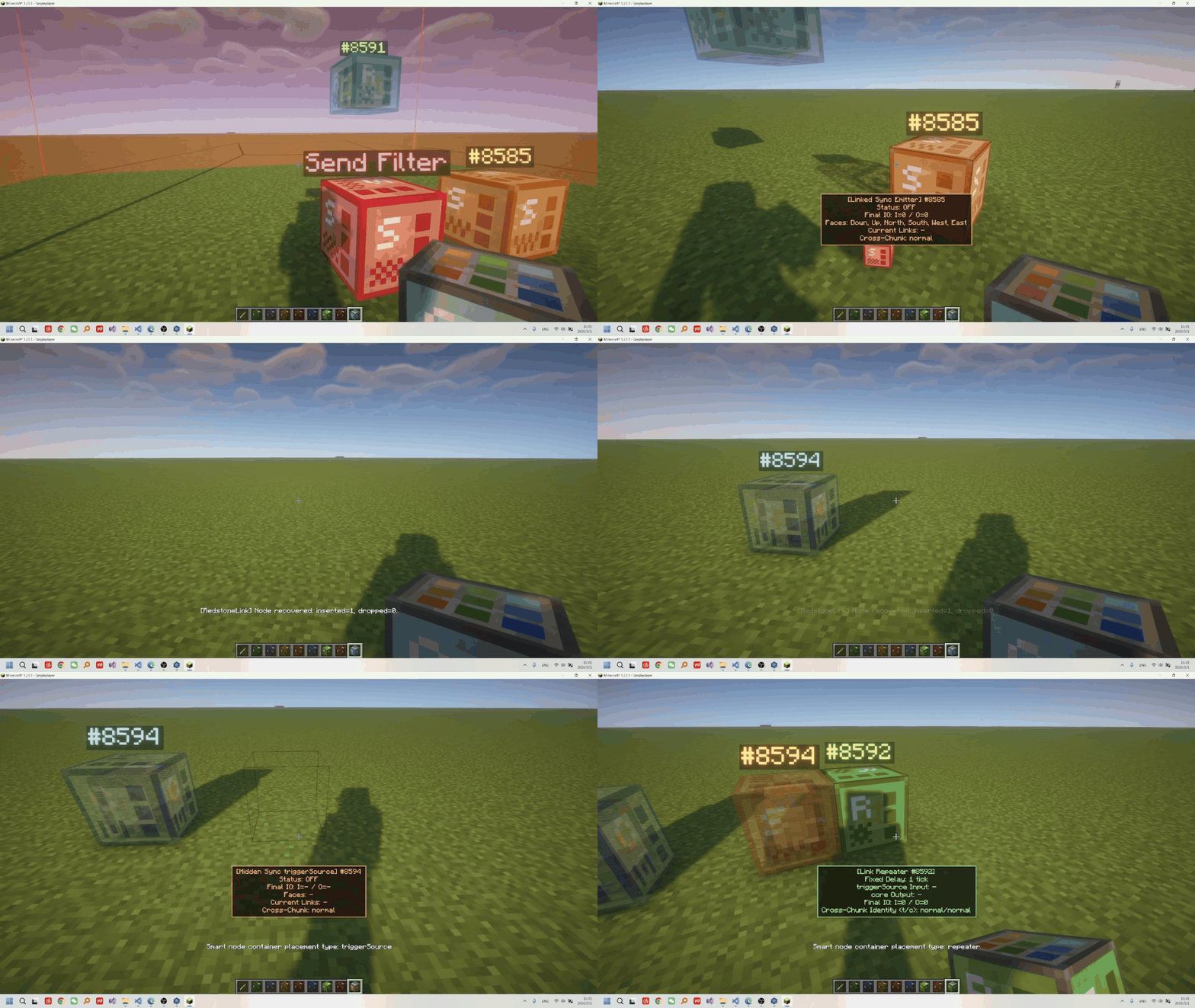
- Recycle and store the prepared items
- Visual Editing: Use the
Graph Visualization Editor
Other Documentation
- Mechanism Design
- Usage Guide
- Conflict List (to be added)
Other Features
- Full-lifecycle signal synchronization: placing, mining, and breaking nodes and filters automatically synchronizes signals (sync)
- Rich node types: block, plate-like, and transparent receiver nodes, plus triggerSource nodes including buttons, levers, remotes, and different signal types
- Rich and detailed configuration options, along with commands, permissions, and rate-limiting systems
- Node items support stacking and quick operations
- The Quick Link Tool supports GUI configuration, as well as incremental or overwrite edits, and can be applied to nodes and filters …
Future Plans
- ☑️Add Send/receive filters
- ☑️Add recording and playback support to the status panel
- ☑️Support custom node aliases
- ☑️Expand channel matching
- ☑️Improve the UI
- ❌Migrate to version 26.1+
- ☑️Add a visual network analyzer
- ☑️Add a repeater
Disclaimer and Report
- This project uses
AI - Currently supports
fabric-0.18.4and higher. - Conflict Report
- Bug Report
- Gameplay Feedbak
What it can do?
- Connect the switches on the wall neatly and beautifully to the lights on the ceiling.
- Control multiple remote Redstone machines centrally and name the switches and receive nodes.
- Record and view the Redstone signal curves.
- Visualize the connection diagram of the nodes to be edited.
- Flexibly control the validity of the connections .
- Remotely control a certain Redstone device...
Features
- Stronger wireless pistons: capable of pushing and pulling boxes, furnaces, funnels, and more.
- Wirelessly control the original items with the original items themselves.They support all Mod node functions.
- Hidden, no collision

- Directional editing of output and input

- Transmission with
no distance limit, support forcross-dimensionoperation, and on-demandforce-loading - supports
zero delayand 0/1/2batch packagingdelay windows, and can stablytransmit 0-15 strength signals (sync). - the
Quick Link Tool, pairing GUI, web visualization editor, and incremental/overwrite edits all connected in one workflow. - the status panel can
trackandplot I/O curves, and with K-key debugging you can locate issues quickly. - ID and channel capacity up to
2^63-1, supportscustom node aliases, channels, and automatically cleans up invalid IDs. - multiple triggerSource/core combinations, plus node sets, channels, strength filtering, and
dynamic control.
Getting Started
Item Guide/Recipes
Nodes are divided into three categories: triggers, connection cores, and repeaters:
The usage method is:
- Establishing Connections: Squat down and right-click to open the pairing UI, or use the
Quick Connection Toolto configure the serial number or channel.

- Activating Transmission: Activate the trigger through
Redstone Signal Inputtotransmit Redstone signalsto the connected connection core, or use arepeaterfor relaying.

- Filtering: Configure the filter and place it so that its
range of effectcovers the corresponding node, and then activate the filter.

- Forced Loading: Configure the block activator, place it and activate it.

- Recording Signals: Subscribe to the corresponding node on the status panel, and configure and start the recording.

- Assisted Debugging: Wear the
Smart Glassesand use theKkey to interact with the empty hand interface nodes, thereby switching between displaying node information and establishing connections.

- Recycle and store the prepared items

- Visual Editing: Use the
Graph Visualization Editor

Other Documentation
- Mechanism Design
- Usage Guide
- Conflict List (to be added)
Other Features
- Full-lifecycle signal synchronization: placing, mining, and breaking nodes and filters automatically synchronizes signals (sync)
- Rich node types: block, plate-like, and transparent receiver nodes, plus triggerSource nodes including buttons, levers, remotes, and different signal types
- Rich and detailed configuration options, along with commands, permissions, and rate-limiting systems
- Node items support stacking and quick operations
- The Quick Link Tool supports GUI configuration, as well as incremental or overwrite edits, and can be applied to nodes and filters …
Future Plans
- ☑️Add Send/receive filters
- ☑️Add recording and playback support to the status panel
- ☑️Support custom node aliases
- ☑️Expand channel matching
- ☑️Improve the UI
- ❌Migrate to version 26.1+
- ☑️Add a visual network analyzer
- ☑️Add a repeater
Disclaimer and Report
- This project uses
AI - Currently supports
fabric-0.18.4and higher. - Conflict Report
- Bug Report
- Gameplay Feedbak
Screenshots
Gallery
-
 1.PNG 1.PNG
 -
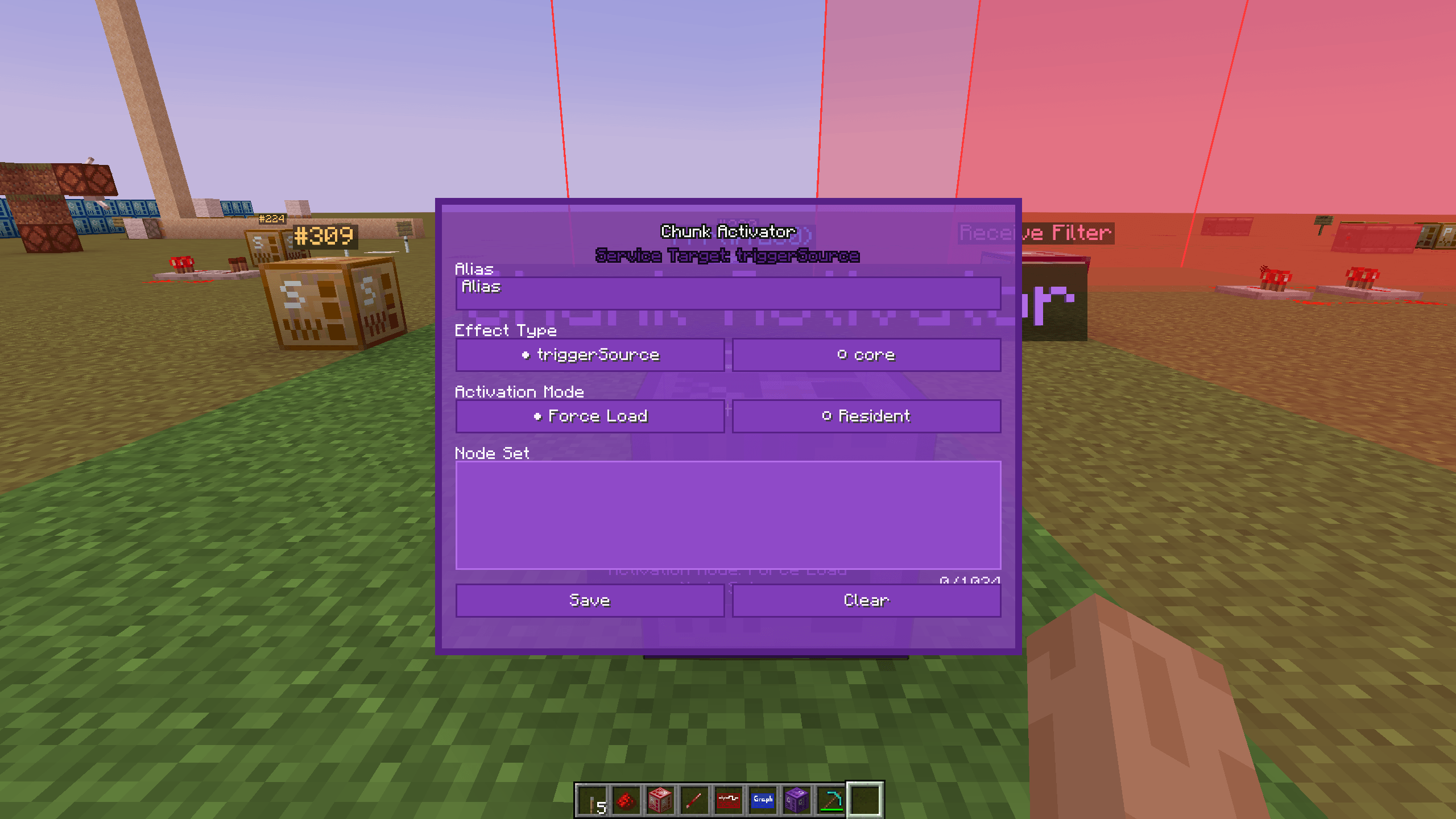 2026-04-23_18.53.20.png 2026-04-23_18.53.20.png
 -
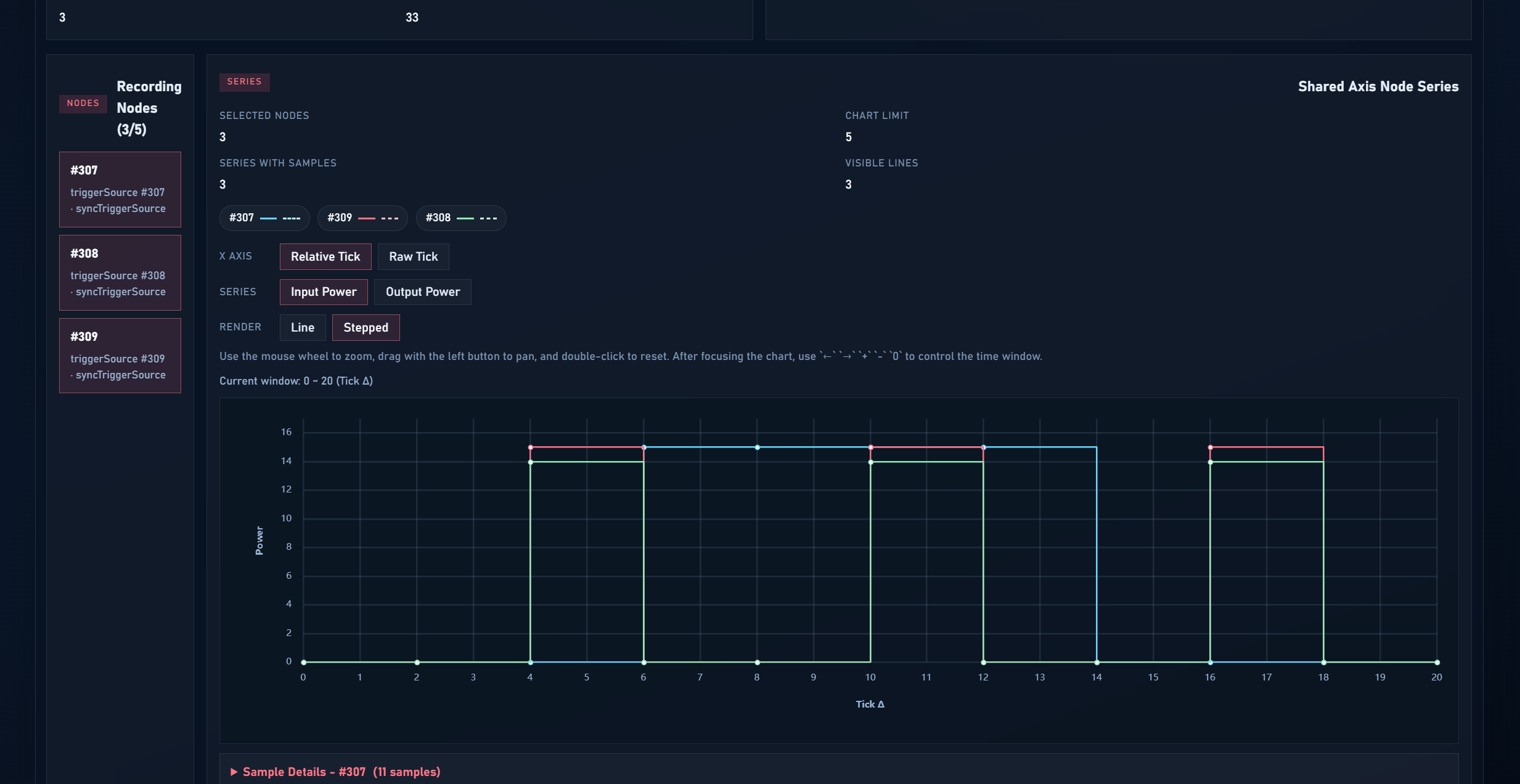 redstone singal curve
 -
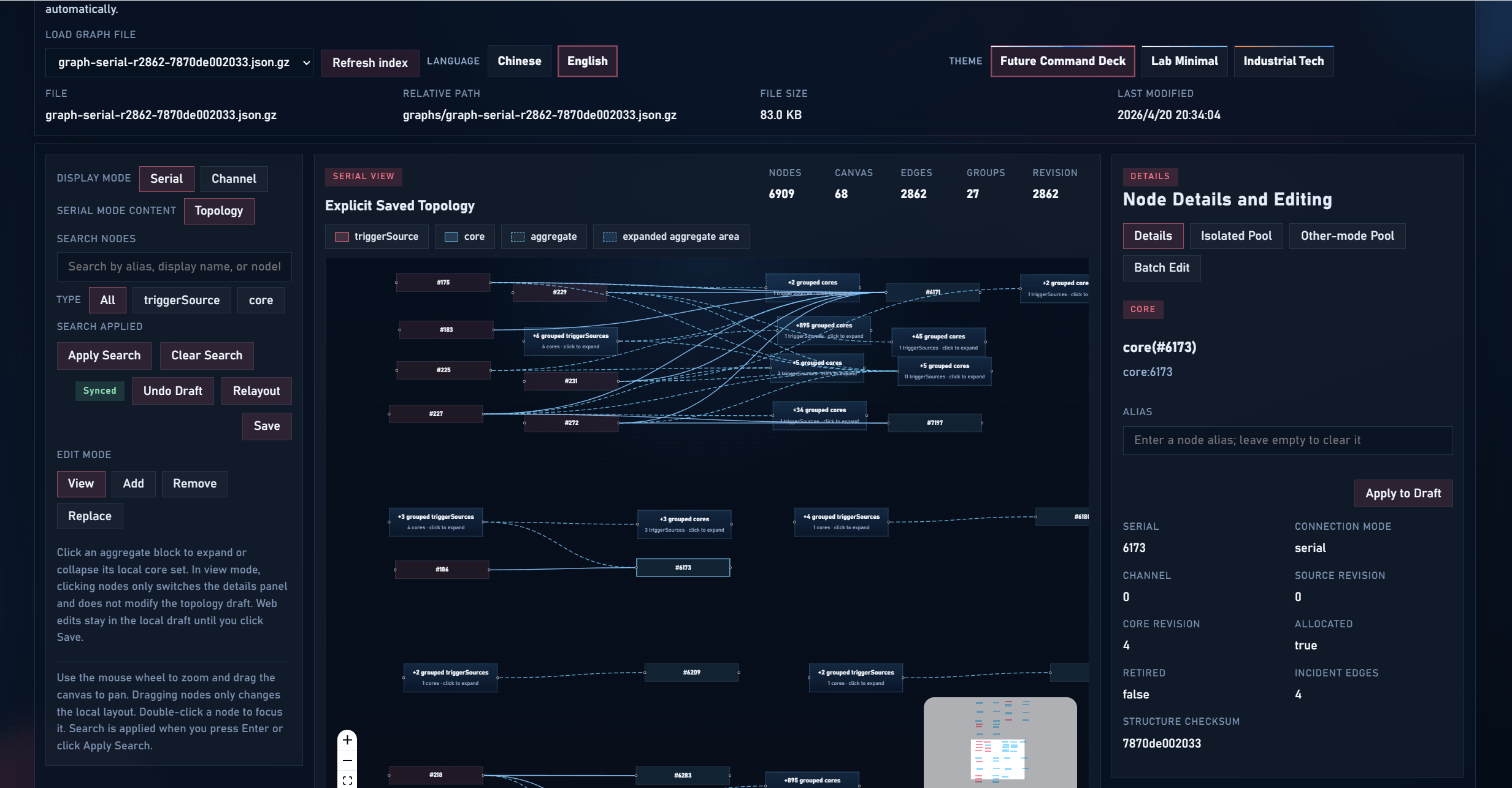 graph visual editor
 -
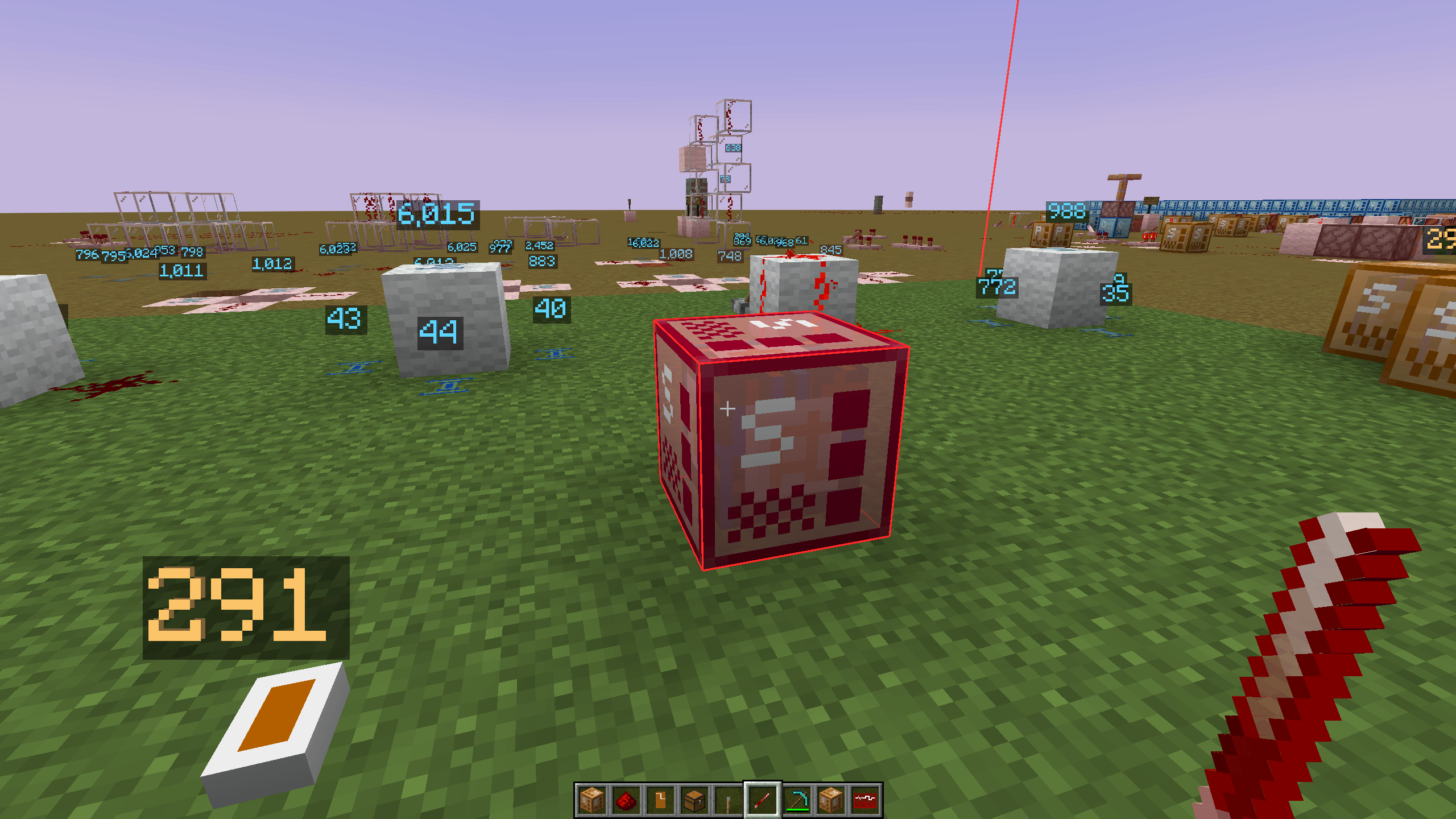 2026-04-12_15.43.01.png 2026-04-12_15.43.01.png
 -
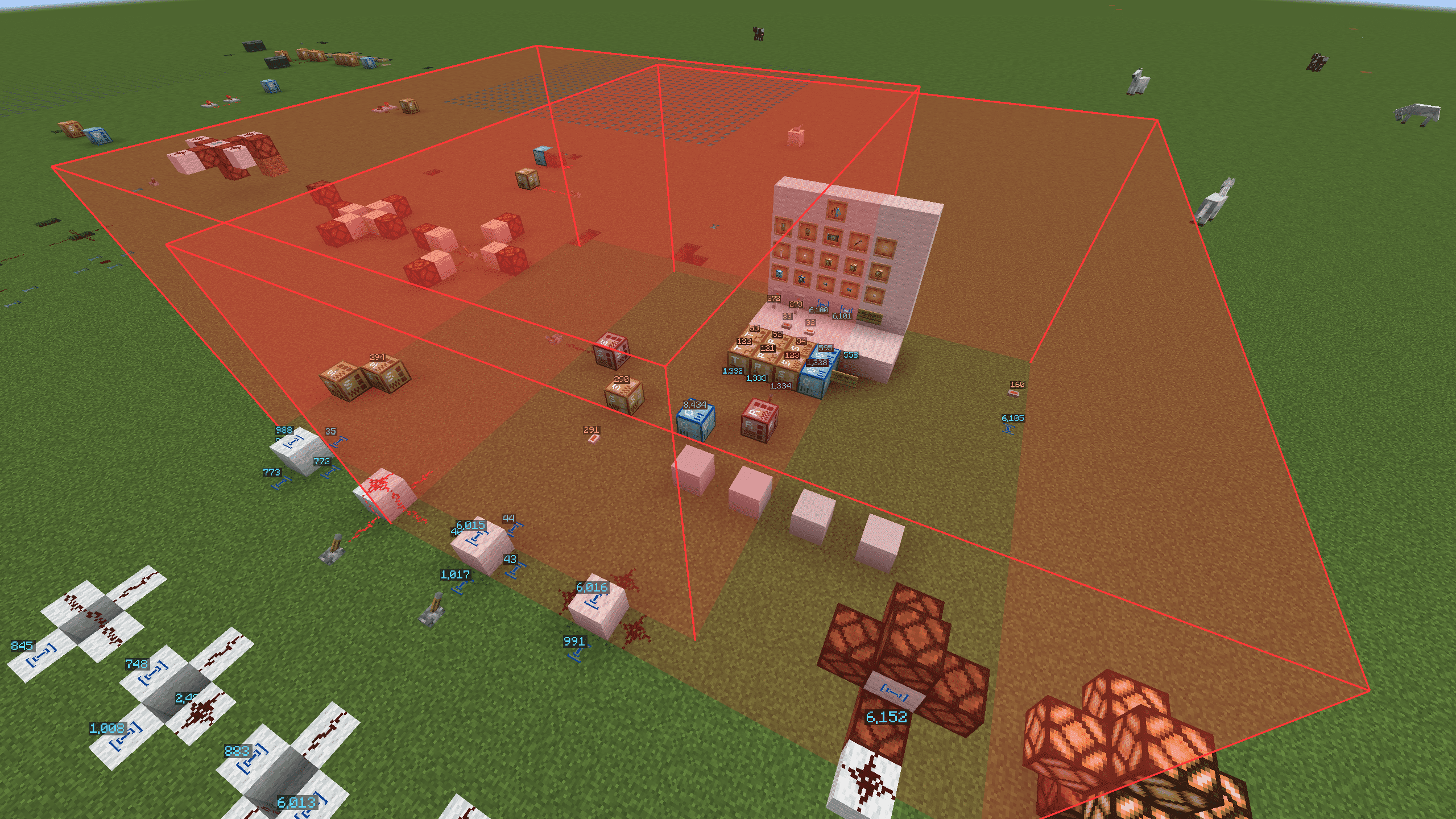 2026-04-12_14.58.35_compressed.png 2026-04-12_14.58.35_compressed.png
 -
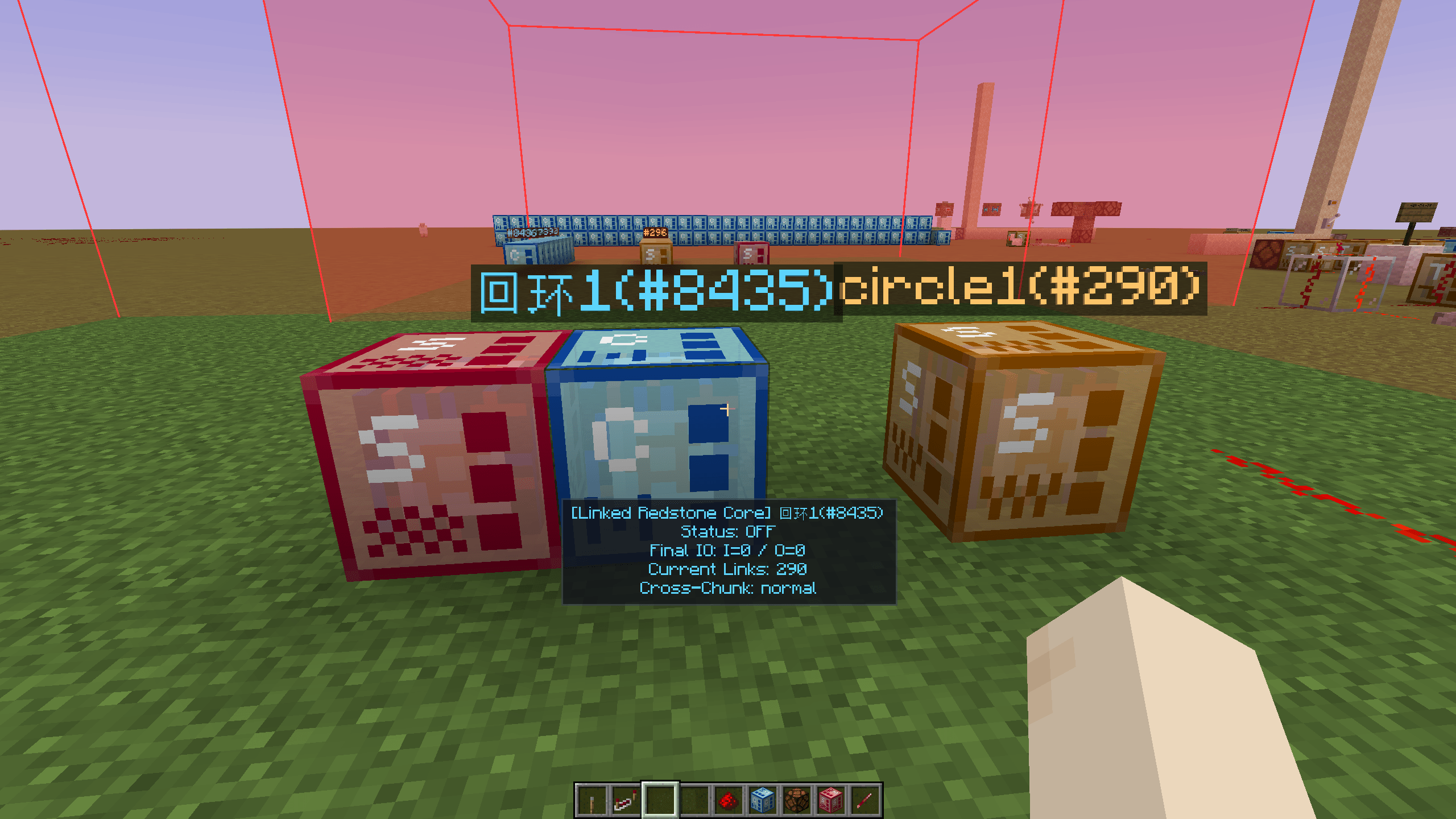 2026-04-13_10.52.09.png 2026-04-13_10.52.09.png
 -
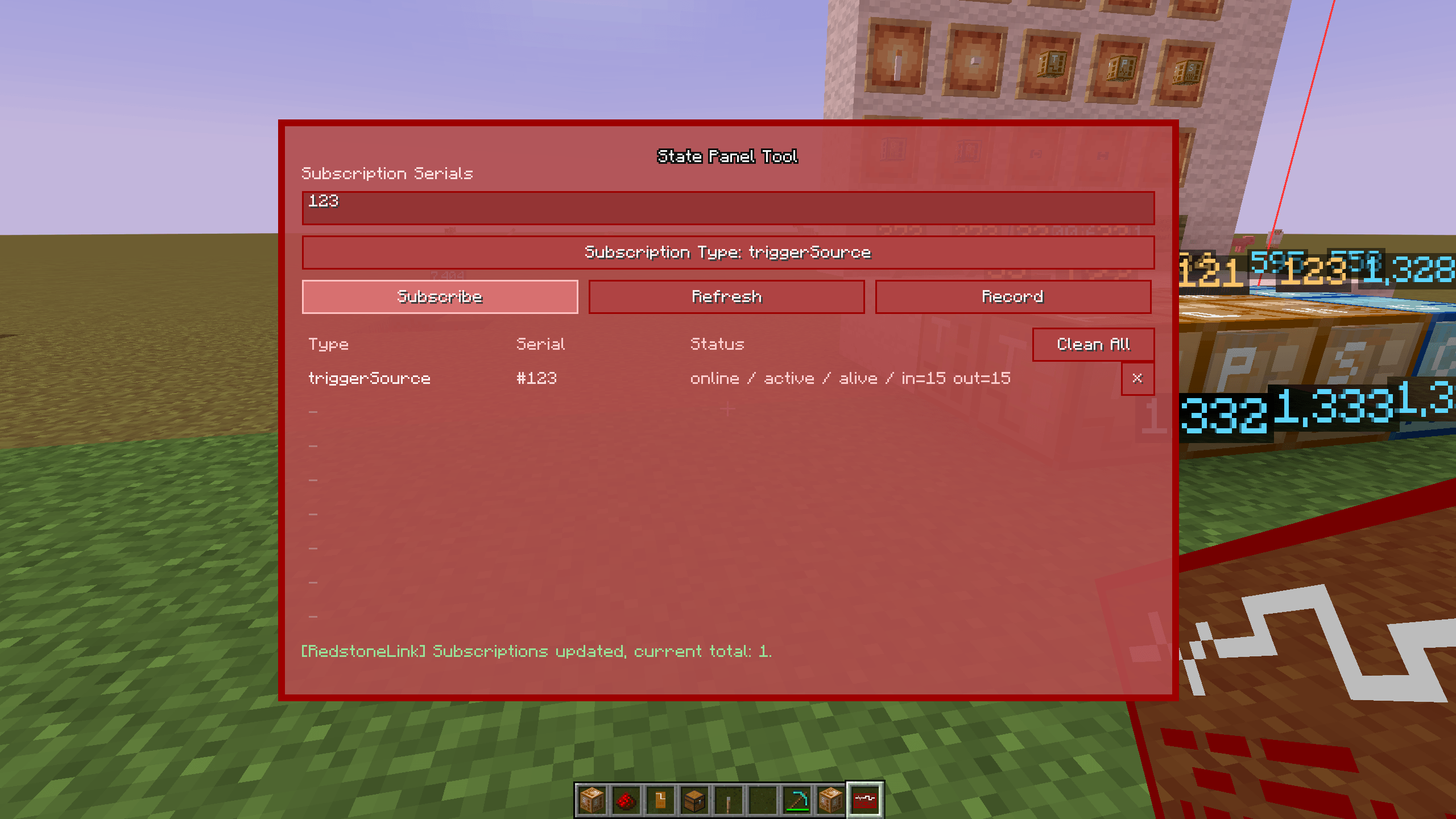 2026-04-12_15.42.35.png 2026-04-12_15.42.35.png
 -
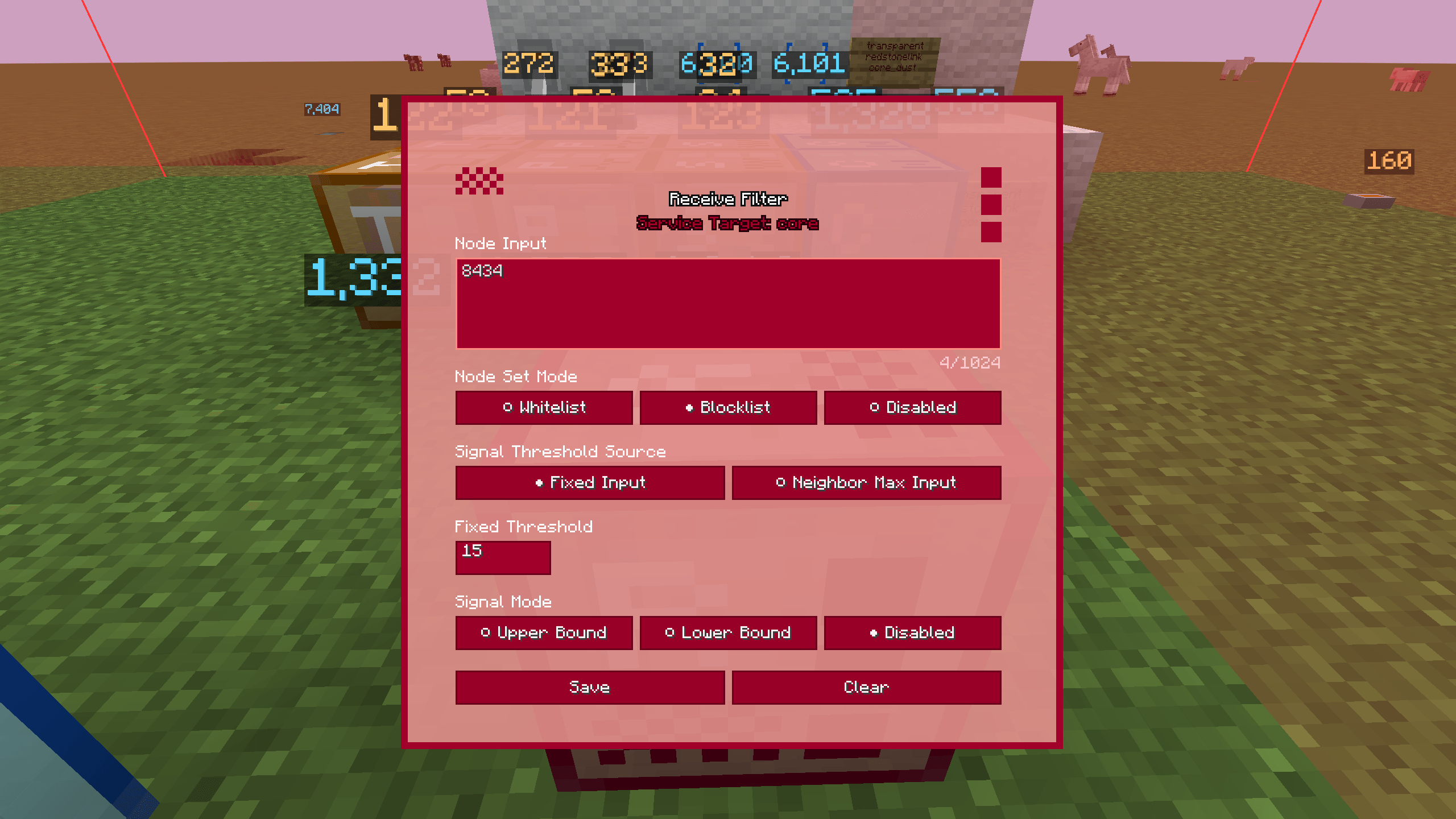 2026-04-12_14.58.41.png 2026-04-12_14.58.41.png
 -
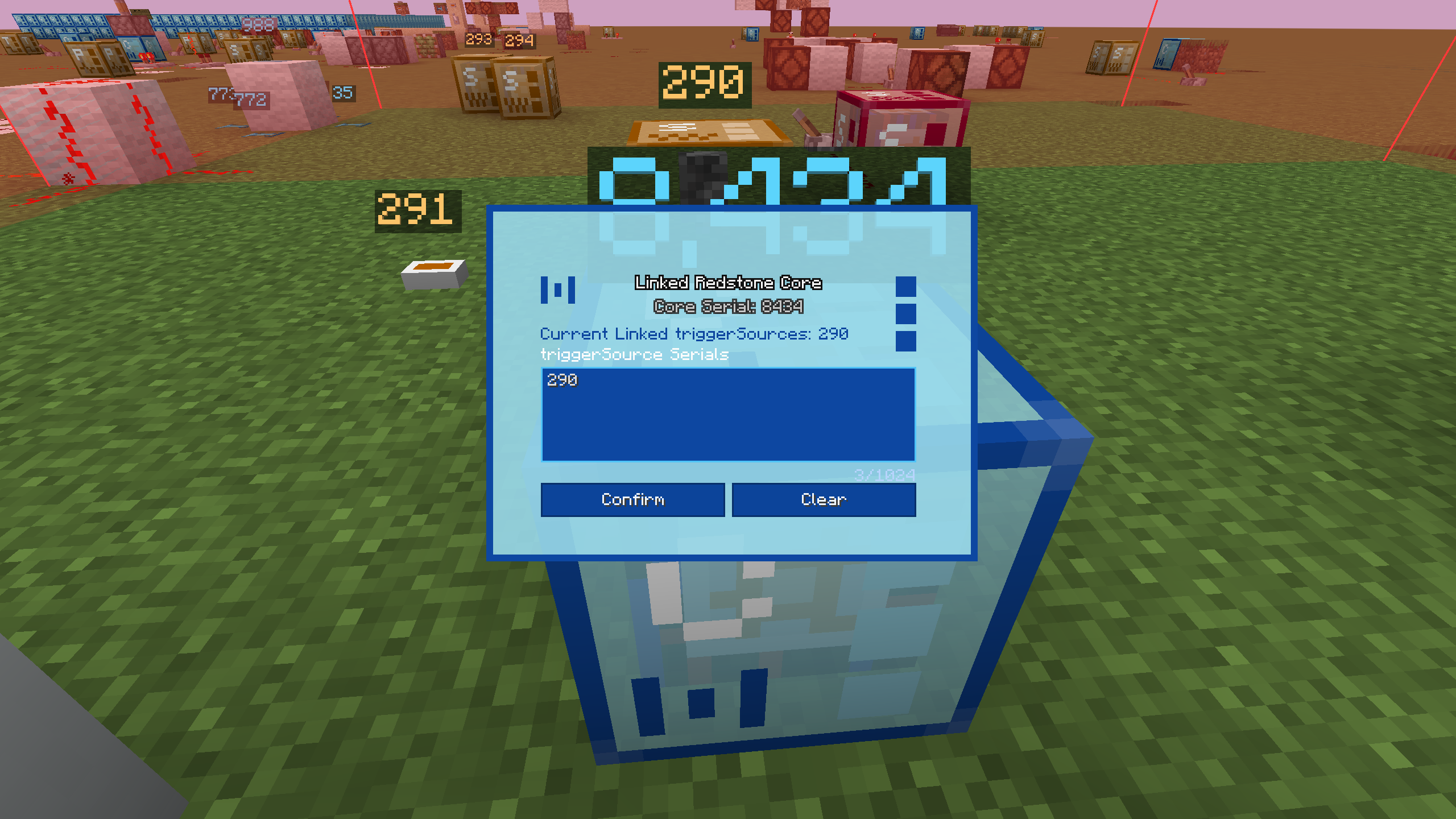 core_gui
Versions
Files
Relations
Project Relations
More like this
Similar Mods
Suggestions use data such as tags, dependencies, dependents, descriptions, titles, and more to rank how much they overlap with this mod.
On ModDex
Community snapshot
By the numbers
Statistics

Get it on
Available Platforms
On ModDex
Community snapshot
By the numbers
Statistics
Resources