
Community listing page, reviews here may not be monitored by the author.
Relocator


No reviews yet
Helps you move house. Literally. A structure teleportation mod.

Community voices
Reviews
No reviews yet. Be the first to review this project!
Get it on
Available Platforms
Compatibility
Supported Environments
Must be installed on both the client and the server.
About
Project Details
For authors
Embed Badge
If you're the author of this project, you can embed a live badge anywhere that supports HTML or Markdown. It updates automatically whenever ratings change.
Use HTML for any page that supports it, or Markdown for README files and Markdown-based descriptions.
Identifiers
Platform IDs
Resources
External Links
About
Description
Relocator
Have you ever found a nice place to build a home, only to find somewhere better after you finished? With the Relocator, the tedium of moving your house block by block is a problem of the past! Inspired by Dracula's castle from Castlevania, and the Midnight Hotel from Skulduggery Pleasant.
Contents
A block that allows you to teleport your house or any other structure in the world to any other position at will, along with any entities within it. Teleport anything from the tiniest cottages to the most mountainous, castles, floating islands, or any other build.
A carriable item that allows you to bring your house to you! Bind your base to a Rosen Pearl and bring it with you on your travels. Throw the pearl and your base will teleport to its landing point! Good for exploration, nomadic playstyles, or when you need a ready-made mineshaft.
Relays that allow you to shape the footprint of your teleport. Crush the terrain beneath you, or perform a pinpoint landing on a single block!
Ability to rotate your house to face other directions to suit your new environment.
An Address Log to record and revisit past locations.
Teleport domains one million blocks large in any configuration! The domain size can be increased in the mod config.
All inventories are preserved during teleport. Other modded Block Entities using Capabilities will also have their energy and fluids teleported.
Getting Started/Tutorial
- Begin by finding Metastable Ore. It's found rarely, and requres at least an iron pickaxe to mine. Once you collect some Metastable Crystal, the required crafting recipes will unlock in your recipe book.
- Craft a Rosen Stone and then a Relocator. You'll also need to craft Rosen Catalysts to use as fuel. An Address Log is also useful to save locations you might like to revisit.
- Place the Relocator in your house/base. It works best if you set it facing the same direction as the front door/main entrance to your base so that rotation is in-line with the layout of the structure.
- Set the domain of the Relocator in the menu. An example of setting the domain can be seen in the Gallery.
The domain is set in each direction outward from the Relocator.
If a Relocator Relay is within the set domain, the Relay's domain will be added to the teleport. These relays must sit within the domain of a Relocator or another relay to be included. This means they can be daisy-chained to form intricate shapes, such as teleporting long underground bases!
Note: The "Above ground level" value allows you to determine how your house defines ground level when using the 'Snap to Ground' option when teleporting. Setting a value of '5' would define that the Relocator is five blocks above ground level. Using a negative value allows for snapping to a set number of blocks underground. - Insert Rosen Catalyst for fuel, and insert the X (East-West), Y (Height), and Z (North-South) coordinates of your destination. You may also use the facing buttons to rotate your house upon landing. After this, you are ready to travel!
Notes: - The Y Coordinate may be left blank for an automatic snap-to ground, if you aren't targeting a certain height.
- Be aware that the Relocator will obliterate any terrain that existed at your destination before your arrival
- Don't be surprised if teleportation takes a few seconds to kick in! The larger the teleport domain, the longer the load time.
- In the interest of game balance, the Relocator can only be used in the Overworld.
- I would advise against teleporting trading villagers with this mod. As it involves the destruction and creation of each block during teleportation, there is a split second where the villager loses thier job block and may be reset.
- The default maximum domain size is 1000000 blocks. This can be changed in the mod config.
Rosen Pearls
- Rosen Pearl allows you to carry your house with you as a deployable teleport. To use it, craft a Rosen pearl and use it on the Relocator by shift-right clicking.
- It will then become an Attuned Rosen Pearl with bound coordinates.
- When you find a place you want to teleport your house to, simply throw the pearl as you would an ender pearl.
- Your house will teleport with the Relocator facing toward you.
- Since the Rosen Pearl is made using a catalyst, the Relocator does not need to have fuel in it to teleport this way
Known Bugs
- Teleportation to your current coordinates or rotation on the spot can cause ghost blocks or a desync error. The easiest fix is to simply leave the world and log back in. In general, try to avoid teleporting your structure into itself for best results. No damage will be caused if you do, however.
- Paintings can sometimes be shifted on the wall when teleporting via the Rosen Pearl.
- In modpacks, any fluid containers that render the fluid externally using a Block Entity Renderer may not visually update after teleporting. Its contents are still there, the block just needs to be updated by interacting with it. You can also re-log into the world to force an update.
Use in Modpacks
Use in Modpacks is allowed without restrictions, as long as you link back to this page. I would also be interested to know!
This mod was designed with Vanilla+ in mind, but is compatible with JEI and many other mods. Not all mods have been tested, so please use at own risk. As always, make a backup of your world before installing new mods.
This mod is compatible with any energy, fluid, and inventory blocks/block entities that utilise the Neoforge Capabilities.
This mod is compabile with Create and Create Aeronautics (as far as all recent tests are concerned). Please note that Create Aeronautics vehicles can ONLY be teleported when in their 'parked' mode, with the physics assembler set to zero, since the blocks will align with their real-world positions. If you try to teleport a vehicle while in its assembled physics state (millions of blocks away), it will cause the game to crash. Your vehicle will also likely be destroyed as the model has been moved from its position. Use at own risk.
Special Thanks
- To my beta testers, Gametheraleo, and RealTerminal. You know what you did.
- mBanders for the globe texture used on the Relocator model: https://www.mineimatorforums.com/index.php?/topic/68610-minecraft-earth-textures/
- TurtyWurty (https://www.youtube.com/@TurtyWurty) and KaupenJoe (https://www.youtube.com/@ModdingByKaupenjoe), without whose excellent Youtube tutorials, this mod would not have been possible.
Notes
- Feel free to comment if you find any issues, and I'll do my best to patch them quickly!
- No generative AI was used in the development of this mod. Only googling, Youtube tutorials, and far too many hours of trial and error.
Relocator
Have you ever found a nice place to build a home, only to find somewhere better after you finished? With the Relocator, the tedium of moving your house block by block is a problem of the past! Inspired by Dracula's castle from Castlevania, and the Midnight Hotel from Skulduggery Pleasant.
Contents
- A block that allows you to teleport your house or any other structure in the world to any other position at will, along with any entities within it. Teleport anything from the tiniest cottages to the most mountainous, castles, floating islands, or any other build.
- A carriable item that allows you to bring your house to you! Bind your base to a Rosen Pearl and bring it with you on your travels. Throw the pearl and your base will teleport to its landing point! Good for exploration, nomadic playstyles, or when you need a ready-made mineshaft.
- Relays that allow you to shape the footprint of your teleport. Crush the terrain beneath you, or perform a pinpoint landing on a single block!
- Ability to rotate your house to face other directions to suit your new environment.
- An Address Log to record and revisit past locations.
- Teleport domains one million blocks large in any configuration! The domain size can be increased in the mod config.
- All inventories are preserved during teleport. Other modded Block Entities using Capabilities will also have their energy and fluids teleported.
Getting Started/Tutorial
- Begin by finding Metastable Ore. It's found rarely, and requres at least an iron pickaxe to mine. Once you collect some Metastable Crystal, the required crafting recipes will unlock in your recipe book.
- Craft a Rosen Stone and then a Relocator. You'll also need to craft Rosen Catalysts to use as fuel. An Address Log is also useful to save locations you might like to revisit.
- Place the Relocator in your house/base. It works best if you set it facing the same direction as the front door/main entrance to your base so that rotation is in-line with the layout of the structure.
- Set the domain of the Relocator in the menu. An example of setting the domain can be seen in the Gallery.
The domain is set in each direction outward from the Relocator. If a Relocator Relay is within the set domain, the Relay's domain will be added to the teleport.
If a Relocator Relay is within the set domain, the Relay's domain will be added to the teleport. These relays must sit within the domain of a Relocator or another relay to be included. This means they can be daisy-chained to form intricate shapes, such as teleporting long underground bases! Note: The "Above ground level" value allows you to determine how your house defines ground level when using the 'Snap to Ground' option when teleporting. Setting a value of '5' would define that the Relocator is five blocks above ground level. Using a negative value allows for snapping to a set number of blocks underground. - Insert Rosen Catalyst for fuel, and insert the X (East-West), Y (Height), and Z (North-South) coordinates of your destination. You may also use the facing buttons to rotate your house upon landing. After this, you are ready to travel!
_Notes:
- The Y Coordinate may be left blank for an automatic snap-to ground, if you aren't targeting a certain height.
- Be aware that the Relocator will obliterate any terrain that existed at your destination before your arrival
- Don't be surprised if teleportation takes a few seconds to kick in! The larger the teleport domain, the longer the load time.
- In the interest of game balance, the Relocator can only be used in the Overworld.
- I would advise against teleporting trading villagers with this mod. As it involves the destruction and creation of each block during teleportation, there is a split second where the villager loses thier job block and may be reset.
- The default maximum domain size is 1000000 blocks. This can be changed in the mod config._
Rosen Pearl
- Rosen Pearl allows you to carry your house with you as a deployable teleport. To use it, craft a Rosen pearl and use it on the Relocator by shift-right clicking.
- It will then become an Attuned Rosen Pearl with bound coordinates.
- When you find a place you want to teleport your house to, simply throw the pearl as you would an ender pearl.
- Your house will teleport with the Relocator facing toward you.
- Since the Rosen Pearl is made using a catalyst, the Relocator does not need to have fuel in it to teleport this way.
Known Bugs
- Teleportation to your current coordinates or rotation on the spot can cause ghost blocks or a desync error. The easiest fix is to simply leave the world and log back in. In general, try to avoid teleporting your structure into itself for best results. No damage will be caused if you do, however.
- Paintings can sometimes be shifted on the wall when teleporting via the Rosen Pearl.
- In modpacks, any fluid containers that render the fluid externally using a Block Entity Renderer may not visually update after teleporting. Its contents are still there, the block just needs to be updated by interacting with it. You can also re-log into the world to force an update.
Use in Modpacks
Use in Modpacks is allowed without restrictions, as long as you link back to this page. I would also be interested to know!
This mod was designed with Vanilla+ in mind, but is compatible with JEI and many other mods. Not all mods have been tested, so please use at own risk. As always, make a backup of your world before installing new mods.
This mod is compatible with any energy, fluid, and inventory blocks/block entities that utilise the Neoforge Capabilities.
This mod is compabile with Create and Create Aeronautics (as far as all recent tests are concerned). Please note that Create Aeronautics vehicles can ONLY be teleported when in their 'parked' mode, with the physics assembler set to zero, since the blocks will align with their real-world positions. If you try to teleport a vehicle while in its assembled physics state (millions of blocks away), it will cause the game to crash. Your vehicle will also likely be destroyed as the model has been moved from its position. Use at own risk.
Special Thanks
- To my beta testers, Gametheraleo, and RealTerminal. You know what you did.
- mBanders for the globe texture used on the Relocator model: https://www.mineimatorforums.com/index.php?/topic/68610-minecraft-earth-textures/
- TurtyWurty (https://www.youtube.com/@TurtyWurty) and KaupenJoe (https://www.youtube.com/@ModdingByKaupenjoe), without whose excellent Youtube tutorials, this mod would not have been possible.
Notes
- Feel free to comment if you find any issues, and I'll do my best to patch them quickly!
- No generative AI was used in the development of this mod. Only googling, Youtube tutorials, and far too many hours of trial and error.
Screenshots
Gallery
-
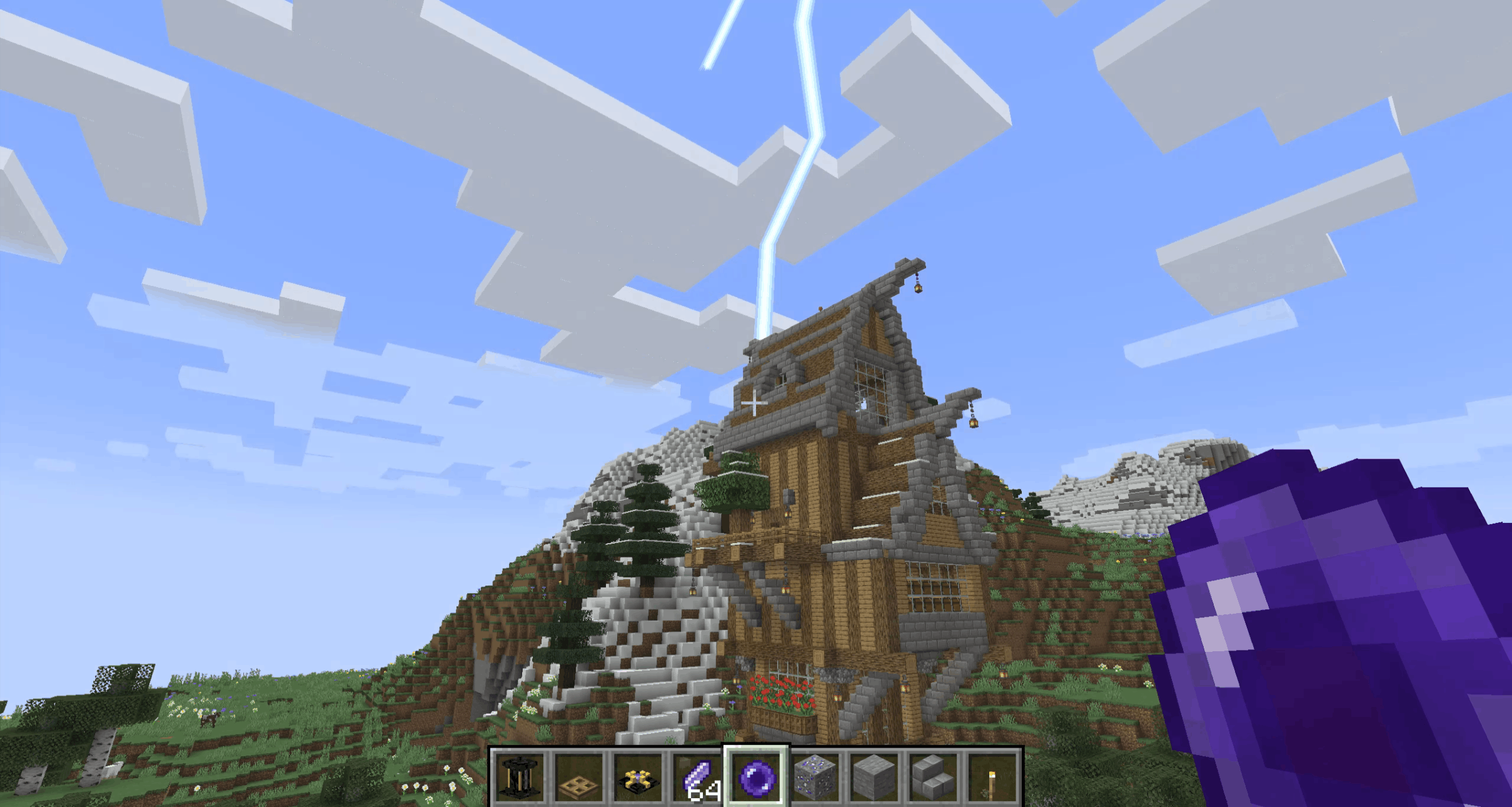 Landing Moving a mass through space instantaneously is many things. Subtle is not one of them.
 -
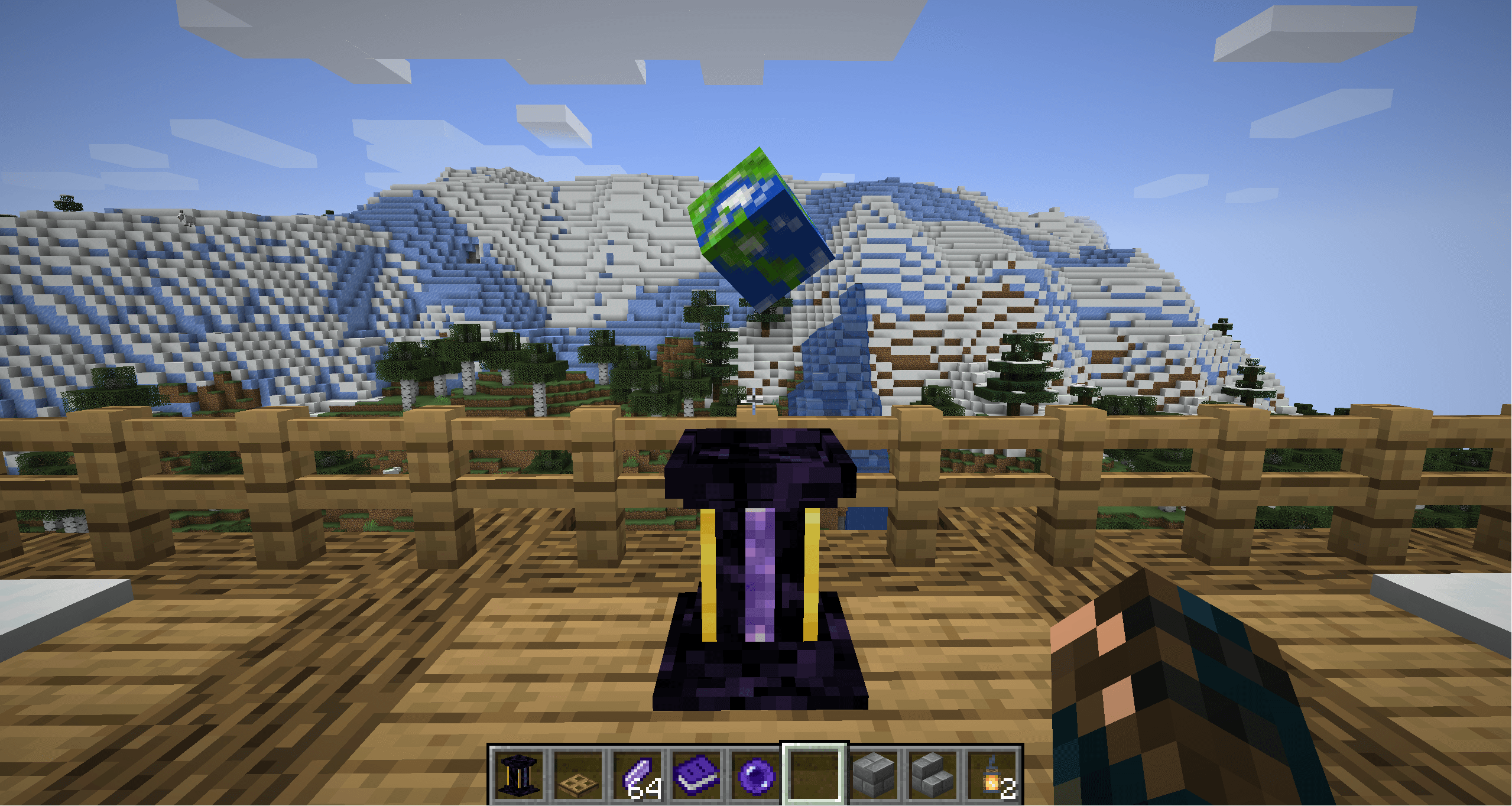 The Relocator The Relocator Block
 -
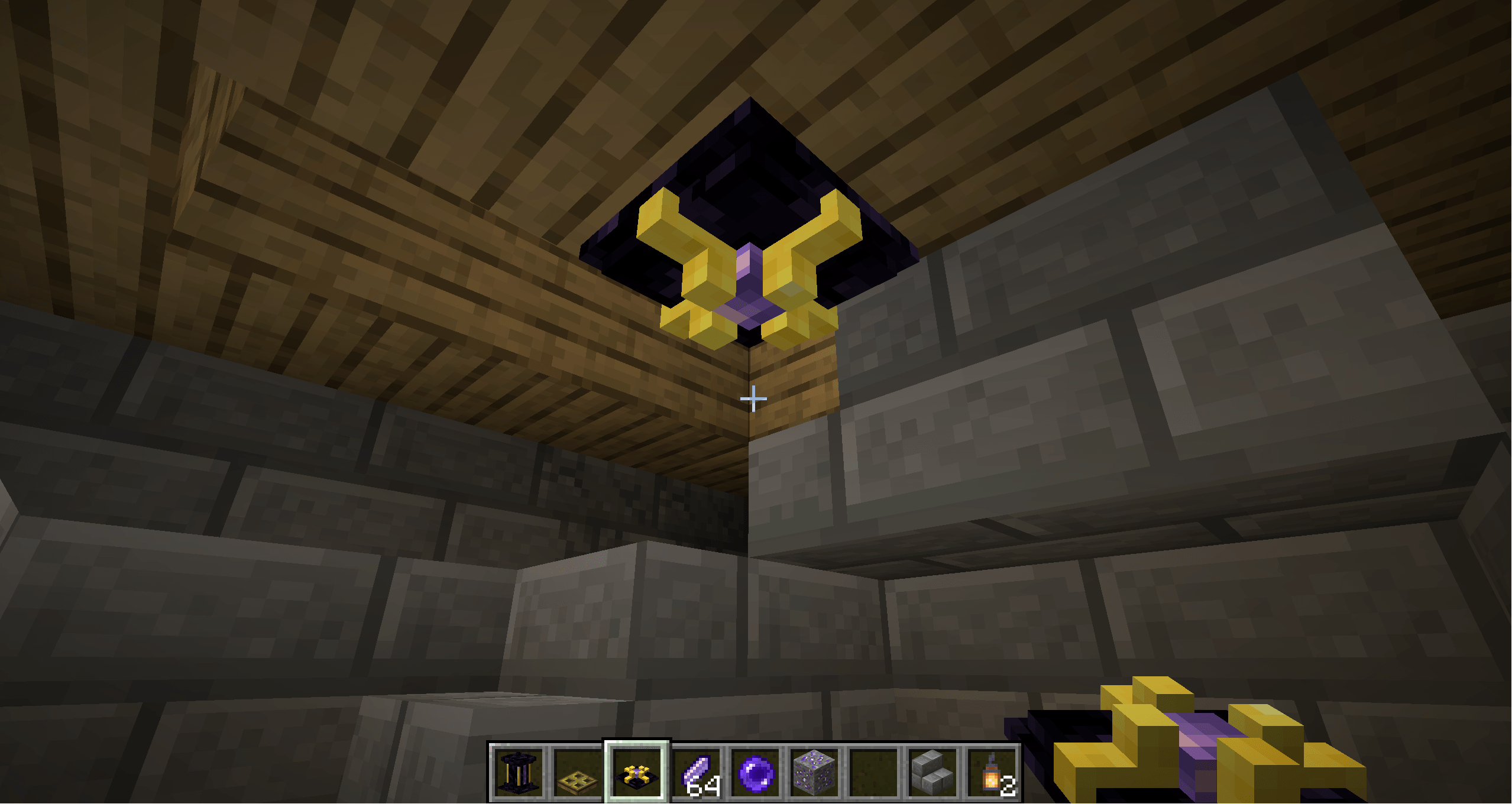 Relocator Relay Seen hanging from the ceiling to change the teleport domain of a smaller room below the main domain.
 -
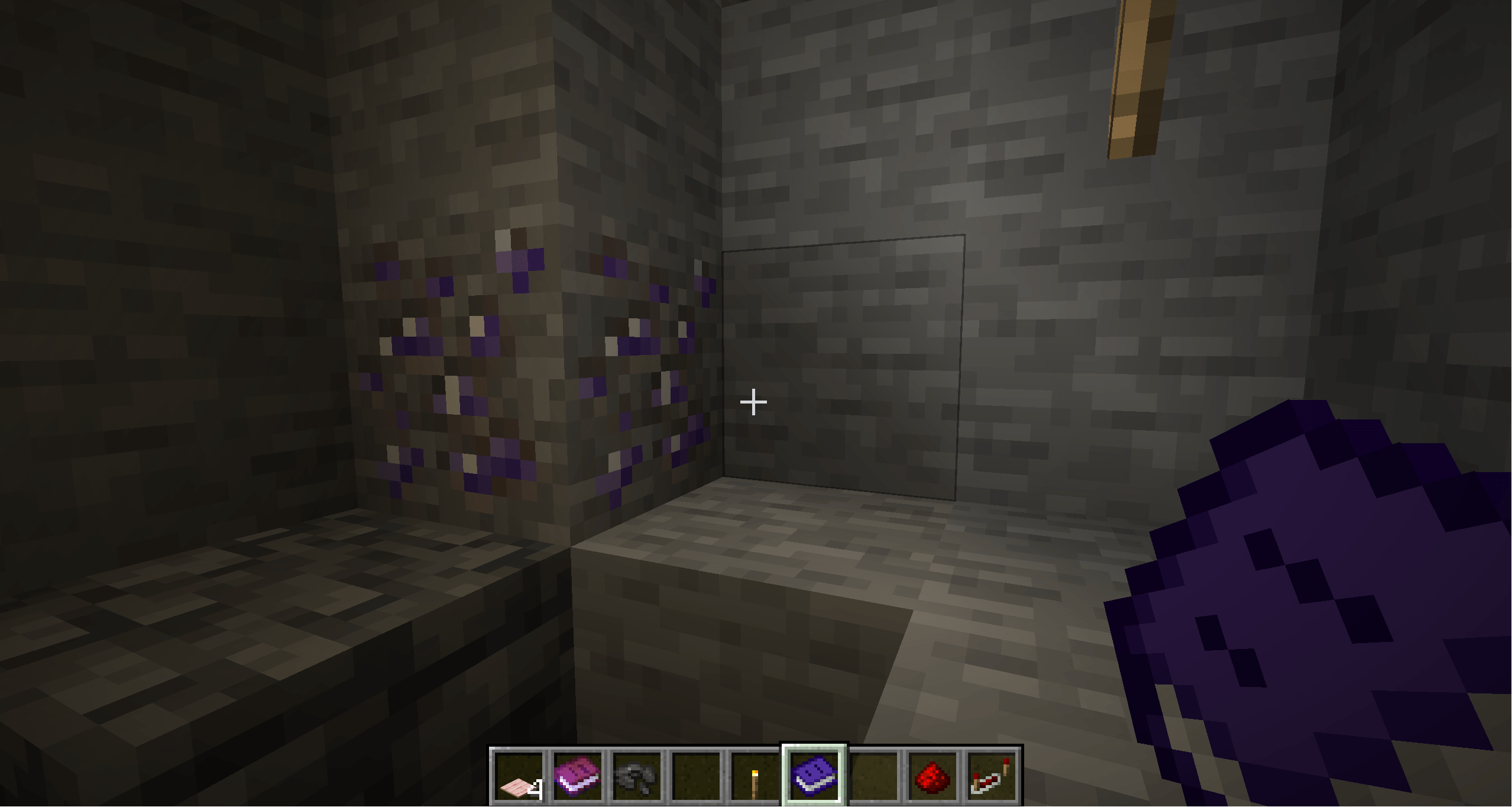 Metastable Ore Spawns usually in veins of one. Good hunting!
 -
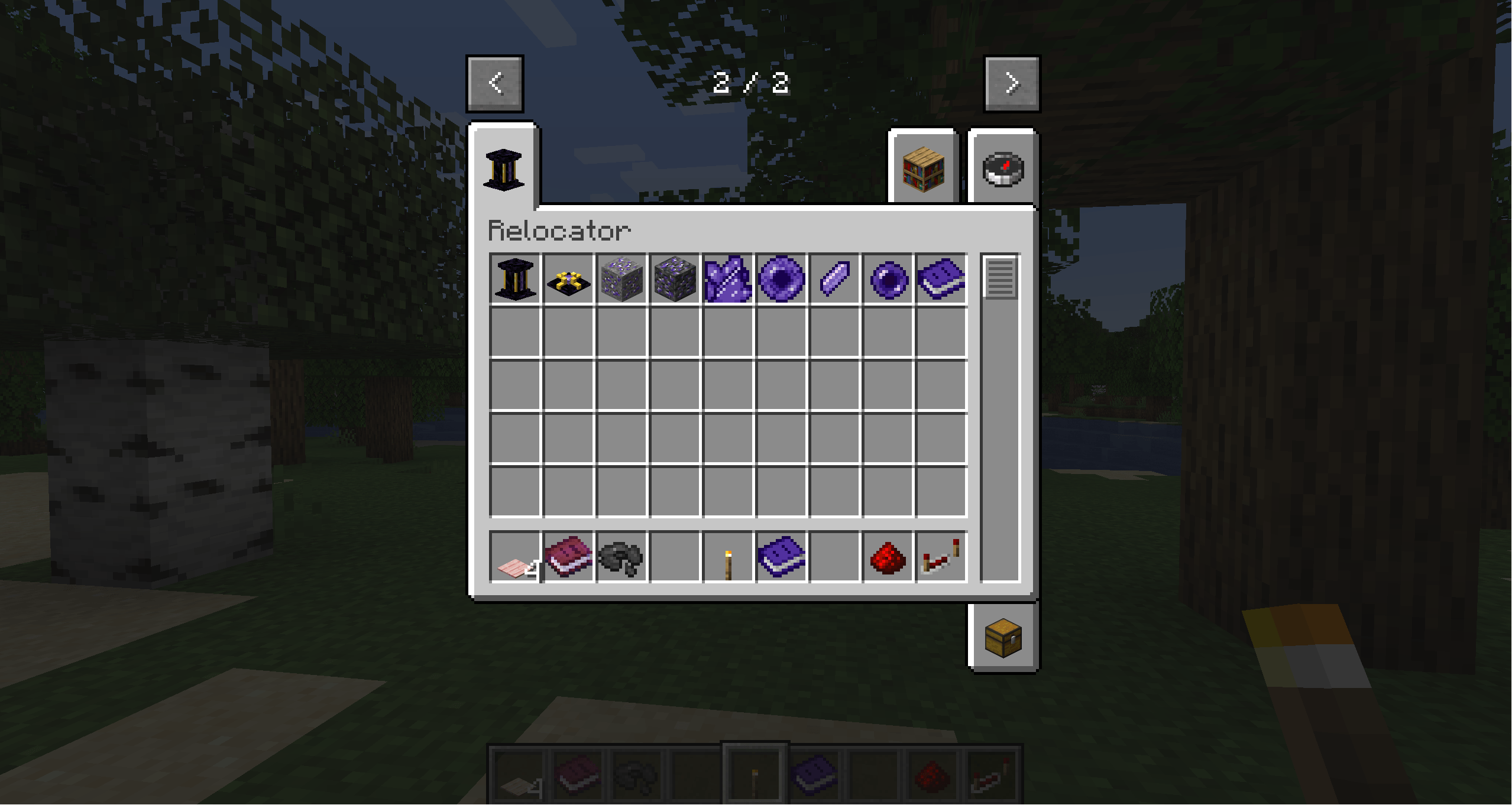 Items added in the creative mod tab Items added in the creative mod tab
 -
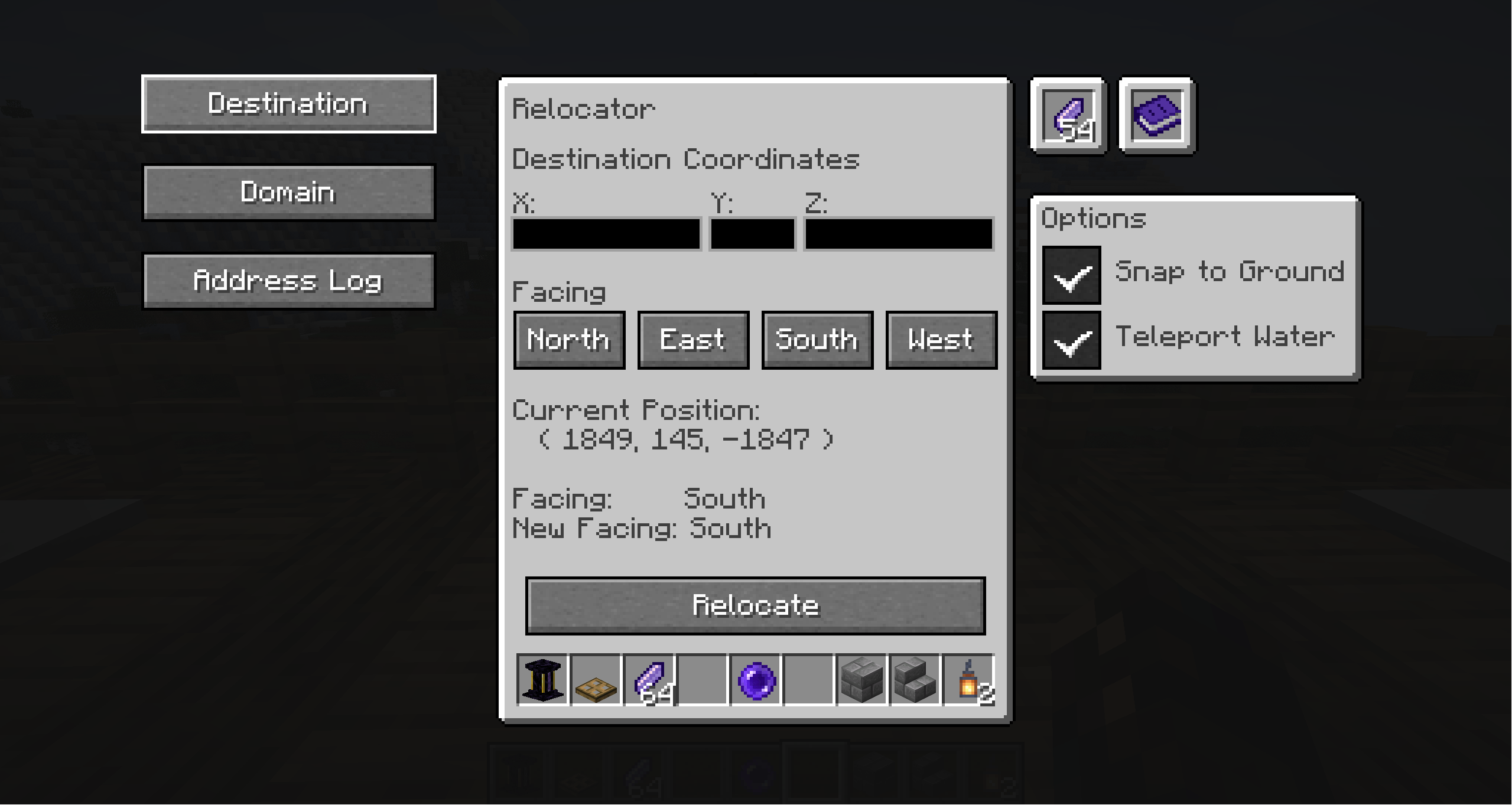 Relocator Menu Menu front page
 -
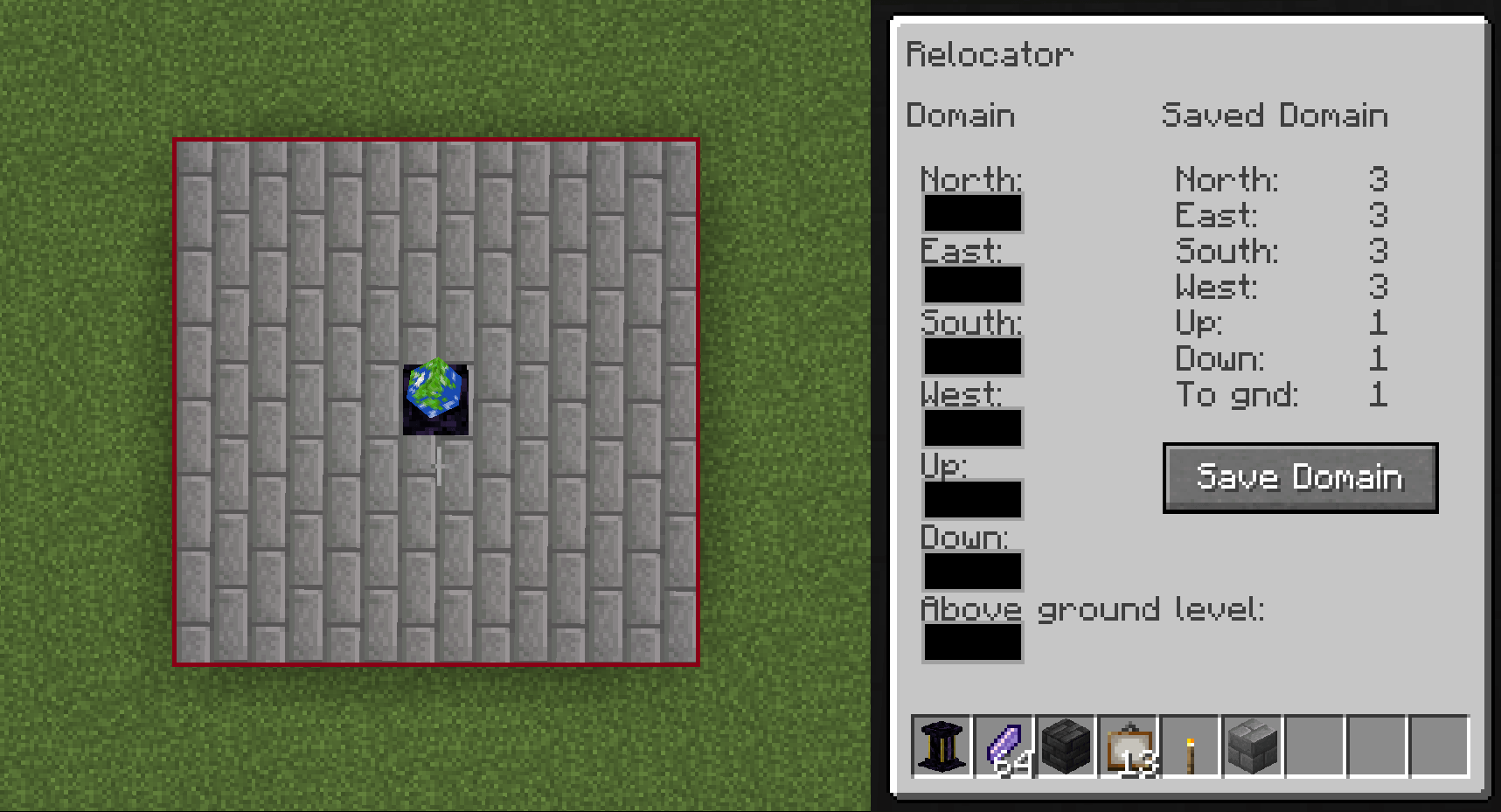 Setting Relocator Domain An example of setting the domain of a Relocator. In this instance, the Relocator domain is a 7x7 cube with a height of 3 blocks and will land one block above ground level.
 -
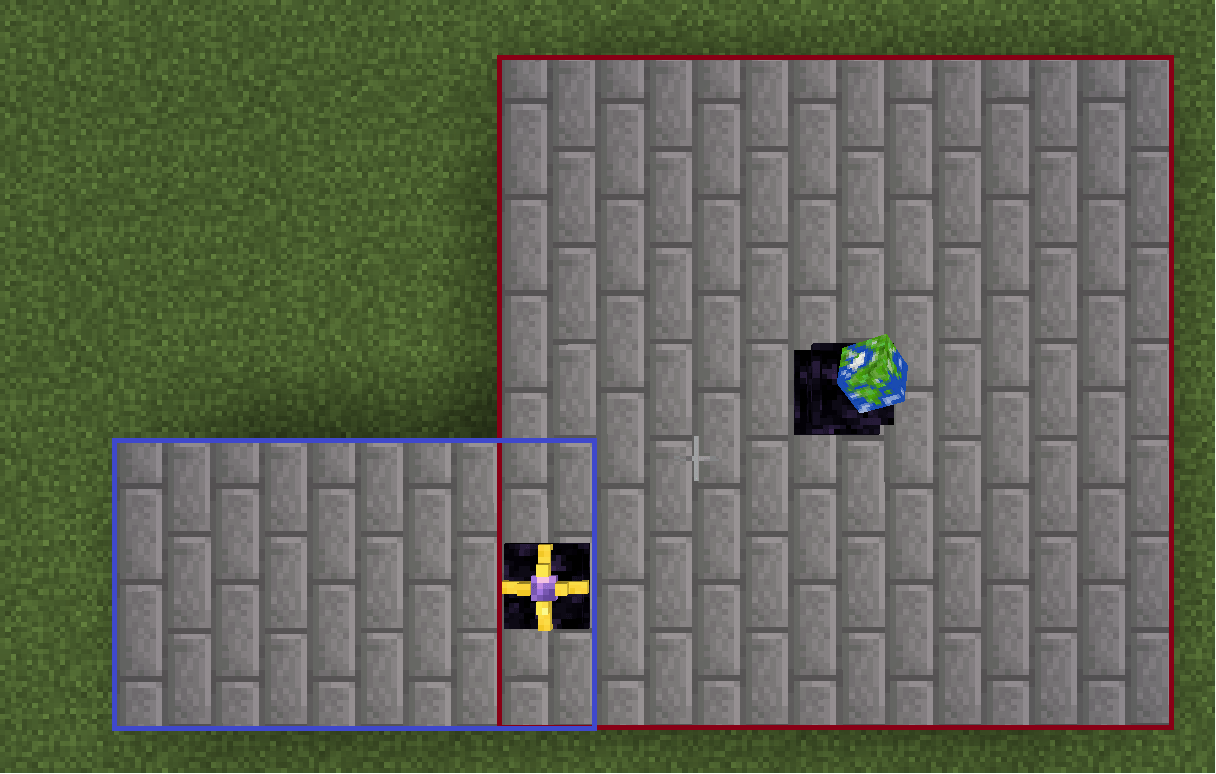 Relocator Relay in use Here, a Relocator Relay can be seen extending the teleportation domain with its own domain. The relay must sit within the domain of either the Relocator or another relay to be included. See the overlapping 'domain' boxes in the image.
 -
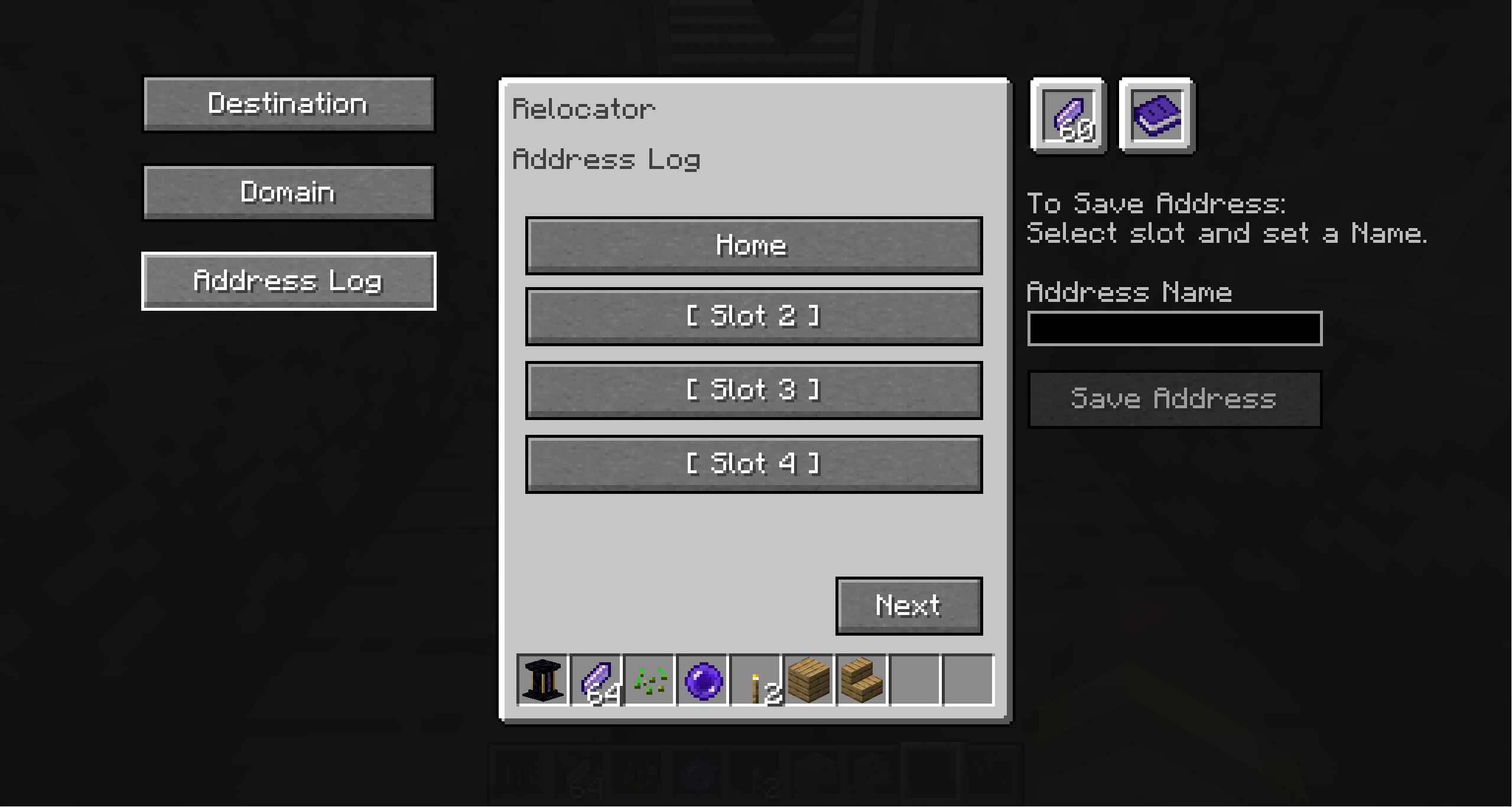 Address Log Menu The Address Log can be used to store up to 12 positions. Slots can be overwritten any time. Coordinates will be pre-filled to the destination page when selecting a slot.
 -
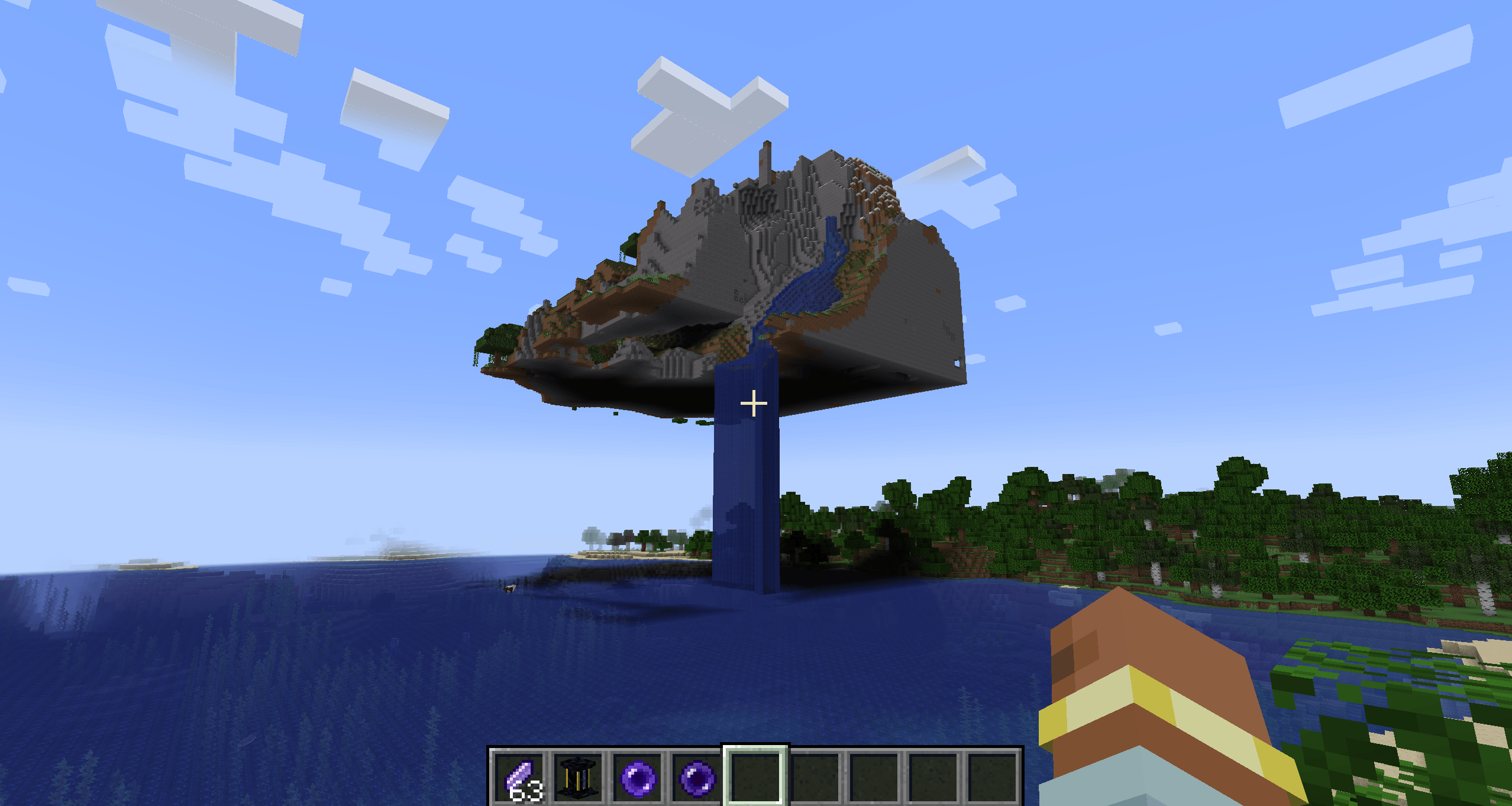 Floating Island An example of a teleported island
-
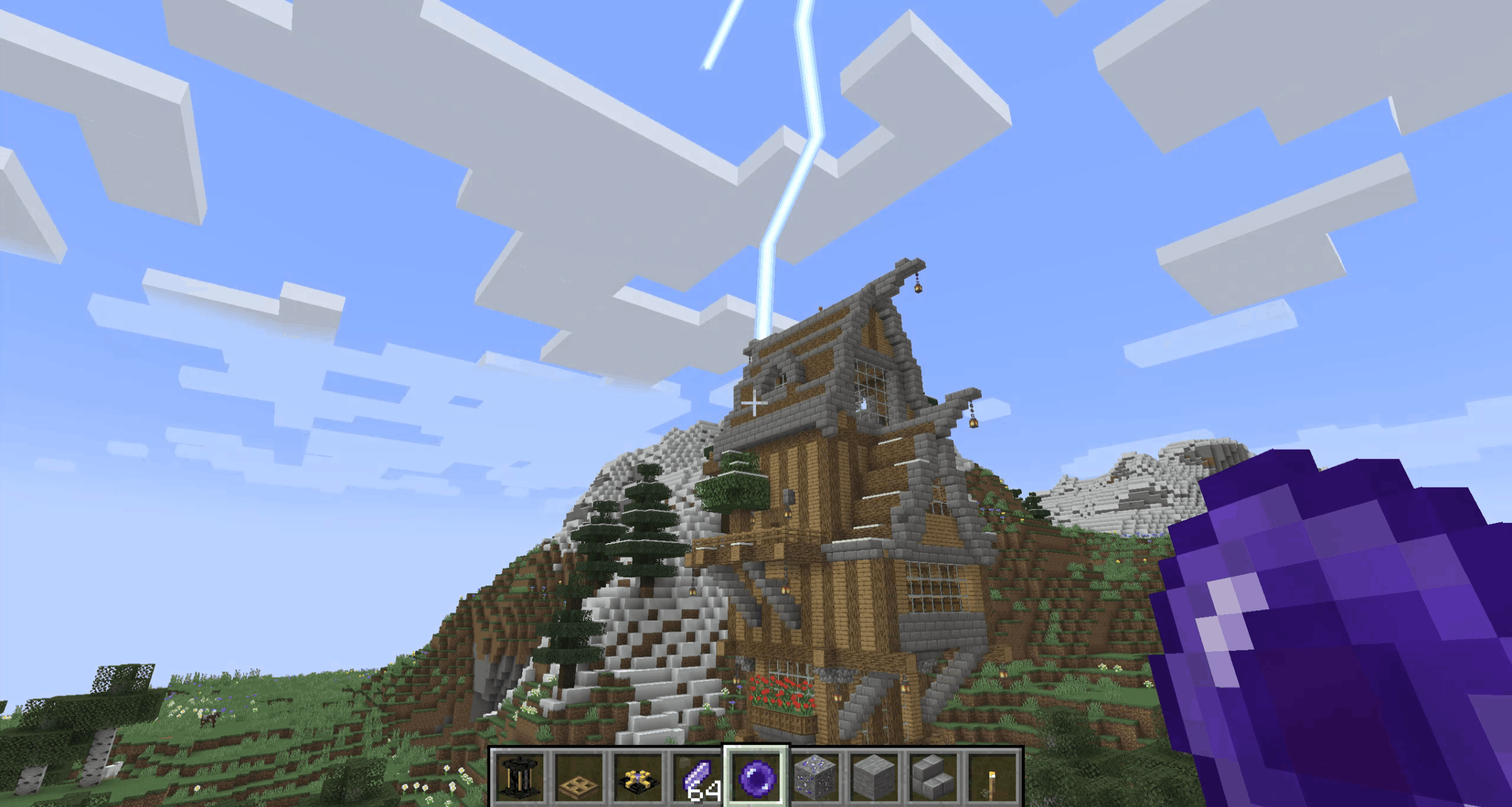 Landing Moving a mass through space instantaneously is many things. Subtle is not one of them.
 -
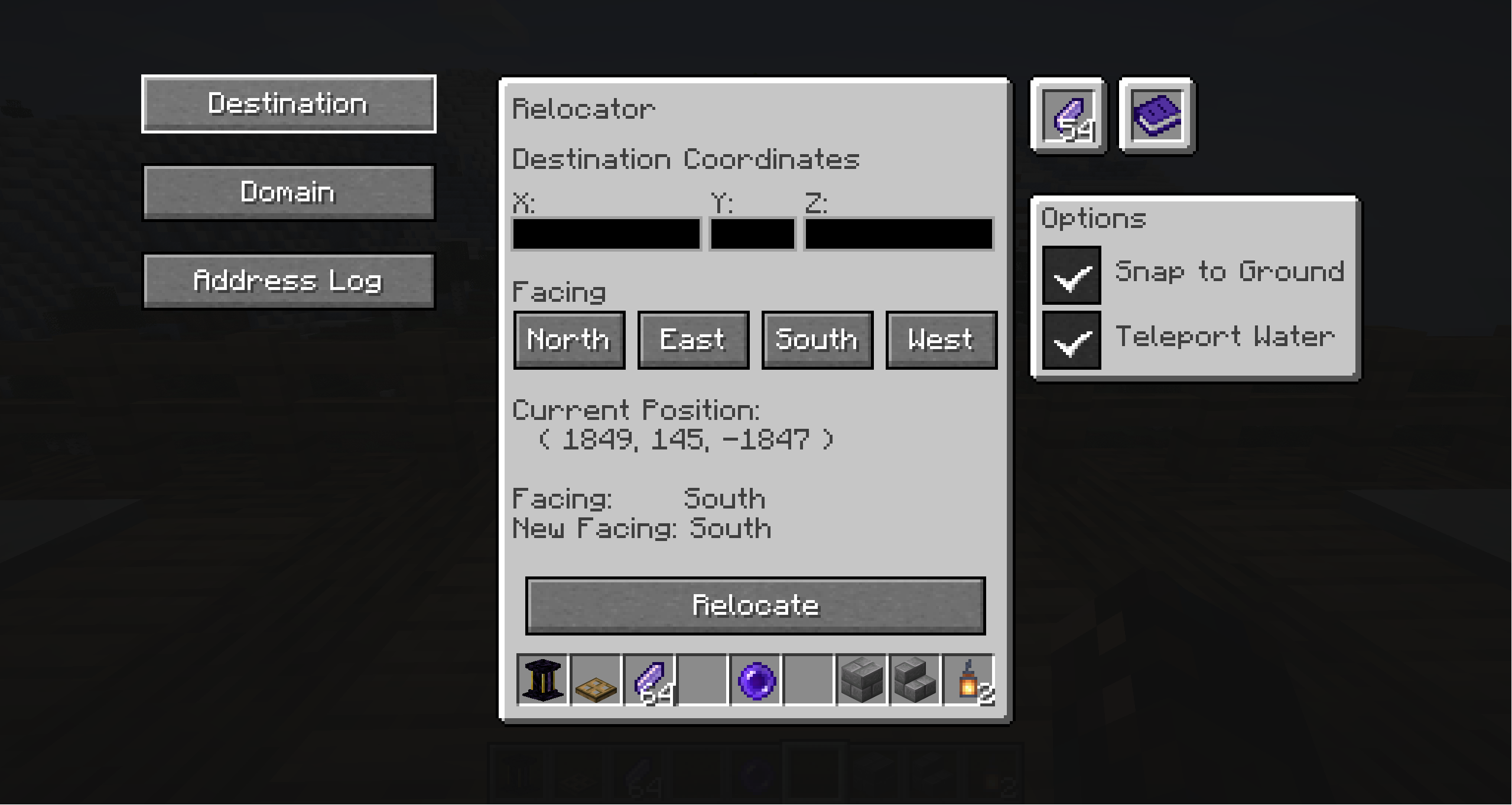 Relocator Menu Menu front page
 -
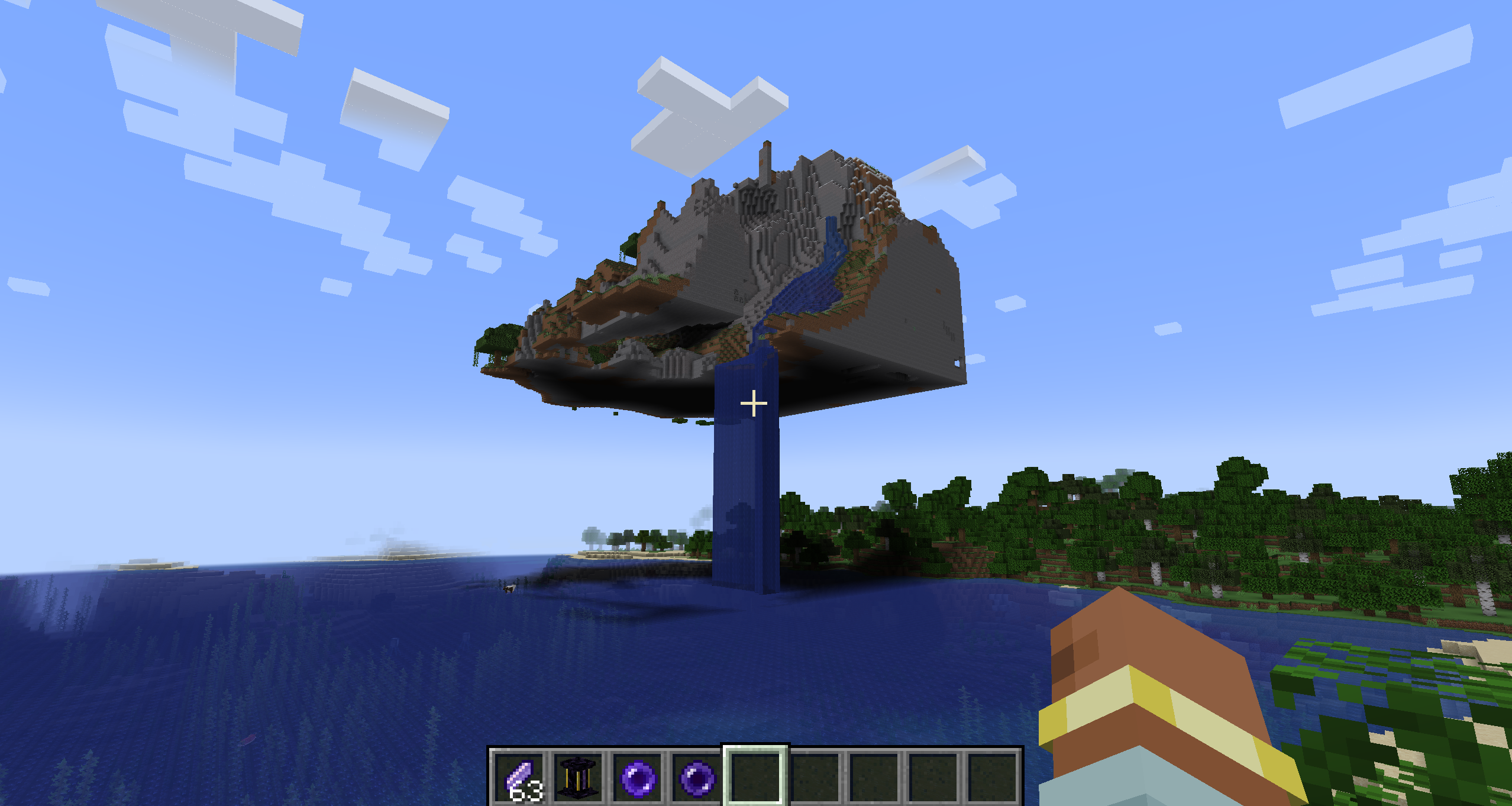 Floating Island An example of a teleported island
 -
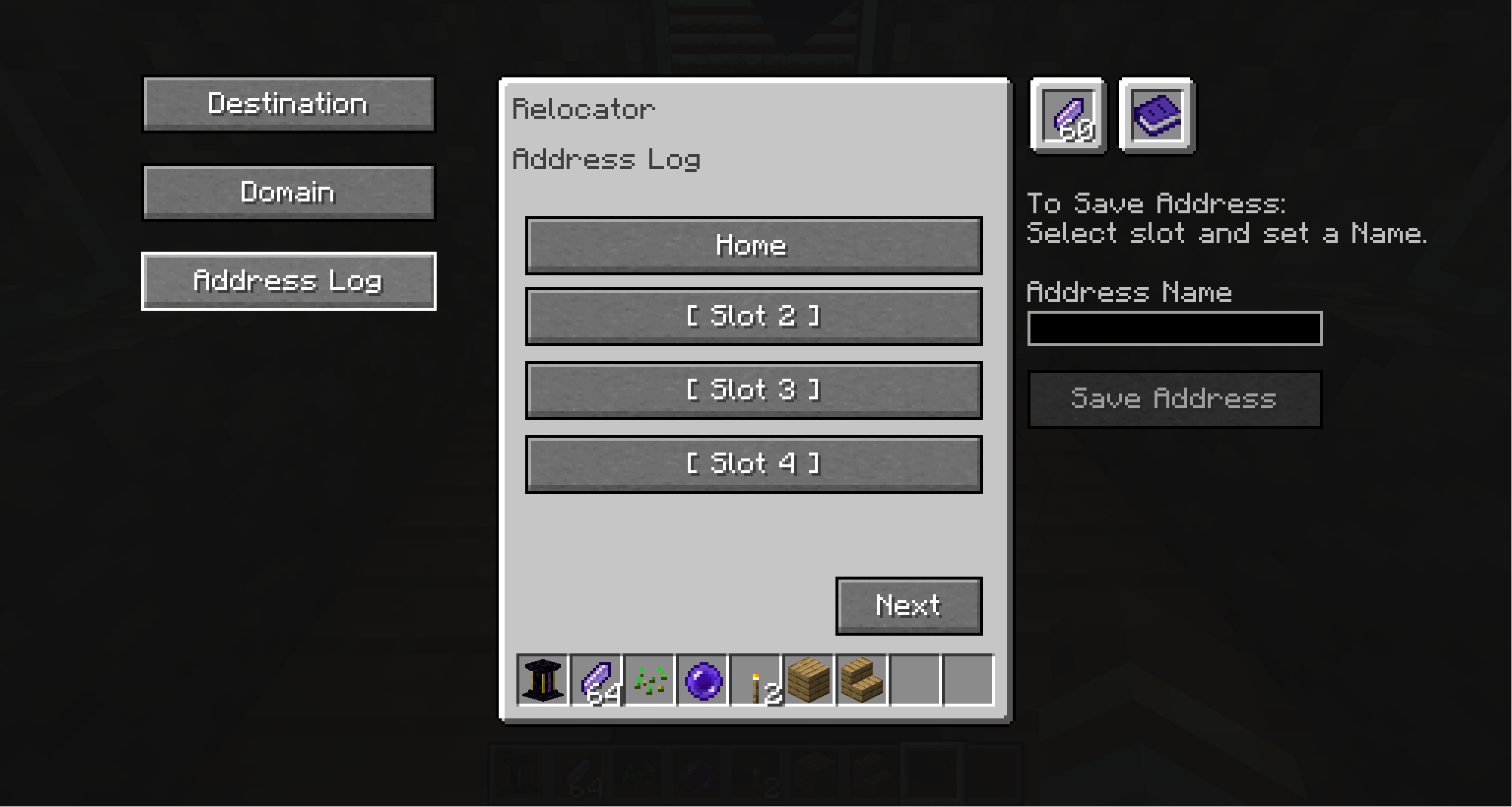 Address Log Menu The Address Log can be used to store up to 12 positions. Slots can be overwritten any time. Coordinates will be pre-filled to the destination page when selecting a slot.
 -
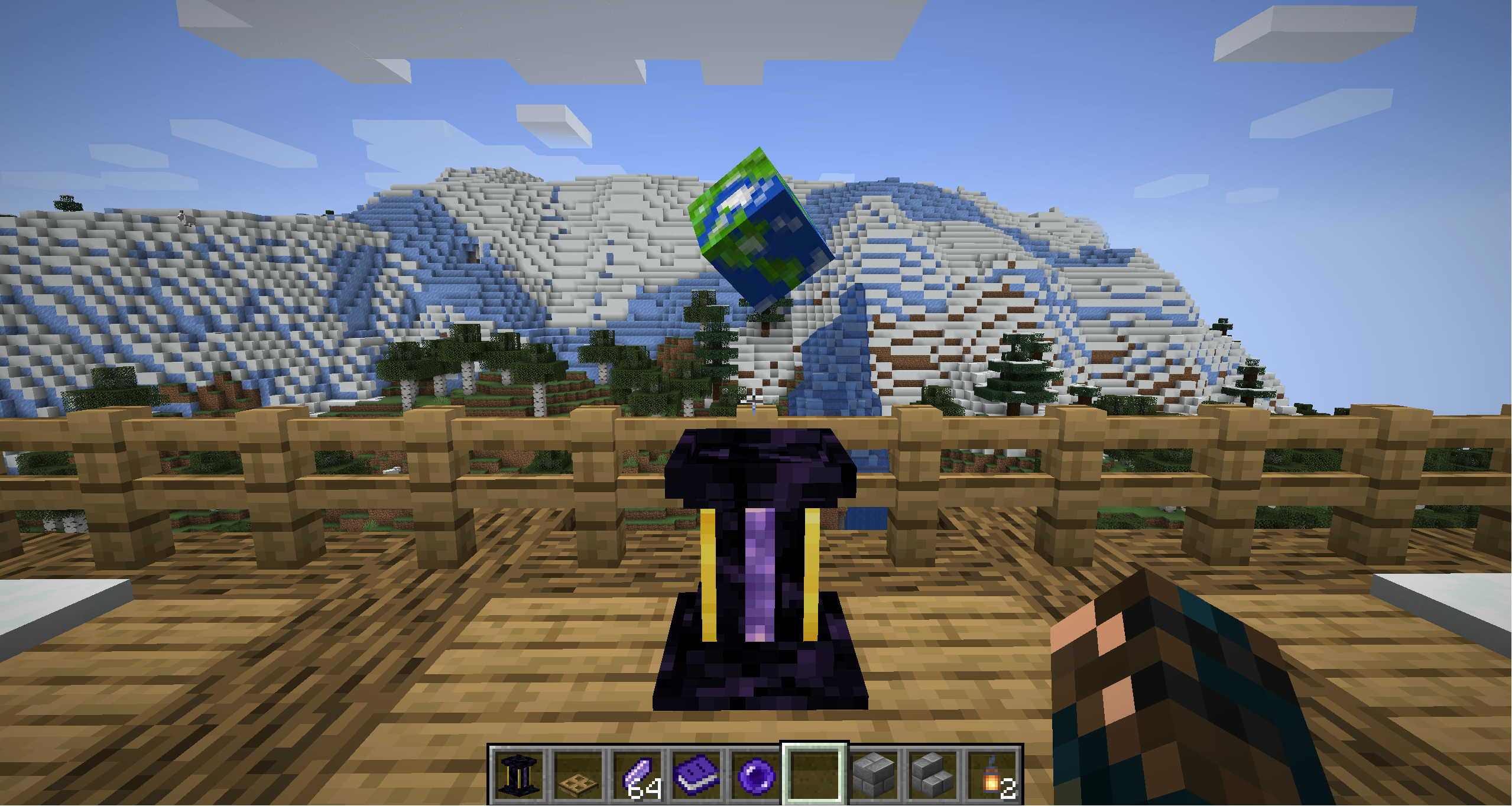 Relocator The Relocator Block
 -
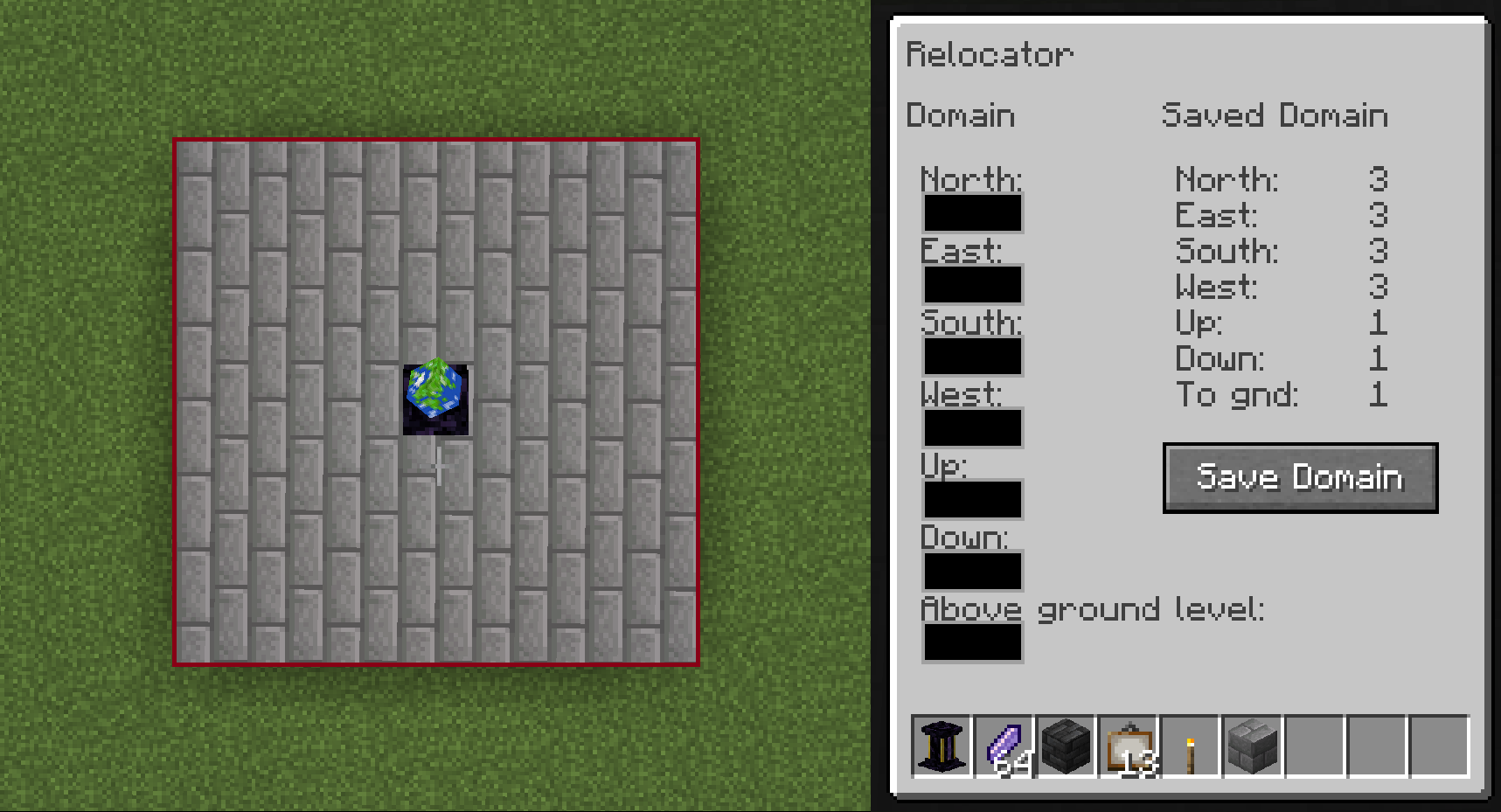 Domain An example of setting the domain of a Relocator. In this instance, the Relocator domain is a 7x7 cube with a height of 3 blocks and will land one block above ground level.
 -
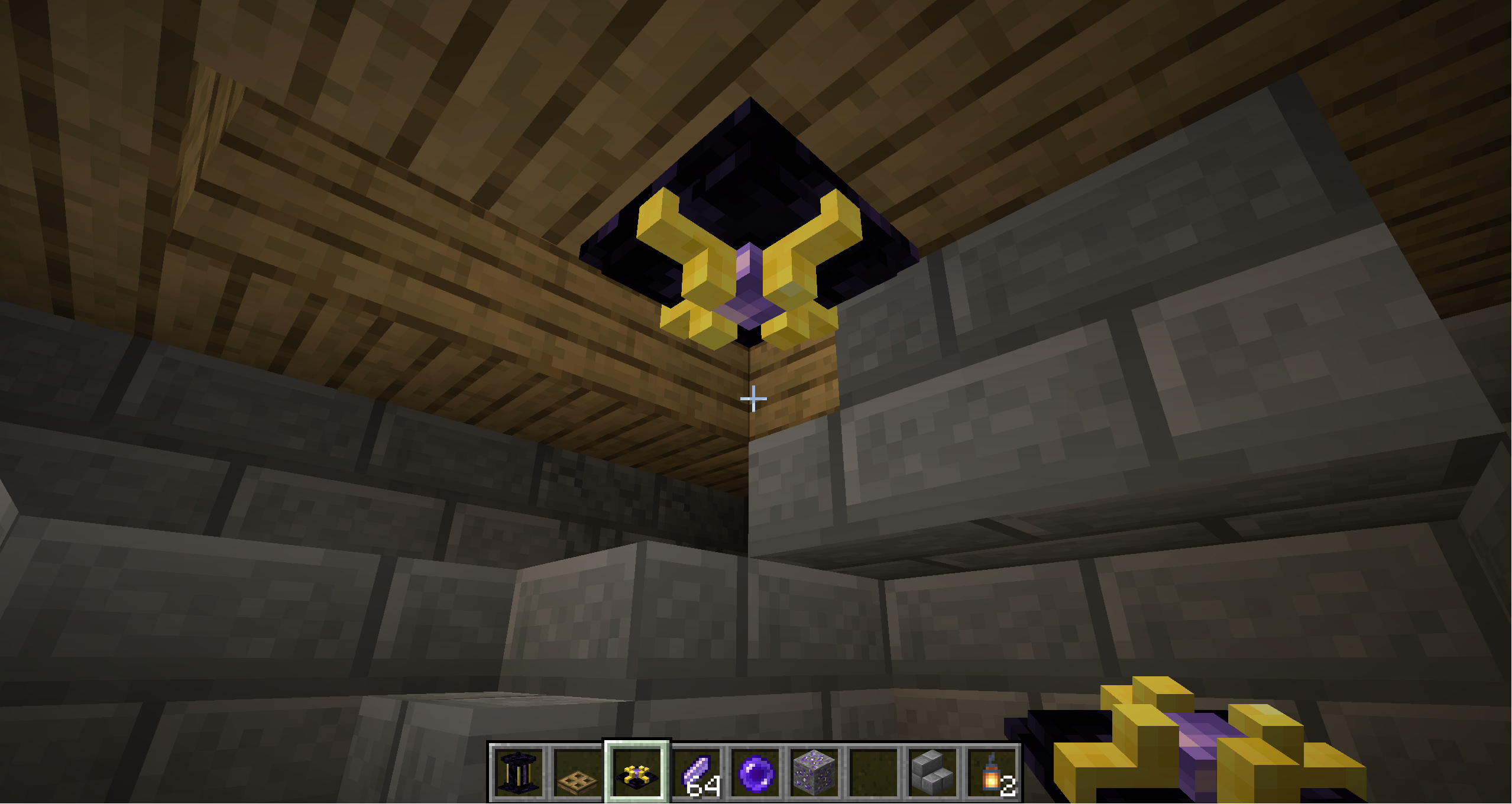 Relocator Relay Seen hanging from the ceiling to change the teleport domain of a smaller room below the main domain.
 -
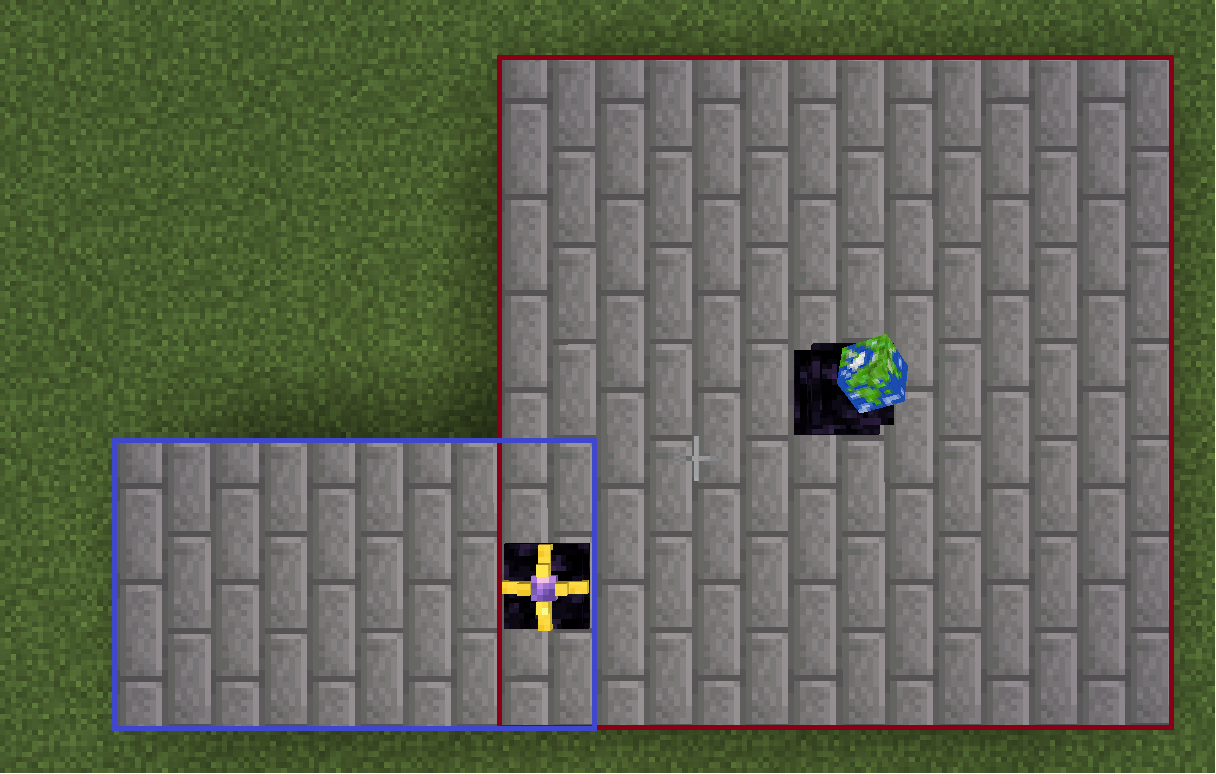 Relocator Relay Domain Here, a Relocator Relay can be seen extending the teleportation domain with its own domain. The relay must sit within the domain of either the Relocator or another relay to be included. See the overlapping 'domain' boxes in the image.
 -
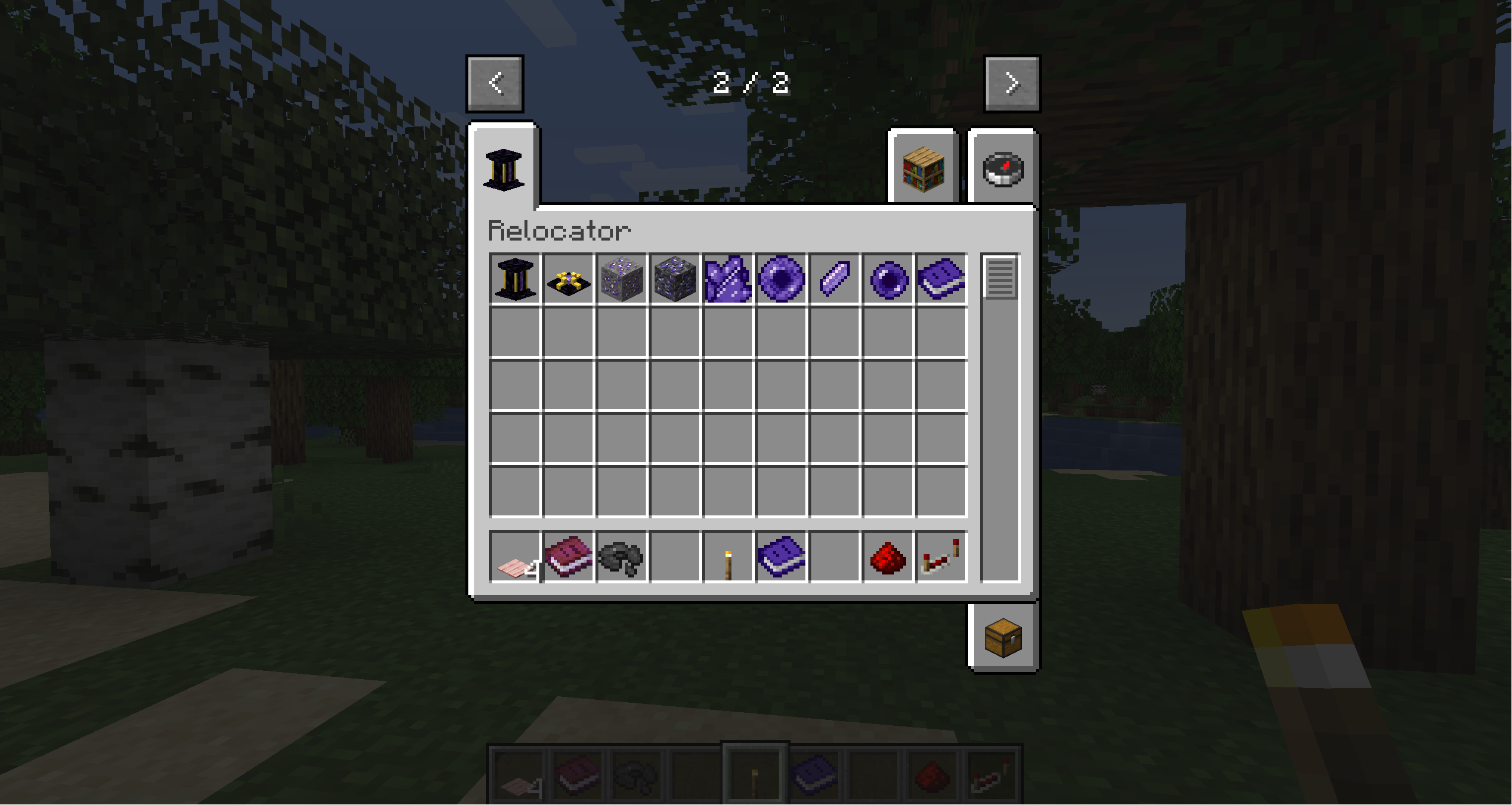 Creative Tab Items added in the creative mod tab
 -
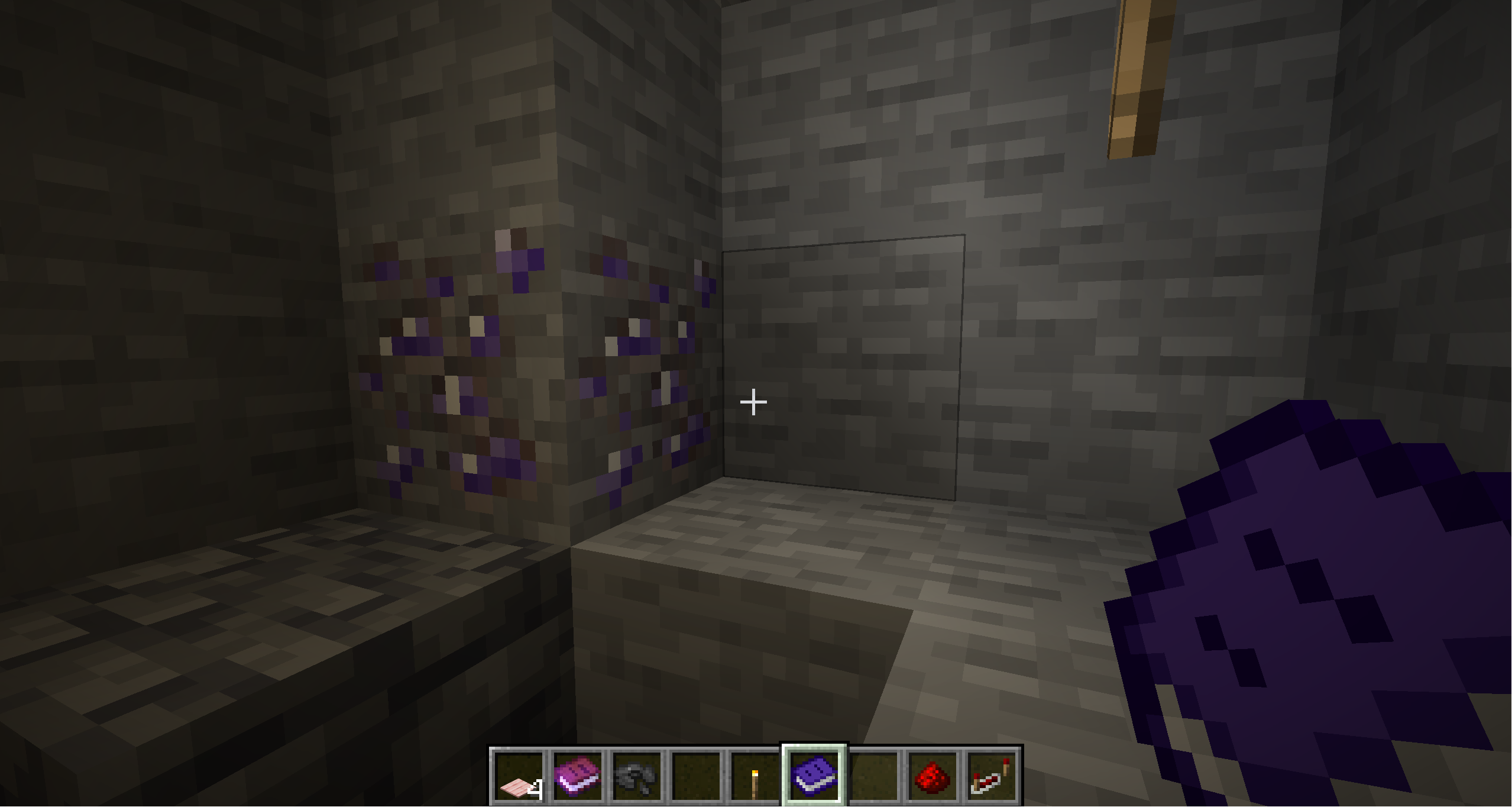 Metastable Ore Spawns usually in veins of one. Good hunting!
Versions
Files
Relations
Project Relations
More like this
Similar Mods
Suggestions use data such as tags, dependencies, dependents, descriptions, titles, and more to rank how much they overlap with this mod.
On ModDex
Community snapshot
By the numbers
Statistics
 (opens in a new tab)
Get it on
Available Platforms
On ModDex
Community snapshot
By the numbers
Statistics
Resources