
Render Keybind
No reviews yet
[Backport]This mod adds keybind to increase or decrease your render & simulation distance without settings gui.
Fabric is a mod loader for versions 1.14+ of Minecraft, particularly popular for client side and optimization mods.
Community voices
Reviews
Click once to include, again to exclude, again to clear
No reviews yet. Be the first to review this project!
Get it on
Available Platforms
 Modrinth
Compatibility
Supported Environments
About
Project Details
For authors
Embed Badge
If you're the author of this project, you can embed a live badge anywhere that supports HTML or Markdown. It updates automatically whenever ratings change.
Use HTML for any page that supports it, or Markdown for README files and Markdown-based descriptions.
Identifiers
Platform IDs
Resources
External Links
About
Description
EN
⚠️ For any questions or troubles visit my discord serve⚠️
This mod adds a keybind to change your render distance without using options menu.
This feature was removed by minecraft developers in 1.19
You can change keybind in options -> debug -> Render Distance
To increase render distance use f3 (Debug -> Toggle overlay) + f (default)
To decrease render distance use Shift + f3 (Debug -> Toggle overlay) + f (default)
You can change keybind in options -> debug -> Simulation Distance
To increase simulation distance use f3 (Debug -> Toggle overlay) + Z (default)
To decrease simulation distance use Shift + f3 (Debug -> Toggle overlay) + Z (default)
RU
⚠️ Если возникли какие-то проблемы, то не бойтесь писать в моем дс сообществе⚠️
Этот мод добавляет сочетание клавиш для изменения дальности прорисовки без лишнего захода в настройки.
Клавишу для изменения дистанции прорисовки можно изменить в настройках настройки -> отладка -> Дальность Прорисовки
Для увеличения дальности прорисовки нажмите f3 + f (по умолчанию)
Для уменьшения дальности прорисовки нажмите shift + f3 + f (по умолчанию)
Клавишу для изменения дистанции прорисовки можно изменить в настройках настройки -> отладка -> Дальность Симуляции
Для увеличения дальности прорисовки нажмите f3 + Z (по умолчанию)
Для уменьшения дальности прорисовки нажмите shift + f3 + Z (по умолчанию)
Screenshots
Gallery
-
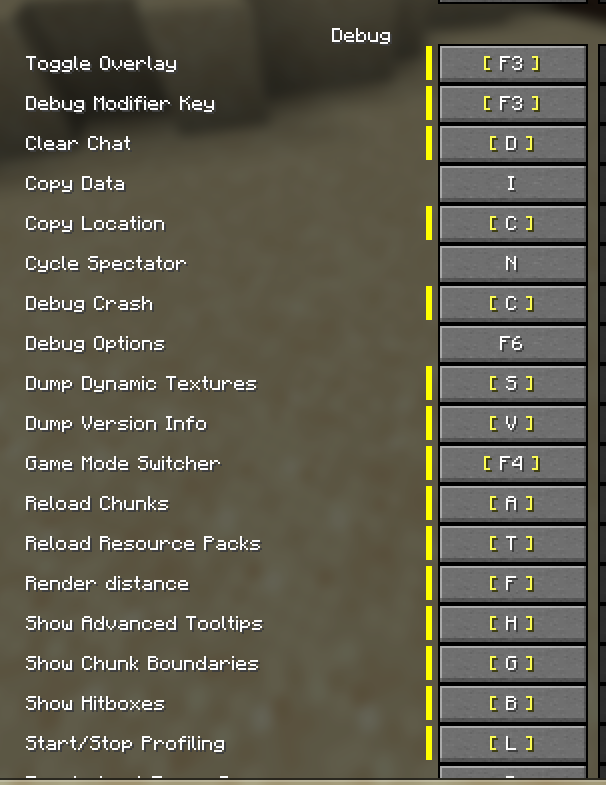 Keybind in options
 -
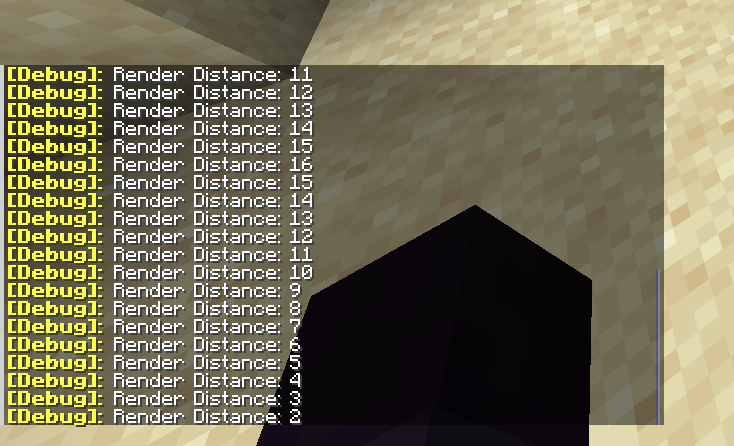 Chat notification
Versions
Files
Relations
Project Relations
More like this
Similar Mods
Suggestions use data such as tags, dependencies, dependents, descriptions, titles, and more to rank how much they overlap with this mod.
On ModDex
Community snapshot
By the numbers
Statistics

Want to reach Minecraft players?
We're looking for a server hosting partner to feature here and other parts of the site. Interested? Send us a message!
Get in touchGet it on
Available Platforms
On ModDex
Community snapshot
By the numbers
Statistics
Resources