
Community listing page, reviews here may not be monitored by the author.
Resource Nodes

No reviews yet
Resource Nodes adds renewable versions of every vanilla ore to Minecraft.

Community voices
Reviews
No reviews yet. Be the first to review this project!
Get it on
Available Platforms
About
Project Details
For authors
Embed Badge
If you're the author of this project, you can embed a live badge anywhere that supports HTML or Markdown. It updates automatically whenever ratings change.
Use HTML for any page that supports it, or Markdown for README files and Markdown-based descriptions.
Identifiers
Platform IDs
About
Description
JD Resource Nodes





JD Resource Nodes adds renewable versions of every vanilla ore to Minecraft. Instead of disappearing when mined, these nodes deplete into their base block (Stone, Deepslate, or Netherrack) and regenerate over time, making them perfect for static mining setups and automation.

Features
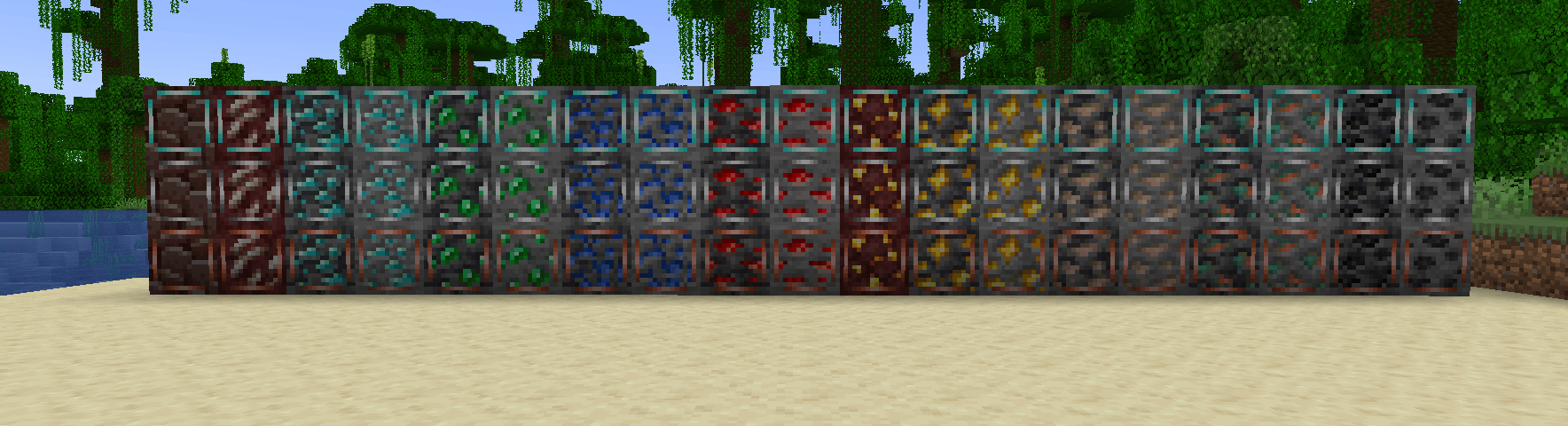
- Complete Vanilla Coverage: Includes Coal, Iron, Copper, Gold, Redstone, Lapis, Emerald, Diamond, Quartz, and Ancient Debris.
- Deepslate & Nether Variants: Automatically adapts textures and base blocks (e.g., Deepslate Ores turn into Deepslate).
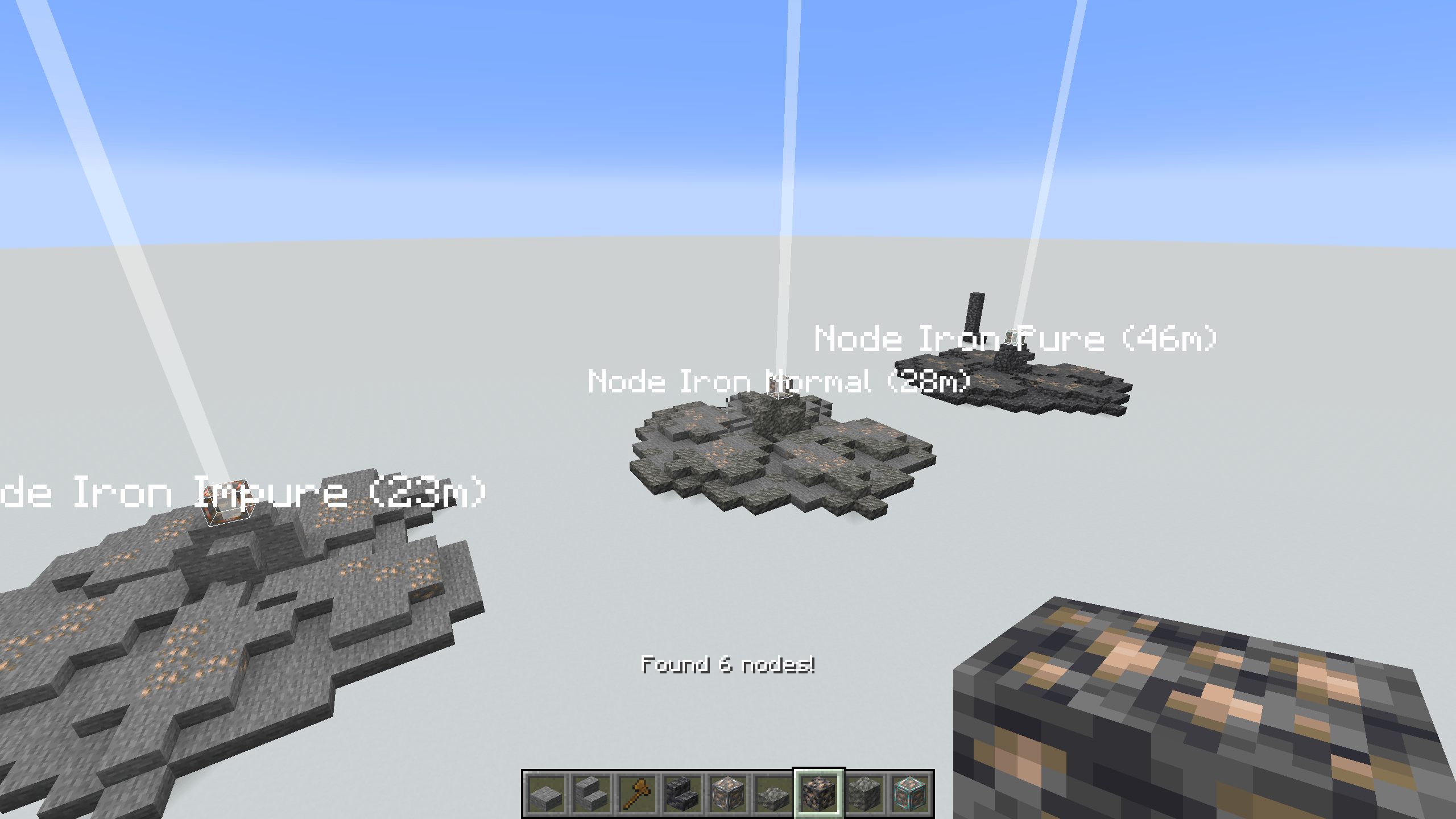
- Three Tiers: Every node comes in Impure, Normal, and Pure variants, determining how fast they regenerate.
- Visual Indicators: Nodes feature custom overlaid borders to easily distinguish their tier.
- Unlockable Scanner: A built-in visual scanner with a command-based progression system.
- Automation Ready: Fully compatible with quarries and mods like Create.
How It Works
Theses node do not spawn naturally, and are currently designed for map oriented play. A recipie could also be added via craft tweaker for use within modpacks.
Permanent Infrastructure
In Survival Mode, Resource Nodes are designed to be permanent infrastructure.
- Immovable: Nodes cannot be moved by Pistons or picked up (even with Silk Touch).
- Indestructible: Nodes cannot be destroyed by players in Survival mode or by explosions.
- Removal: The only way to remove a node is to break it in Creative Mode.
Mining & Regeneration
When you mine a Resource Node, it drops its standard loot (e.g., Raw Iron) and turns into its base block (e.g., Stone).
- Unbreakable State: While regenerating (Stone state), the block has the hardness of Bedrock (
-1.0f). - Automation: Create Drills and other machines will automatically stop mining when the node hits this state and resume immediately once it turns back into Ore.
Resource Scanner & Progression
The mod includes a visual scanner to help locate nodes through walls.
- Usage: Press and hold
Vto open the radial menu, select a resource, and release to scan. - Progression: By default, the scanner is locked. Players must unlock the ability to scan for specific resources via commands. This is designed for modpack makers to gate resources behind quests or milestones.
Scanner Commands (Requires OP):
/scanner unlock <resource>- Unlocks a specific node type (e.g.,/scanner unlock iron)./scanner unlock all- Instantly unlocks every registered resource node./scanner lock <resource>- Removes the ability to scan for a specific resource./scanner lock all- Resets the scanner, locking all nodes.
Admin Overrides
If you need to mass-remove nodes using WorldEdit or Commands (since they resist being set to Air), they have a weakness to Barriers.
- Command:
/fill x1 y1 z1 x2 y2 z2 minecraft:barrierwill successfully delete the nodes. - You can then replace the barriers with air.
Configuration
The regeneration speeds can be adjusted in config/jd_resource_nodes.json. Defaults:
- Impure: 1200 ticks (60 seconds)
- Normal: 600 ticks (30 seconds)
- Pure: 200 ticks (10 seconds)
Installation
- Download and run the NeoForge Installer for Minecraft 1.21.1.
- Drop
jd_resource_nodes.jarinto yourmodsfolder.
Created by jammingdino
Screenshots
Gallery
-
 2025-12-08_16.17.00.png 2025-12-08_16.17.00.png
 -
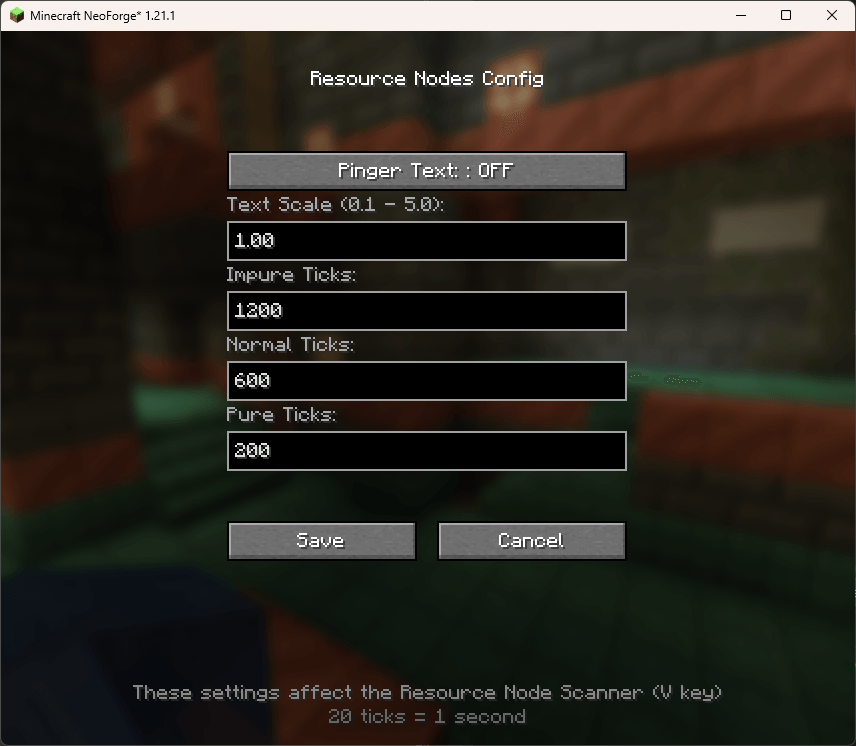 image2.png image2.png
 -
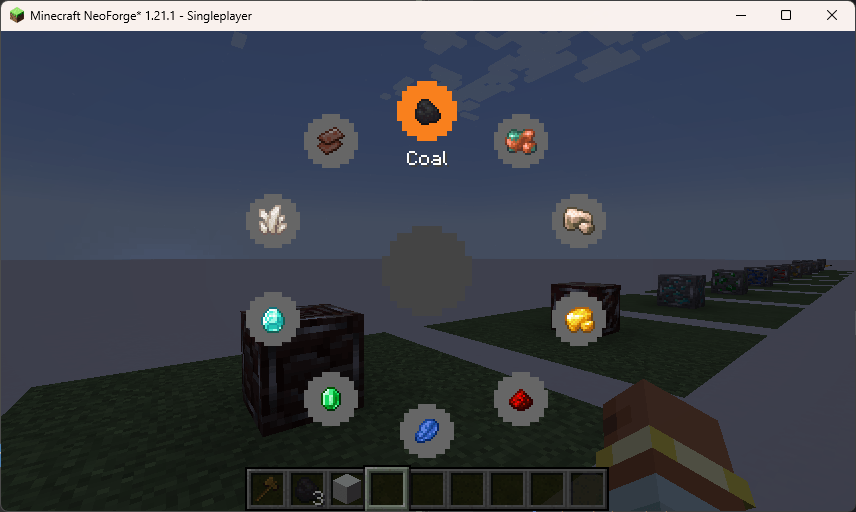 image.png image.png
 -
 2025-11-28_12.09.27.png 2025-11-28_12.09.27.png
Versions
Files
Relations
Project Relations
More like this
Similar Mods
Suggestions use data such as tags, dependencies, dependents, descriptions, titles, and more to rank how much they overlap with this mod.
On ModDex
Community snapshot
By the numbers
Statistics
 (opens in a new tab)
Get it on
Available Platforms
On ModDex
Community snapshot
By the numbers