
Community listing page, reviews here may not be monitored by the author.
Resource Pack Downloader

No reviews yet
This utility project adds a in game resource packs downloader and a delete button for resource packs in options and resouce packs
Community voices
Reviews
No reviews yet. Be the first to review this project!
Get it on
Available Platforms
Compatibility
Supported Environments
Runs entirely on the client. Works on vanilla servers.
About
Project Details
For authors
Embed Badge
If you're the author of this project, you can embed a live badge anywhere that supports HTML or Markdown. It updates automatically whenever ratings change.
Use HTML for any page that supports it, or Markdown for README files and Markdown-based descriptions.
Identifiers
Platform IDs
Resources
External Links
About
Description
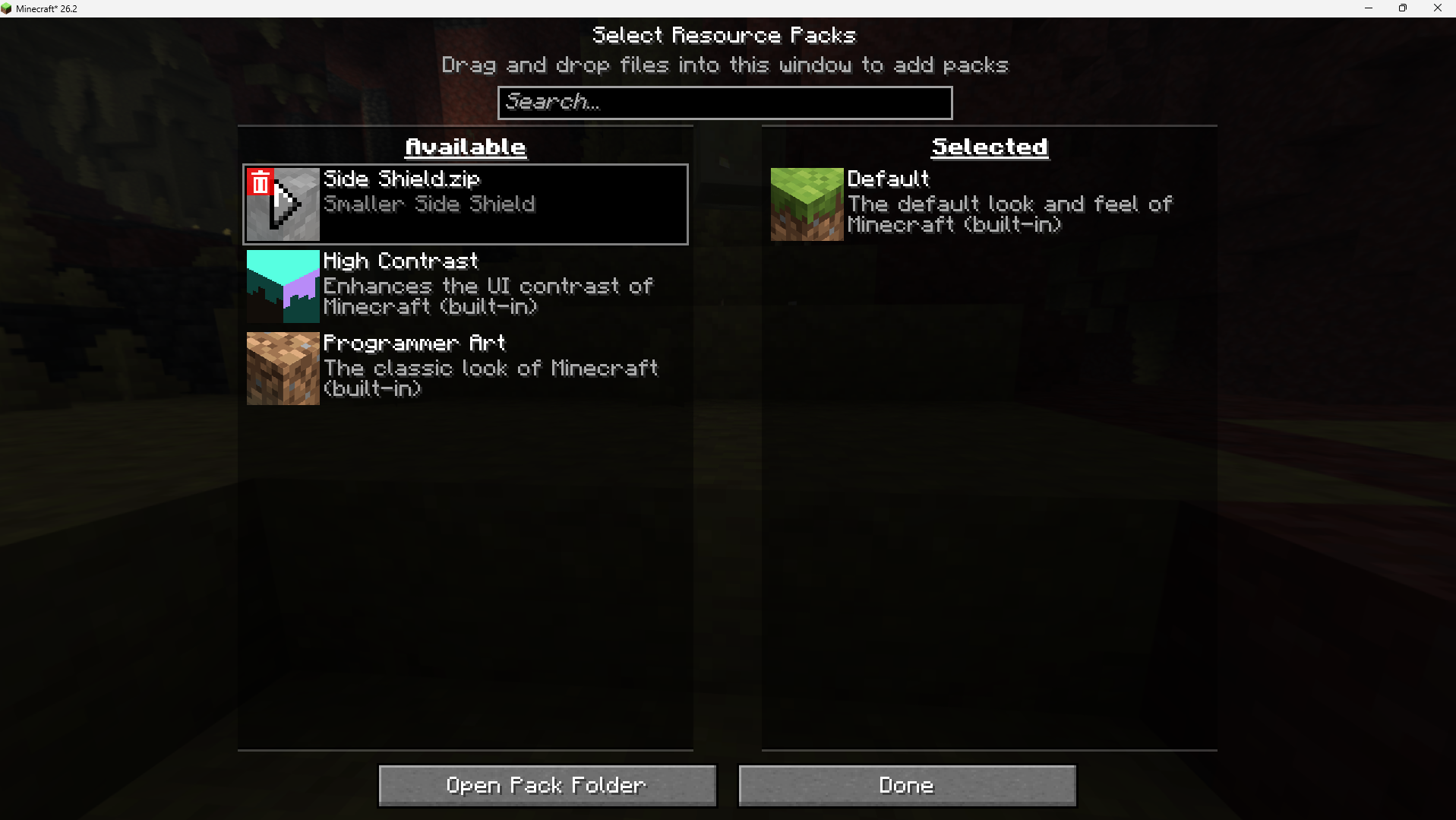
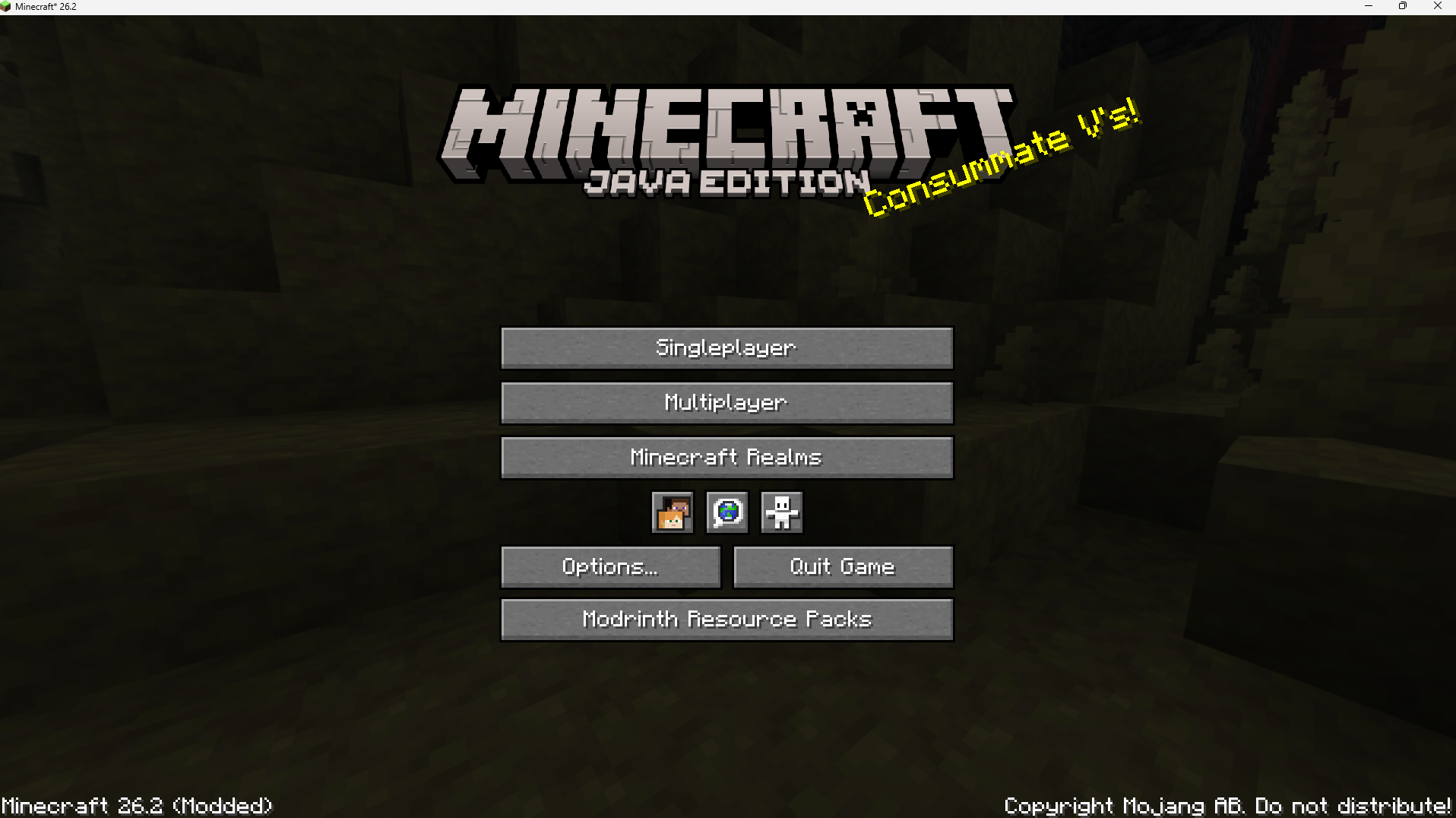
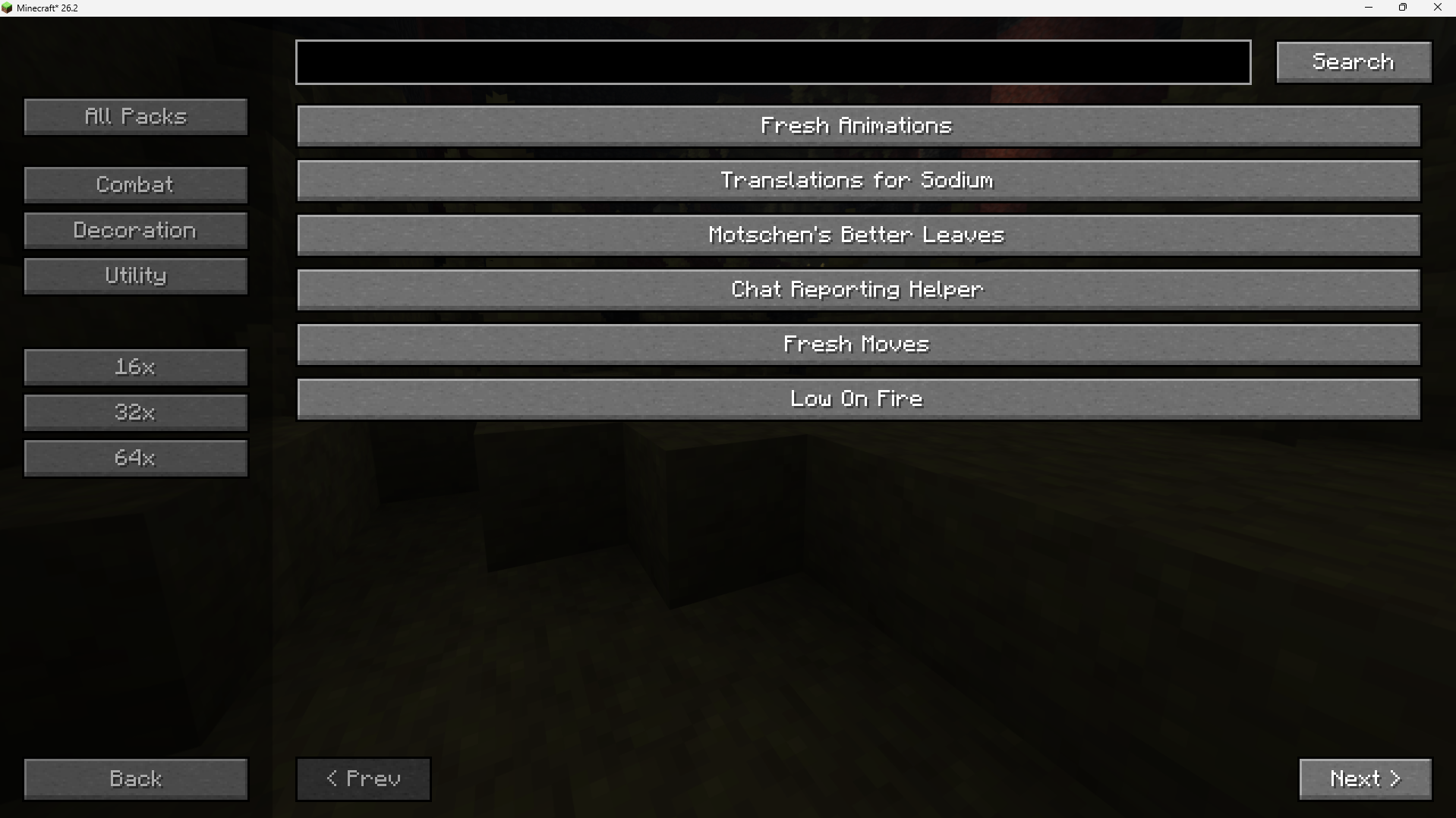
In-Game Resource Pack Downloader In-Game Resource Pack Downloader is a client-side utility mod for Fabric 26.2 designed to simplify how you discover, install, and manage resource packs without needing to leave the game. Features In-Game Modrinth Browser: Access a dedicated search screen directly from the Minecraft Title Screen. Browse, search, and view detailed information for resource packs hosted on Modrinth. Filter and Search Options: Narrow down your search using category filters (such as Combat, Decoration, and Utility) and resolution filters (including 16x, 32x, and 64x). Direct In-Game Downloads: Installs selected resource packs directly into your local resourcepacks directory with a single click. Automatic Compatibility Patching: Downloaded packs are automatically patched on-the-fly. The mod updates the pack.mcmeta file inside the downloaded .zip archive to use a broad compatibility range (min_format: 84 to max_format: 999), reducing the frequency of "Incompatible" warning indicators on Minecraft 26.2. Quick Deletion Interface: Adds a custom-rendered trash can button overlay to the unselected (left) list inside the vanilla Resource Packs selection screen. This allows you to permanently delete local resource pack files or directories directly from the interface, automatically refreshing the list afterward. How to Use Browsing & Downloading: Click the Modrinth Resource Packs button on the Title Screen. Search or use the left sidebar filters to find a pack. Click on a pack's name to view its description, then click Download In-Game. Managing and Deleting: Open your vanilla Options -> Resource Packs... menu. Hover over any unselected, non-default resource pack on the left-hand list. Click the red trash can icon in the top-left corner of the pack's icon to delete the file or folder from your computer. Installation & Requirements Platform: Fabric Loader (Client-side only) Minecraft Version: 26.2 Dependencies: None (does not require any external configuration files or library mods)
Screenshots
Gallery
Versions
Files
Relations
Project Relations
More like this
Similar Mods
Suggestions use data such as tags, dependencies, dependents, descriptions, titles, and more to rank how much they overlap with this mod.
On ModDex
Community snapshot
By the numbers
Statistics

Want to reach Minecraft players?
We're looking for a server hosting partner to feature here and other parts of the site. Interested? Send us a message!
Get in touchGet it on
Available Platforms
On ModDex
Community snapshot
By the numbers
Statistics
Resources