
Packer
No reviews yet
Survival friendly, dynamic, server-side custom models for Minecraft!
Fabric is a mod loader for versions 1.14+ of Minecraft, particularly popular for client side and optimization mods.
Community voices
Reviews
Click once to include, again to exclude, again to clear
No reviews yet. Be the first to review this project!
Get it on
Available Platforms
 Modrinth
Compatibility
Supported Environments
About
Project Details
For authors
Embed Badge
If you're the author of this project, you can embed a live badge anywhere that supports HTML or Markdown. It updates automatically whenever ratings change.
Use HTML for any page that supports it, or Markdown for README files and Markdown-based descriptions.
Identifiers
Platform IDs
About
Description
Packer
⚠️PACKER IS IN ACTIVE DEVELOPMENT EXPECT ISSUES⚠️
Survival friendly, dynamic, server-side custom models for Minecraft!
What is Packer?
Packer allows you to upload, manage, and utilize custom models in survival Minecraft servers. Using a mix of a user-friendly(ish) web portal and ingame commands. Complete with dynamic reloading of uploaded pack data. Plus commands to apply models to items in a survival friendly way!
Getting started
To get started add the mod to your fabric server. Run once to generate config file and follow directions below!
Configuration
In order to utilize packer you will need at least one extra port in order to access the web portal server. Justs put your servers PUBLIC ip and port and you are ready to go!
#Packer Configuration

# Set server-address to your Public IP or Domain.
server-address=YOUR_IP
# Your open port!
port=YOUR_OPEN_PORT
# The maximum upload size of files in bytes
max_upload_bytes=15000000
Accessing your web portal
You can accessing your web portal in any web browser using your servers public ip! If you want a quick link you can type /packer link (requires packer.link permisions) in game to gain a quick link. To gain access to your portal you must authentic. In order to authentic you can run /packer auth in game. Put the generate code in your web portal. Due note that all sessions last ONLY until you leave the game or the server restarts.
Uploading your first model
To upload a model in packer you need 3 things.
- The item model definition
- The item model
- The texture(s)
you may reuse these resourcess between assets as normal for resource packs
You may author these assets as you would for any other resource pack. Packer will place all assets you upload in a folder under YOUR UUID. As a shorthand for working with files locally you can use packer_id inside any json file. This will be replaced with your UUID upon uploading.
More info can be found on the (wip) Wiki.
Screenshots
Gallery
-
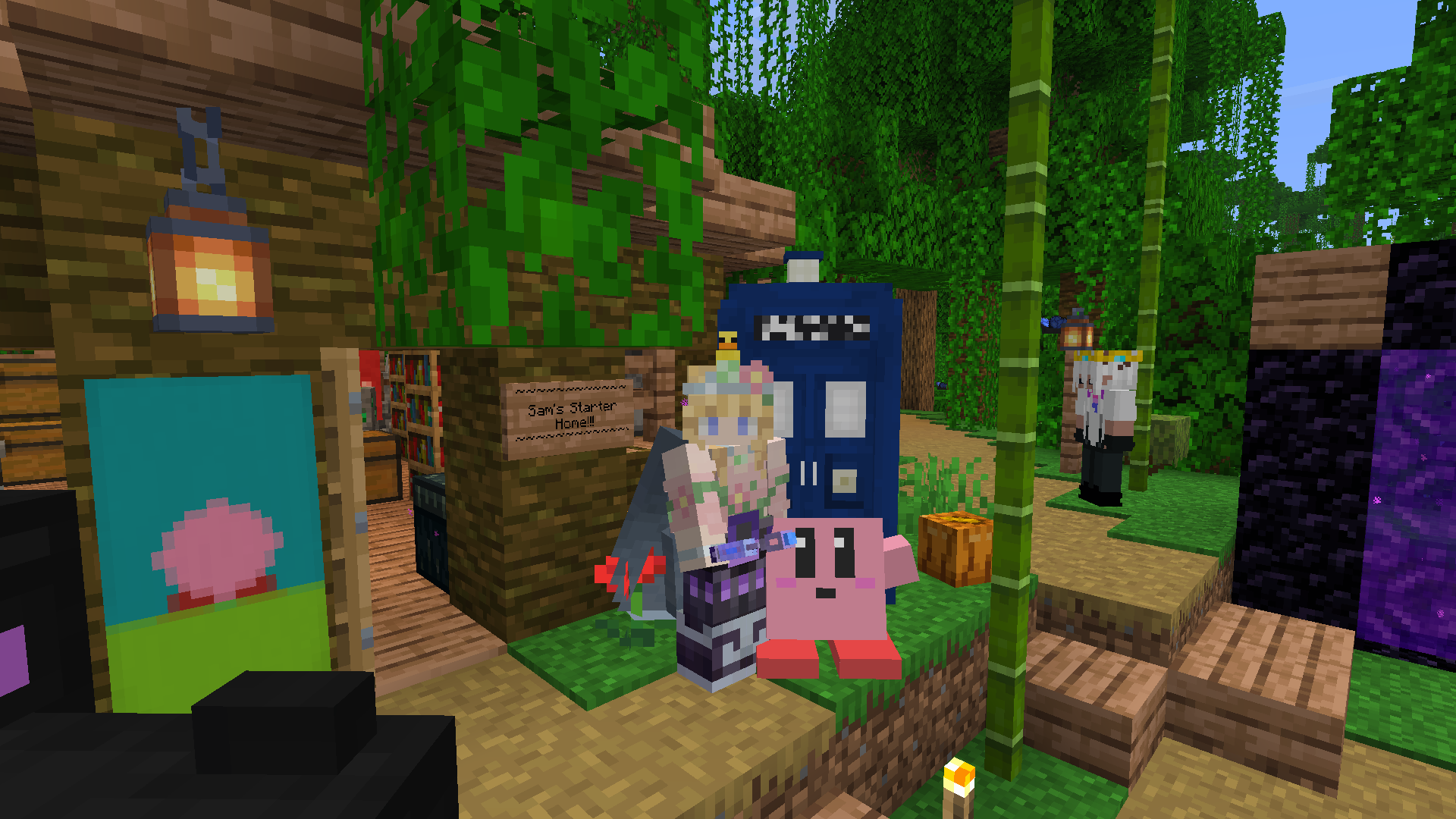 Model Example Example of models being used on a vanilla survival multiplayer server!
 -
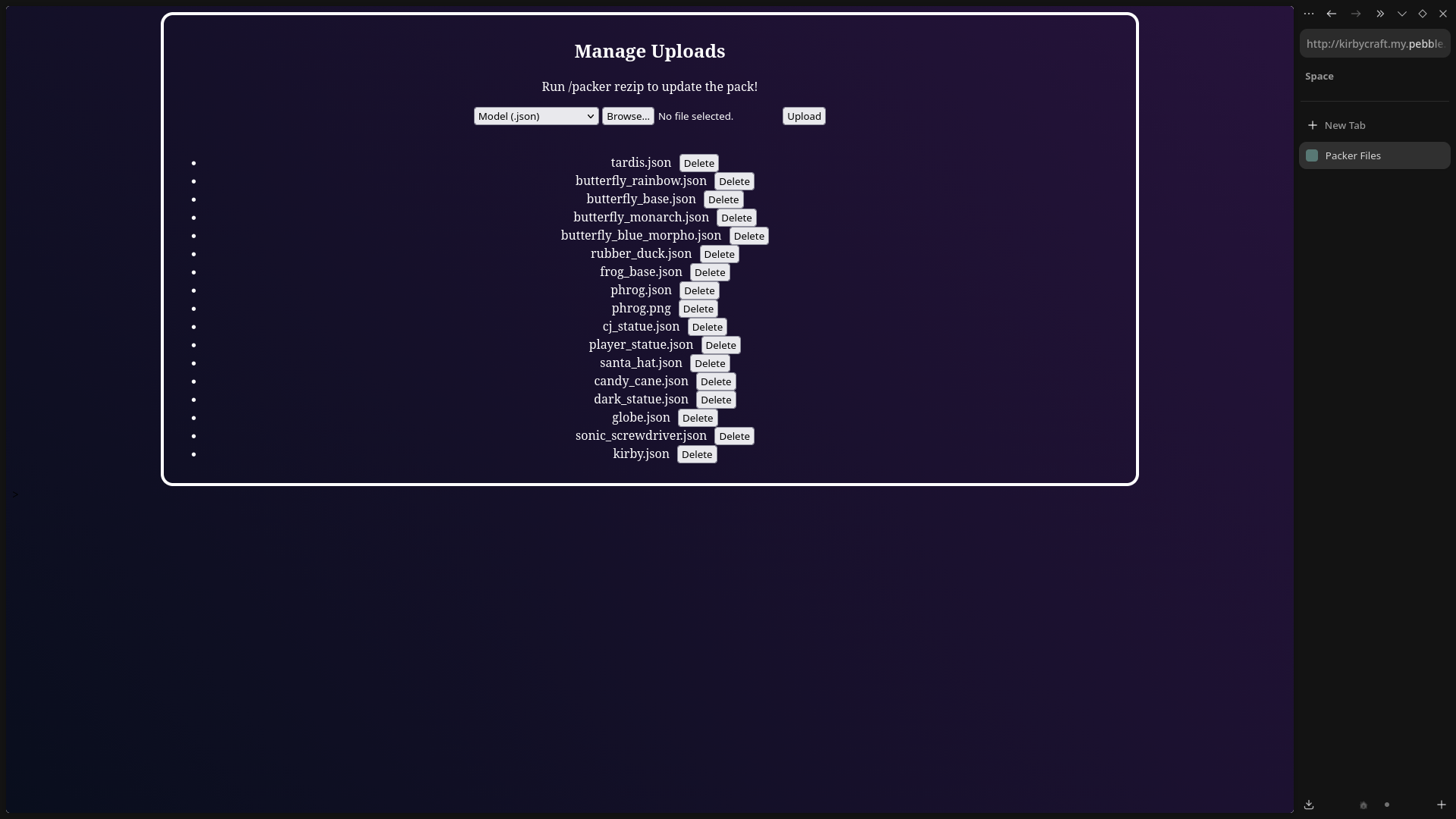 Upload Manager
Versions
Files
Relations
Project Relations
More like this
Similar Mods
Suggestions use data such as tags, dependencies, dependents, descriptions, titles, and more to rank how much they overlap with this mod.
On ModDex
Community snapshot
By the numbers
Statistics

Want to reach Minecraft players?
We're looking for a server hosting partner to feature here and other parts of the site. Interested? Send us a message!
Get in touchGet it on
Available Platforms
On ModDex
Community snapshot
By the numbers